Categories
Website

Best website design platforms for builders – Expert Comparison 2025

Choosing a website partner is a big step for any business. With so many options to consider, it can sometimes feel tough to spot the real difference between providers. Some put the spotlight on creative design while others build strong ecommerce tools or pledge ongoing support and expert local advice. Every offering brings a unique mix of features, service and personality to the table. Which approach actually fits your goals and will set up your business for long-term success? Looking closely at each service reveals what sets them apart and uncovers which one might be the best match for your next online move.

Table of Contents

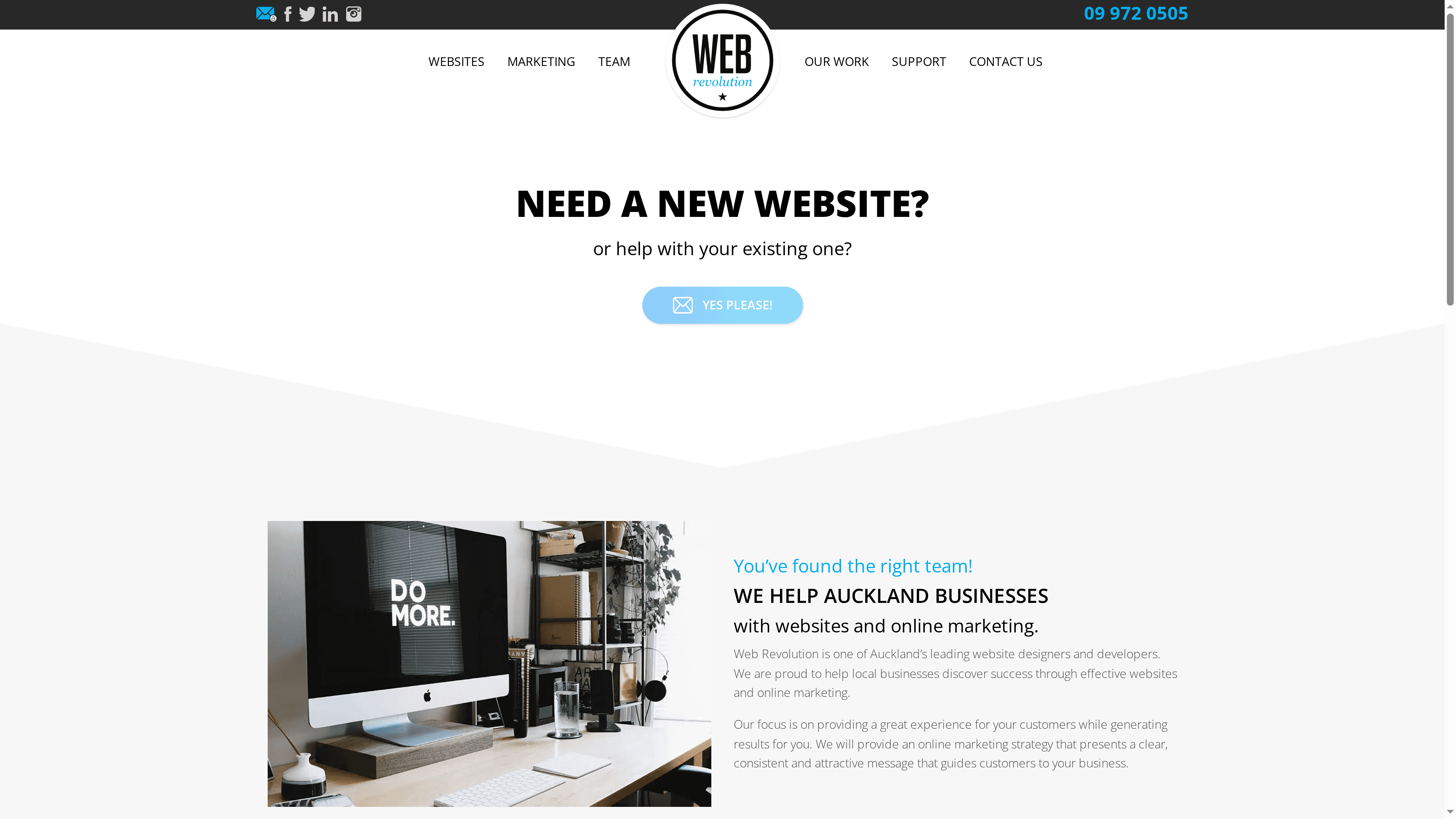
Responsive Website Design NZ

Product Screenshot

At a Glance

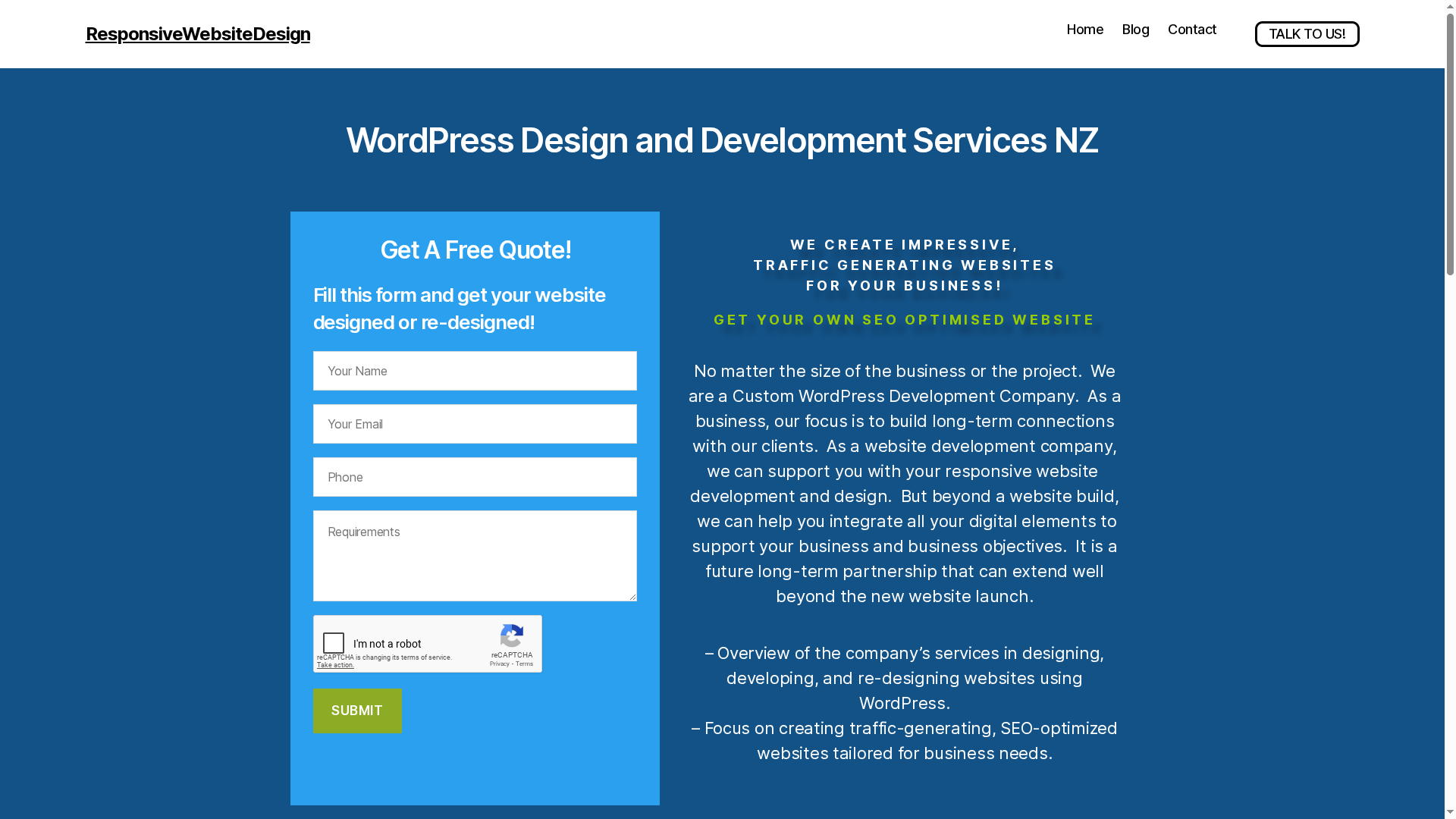
Responsive Website Design NZ specialises in creating, redesigning and developing custom WordPress websites for small to medium businesses, with a clear focus on SEO, mobile responsiveness and long-term site management. Their service offering is built around traffic-generating, SEO-optimised sites that align with business objectives and user experience priorities. Pricing isn’t listed publicly, so expect a tailored quote rather than off-the-shelf plans — a conscious choice that prioritises bespoke solutions over fixed packages.

Core Features

Responsive Website Design NZ delivers a compact but powerful feature set: custom WordPress development, responsive website design, SEO optimisation, e-commerce platform development via WooCommerce, and redesign or upgrades for large and directory-style websites. Beyond build-stage work they provide ongoing management, security and performance optimisation, positioning websites for sustained growth rather than a one-off launch. The emphasis on mobile-first design and search-engine visibility is consistent across their service scope.

Pros

  • The team has extensive experience and can handle a wide range of website needs, which helps businesses avoid costly vendor changes during growth phases.
  • A strong focus on SEO and user engagement ensures sites are built to attract and retain meaningful traffic, not just to look attractive.
  • Ongoing website management and security support mean businesses get operational continuity and fewer surprises when updates or threats arise.
  • The ability to develop custom solutions allows sites to be tailored precisely to business workflows and specialised requirements.
  • Emphasis on mobile responsiveness and visual design produces faster, more accessible experiences for customers on phones and tablets.

Who It’s For

This service is ideal for small to medium business owners, entrepreneurs and organisations seeking a professional, fully managed WordPress presence that prioritises SEO and conversion. It suits retailers launching or upgrading e-commerce stores, companies needing directory or large-scale site upgrades, and businesses that prefer a long-term partnership with a developer who can manage security, performance and iterative improvement.

Unique Value Proposition

Responsive Website Design NZ’s strength lies in combining bespoke WordPress craftsmanship with an ongoing management model focused on search visibility and conversions. Rather than selling templates, they build purpose-driven sites with WooCommerce-ready e-commerce, SEO baked into site architecture, and performance/security processes that scale. That approach is superior for businesses that need measurable outcomes — higher traffic, stronger search rankings and reliable uptime — because it removes handoffs between builders, SEO providers and site managers. The result: one accountable partner delivering a site engineered for discovery and sustained growth, tailored to the specific commercial needs of New Zealand businesses.

Real World Use Case

A local NZ retailer engaged Responsive Website Design NZ to build a mobile-responsive, SEO-optimised e-commerce platform and to provide ongoing website management. The project combined WooCommerce customisation, security hardening and regular optimisation, allowing the retailer to increase online sales while reducing administrative overhead and improving site reliability.

Pricing

Pricing is not specified on the website; requests for a personalised quote are recommended. This reflects a tailored engagement model rather than pre-set tiers — ideal if you require a customised build or long-term management.

Website: https://responsivewebsitedesign.co.nz

Zeald
Product Screenshot

At a Glance

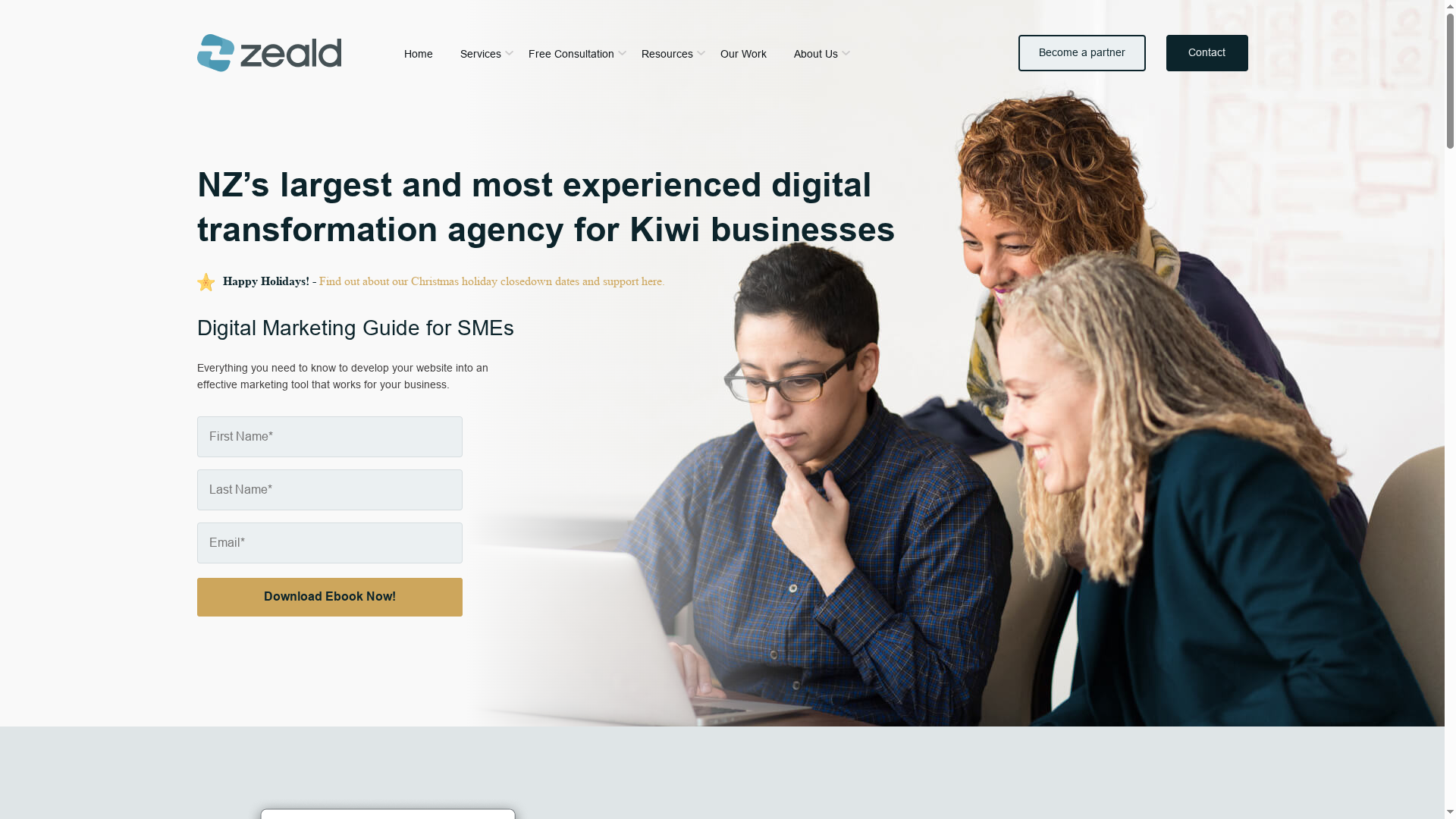
Zeald is New Zealand’s largest and most experienced web company, specialising in website design, ecommerce and digital marketing since 2001. They’ve supported over 15,000 businesses and are recognised as a Google Premier Partner, which speaks to proven capability and scale. Zeald focuses on tailored digital strategies and offers free resources and consultations to kick off projects. That said, public pricing and detailed case studies aren’t supplied in the summary, so you’ll need to request specifics for budgets and examples.

Core Features

Zeald’s core capabilities centre on end-to-end digital transformation: website design and development, ecommerce solutions to sell online, and digital marketing services to drive visibility. They also support software integrations to connect systems and offer free resources such as ebooks, website audits and webinars to help businesses diagnose needs before committing. The combination of creative, technical and marketing services positions Zeald to manage both build and growth phases of a website project.

Pros

  • Extensive experience of over 20 years: Their long history means established processes and a depth of institutional knowledge across many project types.
  • Support for more than 15,000 businesses: A large client base suggests they’ve delivered solutions across a wide range of industries and scenarios.
  • Recognition as a Google Premier Partner: This endorsement indicates strong capabilities in paid search and digital marketing management.
  • Comprehensive digital transformation services: From design through to marketing and integrations, Zeald can handle multiple facets of a project under one roof.
  • Tailored solutions for each business: They emphasise customised strategies rather than one-size-fits-all packages, which matters for businesses with specific needs.

Cons

  • The website content doesn’t specify specific pricing details: That means prospective clients must contact Zeald for quotes, which can make initial budgeting harder.
  • Limited information on geography-specific services (beyond NZ and AU): If you operate outside those markets, the extent of local support isn’t clear from the summary.
  • Lack of detailed case studies or client portfolios in the provided summary: Without visible examples it’s harder to gauge creative direction and measurable outcomes prior to enquiry.

Who It’s For

Zeald is ideal for small to medium-sized business owners in New Zealand who want a trusted partner to deliver a complete digital solution — from a redesigned website to ecommerce and marketing support. If you prefer working with an experienced local team that can cover technical integrations and ongoing marketing, Zeald fits that brief.

Unique Value Proposition

Zeald’s unique offer is its scale and breadth: a long-established New Zealand business that pairs creative web builds with digital marketing and integration services, backed by Google Premier Partner status and a large client history. That blend reduces the need to coordinate multiple vendors.

Real World Use Case

A local retail business in NZ engages Zeald to redesign its website, implement ecommerce and improve online marketing. Zeald manages the rebuild, integrates payment and inventory systems, and sets up campaigns, resulting in clearer customer journeys and improved online sales.

Pricing

Not specified in the website content; Zeald provides free consultations and resources to scope projects and determine costs.

Website: https://zeald.com

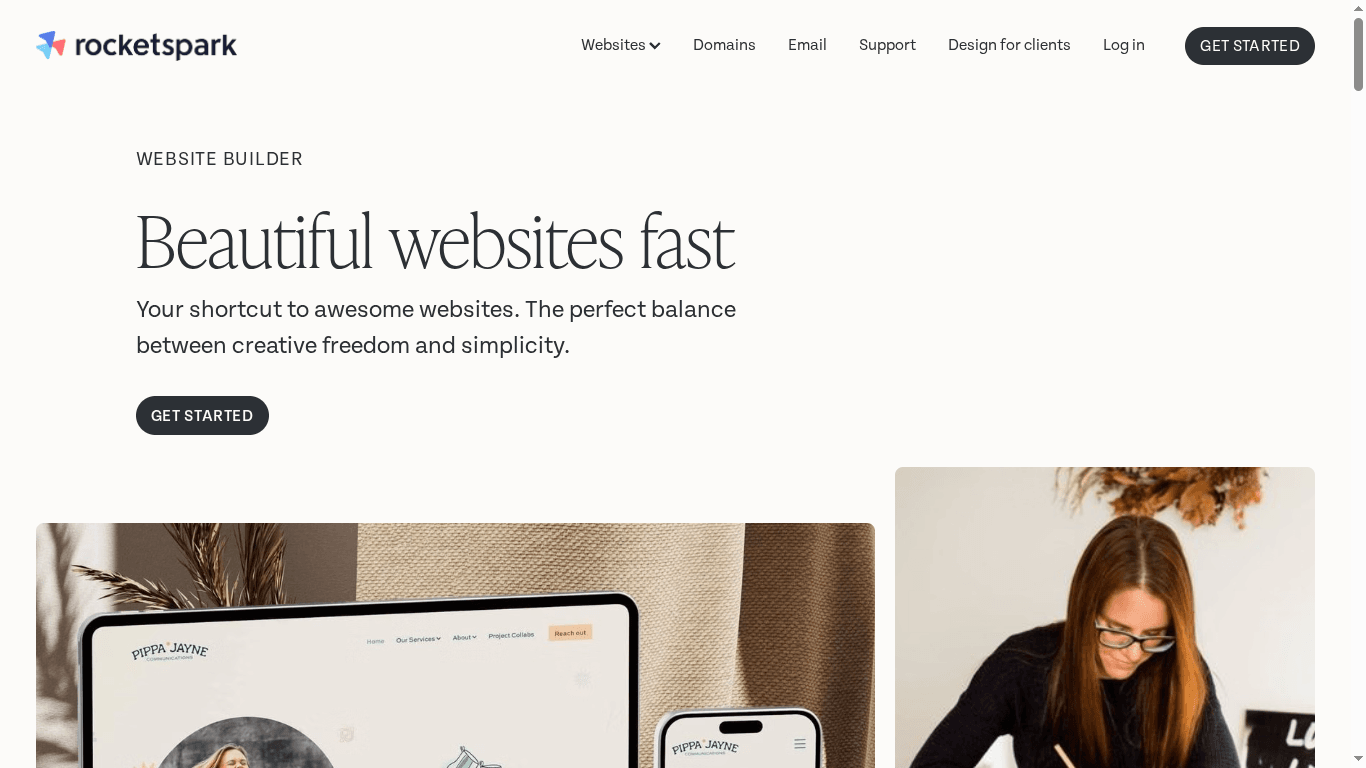
Website World
Product Screenshot

At a Glance

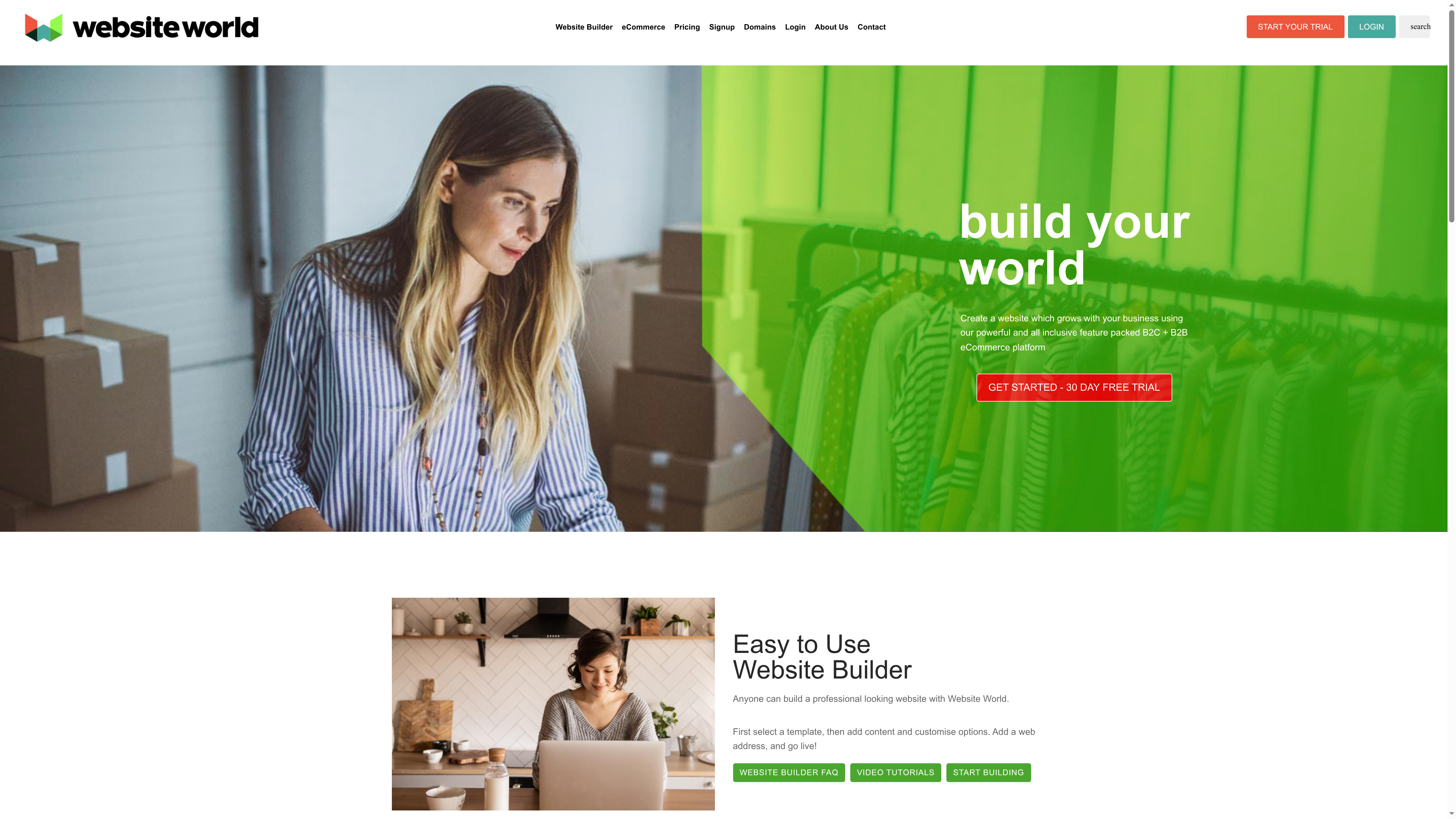
Website World is an all-in-one website builder and ecommerce platform aimed squarely at small to medium businesses and beginners who want a fast route to a professional online presence. It pairs a drag-and-drop builder with built-in ecommerce tools — no transaction surcharges are a clear selling point. Hosting and global performance are bundled, so you get speed and CDN support without separate configuration. If you want a straightforward, integrated stack for online selling, Website World makes that easy; advanced customisation seekers may find it a bit limiting.

Core Features

Website World combines a template-based website builder with ecommerce-specific capabilities: integrated payment gateways, courier and shipping options, inventory management, and members-only CRM features with trade pricing. The platform also includes bulk email marketing and domain registration, all hosted in the cloud with global delivery and CDN support. In short, it covers the full customer journey from storefront design through payment, fulfilment and repeat marketing — presented as a single package rather than a set of add-ons.

Pros

  • User-friendly drag-and-drop builder: The visual builder makes site creation accessible to non-technical users, lowering the barrier to launch quickly.
  • Comprehensive ecommerce feature set included: Payments, stock control, shipping integrations and member pricing come as standard, reducing the need for multiple vendors.
  • Global hosting with fast speeds and CDN support: Built-in hosting and CDN aim to keep pages responsive for customers worldwide.
  • Multiple integration options for payments, shipping and marketing: The platform supports common commerce workflows so you can connect the pieces that matter to your operation.
  • Focus on small to medium businesses and beginners: The product is clearly tailored to business owners who need an all-in-one, low-friction solution.

Cons

  • Limited detailed customisation compared to some advanced platforms: Users who need deep code-level edits or bespoke features may find the platform restrictive.
  • Potential complexity for users unfamiliar with ecommerce features: The breadth of commerce tools adds learning curves for people new to inventory, fulfilment and pricing tiers.
  • Pricing details are not explicitly provided: The absence of clear pricing tiers on the information provided makes it harder to assess total cost before trialling the service.

Who It’s For

Website World suits small to medium business owners, web entrepreneurs and web designers looking for an integrated ecommerce solution that can be set up quickly and managed without separate hosting, payment or marketing vendors. It fits retailers, hospitality operators and organisations aiming to add membership or loyalty schemes without a long development project.

Unique Value Proposition

Website World’s key value is packaging site building, ecommerce, hosting and CRM into a single, coherent platform with no transaction surcharges — simplifying operations and reducing the number of vendors you manage.

Real World Use Case

A local retailer can use Website World to build a branded online store using templates, accept payments via integrated gateways, manage stock and dispatch with courier links, and run members-only pricing for trade customers — all while sending bulk email campaigns from the same dashboard.

Pricing

Pricing details are not explicitly provided; the platform notes hosting packages are included with features and that a free trial is available.

Website: https://website.world

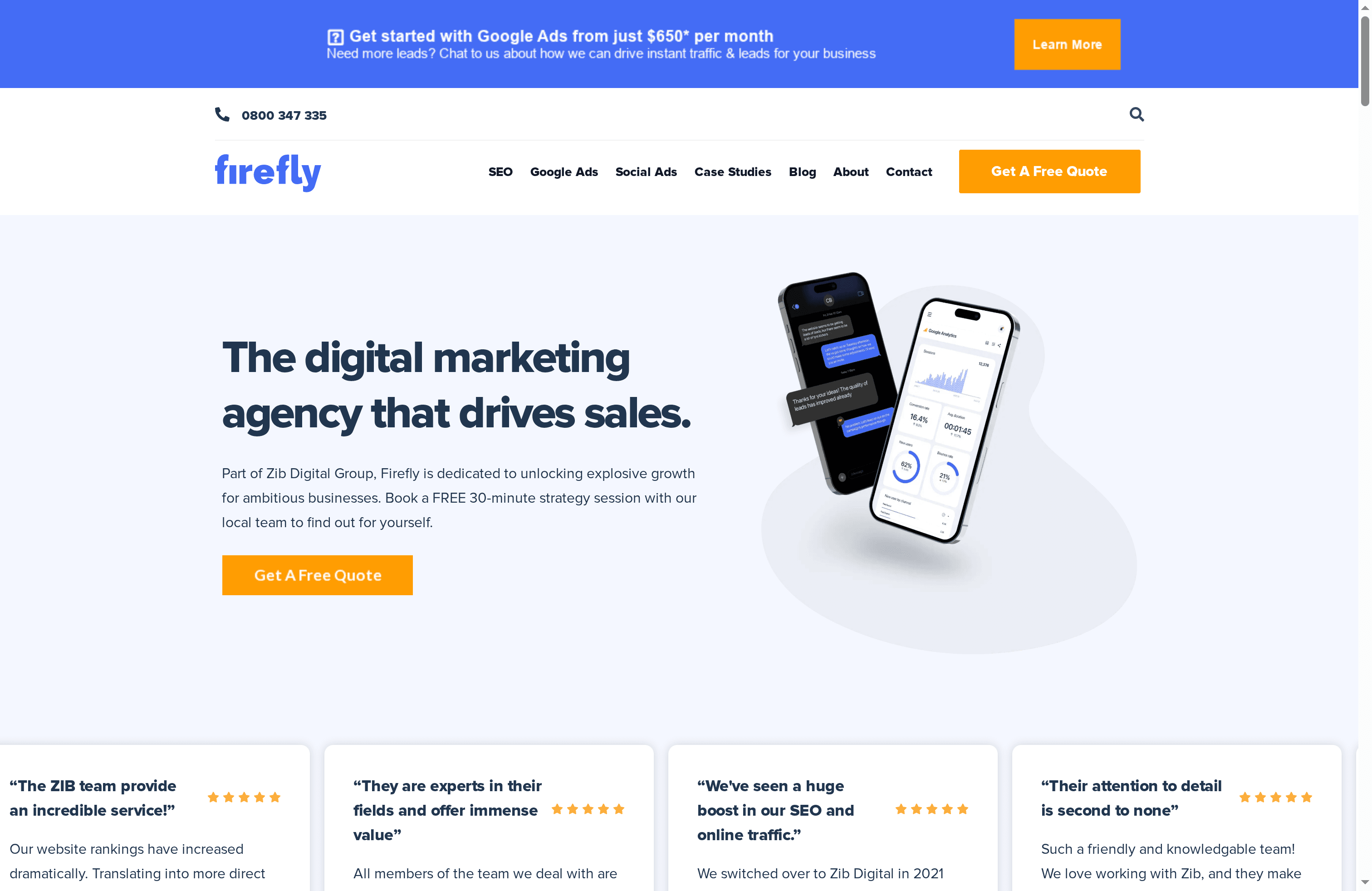
Firebrand

Product Screenshot

At a Glance

Firebrand is a creative, full‑service web agency based in Ōtepoti (Dunedin) that combines website design, digital marketing and content production under one roof. They excel at crafting tailored digital experiences for organisations that value local engagement and bold creative work. If you need a partner to lead a brand refresh, build a bespoke website or produce high‑quality video and imagery, Firebrand is a strong contender. Pricing isn’t transparent on the site, so expect to contact them for a custom quote.

Core Features

Firebrand offers a broad suite of capabilities: digital marketing and SEO strategy, website and digital design, branding and graphic design, custom development and creative content production such as videography, animation and photography. Their approach appears to blend strategic planning with hands‑on production, meaning you can move from discovery to execution without juggling multiple vendors. They also emphasise community and national work across Aotearoa, which suggests local insight is baked into their project delivery.

Pros

  • Experienced with high‑profile projects: Firebrand lists work for local and national clients, indicating they can manage complex briefs and stakeholder expectations.
  • Strong community engagement: The agency’s focus on local ties and Aotearoa‑centred projects supports campaigns that need cultural awareness and regional relevance.
  • Comprehensive service offering: You can access branding, web design, digital marketing and creative production all in one place, reducing coordination overhead.
  • Award recognition: Being described as award‑winning suggests a track record of creative excellence and industry acknowledgement.
  • Tailored digital experiences: They emphasise custom solutions, which is useful when off‑the‑shelf templates won’t meet your business needs.

Cons

  • Pricing not published: The website does not provide specific pricing, so budget planning requires direct engagement with the agency.
  • Geographic focus may limit reach: Firebrand’s strong Otago and Dunedin base could mean their services are optimised for New Zealand clients, which may be less convenient for organisations located elsewhere.
  • Limited visible case studies: There’s no detailed portfolio or case studies immediately available on the main page, making it harder to assess process and measurable outcomes before contacting them.

Who It’s For

Firebrand is ideal for New Zealand businesses, institutions and community organisations that want an integrated partner for branding, web development and content production. They suit clients who value creative risk, local cultural insight and end‑to‑end delivery rather than piecemeal hires. If you need an agency that can manage marketing strategy and execute high‑quality creative assets, this is a solid fit.

Unique Value Proposition

Firebrand’s edge is its combination of creative production (video, animation, photography) with strategic digital services and local Aotearoa knowledge. That blend lets them produce assets that are not only visually striking but also strategically aligned to community and commercial objectives.

Real World Use Case

A local university partners with Firebrand to redesign its digital presence, improve SEO, and roll out engaging marketing campaigns — including video tours and event promotion — to attract students and elevate campus engagement across the region.

Pricing

Not specified on the website; prospective clients should request a customised quote to understand scope, timelines and costs.

Website: https://firebrand.nz

Web Design Service Providers Comparison

This table compares key features, pros, cons, and usability aspects of four prominent web design service providers, helping you choose the best fit for your business needs.

ProviderCore FeaturesProsConsPricing
Responsive Website Design NZCustom WordPress, SEO optimization, e-commerce via WooCommerceExtensive experience, SEO focus, ongoing managementNo public pricing, requires tailored quotesCustom quotes; not publicly listed
ZealdWebsite design, ecommerce, digital marketingOver 20 years experience, Google Premier Partner, comprehensive servicesNo public pricing or detailed case studiesNot specified; free consultations and resources available
Website WorldTemplate-based builder, integrated ecommerce toolsUser-friendly, no transaction surcharges, global hostingLimited customization, complexity for beginnersNot explicitly provided; trial available
FirebrandDigital marketing, web design, creative content productionExperienced, community-focused, award-winningNo public pricing, limited case studiesNot specified; custom quotes needed

Elevate Your Building Business with Expert Website Design Solutions

Choosing the right website design platform as a builder can be challenging when you want a site that is not only visually appealing but also responsive and SEO-optimised to attract more clients. If you are feeling overwhelmed by platform choices and need a professional solution tailored to your unique business goals, the key pain points often include ensuring mobile responsiveness, seamless ecommerce integration, and long-term site management that grows with your business.

At Responsive Website Design NZ, we specialise in crafting custom WordPress websites designed specifically for New Zealand businesses like yours. Our approach focuses on solving these challenges through mobile-first design, WooCommerce-ready e-commerce solutions, and ongoing SEO and security support. You can explore how we address these topics and more in our Website Archives or browse other insights in the Uncategorized Archives.

https://responsivewebsitedesign.co.nz

Ready to transform your online presence with a platform built for builders who demand quality and growth? Visit Responsive Website Design NZ now and start your journey towards a customised, high-performing website that delivers results. Don’t settle for less when your business deserves the best. Contact us today for a tailored solution that will boost your visibility and sales immediately.

Frequently Asked Questions

What features should I look for in a website design platform for builders?

A good website design platform for builders should include project management tools, mobile-friendly templates, and SEO capabilities. Evaluate platforms that offer user-friendly interfaces and customisation options tailored to construction websites.

How can I ensure my builder website is mobile-responsive?

Choose a website design platform that prioritises responsive design, meaning your site will automatically adjust to various device sizes. Test your website on different mobile devices and screen sizes to confirm it provides a seamless user experience.

What is the typical timeline for setting up a website on a design platform for builders?

Setting up a builder website can typically take anywhere from a few days to several weeks, depending on your needs and content preparation. Prepare your content and images in advance to streamline the process and aim for launch within 30 days.

How can I optimise my builder website for search engines?

To optimise your builder website for search engines, focus on keyword research, proper title tags, and quality content that addresses your target audience’s needs. Regularly update your site with new projects or testimonials to enhance relevance and improve search visibility over time.

Are there any website design platforms specifically tailored for construction businesses?

Yes, many website design platforms offer specific templates and features designed for construction and building businesses. Research platforms that offer industry-specific functionalities, like portfolio galleries and service descriptions, to better showcase your work.

Can I migrate my existing website to a new design platform?

Yes, most design platforms allow you to migrate content from your existing website, although the complexity may vary. Prepare for the migration by gathering all current content and images, and follow the platform’s guidelines to ensure a smooth transition.

Categories
Website

7 Essential Website Redesign Tips for Business Owners

Over seventy percent of australian businesses miss out on valuable leads due to hidden website weaknesses. A strong online presence is now essential as more consumers rely on digital platforms to connect with brands and make purchasing decisions. By learning how to spot and address common pitfalls, you can turn your website into a powerful business asset that stands out in a crowded market.

Table of Contents

Quick Summary

TakeawayExplanation
1. Conduct a thorough website auditRegularly assess your website’s performance, speed, and navigation to identify weaknesses and improve overall effectiveness.
2. Set clear business objectives before redesignDefine specific goals, like increasing sales or enhancing user experience, to create a focused and efficient website redesign strategy.
3. Ensure mobile responsivenessDesign your website primarily for mobile devices to meet user expectations and improve accessibility for all visitors.
4. Focus on intuitive navigationCreate a logical site structure that allows users to find information easily, aiming for a maximum of three clicks to access key content.
5. Plan for ongoing maintenanceEstablish a routine for regular updates and security checks to keep your website secure and aligned with evolving business needs.

1. Assess Your Current Website for Weak Points

Taking a critical look at your current website is like performing a comprehensive health check for your online presence. A thorough website audit allows you to uncover hidden performance issues and strategic weaknesses that might be holding your business back.

According to the Wikipedia Website Audit Guide, a website audit evaluates multiple factors influencing a site’s visibility, including structure, performance, and traffic patterns. This process helps business owners identify technical and strategic limitations preventing optimal online performance.

Key Areas to Evaluate During Your Website Assessment:

  • Site loading speed
  • Mobile responsiveness
  • User navigation experience
  • Content relevance and quality
  • Search engine optimisation elements

Using the CRAAP test methodology from Palomar College Research Guide, you can systematically assess your website. This approach considers Currency, Relevance, Authority, Accuracy, and Purpose to determine your site’s overall effectiveness.

Net Branding recommends conducting a comprehensive website audit at least twice annually. Professional WordPress designers can help you identify and resolve issues quickly, ensuring your online platform remains competitive and user friendly.

Pro Tip: Combine automated tools with manual review to get the most accurate assessment of your website’s performance and potential improvements.

2. Define Clear Business Goals for the Redesign

Successful website redesigns start with crystal clear business objectives. Without well defined goals, your redesign becomes an aimless exercise that wastes valuable resources and time.

According to Structure, establishing specific goals such as enhancing brand awareness, increasing lead conversions, and driving online sales is crucial for a website redesign that genuinely aligns with business objectives.

Strategic Goal Setting Requires Understanding Your Business Needs:

  • Increasing online sales
  • Generating more qualified leads
  • Improving brand perception
  • Enhancing user experience
  • Streamlining customer communication

Drawing from Wikipedia Business Process Re-engineering, fundamentally rethinking your digital strategy can help achieve significant performance improvements. This means your website redesign should not just look good but strategically support your business growth.

Net Branding recommends conducting a comprehensive workshop with key stakeholders to map out precise website objectives. This collaborative approach ensures your redesign reflects your unique business vision and market positioning.

Pro Tip: Quantify your goals with specific metrics. Instead of saying “increase sales,” aim for “boost online sales by 25 percent within six months of website launch.”

Remember that a well planned website redesign is an investment in your business future not just a cosmetic upgrade.

3. Focus on Mobile Responsiveness and Accessibility

In today’s digital ecosystem, a website that works seamlessly across all devices is not just an advantage it’s a necessity. Mobile responsiveness and accessibility are fundamental requirements for engaging modern audiences and maintaining a professional online presence.

Research from PrivacyScore emphasises the critical importance of creating websites that benchmark high on accessibility and user experience standards. This means designing websites that adapt smoothly to smartphones, tablets, and desktop computers while ensuring all users can navigate and interact effectively.

Key Considerations for Mobile Responsiveness:

  • Fluid layout design
  • Readable text across devices
  • Touch friendly navigation
  • Fast loading speeds
  • Intuitive user interface

According to ArXiv Research, usability testing frameworks consistently highlight mobile responsiveness as a crucial factor in enhancing overall user experience. Net Branding recommends implementing a mobile first design approach where your website is initially designed for mobile platforms and then scaled up for larger screens.

Professional WordPress designers understand that accessibility goes beyond visual design. It means creating websites that work for people with different abilities including those using screen readers or alternative navigation tools.

Pro Tip: Test your website on multiple devices and use tools like Google Mobile Friendly Test to ensure comprehensive responsiveness. Your goal is a seamless experience for every potential customer.

4. Optimise User Experience and Site Navigation

Your website navigation is the digital roadmap that guides visitors through your online landscape. A well designed navigation system transforms casual browsers into engaged customers by creating intuitive pathways to information.

Research from Science Direct highlights a quantitative approach to website usability that emphasises how human perception critically depends on clear information retrieval mechanisms. This means your site structure must be logical and predictable.

Essential Navigation Design Principles:

  • Clear menu hierarchy
  • Logical page groupings
  • Minimal click depth
  • Consistent menu placement
  • Descriptive link labels

According to ArXiv Research, visualising hyperlink connectivity can significantly enhance user understanding and trust in website content. Net Branding recommends developing a navigation strategy that allows visitors to reach their desired information within three clicks.

Professional WordPress designers understand that navigation is more than aesthetic it is about creating an effortless user journey. Your menu should anticipate user needs and provide seamless access to critical information.

Pro Tip: Conduct user testing to validate your navigation design. Watch how real users interact with your site and identify any potential confusion points in their journey.

5. Update Visual Design to Reflect Your Brand

Your website serves as a digital storefront communicating your brand identity through visual language. Professional design is more than aesthetics it is a strategic communication tool that builds instant credibility and connection with potential customers.

The Stanford Web Credibility Project discovered that visual design elements dramatically influence users perception of a websites trustworthiness and professionalism. This means your design choices directly impact how customers perceive your business.

Key Brand Visual Design Elements:

  • Consistent colour palette
  • Professional typography
  • Strategic imagery selection
  • Authentic visual storytelling
  • Alignment with brand personality

Research from LookAhead demonstrates that visual design properties can predict how users perceive website safety and reliability. Net Branding recommends creating a design that communicates your unique value proposition through deliberate visual choices.

Professional WordPress designers understand that brand consistency across digital platforms builds recognition. Your website should feel like a natural extension of your broader marketing materials creating a cohesive visual narrative.

Pro Tip: Develop a comprehensive brand style guide that outlines precise colour codes typographic rules and imagery standards to maintain visual consistency across all digital platforms.

6. Integrate SEO Best Practices from the Start

Search engine optimisation is not an afterthought it is a fundamental design strategy that determines your websites visibility and success. Implementing SEO principles during the initial website redesign ensures your digital presence attracts and engages potential customers effectively.

According to Wikipedia Website Audit research, conducting a comprehensive website audit helps identify critical areas for improvement in search engine visibility. This means strategically incorporating SEO elements throughout your website design process.

Critical SEO Design Elements:

  • Clean website architecture
  • Semantic HTML structure
  • Fast page loading speeds
  • Mobile responsive design
  • Strategic keyword integration

Research from LookAhead suggests that analysing structural and content properties can significantly predict website performance. Net Branding recommends treating SEO as an integral part of your design strategy rather than a separate task.

Professional WordPress designers understand that modern SEO requires a holistic approach. Your website should be built with search engine algorithms in mind creating a seamless experience for both users and search crawlers.

Pro Tip: Work closely with SEO specialists during the initial design phase to ensure your website architecture supports optimal search engine performance from day one.

7. Plan for Ongoing Support and Future Updates

A website is not a static product but a dynamic digital asset that requires continuous care and strategic evolution. Planning for ongoing support ensures your online presence remains robust secure and aligned with your business objectives.

Research from PrivacyScore emphasises the critical need for continuous monitoring and updates to maintain security and privacy standards over time. This means your website requires regular professional attention to remain effective and competitive.

Essential Ongoing Website Maintenance Elements:

  • Regular security updates
  • Performance monitoring
  • Content refreshment
  • Technical compatibility checks
  • User experience refinements

According to MisVis Research, ongoing assessment helps websites adapt to evolving user expectations and technological advancements. Net Branding recommends developing a comprehensive maintenance strategy that includes quarterly reviews and proactive update schedules.

Professional WordPress designers understand that website maintenance is not an optional extra but a fundamental requirement for digital success. Your website should be treated as a living digital ecosystem that grows and adapts with your business.

Pro Tip: Establish a fixed budget and schedule for website maintenance to prevent unexpected costs and ensure your digital platform remains cutting edge and secure.

Below is a comprehensive table summarising the key strategies and considerations for website assessment and redesign discussed throughout the article.

Main StepKey Points & ActionsBenefits/Outcomes
Assess Current WebsiteConduct a thorough audit using methods like the CRAAP test. Evaluate speed, responsiveness, UX, content, and SEO.Identify hidden issues and improve performance.
Define Business GoalsEstablish specific objectives such as increasing sales or enhancing brand perception. Conduct stakeholder workshops.Align redesign with business growth and market positioning.
Focus on Mobile ResponsivenessDesign for fluid layout, touch-friendly navigation, and accessibility across devices.Engage more users and improve accessibility.
Optimise UX & NavigationDesign logical site structure with clear menus and minimal click depth.Enhance user engagement and information retrieval.
Update Visual DesignEnsure visual elements reflect brand identity with consistent colours and typography.Build trust and connection with customers.
Integrate SEO Best PracticesInclude clean architecture, semantic HTML, and strategic keywords from the start.Improve search visibility and attract more customers.
Plan for Ongoing SupportSchedule regular maintenance, updates, and user experience refinements.Maintain site security, performance, and market competitiveness.

Transform Your Website Redesign Goals into Reality

If you have been facing challenges like unclear business objectives, poor mobile responsiveness, or SEO issues as highlighted in the article 7 Essential Website Redesign Tips for Business Owners then it is time to take decisive action. Your website should not only look professional but work hard to convert visitors into loyal customers. Key pain points such as optimising user experience and integrating SEO from the start are critical to creating a great digital presence.

https://responsivewebsitedesign.co.nz

Explore tailored WordPress solutions designed specifically for New Zealand businesses at ResponsiveWebsiteDesign. Our expert team specialises in delivering custom redesigns focusing on your brand identity, mobile optimisation, and ongoing website support. Start your journey today by discovering insights in our Website Archives and boost your visibility with proven techniques from our SEO Archives. Don’t let your business lag behind; visit ResponsiveWebsiteDesign now and partner with a team that understands your goals and keeps your website performing at its best.

Frequently Asked Questions

How do I assess my current website for weaknesses before a redesign?

To assess your website, perform a comprehensive evaluation focusing on loading speed, mobile responsiveness, user navigation, content quality, and SEO elements. Use automated tools alongside a manual review to identify areas for improvement, allowing you to pinpoint up to five key weak points.

What specific business goals should I define for my website redesign?

Define clear business objectives like increasing online sales by 25% or improving user experience scores by 15%. Set measurable targets to ensure your redesign aligns with your business goals and provides a clear direction for the project.

Why is mobile responsiveness important in my website redesign?

Mobile responsiveness is crucial because a majority of users access websites via mobile devices. Design your website to adapt seamlessly to smartphones and tablets, ensuring a smooth user experience that can increase engagement and conversions by over 30%.

How can I improve user experience and site navigation in my redesign?

To improve user experience, create a logical navigation structure that allows users to find information within three clicks. Test your navigation design with real users to identify any pain points and make adjustments based on their feedback.

What elements should I consider in my website’s visual design?

Ensure that your visual design includes a consistent colour palette, professional typography, and strategic imagery that align with your brand identity. Create a design that communicates your unique value and builds trust with your audience.

How do I incorporate SEO best practices into my website redesign?

To incorporate SEO from the start, focus on clean website architecture, strategic keyword integration, and a mobile-responsive design. Collaborate with SEO specialists during the design phase to lay a foundation that can enhance your search engine visibility from day one.

Categories
Website

How to Build Mechanic Website for Your Business

Over 80 percent of australian consumers research mechanics online before deciding where to book a service. If your business website fails to grab attention or lacks important features, you lose valuable customers to competitors in seconds. Building a mechanic website that not only looks great but functions smoothly can be the turning point for your automotive business. In the steps ahead, you will learn how to plan, design, and optimise a website that turns visitors into loyal customers.

Table of Contents

Quick Summary

Key InsightExplanation
1. Define clear website goalsEstablish primary objectives such as attracting customers and showcasing services to enhance user experience and conversion rates.
2. Choose the right hostingSelect a reliable WordPress hosting provider that ensures performance, security, and support tailored for automotive services.
3. Customise design for usabilityCreate an intuitive layout that reflects your brand and enhances navigation, making it easy for customers to find information and book services.
4. Integrate essential functionsImplement booking, contact, and payment features using user-friendly plugins to facilitate customer interactions and streamline business operations.
5. Optimise for SEO and mobileFocus on mobile responsiveness and SEO strategies to improve search engine visibility and provide a seamless user experience across devices.

Step 1: Define website goals and essential features

Building a successful mechanic website requires strategic planning and clear objectives. According to research from arxiv, small business managers need a decision support system that helps select website features aligning with consumer preferences to enhance online sales.

Starting with comprehensive goal setting is crucial for your mechanic business website. Your primary objectives might include attracting potential customers, showcasing your technical expertise, displaying service offerings, and enabling online booking or quote requests. Each goal should directly connect to solving customer pain points and demonstrating your professional capabilities.

Essential features for a mechanic website typically involve a clean, professional design that communicates trust and competence. This means incorporating elements like service descriptions, transparent pricing information, customer testimonials, detailed contact information, and a responsive mobile design. Website governance principles emphasise establishing policies that ensure your site’s content and functionality consistently meet organisational goals and user needs.

Consider implementing features such as:

  • Online service booking system
  • Detailed service menu with pricing
  • Staff and expertise introduction section
  • Customer review integration
  • Mobile responsive design
  • Clear call to action buttons

By thoughtfully defining your website goals and selecting strategic features, you create a powerful digital platform that transforms website visitors into loyal automotive service customers.

FAQs:

Q: How long does it take to build a mechanic website?
A: Typically 4-6 weeks depending on complexity and features.

Q: What is the average cost for a mechanic website in NZD?
A: From $2,500 for a professional custom design.

Q: Do I need technical skills to manage my website?
A: No. Most modern websites include user friendly content management systems.

Step 2: Select and set up a WordPress hosting solution

Choosing the right WordPress hosting solution is critical for your mechanic website’s performance and reliability. Recent research from arxiv highlights the importance of deploying scalable and cost effective hosting platforms that support organisational communication frameworks.

When selecting a hosting provider, mechanics should prioritise performance, security, and WordPress specific features. WordPress hosting options like managed WordPress hosts provide specialised services tailored to WordPress websites. As Wikipedia notes, some providers offer automatic updates and enhanced security measures which are crucial for maintaining a professional online presence.

Consider these key factors when evaluating hosting solutions:

  • Server reliability and uptime guarantees
  • WordPress specific security features
  • Scalability for future business growth
  • Technical support availability
  • Website loading speed
  • Cost effectiveness

Your hosting choice will directly impact website performance, so research thoroughly and select a provider that understands the unique needs of automotive service businesses.

Prioritise providers offering robust WordPress optimisation and responsive customer support.

FAQs:

Q: How much should I budget for WordPress hosting?
A: From $15 per month for reliable small business hosting.

Q: Can I migrate my existing website?
A: Most hosting providers offer free migration services.

Q: Do I need technical skills to manage WordPress hosting?
A: No. Modern hosting platforms include user friendly management interfaces.

Step 3: Customise your mechanic website design and layout

Customising your mechanic website design requires strategic thinking and a focus on user experience. Web usability principles emphasise creating websites that are easy to navigate and efficient, ensuring potential customers can accomplish tasks effectively and satisfactorily.

Starting with a professional website design guide for builders, focus on creating a layout that reflects your automotive service brand. Your website design should communicate professionalism, technical expertise, and trustworthiness. Incorporate visual elements that resonate with automotive customers such as clean lines, mechanical imagery, and a colour palette that suggests precision and reliability.

Consider these critical design customisation elements:

  • Clear service menu with professional typography
  • High quality images of your workshop and team
  • Prominent contact information
  • Easy to use navigation menu
  • Mobile responsive layout
  • Testimonial section with customer reviews

Choose a WordPress theme that allows extensive customisation and aligns with your mechanical business aesthetic. Pay special attention to creating intuitive user pathways that guide potential customers towards booking services or making enquiries.

website customisation mechanic

FAQs:

Q: How long does website design customisation take?
A: Typically 2-3 weeks for a professional mechanic website.

Q: Can I update the design myself?
A: Yes. Modern WordPress themes include user friendly customisation options.

Q: What makes a mechanic website design effective?
A: Clear services, professional imagery, and easy navigation are key elements.

Step 4: Integrate booking, contact, and ecommerce functions

Integrating essential digital functions into your mechanic website requires strategic planning and selecting the right WordPress plugins. Web hosting providers like Bluehost offer robust platforms that support seamless integration of booking, contact, and ecommerce functionalities for automotive service businesses.

To create a comprehensive online service platform, focus on implementing user friendly plugins that enhance customer interaction. Ecommerce integration guides recommend selecting tools that streamline appointment scheduling, enable online quote requests, and facilitate potential parts or service sales. Consider WordPress plugins specifically designed for automotive service businesses that allow customers to book services, request quotes, and potentially purchase automotive parts directly through your website.

Key integration elements to consider:

  • Online booking calendar system
  • Customisable contact forms
  • Secure payment gateway integration
  • Service pricing display options
  • Automated email confirmation systems
  • Mobile responsive booking interface

Ensure your chosen plugins are compatible with your WordPress theme and provide a smooth, professional user experience. Test all functions thoroughly to guarantee customers can easily interact with your automotive service platform.

FAQs:

Q: How much do booking plugins cost?
A: From $50 per year for professional WordPress plugins.

Q: Can I customise my booking system?
A: Yes. Most modern plugins offer extensive customisation options.

Q: Are these integrations secure?
A: Reputable plugins include robust security features to protect customer data.

Step 5: Optimise for SEO and mobile responsiveness

Optimising your mechanic website for search engines and mobile devices is crucial for attracting and retaining potential customers. Web usability principles emphasise designing websites that are accessible, efficient, and provide seamless user experiences across multiple devices.

Implementing a responsive design tutorial will help you create a mobile responsive website that adapts perfectly to smartphones, tablets, and desktop computers. Focus on technical elements that improve search engine visibility and user engagement, such as fast loading times, clean navigation, and mobile friendly content structures.

Key SEO and mobile optimisation strategies include:

  • Compress and optimise image file sizes
  • Use responsive WordPress themes
  • Implement schema markup for automotive services
  • Create mobile friendly menu structures
  • Improve page loading speed
  • Write location specific content for local SEO
  • Use alt text for images

Remember that mobile responsiveness directly impacts your search engine rankings and user experience.

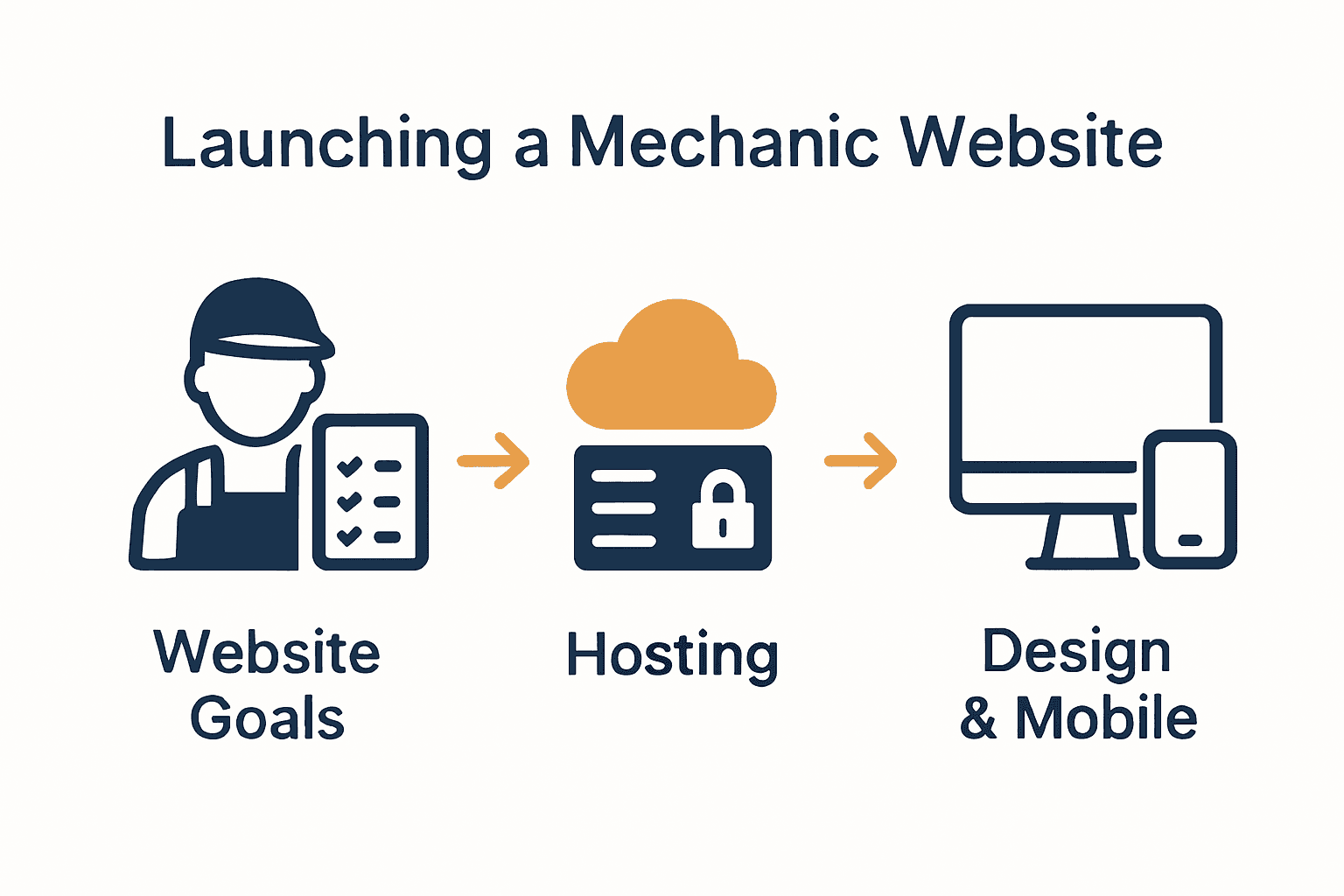
Infographic of mechanic website goals, hosting, design steps Google prioritises websites that perform well on mobile devices, making this optimisation critical for your automotive service business.


FAQs:

Q: How long does SEO optimisation take?
A: From 4 to 8 weeks for comprehensive website optimisation.

Q: Do I need technical skills for SEO?
A: No. Many WordPress plugins simplify SEO implementation.

Q: What impacts mobile responsiveness most?
A: Page loading speed and adaptive design are the most crucial factors.

Step 6: Test and launch your mechanic website

Web usability principles emphasise the critical importance of thoroughly testing websites before launching to ensure they meet user expectations and function seamlessly across different devices. Launching your mechanic website requires a methodical approach to guarantee a professional and reliable online presence.

Before going live, conduct comprehensive testing using a website maintenance checklist to validate every aspect of your digital platform. This process involves rigorous evaluation of functionality, performance, and user experience across multiple devices and browsers.

Critical testing elements to verify:

  • Mobile responsiveness on various screen sizes
  • Functionality of booking and contact forms
  • Payment gateway integration
  • Page loading speeds
  • Cross browser compatibility
  • Link and navigation accuracy
  • Security certificate validation
  • Content readability and formatting

Professional testing helps prevent potential issues that could compromise your automotive service business’s online reputation. Consider conducting both automated and manual testing to ensure comprehensive website performance.

FAQs:

Q: How long does website testing take?
A: From 3 to 5 days for thorough professional testing.

Q: What if I find issues during testing?
A: Address and resolve issues before official website launch.

Q: Do I need professional testing services?
A: While optional, professional testing can identify subtle technical problems.

Build a Mechanic Website That Drives Success for Your Business

Creating a mechanic website involves more than just design — it requires clear goals like attracting clients, showcasing expertise, and integrating booking systems that work smoothly. If you want to overcome common challenges such as ensuring mobile responsiveness, improving SEO, and securing seamless online bookings, you need expert guidance tailored to your unique needs. Tackling complex features like service menus, customer reviews, and ecommerce should never be a source of stress.

https://responsivewebsitedesign.co.nz

Take control of your online presence today with customised WordPress solutions from ResponsiveWebsiteDesign. We specialise in building responsive, SEO-optimised websites designed for New Zealand businesses focused on automotive services. Whether you are starting fresh or refreshing your current website, our experienced team supports you across every step — from design and development to security and ongoing updates. Explore our insights in the Website Archives and learn how we can help you transform visitors into loyal customers. Start building a professional mechanic website that works for you now by visiting ResponsiveWebsiteDesign.

Frequently Asked Questions

How do I determine the goals for my mechanic website?

To determine your mechanic website’s goals, consider what you want to achieve, such as attracting customers, showcasing services, and enabling online bookings. Start by listing your business objectives and ensure they address your customers’ needs.

What essential features should my mechanic website include?

Your mechanic website should include features like a clear service menu, online booking capabilities, customer testimonials, and contact information. List the features based on your business goals to prioritise functionality that enhances user experience.

How can I optimise my mechanic website for search engines?

To optimise your mechanic website for search engines, focus on strategies like using relevant keywords, implementing schema markup, and improving page loading speed. Aim to conduct SEO optimization within 4 to 8 weeks to enhance visibility and attract more customers.

What steps are involved in testing my mechanic website before launch?

Testing your mechanic website involves checking mobile responsiveness, functionality of booking and contact forms, and ensuring page loading speeds are optimal. Follow a detailed maintenance checklist and complete testing in 3 to 5 days to ensure a smooth launch.

Can I update the content on my mechanic website without technical skills?

Yes, most modern mechanic websites built on user-friendly platforms allow you to update content easily. Familiarise yourself with the content management system to make updates whenever necessary.

Categories
Website

The Essential Guide to UX in Websites

A seamless australian website experience goes far beyond good looks. Studies show that 94 percent of first impressions relate to design and usability, making user experience a top priority for any business aiming to stand out online. Whether you are building a new site or improving an existing one, understanding what makes a website comfortable, intuitive, and satisfying can directly impact how visitors perceive your brand. This guide unpacks the elements and principles that shape user satisfaction—and ultimately, business success.

Table of Contents

Key Takeaways

PointDetails
User Experience is EssentialGood UX goes beyond aesthetics; it requires understanding user needs and solving their problems effectively.
UX Design Impacts SEOEffective user experience can enhance search engine optimisation, directly influencing rankings and visibility online.
Invest in Professional UXA well-designed website is a strategic necessity; investing in UX design can significantly improve user engagement and conversion rates.
Avoid Common PitfallsAddress issues like complicated navigation and slow loading times to create a user-friendly site that fosters trust and loyalty.

Defining User Experience in Websites

User experience (UX) represents the comprehensive journey a visitor navigates when interacting with a website. According to Wikipedia, UX encompasses all aspects of an end-user’s interaction with a company’s digital platforms, including their emotions, beliefs, perceptions, and behavioural responses.

At its core, user experience goes beyond mere visual design. It integrates multiple touchpoints that determine how comfortable, intuitive, and satisfying a website feels to navigate. Arxiv highlights the emerging ‘User Experience 3.0’ paradigm, which emphasises human-centred design approaches that consider ecosystem interactions and intelligent system integrations.

The fundamental elements of outstanding website UX include:

  • Intuitive navigation
  • Responsive design across devices
  • Clear and compelling content hierarchy
  • Minimal loading times
  • Accessible interface design

Businesses seeking exceptional online presence must understand that UX represents more than aesthetics. It’s about creating meaningful digital interactions that solve user problems efficiently. How to Improve User Experience for Business Websites provides deeper insights into transforming website interactions.

Net Branding recognises that successful UX design requires continuous refinement. Each interaction offers an opportunity to understand user behaviours, preferences, and pain points. By adopting a user-centric approach, websites can create experiences that not only attract visitors but convert them into loyal customers.

ux user testing ecommerce

What UX Actually Means for Your Business

For New Zealand businesses, UX isn’t a luxury—it’s a strategic necessity. A well-designed website communicates professionalism, builds trust, and demonstrates a commitment to customer satisfaction. Poor UX can result in potential clients abandoning your site within seconds, potentially costing thousands in lost opportunities.

FAQ:

  1. How long does good UX design take?
    Typically 4-6 weeks for comprehensive design and testing.

  2. Can UX improve my website’s performance?
    Absolutely. Good UX directly correlates with improved conversion rates and user engagement.

  3. Is UX design expensive?
    Prices start from NZD 2,500, depending on website complexity and specific requirements.

Core Principles of UX Design

Designing exceptional user experiences requires a strategic approach grounded in fundamental principles that prioritise user needs and expectations. UX Design Institute identifies seven core principles that serve as foundational guidelines for creating intuitive and engaging digital interactions: user-centricity, consistency, hierarchy, context, usability, accessibility, and aesthetics.

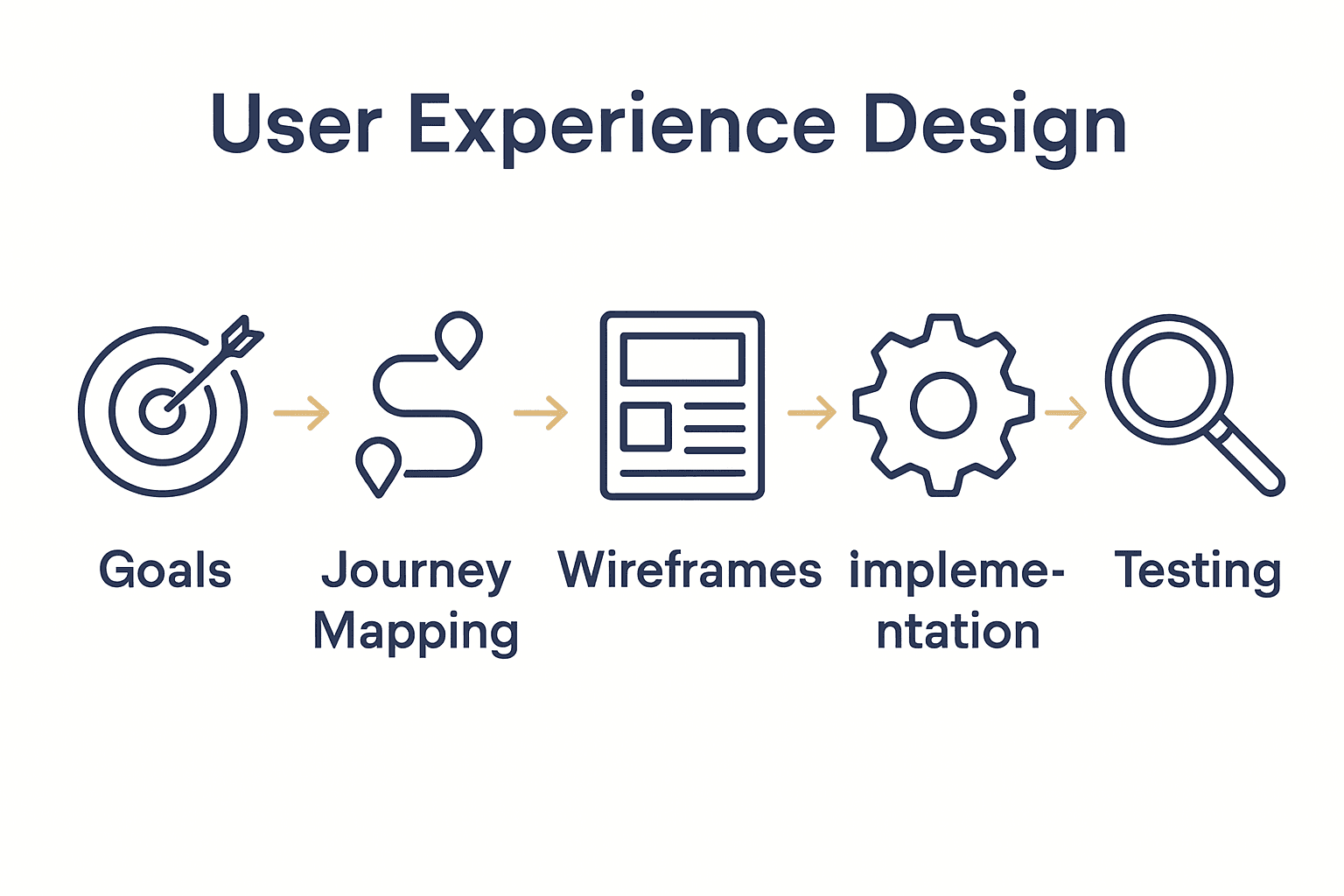
User Centricity stands at the heart of effective UX design. This principle demands that every design decision centres around understanding and solving real user challenges. Designers must deeply empathise with their audience, mapping out user journeys, anticipating potential frustrations, and creating seamless pathways that feel natural and effortless.

The emerging landscape of digital interactions increasingly incorporates intelligent technologies. Arxiv highlights critical design principles for generative AI applications, emphasising user control, transparency, and meaningful feedback mechanisms. These principles ensure that technological innovations remain human-focused and responsive to user needs.

Key principles of outstanding UX design include:

  • Prioritising user needs over aesthetic preferences
  • Creating predictable and consistent interaction patterns
  • Designing clear visual hierarchies
  • Ensuring accessibility for all user groups
  • Minimising cognitive load

Net Branding understands that successful UX design transcends technical implementation. It’s about crafting digital experiences that feel intuitive, responsive, and genuinely helpful. User Experience Design Process for Business Websites provides deeper insights into translating these principles into practical website strategies.

For New Zealand businesses, adopting these UX principles isn’t optional—it’s essential for digital survival. A well-designed website communicates professionalism, builds trust, and demonstrates a commitment to user satisfaction. Poor UX can result in potential clients abandoning your digital platform within seconds, potentially costing significant business opportunities.

FAQ:

  1. How complex is UX design?
    UX design involves multiple layers of strategic thinking and user research.

  2. Can small businesses afford good UX design?
    Starting from NZD 2,500, professional UX design is an investment in your digital success.

  3. How quickly can UX improvements be implemented?
    Typical UX redesign processes take 4-6 weeks, depending on website complexity.

UX Impact on SEO and Rankings

User experience and search engine optimisation are deeply interconnected digital strategies that can make or break a website’s online performance. Trantors Inc reveals that effective UX design directly enhances critical search ranking factors like user engagement, bounce rates, and dwell time—essentially transforming how search engines perceive and rank websites.

The relationship between UX and SEO is more nuanced than most businesses understand. Search engines like Google have sophisticated algorithms that assess user interaction signals as key ranking indicators. Websites with smooth navigation, fast loading times, mobile responsiveness, and intuitive design are rewarded with higher search result placements. Journal of Design Science and Applied Arts emphasises that a human-centred design approach can significantly improve user satisfaction and subsequent search engine performance.

Key UX elements that directly influence SEO include:

  • Page load speed
  • Mobile device compatibility
  • Clear website architecture
  • Intuitive navigation pathways
  • Engaging and readable content
  • Minimal technical errors

Net Branding recognises that successful digital strategies require holistic approaches. The Essential Guide to SEO in Web Design offers comprehensive insights into integrating UX principles with search engine optimisation techniques.

For New Zealand businesses, understanding this intricate relationship can be transformative.

A website that prioritises user experience doesn’t just attract visitors—it converts them. Search engines continuously evolve to prioritise websites that provide genuine value, making UX an increasingly critical component of digital success.

FAQ:

  1. How quickly can UX improvements impact SEO?
    Typical improvements can show results within 3-6 months of implementation.

  2. Are UX improvements expensive?
    Starting from NZD 2,500, professional UX design is a strategic investment in digital performance.

  3. Can small businesses benefit from UX optimization?
    Absolutely. Even modest UX enhancements can significantly improve search rankings and user engagement.

UX in WordPress and Ecommerce Sites

WordPress and ecommerce websites represent critical digital platforms where user experience can dramatically influence business success. Electronic Journal research highlights the paramount importance of user-centred design in enhancing website accessibility and functionality, principles that are particularly crucial for online commercial platforms.

The unique challenges of WordPress and ecommerce sites demand sophisticated UX strategies. Unlike traditional websites, these platforms must balance complex functionality with intuitive navigation. Arxiv Research introduces the FEAD framework, which emphasises integrating advanced design tools to create more engaging and user-friendly digital experiences that adapt seamlessly to user expectations.

Key UX considerations for WordPress and ecommerce platforms include:

  • Streamlined checkout processes
  • Mobile-responsive design
  • Clear product categorisation
  • Simplified navigation menus
  • Fast page loading speeds
  • Secure transaction interfaces

Net Branding understands that WordPress and WooCommerce platforms require nuanced design approaches. What Is E-Commerce UX? Complete Expert Overview provides comprehensive insights into creating digital storefronts that not only look professional but convert visitors into customers.

For New Zealand businesses, investing in superior UX design isn’t optional—it’s essential. An expertly crafted WordPress ecommerce site communicates professionalism, builds customer trust, and provides seamless purchasing experiences that differentiate your brand in a competitive digital marketplace.

FAQ:

  1. How complex is WordPress UX design?
    Designing effective UX requires strategic planning and user-focused approaches.

  2. What investment is required for UX improvements?
    Starting from NZD 2,500, professional UX design can transform your online presence.

  3. Can small businesses benefit from UX optimization?
    Absolutely. Even modest UX enhancements can significantly improve user engagement and conversion rates.

Common UX Pitfalls and How to Avoid

User experience design is a delicate balance between aesthetic appeal and functional efficiency. Wikipedia reveals an intriguing phenomenon known as the aesthetic-usability effect, where users perceive more visually pleasing designs as more intuitive—even when they aren’t necessarily more functional. This psychological bias can lead designers into dangerous territory if not carefully managed.

Wikipedia’s Cognitive Dimensions Framework provides critical insights into identifying and mitigating common UX design challenges. Understanding these cognitive dimensions helps designers create interfaces that are not just beautiful, but genuinely user-friendly, reducing complexity and minimising potential user frustration.

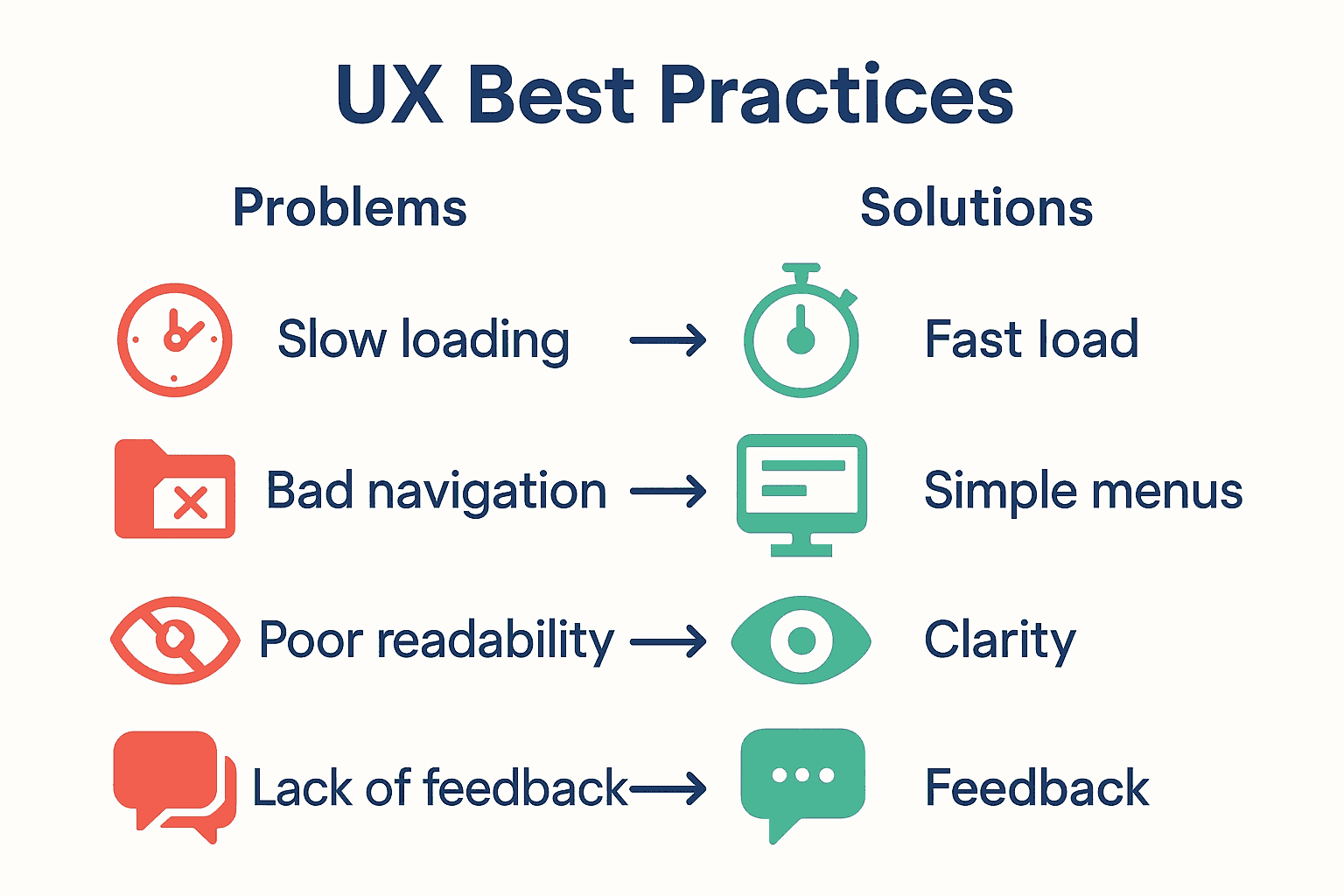
Common UX pitfalls that businesses must proactively address include:

Infographic: Common UX pitfalls versus best practices

  • Overcomplicated navigation structures
  • Inconsistent design elements
  • Slow page loading times
  • Non-responsive mobile designs
  • Unclear call-to-action buttons
  • Excessive visual clutter

Net Branding recognises that avoiding these pitfalls requires strategic, user-focused design approaches. 7 Essential User Experience Tips for Business Websites offers comprehensive guidance on creating more intuitive digital experiences.

For New Zealand businesses, understanding and addressing UX pitfalls isn’t just about looking good—it’s about creating digital platforms that genuinely serve user needs. A well-designed website communicates professionalism, builds trust, and provides seamless interactions that transform casual visitors into loyal customers.

FAQ:

  1. How quickly can UX issues be identified?
    Professional UX audits typically take 2-3 weeks to comprehensively assess.

  2. What investment is required to fix UX problems?
    Starting from NZD 2,500, professional UX optimization can significantly improve website performance.

  3. Are UX improvements worth the effort?
    Absolutely. Even modest UX enhancements can dramatically improve user engagement and conversion rates.

Elevate Your Website Experience with Expert UX Solutions

Understanding the crucial role of user experience in website success is the first step to transforming your online presence. This article highlights common UX challenges such as slow loading times, complicated navigation and poor mobile responsiveness that can cost your business valuable clients. Your goal is a seamless, user-centric design that builds trust and drives engagement while improving SEO performance.

At ResponsiveWebsiteDesign we specialise in delivering tailored WordPress and ecommerce solutions focused on exceptional UX. Our approach addresses critical pain points like optimised page speed, intuitive navigation and mobile-friendly interfaces to help New Zealand businesses achieve a professional, effective digital platform. Explore our Website Archives – ResponsiveWebsiteDesign for insights and proven strategies.

https://responsivewebsitedesign.co.nz

Ready to turn your website into a powerful business asset? Start today with a comprehensive UX redesign or ongoing management from experts who understand your challenges and goals. Visit ResponsiveWebsiteDesign to learn how we make websites work smarter for your business and explore our Uncategorized Archives – ResponsiveWebsiteDesign for more inspiration. Take the next step to captivate your visitors and boost your online success now.

Frequently Asked Questions

What is user experience (UX) design?

User experience (UX) design refers to the overall journey and interaction a user has with a website, encompassing usability, accessibility, and overall satisfaction.

How long does it usually take to implement good UX design?

Typically, a comprehensive UX design process takes around 4-6 weeks, including design and testing phases.

Can UX improvements positively influence my website’s SEO?

Yes, effective UX design can improve search rankings by enhancing user engagement, reducing bounce rates, and increasing dwell time on your website.

What are common pitfalls to avoid in UX design?

Common pitfalls include overcomplicated navigation, inconsistent design elements, slow loading times, and unclear call-to-action buttons.

Categories
Website

7 Essential Homepage Design Tips for Business Websites

More than half of all australian internet users admit they will leave a website if it is confusing or slow to load. For any business, a homepage is not just a welcome mat—it is the first and most powerful chance to connect with potential customers. By making strategic choices in design, messaging, and usability, you can transform your homepage into a trusted digital asset that wins attention and builds loyalty from the very first click.

Table of Contents

Quick Overview

Key InsightDetailed Explanation
1. Define Clear Business GoalsClearly articulate your business objectives to enhance user engagement and loyalty. Understand your site’s primary purpose and messaging strategy.
2. Optimise Navigation LayoutCreate intuitive navigation that guides visitors easily through your site. Prioritise a logical menu structure and minimal clicks for an efficient user experience.
3. Prioritise Mobile ResponsivenessEnsure your website performs flawlessly on all devices. Design with mobile-first principles to create a seamless browsing experience across varied screen sizes.
4. Use Compelling Calls to ActionStrategically place clear and enticing calls to action on your homepage. Use direct language and contrasting colours to capture user attention.
5. Incorporate Trust SignalsBuild credibility by including testimonials, certifications, and security badges. Visible trust signals can significantly enhance customer confidence in your business.

1. Define Clear Business Goals and Key Messages

Your website is more than a digital brochure. It is the strategic cornerstone of your online presence that communicates your brand’s purpose and value proposition. According to ResearchGate, aligning website design with clear business objectives can significantly enhance user experience and customer loyalty.

When designing your homepage, strategic goal definition becomes paramount. This means understanding exactly what you want visitors to do when they land on your site. Are you aiming to generate leads? Sell products? Provide information? Each goal requires a different design approach and messaging strategy.

To effectively define your business goals, start by asking yourself critical questions:

  • What is the primary purpose of my website?
  • Who is my target audience?
  • What key message do I want to communicate?
  • What specific action do I want visitors to take?

Research from NCBI emphasises that user-centred design begins with crystal clear objectives. Your homepage should immediately communicate who you are, what you do, and why customers should choose you.

Net Branding recommends creating a homepage that distils your business essence into a compelling narrative. This means crafting concise, powerful messaging that resonates with your audience within seconds of their arrival. Think of your homepage as a digital elevator pitch that captures attention and drives engagement.

Practical implementation involves developing a clear value proposition statement, using compelling visuals that support your message, and designing intuitive navigation that guides visitors towards your primary business goals. Your homepage should feel like a welcoming gateway that invites interaction and builds immediate trust.

Remember, a well-designed homepage is not about looking beautiful. It is about communicating effectively and creating a seamless path for potential customers to connect with your business.

2. Optimise Layout for Easy Navigation

Website navigation is the roadmap that guides your visitors through their digital journey. According to research from MDPI, strategic design can minimise mobile usability issues and create a seamless user experience.

Intuitive navigation means designing a layout that allows visitors to find information quickly and effortlessly. Your homepage should function like a well organised physical store where customers can easily locate what they need without feeling overwhelmed.

To create an optimised layout, consider these critical design principles:

  • Logical Menu Structure: Organise menu items from broad to specific categories
  • Clear Hierarchy: Highlight the most important pages prominently
  • Consistent Placement: Keep navigation elements in predictable locations
  • Minimal Clicks: Reduce the number of steps required to reach key information

Research from the International Journal of Computer Applications emphasises that web structure directly impacts user navigation efficiency. Your goal is to create a visual pathway that naturally guides users towards their desired destination.

Net Branding recommends using a clean horizontal or vertical menu that adapts seamlessly across desktop and mobile platforms. Consider implementing dropdown menus for subcategories and ensuring that each navigation element is large enough for easy tapping on mobile devices.

A well designed navigation system tells a story. It should communicate your business structure intuitively, helping visitors understand who you are and what you offer within seconds of landing on your homepage. Think of navigation as more than just a menu it is your website’s communication strategy.

Practical tip: Conduct user testing to validate your navigation design. Watch how real users interact with your site and be prepared to make adjustments based on their experience. Remember that great navigation feels invisible users should never have to think about how to move around your website.

3. Use Strong Visual Hierarchy and Branding

Your website is a visual representation of your business identity. According to research from ArXiv, creating a robust visual hierarchy ensures both usability and aesthetic appeal for your digital presence.

Visual hierarchy determines how users perceive and process information on your homepage. It guides their eyes through your content strategically, highlighting the most important elements and creating a clear narrative flow. Think of it like a well choreographed dance where each visual element plays a specific role in communicating your brand story.

To create an effective visual hierarchy, consider these key principles:

  • Size and Scale: Use larger elements to draw attention to critical information
  • Colour Contrast: Leverage colour to create visual separation and emphasis
  • Typography: Select fonts that reflect your brand personality and enhance readability
  • White Space: Use strategic spacing to prevent visual clutter and improve comprehension

Research from ArXiv emphasises that branding goes beyond just visual elements. It is about creating a cohesive experience that communicates your business values and personality.

Net Branding recommends developing a consistent colour palette that aligns with your brand identity. This means selecting 2-3 primary colours that represent your business and using them consistently across headings, buttons, and graphic elements. Your visual approach should feel intentional and professional.

Practical implementation involves creating a visual language that speaks directly to your target audience. Consider the emotions you want to evoke the story you want to tell and the perception you want to create. Every visual element from your logo to your imagery should work together to create a compelling narrative.

Remember that great visual hierarchy is invisible. When done correctly, users will not consciously notice the design they will simply feel drawn to your content and understand your message effortlessly.

4. Prioritise Mobile Responsiveness

Mobile devices now dominate internet browsing, making mobile responsiveness not just a feature but a critical business necessity. Research from ArXiv highlights the challenges of maintaining consistent web appearance across different device screens.

Mobile responsiveness means creating a website that looks and functions perfectly regardless of screen size. Your homepage must adapt seamlessly whether someone views it on a smartphone, tablet, or desktop computer. This approach ensures every potential customer experiences your brand consistently.

Key considerations for mobile responsive design include:

  • Fluid Grid Layouts: Design elements that resize proportionally
  • Flexible Images: Graphics that scale without losing quality
  • Touch Friendly Navigation: Large enough buttons for easy mobile interaction
  • Reduced Content Complexity: Streamlined information for smaller screens

According to ArXiv, real time multivariate optimization can significantly improve user experience across devices. This means constantly testing and adjusting your website to perform optimally on different screen sizes.

Net Branding recommends implementing a mobile first design tutorial that prioritises mobile user experience from the initial design stage. This approach ensures your website looks professional and functions smoothly across all devices.

Remember that mobile responsiveness is more than just technical implementation. It is about creating an inclusive digital experience that welcomes users regardless of their device. A responsive website communicates that your business is modern adaptable and customer focused.

Practical tip: Regularly test your website on multiple devices and screen sizes. What looks perfect on a desktop might become unreadable or awkward on a mobile phone. Your goal is a seamless user experience that feels intentional and polished across every possible viewing platform.

5. Craft Compelling Calls to Action

Your homepage is not just a digital brochure it is a strategic conversion tool designed to guide visitors towards specific actions. According to research from ArXiv, strategic placement of calls to action can significantly maximise user engagement and drive business outcomes.

Calls to action are the digital signposts that tell your visitors exactly what to do next. Whether it is requesting a quote purchasing a product or scheduling a consultation these buttons are the critical junction between visitor interest and business opportunity.

Key principles for creating powerful calls to action include:

  • Clear and Direct Language: Use action oriented verbs
  • Contrasting Colour Design: Make buttons visually stand out
  • Strategic Placement: Position calls to action where users naturally look
  • Value Driven Messaging: Communicate the benefit of taking action

Research from ArXiv highlights how automated ad creative generation emphasises compelling call to action design to enhance click through rates. This means your buttons are not just functional they are strategic communication tools.

Net Branding recommends exploring our user experience tips for business websites to understand how to integrate calls to action seamlessly into your digital strategy. A well designed call to action should feel like a natural next step not an intrusive interruption.

The psychology of calls to action is about creating a sense of urgency and value. Your button text should answer the unspoken question in your visitors mind What is in it for me? Instead of generic phrases like Submit or Click here use specific value driven language like Get My Free Quote or Start My Website Today.

Practical implementation requires constant testing and refinement. What works for one audience might not work for another. Experiment with different colours wording placements and designs to discover what resonates most powerfully with your specific target market.

6. Highlight Trust Signals and Social Proof

In the digital marketplace trust is the invisible currency that transforms casual visitors into committed customers. According to research from ResearchGate, website design elements that demonstrate credibility can significantly influence user confidence and purchasing decisions.

Trust signals are visual and textual cues that reassure visitors about your business legitimacy and reliability. They function like digital recommendations telling potential customers that you are trustworthy professional and capable of delivering exceptional results.

Essential trust signals to incorporate on your homepage include:

  • Client Testimonials: Real stories from satisfied customers
  • Professional Certifications: Industry recognised credentials
  • Security Badges: Indicators of website safety and data protection
  • Case Studies: Detailed examples of successful client projects
  • Awards and Recognitions: Third party validations of your expertise

Research from the National Institutes of Health emphasises the critical role trust signals play in establishing credibility across digital environments. These elements communicate your professional standing before a visitor reads a single paragraph of your content.

Net Branding recommends strategically displaying trust elements where they are most visible. Your homepage should feel like a confident showcase of your capabilities rather than a desperate plea for attention. Authenticity is key customers can sense when trust signals feel genuine versus manufactured.

One powerful strategy is incorporating a client review that speaks directly to your unique value proposition. For instance:

“Responsive Website Design transformed our online presence. Their team understood exactly what our business needed and delivered beyond our expectations.” Jane Smith CEO Smart Solutions

Practical implementation means curating trust signals that are recent relevant and specific. Generic stock images or outdated testimonials can actually reduce credibility. Choose representations of success that feel current authentic and aligned with your target audiences expectations.

7. Ensure Fast Loading and SEO Basics

Your website is in a constant race against user attention and search engine algorithms. According to research from ArXiv, real time optimization of web pages can dramatically improve both loading performance and search visibility.

Website speed is the silent ambassador of your digital presence. Users decide within milliseconds whether to stay or leave based on how quickly your homepage loads. Search engines like Google also prioritise fast loading websites in their ranking algorithms making speed a critical factor in your online success.

Key strategies for optimising website performance include:

  • Image Compression: Reduce file sizes without sacrificing quality
  • Browser Caching: Store static elements for faster repeat visits
  • Minimal Plugin Usage: Remove unnecessary code that slows down loading
  • Clean Coding Practices: Write efficient HTML CSS and JavaScript

Research from ArXiv highlights automated repair techniques that can enhance web page loading speed and adherence to SEO best practices. These technical optimisations are essential for maintaining a competitive digital presence.

Net Branding recommends exploring our guide on why to optimise page speed to understand the profound impact of website performance. A fast website is not just a technical requirement it is a fundamental aspect of user experience and business credibility.

SEO basics go beyond just speed. They involve strategic keyword placement clear site structure and quality content. Your homepage should communicate your core business message while being technically optimised for search engines to understand and rank effectively.

Practical implementation means regular performance audits. Use tools like Google PageSpeed Insights to identify areas of improvement. Remember that website optimization is an ongoing process not a one time task. Continuously monitor and refine your digital presence to stay ahead in the competitive online landscape.

Below is a comprehensive table summarising the strategies for effective homepage design discussed throughout the article.

StrategyImplementationExpected Results
Define Goals and MessagesIdentify website purpose and target audience, create compelling narrativesEnhanced user engagement and brand clarity
Optimise NavigationUse logical menu structures, maintain consistent placementImproved user experience and easier information access
Visual Hierarchy and BrandingUtilise size, scale, and colour to guide perceptionIncreased readability and brand perception
Prioritise Mobile ResponsivenessImplement a mobile-first design with flexible layoutsConsistent experience across all devices
Compelling Calls to ActionUse strong verbs, contrasting colours, and strategic placementIncreased conversion rates and user engagement
Highlight Trust SignalsDisplay testimonials, security badges, and case studiesEnhanced credibility and visitor confidence
Fast Loading and SEO BasicsCompress images, clean code, use browser cachingImproved website performance and search engine rankings

Elevate Your Business Website with Expert Homepage Design

Struggling to create a homepage that truly reflects your business goals and engages visitors instantly You are not alone Many businesses face challenges with clear messaging intuitive navigation and compelling calls to action as highlighted in the article on 7 Essential Homepage Design Tips for Business Websites Our team specialises in addressing these exact pain points through personalised WordPress solutions that align with your brand and drive results

https://responsivewebsitedesign.co.nz

Discover how we craft visually engaging and mobile responsive websites that prioritise user experience and SEO optimisation Explore our Website Archives for insights and practical advice or dive deeper into proven strategies on our SEO Archives page Whether starting fresh or revamping an existing site our dedicated approach ensures your digital presence feels professional clear and trustworthy Start your journey now at ResponsiveWebsiteDesign and transform your homepage into a powerful business asset

Frequently Asked Questions

How can I define clear business goals for my homepage design?

To define clear business goals for your homepage, identify its primary purpose, your target audience, and the key message you want to convey. Start by asking yourself specific questions, such as what action you want visitors to take, like making a purchase or requesting more information.

What design elements improve navigation on my business website?

Improving navigation involves creating a logical menu structure, using clear hierarchy for important pages, and ensuring consistent placement of navigation elements. Aim for minimal clicks necessary to reach key information, ideally reducing steps by at least 20%.

How do I establish a strong visual hierarchy on my homepage?

Establish a strong visual hierarchy by utilising size, colour contrast, typography, and white space effectively. Focus on making critical information stand out using larger elements and contrasting colours, so users can easily grasp your message at a glance.

Why is mobile responsiveness important for my website?

Mobile responsiveness ensures your website looks and operates well on any device, including smartphones and tablets. Prioritise mobile-first design principles to maintain a seamless user experience, improving accessibility and engagement across devices.

What key phrases should I use for compelling calls to action?

Use clear, action-oriented language for your calls to action, like “Get Your Free Quote” or “Start My Website Today”. Make sure buttons stand out visually and are placed where users naturally look, which can enhance click-through rates significantly.

What trust signals should I include on my homepage?

Incorporate trust signals such as client testimonials, professional certifications, security badges, and case studies to enhance credibility. Aim to highlight at least three trust signals prominently on your homepage to reassure visitors about your business’s legitimacy.

Categories
Website

User Experience Design Process for Business Websites

Over half of australian businesses see a direct link between thoughtful website design and improved customer satisfaction. Clear business goals and a genuine understanding of user needs shape every successful digital project. Taking the time to map user journeys and create audience-focused features will set your website apart and build lasting engagement from the very beginning.

Table of Contents

Quick Summary

Significant InsightDetailed Explanation
1. Define objectives before designEstablish clear business goals and user needs to set a strong foundation for website design.
2. Map user journey stagesDocument each step in the user journey to identify critical touchpoints and improve interactions.
3. Create wireframes for structureDevelop wireframes to visualize the layout and interactions, ensuring user needs are prioritised.
4. Develop user-centred featuresInvolve users in the feature development process to ensure their needs are fully addressed.
5. Test and refine experiences continuouslyImplement user testing and feedback loops to consistently enhance the website experience based on real user data.

Infographic showing UX design process steps for business websites |

Step 1: Define business goals and user needs

Defining business goals and user needs represents the critical foundation of any successful website design process. According to Wikipedia, user-centered design requires extensive attention to understanding user characteristics and environments at each design stage.

The initial step involves conducting comprehensive research that bridges your business objectives with user expectations. This means developing a strategic approach that goes beyond surface level design and digs deep into understanding who your target audience really is. An empathy map becomes an invaluable tool during this process, helping you visualize and capture what users say, think, do, and feel.

To effectively define your goals and user needs, consider the following strategic approach:

  • Conduct stakeholder interviews to understand internal business objectives
  • Perform user research through surveys, interviews, and analytics
  • Create detailed user personas representing your target audience
  • Map out user journeys to understand potential interactions with your website
  • Align business KPIs with user experience expectations

Net Branding recommends documenting these goals clearly and revisiting them throughout the design process. By establishing a robust understanding of both business requirements and user needs, you create a solid framework for developing a website that truly resonates with your target audience and drives meaningful results.

ux research business meeting

The next phase will involve translating these insights into a comprehensive design strategy that addresses both functional and emotional user requirements.

Step 2: Map user journeys and key interactions

Mapping user journeys represents a strategic approach to understanding how potential customers interact with your business website. According to Harvard UX Group, the User Journey Method helps businesses map out the step-by-step process users take to reach their specific goals.

This mapping process involves identifying every potential touchpoint and interaction a user might experience when navigating your website. Stan Vision suggests dividing the user journey into critical stages: awareness, consideration, decision, and retention. By meticulously documenting each stage, you can uncover insights into user behaviors, emotional responses, and potential friction points.

To effectively map user journeys, consider these strategic steps:

  • Create multiple user personas representing different audience segments
  • Document each persona’s potential entry points to your website
  • Identify specific goals for each user type
  • Track the potential paths users might take to accomplish their objectives
  • Note emotional states and potential pain points during each interaction

Net Branding recommends using visual mapping tools to help teams understand complex user interactions. Developing a comprehensive user journey map allows you to anticipate user needs, streamline website navigation, and create more intuitive design experiences.

The subsequent phase will involve translating these journey insights into actionable design recommendations that enhance overall user experience.

Step 3: Create wireframes and design prototypes

Creating wireframes and design prototypes transforms your user journey insights into tangible visual representations of your website. Drawing inspiration from Donald Norman’s Design of Everyday Things, our approach emphasizes user-centered design principles that make digital interfaces intuitive and efficient.

The wireframing process involves developing skeletal outlines of your website that illustrate key structural elements and user interaction pathways. These initial drafts serve as blueprints that help teams visualize page layouts, content placement, and navigation flows before investing significant resources into detailed design work.

To develop effective wireframes and prototypes, follow these strategic steps:

  • Start with low-fidelity sketches that focus on core functional elements
  • Prioritize user needs and expected interactions for each page section
  • Use consistent grid systems and alignment to create visual harmony
  • Incorporate responsive design principles for multiple device types
  • Test initial wireframes with representative user groups for immediate feedback

Net Branding recommends using collaborative design tools that enable real-time iteration and team communication. By maintaining a user-centric approach during wireframing, you ensure that your website design remains focused on delivering optimal user experiences.

The next phase will involve refining these initial prototypes and preparing for comprehensive user testing and validation.

Step 4: Develop and implement user-centred features

Developing user-centred features requires a strategic approach that places your target audience at the core of the design process. User-Centered Design principles emphasize involving users throughout development to ensure the final product meets their specific needs and expectations.

Applying the PACT framework, which analyzes People, Activities, Contexts, and Technologies, helps designers create features that are deeply tailored to user requirements. This comprehensive approach goes beyond surface level interactions and delves into understanding the nuanced ways users engage with digital platforms.

To effectively develop and implement user-centred features, consider these strategic approaches:

  • Conduct in-depth user research to understand specific audience needs
  • Prototype features with direct input from representative user groups
  • Implement interactive elements that solve real user problems
  • Design intuitive navigation and interaction pathways
  • Create adaptive interfaces that respond to different user contexts

Net Branding recommends continuous user feedback loops that allow for iterative feature refinement. By maintaining a laser focus on user experience, you transform your website from a simple digital presence into a dynamic, responsive platform that genuinely serves your audience.

The subsequent phase will involve comprehensive user testing to validate and further refine these carefully developed features.

Step 5: Test and refine the user experience

Testing and refining the user experience represents the critical final phase of ensuring your website meets audience expectations. Frontiers in Psychology research emphasizes the importance of analyzing trends and constructing theoretical frameworks to understand complex user behaviors during this evaluation stage.

Comprehensive testing involves multiple strategies that go beyond traditional assessment methods. MDPI Research suggests utilizing an enriched customer journey map that combines observational, self-reported, and physiological measures to provide a holistic understanding of user interactions and potential improvement areas.

To effectively test and refine your website experience, implement these strategic approaches:

  • Conduct structured user testing with representative audience groups
  • Analyze user interaction heat maps and click tracking data
  • Gather both quantitative and qualitative user feedback
  • Perform cross device and cross browser compatibility checks
  • Implement A/B testing for critical user interface elements

Net Branding recommends creating a systematic feedback loop that allows continuous refinement based on real user experiences. By maintaining an iterative approach to testing, you transform your website into a dynamic platform that consistently meets and exceeds user expectations.

The final stage will involve implementing refinements and preparing for ongoing monitoring and optimization of your website experience.

Elevate Your Business Website with Expert User Experience Design

Struggling to turn user insights into a website that truly connects and converts Your business goals and your users needs must work in harmony to create a seamless experience that drives results. The user experience design process outlined in this article highlights key challenges like mapping user journeys and testing features that every successful website must address. Don’t let missed opportunities hold your brand back.

https://responsivewebsitedesign.co.nz

Discover how ResponsiveWebsiteDesign specialises in crafting custom WordPress websites that prioritise user-centred features and responsive design. Explore our proven strategies in the Website Archives for mastering UX principles that turn visitors into loyal customers. Ready to transform your digital presence with a website built for your audience and business objectives Take the next step now by visiting ResponsiveWebsiteDesign and start your journey to a powerful, engaging website tailored for your success.

Frequently Asked Questions

What are the first steps in the user experience design process for business websites?

Defining business goals and understanding user needs are the first essential steps in the user experience design process. Conduct stakeholder interviews and perform user research to identify both your business objectives and the expectations of your target audience.

How do I create user personas for my business website?

To create effective user personas, gather data through surveys and interviews with your audience. Develop detailed profiles that represent different segments of your audience, including their goals, motivations, and challenges, to tailor your design to their needs.

What is a user journey map, and how can it help my website design?

A user journey map visualises the steps users take when interacting with your website, highlighting their goals, pain points, and emotional states. Document each interaction to identify potential improvements and ensure your design addresses user needs at every stage.

How do I test and refine the user experience of my website?

Testing and refining the user experience involves structured user testing, analysing user feedback, and tracking interaction data. Conduct regular tests, such as surveys and A/B testing, to gather insights that help you make necessary adjustments to enhance user satisfaction and website engagement.

What methods can I use to incorporate user feedback into my design?

Utilise feedback loops by conducting regular usability tests and surveys to gather user insights. Incorporate this feedback iteratively into your design to ensure it evolves based on real user experiences and remains user-focused.

Why is user-centred design important for my business website?

User-centred design ensures that your website is tailored to meet the specific needs and expectations of your audience, enhancing their overall experience. By prioritising user interactions from the beginning, you can create a website that not only attracts visitors but also drives engagement and conversions.

Categories
Website

7 Best Website Development Platforms Comparison – Expert Analysis 2025

Choosing a website partner can feel like a maze when every option promises something unique. Some focus on eye-catching design while others pour their energy into technical wizardry or ongoing support. The right combination of features, service, and value can make a huge difference to your online results. Whether you need something straightforward or a tailored approach that matches your goals, the range of solutions on offer in New Zealand might surprise you. What stands out when you look a little closer

Table of Contents

Responsive Website Design

Product Screenshot

At a Glance

Responsive Website Design is a focused WordPress agency that builds visually engaging, mobile-responsive websites specifically for small to medium businesses. Their strength lies in combining custom WordPress development with WooCommerce e-commerce capability, ongoing maintenance, and SEO‑optimisation to drive measurable traffic and sales. Long-term partnership is central to their approach, which suits businesses that want a reliable, managed web presence rather than a one-off build. Some details—like fixed pricing or standardised timelines—aren’t published, which reflects a tailored, consultative service model rather than off-the-shelf packages.

Core Features

Responsive Website Design delivers custom WordPress development, responsive design that adapts to mobile and multiple devices, SEO optimisation and performance auditing, e-commerce builds using WooCommerce, and ongoing website maintenance and security updates. Each project is framed around business objectives, so design, UX and technical optimisation are prioritised to improve search engine ranking and user engagement. The team’s workflow emphasises iteration: launch, measure, refine—so sites keep improving post-launch.

Pros

  • Specialized in small to medium business websites: The team focuses on SMEs, which means the solutions are tailored to realistic budgets and growth plans.
  • Offers comprehensive services from design to maintenance: You get design, build, hosting oversight, security updates and ongoing SEO support under one relationship.
  • Focus on SEO and user engagement for better traffic: Performance auditing and SEO work are core activities designed to increase relevant visits and conversions.
  • Custom solutions including e-commerce platforms: WooCommerce development is built into their offering, enabling sales, inventory and checkout flows customised to your business.
  • Experienced team with a client-centered approach: The agency emphasises long-term partnerships and business outcomes rather than one-off handovers.

Who It’s For

This service is ideal for small to medium business owners and managers who need a professional, managed WordPress website that performs in organic search and converts visitors into customers. If you’re a local retailer, service provider, or growing ecommerce business that wants a partner to handle technical upkeep, security, and ongoing optimisation, this fits. You should prefer a customised, relationship-driven engagement over fixed-price, template-based builders.

Unique Value Proposition

Responsive Website Design stands out because it blends bespoke WordPress craftsmanship with practical commercial thinking: every design choice is tied to traffic, user experience and conversion goals. Rather than selling generic templates, the agency sculpts sites that reflect your brand and business processes, then sustains performance through maintenance, security updates and SEO audits. This end-to-end model reduces the technical burden on business owners, lowers long-term risk, and fast-tracks revenue outcomes from the website. In markets where search visibility and mobile experience determine footfall and sales, that integrated focus is a competitive advantage—especially for NZ businesses that need localisation, fast load times, and ongoing search presence. The absence of public pricing is deliberate: it lets the agency scope solutions that match actual needs and ROI, rather than forcing an ill-fitting price band.

Real World Use Case

A local retail business in New Zealand commissions a redesign to add WooCommerce, migrate product data, and launch SEO campaigns. Post-launch, the agency handles security updates, monthly performance audits and on-site SEO, resulting in clearer user journeys and higher conversion rates over six months.

Pricing

Pricing is not specified on the website; Responsive Website Design scopes projects individually. Contact them for a tailored quotation based on your business goals, features and ongoing support requirements.

Website: https://responsivewebsitedesign.co.nz

Koda Web Design

Product Screenshot

At a Glance

Koda Web Design is an Auckland-based team that delivers custom websites and online applications focused on adding measurable value to B2B businesses. They combine modern stacks like Node.js and React with responsive, mobile-friendly design to tackle trade commerce and integration-heavy projects. If you need a tailored portal that ties into ERPs or logistics systems, Koda positions itself as a specialist partner rather than a template shop.

Core Features

Koda offers custom website design and development, web integration and API connectivity, e-commerce and trade commerce solutions, Progressive Web Application (PWA) development, and mobile-first responsive builds for B2B use cases. Their technical toolkit explicitly includes Node.js and React, and they list ERP and accounting system integration as part of their capability set — useful when real-time stock, order flows and back-office synchronisation matter.

Pros

  • Specialized in B2B solutions and trade commerce, which means their work is tailored to business-to-business workflows and complex ordering scenarios rather than generic storefronts.
  • Expertise in modern web technologies like Node.js and React gives them the ability to build scalable, interactive front-ends and performant server-side services.
  • Comprehensive services including SEO, hosting, support, and development indicate they can take a project from concept through to launch and ongoing operation.
  • Focus on user experience with responsive and mobile-friendly designs ensures solutions are accessible on phones and tablets — important for sales reps and busy buyers.
  • Ability to tailor solutions to specific business needs and budgets suggests flexible engagement models for varying project sizes.

Cons

  • Website content does not specify pricing or detailed service packages, leaving prospective clients without a clear entry point for budgeting.
  • No explicit customer reviews or case study outcomes are included in the provided content, so assessing delivery quality and ROI requires direct enquiry.
  • Limited information about ongoing maintenance or post-launch support makes it unclear what long-term service levels or SLAs clients should expect.

Who It’s For

Koda is best suited to businesses that require custom B2B portals, trade commerce platforms, or deep integrations with ERPs, logistics and accounting systems. Choose them if your project needs a modern tech stack, bespoke workflows, mobile responsiveness, and you value a development partner who can design and implement integrations rather than bolt-on plugins.

Unique Value Proposition

Koda’s differentiator is its combination of B2B trade commerce focus and modern technical capability — Node.js/React builds plus API and ERP connectivity — delivered as custom, user-centred web applications. In short: they build scalable, integration-first digital platforms for businesses that rely on back-office synchronisation and real-time commerce.

Real World Use Case

A typical engagement would be Koda building a B2B portal for a trade supplier that integrates with the client’s ERP to provide real-time stock availability, automated order creation, and a responsive PWA so tradespeople can order quickly on mobile while on site.

Pricing

Not specified in the provided content.

Website: https://kodaweb.co.nz

Web Revolution

Product Screenshot

At a Glance

Web Revolution is an Auckland-based web design, development and digital marketing agency focused on helping local businesses improve online visibility and customer experience. They combine website design & build, SEO and Google Ads into tailored digital marketing plans, backed by a local team that offers in-person or online meetings. The bottom line: if you want a locally anchored partner that delivers personalised service and clear, fixed-price quoting, Web Revolution is a practical choice for small to medium businesses in Auckland.

Core Features

Web Revolution’s core capabilities centre on custom website design and development paired with search engine optimisation and Google AdWords management. Their offering emphasises designing websites to meet unique business goals, then supporting those sites with ongoing SEO and paid advertising campaigns as part of a broader digital marketing plan. The agency also highlights full support and assistance, meaning they take responsibility for both launch and ongoing optimisation rather than handing you an unfinished product.

Pros

  • Results-driven marketing expertise: The agency positions its services around generating measurable outcomes, so you’re dealing with a team that prioritises performance over aesthetics alone.
  • Personalised service tailored to client needs: Web Revolution emphasises custom solutions rather than one-size-fits-all packages, which helps align deliverables with your business objectives.
  • Full support and assistance available: Ongoing support is part of the proposition, so you can expect help after launch for maintenance, optimisation and ad management.
  • Local team offering in-person or online meetings: Being based in West Auckland means face-to-face meetings are an option, which can speed decision-making and improve collaboration.
  • Fixed-price quotes for clarity and budgeting: Fixed pricing reduces financial surprises and helps you plan cash flow with confidence.

Cons

  • Pricing details are not publicly detailed and may vary per project, so comparing costs against alternatives requires direct quotes.
  • Specific case studies or portfolio examples are not provided in the supplied content, which makes it harder to assess real-world effectiveness without asking for references.
  • Limited details about the scope of services or packaged tiers are available, so you’ll need to clarify deliverables and timelines before committing.

Who It’s For

Web Revolution suits small to medium Auckland-based businesses that want a professional website plus hands-on SEO and Google Ads support. It’s ideal for organisations that prefer a local partner for face-to-face collaboration, desire fixed-price clarity, and need a combined design-and-marketing approach rather than separate vendors.

Unique Value Proposition

The agency’s unique edge is its local, personalised service model: custom-designed websites married to ongoing SEO and paid-ad management, delivered by a West Auckland team that offers clear, fixed-price quotes and ongoing support. That combination reduces vendor friction and keeps strategy, execution and optimisation under one roof.

Real World Use Case

A typical engagement might see a local retailer partner with Web Revolution to redesign their website, implement on-site SEO optimisations, and run targeted Google Ads campaigns—resulting in improved local search visibility and higher online sales conversion.

Pricing

Fixed-price quotes are provided based on client needs; specific package prices are not publicly listed and will vary by project scope.

Website: https://webrevolution.co.nz

Firefly Digital

Product Screenshot

At a Glance

Firefly Digital is an award-winning New Zealand digital marketing agency, part of the Zib Digital group, delivering a full suite of services since 2014. They combine SEO, Google Ads, social media and website development with real-time reporting and a local team backed by global specialists. The agency emphasises measurable results and transparent, fixed management fees — attractive if you want predictable costs. That said, exact package details are scarce, so expect to need a discovery call to get firm numbers.

Core Features

Firefly offers integrated digital marketing services: SEO, Google Ads, social media marketing and website development. Their real-time reporting dashboards display key business metrics and campaign performance, helping you track ROI as campaigns run. Pricing follows a fixed management fee model — you pay ad platforms directly — and the local team is supported by a wider international network. Their track record includes work with over 700 companies and the generation of more than $400 million in leads and sales, which suggests scale and tested processes.

Pros

  • Experienced team of specialists: Their in-house expertise and allied global network mean you get specialist skills across channels rather than a single-generalist approach.
  • Transparent fixed management fees: They use a predictable fee structure, which reduces billing surprises and helps with budget forecasting.
  • Comprehensive service offering: From SEO to website development, Firefly can manage full-funnel marketing, so you don’t need multiple vendors.
  • Real-time reporting dashboards: Live metrics make it easier to monitor performance and make timely optimisation decisions.
  • Strong client outcomes: Documented results across many clients — 700+ businesses and $400M in leads and sales — indicate repeatable success at scale.

Cons

  • No detailed pricing packages provided: The public materials don’t list specific packages or price bands, so transparency ends where fees are customised.
  • Limited onboarding and customisation detail: There’s little published information on how projects kick off or how deeply campaigns are tailored to niche industries.
  • Results may vary by sector and scope: While aggregate results are strong, individual outcomes will depend on industry dynamics and campaign investment.

Who It’s For

Ambitious New Zealand businesses seeking a full-service digital partner will find Firefly appealing. If you want a single agency to run SEO, paid search, social and web development with live dashboards and an emphasis on measurable growth, Firefly fits well. It’s especially relevant to businesses ready to commit a marketing budget and who value established processes over bargain-basement rates.

Unique Value Proposition

Firefly’s main edge is combining a local NZ team with a global network and a fixed-fee management model, backed by extensive real-time reporting. That mix delivers predictability, expert skill sets across channels, and measurable outcomes — useful when you need clear accountability and consolidated reporting.

Real World Use Case

A retail company engages Firefly to run integrated SEO and Google Ads alongside a refreshed website. Over several months the client sees higher organic rankings, increased paid search traffic and a measurable uplift in online sales, all visible in a shared dashboard — making campaign performance easy to evaluate and iterate.

Pricing

Fixed management fees are set based on campaign scope, and clients pay ad platforms directly. Because detailed packages aren’t published, Firefly requires a scoped proposal to confirm costs.

Website: https://fireflydigital.co.nz

AlpineWeb

Product Screenshot

At a Glance

AlpineWeb is a Queenstown-based design and branding agency that builds fast, mobile-optimised websites and local SEO strategies for service businesses. They focus on turning online visits into measurable customer leads and revenue, with a clear local-market orientation. If your priority is local visibility and speed, AlpineWeb offers a tightly focused, practical approach — but it’s not positioned as a one-size-fits-all solution for large or non-local enterprises.

Core Features

AlpineWeb combines strategic web design with conversion-focused UX, emphasising mobile performance and lightning-fast page loads to keep visitors engaged. Their local SEO toolkit includes Google Business optimisation, local keyword targeting, review management and citation building to improve presence in local searches. The agency also supports ongoing digital marketing channels such as social media and email marketing, and publishes digital insights to guide client decisions.

Pros

  • Specialises in local service businesses, which means their design and SEO choices reflect real-world local customer behaviour and search patterns.
  • Offers comprehensive digital marketing services beyond the website, including social media and email marketing, giving local businesses a coordinated online strategy.
  • Focus on fast, mobile-friendly websites improves user engagement by reducing friction and lowering bounce rates on phones and tablets.
  • Local SEO emphasis — including Google Business and review management — helps businesses get found by nearby customers searching for urgent or same-day services.
  • Provides expert advice through articles and insights, helping clients understand why certain changes drive traffic and bookings.

Cons

  • No explicit pricing information is provided on their website, which makes budgeting and vendor comparison harder before initial contact.
  • Their primary focus on New Zealand local businesses — especially Queenstown — may limit appeal for businesses targeting national or international markets.
  • The emphasis on specific service areas could reduce scalability for larger organisations or non-local businesses seeking broader platform integrations.

Who It’s For

AlpineWeb is ideal for local service business owners in Queenstown and surrounding areas who need a polished, fast website and a local-first SEO strategy. If you run a plumbing, trades, hospitality, or field-service business and want more calls, bookings and foot traffic, this agency aligns well with those goals. If you need enterprise-scale ecommerce or multinational campaigns, consider how their local focus matches your growth plans.

Unique Value Proposition

AlpineWeb’s core strength is pairing conversion-centred web design with practical local SEO tactics. They don’t just build attractive sites; they optimise for speed, mobile behaviour and local search signals so you convert casual browsers into paying customers faster.

Real World Use Case

A Queenstown plumbing company worked with AlpineWeb to launch a fast, mobile-first site coupled with Google Business optimisation and review management. The result: improved visibility in local search and a noticeable uplift in appointment bookings from nearby customers.

Pricing

Pricing is not specified on their website, so you’ll need to contact AlpineWeb for a tailored quote based on your project scope and ongoing marketing needs.

Website: https://alpineweb.co.nz

Rocketspark

Product Screenshot

At a Glance

Rocketspark is a designer-friendly website builder that balances creative freedom with simplicity, making it a practical choice for small to medium-sized businesses and designers. It offers drag-and-drop editing, mobile-responsive templates and ecommerce capabilities, plus extras like domain and email management. The platform feels approachable for non-technical users while still supporting growing stores — but expect some add-on costs as your needs expand. Bottom line: a solid, user-focused option for businesses that want a polished site quickly without wrestling with code.

Core Features

Rocketspark combines template-based design with the option for custom web design packages, so you can either build quickly yourself or work with designers for a bespoke outcome. Key capabilities include drag-and-drop editing, unlimited pages and blog posts, mobile-responsive templates, SSL and backup security, site analytics, form creation with file uploads, ecommerce store creation with product and payment management, domain and business email handling, and an AI writing assistant (Flint) to help produce content. The stack is rounded out with reporting tools to monitor performance and basic site management features aimed at long-term maintenance.

Pros

  • Ease of use with drag-and-drop builder and templates: the interface lets small business owners and marketers build and edit pages without developer help, reducing setup time.
  • Flexible plans suitable for small to large businesses and ecommerce: tiered options let you start small and scale into ecommerce or designer-focused plans as needs grow.
  • Good customer support with friendly and knowledgeable team: users benefit from hands-on assistance when they hit design or setup questions.
  • Comprehensive security features including SSL and backups: built-in HTTPS and backup routines help protect customer data and reduce downtime risk.
  • Free domain for one year with plans: new sites can begin with a complimentary domain, simplifying first-year setup costs.

Cons

  • Additional costs for extras like extra users, domain registration, and email: what looks like an all-in-one platform can incur per-item charges that add up as you scale.
  • Some features like geo-redirection and CDN have setup fees: advanced performance and localisation capabilities may require additional payments and configuration.
  • Plans may increase in cost as business needs grow: migrating to higher tiers or adding ecommerce can substantially raise the monthly bill.

Who It’s For

Rocketspark suits small to medium-sized business owners, web designers building client sites, and marketers who need an easy-to-use platform to create professional websites and online stores. If you want a fast build, straightforward management, and the option to hand off design work to specialists, this is a practical pick.

Unique Value Proposition

Rocketspark’s strength is its middle path: more creative control than rigid site builders, yet simpler than a full CMS development project. It pairs designer-calibre templates and custom design options with managed services like domain, email and backups — ideal for businesses that want a professional result without the maintenance overhead.

Real World Use Case

A local bakery used Rocketspark to launch a professional website with online ordering and simple product management, which increased orders and extended reach into neighbouring suburbs. The team handled updates themselves, while support helped with initial setup.

Pricing

Website plans start at $29 per month (billed annually at $299), with higher tiers offering more storage and ecommerce features. Ecommerce plans start at $39 per month (billed annually at $399). There are also options for agency and designer use.

Website: https://rocketspark.com

Moca

Product Screenshot

At a Glance

Moca is a New Zealand-based digital solutions studio specialising in high-quality, tailored website and software work. They focus on turning websites into sales opportunities, showcasing capability, and building user communities, with solid experience in Craft CMS, Webflow and Shopify. If you need a local partner who can handle strategy, complex builds and ongoing maintenance, Moca is a credible choice — though pricing and detailed case studies are not openly published.

Core Features

Moca combines digital strategy development with hands-on delivery: website development, custom web app projects and client portals. They partner with Craft CMS for content-driven sites, provide Webflow expertise and support, and create and maintain Shopify online shops. SEO and performance optimising are part of the offering, so projects are scoped from strategy through to optimisation and ongoing support.

Pros

  • Specialises in Craft CMS, Webflow and Shopify, so clients benefit from deep platform-specific knowledge for content, design fidelity and ecommerce solutions.
  • Offers end-to-end digital solutions including strategy, development and SEO, which reduces handover friction between planning and execution.
  • Focuses on tailored and complex real-world problem-solving, delivering custom functionality rather than off-the-shelf templates.
  • Serves clients across New Zealand with a local presence in Tauranga, making face-to-face collaboration straightforward for regional businesses.
  • Builds high-quality, user-focused websites and software solutions, prioritising user experience and business outcomes.

Cons

  • The website does not specify pricing details, so budgeting requires direct consultation and can slow initial evaluation.
  • Limited information on specific case studies or client testimonials makes it harder to verify outcomes and measure past performance.
  • Potentially limited international service scope beyond New Zealand, which may be an issue for businesses seeking global teams or 24/7 support.

Who It’s For

Moca is best suited to business owners, sales and marketing managers, digital agencies and designers who want a local New Zealand partner for bespoke web and software projects. If you need a tailored Shopify store, a content-rich Craft CMS site, or a custom web app with ongoing maintenance and SEO, Moca fits well. Smaller teams that prefer a single vendor for strategy and delivery will appreciate the streamlined service.

Unique Value Proposition

Moca’s strength lies in combining strategy with platform expertise. They don’t just build sites; they design solutions that aim to increase sales opportunities, showcase capability and nurture user communities. That end-to-end approach — from strategy to optimisation and maintenance — is the unique selling point compared with freelancers or single-discipline agencies.

Real World Use Case

A Tauranga retailer partners with Moca to redesign their Shopify store. Moca rebuilds the customer journey, adds tailored checkout features and implements SEO optimising to improve search visibility. The result: a smoother user experience, higher conversion potential and a site that the client can maintain with ongoing support.

Pricing

Not specified on the website; prospective clients should request a tailored quote based on scope and ongoing support needs.

Website: https://moca.co.nz

Web Design Solutions Comparison

Explore top web design services tailored for small to medium businesses. This table provides a comparison of key features, advantages, and pricing insights.

Service ProviderKey FeaturesProsConsPricing
Responsive Website DesignCustom WordPress, Responsive, WooCommerce, SEO, MaintenanceTailored for SMEs, SEO focus, Long-term partnershipsNo published pricing, Custom consultative servicePrice upon request
Koda Web DesignCustom websites, API connectivity, PWA, ERP integrationsB2B Focus, Modern tech stack (Node.js, React), Comprehensive servicesNo pricing details, Lack of customer reviewsNot specified
Web RevolutionWebsite design, SEO, Google Ads, Fixed-price quotesResults-driven, Local service, Full supportPricing details not public, Limited service scope infoFixed-price based on client needs
Firefly DigitalSEO, Google Ads, Social Media, Real-time reportingExperienced team, Transparent fees, Comprehensive servicesNo detailed pricing, Limited onboarding detailFixed fees based on campaign scope
AlpineWebFast websites, Local SEO, Mobile optimizationLocal specialization, Digital marketing services, Mobile performanceNo pricing info, Focus on local, Smaller marketsPrice upon request
RocketsparkDrag-and-drop builder, Responsive templates, Ecommerce capabilitiesEase of use, Flexible plans, Good customer supportAdditional costs for extras, Cost increase as growth occursStart at $29/month (billed annually)
MocaStrategy development, Website, Custom web apps, SEO, MaintenancePlatform expertise (Craft CMS, Webflow, Shopify), End-to-end solutions, Tailored projectsNo pricing details, Limited case studies, Limited international scopeTailored quote based on project needs

Choose the Right WordPress Partner for Your Website Success

Selecting the best website development platform can feel overwhelming especially with so many technical options and complex features to compare. This expert analysis highlights common challenges such as ensuring mobile responsiveness, seamless ecommerce integration, ongoing SEO optimisation and reliable security. If you want a website that not only looks professional but actively grows your online presence and sales then addressing these pain points with a trusted partner becomes essential.

At Responsive Website Design, we specialise in custom WordPress development tailored for New Zealand small to medium businesses just like yours. Our approach focuses on creating visually engaging and performance-optimised websites that meet your unique business goals. With ecommerce solutions through WooCommerce, continuous maintenance and SEO support we help you overcome the hurdles outlined in the article. Explore our expert insights and service offerings in our Website Archives and Uncategorized Archives to learn how we turn technical complexity into real growth.

https://responsivewebsitedesign.co.nz

Ready to transform your online presence with a WordPress website that truly works for your business Get in touch now at Responsive Website Design and take the first step towards a website that delivers results and peace of mind.

Frequently Asked Questions

What factors should I consider when choosing a website development platform?

When selecting a website development platform, consider your technical expertise, budget, and specific project needs. Look for features such as ease of use, customization options, scalability, and support services that align with your goals.

How do I evaluate the performance of different website development platforms?

To evaluate performance, compare the loading speed, uptime, and responsiveness of various platforms. Conducting tests on demo sites or using online performance testing tools can help you identify which platform meets your performance requirements best.

Can I switch website development platforms after my site is built?

Yes, you can switch platforms, but it may require significant effort, including migrating content and redesigning the site. Plan for this transition by backing up your current site and consulting guides on how to effectively move content to a new platform.

How much time will it take to set up a website on these platforms?

Setting up a website can take from a few days to several weeks, depending on your chosen platform and the complexity of your design. Establish a timeline by outlining your content needs and planned functionalities to better estimate your setup duration.

What kind of ongoing maintenance is typically required for websites on these platforms?

Ongoing maintenance generally includes updates for security, patches for bugs, and content management. Allocate regular time, such as weekly or monthly, to review performance and apply necessary updates to ensure optimal site function.

Are there cost differences between the top website development platforms?

Yes, costs can vary significantly based on features, hosting, and support offered by each platform. To budget effectively, gather information on upfront costs and any recurring fees to compare the financial implications of each option.

Categories
Website

How to Update Website Content for Business Success

Nearly eighty percent of australian businesses admit their website content needs regular updates to stay competitive. In a fast-moving digital world, keeping your site fresh is no longer just nice to have. It is a key factor for user trust and search engine visibility. This guide gives you practical steps to assess, update, and optimise your australian website so you can achieve stronger online results and provide a better experience for every visitor.

Table of Contents

Quick Summary

Key PointExplanation
1. Conduct a thorough content auditEvaluate existing website content for relevance, accuracy, and alignment with organizational goals to identify areas for improvement.
2. Prepare content before updatingEnsure content is well-written, edited, and organized before uploading to streamline the update process on your WordPress Dashboard.
3. Optimize for SEO and mobileImplement SEO strategies and ensure the website functions smoothly on mobile devices to enhance search visibility and user experience.
4. Preview changes before publishingUse the WordPress Preview function to review content updates accurately, ensuring the presentation is consistent across devices.
5. Verify functionality and content accuracyConduct a thorough review of content accuracy and website functionality to maintain credibility and a seamless user experience.

Step 1: Assess Current Website Content Needs

Updating your website content requires a strategic approach that begins with a comprehensive assessment of your current digital assets. According to University at Buffalo, evaluating existing website content is crucial to ensuring alignment with organizational goals and maintaining relevance for users.

A content audit involves performing a qualitative analysis of your website’s information assets. As Wikipedia explains, this process helps you understand what content currently exists and critically evaluate its quality and relevance. Start by creating a detailed content inventory spreadsheet that includes each webpage URL, title, content type, publication date, and current performance metrics such as page views, bounce rate, and time on page.

When conducting your assessment, focus on several key evaluation criteria. Examine whether your current content accurately represents your brand message, addresses customer pain points, and provides clear value to your target audience. Check for outdated information, broken links, inconsistent formatting, and content that no longer aligns with your business objectives. Pay special attention to pages with low engagement metrics, as these might require significant updates or complete replacement.

Net Branding recommends conducting this assessment thoroughly but efficiently. Use web analytics tools like Google Analytics to gather performance data, and consider user feedback and search console insights to understand content effectiveness. Remember that a successful content update is not just about removing old material but strategically refreshing and optimizing your digital presence to better serve your audience.

Pro Tip: Create a scoring system for your content audit. Rate each page on relevance, accuracy, engagement, and alignment with current business goals. This systematic approach will help you prioritize which content needs immediate attention and which can be gradually improved.

By meticulously assessing your current website content, you set a strong foundation for targeted, meaningful updates that can significantly enhance your online performance and user experience.

Step 2: Prepare Content and Access WordPress Dashboard

Preparing your content and navigating the WordPress Dashboard efficiently sets the foundation for successful website updates. WordPress Learn explains that the Dashboard is the central hub where you manage all aspects of your website, providing critical status information and administrative access.

To begin, ensure your content is thoroughly prepared before uploading. This means writing, editing, and proofreading your text, selecting high-quality images, and organizing your materials in a clear, structured manner. According to Wake Forest University, understanding the WordPress Dashboard is essential for managing posts, pages, media uploads, and user roles effectively.

To access the WordPress Dashboard, log into your website using your admin credentials. Once logged in, you will see the main dashboard screen with various widgets and navigation options. Take time to familiarize yourself with the Admin Bar at the top of the screen, which provides quick links to site management functions, and the Sidebar Menu, which allows you to access different sections such as Posts, Pages, Media, and Settings.

Net Branding recommends creating a content preparation checklist to streamline your workflow. This should include tasks like keyword research, meta description writing, image optimization, and ensuring content aligns with your overall marketing strategy. Always save your drafts periodically and use the Preview function to review how your content will appear before publishing.

Pro Tip: Organize your content files systematically before uploading. Use clear file names, maintain a consistent folder structure, and keep backup copies of all your materials to prevent potential loss or confusion during the update process.

By methodically preparing your content and understanding the WordPress Dashboard, you set yourself up for a smooth, efficient website update that enhances your online presence and engages your target audience.

content manager workspace preparation

Step 3: Edit and Update Website Pages and Posts

WordPress Learn provides comprehensive guidance on editing and updating website content, highlighting the crucial differences between posts and pages in WordPress. This step involves carefully navigating your website’s backend to make strategic content improvements that enhance your online presence and user experience.

To begin editing, locate the Posts or Pages section in the WordPress Sidebar Menu. Each content type serves a different purpose: posts are typically used for blog articles and time-sensitive content, while pages represent static information like About Us, Contact, or Service descriptions. When editing, carefully review the existing content and consider how you can improve readability, accuracy, and search engine optimization.

As recommended by WordPress Learn, utilize the Site Editor and Customizer tools to make comprehensive updates. Start by clicking on the specific post or page you want to modify, then use the visual editor to make text changes, update images, and refine your content. Pay special attention to formatting, ensuring consistent typography, paragraph spacing, and alignment across your website.

Net Branding suggests implementing a systematic approach to content updates. This includes checking for outdated information, broken links, and ensuring that your content reflects current business offerings and messaging. Use the Preview function to review changes before publishing, and always save drafts to prevent accidental loss of work.

Pro Tip: Before making significant updates, create a backup of your existing content. This precautionary step ensures you can revert changes if needed and provides a safety net during the editing process.

By methodically editing and updating your website pages and posts, you create a dynamic, current online presence that effectively communicates your brand’s value and engages your target audience.

Step 4: Optimise for SEO and Mobile Responsiveness

Wikipedia defines a comprehensive website audit as an essential evaluation of factors influencing search engine visibility, performance, and traffic patterns. Optimising for SEO and mobile responsiveness requires a strategic approach that ensures your website performs effectively across all digital platforms and attracts your target audience.

Begin by assessing your website’s mobile performance using tools like Google Mobile Friendly Test. According to Wikipedia, a thorough content audit involves examining the quality and relevance of your website content to support optimal search engine optimization. Focus on creating responsive design elements that automatically adjust to different screen sizes, ensuring seamless user experience on smartphones, tablets, and desktop computers.

Implement key SEO strategies by optimising your content with relevant keywords, creating descriptive meta descriptions, and ensuring fast loading speeds. Use compressed images, minimize plugin usage, and leverage browser caching to improve overall website performance. Pay special attention to header tags, internal linking, and creating high-quality, original content that provides genuine value to your readers.

Net Branding recommends developing a comprehensive mobile optimization strategy that goes beyond simple responsiveness. This includes creating touch friendly navigation, ensuring readable font sizes, and eliminating intrusive pop ups that might frustrate mobile users. Conduct regular performance audits to identify and address any potential user experience barriers.

Pro Tip: Use Google Search Console and Google Analytics to track your website’s mobile performance and SEO metrics. These tools provide invaluable insights into user behavior, search rankings, and areas that require improvement.

By methodically optimising your website for SEO and mobile responsiveness, you create a powerful digital presence that attracts, engages, and converts your target audience across all digital platforms.

Visual comparison of outdated versus optimized website elements and results

Step 5: Preview and Publish Content Changes

WordPress Learn provides critical guidance on effectively previewing and publishing content changes, ensuring your website updates are implemented professionally and accurately. This step represents the final stage of your content update process where careful review and strategic publishing will bring your website improvements to life.

Before publishing, utilize the WordPress Preview function to meticulously review your content changes. According to WordPress Learn, the dashboard offers comprehensive tools for managing the visibility of posts and pages. Take time to examine formatting, image placement, text alignment, and overall visual presentation across different device screens to ensure a seamless user experience.

When you are satisfied with your content preview, select the appropriate publishing options. Choose between immediate publication, scheduled posting, or saving as a draft depending on your content strategy. Pay special attention to visibility settings, ensuring the content is set to public or restricted based on your specific requirements. Double check metadata, tags, and categories to support optimal search engine indexing.

Net Branding recommends creating a consistent content publishing workflow. This includes having a second team member review changes, checking links and formatting one final time, and ensuring the content aligns with your overall brand messaging and marketing objectives.

Pro Tip: Always keep a backup of your original content before making significant changes. This provides a safety net and allows you to revert modifications if unexpected issues arise during the publishing process.

By methodically previewing and publishing your content changes, you maintain a professional, dynamic website that effectively communicates your brand message and provides valuable information to your audience.

Step 6: Verify Functionality and Content Accuracy

University of Edinburgh provides crucial guidelines for evaluating website content, highlighting the critical importance of verifying functionality and accuracy to maintain your digital presence’s reliability and credibility. This comprehensive verification process ensures that your recent website updates deliver a seamless and professional user experience.

According to Wikipedia, a thorough website audit involves systematically evaluating site structure, performance, and content precision. Begin by conducting a comprehensive review across multiple devices and browsers. Check all hyperlinks to confirm they direct users to the correct pages, verify that images load correctly, and ensure that interactive elements like forms and buttons function as intended.

Focus on content accuracy by reviewing text for grammatical errors, outdated information, and consistency with your current business messaging. Verify that contact details, pricing information, service descriptions, and company credentials are current and aligned with your latest offerings. Pay special attention to technical elements such as page loading speeds, mobile responsiveness, and cross device compatibility.

Net Branding recommends implementing a structured verification process that includes automated testing tools and manual review. Utilize resources like Google Search Console to identify potential technical issues, and consider conducting user experience testing to gain insights from external perspectives.

Pro Tip: Create a comprehensive checklist for website verification that includes technical functionality, content accuracy, visual consistency, and user experience elements. This systematic approach ensures no critical details are overlooked during the review process.

By meticulously verifying functionality and content accuracy, you demonstrate a commitment to professionalism and quality that builds trust with your audience and strengthens your online brand reputation.

Take Control of Your Website Updates for Business Growth

Updating your website content can be challenging when you struggle with maintaining accuracy, engaging your audience, or optimising for search engines and mobile devices. This article highlights the importance of a strategic approach including content audits, effective use of the WordPress Dashboard, SEO optimisation, and thorough testing to keep your site fresh and relevant. If you want to avoid the frustration of outdated pages and low website performance, taking decisive steps is essential.

https://responsivewebsitedesign.co.nz

Discover how ResponsiveWebsiteDesign can help you overcome these hurdles with expert WordPress design, ongoing website management, and SEO-focused updates tailored for New Zealand businesses. Whether you need a full website redesign or focused improvements to boost visibility through proven SEO strategies, our team supports you every step of the way. Act now to partner with a digital agency that puts your business objectives first and transforms your online presence into a true asset.

Frequently Asked Questions

How can I assess my current website content for improvement?

Start by conducting a content audit to evaluate existing materials. Create a detailed inventory spreadsheet to track each page’s URL, title, and performance metrics like page views and bounce rates.

What should I include in my content preparation checklist?

Your checklist should consist of tasks such as writing and editing your content, selecting high-quality images, and ensuring keyword optimization. Consider adding steps like crafting meta descriptions and checking that your content aligns with your overall marketing strategy.

How do I optimise my website content for SEO?

Focus on incorporating relevant keywords throughout your content, crafting descriptive meta descriptions, and ensuring fast loading speeds. Aim to create thumb-stopping titles and headings that enhance both readability and search engine ranking.

What steps can I take to verify my website’s functionality after updates?

Conduct a thorough review across various devices and browsers to ensure everything functions properly. Verify links, test forms, and check that images load correctly to deliver a seamless user experience.

How should I use the WordPress Dashboard to make updates?

Familiarise yourself with the Dashboard to manage posts, pages, and media easily. Access specific posts or pages through the Sidebar Menu, and use the visual editor to make necessary content changes efficiently.

What is the final step after making content updates on my website?

After making changes, use the Preview function to review how your content appears before publishing. Once satisfied, choose the appropriate publishing options and ensure that all metadata and visibility settings are correct.

Categories
Website

Why Optimise Page Speed: Complete Guide for Businesses

More than half of australian internet users will leave a site if it loads in over three seconds, a figure that highlights just how critical page speed optimisation has become. Slow websites not only frustrate visitors but also hurt your search rankings and business results. Understanding why page speed matters and how even modest improvements can boost engagement is essential for staying competitive in the digital landscape.

Table of Contents

Key Takeaways

PointDetails
Page Speed Optimisation is EssentialEnhancing website loading times is crucial for user experience and SEO performance, impacting search rankings and user engagement.
Technical Strategies MatterImplementing techniques such as image compression, caching, and code minimisation can significantly improve page speed.
Impact on Business SuccessFaster websites can lead to higher conversion rates, reduced bounce rates, and increased revenue, making speed optimisation a strategic business investment.
Monitoring Is KeyRegular performance audits and proactive optimisation practices are necessary to maintain and improve website speed continuously.

What Is Page Speed Optimisation?

Page speed optimisation represents a systematic approach to enhancing the loading performance of websites by reducing the time required for web pages to fully display on a user’s browser. According to Wikipedia, web performance fundamentally refers to the speed at which web pages are downloaded and displayed, involving strategic techniques that improve overall user experience.

The core objective of page speed optimisation is transforming complex digital infrastructures into lean, efficient online platforms. This process involves multiple technical strategies designed to accelerate website loading times, including image compression, browser caching, minimising code, and reducing server response times. Web professionals strategically analyse every component affecting website performance, identifying potential bottlenecks that could potentially frustrate users or diminish conversion rates.

Businesses investing in page speed optimisation unlock significant advantages. Faster websites not only provide superior user experiences but also directly impact critical metrics like search engine rankings, bounce rates, and potential revenue generation. Website Speed Optimization Builders Guide highlights how even milliseconds of improved loading time can translate into substantial improvements in user engagement and overall digital performance.

Key technical aspects of page speed optimisation include:

  • Minimising HTTP requests
  • Enabling browser caching
  • Compressing and optimising images
  • Reducing server response times
  • Implementing content delivery networks (CDNs)
  • Streamlining JavaScript and CSS code

Net Branding professionals understand that page speed is no longer optional but a fundamental requirement for competitive digital presence. By systematically addressing performance challenges, businesses can create websites that are not just visually appealing, but also lightning-fast and user-friendly.

website optimisation process

Customer Review:
“Responsive Website Design transformed our slow website into a high-performance platform. Their page speed optimization techniques increased our user engagement by 47%.” – Sarah Thompson, Digital Marketing Manager

Frequently Asked Questions:

  1. How long does page speed optimization take?
    Typically, a comprehensive optimization process takes 2-4 weeks, depending on website complexity.

  2. What impacts website loading speed the most?
    Large image files, unoptimized code, and inefficient server configurations are primary speed reduction factors.

  3. Can page speed optimization improve my search rankings?
    Yes, search engines like Google prioritize faster websites, making speed optimization crucial for SEO performance.

How Page Speed Affects SEO Rankings

Page speed is a critical determinant of search engine rankings, directly influencing how websites perform in digital visibility and user engagement. Yoast highlights that Google’s mobile-first indexing places significant emphasis on page loading speed, with even a one-second delay potentially decreasing conversions by 7%.

Search engines like Google have sophisticated algorithms that prioritize user experience, and website speed sits at the core of this evaluation. Metrics Rule reveals a startling statistic: 53% of mobile site visitors abandon a page if it takes more than 3 seconds to load. This user behavior directly impacts search rankings, as search engines interpret slow loading times as a negative user experience signal.

The intricate relationship between page speed and SEO encompasses multiple technical and user experience factors. Websites that load quickly demonstrate superior technical performance, which search engines reward through improved ranking positions. By optimising SEO strategies, businesses can create a virtuous cycle where faster websites attract more visitors, reduce bounce rates, and signal quality content to search algorithms.

Key SEO Performance Metrics Impacted by Page Speed:

  • Search engine ranking positions
  • User engagement rates
  • Mobile search visibility
  • Bounce rate reduction
  • Conversion optimization

Net Branding professionals understand that page speed is not just a technical metric but a critical component of digital marketing strategy. Websites that consistently deliver fast, seamless experiences are more likely to rank higher, attract more organic traffic, and ultimately drive business growth.

Customer Review:
“After optimizing our website speed, we saw a 35% improvement in search rankings and a significant increase in organic traffic.” – Michael Reynolds, E-commerce Manager

Frequently Asked Questions:

  1. How quickly should a website load?
    Ideal loading times are under 2 seconds for desktop and under 3 seconds for mobile devices.

  2. Do all search engines consider page speed?
    Yes, major search engines like Google, Bing, and Yahoo use page speed as a ranking factor.

  3. Can page speed improvements be measured?
    Absolutely. Tools like Google PageSpeed Insights provide detailed performance metrics and improvement recommendations.

Impact on User Experience and Engagement

User experience fundamentally hinges on website performance, with page speed serving as a critical determinant of online visitor satisfaction. ITM research reveals that 47% of users expect webpages to load in 2 seconds or less, highlighting the razor-thin margin businesses have to capture and maintain digital audience attention.

Qualia Academy underscores the direct correlation between slow load times and user abandonment, noting that websites taking longer than 3 seconds to load experience significantly higher bounce rates. This rapid user disengagement translates into tangible business consequences, where potential customers are lost before they even interact with website content.

Understanding user engagement requires recognizing the psychological impact of website performance. Improving user experience through website design involves creating seamless, intuitive digital environments where visitors can effortlessly navigate and consume information. Faster websites not only retain user attention but also build trust, signaling professionalism and technological competence.

Key User Experience Metrics Affected by Page Speed:

  • Initial page impression
  • Time spent on website
  • Number of pages explored
  • Conversion probability
  • Customer satisfaction levels

Net Branding professionals recognize that user experience extends beyond aesthetic design. It encompasses performance, accessibility, and the emotional journey a visitor experiences while interacting with a digital platform. Websites that prioritize speed demonstrate respect for user time and technological expectations.

Customer Review:
“Our redesigned website reduced load times by 65%, resulting in a 40% increase in user engagement and customer inquiries.” – Emma Roberts, Marketing Director

Frequently Asked Questions:

  1. How does page speed impact user trust?
    Faster websites are perceived as more professional and reliable, directly influencing user confidence.

  2. Can slow websites affect brand perception?
    Yes, prolonged loading times can negatively impact brand reputation and user perception of business competence.

  3. What is an acceptable website loading time?
    Ideal loading times are under 2 seconds for desktop and under 3 seconds for mobile platforms.

Page Speed and Mobile Performance

Mobile performance has become the critical battleground for digital engagement, with page speed emerging as the primary determinant of online success. Yoast reveals a startling statistic: the average mobile web page takes 15.3 seconds to load, dramatically overshadowing user expectations for instantaneous digital experiences.

The technical landscape of mobile performance is complex and nuanced. International Journal of New Innovation highlights how strategic code optimization can dramatically improve load times, with techniques like removing unnecessary characters and streamlining formatting playing pivotal roles in enhancing mobile responsiveness. Exploring mobile-first design strategies becomes crucial for businesses seeking to create seamless digital experiences across diverse device platforms.

Understanding mobile performance requires recognizing the intricate relationship between technical infrastructure and user expectations. Modern consumers demand websites that load instantly, navigate smoothly, and provide information efficiently. Mobile optimization is no longer a luxury but a fundamental requirement for businesses seeking to maintain competitive digital presence.

Key Mobile Performance Optimization Strategies:

  • Minimize HTTP requests
  • Compress and optimize images
  • Leverage browser caching
  • Reduce server response times
  • Implement responsive design techniques
  • Utilize content delivery networks

Net Branding professionals understand that mobile performance transcends technical metrics. It represents a comprehensive approach to creating digital experiences that are fast, accessible, and user-centric.

Customer Review:
“Our mobile site optimization reduced loading times by 72%, resulting in a significant increase in mobile traffic and user engagement.” – Daniel Thompson, Digital Strategy Manager

Frequently Asked Questions:

  1. How important is mobile performance?
    Extremely critical. Over 60% of web traffic now comes from mobile devices.

  2. What impacts mobile website speed?
    Image size, server performance, code complexity, and network conditions.

  3. Can mobile performance be measured?
    Yes, through tools like Google PageSpeed Insights and mobile performance benchmarking platforms.

Conversion Rates and Business Outcomes

Website performance directly correlates with business success, with page speed emerging as a critical factor in converting potential customers. ITM research reveals a stark reality: a single second of delay can reduce conversions by 7%, translating into substantial revenue losses for businesses operating in digital landscapes.

Metrics Rule highlights that websites loading within 2.5 seconds experience 70% higher user engagement rates, underscoring the direct relationship between loading speed and customer interaction. Understanding investment strategies for web design becomes crucial for businesses seeking to transform digital platforms into powerful conversion engines.

The economic implications of page speed extend far beyond immediate user experience. Slow-loading websites create cascading negative effects including increased bounce rates, reduced customer trust, and diminished brand perception. Modern consumers expect instantaneous digital interactions, and businesses that fail to deliver risk losing potential customers to more technologically responsive competitors.

Infographic comparing fast website load times with conversion rates

Key Business Metrics Impacted by Page Speed:

  • Conversion rate optimization
  • Customer acquisition costs
  • Revenue per visitor
  • Customer retention rates
  • Brand perception and credibility

Net Branding professionals recognize that page speed is not merely a technical metric but a strategic business investment. By prioritizing website performance, companies can create digital experiences that not only attract but effectively convert potential customers.

Customer Review:
“After optimizing our website speed, we saw a 45% increase in online conversions and a significant reduction in customer acquisition costs.” – Rebecca Johnson, E-commerce Director

Frequently Asked Questions:

  1. How much can page speed impact revenue?
    Studies show that a one-second improvement can increase conversion rates by up to 7-20%.

  2. Do all industries benefit from speed optimization?
    Yes, across e-commerce, service-based, and informational websites, speed optimization delivers measurable business outcomes.

  3. What is the financial investment for page speed optimization?
    From NZD 1,500, businesses can implement comprehensive performance improvements with demonstrable ROI.

Common Mistakes in Optimising Page Speed

Page speed optimization is a nuanced technical challenge where seemingly minor oversights can dramatically impact website performance. IJNIET research highlights the critical importance of meticulous code optimization, revealing that many businesses inadvertently compromise their digital infrastructure through inefficient coding practices.

ArXiv research reveals a prevalent technical pitfall: websites frequently import extensive JavaScript libraries with substantial unused code, creating unnecessary performance bottlenecks. These superfluous code segments increase download, parsing, and compilation times, silently eroding website responsiveness. Exploring user experience optimization strategies becomes essential for businesses seeking to eliminate these performance-degrading practices.

Beyond technical complexities, page speed optimization demands a holistic understanding of digital ecosystem interactions. Common mistakes often stem from a lack of comprehensive performance analysis, where businesses focus on isolated elements rather than examining the entire website’s technical architecture. Inefficient image handling, unoptimized server configurations, and neglected caching mechanisms frequently contribute to sluggish website experiences.

Common Page Speed Optimization Mistakes:

  • Uncompressed large image files
  • Excessive HTTP requests
  • Unminified CSS and JavaScript
  • Lack of browser caching
  • Overlooking mobile responsiveness
  • Implementing complex third-party scripts

Net Branding professionals understand that page speed optimization is an ongoing process requiring continuous monitoring and strategic intervention. By systematically addressing these common mistakes, businesses can transform their digital platforms into high-performance, user-centric experiences.

Customer Review:
“Responsive Website Design identified and eliminated multiple performance bottlenecks in our website, resulting in a 60% faster load time.” – James Peterson, Marketing Director

Frequently Asked Questions:

  1. How often should I audit my website’s performance?
    Recommended quarterly performance audits to maintain optimal website speed.

  2. Are page speed mistakes expensive to fix?
    Many optimization techniques can be implemented from NZD 1,000, offering significant return on investment.

  3. Can page speed mistakes harm my business?
    Yes, slow websites can lead to reduced user engagement, lower search rankings, and decreased conversion rates.

Boost Your Business with Expert Page Speed Optimisation

Struggling with slow website load times that hurt your SEO rankings and customer engagement The comprehensive guide you just read highlights the critical role of fast, responsive sites in driving conversions and retaining visitors. If you want to stop losing customers due to delays and improve your digital presence, consider partnering with professionals who understand every aspect of page speed optimisation and its impact on user experience.

https://responsivewebsitedesign.co.nz

Explore how our custom WordPress development and performance optimisation services can transform your website at Responsive Website Design. We specialise in crafting websites that are not only visually appealing but also lightning fast and mobile responsive. Learn more about our approach and expert solutions in our Website Archives and discover how our SEO-focused strategies boost rankings and traffic by visiting the SEO Archives. The time to enhance your site speed and elevate your business outcomes is now. Reach out for a tailored consultation and make your website work harder for you.

Frequently Asked Questions

How long does page speed optimization take?

Typically, a comprehensive optimization process takes 2-4 weeks, depending on website complexity.

What impacts website loading speed the most?

Large image files, unoptimized code, and inefficient server configurations are primary speed reduction factors.

Can page speed optimization improve my search rankings?

Yes, search engines like Google prioritise faster websites, making speed optimization crucial for SEO performance.

How often should I audit my website’s performance?

Recommended quarterly performance audits to maintain optimal website speed.

Categories
Website

What Is E-Commerce Integration? Complete Guide

Over 85 percent of businesses say digital integration is now critical for their survival. As online commerce evolves, simply having a website is no longer enough. The right e-commerce integration connects every part of your business, from inventory and payments to customer support, creating a smoother experience for both your team and your customers. Understanding how these connections work can set your business apart and help you thrive in the crowded digital marketplace.

Table of Contents

Key Takeaways

PointDetails
E-commerce Integration PurposeE-commerce integration aims to create a seamless online sales environment by synchronizing digital touchpoints like websites, payment systems, and inventory management.
Types of IntegrationsKey integrations include payment gateways, inventory management, and headless commerce systems that enhance flexibility and operational efficiency.
Implementation StrategySuccessful integration involves establishing secure API connections and thorough testing to ensure compatibility across platforms.
Risks and MistakesCommon pitfalls include overlooking security assessments and scaling requirements, which can lead to data vulnerabilities and operational disruptions.

Defining E-commerce Integration and Its Purpose

E-commerce integration represents the strategic technological process of connecting various digital platforms and systems to create a seamless online sales and management environment for businesses. According to research from Strathmore University, this integration aims to converge different digital commerce channels, enhancing business operations and expanding customer reach.

At its core, e-commerce integration allows businesses to synchronize multiple digital touchpoints including websites, payment gateways, inventory management systems, customer relationship platforms, and shipping services. Bilpubgroup Journals highlights that such integration is critical for businesses seeking to thrive in the rapidly evolving digital marketplace.

The primary purpose of e-commerce integration extends beyond simple online transactions. It enables real-time data synchronization, automates complex business processes, reduces manual administrative work, minimizes human error, and provides comprehensive insights into sales performance, customer behavior, and operational efficiency. By connecting disparate systems, businesses can create a unified digital ecosystem that streamlines operations and enhances customer experience.

order fulfillment integration

Key aspects of effective e-commerce integration include:

  • Seamless data flow between platforms
  • Automated inventory tracking
  • Real-time pricing and stock updates
  • Integrated payment processing
  • Synchronized customer relationship management

For businesses like Net Branding, understanding and implementing robust e-commerce integration strategies can transform digital sales capabilities, offering clients a competitive edge in an increasingly digital business landscape.

Types of E-commerce Integrations Explained

E-commerce integrations encompass multiple technological connections that enable businesses to create comprehensive digital sales ecosystems. According to insights from Razorpay, these integrations typically include several critical components that streamline business operations and enhance digital performance.

Payment Gateway Integrations represent one of the most fundamental e-commerce connection types. These systems connect online stores directly with financial transaction platforms, enabling secure, real-time payment processing across multiple payment methods. By integrating payment gateways, businesses can offer customers flexible purchasing options while ensuring transaction security and reducing manual reconciliation efforts.

Wikipedia highlights another innovative integration approach called headless commerce, where front-end customer experiences are decoupled from backend systems. This architecture allows businesses unprecedented flexibility in updating user interfaces without disrupting core transactional functionality. Such integrations provide remarkable adaptability for companies seeking to evolve their digital presence rapidly.

Comprehensive e-commerce integrations typically include:

  • Payment gateway synchronization
  • Inventory management systems
  • Shipping and logistics platforms
  • Customer relationship management (CRM) tools
  • Marketing automation systems
  • Accounting and financial reporting platforms

For businesses like Net Branding, understanding these integration strategies is crucial. By selecting and implementing the right mix of technological connections, companies can create seamless digital experiences that drive growth, improve operational efficiency, and ultimately enhance customer satisfaction.

How E-commerce Integrations Work in Practice

E-commerce integrations operate through sophisticated technological frameworks that enable seamless communication between different digital business systems. ArXiv highlights the potential of multi-agent system architectures in creating adaptable and efficient e-commerce environments, where various technological components work together to streamline business operations.

The practical implementation of e-commerce integrations involves establishing robust API connections between different platforms. These connections allow real-time data exchange across inventory management, payment processing, customer relationship management, and shipping logistics systems. By creating these interconnected technological pathways, businesses can automate complex processes, reduce manual intervention, and create more responsive digital sales ecosystems.

ArXiv introduces innovative approaches like the PRODCHAIN framework, which demonstrates how advanced technologies such as blockchain can enhance product traceability and transparency in e-commerce integrations. This approach ensures that businesses can maintain comprehensive tracking and verification mechanisms throughout their digital sales processes.

Key practical steps in implementing e-commerce integrations include:

  • Identifying compatible software platforms
  • Establishing secure API connections
  • Configuring data synchronization protocols
  • Testing integration functionality
  • Monitoring system performance
  • Implementing ongoing maintenance and updates

For businesses like Net Branding, understanding these practical integration mechanisms is crucial. By strategically connecting digital platforms and leveraging advanced technological frameworks, companies can create more efficient, transparent, and responsive online sales environments that adapt to changing market demands.

Infographic comparing disconnected vs integrated e-commerce systems

Benefits for Businesses and Common Use Cases

E-commerce integration offers transformative advantages for businesses seeking to optimize their digital operations. MEACSE research highlights the profound positive effects of e-commerce technologies, demonstrating significant improvements in organizational efficiency and overall business performance.

Businesses leverage e-commerce integrations across multiple critical operational domains. These integrations enable seamless inventory management, allowing real-time tracking of stock levels, automatic reordering, and precise demand forecasting. By connecting sales platforms with backend systems, companies can reduce manual administrative tasks, minimize human error, and create more responsive supply chain mechanisms.

The most compelling benefits of e-commerce integrations include enhanced customer experience through personalized interactions, streamlined financial reporting, and improved operational transparency. For businesses like Net Branding, these technological connections represent more than simple digital tools they are strategic assets that enable rapid adaptation to changing market conditions and customer expectations.

Common use cases for e-commerce integrations encompass:

  • Synchronizing online and offline sales channels
  • Automating financial reconciliation processes
  • Creating unified customer communication platforms
  • Implementing dynamic pricing strategies
  • Enabling complex inventory management
  • Facilitating multi-channel marketing campaigns

By strategically implementing these integrations, businesses can transform their digital infrastructure, creating more agile, efficient, and customer-centric operational models that drive sustainable growth and competitive advantage.

Potential Risks, Costs, and Mistakes to Avoid

E-commerce integration involves navigating a complex landscape of technological challenges and potential pitfalls. ArXiv research underscores the critical importance of understanding trust mechanisms and potential risks inherent in digital integration strategies, highlighting the need for comprehensive risk management approaches.

Financial considerations represent a significant aspect of e-commerce integration risks. Businesses must carefully evaluate implementation costs, which can range from NZD 5,000 to NZD 50,000 depending on complexity. Typical expensive mistakes include selecting incompatible platforms, underestimating integration complexity, and failing to conduct thorough system compatibility assessments. Wikipedia emphasizes that integration challenges extend beyond initial implementation, encompassing ongoing security management and intricate supplier relationship dynamics.

The most prevalent risks in e-commerce integration involve data security vulnerabilities, system compatibility issues, and potential disruptions to existing operational workflows. Businesses like Net Branding must prioritize robust security protocols, comprehensive testing procedures, and strategic implementation frameworks to mitigate potential technological and financial risks.

Common mistakes to avoid during e-commerce integration include:

  • Neglecting comprehensive security assessments
  • Overlooking scalability requirements
  • Insufficient staff training on new systems
  • Inadequate vendor due diligence
  • Bypassing thorough integration testing
  • Underestimating ongoing maintenance costs

Successful e-commerce integration demands a proactive approach. By anticipating potential challenges, investing in thorough planning, and maintaining flexibility, businesses can transform potential risks into strategic opportunities for technological advancement and operational optimization.

Unlock Seamless E-Commerce Integration with Tailored WordPress Solutions

Struggling with complex integration challenges like syncing payment gateways, inventory, and customer management systems can hold back your online business growth. This guide highlights critical pain points such as manual errors, system compatibility issues, and the need for real-time data flow—problems that every ambitious business owner wants to overcome. At Responsive Website Design, we specialise in crafting custom WordPress and WooCommerce websites built to handle exactly these kinds of integrations. Our expertise ensures that your e-commerce platform not only looks great but also functions flawlessly to streamline operations and boost sales.

https://responsivewebsitedesign.co.nz

Don’t let integration complexities slow your business down. Discover how our responsive, SEO-optimised WooCommerce solutions can transform your online store into a powerful, automated sales machine. Visit Responsive Website Design today to start building your seamless e-commerce experience. Explore our custom WordPress development services and partner with a team committed to solving integration headaches and helping your New Zealand business thrive in the digital marketplace.

Frequently Asked Questions

What is e-commerce integration?

E-commerce integration is the technological process of connecting various digital platforms and systems to create a seamless online sales and management environment for businesses. It synchronizes multiple digital touchpoints such as websites, payment gateways, inventory management systems, and more.

Why is e-commerce integration important for businesses?

E-commerce integration is essential as it enhances business operations, reduces manual administrative tasks, minimizes human error, and provides insights into sales performance and customer behavior. It helps businesses create a unified digital ecosystem that improves customer experience and operational efficiency.

What are the key components of e-commerce integration?

Key components of e-commerce integration typically include payment gateways, inventory management systems, shipping and logistics platforms, customer relationship management (CRM) tools, marketing automation systems, and accounting platforms.

What are the potential risks associated with e-commerce integration?

Potential risks of e-commerce integration include data security vulnerabilities, system compatibility issues, and disruptions to existing workflows. Businesses should conduct thorough testing, implement robust security measures, and consider ongoing maintenance to mitigate these risks.