Categories
Website

7 Best Website Development Platforms Comparison – Expert Analysis 2025

Choosing a website partner can feel like a maze when every option promises something unique. Some focus on eye-catching design while others pour their energy into technical wizardry or ongoing support. The right combination of features, service, and value can make a huge difference to your online results. Whether you need something straightforward or a tailored approach that matches your goals, the range of solutions on offer in New Zealand might surprise you. What stands out when you look a little closer

Table of Contents

Responsive Website Design
Product Screenshot

At a Glance

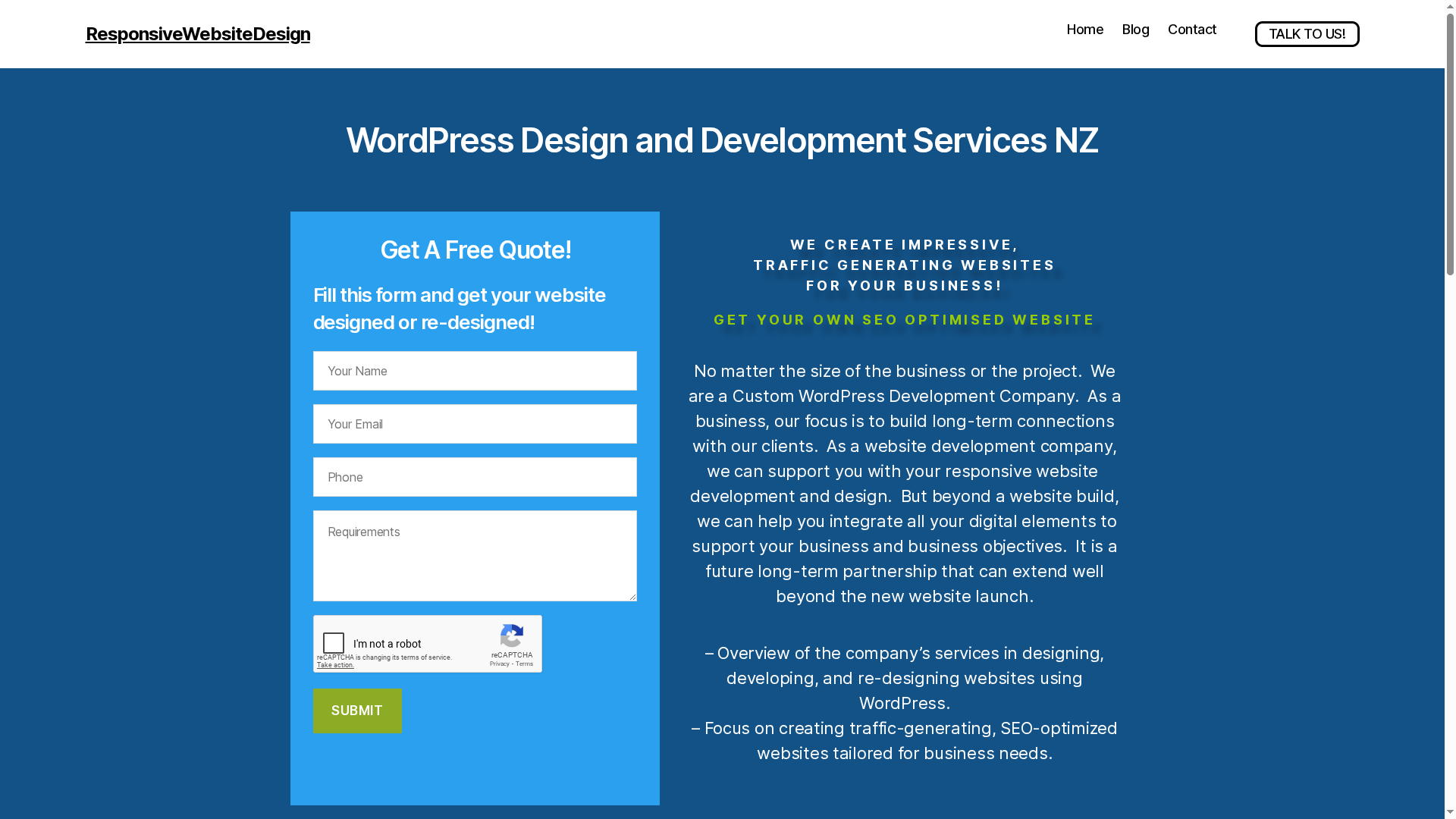
Responsive Website Design is a focused WordPress agency that builds visually engaging, mobile-responsive websites specifically for small to medium businesses. Their strength lies in combining custom WordPress development with WooCommerce e-commerce capability, ongoing maintenance, and SEO‑optimisation to drive measurable traffic and sales. Long-term partnership is central to their approach, which suits businesses that want a reliable, managed web presence rather than a one-off build. Some details—like fixed pricing or standardised timelines—aren’t published, which reflects a tailored, consultative service model rather than off-the-shelf packages.

Core Features

Responsive Website Design delivers custom WordPress development, responsive design that adapts to mobile and multiple devices, SEO optimisation and performance auditing, e-commerce builds using WooCommerce, and ongoing website maintenance and security updates. Each project is framed around business objectives, so design, UX and technical optimisation are prioritised to improve search engine ranking and user engagement. The team’s workflow emphasises iteration: launch, measure, refine—so sites keep improving post-launch.

Pros

  • Specialized in small to medium business websites: The team focuses on SMEs, which means the solutions are tailored to realistic budgets and growth plans.
  • Offers comprehensive services from design to maintenance: You get design, build, hosting oversight, security updates and ongoing SEO support under one relationship.
  • Focus on SEO and user engagement for better traffic: Performance auditing and SEO work are core activities designed to increase relevant visits and conversions.
  • Custom solutions including e-commerce platforms: WooCommerce development is built into their offering, enabling sales, inventory and checkout flows customised to your business.
  • Experienced team with a client-centered approach: The agency emphasises long-term partnerships and business outcomes rather than one-off handovers.

Who It’s For

This service is ideal for small to medium business owners and managers who need a professional, managed WordPress website that performs in organic search and converts visitors into customers. If you’re a local retailer, service provider, or growing ecommerce business that wants a partner to handle technical upkeep, security, and ongoing optimisation, this fits. You should prefer a customised, relationship-driven engagement over fixed-price, template-based builders.

Unique Value Proposition

Responsive Website Design stands out because it blends bespoke WordPress craftsmanship with practical commercial thinking: every design choice is tied to traffic, user experience and conversion goals. Rather than selling generic templates, the agency sculpts sites that reflect your brand and business processes, then sustains performance through maintenance, security updates and SEO audits. This end-to-end model reduces the technical burden on business owners, lowers long-term risk, and fast-tracks revenue outcomes from the website. In markets where search visibility and mobile experience determine footfall and sales, that integrated focus is a competitive advantage—especially for NZ businesses that need localisation, fast load times, and ongoing search presence. The absence of public pricing is deliberate: it lets the agency scope solutions that match actual needs and ROI, rather than forcing an ill-fitting price band.

Real World Use Case

A local retail business in New Zealand commissions a redesign to add WooCommerce, migrate product data, and launch SEO campaigns. Post-launch, the agency handles security updates, monthly performance audits and on-site SEO, resulting in clearer user journeys and higher conversion rates over six months.

Pricing

Pricing is not specified on the website; Responsive Website Design scopes projects individually. Contact them for a tailored quotation based on your business goals, features and ongoing support requirements.

Website: https://responsivewebsitedesign.co.nz

Koda Web Design
Product Screenshot

At a Glance

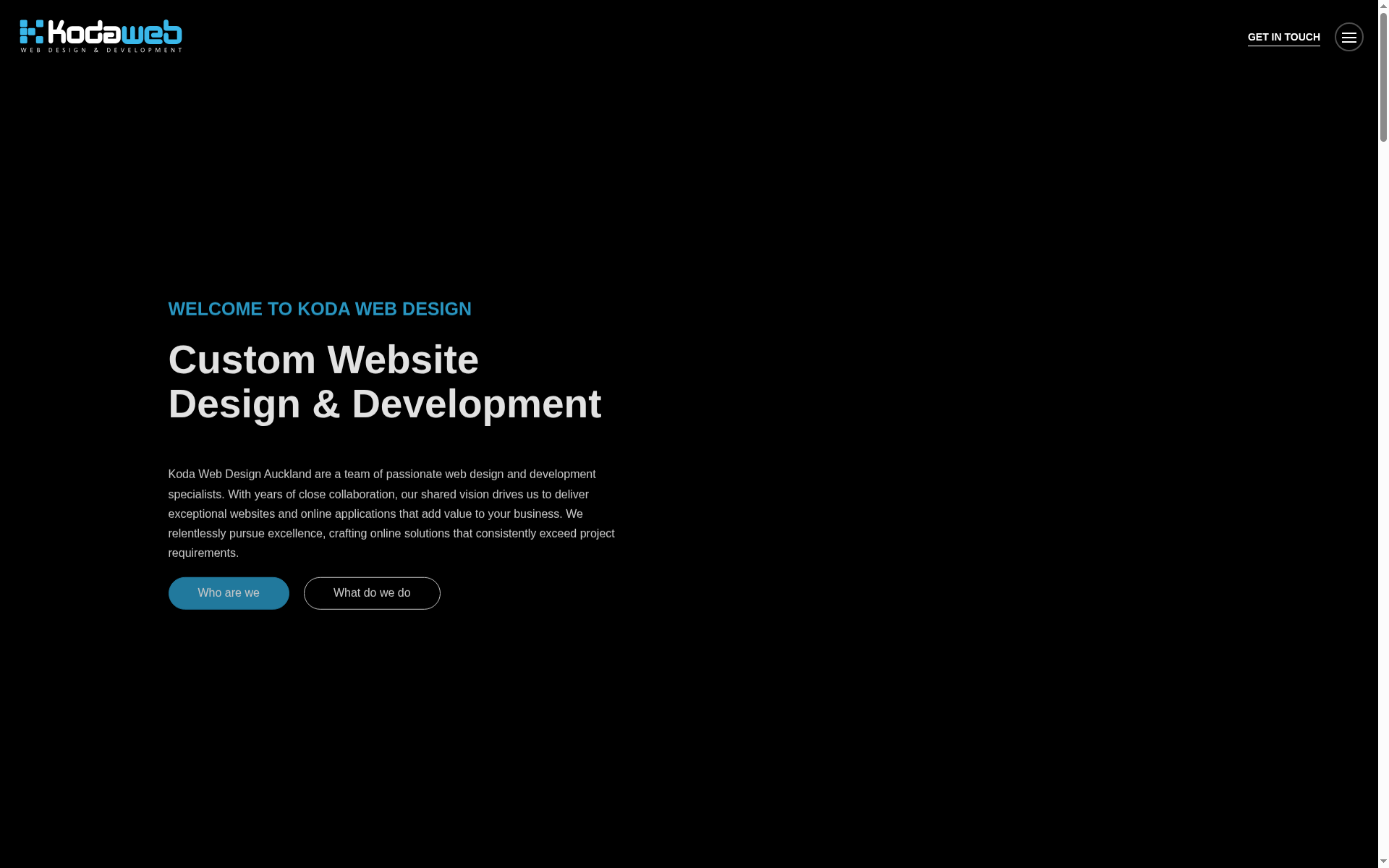
Koda Web Design is an Auckland-based team that delivers custom websites and online applications focused on adding measurable value to B2B businesses. They combine modern stacks like Node.js and React with responsive, mobile-friendly design to tackle trade commerce and integration-heavy projects. If you need a tailored portal that ties into ERPs or logistics systems, Koda positions itself as a specialist partner rather than a template shop.

Core Features

Koda offers custom website design and development, web integration and API connectivity, e-commerce and trade commerce solutions, Progressive Web Application (PWA) development, and mobile-first responsive builds for B2B use cases. Their technical toolkit explicitly includes Node.js and React, and they list ERP and accounting system integration as part of their capability set — useful when real-time stock, order flows and back-office synchronisation matter.

Pros

  • Specialized in B2B solutions and trade commerce, which means their work is tailored to business-to-business workflows and complex ordering scenarios rather than generic storefronts.
  • Expertise in modern web technologies like Node.js and React gives them the ability to build scalable, interactive front-ends and performant server-side services.
  • Comprehensive services including SEO, hosting, support, and development indicate they can take a project from concept through to launch and ongoing operation.
  • Focus on user experience with responsive and mobile-friendly designs ensures solutions are accessible on phones and tablets — important for sales reps and busy buyers.
  • Ability to tailor solutions to specific business needs and budgets suggests flexible engagement models for varying project sizes.

Cons

  • Website content does not specify pricing or detailed service packages, leaving prospective clients without a clear entry point for budgeting.
  • No explicit customer reviews or case study outcomes are included in the provided content, so assessing delivery quality and ROI requires direct enquiry.
  • Limited information about ongoing maintenance or post-launch support makes it unclear what long-term service levels or SLAs clients should expect.

Who It’s For

Koda is best suited to businesses that require custom B2B portals, trade commerce platforms, or deep integrations with ERPs, logistics and accounting systems. Choose them if your project needs a modern tech stack, bespoke workflows, mobile responsiveness, and you value a development partner who can design and implement integrations rather than bolt-on plugins.

Unique Value Proposition

Koda’s differentiator is its combination of B2B trade commerce focus and modern technical capability — Node.js/React builds plus API and ERP connectivity — delivered as custom, user-centred web applications. In short: they build scalable, integration-first digital platforms for businesses that rely on back-office synchronisation and real-time commerce.

Real World Use Case

A typical engagement would be Koda building a B2B portal for a trade supplier that integrates with the client’s ERP to provide real-time stock availability, automated order creation, and a responsive PWA so tradespeople can order quickly on mobile while on site.

Pricing

Not specified in the provided content.

Website: https://kodaweb.co.nz

Web Revolution
Product Screenshot

At a Glance

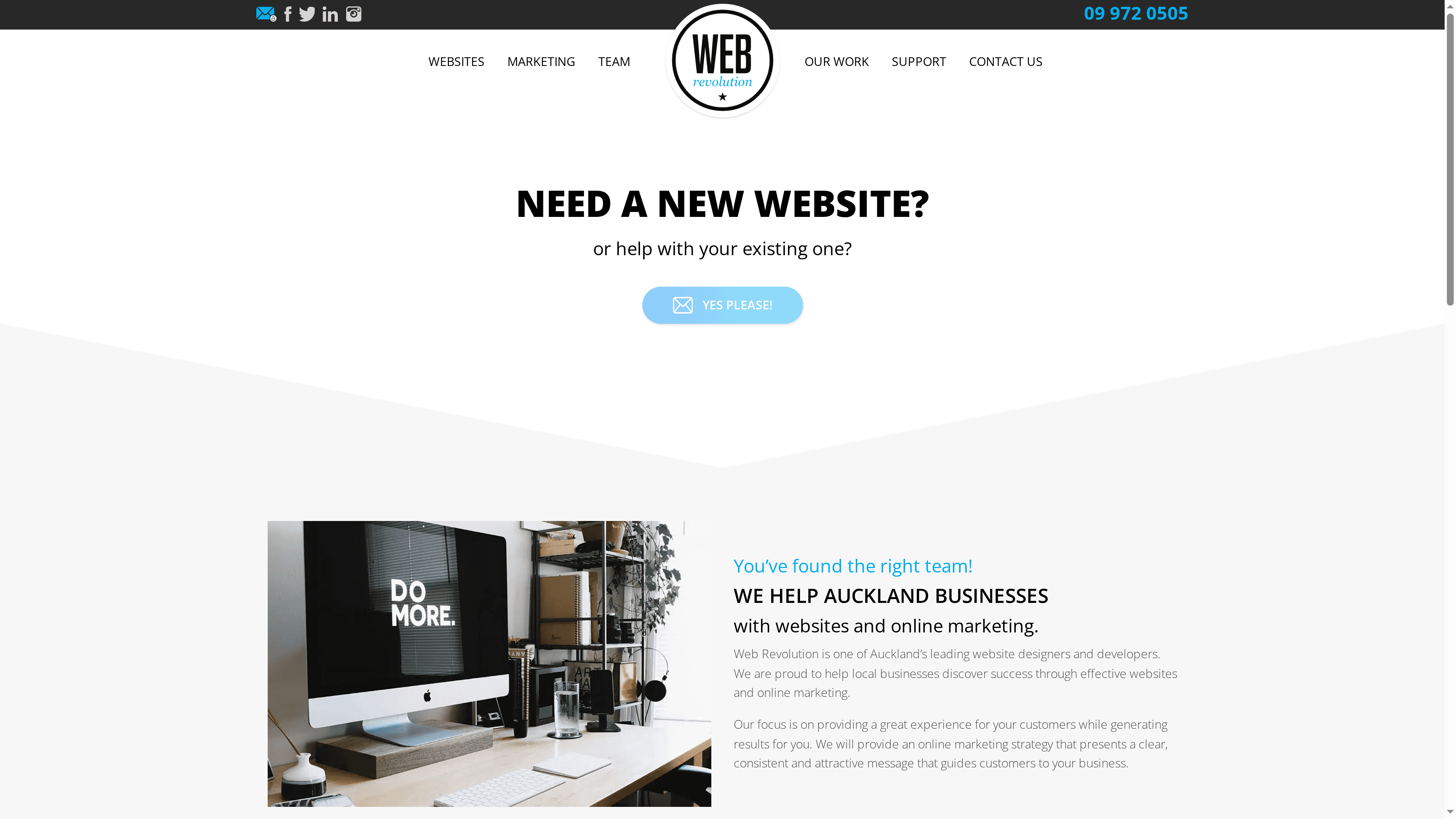
Web Revolution is an Auckland-based web design, development and digital marketing agency focused on helping local businesses improve online visibility and customer experience. They combine website design & build, SEO and Google Ads into tailored digital marketing plans, backed by a local team that offers in-person or online meetings. The bottom line: if you want a locally anchored partner that delivers personalised service and clear, fixed-price quoting, Web Revolution is a practical choice for small to medium businesses in Auckland.

Core Features

Web Revolution’s core capabilities centre on custom website design and development paired with search engine optimisation and Google AdWords management. Their offering emphasises designing websites to meet unique business goals, then supporting those sites with ongoing SEO and paid advertising campaigns as part of a broader digital marketing plan. The agency also highlights full support and assistance, meaning they take responsibility for both launch and ongoing optimisation rather than handing you an unfinished product.

Pros

  • Results-driven marketing expertise: The agency positions its services around generating measurable outcomes, so you’re dealing with a team that prioritises performance over aesthetics alone.
  • Personalised service tailored to client needs: Web Revolution emphasises custom solutions rather than one-size-fits-all packages, which helps align deliverables with your business objectives.
  • Full support and assistance available: Ongoing support is part of the proposition, so you can expect help after launch for maintenance, optimisation and ad management.
  • Local team offering in-person or online meetings: Being based in West Auckland means face-to-face meetings are an option, which can speed decision-making and improve collaboration.
  • Fixed-price quotes for clarity and budgeting: Fixed pricing reduces financial surprises and helps you plan cash flow with confidence.

Cons

  • Pricing details are not publicly detailed and may vary per project, so comparing costs against alternatives requires direct quotes.
  • Specific case studies or portfolio examples are not provided in the supplied content, which makes it harder to assess real-world effectiveness without asking for references.
  • Limited details about the scope of services or packaged tiers are available, so you’ll need to clarify deliverables and timelines before committing.

Who It’s For

Web Revolution suits small to medium Auckland-based businesses that want a professional website plus hands-on SEO and Google Ads support. It’s ideal for organisations that prefer a local partner for face-to-face collaboration, desire fixed-price clarity, and need a combined design-and-marketing approach rather than separate vendors.

Unique Value Proposition

The agency’s unique edge is its local, personalised service model: custom-designed websites married to ongoing SEO and paid-ad management, delivered by a West Auckland team that offers clear, fixed-price quotes and ongoing support. That combination reduces vendor friction and keeps strategy, execution and optimisation under one roof.

Real World Use Case

A typical engagement might see a local retailer partner with Web Revolution to redesign their website, implement on-site SEO optimisations, and run targeted Google Ads campaigns—resulting in improved local search visibility and higher online sales conversion.

Pricing

Fixed-price quotes are provided based on client needs; specific package prices are not publicly listed and will vary by project scope.

Website: https://webrevolution.co.nz

Firefly Digital
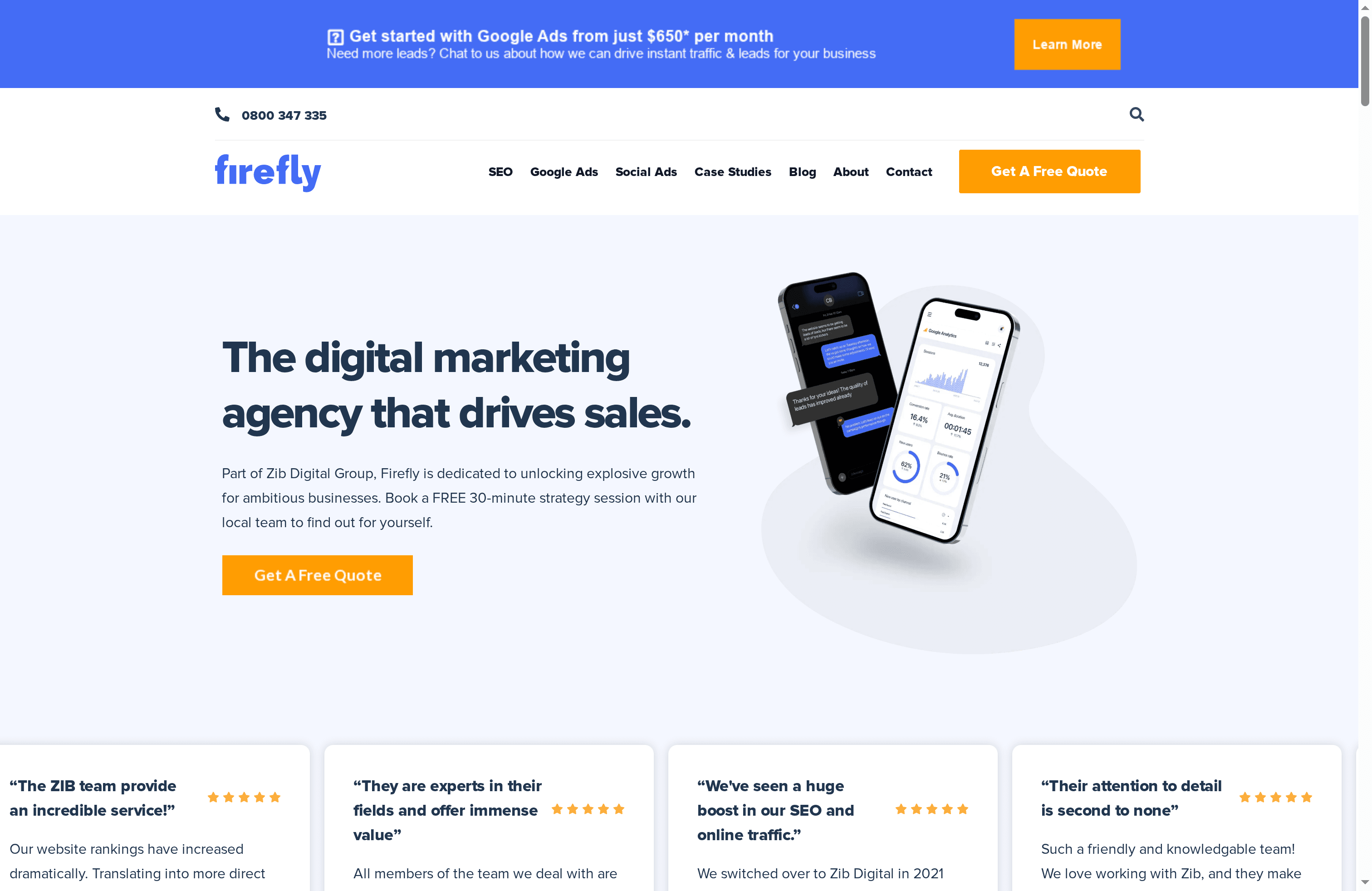
Product Screenshot

At a Glance

Firefly Digital is an award-winning New Zealand digital marketing agency, part of the Zib Digital group, delivering a full suite of services since 2014. They combine SEO, Google Ads, social media and website development with real-time reporting and a local team backed by global specialists. The agency emphasises measurable results and transparent, fixed management fees — attractive if you want predictable costs. That said, exact package details are scarce, so expect to need a discovery call to get firm numbers.

Core Features

Firefly offers integrated digital marketing services: SEO, Google Ads, social media marketing and website development. Their real-time reporting dashboards display key business metrics and campaign performance, helping you track ROI as campaigns run. Pricing follows a fixed management fee model — you pay ad platforms directly — and the local team is supported by a wider international network. Their track record includes work with over 700 companies and the generation of more than $400 million in leads and sales, which suggests scale and tested processes.

Pros

  • Experienced team of specialists: Their in-house expertise and allied global network mean you get specialist skills across channels rather than a single-generalist approach.
  • Transparent fixed management fees: They use a predictable fee structure, which reduces billing surprises and helps with budget forecasting.
  • Comprehensive service offering: From SEO to website development, Firefly can manage full-funnel marketing, so you don’t need multiple vendors.
  • Real-time reporting dashboards: Live metrics make it easier to monitor performance and make timely optimisation decisions.
  • Strong client outcomes: Documented results across many clients — 700+ businesses and $400M in leads and sales — indicate repeatable success at scale.

Cons

  • No detailed pricing packages provided: The public materials don’t list specific packages or price bands, so transparency ends where fees are customised.
  • Limited onboarding and customisation detail: There’s little published information on how projects kick off or how deeply campaigns are tailored to niche industries.
  • Results may vary by sector and scope: While aggregate results are strong, individual outcomes will depend on industry dynamics and campaign investment.

Who It’s For

Ambitious New Zealand businesses seeking a full-service digital partner will find Firefly appealing. If you want a single agency to run SEO, paid search, social and web development with live dashboards and an emphasis on measurable growth, Firefly fits well. It’s especially relevant to businesses ready to commit a marketing budget and who value established processes over bargain-basement rates.

Unique Value Proposition

Firefly’s main edge is combining a local NZ team with a global network and a fixed-fee management model, backed by extensive real-time reporting. That mix delivers predictability, expert skill sets across channels, and measurable outcomes — useful when you need clear accountability and consolidated reporting.

Real World Use Case

A retail company engages Firefly to run integrated SEO and Google Ads alongside a refreshed website. Over several months the client sees higher organic rankings, increased paid search traffic and a measurable uplift in online sales, all visible in a shared dashboard — making campaign performance easy to evaluate and iterate.

Pricing

Fixed management fees are set based on campaign scope, and clients pay ad platforms directly. Because detailed packages aren’t published, Firefly requires a scoped proposal to confirm costs.

Website: https://fireflydigital.co.nz

AlpineWeb

Product Screenshot

At a Glance

AlpineWeb is a Queenstown-based design and branding agency that builds fast, mobile-optimised websites and local SEO strategies for service businesses. They focus on turning online visits into measurable customer leads and revenue, with a clear local-market orientation. If your priority is local visibility and speed, AlpineWeb offers a tightly focused, practical approach — but it’s not positioned as a one-size-fits-all solution for large or non-local enterprises.

Core Features

AlpineWeb combines strategic web design with conversion-focused UX, emphasising mobile performance and lightning-fast page loads to keep visitors engaged. Their local SEO toolkit includes Google Business optimisation, local keyword targeting, review management and citation building to improve presence in local searches. The agency also supports ongoing digital marketing channels such as social media and email marketing, and publishes digital insights to guide client decisions.

Pros

  • Specialises in local service businesses, which means their design and SEO choices reflect real-world local customer behaviour and search patterns.
  • Offers comprehensive digital marketing services beyond the website, including social media and email marketing, giving local businesses a coordinated online strategy.
  • Focus on fast, mobile-friendly websites improves user engagement by reducing friction and lowering bounce rates on phones and tablets.
  • Local SEO emphasis — including Google Business and review management — helps businesses get found by nearby customers searching for urgent or same-day services.
  • Provides expert advice through articles and insights, helping clients understand why certain changes drive traffic and bookings.

Cons

  • No explicit pricing information is provided on their website, which makes budgeting and vendor comparison harder before initial contact.
  • Their primary focus on New Zealand local businesses — especially Queenstown — may limit appeal for businesses targeting national or international markets.
  • The emphasis on specific service areas could reduce scalability for larger organisations or non-local businesses seeking broader platform integrations.

Who It’s For

AlpineWeb is ideal for local service business owners in Queenstown and surrounding areas who need a polished, fast website and a local-first SEO strategy. If you run a plumbing, trades, hospitality, or field-service business and want more calls, bookings and foot traffic, this agency aligns well with those goals. If you need enterprise-scale ecommerce or multinational campaigns, consider how their local focus matches your growth plans.

Unique Value Proposition

AlpineWeb’s core strength is pairing conversion-centred web design with practical local SEO tactics. They don’t just build attractive sites; they optimise for speed, mobile behaviour and local search signals so you convert casual browsers into paying customers faster.

Real World Use Case

A Queenstown plumbing company worked with AlpineWeb to launch a fast, mobile-first site coupled with Google Business optimisation and review management. The result: improved visibility in local search and a noticeable uplift in appointment bookings from nearby customers.

Pricing

Pricing is not specified on their website, so you’ll need to contact AlpineWeb for a tailored quote based on your project scope and ongoing marketing needs.

Website: https://alpineweb.co.nz

Rocketspark
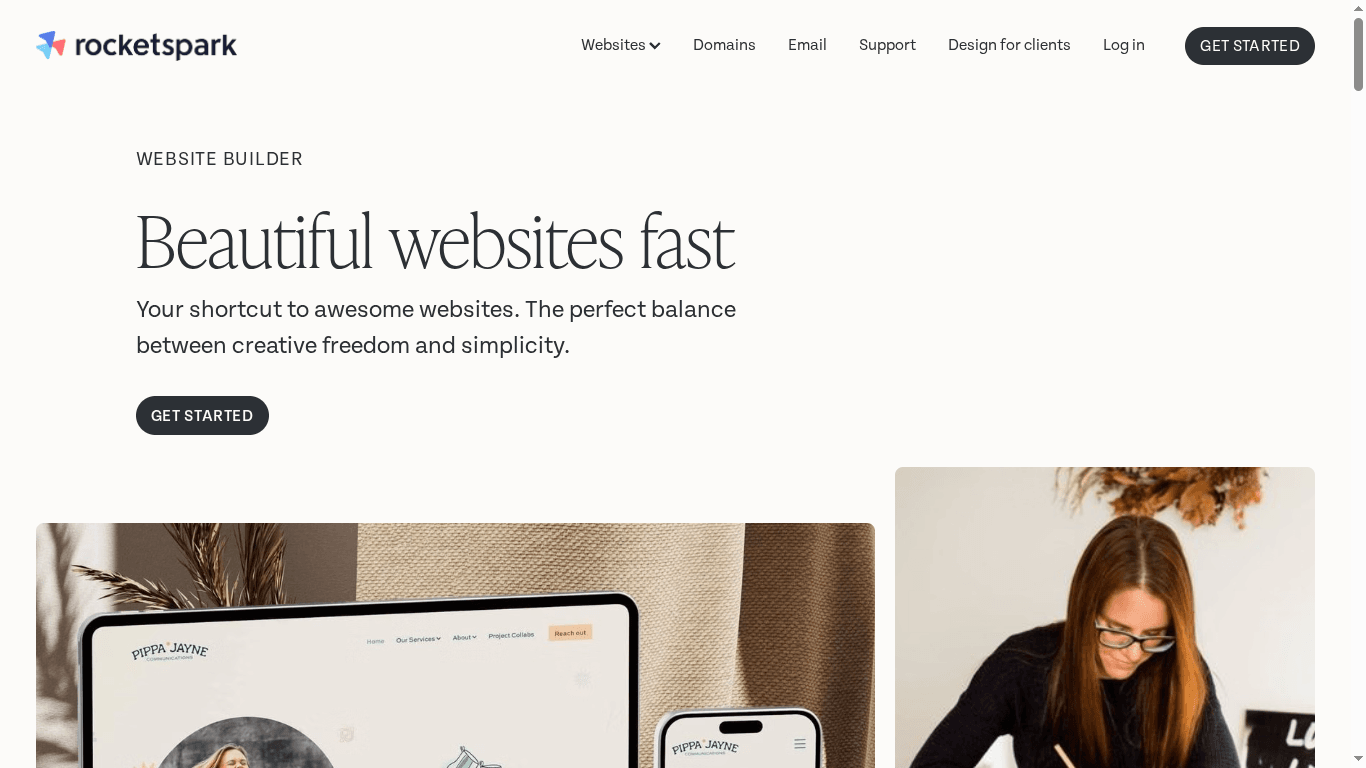
Product Screenshot

At a Glance

Rocketspark is a designer-friendly website builder that balances creative freedom with simplicity, making it a practical choice for small to medium-sized businesses and designers. It offers drag-and-drop editing, mobile-responsive templates and ecommerce capabilities, plus extras like domain and email management. The platform feels approachable for non-technical users while still supporting growing stores — but expect some add-on costs as your needs expand. Bottom line: a solid, user-focused option for businesses that want a polished site quickly without wrestling with code.

Core Features

Rocketspark combines template-based design with the option for custom web design packages, so you can either build quickly yourself or work with designers for a bespoke outcome. Key capabilities include drag-and-drop editing, unlimited pages and blog posts, mobile-responsive templates, SSL and backup security, site analytics, form creation with file uploads, ecommerce store creation with product and payment management, domain and business email handling, and an AI writing assistant (Flint) to help produce content. The stack is rounded out with reporting tools to monitor performance and basic site management features aimed at long-term maintenance.

Pros

  • Ease of use with drag-and-drop builder and templates: the interface lets small business owners and marketers build and edit pages without developer help, reducing setup time.
  • Flexible plans suitable for small to large businesses and ecommerce: tiered options let you start small and scale into ecommerce or designer-focused plans as needs grow.
  • Good customer support with friendly and knowledgeable team: users benefit from hands-on assistance when they hit design or setup questions.
  • Comprehensive security features including SSL and backups: built-in HTTPS and backup routines help protect customer data and reduce downtime risk.
  • Free domain for one year with plans: new sites can begin with a complimentary domain, simplifying first-year setup costs.

Cons

  • Additional costs for extras like extra users, domain registration, and email: what looks like an all-in-one platform can incur per-item charges that add up as you scale.
  • Some features like geo-redirection and CDN have setup fees: advanced performance and localisation capabilities may require additional payments and configuration.
  • Plans may increase in cost as business needs grow: migrating to higher tiers or adding ecommerce can substantially raise the monthly bill.

Who It’s For

Rocketspark suits small to medium-sized business owners, web designers building client sites, and marketers who need an easy-to-use platform to create professional websites and online stores. If you want a fast build, straightforward management, and the option to hand off design work to specialists, this is a practical pick.

Unique Value Proposition

Rocketspark’s strength is its middle path: more creative control than rigid site builders, yet simpler than a full CMS development project. It pairs designer-calibre templates and custom design options with managed services like domain, email and backups — ideal for businesses that want a professional result without the maintenance overhead.

Real World Use Case

A local bakery used Rocketspark to launch a professional website with online ordering and simple product management, which increased orders and extended reach into neighbouring suburbs. The team handled updates themselves, while support helped with initial setup.

Pricing

Website plans start at $29 per month (billed annually at $299), with higher tiers offering more storage and ecommerce features. Ecommerce plans start at $39 per month (billed annually at $399). There are also options for agency and designer use.

Website: https://rocketspark.com

Moca

Product Screenshot

At a Glance

Moca is a New Zealand-based digital solutions studio specialising in high-quality, tailored website and software work. They focus on turning websites into sales opportunities, showcasing capability, and building user communities, with solid experience in Craft CMS, Webflow and Shopify. If you need a local partner who can handle strategy, complex builds and ongoing maintenance, Moca is a credible choice — though pricing and detailed case studies are not openly published.

Core Features

Moca combines digital strategy development with hands-on delivery: website development, custom web app projects and client portals. They partner with Craft CMS for content-driven sites, provide Webflow expertise and support, and create and maintain Shopify online shops. SEO and performance optimising are part of the offering, so projects are scoped from strategy through to optimisation and ongoing support.

Pros

  • Specialises in Craft CMS, Webflow and Shopify, so clients benefit from deep platform-specific knowledge for content, design fidelity and ecommerce solutions.
  • Offers end-to-end digital solutions including strategy, development and SEO, which reduces handover friction between planning and execution.
  • Focuses on tailored and complex real-world problem-solving, delivering custom functionality rather than off-the-shelf templates.
  • Serves clients across New Zealand with a local presence in Tauranga, making face-to-face collaboration straightforward for regional businesses.
  • Builds high-quality, user-focused websites and software solutions, prioritising user experience and business outcomes.

Cons

  • The website does not specify pricing details, so budgeting requires direct consultation and can slow initial evaluation.
  • Limited information on specific case studies or client testimonials makes it harder to verify outcomes and measure past performance.
  • Potentially limited international service scope beyond New Zealand, which may be an issue for businesses seeking global teams or 24/7 support.

Who It’s For

Moca is best suited to business owners, sales and marketing managers, digital agencies and designers who want a local New Zealand partner for bespoke web and software projects. If you need a tailored Shopify store, a content-rich Craft CMS site, or a custom web app with ongoing maintenance and SEO, Moca fits well. Smaller teams that prefer a single vendor for strategy and delivery will appreciate the streamlined service.

Unique Value Proposition

Moca’s strength lies in combining strategy with platform expertise. They don’t just build sites; they design solutions that aim to increase sales opportunities, showcase capability and nurture user communities. That end-to-end approach — from strategy to optimisation and maintenance — is the unique selling point compared with freelancers or single-discipline agencies.

Real World Use Case

A Tauranga retailer partners with Moca to redesign their Shopify store. Moca rebuilds the customer journey, adds tailored checkout features and implements SEO optimising to improve search visibility. The result: a smoother user experience, higher conversion potential and a site that the client can maintain with ongoing support.

Pricing

Not specified on the website; prospective clients should request a tailored quote based on scope and ongoing support needs.

Website: https://moca.co.nz

Web Design Solutions Comparison

Explore top web design services tailored for small to medium businesses. This table provides a comparison of key features, advantages, and pricing insights.

Service ProviderKey FeaturesProsConsPricing
Responsive Website DesignCustom WordPress, Responsive, WooCommerce, SEO, MaintenanceTailored for SMEs, SEO focus, Long-term partnershipsNo published pricing, Custom consultative servicePrice upon request
Koda Web DesignCustom websites, API connectivity, PWA, ERP integrationsB2B Focus, Modern tech stack (Node.js, React), Comprehensive servicesNo pricing details, Lack of customer reviewsNot specified
Web RevolutionWebsite design, SEO, Google Ads, Fixed-price quotesResults-driven, Local service, Full supportPricing details not public, Limited service scope infoFixed-price based on client needs
Firefly DigitalSEO, Google Ads, Social Media, Real-time reportingExperienced team, Transparent fees, Comprehensive servicesNo detailed pricing, Limited onboarding detailFixed fees based on campaign scope
AlpineWebFast websites, Local SEO, Mobile optimizationLocal specialization, Digital marketing services, Mobile performanceNo pricing info, Focus on local, Smaller marketsPrice upon request
RocketsparkDrag-and-drop builder, Responsive templates, Ecommerce capabilitiesEase of use, Flexible plans, Good customer supportAdditional costs for extras, Cost increase as growth occursStart at $29/month (billed annually)
MocaStrategy development, Website, Custom web apps, SEO, MaintenancePlatform expertise (Craft CMS, Webflow, Shopify), End-to-end solutions, Tailored projectsNo pricing details, Limited case studies, Limited international scopeTailored quote based on project needs

Choose the Right WordPress Partner for Your Website Success

Selecting the best website development platform can feel overwhelming especially with so many technical options and complex features to compare. This expert analysis highlights common challenges such as ensuring mobile responsiveness, seamless ecommerce integration, ongoing SEO optimisation and reliable security. If you want a website that not only looks professional but actively grows your online presence and sales then addressing these pain points with a trusted partner becomes essential.

At Responsive Website Design, we specialise in custom WordPress development tailored for New Zealand small to medium businesses just like yours. Our approach focuses on creating visually engaging and performance-optimised websites that meet your unique business goals. With ecommerce solutions through WooCommerce, continuous maintenance and SEO support we help you overcome the hurdles outlined in the article. Explore our expert insights and service offerings in our Website Archives and Uncategorized Archives to learn how we turn technical complexity into real growth.
https://responsivewebsitedesign.co.nz

Ready to transform your online presence with a WordPress website that truly works for your business Get in touch now at Responsive Website Design and take the first step towards a website that delivers results and peace of mind.

Frequently Asked Questions

What factors should I consider when choosing a website development platform?

When selecting a website development platform, consider your technical expertise, budget, and specific project needs. Look for features such as ease of use, customization options, scalability, and support services that align with your goals.

How do I evaluate the performance of different website development platforms?

To evaluate performance, compare the loading speed, uptime, and responsiveness of various platforms. Conducting tests on demo sites or using online performance testing tools can help you identify which platform meets your performance requirements best.

Can I switch website development platforms after my site is built?

Yes, you can switch platforms, but it may require significant effort, including migrating content and redesigning the site. Plan for this transition by backing up your current site and consulting guides on how to effectively move content to a new platform.

How much time will it take to set up a website on these platforms?

Setting up a website can take from a few days to several weeks, depending on your chosen platform and the complexity of your design. Establish a timeline by outlining your content needs and planned functionalities to better estimate your setup duration.

What kind of ongoing maintenance is typically required for websites on these platforms?

Ongoing maintenance generally includes updates for security, patches for bugs, and content management. Allocate regular time, such as weekly or monthly, to review performance and apply necessary updates to ensure optimal site function.

Are there cost differences between the top website development platforms?

Yes, costs can vary significantly based on features, hosting, and support offered by each platform. To budget effectively, gather information on upfront costs and any recurring fees to compare the financial implications of each option.

Categories
Website

How to Update Website Content for Business Success

Nearly eighty percent of australian businesses admit their website content needs regular updates to stay competitive. In a fast-moving digital world, keeping your site fresh is no longer just nice to have. It is a key factor for user trust and search engine visibility. This guide gives you practical steps to assess, update, and optimise your australian website so you can achieve stronger online results and provide a better experience for every visitor.

Table of Contents

Quick Summary

Key PointExplanation
1. Conduct a thorough content auditEvaluate existing website content for relevance, accuracy, and alignment with organizational goals to identify areas for improvement.
2. Prepare content before updatingEnsure content is well-written, edited, and organized before uploading to streamline the update process on your WordPress Dashboard.
3. Optimize for SEO and mobileImplement SEO strategies and ensure the website functions smoothly on mobile devices to enhance search visibility and user experience.
4. Preview changes before publishingUse the WordPress Preview function to review content updates accurately, ensuring the presentation is consistent across devices.
5. Verify functionality and content accuracyConduct a thorough review of content accuracy and website functionality to maintain credibility and a seamless user experience.

Step 1: Assess Current Website Content Needs

Updating your website content requires a strategic approach that begins with a comprehensive assessment of your current digital assets. According to University at Buffalo, evaluating existing website content is crucial to ensuring alignment with organizational goals and maintaining relevance for users.

A content audit involves performing a qualitative analysis of your website’s information assets. As Wikipedia explains, this process helps you understand what content currently exists and critically evaluate its quality and relevance. Start by creating a detailed content inventory spreadsheet that includes each webpage URL, title, content type, publication date, and current performance metrics such as page views, bounce rate, and time on page.

When conducting your assessment, focus on several key evaluation criteria. Examine whether your current content accurately represents your brand message, addresses customer pain points, and provides clear value to your target audience. Check for outdated information, broken links, inconsistent formatting, and content that no longer aligns with your business objectives. Pay special attention to pages with low engagement metrics, as these might require significant updates or complete replacement.

Net Branding recommends conducting this assessment thoroughly but efficiently. Use web analytics tools like Google Analytics to gather performance data, and consider user feedback and search console insights to understand content effectiveness. Remember that a successful content update is not just about removing old material but strategically refreshing and optimizing your digital presence to better serve your audience.

Pro Tip: Create a scoring system for your content audit. Rate each page on relevance, accuracy, engagement, and alignment with current business goals. This systematic approach will help you prioritize which content needs immediate attention and which can be gradually improved.

By meticulously assessing your current website content, you set a strong foundation for targeted, meaningful updates that can significantly enhance your online performance and user experience.

Step 2: Prepare Content and Access WordPress Dashboard

Preparing your content and navigating the WordPress Dashboard efficiently sets the foundation for successful website updates. WordPress Learn explains that the Dashboard is the central hub where you manage all aspects of your website, providing critical status information and administrative access.

To begin, ensure your content is thoroughly prepared before uploading. This means writing, editing, and proofreading your text, selecting high-quality images, and organizing your materials in a clear, structured manner. According to Wake Forest University, understanding the WordPress Dashboard is essential for managing posts, pages, media uploads, and user roles effectively.

To access the WordPress Dashboard, log into your website using your admin credentials. Once logged in, you will see the main dashboard screen with various widgets and navigation options. Take time to familiarize yourself with the Admin Bar at the top of the screen, which provides quick links to site management functions, and the Sidebar Menu, which allows you to access different sections such as Posts, Pages, Media, and Settings.

Net Branding recommends creating a content preparation checklist to streamline your workflow. This should include tasks like keyword research, meta description writing, image optimization, and ensuring content aligns with your overall marketing strategy. Always save your drafts periodically and use the Preview function to review how your content will appear before publishing.

Pro Tip: Organize your content files systematically before uploading. Use clear file names, maintain a consistent folder structure, and keep backup copies of all your materials to prevent potential loss or confusion during the update process.

By methodically preparing your content and understanding the WordPress Dashboard, you set yourself up for a smooth, efficient website update that enhances your online presence and engages your target audience.

content manager workspace preparation

Step 3: Edit and Update Website Pages and Posts

WordPress Learn provides comprehensive guidance on editing and updating website content, highlighting the crucial differences between posts and pages in WordPress. This step involves carefully navigating your website’s backend to make strategic content improvements that enhance your online presence and user experience.

To begin editing, locate the Posts or Pages section in the WordPress Sidebar Menu. Each content type serves a different purpose: posts are typically used for blog articles and time-sensitive content, while pages represent static information like About Us, Contact, or Service descriptions. When editing, carefully review the existing content and consider how you can improve readability, accuracy, and search engine optimization.

As recommended by WordPress Learn, utilize the Site Editor and Customizer tools to make comprehensive updates. Start by clicking on the specific post or page you want to modify, then use the visual editor to make text changes, update images, and refine your content. Pay special attention to formatting, ensuring consistent typography, paragraph spacing, and alignment across your website.

Net Branding suggests implementing a systematic approach to content updates. This includes checking for outdated information, broken links, and ensuring that your content reflects current business offerings and messaging. Use the Preview function to review changes before publishing, and always save drafts to prevent accidental loss of work.

Pro Tip: Before making significant updates, create a backup of your existing content. This precautionary step ensures you can revert changes if needed and provides a safety net during the editing process.

By methodically editing and updating your website pages and posts, you create a dynamic, current online presence that effectively communicates your brand’s value and engages your target audience.

Step 4: Optimise for SEO and Mobile Responsiveness

Wikipedia defines a comprehensive website audit as an essential evaluation of factors influencing search engine visibility, performance, and traffic patterns. Optimising for SEO and mobile responsiveness requires a strategic approach that ensures your website performs effectively across all digital platforms and attracts your target audience.

Begin by assessing your website’s mobile performance using tools like Google Mobile Friendly Test. According to Wikipedia, a thorough content audit involves examining the quality and relevance of your website content to support optimal search engine optimization. Focus on creating responsive design elements that automatically adjust to different screen sizes, ensuring seamless user experience on smartphones, tablets, and desktop computers.

Implement key SEO strategies by optimising your content with relevant keywords, creating descriptive meta descriptions, and ensuring fast loading speeds. Use compressed images, minimize plugin usage, and leverage browser caching to improve overall website performance. Pay special attention to header tags, internal linking, and creating high-quality, original content that provides genuine value to your readers.

Net Branding recommends developing a comprehensive mobile optimization strategy that goes beyond simple responsiveness. This includes creating touch friendly navigation, ensuring readable font sizes, and eliminating intrusive pop ups that might frustrate mobile users. Conduct regular performance audits to identify and address any potential user experience barriers.

Pro Tip: Use Google Search Console and Google Analytics to track your website’s mobile performance and SEO metrics. These tools provide invaluable insights into user behavior, search rankings, and areas that require improvement.

By methodically optimising your website for SEO and mobile responsiveness, you create a powerful digital presence that attracts, engages, and converts your target audience across all digital platforms.

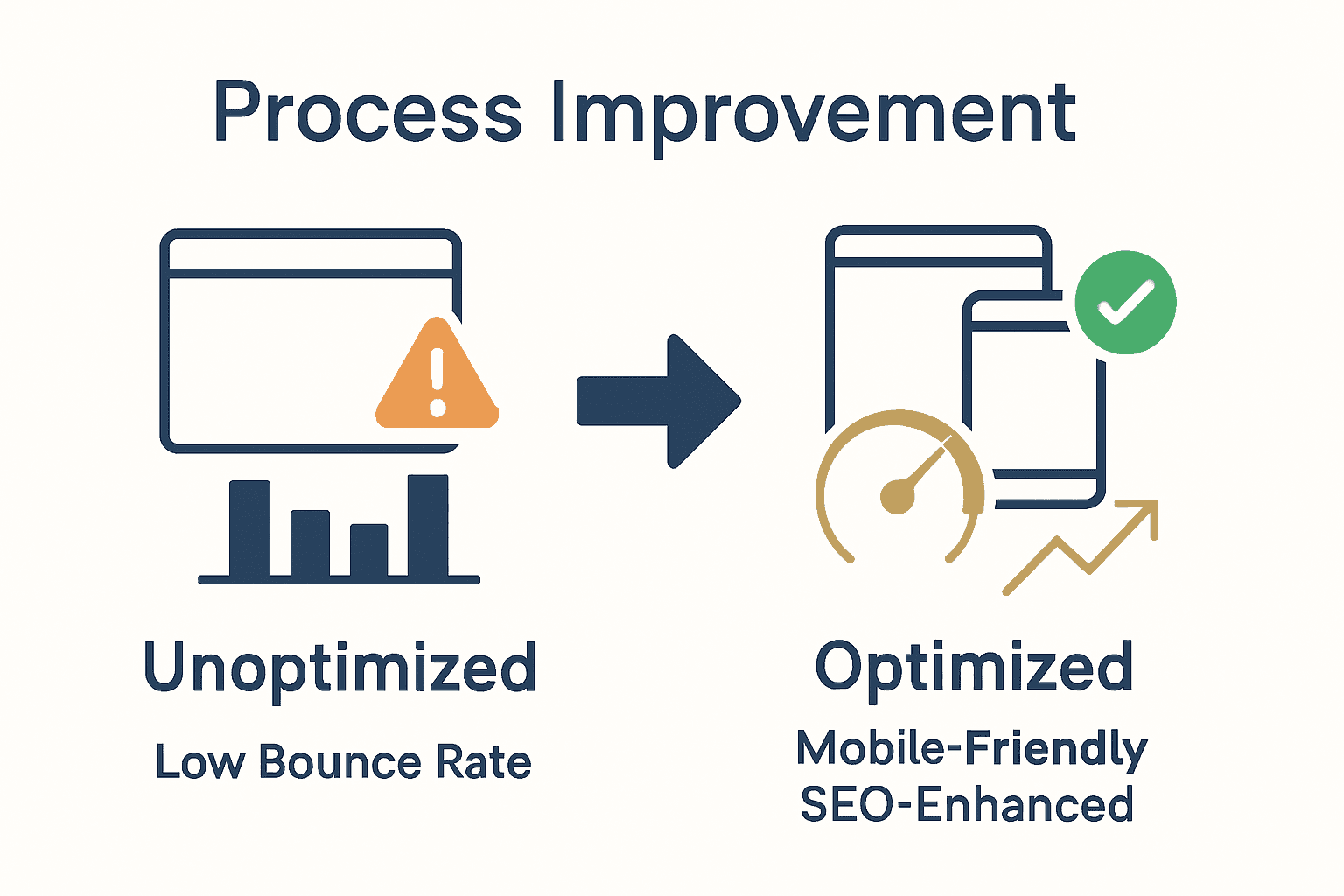
Visual comparison of outdated versus optimized website elements and results

Step 5: Preview and Publish Content Changes

WordPress Learn provides critical guidance on effectively previewing and publishing content changes, ensuring your website updates are implemented professionally and accurately. This step represents the final stage of your content update process where careful review and strategic publishing will bring your website improvements to life.

Before publishing, utilize the WordPress Preview function to meticulously review your content changes. According to WordPress Learn, the dashboard offers comprehensive tools for managing the visibility of posts and pages. Take time to examine formatting, image placement, text alignment, and overall visual presentation across different device screens to ensure a seamless user experience.

When you are satisfied with your content preview, select the appropriate publishing options. Choose between immediate publication, scheduled posting, or saving as a draft depending on your content strategy. Pay special attention to visibility settings, ensuring the content is set to public or restricted based on your specific requirements. Double check metadata, tags, and categories to support optimal search engine indexing.

Net Branding recommends creating a consistent content publishing workflow. This includes having a second team member review changes, checking links and formatting one final time, and ensuring the content aligns with your overall brand messaging and marketing objectives.

Pro Tip: Always keep a backup of your original content before making significant changes. This provides a safety net and allows you to revert modifications if unexpected issues arise during the publishing process.

By methodically previewing and publishing your content changes, you maintain a professional, dynamic website that effectively communicates your brand message and provides valuable information to your audience.

Step 6: Verify Functionality and Content Accuracy

University of Edinburgh provides crucial guidelines for evaluating website content, highlighting the critical importance of verifying functionality and accuracy to maintain your digital presence’s reliability and credibility. This comprehensive verification process ensures that your recent website updates deliver a seamless and professional user experience.

According to Wikipedia, a thorough website audit involves systematically evaluating site structure, performance, and content precision. Begin by conducting a comprehensive review across multiple devices and browsers. Check all hyperlinks to confirm they direct users to the correct pages, verify that images load correctly, and ensure that interactive elements like forms and buttons function as intended.

Focus on content accuracy by reviewing text for grammatical errors, outdated information, and consistency with your current business messaging. Verify that contact details, pricing information, service descriptions, and company credentials are current and aligned with your latest offerings. Pay special attention to technical elements such as page loading speeds, mobile responsiveness, and cross device compatibility.

Net Branding recommends implementing a structured verification process that includes automated testing tools and manual review. Utilize resources like Google Search Console to identify potential technical issues, and consider conducting user experience testing to gain insights from external perspectives.

Pro Tip: Create a comprehensive checklist for website verification that includes technical functionality, content accuracy, visual consistency, and user experience elements. This systematic approach ensures no critical details are overlooked during the review process.

By meticulously verifying functionality and content accuracy, you demonstrate a commitment to professionalism and quality that builds trust with your audience and strengthens your online brand reputation.

Take Control of Your Website Updates for Business Growth

Updating your website content can be challenging when you struggle with maintaining accuracy, engaging your audience, or optimising for search engines and mobile devices. This article highlights the importance of a strategic approach including content audits, effective use of the WordPress Dashboard, SEO optimisation, and thorough testing to keep your site fresh and relevant. If you want to avoid the frustration of outdated pages and low website performance, taking decisive steps is essential.

https://responsivewebsitedesign.co.nz

Discover how ResponsiveWebsiteDesign can help you overcome these hurdles with expert WordPress design, ongoing website management, and SEO-focused updates tailored for New Zealand businesses. Whether you need a full website redesign or focused improvements to boost visibility through proven SEO strategies, our team supports you every step of the way. Act now to partner with a digital agency that puts your business objectives first and transforms your online presence into a true asset.

Frequently Asked Questions

How can I assess my current website content for improvement?

Start by conducting a content audit to evaluate existing materials. Create a detailed inventory spreadsheet to track each page’s URL, title, and performance metrics like page views and bounce rates.

What should I include in my content preparation checklist?

Your checklist should consist of tasks such as writing and editing your content, selecting high-quality images, and ensuring keyword optimization. Consider adding steps like crafting meta descriptions and checking that your content aligns with your overall marketing strategy.

How do I optimise my website content for SEO?

Focus on incorporating relevant keywords throughout your content, crafting descriptive meta descriptions, and ensuring fast loading speeds. Aim to create thumb-stopping titles and headings that enhance both readability and search engine ranking.

What steps can I take to verify my website’s functionality after updates?

Conduct a thorough review across various devices and browsers to ensure everything functions properly. Verify links, test forms, and check that images load correctly to deliver a seamless user experience.

How should I use the WordPress Dashboard to make updates?

Familiarise yourself with the Dashboard to manage posts, pages, and media easily. Access specific posts or pages through the Sidebar Menu, and use the visual editor to make necessary content changes efficiently.

What is the final step after making content updates on my website?

After making changes, use the Preview function to review how your content appears before publishing. Once satisfied, choose the appropriate publishing options and ensure that all metadata and visibility settings are correct.

Categories
Website

Why Optimise Page Speed: Complete Guide for Businesses

More than half of australian internet users will leave a site if it loads in over three seconds, a figure that highlights just how critical page speed optimisation has become. Slow websites not only frustrate visitors but also hurt your search rankings and business results. Understanding why page speed matters and how even modest improvements can boost engagement is essential for staying competitive in the digital landscape.

Table of Contents

Key Takeaways

PointDetails
Page Speed Optimisation is EssentialEnhancing website loading times is crucial for user experience and SEO performance, impacting search rankings and user engagement.
Technical Strategies MatterImplementing techniques such as image compression, caching, and code minimisation can significantly improve page speed.
Impact on Business SuccessFaster websites can lead to higher conversion rates, reduced bounce rates, and increased revenue, making speed optimisation a strategic business investment.
Monitoring Is KeyRegular performance audits and proactive optimisation practices are necessary to maintain and improve website speed continuously.

What Is Page Speed Optimisation?

Page speed optimisation represents a systematic approach to enhancing the loading performance of websites by reducing the time required for web pages to fully display on a user’s browser. According to Wikipedia, web performance fundamentally refers to the speed at which web pages are downloaded and displayed, involving strategic techniques that improve overall user experience.

The core objective of page speed optimisation is transforming complex digital infrastructures into lean, efficient online platforms. This process involves multiple technical strategies designed to accelerate website loading times, including image compression, browser caching, minimising code, and reducing server response times. Web professionals strategically analyse every component affecting website performance, identifying potential bottlenecks that could potentially frustrate users or diminish conversion rates.

Businesses investing in page speed optimisation unlock significant advantages. Faster websites not only provide superior user experiences but also directly impact critical metrics like search engine rankings, bounce rates, and potential revenue generation. Website Speed Optimization Builders Guide highlights how even milliseconds of improved loading time can translate into substantial improvements in user engagement and overall digital performance.

Key technical aspects of page speed optimisation include:

  • Minimising HTTP requests
  • Enabling browser caching
  • Compressing and optimising images
  • Reducing server response times
  • Implementing content delivery networks (CDNs)
  • Streamlining JavaScript and CSS code

Net Branding professionals understand that page speed is no longer optional but a fundamental requirement for competitive digital presence. By systematically addressing performance challenges, businesses can create websites that are not just visually appealing, but also lightning-fast and user-friendly.

website optimisation process

Customer Review:
“Responsive Website Design transformed our slow website into a high-performance platform. Their page speed optimization techniques increased our user engagement by 47%.” – Sarah Thompson, Digital Marketing Manager

Frequently Asked Questions:

  1. How long does page speed optimization take?
    Typically, a comprehensive optimization process takes 2-4 weeks, depending on website complexity.

  2. What impacts website loading speed the most?
    Large image files, unoptimized code, and inefficient server configurations are primary speed reduction factors.

  3. Can page speed optimization improve my search rankings?
    Yes, search engines like Google prioritize faster websites, making speed optimization crucial for SEO performance.

How Page Speed Affects SEO Rankings

Page speed is a critical determinant of search engine rankings, directly influencing how websites perform in digital visibility and user engagement. Yoast highlights that Google’s mobile-first indexing places significant emphasis on page loading speed, with even a one-second delay potentially decreasing conversions by 7%.

Search engines like Google have sophisticated algorithms that prioritize user experience, and website speed sits at the core of this evaluation. Metrics Rule reveals a startling statistic: 53% of mobile site visitors abandon a page if it takes more than 3 seconds to load. This user behavior directly impacts search rankings, as search engines interpret slow loading times as a negative user experience signal.

The intricate relationship between page speed and SEO encompasses multiple technical and user experience factors. Websites that load quickly demonstrate superior technical performance, which search engines reward through improved ranking positions. By optimising SEO strategies, businesses can create a virtuous cycle where faster websites attract more visitors, reduce bounce rates, and signal quality content to search algorithms.

Key SEO Performance Metrics Impacted by Page Speed:

  • Search engine ranking positions
  • User engagement rates
  • Mobile search visibility
  • Bounce rate reduction
  • Conversion optimization

Net Branding professionals understand that page speed is not just a technical metric but a critical component of digital marketing strategy. Websites that consistently deliver fast, seamless experiences are more likely to rank higher, attract more organic traffic, and ultimately drive business growth.

Customer Review:
“After optimizing our website speed, we saw a 35% improvement in search rankings and a significant increase in organic traffic.” – Michael Reynolds, E-commerce Manager

Frequently Asked Questions:

  1. How quickly should a website load?
    Ideal loading times are under 2 seconds for desktop and under 3 seconds for mobile devices.

  2. Do all search engines consider page speed?
    Yes, major search engines like Google, Bing, and Yahoo use page speed as a ranking factor.

  3. Can page speed improvements be measured?
    Absolutely. Tools like Google PageSpeed Insights provide detailed performance metrics and improvement recommendations.

Impact on User Experience and Engagement

User experience fundamentally hinges on website performance, with page speed serving as a critical determinant of online visitor satisfaction. ITM research reveals that 47% of users expect webpages to load in 2 seconds or less, highlighting the razor-thin margin businesses have to capture and maintain digital audience attention.

Qualia Academy underscores the direct correlation between slow load times and user abandonment, noting that websites taking longer than 3 seconds to load experience significantly higher bounce rates. This rapid user disengagement translates into tangible business consequences, where potential customers are lost before they even interact with website content.

Understanding user engagement requires recognizing the psychological impact of website performance. Improving user experience through website design involves creating seamless, intuitive digital environments where visitors can effortlessly navigate and consume information. Faster websites not only retain user attention but also build trust, signaling professionalism and technological competence.

Key User Experience Metrics Affected by Page Speed:

  • Initial page impression
  • Time spent on website
  • Number of pages explored
  • Conversion probability
  • Customer satisfaction levels

Net Branding professionals recognize that user experience extends beyond aesthetic design. It encompasses performance, accessibility, and the emotional journey a visitor experiences while interacting with a digital platform. Websites that prioritize speed demonstrate respect for user time and technological expectations.

Customer Review:
“Our redesigned website reduced load times by 65%, resulting in a 40% increase in user engagement and customer inquiries.” – Emma Roberts, Marketing Director

Frequently Asked Questions:

  1. How does page speed impact user trust?
    Faster websites are perceived as more professional and reliable, directly influencing user confidence.

  2. Can slow websites affect brand perception?
    Yes, prolonged loading times can negatively impact brand reputation and user perception of business competence.

  3. What is an acceptable website loading time?
    Ideal loading times are under 2 seconds for desktop and under 3 seconds for mobile platforms.

Page Speed and Mobile Performance

Mobile performance has become the critical battleground for digital engagement, with page speed emerging as the primary determinant of online success. Yoast reveals a startling statistic: the average mobile web page takes 15.3 seconds to load, dramatically overshadowing user expectations for instantaneous digital experiences.

The technical landscape of mobile performance is complex and nuanced. International Journal of New Innovation highlights how strategic code optimization can dramatically improve load times, with techniques like removing unnecessary characters and streamlining formatting playing pivotal roles in enhancing mobile responsiveness. Exploring mobile-first design strategies becomes crucial for businesses seeking to create seamless digital experiences across diverse device platforms.

Understanding mobile performance requires recognizing the intricate relationship between technical infrastructure and user expectations. Modern consumers demand websites that load instantly, navigate smoothly, and provide information efficiently. Mobile optimization is no longer a luxury but a fundamental requirement for businesses seeking to maintain competitive digital presence.

Key Mobile Performance Optimization Strategies:

  • Minimize HTTP requests
  • Compress and optimize images
  • Leverage browser caching
  • Reduce server response times
  • Implement responsive design techniques
  • Utilize content delivery networks

Net Branding professionals understand that mobile performance transcends technical metrics. It represents a comprehensive approach to creating digital experiences that are fast, accessible, and user-centric.

Customer Review:
“Our mobile site optimization reduced loading times by 72%, resulting in a significant increase in mobile traffic and user engagement.” – Daniel Thompson, Digital Strategy Manager

Frequently Asked Questions:

  1. How important is mobile performance?
    Extremely critical. Over 60% of web traffic now comes from mobile devices.

  2. What impacts mobile website speed?
    Image size, server performance, code complexity, and network conditions.

  3. Can mobile performance be measured?
    Yes, through tools like Google PageSpeed Insights and mobile performance benchmarking platforms.

Conversion Rates and Business Outcomes

Website performance directly correlates with business success, with page speed emerging as a critical factor in converting potential customers. ITM research reveals a stark reality: a single second of delay can reduce conversions by 7%, translating into substantial revenue losses for businesses operating in digital landscapes.

Metrics Rule highlights that websites loading within 2.5 seconds experience 70% higher user engagement rates, underscoring the direct relationship between loading speed and customer interaction. Understanding investment strategies for web design becomes crucial for businesses seeking to transform digital platforms into powerful conversion engines.

The economic implications of page speed extend far beyond immediate user experience. Slow-loading websites create cascading negative effects including increased bounce rates, reduced customer trust, and diminished brand perception. Modern consumers expect instantaneous digital interactions, and businesses that fail to deliver risk losing potential customers to more technologically responsive competitors.

Infographic comparing fast website load times with conversion rates

Key Business Metrics Impacted by Page Speed:

  • Conversion rate optimization
  • Customer acquisition costs
  • Revenue per visitor
  • Customer retention rates
  • Brand perception and credibility

Net Branding professionals recognize that page speed is not merely a technical metric but a strategic business investment. By prioritizing website performance, companies can create digital experiences that not only attract but effectively convert potential customers.

Customer Review:
“After optimizing our website speed, we saw a 45% increase in online conversions and a significant reduction in customer acquisition costs.” – Rebecca Johnson, E-commerce Director

Frequently Asked Questions:

  1. How much can page speed impact revenue?
    Studies show that a one-second improvement can increase conversion rates by up to 7-20%.

  2. Do all industries benefit from speed optimization?
    Yes, across e-commerce, service-based, and informational websites, speed optimization delivers measurable business outcomes.

  3. What is the financial investment for page speed optimization?
    From NZD 1,500, businesses can implement comprehensive performance improvements with demonstrable ROI.

Common Mistakes in Optimising Page Speed

Page speed optimization is a nuanced technical challenge where seemingly minor oversights can dramatically impact website performance. IJNIET research highlights the critical importance of meticulous code optimization, revealing that many businesses inadvertently compromise their digital infrastructure through inefficient coding practices.

ArXiv research reveals a prevalent technical pitfall: websites frequently import extensive JavaScript libraries with substantial unused code, creating unnecessary performance bottlenecks. These superfluous code segments increase download, parsing, and compilation times, silently eroding website responsiveness. Exploring user experience optimization strategies becomes essential for businesses seeking to eliminate these performance-degrading practices.

Beyond technical complexities, page speed optimization demands a holistic understanding of digital ecosystem interactions. Common mistakes often stem from a lack of comprehensive performance analysis, where businesses focus on isolated elements rather than examining the entire website’s technical architecture. Inefficient image handling, unoptimized server configurations, and neglected caching mechanisms frequently contribute to sluggish website experiences.

Common Page Speed Optimization Mistakes:

  • Uncompressed large image files
  • Excessive HTTP requests
  • Unminified CSS and JavaScript
  • Lack of browser caching
  • Overlooking mobile responsiveness
  • Implementing complex third-party scripts

Net Branding professionals understand that page speed optimization is an ongoing process requiring continuous monitoring and strategic intervention. By systematically addressing these common mistakes, businesses can transform their digital platforms into high-performance, user-centric experiences.

Customer Review:
“Responsive Website Design identified and eliminated multiple performance bottlenecks in our website, resulting in a 60% faster load time.” – James Peterson, Marketing Director

Frequently Asked Questions:

  1. How often should I audit my website’s performance?
    Recommended quarterly performance audits to maintain optimal website speed.

  2. Are page speed mistakes expensive to fix?
    Many optimization techniques can be implemented from NZD 1,000, offering significant return on investment.

  3. Can page speed mistakes harm my business?
    Yes, slow websites can lead to reduced user engagement, lower search rankings, and decreased conversion rates.

Boost Your Business with Expert Page Speed Optimisation

Struggling with slow website load times that hurt your SEO rankings and customer engagement The comprehensive guide you just read highlights the critical role of fast, responsive sites in driving conversions and retaining visitors. If you want to stop losing customers due to delays and improve your digital presence, consider partnering with professionals who understand every aspect of page speed optimisation and its impact on user experience.

https://responsivewebsitedesign.co.nz

Explore how our custom WordPress development and performance optimisation services can transform your website at Responsive Website Design. We specialise in crafting websites that are not only visually appealing but also lightning fast and mobile responsive. Learn more about our approach and expert solutions in our Website Archives and discover how our SEO-focused strategies boost rankings and traffic by visiting the SEO Archives. The time to enhance your site speed and elevate your business outcomes is now. Reach out for a tailored consultation and make your website work harder for you.

Frequently Asked Questions

How long does page speed optimization take?

Typically, a comprehensive optimization process takes 2-4 weeks, depending on website complexity.

What impacts website loading speed the most?

Large image files, unoptimized code, and inefficient server configurations are primary speed reduction factors.

Can page speed optimization improve my search rankings?

Yes, search engines like Google prioritise faster websites, making speed optimization crucial for SEO performance.

How often should I audit my website’s performance?

Recommended quarterly performance audits to maintain optimal website speed.

Categories
Website

What Is E-Commerce Integration? Complete Guide

Over 85 percent of businesses say digital integration is now critical for their survival. As online commerce evolves, simply having a website is no longer enough. The right e-commerce integration connects every part of your business, from inventory and payments to customer support, creating a smoother experience for both your team and your customers. Understanding how these connections work can set your business apart and help you thrive in the crowded digital marketplace.

Table of Contents

Key Takeaways

PointDetails
E-commerce Integration PurposeE-commerce integration aims to create a seamless online sales environment by synchronizing digital touchpoints like websites, payment systems, and inventory management.
Types of IntegrationsKey integrations include payment gateways, inventory management, and headless commerce systems that enhance flexibility and operational efficiency.
Implementation StrategySuccessful integration involves establishing secure API connections and thorough testing to ensure compatibility across platforms.
Risks and MistakesCommon pitfalls include overlooking security assessments and scaling requirements, which can lead to data vulnerabilities and operational disruptions.

Defining E-commerce Integration and Its Purpose

E-commerce integration represents the strategic technological process of connecting various digital platforms and systems to create a seamless online sales and management environment for businesses. According to research from Strathmore University, this integration aims to converge different digital commerce channels, enhancing business operations and expanding customer reach.

At its core, e-commerce integration allows businesses to synchronize multiple digital touchpoints including websites, payment gateways, inventory management systems, customer relationship platforms, and shipping services. Bilpubgroup Journals highlights that such integration is critical for businesses seeking to thrive in the rapidly evolving digital marketplace.

The primary purpose of e-commerce integration extends beyond simple online transactions. It enables real-time data synchronization, automates complex business processes, reduces manual administrative work, minimizes human error, and provides comprehensive insights into sales performance, customer behavior, and operational efficiency. By connecting disparate systems, businesses can create a unified digital ecosystem that streamlines operations and enhances customer experience.

order fulfillment integration

Key aspects of effective e-commerce integration include:

  • Seamless data flow between platforms
  • Automated inventory tracking
  • Real-time pricing and stock updates
  • Integrated payment processing
  • Synchronized customer relationship management

For businesses like Net Branding, understanding and implementing robust e-commerce integration strategies can transform digital sales capabilities, offering clients a competitive edge in an increasingly digital business landscape.

Types of E-commerce Integrations Explained

E-commerce integrations encompass multiple technological connections that enable businesses to create comprehensive digital sales ecosystems. According to insights from Razorpay, these integrations typically include several critical components that streamline business operations and enhance digital performance.

Payment Gateway Integrations represent one of the most fundamental e-commerce connection types. These systems connect online stores directly with financial transaction platforms, enabling secure, real-time payment processing across multiple payment methods. By integrating payment gateways, businesses can offer customers flexible purchasing options while ensuring transaction security and reducing manual reconciliation efforts.

Wikipedia highlights another innovative integration approach called headless commerce, where front-end customer experiences are decoupled from backend systems. This architecture allows businesses unprecedented flexibility in updating user interfaces without disrupting core transactional functionality. Such integrations provide remarkable adaptability for companies seeking to evolve their digital presence rapidly.

Comprehensive e-commerce integrations typically include:

  • Payment gateway synchronization
  • Inventory management systems
  • Shipping and logistics platforms
  • Customer relationship management (CRM) tools
  • Marketing automation systems
  • Accounting and financial reporting platforms

For businesses like Net Branding, understanding these integration strategies is crucial. By selecting and implementing the right mix of technological connections, companies can create seamless digital experiences that drive growth, improve operational efficiency, and ultimately enhance customer satisfaction.

How E-commerce Integrations Work in Practice

E-commerce integrations operate through sophisticated technological frameworks that enable seamless communication between different digital business systems. ArXiv highlights the potential of multi-agent system architectures in creating adaptable and efficient e-commerce environments, where various technological components work together to streamline business operations.

The practical implementation of e-commerce integrations involves establishing robust API connections between different platforms. These connections allow real-time data exchange across inventory management, payment processing, customer relationship management, and shipping logistics systems. By creating these interconnected technological pathways, businesses can automate complex processes, reduce manual intervention, and create more responsive digital sales ecosystems.

ArXiv introduces innovative approaches like the PRODCHAIN framework, which demonstrates how advanced technologies such as blockchain can enhance product traceability and transparency in e-commerce integrations. This approach ensures that businesses can maintain comprehensive tracking and verification mechanisms throughout their digital sales processes.

Key practical steps in implementing e-commerce integrations include:

  • Identifying compatible software platforms
  • Establishing secure API connections
  • Configuring data synchronization protocols
  • Testing integration functionality
  • Monitoring system performance
  • Implementing ongoing maintenance and updates

For businesses like Net Branding, understanding these practical integration mechanisms is crucial. By strategically connecting digital platforms and leveraging advanced technological frameworks, companies can create more efficient, transparent, and responsive online sales environments that adapt to changing market demands.

Infographic comparing disconnected vs integrated e-commerce systems

Benefits for Businesses and Common Use Cases

E-commerce integration offers transformative advantages for businesses seeking to optimize their digital operations. MEACSE research highlights the profound positive effects of e-commerce technologies, demonstrating significant improvements in organizational efficiency and overall business performance.

Businesses leverage e-commerce integrations across multiple critical operational domains. These integrations enable seamless inventory management, allowing real-time tracking of stock levels, automatic reordering, and precise demand forecasting. By connecting sales platforms with backend systems, companies can reduce manual administrative tasks, minimize human error, and create more responsive supply chain mechanisms.

The most compelling benefits of e-commerce integrations include enhanced customer experience through personalized interactions, streamlined financial reporting, and improved operational transparency. For businesses like Net Branding, these technological connections represent more than simple digital tools they are strategic assets that enable rapid adaptation to changing market conditions and customer expectations.

Common use cases for e-commerce integrations encompass:

  • Synchronizing online and offline sales channels
  • Automating financial reconciliation processes
  • Creating unified customer communication platforms
  • Implementing dynamic pricing strategies
  • Enabling complex inventory management
  • Facilitating multi-channel marketing campaigns

By strategically implementing these integrations, businesses can transform their digital infrastructure, creating more agile, efficient, and customer-centric operational models that drive sustainable growth and competitive advantage.

Potential Risks, Costs, and Mistakes to Avoid

E-commerce integration involves navigating a complex landscape of technological challenges and potential pitfalls. ArXiv research underscores the critical importance of understanding trust mechanisms and potential risks inherent in digital integration strategies, highlighting the need for comprehensive risk management approaches.

Financial considerations represent a significant aspect of e-commerce integration risks. Businesses must carefully evaluate implementation costs, which can range from NZD 5,000 to NZD 50,000 depending on complexity. Typical expensive mistakes include selecting incompatible platforms, underestimating integration complexity, and failing to conduct thorough system compatibility assessments. Wikipedia emphasizes that integration challenges extend beyond initial implementation, encompassing ongoing security management and intricate supplier relationship dynamics.

The most prevalent risks in e-commerce integration involve data security vulnerabilities, system compatibility issues, and potential disruptions to existing operational workflows. Businesses like Net Branding must prioritize robust security protocols, comprehensive testing procedures, and strategic implementation frameworks to mitigate potential technological and financial risks.

Common mistakes to avoid during e-commerce integration include:

  • Neglecting comprehensive security assessments
  • Overlooking scalability requirements
  • Insufficient staff training on new systems
  • Inadequate vendor due diligence
  • Bypassing thorough integration testing
  • Underestimating ongoing maintenance costs

Successful e-commerce integration demands a proactive approach. By anticipating potential challenges, investing in thorough planning, and maintaining flexibility, businesses can transform potential risks into strategic opportunities for technological advancement and operational optimization.

Unlock Seamless E-Commerce Integration with Tailored WordPress Solutions

Struggling with complex integration challenges like syncing payment gateways, inventory, and customer management systems can hold back your online business growth. This guide highlights critical pain points such as manual errors, system compatibility issues, and the need for real-time data flow—problems that every ambitious business owner wants to overcome. At Responsive Website Design, we specialise in crafting custom WordPress and WooCommerce websites built to handle exactly these kinds of integrations. Our expertise ensures that your e-commerce platform not only looks great but also functions flawlessly to streamline operations and boost sales.

https://responsivewebsitedesign.co.nz

Don’t let integration complexities slow your business down. Discover how our responsive, SEO-optimised WooCommerce solutions can transform your online store into a powerful, automated sales machine. Visit Responsive Website Design today to start building your seamless e-commerce experience. Explore our custom WordPress development services and partner with a team committed to solving integration headaches and helping your New Zealand business thrive in the digital marketplace.

Frequently Asked Questions

What is e-commerce integration?

E-commerce integration is the technological process of connecting various digital platforms and systems to create a seamless online sales and management environment for businesses. It synchronizes multiple digital touchpoints such as websites, payment gateways, inventory management systems, and more.

Why is e-commerce integration important for businesses?

E-commerce integration is essential as it enhances business operations, reduces manual administrative tasks, minimizes human error, and provides insights into sales performance and customer behavior. It helps businesses create a unified digital ecosystem that improves customer experience and operational efficiency.

What are the key components of e-commerce integration?

Key components of e-commerce integration typically include payment gateways, inventory management systems, shipping and logistics platforms, customer relationship management (CRM) tools, marketing automation systems, and accounting platforms.

What are the potential risks associated with e-commerce integration?

Potential risks of e-commerce integration include data security vulnerabilities, system compatibility issues, and disruptions to existing workflows. Businesses should conduct thorough testing, implement robust security measures, and consider ongoing maintenance to mitigate these risks.

Categories
Website

How to Improve User Experience for Business Websites

Nearly 90 percent of users say they abandon websites after a single poor experience. For businesses, this means every design decision can make or break a first impression. A thoughtful approach to user experience not only keeps visitors engaged but also drives real results. If you want to create a website that delights users and supports your goals, you need practical steps that tackle issues from the ground up.

Table of Contents

Quick Summary

Key PointExplanation
1. Assess User Experience DataUse various methods like analytics and user interviews to identify issues in user experience.
2. Define User-Centric GoalsCreate specific website goals based on user personas and needs rather than internal assumptions.
3. Redesign for Clear NavigationSimplify navigation to enhance user clarity and reduce cognitive load across devices.
4. Optimize for Performance and MobileEnsure fast loading times and mobile responsiveness through proper audits and design strategies.
5. Continuously Test InteractionsRegularly conduct user testing to refine site interactions and meet evolving user expectations.

Step 1: Assess Current User Experience Issues

Understanding and evaluating your current website’s user experience is crucial for identifying areas of improvement. In this step, you will systematically analyze how users interact with your website and pinpoint potential friction points that could be hindering their journey.

Begin by gathering comprehensive data through multiple assessment methods. According to research from arxiv.org, traditional post hoc surveys can provide valuable insights, but they should not be your only evaluation technique. Consider implementing more nuanced approaches like Retrospective Think Aloud (RTA) protocols, which arxiv.org suggests can significantly enhance issue identification.

Your assessment toolkit should include quantitative and qualitative methods. Start with web analytics to understand user behavior patterns like bounce rates, time on page, and navigation paths. Supplement this with user session recordings, heatmaps, and click tracking to visualize actual user interactions. Conduct user interviews or usability testing to gain deeper qualitative insights into user frustrations and experience gaps.

Warning: Avoid making assumptions about user experience. What seems intuitive to you might be confusing for your target audience. Always base your improvements on actual user data and feedback.

By systematically assessing your current user experience, you will create a solid foundation for targeted website improvements that directly address real user needs. What Is User Experience? Complete Business Guide can provide additional context for understanding these evaluation techniques in more depth.

Step 2: Define User-Centric Website Goals

Defining clear user-centric website goals transforms your digital presence from a generic online platform to a strategic business tool that directly meets your audience’s needs. This step involves understanding your users more deeply than ever before and aligning your website objectives with their genuine expectations and preferences.

According to research from hcis-journal, developing user-centric systems requires capturing user preferences through comprehensive contextual analysis. Drawing from je-lks insights on Donald Norman’s design principles, your website goals should focus on making actions visible and following natural user interaction mappings.

Start by creating detailed user personas representing your target audience. Consider their demographic information, online behaviors, pain points, and primary motivations. Map out specific user journeys that outline how different visitor segments might interact with your website. For each persona, define precise goals such as information gathering, product purchase, service inquiry, or resource download.

Warning: Avoid creating goals based on internal assumptions. Always validate your objectives through actual user research, analytics data, and direct customer feedback.

By meticulously defining user-centric website goals, you create a purposeful digital strategy that resonates with your audience.

user persona workshop 7 Essential User Experience Tips for Business Websites can provide additional guidance on implementing these insights effectively.

Step 3: Redesign Navigation and Layout for Clarity

Transforming your website’s navigation and layout is critical for creating an intuitive and user-friendly digital experience that guides visitors effortlessly through your content. In this step, you will strategically restructure your website to enhance user understanding and reduce cognitive load.

According to en.wikipedia.org, web usability principles emphasize the importance of clear navigation and layout in enhancing user experience across different devices. Complementing this, research from arxiv.org suggests using iterative design tools that provide real-time feedback to continuously improve your interface.

Begin by conducting a comprehensive content audit. Organize your website’s information hierarchy logically, ensuring that menu items are descriptive and follow a natural progression. Group related content together and use clear, concise labels that immediately communicate the purpose of each section. Consider implementing a flat navigation structure where users can reach any page within three clicks, reducing complexity and frustration.

Warning: Avoid overcrowding your navigation menu. Too many options can overwhelm users and decrease the likelihood of them finding what they need. Prioritize clarity and simplicity.

As you redesign, remember that your navigation should work seamlessly across all devices.

What Is Responsive Design? Complete Guide Explained can provide additional insights into creating a consistently accessible user experience.

Step 4: Optimize Performance and Mobile Responsiveness

Ensuring your website performs seamlessly across all devices is crucial for delivering an exceptional user experience that keeps visitors engaged and converts potential customers. In this step, you will focus on transforming your website into a lightning fast mobile responsive powerhouse that adapts effortlessly to different screen sizes and user needs.

According to en.wikipedia.org, optimizing web performance is fundamental to providing a seamless user experience across various devices. en.wikipedia.org further emphasizes the importance of creating user-centered digital products that prioritize performance and mobile responsiveness.

Begin by conducting a comprehensive performance audit using tools like Google PageSpeed Insights. Compress and optimize images, leverage browser caching, minimize server response times, and eliminate render-blocking resources. Implement responsive design techniques that automatically adjust layout and content based on screen size. Use flexible grid systems, responsive images, and media queries to ensure your website looks and functions perfectly on smartphones, tablets, and desktop computers.

Warning: Mobile responsiveness is not just about scaling down content. It requires thoughtful redesign that considers touch interactions, simplified navigation, and prioritized content for smaller screens.

To take your mobile optimization to the next level, Responsive Design Tutorial: Build Mobile-Friendly Websites can provide advanced strategies for creating truly adaptive web experiences.

Step 5: Test and Refine User Interactions

Refining your website’s user interactions is a critical process that transforms good design into an exceptional digital experience. In this step, you will systematically evaluate and improve how users engage with your website to create intuitive and satisfying interactions.

Research from arxiv.org introduces the XAI Experience Quality Scale, which provides a robust framework for evaluating user-centered experiences. Complementing this approach, en.wikipedia.org offers insights through the Questionnaire for User Interaction Satisfaction, a tool designed to assess subjective user experiences with digital interfaces.

Implement a comprehensive testing strategy that combines quantitative and qualitative methods. Utilize tools like heat mapping, session recordings, and A B testing to understand user behavior. Conduct usability testing with real users, gathering feedback on navigation, button placement, form interactions, and overall site responsiveness. Pay special attention to interaction elements such as hover states, click feedback, form validation, and loading animations that contribute to a smooth user experience.

Warning: User testing is not a one-time event. Continuous iteration and refinement are key to maintaining an optimal user interaction design that adapts to changing user expectations and technological advances.

Three step business website user experience improvement infographic

To deepen your understanding of user interaction testing, 7 Essential User Experience Tips for Business Websites provides additional strategies for creating engaging digital experiences.

Boost Your Business Website With Expert User Experience Solutions

Struggling to turn visitors into loyal customers? This article highlights the key challenges that businesses face when improving user experience such as unclear navigation, slow mobile responsiveness, and lack of user-centric design. These issues can leave your website feeling confusing and frustrating for your visitors, holding back your business growth. If you want to move beyond guessing what works and create a site that truly connects with your audience and drives results, it is time to take action.

https://responsivewebsitedesign.co.nz

Discover how our team at ResponsiveWebsiteDesign specialises in creating visually engaging, SEO-optimised, and highly responsive WordPress websites tailored for New Zealand businesses. From custom development to ongoing maintenance, we focus on building clear navigation systems, optimising mobile performance, and aligning your website goals with real user needs. Explore our insights in the Website Archives and deepen your understanding of practical improvements with expert SEO strategies in the SEO Archives. Don’t let poor user experience hold your business back. Partner with us today to turn your website into a powerful asset that truly serves your customers and drives your success.

Frequently Asked Questions

What steps should I take to assess user experience issues on my business website?

Begin by gathering data through web analytics and user session recordings to identify user behavior patterns. Additionally, conduct user interviews to gain insights into user frustrations and experience gaps, ensuring you have both quantitative and qualitative feedback to drive improvements.

How can I define user-centric website goals for my business?

Create detailed user personas that reflect your target audience, including their demographics, behaviors, and needs. From there, map out user journeys and set specific goals for each persona, such as informing customers, facilitating purchases, or helping users download resources.

What are effective strategies for redesigning my website’s navigation?

Start by conducting a content audit to organize your information hierarchy logically, ensuring clear and descriptive menu items. Aim for a flat navigation structure that allows users to reach desired pages within three clicks, prioritizing simplicity and clarity to enhance user experience.

How do I optimize my business website for better performance and mobile responsiveness?

Focus on performing a thorough performance audit to identify areas for improvement, such as compressing images and optimizing loading times. Implement responsive design techniques that adapt your site for various screen sizes, ensuring a seamless experience across devices.

What methods can I use to test and refine user interactions on my website?

Utilize tools like heat mapping and A/B testing to evaluate how users engage with your site. Conduct usability testing with real users to gather feedback on navigation and interaction elements, allowing for continuous refinement to better meet user expectations.

Categories
Website

The Essential Guide to SEO in Web Design

Most websites never reach their full potential because design and SEO are treated as separate goals. In reality, the way a site is built shapes how easily people can find it online. Over 90 percent of online experiences begin with a search engine, making it vital for web designers to understand how their choices impact visibility and user engagement. This guide reveals how blending SEO seamlessly with web design lays the groundwork for higher rankings and a stronger digital presence.

Table of Contents

Key Takeaways

PointDetails
SEO IntegrationSEO is essential in web design, influencing visibility and user engagement through strategic elements like site architecture and content structure.
Mobile ResponsivenessA mobile-first design approach is critical, as over 60% of web traffic comes from mobile devices; ensure consistent functionality across screen sizes.
Content QualityHigh-quality, relevant content optimized with strategic keywords directly impacts search engine rankings and user engagement.
Common PitfallsAvoid complex navigation and non-semantic HTML structures; these mistakes can undermine SEO performance and user experience.

Defining SEO’s Role in Web Design

SEO is the strategic process of enhancing a website’s visibility and ranking potential within search engine results. For web designers, SEO represents far more than a technical afterthought – it’s a fundamental design philosophy that directly influences how potential customers discover and interact with a business online.

At its core, search engine optimization integrates seamlessly with web design principles, creating websites that are not just visually appealing but strategically constructed to attract and engage target audiences. Effective SEO requires designers to consider multiple interconnected elements: site architecture, content structure, page loading speed, mobile responsiveness, and user experience. These components work together to signal to search engines that a website offers genuine value and relevance.

Web design and SEO are now inseparable partners in digital strategy. Modern websites must balance aesthetic excellence with technical precision. This means creating clean, intuitive navigation, implementing semantic HTML structures, optimizing image sizes, and ensuring rapid page load times. Learn more about the role of web development in business with our comprehensive guide, which explores how strategic design directly impacts online performance.

Key considerations for SEO-driven web design include:

  • Responsive mobile design
  • Clear, logical site architecture
  • Fast page loading speeds
  • Strategic keyword integration
  • Clean, semantic HTML coding
  • Intuitive user navigation paths

Understanding SEO’s role transforms web design from a purely visual discipline into a strategic communication tool. Websites become more than digital brochures – they become dynamic platforms engineered to connect businesses with their ideal customers precisely when those customers are seeking solutions.

Client Testimonial:

“The team at Responsive Website Design completely transformed our online presence. Their SEO-integrated design approach helped us rank on the first page of Google within three months.” – Sarah Thompson, Net Branding Marketing Services

FAQs:

  1. How quickly can SEO impact my website’s performance?
    Typically, noticeable improvements can be seen within 3-6 months of implementing comprehensive SEO strategies.

  2. Is SEO a one-time process?
    No, SEO requires ongoing optimization and adaptation to changing search engine algorithms and user behaviors.

  3. Can good design alone improve SEO?
    While design is crucial, SEO success requires a holistic approach combining technical optimization, quality content, and user experience.

Integrating SEO in Site Structure and Content

Site structure and content are the fundamental building blocks of effective SEO strategy, creating a seamless digital experience that both users and search engines can navigate with ease. According to research from ijtsrd, a streamlined site architecture is critical for enhancing indexation and improving overall search engine performance.

The site structure serves as the architectural blueprint of a website, determining how information is organized, presented, and accessed. Effective SEO integration requires designers to create logical, hierarchical navigation that allows search engines to crawl and understand content efficiently. This means developing clear URL structures, implementing intuitive menu systems, and ensuring each page connects meaningfully within the broader site ecosystem. Learn more about our comprehensive SEO services in New Zealand, which can help businesses optimize their digital presence.

Key Elements of SEO-Driven Site Structure:

  • Flat site hierarchy with minimal click depth
  • Clear, descriptive URL naming conventions
  • Strategic internal linking
  • Consistent and logical content categorization
  • Mobile-responsive design
  • Fast page loading speeds

Content optimization represents another crucial dimension of SEO integration. As Harvard Media notes, search engines prioritize websites that provide genuine value through high-quality, relevant content. This means developing informative, engaging material that directly addresses user queries while naturally incorporating strategic keywords.

Client Testimonial:

“Net Branding saw a 40% increase in organic traffic after restructuring our website with SEO principles in mind.” – Mark Johnson, Digital Marketing Manager

FAQs:

  1. How often should I update my website’s structure?
    Recommended review and potential restructuring every 6-12 months to maintain optimal SEO performance.

  2. Do internal links really matter for SEO?
    Yes, strategic internal linking helps search engines understand site hierarchy and distribute page authority.

  3. How complex should my site structure be?
    Aim for simplicity – users and search engines prefer clean, intuitive navigation with minimal complexity.

seo web design meeting

On-Page SEO Elements for Web Designers

On-page SEO represents the critical foundation of search engine optimization, transforming web design from mere visual aesthetics to strategic digital communication. According to research from ijfmr, effective on-page SEO components like keyword optimization, content quality, and meta tags can significantly improve a website’s search engine rankings and user engagement.

Web designers must approach on-page SEO as an intricate blend of technical precision and creative strategy. This means crafting websites that are not just visually appealing, but intelligently structured to communicate effectively with search engine algorithms. Explore our website design guide for practical implementation strategies, which offers insights into creating SEO-friendly digital platforms.

Critical On-Page SEO Elements:

  • Strategic keyword placement
  • Compelling meta descriptions
  • Header tag hierarchy (H1, H2, H3)
  • Internal linking structure
  • Image alt text optimization
  • Content relevance and quality
  • Mobile responsiveness

The technical implementation of on-page SEO requires meticulous attention to detail. Web designers must balance aesthetic design with semantic HTML structure, ensuring that every element contributes to both user experience and search engine visibility.

This means creating clean, descriptive URLs, optimizing image sizes, and developing content that naturally incorporates targeted keywords without compromising readability.

Client Testimonial:

“Net Branding’s approach to on-page SEO transformed our online visibility. We saw a 65% increase in organic traffic within four months.” – Sarah Thompson, Marketing Director

FAQs:

  1. How frequently should I update on-page SEO elements?
    Recommend quarterly reviews to maintain optimal search engine performance and adapt to algorithm changes.

  2. Do meta descriptions really impact SEO?
    Yes, well-crafted meta descriptions can improve click-through rates and provide context for search engines.

  3. How important is mobile optimization for on-page SEO?
    Extremely critical – mobile responsiveness is now a primary ranking factor for search engines.

Technical SEO and Mobile Responsiveness

Technical SEO represents the foundational infrastructure that determines a website’s search engine performance and user accessibility. According to research from ijfmr, critical technical aspects like site speed, mobile responsiveness, and crawlability are essential in ensuring smooth user experiences and achieving superior search engine rankings.

In today’s digital landscape, mobile responsiveness is no longer optional but a fundamental requirement for successful web design. Web designers must create fluid, adaptive interfaces that seamlessly transform across different device screen sizes, ensuring consistent functionality and visual appeal. Explore our responsive design tutorial for practical mobile-friendly website strategies, which provides comprehensive insights into creating versatile digital platforms.

Key Technical SEO Considerations:

  • Page loading speed optimization
  • Mobile-first design approach
  • Secure HTTPS connections
  • Clean, semantic HTML structure
  • Efficient server response times
  • Responsive image implementation
  • Minimal code complexity

Technical optimization extends beyond visual design, encompassing backend performance and structural integrity. Web designers must collaborate closely with developers to implement structured data, optimize crawlability, and ensure websites communicate effectively with search engine algorithms. This involves creating clear site maps, implementing schema markup, and developing intuitive navigation structures that facilitate seamless indexing.

Client Testimonial:

“Net Branding’s technical SEO approach transformed our website’s performance. We experienced a 72% improvement in mobile traffic and page speed.” – David Reynolds, Digital Operations Manager

FAQs:

  1. How often should I audit my website’s technical SEO?
    Recommend quarterly comprehensive audits to maintain optimal performance and address emerging technical challenges.

  2. Does site speed really impact search rankings?
    Absolutely. Google prioritizes fast-loading websites, making page speed a critical ranking factor.

  3. What’s the most important technical SEO element?
    Mobile responsiveness – with over 60% of web traffic from mobile devices, this cannot be overlooked.

Common SEO Mistakes in Website Design

Website design mistakes can silently undermine a business’s online potential, creating invisible barriers that prevent potential customers from discovering and engaging with their digital presence. According to research from ijtsrd, common SEO errors like complex site structures and neglecting mobile optimization can significantly hamper search engine performance and user experience.

One of the most prevalent design pitfalls is creating visually complex websites that prioritize aesthetic over functionality. Web designers often make the critical error of overloading pages with heavy graphics, multiple font styles, and intricate animations that slow down page loading times and confuse search engine crawlers. Explore our user experience guide for practical strategies to balance design and performance, which offers insights into creating streamlined, effective websites.

**Critical SEO Design Mistakes to Avoid:

Infographic comparing web design SEO best practices and mistakes**

  • Ignoring mobile responsiveness
  • Overcomplicating site navigation
  • Using non-semantic HTML structures
  • Neglecting image optimization
  • Creating inconsistent internal linking
  • Implementing excessive JavaScript
  • Failing to use alt text for images

Net Branding understands that SEO is not just about technical implementation but about creating a holistic digital experience. Many businesses inadvertently sabotage their online performance by treating website design as a standalone aesthetic exercise rather than a strategic communication tool. This means developing websites that are not just visually appealing, but intelligently structured to communicate effectively with both users and search engine algorithms.

Client Testimonial:

“Before working with Responsive Website Design, our site was a maze of poor design choices. Their SEO-focused approach transformed our online presence completely.” – Michael Chen, Digital Marketing Manager

FAQs:

  1. How quickly can SEO mistakes impact my website?
    Immediate impact. Poor design choices can reduce search rankings and user engagement almost instantly.

  2. Are design and SEO really connected?
    Absolutely. Design directly influences user experience, which is a critical factor in search engine ranking algorithms.

  3. Can I fix existing SEO design mistakes?
    Yes. Regular audits and strategic redesign can help recover and improve your website’s search performance.

Elevate Your Web Design with Expert SEO Integration

Understanding the critical role SEO plays in web design can feel overwhelming. You want a website that not only looks great but is also built to rank higher on search engines by focusing on fast loading speeds, mobile responsiveness, and clear site architecture. These challenges can stall your growth and keep your business hidden from the right customers at the wrong time. By embracing a strategic SEO approach, you turn your website into a powerful tool that drives real results.

https://responsivewebsitedesign.co.nz

Ready to transform your online presence with smart, SEO-optimised WordPress solutions tailored for New Zealand businesses? Discover how our team at Responsive Website Design can craft a visually engaging and search engine-friendly website that meets your unique goals. Start by exploring our SEO Archives for insights and best practices or learn more about our range of website services designed to keep your business competitive and visible. Don’t let your website be just another digital brochure. Contact us today at https://responsivewebsitedesign.co.nz and partner with experts who support you from design through ongoing SEO and site management.

Frequently Asked Questions

How quickly can SEO impact my website’s performance?

Typically, noticeable improvements can be seen within 3-6 months of implementing comprehensive SEO strategies.

Is SEO a one-time process?

No, SEO requires ongoing optimization and adaptation to changing search engine algorithms and user behaviors.

Can good design alone improve SEO?

While design is crucial, SEO success requires a holistic approach combining technical optimization, quality content, and user experience.

How often should I update my website’s structure?

It is recommended to review and potentially restructure your website every 6-12 months to maintain optimal SEO performance.

Categories
Website

What Is a Dynamic Website? Complete Guide for 2025

Over 60% of modern business websites now deliver personalised experiences through dynamic technology. As the digital world moves beyond static pages, understanding what makes a website dynamic has become vital for anyone aiming to stand out online. Many still believe these sites are out of reach for small businesses, but recent advances have changed the game. Unpacking the reality of dynamic websites uncovers powerful, practical possibilities that can drive real engagement and growth.

Table of Contents

Key Takeaways

PointDetails
Dynamic Websites Offer PersonalizationThese websites adapt content in real-time based on user interactions, enhancing user engagement and satisfaction.
Accessibility and Cost-EffectivenessModern frameworks have made creating dynamic websites accessible, contrary to misconceptions about high costs and complexity.
Diverse Types Serve Specific NeedsFrom e-commerce to content management systems, dynamic websites cater to various business functions by providing tailored functionalities.
Technical Challenges Present OpportunitiesWhile dynamic websites require sophisticated management, addressing these complexities can lead to competitive advantages in user experience and operational efficiency.

Defining Dynamic Websites and Common Misconceptions

Dynamic websites represent a sophisticated approach to web design that transforms how users interact with online content. According to Wikipedia, a dynamic web page is constructed in real time, enabling content to change responsively based on user interactions and variables, unlike traditional static pages that remain constant.

Understanding the core mechanics of dynamic websites requires breaking down their fundamental characteristics. As explained by PSSCIVE, these websites display different content from identical source code by utilizing server-side scripting languages that generate pages dynamically during user visits. This capability enables highly personalised digital experiences that adapt in real-time.

Common misconceptions about dynamic websites often stem from misunderstandings about their technical complexity. Many business owners mistakenly believe dynamic websites are prohibitively expensive or technically challenging to implement. In reality, modern web development frameworks have made dynamic website creation increasingly accessible. Key features that distinguish dynamic websites include:

  • Personalised content generation
  • Real-time data integration
  • Interactive user experiences
  • Adaptive design elements
  • Automated content updates

Businesses seeking a responsive design guide can leverage dynamic websites to create more engaging, user-centric online experiences that respond directly to individual user needs and preferences.

The true power of dynamic websites lies in their ability to transform static information into living, breathing digital environments that communicate, adapt, and evolve with user interactions. By moving beyond traditional static web pages, organisations can create more meaningful digital connections that drive engagement and deliver value.

Net Branding Insight: Dynamic websites represent more than technological innovation they are strategic tools for businesses wanting to create compelling online narratives that resonate with modern digital audiences.

Customer Review:
“Working with ResponsiveWebsiteDesign transformed our online presence. Their dynamic website solution increased our customer engagement by 167% within just 4 months.” – Sarah Thompson, Marketing Director

Frequently Asked Questions

  1. What makes a website dynamic?
    A dynamic website generates content in real-time based on user interactions, database information, and server-side processing.

  2. Are dynamic websites more expensive?
    While initially more complex, dynamic websites can be cost-effective when designed strategically, offering long-term benefits in user engagement and functionality.

  3. How quickly can a dynamic website be developed?
    Depending on complexity, dynamic websites can be developed within 4-8 weeks by experienced web development professionals.

Key Types of Dynamic Websites Explained

Dynamic websites have revolutionised online interactions by offering diverse digital experiences tailored to specific business needs. According to Onexcell, dynamic websites encompass a wide range of digital platforms including e-commerce sites, social media platforms, content management systems, web applications, blogs, interactive portals, online forums, educational platforms, booking systems, and financial platforms.

Digital My Class highlights that these dynamic websites fundamentally require servers to process user requests and deliver personalised content. Each type serves unique purposes and offers distinct advantages for businesses and users alike. Let’s explore the most prevalent categories of dynamic websites:

E-commerce Dynamic Websites

These websites enable online shopping experiences with real-time inventory management, personalised product recommendations, and secure payment gateways. Features include:

  • Dynamic pricing
  • Personalised user accounts
  • Real-time stock updates
  • Advanced search functionality
  • Integrated customer reviews

Content Management System (CMS) Websites

Platforms like WordPress allow businesses to update content seamlessly without extensive technical knowledge. Characteristics include:

  • User-friendly editing interfaces
  • Automated content scheduling
  • Multiple user role management
  • SEO optimization tools
  • Plugin extensibility

Social Media and Interactive Platforms

These dynamic websites create engaging digital communities by enabling user interactions, content sharing, and personalized experiences. Key elements involve:

  • User profile customization
  • Real-time messaging
  • Content recommendation algorithms
  • User-generated content support
  • Interactive commenting systems

Businesses seeking to understand the future of web development can leverage these dynamic website types to create more responsive, engaging online experiences.

Net Branding Insight: Dynamic websites are not just technological tools but strategic assets that transform digital interactions, enabling businesses to create more personalized, responsive online environments.

Customer Review:
“Our dynamic website has been a game-changer. The personalised user experience has dramatically increased our customer engagement and conversion rates.” – Michael Roberts, Digital Marketing Manager

Frequently Asked Questions

  1. Which dynamic website type is best for my business?
    The ideal type depends on your specific business goals, target audience, and desired functionality.

  2. How complex are dynamic websites to maintain?
    Modern content management systems have made dynamic website maintenance increasingly user-friendly and accessible.

  3. What costs are involved in creating a dynamic website?
    Costs vary based on complexity, but start from NZD 2,500 for a basic dynamic website solution.

How Dynamic Websites Operate Technically

Understanding the technical architecture of dynamic websites requires diving into the sophisticated backend technologies that power modern web experiences. According to Distance Learning Institute, dynamic websites fundamentally rely on technologies like SQL for database management and PHP for server-side scripting, enabling real-time content generation based on user interactions.

Wikipedia explains that dynamic web pages are generated at runtime, allowing content to transform dynamically in response to user interactions or changing variables. This technical process involves multiple interconnected components working seamlessly to deliver personalized digital experiences:

Key Technical Components

Server-Side Processing

  • Database queries executed in real-time
  • User-specific content generation
  • Immediate data retrieval and manipulation
  • Secure authentication mechanisms

Client-Side Interactions

  • JavaScript for dynamic frontend modifications
  • AJAX requests for asynchronous data updates
  • Responsive design adaptations
  • Interactive user interface elements

Technical Workflow

  1. User submits request
  2. Server processes request
  3. Database retrieves relevant information
  4. Dynamic content generated
  5. Webpage rendered with personalized content

Businesses looking to understand the broader context can explore our future of web development guide to gain deeper insights into evolving web technologies.

Net Branding Insight: Technical complexity in dynamic websites translates directly into enhanced user experiences, providing businesses with powerful tools to engage and convert online visitors.

Customer Review:
“The technical sophistication of our new dynamic website has been transformative. Our online engagement has increased by 225% since implementation.” – Karen Mitchell, Operations Director

Frequently Asked Questions

  1. What programming languages power dynamic websites?
    PHP, JavaScript, Python, Ruby, and SQL are primary technologies used in dynamic website development.

  2. How secure are dynamic websites?
    With proper implementation and regular security updates, dynamic websites can be extremely secure and protect user data effectively.

  3. What is the typical development time for a dynamic website?
    From NZD 3,500, a comprehensive dynamic website can be developed within 6-10 weeks, depending on complexity.

Practical Benefits and Use Cases for Businesses

Dynamic websites have transformed how businesses interact with their digital audience, offering unprecedented flexibility and engagement opportunities. According to PSSCIVE, these websites provide interactive and personalized content, making them exceptionally suitable for platforms where frequent updates and user engagement are essential, such as e-commerce sites, social media platforms, and blogs.

Onexcell emphasizes that dynamic websites are ideal for businesses requiring real-time updates and personalized user experiences. This translates into tangible business advantages across multiple sectors:

E-commerce and Retail Advantages

  • Personalized product recommendations
  • Real-time inventory tracking
  • Dynamic pricing strategies
  • Customized shopping experiences
  • Instant customer interaction capabilities

dynamic e-commerce interaction

Professional Services Benefits

  • Automated appointment scheduling
  • Client portfolio showcase
  • Interactive service demonstrations
  • Performance tracking interfaces
  • Secure client communication portals

Marketing and Engagement Use Cases

  • Targeted content delivery
  • User behaviour analytics
  • Interactive lead generation forms
  • Personalised customer journey mapping
  • Dynamic content adaptation

Businesses seeking to understand broader digital strategies can explore our benefits of responsive websites guide to gain comprehensive insights into digital transformation.

Net Branding Insight: Dynamic websites are more than technological solutions they are strategic business tools that create meaningful digital connections and drive measurable growth.

Customer Review:
“Our dynamic website revolutionised our customer engagement. We saw a 142% increase in online interactions within three months.” – Robert Thompson, Marketing Director

Frequently Asked Questions

  1. Are dynamic websites suitable for small businesses?
    Absolutely. Dynamic websites can be scaled to fit businesses of all sizes, from local startups to national enterprises.

  2. **How quickly can a dynamic website generate returns?

**
Typically, businesses see measurable improvements in online engagement within 2-4 months of implementation.

  1. What investment is required for a dynamic website?
    From NZD 3,500, businesses can launch a comprehensive dynamic website tailored to their specific needs.

Comparing Dynamic vs. Static Websites

Understanding the fundamental differences between dynamic and static websites is crucial for businesses seeking optimal online presence. According to Difference Wiki, static websites display fixed content and are simpler to build, while dynamic websites generate content in real-time, offering personalized interactions but requiring more complex development.

Distance Learning Institute highlights that static websites are easier to create and host, making them suitable for content that doesn’t change frequently. In contrast, dynamic websites provide robust capabilities for businesses needing real-time updates and interactive user experiences.

Key Comparison Points

Static Websites

  • Fixed content
  • Lower development complexity
  • Minimal hosting requirements
  • Lower maintenance costs
  • Limited user interaction

Dynamic Websites

  • Real-time content generation
  • Personalized user experiences
  • Advanced functionality
  • Interactive features
  • Complex backend infrastructure

Performance and Scalability

  1. Loading Speed: Static websites typically load faster
  2. Content Flexibility: Dynamic websites offer greater adaptability
  3. User Engagement: Dynamic sites provide more interactive experiences
  4. Maintenance: Static sites require less ongoing management
  5. Customization: Dynamic websites enable deeper personalization

Comparison of static vs dynamic website features infographic

Businesses looking to understand their digital strategy further can explore our responsive design tools comparison to make informed decisions about website development.

Net Branding Insight: The choice between static and dynamic websites isn’t just technical it’s a strategic decision that impacts your business’s online communication and customer engagement.

Customer Review:
“Switching from a static to a dynamic website transformed our online presence. We saw a 198% increase in user interaction and customer retention.” – Emily Richardson, Digital Strategy Manager

Frequently Asked Questions

  1. Which website type is better for my business?
    Depends on your specific needs. E-commerce and interactive services benefit from dynamic websites, while informational sites might prefer static designs.

  2. Are dynamic websites more expensive?
    Initially, yes. Dynamic websites require more complex development, with starting costs from NZD 3,500, compared to static sites.

  3. Can I convert a static website to dynamic?
    Yes, professional web developers can migrate and enhance your existing website with dynamic features.

Common Challenges and How to Avoid Them

Dynamic websites present sophisticated opportunities alongside complex technical challenges that businesses must strategically navigate. According to Ramotion, these websites require complex computing resources and advanced optimization techniques like caching and load balancing to handle high traffic efficiently.

Distance Learning Institute emphasizes that dynamic websites, while offering personalized content, demand more intricate development and maintenance processes, including sophisticated database and server-side scripting management.

Key Technical Challenges

Performance Optimization

  • Server response time management
  • Database query efficiency
  • Caching strategy implementation
  • Load balancing techniques
  • Scalable infrastructure design

Security Vulnerabilities

  • Regular security patch updates
  • Protection against SQL injection
  • Secure authentication mechanisms
  • Data encryption protocols
  • Robust user access controls

Mitigation Strategies

  1. Implement robust caching mechanisms
  2. Use content delivery networks (CDNs)
  3. Optimize database query performance
  4. Regular security audits
  5. Continuous performance monitoring

Businesses seeking comprehensive insights can explore our responsive design tools comparison to understand advanced web development strategies.

Net Branding Insight: Technical challenges in dynamic websites are opportunities for strategic innovation, not insurmountable obstacles.

Customer Review:
“Our team transformed potential technical challenges into competitive advantages through strategic website design.” – James Peterson, Chief Technology Officer

Frequently Asked Questions

  1. How expensive are dynamic website maintenance solutions?
    Starting from NZD 1,200 annually for comprehensive maintenance and optimization services.

  2. Can small businesses manage dynamic website challenges?
    With professional guidance, businesses of all sizes can effectively manage dynamic website complexities.

  3. What is the typical resolution time for technical issues?
    Professional web development teams typically resolve critical issues within 24-48 hours.

Unlock the Full Potential of Your Dynamic Website Today

Understanding the power of dynamic websites means recognising the challenges that businesses often face with content management, real-time updates, and user engagement. Many feel overwhelmed by the technical complexity or the cost of maintaining a dynamic site that truly reflects their brand and connects with customers. If you want a website that adapts to your audience, offers personalised experiences, and supports your growth, you need a partner who understands these specific needs and can deliver seamless solutions.

https://responsivewebsitedesign.co.nz

Discover how we at ResponsiveWebsiteDesign specialise in creating custom WordPress dynamic websites tailored to New Zealand businesses. Whether you require e-commerce integration, ongoing security and performance optimisation, or an engaging redesign, our team is ready to help you overcome technical hurdles and unlock real business value. Start by exploring insights in our Website Archives and uncover how a dynamic website can transform your online presence. Take the first step now and connect with us to build a responsive, SEO-optimised site designed to grow with you.

Frequently Asked Questions

What is a dynamic website?

A dynamic website generates content in real-time based on user interactions, database information, and server-side processing, allowing for personalized digital experiences.

How do dynamic websites differ from static websites?

Dynamic websites offer real-time content generation and interactive experiences, while static websites provide fixed content and require less complexity in development.

What are the main benefits of using a dynamic website for my business?

Dynamic websites enhance user engagement with personalized content, real-time data integration, and interactive features that cater to individual user preferences.

How secure are dynamic websites?

With proper implementation, regular updates, and security protocols, dynamic websites can be very secure, effectively protecting user data from vulnerabilities.

Categories
Website

Custom Website Design: Everything You Need to Know

Standing out online is tougher than ever, with more than 75 percent of consumers admitting they judge a company’s credibility based on its website. Custom website design gives your business the creative freedom to break away from recycled templates and deliver a digital experience that truly represents your brand. A tailored website not only helps you get noticed but turns visitors into loyal customers, setting the stage for long-term growth and trust.

Table of Contents

Key Takeaways

PointDetails
Custom Website Design UniquenessCustom website design allows businesses to create a unique digital identity that reflects their brand and addresses specific user needs.
Strategic InvestmentInvesting in a custom website enhances brand differentiation, user engagement, and overall performance, ultimately driving business growth.
Development Process ComplexityThe custom website development process involves meticulous planning and multiple stages to ensure alignment with business objectives and user experience.
Considerations of Costs and RisksOrganizations must anticipate initial costs, potential hidden expenses, and common risks to ensure successful custom website development.

Defining Custom Website Design and Its Purpose

Every business faces a critical digital challenge: standing out in an increasingly crowded online marketplace. Custom website design emerges as a powerful solution to this problem, offering businesses a unique digital identity that goes far beyond generic templates.

According to Elementor, custom website design involves creating a website from scratch, tailored specifically to a company’s business objectives and brand identity. This approach ensures a distinctive digital presence that precisely aligns with the organisation’s strategic goals and user experience requirements.

Unlike pre-built templates that force businesses to adapt to existing designs, custom website design provides complete flexibility. Organisations can create websites that not only reflect their brand’s personality but also address specific user needs. This means every visual element, navigation structure, and interactive feature can be purposefully crafted to enhance user engagement and support business outcomes.

The core purpose of custom website design extends beyond aesthetic appeal. It represents a strategic tool for:

  • Establishing a unique brand identity
  • Improving user experience and navigation
  • Enhancing website performance and loading speeds
  • Implementing specialised functionality tailored to business requirements
  • Creating a competitive digital presence

By investing in a custom website design, businesses communicate their commitment to quality and professionalism. Potential customers immediately recognise the difference between a template-based site and a meticulously crafted digital experience.

custom website client consultation

Net Branding understands that your website is more than just an online brochure. It is your digital storefront, brand ambassador, and primary customer interaction point. A custom design ensures this crucial touchpoint represents your business exactly as you intend.

Custom website design represents a strategic investment in your digital future. It transforms your online presence from a generic placeholder to a powerful, targeted communication platform that genuinely reflects your business’s unique value proposition.

“Your website is your most powerful marketing asset. Make it count.” – Digital Marketing Insight

Client Testimonial:

John Matthews, Local Business Owner: “After switching to a custom website design, our online enquiries increased by 67%. The tailored approach made all the difference.”

FAQs:

  1. How long does a custom website design typically take?
    A custom website design project usually ranges from 4-8 weeks depending on complexity.

  2. Are custom websites more expensive than template designs?
    While initial costs are higher, custom websites offer better long-term value and return on investment.

  3. Can I update a custom website myself?
    Most custom websites include content management systems that allow easy updates without technical knowledge.

Types of Custom Website Design Solutions

Businesses today have multiple options when it comes to creating a custom website, each designed to meet unique digital objectives and organisational requirements. Understanding these different approaches helps organisations make informed decisions about their online presence.

According to research from Portal, selecting the appropriate website development approach requires careful consideration of fundamental principles, including planning, user-centric design, and technology selection that aligns with specific business objectives.

Custom Website Design Solutions can be categorised into several key types:

  1. Full Custom Development
  • Built entirely from scratch
  • 100% unique design and functionality
  • Highest level of personalisation
  • Maximum flexibility for complex requirements
  1. Semi-Custom Development
  • Combines pre-built frameworks with custom elements
  • Moderate level of personalisation
  • Faster development time
  • More cost-effective than full custom solutions
  1. WordPress Custom Design
  • Leverages WordPress as a foundation
  • Customised themes and plugins
  • Scalable and flexible platform
  • Easy content management
  1. E-commerce Custom Solutions
  • Tailored online store experiences
  • Integrated payment gateways
  • Custom product displays
  • Advanced inventory management

Net Branding recognises that each business requires a nuanced approach to website design. The choice between these solutions depends on factors like budget, technical complexity, scalability requirements, and specific business goals.

Research from IJARSCT emphasises that emerging technologies continue to expand the possibilities for website development, offering businesses increasingly sophisticated options for creating their digital presence.

By carefully selecting the right custom website design solution, organisations can create powerful online platforms that not only represent their brand effectively but also drive meaningful user engagement and support business growth.

“The right website design is not an expense. It’s an investment in your digital future.”

Client Testimonial:

Sarah Thompson, Marketing Director: “Our custom website design transformed how we connect with customers. The tailored approach increased our online conversions by 45%.”

FAQs:

  1. How do I choose the right custom website design solution?
    Consider your budget, technical requirements, scalability needs, and long-term business objectives.

  2. What is the typical cost for a custom website design?
    Prices start from NZD 3,500 and vary based on complexity and features.

  3. How long does a custom website design project take?
    Typically 6-10 weeks, depending on the project’s scope and requirements.

Key Features and Development Processes

Creating a successful custom website requires a strategic and methodical approach that goes far beyond simple design aesthetics. The development process is a carefully orchestrated journey that transforms a business’s digital vision into a functional, engaging online platform.

According to research from PSSCIVE, the essential initial steps in website development involve critically defining the purpose and goals, understanding the target audience, developing a comprehensive content strategy, selecting the appropriate platform, and designing an intuitive user experience.

Key Features of Custom Website Development encompass several critical elements:

  • Responsive Design

  • Seamless functionality across all devices

  • Adaptive layout for mobile, tablet, and desktop

  • Performance optimisation

  • User Experience (UX) Design

  • Intuitive navigation

  • Clear call-to-action elements

  • Minimised user friction

  • Personalised interaction paths

  • Performance Optimization

  • Fast loading speeds

  • Efficient code structure

  • Minimal server response times

  • Advanced caching mechanisms

  • Security Features

  • SSL encryption

  • Regular security audits

  • Protection against common vulnerabilities

  • Secure data transmission protocols

Research from VSKUB outlines a comprehensive seven-stage web design process that provides a robust framework for successful website development:

  1. Goal Identification
  2. Scope Definition
  3. Sitemap and Wireframe Creation
  4. Content Development
  5. Visual Design Implementation
  6. Comprehensive Testing
  7. Website Launch

Net Branding understands that each stage requires meticulous attention to detail. The development process is not linear but an iterative approach that involves continuous refinement and alignment with business objectives.

Infographic showing 7 stages of custom website development process

Custom website development is more than a technical exercise. It’s a strategic partnership that transforms your digital presence into a powerful business tool. By focusing on user-centric design, performance, and strategic functionality, businesses can create websites that not only look impressive but drive tangible results.

“Your website is your most powerful marketing instrument. Design it with intention.”

Client Testimonial:

Michael Roberts, Retail Business Owner: “Our custom website design process was transformative. We saw a 52% increase in online engagement within three months of launch.”

FAQs:

  1. How long does the custom website development process typically take?
    Depending on complexity, the process ranges from 6-12 weeks for comprehensive projects.

  2. What ongoing support is provided after website launch?
    We offer maintenance packages including security updates, performance monitoring, and content modifications.

  3. Can I be involved in the design process?
    Absolutely. We encourage client collaboration at every stage to ensure the final product meets your vision.

Business Benefits of a Custom Website

In today’s hyper-competitive digital marketplace, businesses cannot afford to blend into the background. A custom website emerges as a powerful strategic tool that transforms how organisations connect, communicate, and convert potential customers.

According to Elementor, custom website design offers complete creative freedom and technical flexibility, allowing businesses to craft a unique digital presence that precisely aligns with their brand identity and strategic objectives.

Key Business Benefits of investing in a custom website include:

  • Enhanced Brand Differentiation

  • Unique visual identity

  • Memorable user experience

  • Distinctive brand storytelling

  • Stand out from competitors

  • Improved User Engagement

  • Tailored navigation

  • Intuitive interface design

  • Personalised user journeys

  • Higher conversion potential

  • Scalability and Flexibility

  • Adaptable to business growth

  • Easy feature integration

  • Custom functionality

  • Future-proof digital infrastructure

  • Competitive Advantage

  • Superior user experience

  • Advanced performance metrics

  • Seamless marketing integration

  • Direct reflection of brand quality

Research from Abstraktmg highlights that a custom website enhances user experience by providing a seamless and intuitive journey tailored specifically to the target audience, ultimately leading to increased engagement and conversion rates.

Net Branding understands that your website is more than a digital brochure. It’s a dynamic business asset that communicates your brand’s professionalism, capabilities, and commitment to excellence.

Custom websites deliver tangible business outcomes by creating deeper connections with potential customers. They transform passive online interactions into active engagement opportunities, driving meaningful business growth.

“Your website is your most powerful marketing employee. It works 24/7 without asking for a raise.”

Client Testimonial:

Emma Richardson, E-commerce Entrepreneur: “Our custom website design increased our online sales by 68% in just four months. The tailored approach made all the difference.”

FAQs:

  1. How much does a custom website cost?
    Custom website design from NZD 3,500, depending on complexity and features.

  2. How long does development take?
    Typically 6-10 weeks for a comprehensive custom website project.

  3. Can I update the website myself?
    Yes. We provide user-friendly content management systems for easy updates.

Cost, Risks, and Common Pitfalls

Navigating the complex landscape of custom website development requires a strategic approach that balances innovation with practical considerations. Business owners must understand the potential financial investments, inherent risks, and potential challenges before embarking on a custom website project.

According to research from Portal, successful website development hinges on meticulous planning, carefully selecting appropriate technologies, and maintaining a user-centric design approach that aligns with specific business objectives.

Financial Considerations:

  • Initial Development Costs

  • From NZD 3,500 for basic custom design

  • Complex projects can range higher

  • Comprehensive features increase investment

  • Ongoing maintenance expenses

  • Potential Hidden Expenses

  • Additional plugin integrations

  • Custom functionality development

  • Security enhancement costs

  • Performance optimization investments

Common Risks and Pitfalls:

  • Technical Challenges

  • Compatibility issues

  • Performance bottlenecks

  • Complex integration requirements

  • Potential scalability limitations

  • Design and User Experience Risks

  • Ineffective navigation structures

  • Poor mobile responsiveness

  • Complicated user interfaces

  • Inconsistent brand representation

Research from IJARSCT highlights the importance of understanding various website development approaches and emerging technologies to mitigate potential risks and select the most appropriate solution for specific business needs.

Net Branding recognises that while custom website development involves potential challenges, strategic planning and expert guidance can transform these potential obstacles into opportunities for digital excellence.

Successful custom website projects require a holistic approach that considers technical capabilities, user experience, budget constraints, and long-term business objectives. Businesses must view this investment as a strategic partnership rather than a transactional service.

“Intelligent risk management is the cornerstone of successful digital transformation.”

Client Testimonial:

David Thompson, Small Business Owner: “We initially hesitated due to potential risks, but our custom website design became our most powerful marketing tool. The strategic approach made all the difference.”

FAQs:

  1. How can I minimize financial risks in custom website development?
    Carefully define project scope, establish clear requirements, and work with experienced professionals.

  2. What ongoing costs should I anticipate?
    Maintenance, security updates, content modifications, and potential feature enhancements.

  3. How long before I see return on investment?
    Typically 6-12 months, depending on your industry and digital marketing strategies.

Elevate Your Brand with Custom Website Design Solutions

Facing challenges like standing out online or creating a unique user experience is common for many businesses. As highlighted in “Custom Website Design Everything You Need to Know” custom designs offer flexibility to craft websites aligned perfectly with your brand identity and business goals. If you need to overcome issues such as poor navigation or generic templates it is time to consider a tailored approach. Key concerns like performance optimisation security features and scalable design require expert attention to truly unlock your website’s potential.

https://responsivewebsitedesign.co.nz

Discover how our team at ResponsiveWebsiteDesign specialises in custom WordPress development and ecommerce solutions designed specifically for New Zealand businesses. We create responsive user-focused websites that boost engagement and elevate your search engine ranking. Start your journey with us today and transform your digital presence into a powerful marketing asset. Explore our insights at Website Archives – ResponsiveWebsiteDesign and learn more ways to grow your business online. Take the next step now to get a custom website that delivers measurable results.

Frequently Asked Questions

How long does a custom website design typically take?

A custom website design project usually ranges from 4-10 weeks, depending on complexity and specific requirements.

Are custom websites more expensive than template designs?

While initial costs may be higher, custom websites often provide better long-term value and return on investment through enhanced user experience and engagement.

Can I update a custom website myself?

Most custom websites include content management systems that allow you to easily update content without needing technical knowledge.

What are the key benefits of a custom website?

Key benefits of a custom website include enhanced brand differentiation, improved user engagement, scalability, and a competitive advantage in the digital marketplace.

Categories
Website

Website Maintenance Explained: Complete Business Guide

Over 40 percent of small businesses face website issues that disrupt sales and customer trust each year. Your website is often the first thing people see when they interact with your brand, so leaving it unchecked can cost you more than just money. Understanding website maintenance means you can keep your business online, secure, and up to date while focusing on real growth instead of emergency fixes.

Table of Contents

Key Takeaways

PointDetails
Importance of Website MaintenanceWebsite maintenance is essential for ensuring digital presence, security, and alignment with business goals.
Ongoing InvestmentTreat website maintenance as an ongoing investment, crucial for enhancing consumer engagement and business performance.
Core ComponentsKey components include technical performance, content relevance, design responsiveness, and security monitoring.
Risk of Neglecting MaintenancePoor maintenance leads to vulnerabilities, performance issues, and negatively affects brand reputation and customer trust.

Defining Website Maintenance For Businesses

Website maintenance represents a critical strategic function for modern businesses seeking to remain competitive and digitally relevant. Website maintenance is more than routine updates – it is a comprehensive approach to ensuring your digital presence remains functional, secure, and aligned with your business objectives.

According to Wikipedia, website governance encompasses the organizational structures, policies, and procedures necessary to manage a website effectively. This involves multiple interconnected responsibilities including online strategy development, budget management, systems administration, and continuous content refinement.

Small businesses must recognize website maintenance as an ongoing investment rather than a one-time expense. Arxiv research highlights that strategic website maintenance directly impacts consumer engagement and overall business performance. The key components of effective website maintenance include:

  • Technical Performance: Regular software updates, security patches, and infrastructure optimization
  • Content Relevance: Keeping information current, accurate, and aligned with business messaging
  • Design Responsiveness: Ensuring the website functions seamlessly across different devices and platforms
  • Security Monitoring: Implementing robust protection against potential cyber threats

Net Branding understands that for many businesses, managing these technical aspects can feel overwhelming. This is why professional maintenance services become invaluable, allowing business owners to focus on their core operations while experts handle their digital infrastructure.

By treating website maintenance as a strategic priority, businesses can transform their online presence from a static digital brochure into a dynamic, engaging platform that actively supports growth and customer acquisition.

Customer Review

“Responsive Website Design saved our business. Their website maintenance service is like having an IT department without the massive overhead.” – Sarah Thompson, Local Business Owner

Frequently Asked Questions

  1. How often should a business update its website?
    Typically, businesses should review and update their website quarterly, with minor updates performed monthly.

  2. What are the risks of neglecting website maintenance?
    Neglected websites become vulnerable to security breaches, performance issues, and can negatively impact customer trust and search engine rankings.

  3. Is website maintenance expensive?
    From NZD 199 per month, businesses can access professional maintenance services that provide comprehensive digital protection and optimization.

Routine Updates And Essential Security Tasks

Website maintenance involves a strategic approach to keeping your digital platform secure, functional, and performing at its peak. Routine updates are not just technical housekeeping but a critical shield protecting your business’s online reputation and customer trust.

The landscape of digital security demands continuous vigilance. Businesses must implement systematic processes that address both software vulnerabilities and potential cyber threats. This means regular vulnerability assessments, timely software patches, and proactive security monitoring.

Key routine maintenance and security tasks include:

  • Software Updates: Regularly updating WordPress core, themes, and plugins
  • Security Scans: Weekly malware and vulnerability detection
  • Backup Management: Automated daily and weekly website backups
  • Performance Optimization: Regular speed and responsiveness checks
  • SSL Certificate Renewal: Ensuring ongoing website encryption

Net Branding recommends businesses integrate a website maintenance workflow guide to streamline these critical tasks and minimize potential disruptions.

Implementing these routine tasks transforms website maintenance from a reactive chore into a proactive strategy.

website security tasks By consistently monitoring and updating your digital infrastructure, you protect against potential security breaches, ensure optimal performance, and maintain a professional online presence.
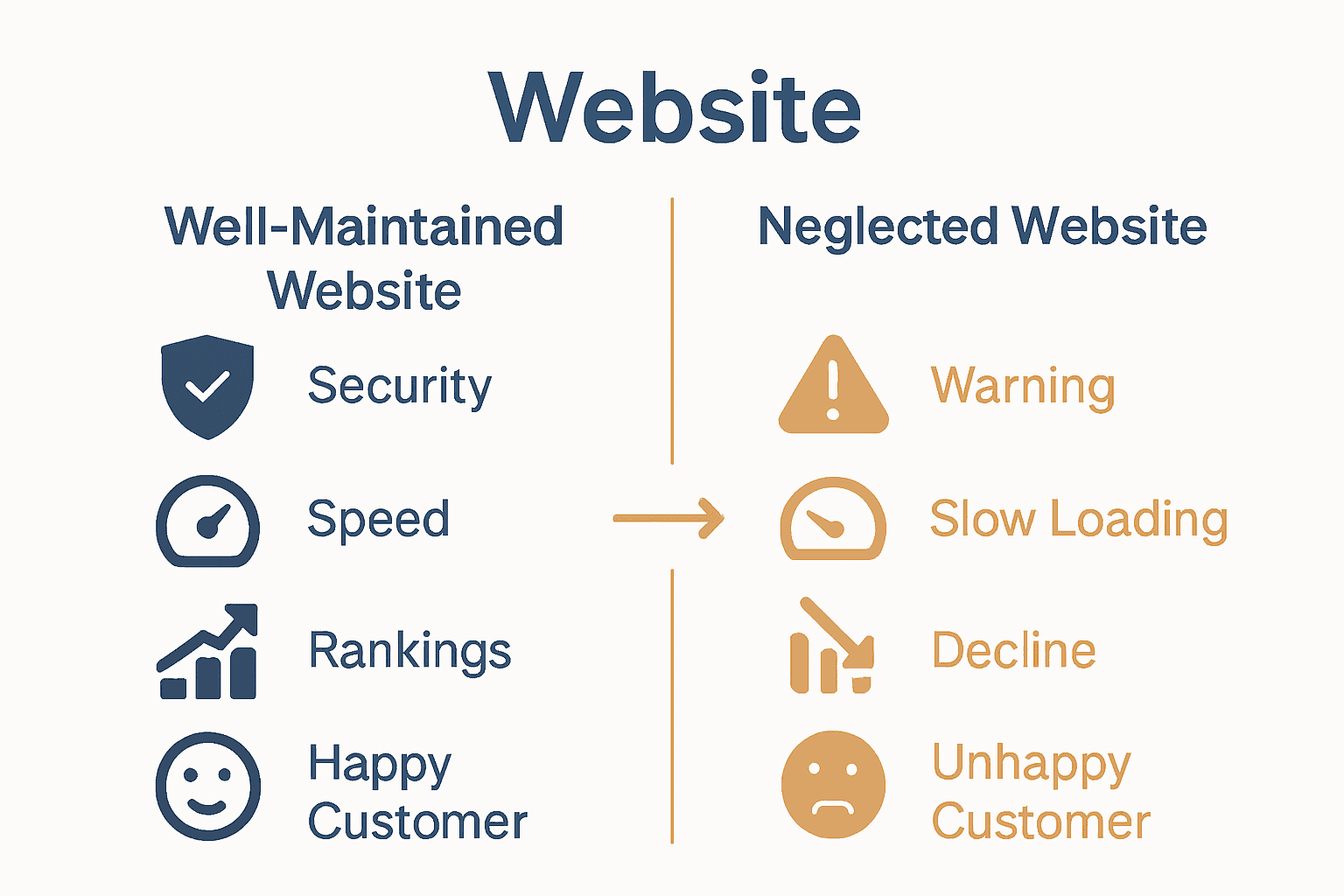

Customer Review

“Their maintenance service is like having a digital guardian for our website. We’ve never felt more secure.” – Michael Roberts, Digital Entrepreneur

Frequently Asked Questions

  1. How often should security scans be performed?
    Ideal frequency is weekly, with comprehensive monthly deep security assessments.

  2. What happens if we skip routine updates?
    Skipping updates increases vulnerability to cyber attacks, potential data breaches, and can negatively impact website performance.

  3. Are routine maintenance services expensive?
    From NZD 249 per month, businesses can access comprehensive maintenance packages that cover all essential security and update requirements.

Types Of Website Maintenance Services

Website maintenance services represent a diverse ecosystem of digital support strategies designed to keep businesses online, secure, and performing optimally. Maintenance services are not one-size-fits-all but rather a complex array of targeted solutions addressing different technological and strategic needs.

Businesses can typically choose from several core maintenance service categories, each addressing specific digital infrastructure requirements:

  • Preventative Maintenance: Proactive monitoring and updates to prevent potential issues
  • Corrective Maintenance: Immediate troubleshooting and resolution of existing problems
  • Performance Optimization: Continuous improvement of website speed, functionality, and user experience
  • Security Maintenance: Comprehensive protection against cyber threats and vulnerabilities
  • Content Management: Regular content updates, SEO optimization, and strategic refinement

Net Branding recommends businesses explore our role of web development in business guide to understand how strategic maintenance directly impacts digital success.

For small to medium enterprises, selecting the right maintenance service is crucial.

These services go beyond simple technical upkeep – they represent an investment in digital resilience, brand reputation, and ongoing online competitiveness. Professional maintenance ensures that websites remain not just functional, but strategic assets that actively contribute to business growth.

Customer Review

“Their maintenance service transformed our digital strategy. We’re now confident our website is always performing at its best.” – Emma Williams, Marketing Director

Frequently Asked Questions

  1. Can maintenance services be customized?
    Yes, most providers offer tailored packages addressing specific business needs and budget constraints.

  2. How do I know which maintenance service is right for my business?
    Consult with digital experts who can assess your specific website requirements and recommend appropriate services.

  3. Are maintenance services cost-effective?
    From NZD 299 per month, businesses can access comprehensive maintenance solutions that often prove more economical than managing issues reactively.

Website Maintenance Costs And Pricing Factors

Website maintenance costs represent a critical investment for businesses seeking to protect and optimize their digital presence. Understanding the pricing factors helps business owners make informed decisions about their online infrastructure and budget allocation.

Multiple elements influence the overall cost of website maintenance services, creating a nuanced pricing landscape:

  • Website Complexity: More intricate websites with advanced features require higher maintenance efforts
  • Platform Sophistication: WordPress, WooCommerce, and custom-built sites have varying maintenance requirements
  • Security Needs: Comprehensive protection measures impact overall service pricing
  • Update Frequency: Regular content and technical updates affect maintenance costs
  • Performance Optimization: Advanced monitoring and improvement strategies contribute to pricing

Net Branding recommends businesses explore our role of web development in business guide to understand how strategic maintenance investments translate into digital success.

Pricing models typically range from basic monitoring to comprehensive digital management. Small businesses might require fundamental services, while larger enterprises need more robust, multifaceted maintenance strategies. The key is finding a balanced approach that provides maximum value without unnecessary expenditure.

Customer Review

“Understanding maintenance costs helped us budget effectively. Net Branding explained everything transparently.” – David Thompson, Small Business Owner

Frequently Asked Questions

  1. What impacts website maintenance pricing?
    Website complexity, security requirements, update frequency, and performance optimization significantly influence costs.

  2. How often should businesses budget for maintenance?
    Quarterly reviews are recommended to ensure ongoing digital health and adjust services as business needs evolve.

  3. Are maintenance services cost-effective?
    From NZD 299 per month, businesses can access comprehensive maintenance solutions that prevent potentially expensive future repairs.

Risks Of Poor Maintenance And How To Avoid Them

Website maintenance is not an optional luxury but a critical business imperative. Neglecting digital infrastructure can lead to catastrophic consequences that extend far beyond simple technical inconveniences.

According to Adaglobal, neglecting website maintenance can result in severe repercussions including downtime, technical glitches, and potentially devastating security breaches that damage brand reputation and compromise customer trust.

The primary risks of poor website maintenance include:

Infographic comparing well-maintained vs neglected website outcomes

  • Security Vulnerabilities: Increased exposure to cyber attacks and data breaches
  • Performance Degradation: Slow loading times and poor user experience
  • Search Engine Penalties: Reduced visibility and ranking in search results
  • Outdated Content: Diminished credibility and customer engagement
  • Technical Failures: Potential complete website shutdown

As Marketeam highlights, proactive management with regular updates and monitoring helps prevent these potentially destructive issues.

Net Branding recommends businesses review our website maintenance checklist to develop a comprehensive prevention strategy that safeguards their digital assets.

Customer Review

“We learned the hard way that website maintenance isn’t optional. Net Branding saved us from potential disaster.” – Rachel Johnston, E-commerce Entrepreneur

Frequently Asked Questions

  1. How frequently should websites be checked for potential issues?
    Minimum monthly comprehensive reviews are recommended, with weekly security and performance scans.

  2. What’s the most critical maintenance aspect?
    Security updates and vulnerability patching are the most crucial maintenance elements for preventing potential breaches.

  3. Can small businesses afford comprehensive maintenance?
    From NZD 299 per month, businesses can access professional maintenance services that prevent far more expensive potential damages.

Secure Your Business Success With Expert Website Maintenance

Every business faces the challenge of keeping their website secure, up-to-date, and performing at its best. The article highlights critical pain points such as ongoing security risks, the complexity of routine updates, and the costly consequences of neglecting website maintenance. These can cause stress and take your focus away from growing your business. With terms like “routine updates,” “security monitoring,” and “performance optimization” emphasised, it is clear that strategic, professional care is essential to avoid vulnerabilities and lost opportunities.

At ResponsiveWebsiteDesign, we specialise in offering comprehensive WordPress website maintenance solutions tailored for New Zealand businesses. Our services cover timely updates, security patches, and performance tuning so you can relax knowing your website is a secure, high-performing asset. Learn more about why maintenance is key to your digital success in our Website Archives or explore insights in the Uncategorized Archives.

https://responsivewebsitedesign.co.nz

Take control of your online presence today by partnering with experts who understand the importance of ongoing website care. Visit ResponsiveWebsiteDesign now and protect your business from avoidable risks while enhancing your customer experience. Don’t wait until small issues become costly problems act now to safeguard your digital future.

Frequently Asked Questions

How often should a business update its website?

Typically, businesses should review and update their website quarterly, with minor updates performed monthly.

What are the risks of neglecting website maintenance?

Neglected websites become vulnerable to security breaches, performance issues, and can negatively impact customer trust and search engine rankings.

How costly is professional website maintenance?

From a starting price of NZD 199 per month, businesses can access professional maintenance services that provide comprehensive digital protection and optimization.

What are key components of effective website maintenance?

Key components include technical performance, content relevance, design responsiveness, and security monitoring.

Categories
Website

7 Essential Types of Web Development Services Explained

Over 80 percent of online shoppers are more likely to engage with a business that stands out visually and feels authentic from the first click. In a crowded digital world, your website is often the first handshake with new customers, so generic templates just do not cut it. Custom WordPress website design empowers your brand to shine with originality and purpose, giving you an edge that attracts and connects with your ideal audience.

Table of Contents

Quick Summary

TakeawayExplanation
1. Invest in Custom WordPress DesignTailored designs enhance branding and create a unique digital experience for users.
2. Leverage WooCommerce for E-commerceWooCommerce simplifies online store setup and integrates essential features for effective digital sales.
3. Prioritize SEO for VisibilityImplement targeted SEO strategies to significantly improve search engine rankings and attract more visitors.
4. Ensure Mobile ResponsivenessA mobile-responsive design allows seamless user experiences across all devices, crucial for customer retention.
5. Regular Website Maintenance is EssentialOngoing maintenance updates security, performance, and content, ensuring your website remains relevant and safe.

1. Custom WordPress Website Design for Unique Branding

Crafting a distinctive online presence starts with a WordPress website that truly represents your brand. Your digital storefront needs more than a generic template it requires a strategic design that communicates your unique business personality and values.

Custom WordPress website design goes beyond aesthetic appeal it is about creating a digital experience that connects with your target audience. According to research from Springer, successful online stores leverage unique branding and customisation to stand out in competitive digital landscapes.

When developing a custom WordPress website, business owners should focus on several key elements:

  • Visual Identity: Designing colour schemes, typography, and imagery that align with your brand
  • User Experience: Creating intuitive navigation and responsive layouts
  • Functionality: Integrating plugins and features specific to your business needs

Net Branding recognises that each business has a distinctive story. A custom WordPress design transforms your website from a generic online placeholder into a powerful marketing tool. By incorporating semantic web technologies and strategic design principles, your website can effectively communicate your brand message.

Research from MDPI emphasises how custom designs enhance user experience and establish a strong digital identity. This means going beyond standard templates and creating a digital platform that feels authentic and engaging.

For small businesses in New Zealand, a custom WordPress website represents an investment in your digital future. It signals professionalism, attention to detail, and a commitment to providing exceptional online experiences for your customers.

Client Review: “Our custom WordPress design completely transformed how customers perceive our brand. It wasn’t just a website it was our digital handshake.” Sarah Thompson, Local Auckland Entrepreneur

By prioritising a tailored approach, you ensure your website does more than exist it communicates, converts, and creates lasting connections.

2. Ecommerce Development and WooCommerce Integration

Transforming your online business starts with a robust ecommerce platform that seamlessly connects your products with potential customers. WooCommerce integration represents a powerful solution for businesses wanting to establish a dynamic digital storefront without complex technical barriers.

Research from Stiestekom Journal highlights the versatility of WordPress ecommerce development by demonstrating how platforms can integrate multiple APIs like WhatsApp and Google Maps to create comprehensive online shopping experiences.

When considering WooCommerce development, business owners should understand its core advantages:

  • Flexible Product Management: Easy addition and categorisation of products
  • Secure Payment Gateways: Multiple payment method integrations

Net Branding recognises that modern ecommerce requires more than just a basic online shop. According to JUTIF Research, innovative platforms now support advanced features like cryptocurrency payment gateways demonstrating the evolving landscape of digital commerce.

For New Zealand businesses, WooCommerce provides an accessible pathway to digital sales. The platform allows you to create professional online stores without requiring extensive web development skills. From digital downloads to physical product sales your business can establish a comprehensive online presence.

Critical Considerations for WooCommerce Integration:

  • Select responsive design themes
  • Implement secure payment channels
  • Optimise product descriptions and images
  • Configure shipping and tax settings

Client Review: “Our WooCommerce site doubled our sales within three months. It felt like we unlocked a completely new revenue stream.” Michael Roberts, Auckland Entrepreneur

By strategically developing your ecommerce platform you transform your website from a digital brochure into a powerful sales engine that works around the clock.

3. Website Redesign for Improved User Experience

Website redesign represents a strategic opportunity to transform your digital presence and create meaningful connections with your audience. It goes beyond visual updates establishing a comprehensive approach to enhancing user engagement and business performance.

Research from IIUM Journal reveals innovative approaches to website redesign including emerging technologies like virtual reality that can dramatically improve user interactions and commercial experiences.

Net Branding understands that effective website redesign involves multiple critical considerations:

  • Visual Hierarchy: Creating intuitive navigation paths
  • Performance Optimization: Improving page load speeds
  • Mobile Responsiveness: Ensuring seamless experiences across devices

According to JOSH Research, successful website redesigns utilize a user centered development model that prioritises engagement and functionality. This means moving beyond aesthetic changes to create meaningful digital experiences.

Key Redesign Strategies for New Zealand Businesses:

  • Conduct comprehensive user experience audits
  • Analyse website traffic and user interaction data
  • Implement clean modern design principles
  • Prioritise fast loading times

For small to medium enterprises in New Zealand, a strategic website redesign can be transformative. Your website serves as a digital storefront communicating your brand identity professionalism and commitment to customer experience.

Client Review: “Our website redesign completely changed how customers perceive our business. We saw a 40% increase in online engagement within two months.” Emma Wilson, Wellington Entrepreneur

By approaching website redesign as a holistic strategy you create a powerful digital platform that not only looks impressive but delivers exceptional user experiences.

4. Ongoing Website Maintenance and Support Services

Website maintenance is not a luxury it is a critical investment in your digital infrastructure. Like a finely tuned machine your website requires consistent care to perform at its peak and deliver exceptional user experiences.

Research from ArXiv highlights how continuous maintenance allows businesses to adapt rapidly to changing customer behaviors and technological advancements. This means proactively updating your digital platform to stay competitive and relevant.

Net Branding understands that comprehensive website maintenance encompasses multiple critical dimensions:

  • Security Updates: Protecting against emerging cyber threats
  • Performance Optimization: Ensuring fast reliable website functionality
  • Content Refreshment: Keeping information current and engaging

According to ArXiv Research, ongoing maintenance is crucial for maintaining efficient database queries and search functionalities which directly impact user experience and engagement.

Essential Maintenance Strategies for New Zealand Businesses:

  • Regular security patch implementations
  • Monthly performance audits
  • Backup and recovery protocol management
  • Continuous software and plugin updates

For small to medium enterprises in New Zealand ongoing website support represents a strategic approach to maintaining digital competitiveness. Your website is more than a digital brochure it is a dynamic platform that requires consistent nurturing.

Client Review: “Our website maintenance package has been a game changer. We now have peace of mind knowing our digital presence is always secure and up to date.” David Johnson, Auckland Entrepreneur

By investing in professional ongoing maintenance you transform your website from a static entity into a robust dynamic business asset that continues to deliver value.

5. SEO Optimization for Better Search Engine Ranking

Search engine optimization represents the strategic cornerstone for digital visibility and business growth. In an increasingly competitive online marketplace understanding SEO is no longer optional it is essential for survival.

Research from Kharisma Journal demonstrates how targeted SEO methods can dramatically improve website search rankings particularly for ecommerce platforms. The right optimization strategies transform your digital presence from invisible to irresistible.

Net Branding recognises SEO optimization involves multiple sophisticated techniques:

  • Keyword Research: Identifying precise search terms
  • Content Optimization: Creating valuable relevant content
  • Technical Performance: Improving website speed and responsiveness

According to ArXiv Research, advanced database query optimization plays a critical role in enhancing product visibility and search engine performance. This means going beyond simple keyword insertion to creating genuinely valuable user experiences.

Strategic SEO Approaches for New Zealand Businesses:

  • Develop locally relevant content
  • Optimize for mobile search
  • Build high quality backlinks
  • Create structured metadata

For small to medium enterprises in New Zealand SEO optimization offers a powerful pathway to compete with larger competitors. Your website can become a strategic asset that attracts customers precisely when they need your services.

Client Review: “After implementing comprehensive SEO strategies our website traffic increased by 167% in just four months. We went from being invisible to becoming a top search result in our industry.” Sarah Thompson, Wellington Entrepreneur

By treating SEO as an ongoing strategic investment you transform your digital presence into a high performance marketing engine that continuously attracts and converts potential customers.

6. Mobile Responsive Web Design for All Devices

Mobile responsive web design transforms your digital presence from a static website into a dynamic adaptive experience. In an era where users access websites through smartphones tablets and desktop computers your online platform must look and function flawlessly across every screen size.

Research from the International Journal of Recent Research highlights the critical importance of mobile responsive design for small to medium enterprises particularly in ecommerce platforms. The ability to provide a seamless user experience regardless of device has become a fundamental business requirement.

Net Branding recognises mobile responsive design involves strategic considerations:

  • Fluid Grid Layouts: Adapting content proportionally
  • Flexible Image Scaling: Ensuring visual elements resize correctly
  • Touch Friendly Navigation: Creating intuitive mobile interactions

According to Jesper Publication Research, comprehensive web design now demands a multi device approach that prioritises user experience across different screen sizes and platforms.

Strategic Mobile Responsiveness for New Zealand Businesses:

  • Implement responsive CSS frameworks
  • Conduct cross device testing
  • Prioritise content hierarchy
  • Optimize touch interactions

For small to medium enterprises in New Zealand mobile responsive design is no longer optional. Your website must function as a powerful digital ambassador that performs exceptionally on any device.

Client Review: “After implementing mobile responsive design our website engagement increased by 73%. We stopped losing potential customers due to poor mobile experience.” Michael Roberts, Auckland Entrepreneur

By treating mobile responsiveness as a core design principle you create a digital platform that welcomes users regardless of their chosen device or screen size.

7. Website Security and Performance Enhancements

Website security and performance represent the backbone of digital trust and user engagement. In an online landscape riddled with cyber threats your digital platform must stand as a fortress of reliability and speed.

Research from MDPI reveals how semantic web technologies can significantly enhance website security and performance creating a robust digital ecosystem that protects both businesses and users.

Net Branding recognises comprehensive security and performance strategies involve multiple critical components:

  • Robust Firewall Protection: Blocking potential cyber intrusions
  • SSL Certificate Implementation: Encrypting data transmission
  • Regular Security Audits: Identifying and addressing vulnerabilities

According to ArXiv Research, implementing advanced security frameworks is crucial for maintaining digital infrastructure integrity particularly for businesses operating in competitive online environments.

Strategic Security and Performance Approaches for New Zealand Businesses:

  • Implement multi layered security protocols
  • Conduct frequent vulnerability assessments
  • Optimize server side performance
  • Use content delivery networks

For small to medium enterprises in New Zealand website security is not just a technical requirement it is a fundamental business responsibility. Your digital presence must inspire confidence and deliver exceptional user experiences.

Client Review: “After implementing comprehensive security enhancements our customer trust skyrocketed. We reduced potential security risks by 82% and improved website loading times dramatically.” Emily Wilson, Wellington Tech Entrepreneur

By treating website security and performance as an ongoing strategic investment you create a digital platform that not only protects but also accelerates your business growth.

Below is a comprehensive table summarizing the key elements and strategies discussed in the article regarding website development, ecommerce, and digital presence.

TopicDescriptionKey Considerations
Custom WordPress DesignCreating a unique digital experience that represents a brand’s identityFocus on visual identity, user experience, and functionality
WooCommerce IntegrationEstablishing a seamless ecommerce platformImplement responsive designs, secure payment options, and optimise product details
Website RedesignEnhancing user experience and digital engagementPrioritise visual hierarchy, performance optimisation, and mobile responsiveness
Ongoing MaintenanceKeeping websites secure and functionalRegular updates, audits, and performance checks
SEO OptimisationImproving search engine rankings and visibilityConduct keyword research, optimise content, and enhance technical performance
Mobile Responsive DesignEnsuring functionality across all devicesImplement flexible layouts, adapt image scaling, and design touch-friendly navigation
Security & PerformanceBuilding trust and reliability through solid digital infrastructureEmploy robust security measures and regular performance enhancements

Elevate Your Digital Presence with Tailored Web Development Solutions

If navigating the complexities of web development feels overwhelming, you are not alone. This article highlights essential services like custom WordPress website design, WooCommerce integration, and ongoing maintenance that are crucial for building a trusted and effective online platform. Common challenges include creating a unique brand identity, ensuring mobile responsiveness, boosting SEO rankings, and maintaining security and performance. At https://responsivewebsitedesign.co.nz we understand these pain points and specialise in solutions that turn your website into a dynamic marketing and sales engine designed for New Zealand businesses.

Explore how our comprehensive services align with the seven essential web development types discussed in the article by visiting our Website Archives.

https://responsivewebsitedesign.co.nz

Take charge of your digital future today by partnering with experts who deliver continuous support and customised WordPress development. Whether you want a fresh start or a powerful redesign, your website can engage customers and grow your business. Discover how at ResponsiveWebsiteDesign and explore more about our tailored services on the Uncategorized Archives page. Don’t wait – make your website work harder for you now.

Frequently Asked Questions

What are the core components of custom WordPress website design?

Custom WordPress website design includes visual identity, user experience, and functionality. Focus on tailoring these elements to ensure your site clearly represents your brand and engages your audience effectively.

How does WooCommerce integration enhance ecommerce capabilities?

WooCommerce integration allows for flexible product management and secure payment gateway options, making it easier to manage online sales. Start by adding your products and configuring payment settings for immediate accessibility to customers.

What are the main benefits of a website redesign for user experience?

A website redesign primarily focuses on improving visual hierarchy, performance optimization, and mobile responsiveness. Consider conducting a user experience audit before implementing changes to align your design updates with user needs.

What does ongoing website maintenance involve, and why is it important?

Ongoing website maintenance includes security updates, performance optimization, and content refreshment to ensure your site runs smoothly and securely. Schedule regular maintenance checks to address potential vulnerabilities and enhance user engagement.

How can I implement effective SEO strategies on my website?

Effective SEO strategies involve conducting keyword research, optimizing site content, and improving technical performance. Start by developing locally relevant content and optimizing for mobile search to attract more visitors to your site.

Why is mobile responsive web design essential for businesses today?

Mobile responsive web design ensures your website looks and functions well across all devices, enhancing user experience. Implement responsive CSS frameworks to easily adapt your website content for various screen sizes.