Categories
Website

7 Inspiring Examples of Corporate Websites for Business Growth

Over 60% of australian consumers now research brands online before making a purchase, so a business website’s first impression is more crucial than ever. The homepage sets the tone and the right design can instantly boost trust while clear navigation and strong branding help users find what they need. This guide highlights proven strategies for building corporate websites that look sharp, work perfectly on any device, and put your australian business ahead of the curve.

Table of Contents

Quick Summary

Key InsightExplanation
1. Prioritise responsive designEnsure websites function well on all devices to enhance user experience and engagement.
2. Simplify navigation structuresUse clear labels and limited menu items to help users find information easily without confusion.
3. Focus on authentic brand storytellingShare genuine experiences and values to connect emotionally with audiences and build trust.
4. Implement robust security measuresRegular audits and proactive updates are essential for protecting user data and maintaining credibility.
5. Regularly optimise SEO contentCreate relevant, high-quality content that aligns with user search intent to improve visibility and traffic.

1. Showcase of Engaging Homepage Designs

Corporate websites serve as digital gateways for businesses, representing their brand identity and communicating core messaging within seconds of user engagement. An outstanding homepage design goes beyond aesthetic appeal by creating an immediate connection with potential customers through strategic visual storytelling and intuitive navigation.

Successful corporate websites understand that first impressions matter critically. Responsive web design principles play a significant role in crafting engaging homepage experiences that adapt seamlessly across different devices and screen sizes. The most effective homepages combine clean layouts, purposeful imagery, and clear pathways for user interaction.

Key Elements of Compelling Homepage Design:

  • Visual Hierarchy: Arrange content strategically to guide visitor attention
  • Clear Value Proposition: Communicate business purpose within three seconds
  • Minimalistic Design: Remove unnecessary clutter for improved user comprehension
  • High Quality Imagery: Use professional visuals that represent brand authenticity

Research from UX design experts highlights that websites like Volkswagen Group and Johnson & Johnson excel at creating structured layouts that immediately communicate organisational strengths. Their homepages demonstrate how strategic design can transform digital interfaces into powerful communication tools.

Businesses should focus on creating homepage experiences that feel welcoming, professional, and aligned with their brand personality. This means selecting colour palettes that reflect organisational values, using typography that enhances readability, and incorporating visual elements that tell a compelling brand story.

Practical Considerations for Homepage Design:

  1. Prioritise mobile responsiveness
  2. Use high contrast for critical call to action buttons
  3. Ensure fast loading speeds
  4. Integrate clear navigation paths

By investing time in thoughtful homepage design, businesses can transform their digital presence from mere online brochures to engaging platforms that actively support growth and customer connection.

2. User-Friendly Navigation for Better Experience

Effective website navigation is the digital equivalent of a well-designed roadmap, guiding visitors seamlessly through your online presence and connecting them with the information they seek. User experience design plays a critical role in creating intuitive navigation systems that reduce visitor frustration and increase engagement.

The primary goal of user-friendly navigation is to create a logical and predictable journey for website visitors. When users can easily find what they need without feeling overwhelmed or confused, they are more likely to stay longer, explore more content, and potentially convert into customers.

Key Principles of Effective Website Navigation:

  • Simplicity: Reduce complexity in menu structures
  • Clarity: Use descriptive and straightforward labels
  • Consistency: Maintain uniform navigation across all pages
  • Accessibility: Ensure navigation works for all user abilities

Research highlights that successful navigation depends on several critical factors. Clear language and consistent terminology are fundamental in helping users understand where they can find specific information. Websites should implement logical menu hierarchies that reflect user expectations and organisational structure.

Practical Navigation Design Strategies:

  1. Limit main menu items to 5 to 7 options
  2. Use dropdown menus for subcategories
  3. Include a search function for larger websites
  4. Implement breadcrumb trails for complex site structures

Businesses must recognise that navigation is more than just a technical requirement it is a crucial communication tool. By prioritising user needs and creating intuitive pathways, organisations can transform their websites from static information repositories to dynamic, engaging platforms that effectively support business growth.

3. Mobile Responsiveness That Drives Results

Mobile responsiveness has transformed from a competitive advantage to an absolute necessity for businesses seeking digital success. Responsive design principles ensure websites function seamlessly across smartphones, tablets, and desktop computers without compromising user experience.

In today’s digital ecosystem, more than 60% of global web traffic originates from mobile devices. This statistic underscores the critical importance of creating websites that adapt dynamically to various screen sizes and device capabilities.

Essential Mobile Responsiveness Strategies:

  • Fluid Grid Layouts: Design flexible content containers
  • Scalable Images: Ensure visual elements resize proportionally
  • Touch Friendly Interfaces: Create larger clickable areas
  • Fast Loading Performance: Optimise content for mobile networks

Corporate websites like Meta demonstrate exceptional mobile responsiveness by maintaining consistent design language and functionality across different devices. Their approach illustrates how intelligent design can create seamless user experiences that feel native to each platform.

Practical Implementation Steps:

  1. Use responsive CSS frameworks
  2. Implement mobile first design approach
  3. Test across multiple device types
  4. Minimise complex visual elements

Businesses must recognise mobile responsiveness as more than a technical requirement it represents a fundamental commitment to user accessibility and engagement. By prioritising adaptive design, organisations can create digital experiences that feel intuitive, professional, and welcoming across all user devices.

4. Effective Use of Brand Storytelling Online

Brand storytelling transforms corporate websites from mere information repositories into compelling narratives that connect emotionally with audiences. Digital marketing strategies play a crucial role in crafting authentic and engaging online brand experiences that resonate deeply with potential customers.

Successful brand storytelling goes beyond listing company achievements it creates a narrative that communicates core values, mission, and human impact. By sharing genuine stories, businesses can differentiate themselves in crowded digital marketplaces and build meaningful connections with their target audiences.

Key Elements of Powerful Brand Storytelling:

  • Authenticity: Share genuine organisational experiences
  • Emotional Resonance: Connect through human centred narratives
  • Visual Consistency: Use imagery that supports brand message
  • Clear Purpose: Demonstrate organisational values and mission

Companies like Johnson & Johnson exemplify exceptional brand storytelling through their ‘Our Credo’ section, which communicates their commitment to health and humanity. This approach transcends traditional corporate communication by presenting the organisation as a purpose driven entity with deep human connections.

Practical Brand Storytelling Strategies:

  1. Develop a clear narrative framework
  2. Showcase real customer and employee experiences
  3. Use multimedia content thoughtfully
  4. Align storytelling with organisational values

Businesses must recognise that effective brand storytelling is not about creating perfect marketing messages but about sharing genuine, relatable experiences that invite audience engagement and trust.

5. Seamless Ecommerce Integration Examples

Ecommerce integration transforms corporate websites from static information platforms into dynamic transactional spaces that directly support business growth. Ecommerce integration strategies enable businesses to create seamless online shopping experiences that feel intuitive and user friendly.

The primary goal of effective ecommerce integration is to remove friction from the customer purchasing journey. By simplifying navigation, providing clear product information, and streamlining checkout processes, businesses can significantly increase online conversion rates.

Key Components of Successful Ecommerce Integration:

  • Intuitive Product Categorisation: Easy navigation and search functions
  • Clear Pricing Information: Transparent cost details
  • Secure Payment Gateways: Multiple payment options
  • Responsive Design: Mobile friendly transaction interfaces

Walmart demonstrates exceptional ecommerce integration by designing a website that reflects the company’s commitment to affordability and convenience. Their platform provides a shopper friendly interface that makes online purchasing feel as straightforward as shopping in a physical store.

Practical Ecommerce Implementation Strategies:

  1. Simplify product discovery processes
  2. Implement user friendly shopping cart designs
  3. Provide comprehensive product descriptions
  4. Offer multiple secure payment methods

Businesses must view ecommerce integration not as a technical requirement but as a critical opportunity to create meaningful digital connections with potential customers. The most successful online platforms understand that smooth transactions build long term customer trust and loyalty.

6. Ongoing Support and Security Best Practices

Ongoing website support and robust security measures are critical for maintaining business credibility and protecting digital assets. Website security strategies form the foundation of a resilient online presence that safeguards both organisational and customer information.

Modern businesses must adopt proactive approaches to website maintenance and security that go beyond traditional reactive methods. This involves implementing comprehensive monitoring systems, regular software updates, and adaptive security protocols that evolve with emerging digital threats.

Essential Security and Support Practices:

  • Regular Security Audits: Identify and address potential vulnerabilities
  • Software Update Management: Maintain current platform versions
  • Automated Backup Systems: Protect against data loss
  • Multi Layer Authentication: Enhance access control mechanisms

Recent research highlights innovative approaches to web interface security, such as self adapting web menu frameworks that dynamically adjust based on user behaviour. These advanced techniques demonstrate how intelligent design can significantly improve both user experience and digital protection.

Practical Implementation Strategies:

  1. Develop comprehensive incident response plans
  2. Implement robust encryption protocols
  3. Conduct periodic penetration testing
  4. Train staff on cybersecurity awareness

Businesses must view ongoing support and security not as optional extras but as fundamental components of their digital infrastructure. By prioritising proactive protection and continuous improvement, organisations can build trust and resilience in an increasingly complex digital landscape.

7. SEO Optimised Content for Visibility

SEO optimised content represents the strategic intersection between compelling writing and digital discoverability, enabling businesses to attract and engage potential customers through intelligent online communication. SEO strategies in web design play a crucial role in transforming websites from static information platforms to dynamic customer acquisition channels.

Successful SEO optimisation goes beyond simple keyword placement it involves creating high quality, relevant content that genuinely addresses user needs while simultaneously signalling value to search engine algorithms. This approach requires a nuanced understanding of both human reader preferences and technical ranking criteria.

Key Elements of Effective SEO Content:

  • Relevance: Align content with user search intent

  • Readability: Create clear and engaging text

  • Structured Data: Use proper headings and formatting

  • Original Insights: Provide unique value propositions

Recent research demonstrates the importance of data mining techniques in measuring website performance, highlighting how sophisticated content analysis can significantly improve search engine rankings and user engagement. By understanding navigation patterns and user behaviour, businesses can develop more targeted and effective SEO strategies.

Practical SEO Content Development Strategies:

  1. Conduct thorough keyword research
  2. Create comprehensive, authoritative content
  3. Implement clear content hierarchies
  4. Regularly update and refresh existing materials

Businesses must view SEO optimisation as an ongoing process of understanding and responding to both technological algorithms and human information needs. By combining technical expertise with genuine user value, organisations can create digital content that truly connects and converts.

Below is a comprehensive table summarizing the strategies and considerations for effective corporate website design discussed in the article.

AspectKey ElementsPractical Strategies
Homepage DesignVisual Hierarchy, Clear Value Proposition, Minimalistic Design, High Quality ImageryPrioritise mobile responsiveness, use high contrast for CTAs, ensure fast loading speeds
NavigationSimplicity, Clarity, Consistency, AccessibilityLimit menu items, use dropdown menus, include search functions
Mobile ResponsivenessFluid Grid Layouts, Scalable Images, Touch Friendly InterfacesUse responsive CSS frameworks, implement mobile first design, test across device types
Brand StorytellingAuthenticity, Emotional Resonance, Visual ConsistencyDevelop narrative framework, showcase real experiences, align storytelling with values
Ecommerce IntegrationIntuitive Product Categorisation, Clear Pricing, Secure Payment GatewaysSimplify product discovery, design user friendly cart, offer multiple payment methods
Support & SecurityRegular Audits, Software Updates, Backup SystemsDevelop response plans, implement encryption, conduct penetration testing
SEO ContentRelevance, Readability, Structured DataConduct keyword research, create authoritative content, update materials regularly

Elevate Your Corporate Website to Drive Real Business Growth

Businesses today face the challenge of creating corporate websites that are not only visually engaging but also deliver seamless navigation, mobile responsiveness, effective brand storytelling and ecommerce functionality. This article shows the importance of transforming your website into a dynamic platform that attracts, connects and converts visitors into loyal customers by addressing critical factors like user experience, SEO optimisation and ongoing support.

If you are ready to overcome these challenges and build a professional WordPress website tailored for New Zealand businesses, explore how our team can help you achieve your goals with custom web design and development solutions. Visit our Website Archives – ResponsiveWebsiteDesign to see inspiring examples and learn more about elevating your online presence.
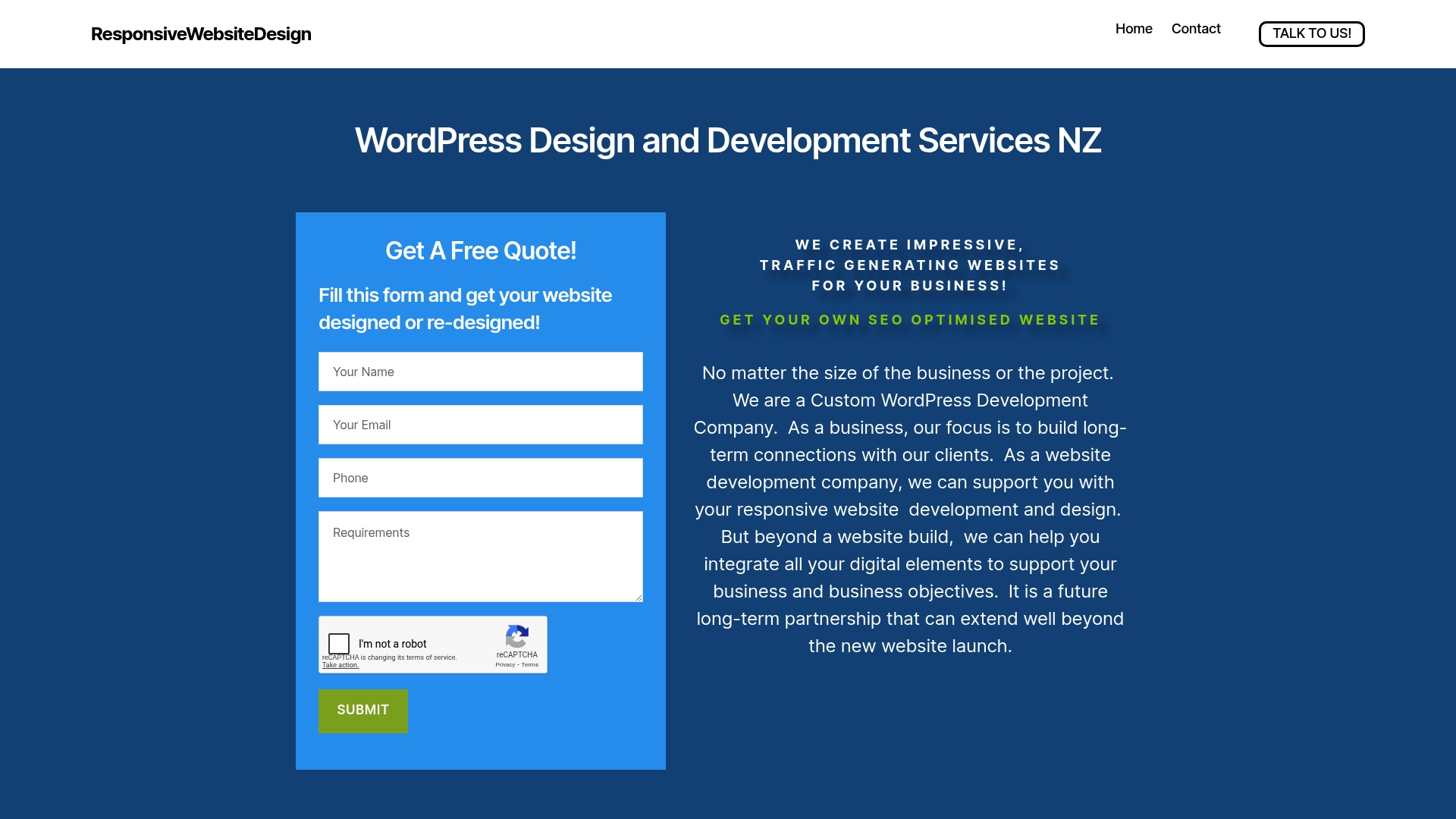
https://responsivewebsitedesign.co.nz

Don’t let your website hold back your business growth. Take the next step now at https://responsivewebsitedesign.co.nz where our experts deliver responsive, SEO-optimised and secure websites designed to support your long-term success. Contact us today to start creating a digital experience that truly reflects your brand and drives results.

Frequently Asked Questions

How can I create an engaging homepage design for my corporate website?

An engaging homepage design can be achieved by focusing on visual hierarchy, a clear value proposition, and minimalistic design. Prioritise clean layouts and high-quality imagery to enhance user experience, and aim to implement these changes within 30 days to see initial improvements.

What are the key principles for effective website navigation?

Effective website navigation should be simple, clear, and consistent. Limit main menu items to 5–7 options and ensure that all links are descriptive to improve user understanding and retention across your site.

How do I ensure my corporate website is mobile responsive?

To ensure mobile responsiveness, use fluid grid layouts, scalable images, and touch-friendly interfaces. Implement these strategies immediately to enhance user experience across all devices, recognising that over 60% of global web traffic comes from mobile.

What elements should I include for successful ecommerce integration on my website?

Successful ecommerce integration requires intuitive product categorisation, clear pricing information, and secure payment gateways. Design these systems with user experience in mind, aiming to simplify the purchasing process to boost conversion rates by up to 30%.

How can I effectively utilise brand storytelling on my corporate website?

To effectively utilise brand storytelling, focus on authenticity and emotional resonance in your narratives. Showcase real experiences from customers or employees, and align your stories with organisational values to create deeper connections with your audience.

What are essential security practices for maintaining my corporate website?

Essential security practices include regular security audits, robust encryption protocols, and automated backup systems. Implementing these measures can significantly reduce vulnerabilities and help maintain the integrity of your digital presence.


Categories
Website

Complete Guide to Website Security for Businesses

Cyber attacks strike every 39 seconds worldwide, making australian businesses prime targets in the digital age. Even a small website vulnerability can leave a company exposed to severe data loss and financial setbacks. Staying ahead of emerging threats means understanding website security is no longer optional. This guide breaks down what australian organisations must know right now to protect their online operations from growing cyber risks.

Table of Contents

Key Takeaways

PointDetails
Importance of Website SecurityWebsite security is vital for protecting digital assets from cyber threats, ensuring confidentiality, integrity, and availability.
Proactive Measures RequiredEffective security involves multi-layered strategies including regular updates, robust password management, and advanced firewalls.
Cost of Non-ComplianceFailure to implement website security can result in significant financial losses, reputational harm, and legal implications.
Continuous Monitoring and TrainingOngoing security management and staff training are essential for adapting to evolving cyber threats and maintaining a secure environment.

Defining Website Security and Its Importance

Website security represents a critical digital defence strategy for businesses protecting their online presence from sophisticated cyber threats. Exploring contemporary security practices reveals how organisations must proactively safeguard their digital infrastructure against increasingly complex vulnerabilities.

At its core, website security encompasses a comprehensive approach to protecting websites from potential digital risks, malicious attacks, and unauthorised access attempts. Comprehensive cybersecurity measures involve multiple layers of technical and strategic interventions designed to maintain the confidentiality, integrity, and accessibility of digital assets.

Businesses face significant challenges when neglecting website security. Potential consequences include data breaches, financial losses, reputational damage, and potential legal ramifications. Net Branding understands these risks intimately, recognising that a single security vulnerability can compromise an entire organisation’s digital ecosystem.

Key components of effective website security include:

  • Robust password management protocols
  • Regular software and plugin updates
  • Implementation of SSL certificates
  • Advanced firewall configurations
  • Continuous security monitoring systems

For businesses seeking professional website security solutions, partnering with experienced web design agencies like Net Branding can provide comprehensive protection strategies tailored to specific organisational needs.

FAQ

  1. What is the most critical aspect of website security?
    Implementing multi-layered security protocols that protect against various digital threats.

  2. How often should website security be reviewed?
    Minimum quarterly comprehensive security assessments are recommended.

  3. Can small businesses afford professional website security?
    Professional security solutions start from NZD 299 per month, making them accessible for businesses of all sizes.

Common Types of Website Security Threats

Websites today face an increasingly complex landscape of cyber threats that can compromise sensitive data and undermine digital infrastructure. Comprehensive cybersecurity research reveals multiple sophisticated attack vectors that businesses must understand and proactively defend against.

Among the most prevalent website security threats, cross-site scripting (XSS) and SQL injection represent particularly dangerous attack methods. Advanced threat analysis demonstrates how these techniques allow malicious actors to exploit vulnerabilities in web applications, potentially gaining unauthorised access to critical systems and sensitive information.

Cyber threats targeting digital website vaults

Net Branding recognises the critical importance of understanding these digital risks. Cyber criminals continuously evolve their strategies, targeting websites through multiple sophisticated approaches that can devastate unprepared businesses.

Key website security threats include:

  • Cross-site scripting (XSS)
  • SQL injection attacks
  • Distributed denial-of-service (DDoS) attacks
  • Malware infiltration
  • Phishing attempts
  • Ransomware deployment
  • Authentication bypass techniques

Businesses must adopt a proactive and comprehensive approach to website maintenance and security to effectively mitigate these potential risks.

FAQ

  1. How quickly can a cyber attack damage my business?
    Cyber attacks can cause immediate and long-lasting damage within minutes of successful infiltration.

  2. What is the most dangerous type of website attack?
    SQL injection and cross-site scripting pose significant risks due to their ability to compromise entire database systems.

  3. How much does professional website security cost?
    Professional security solutions start from NZD 499 per month, providing comprehensive protection for businesses of all sizes.

Essential Website Security Measures and Tools

Comprehensive website security requires a multi-layered approach that addresses vulnerabilities across technological, procedural, and human domains. Modern businesses must implement sophisticated strategies that protect digital assets from increasingly complex cyber threats.

Key security measures begin with robust authentication protocols and advanced encryption techniques. Preventive cybersecurity strategies emphasise the critical importance of implementing strong user verification mechanisms, including multi-factor authentication, complex password requirements, and continuous access monitoring.

Net Branding recognises that effective website security extends beyond technological solutions. Comprehensive protection requires a holistic approach that combines technical safeguards with ongoing staff education, regular system audits, and proactive threat monitoring.

Essential website security tools and measures include:

  • SSL/TLS encryption certificates
  • Web application firewalls (WAF)
  • Intrusion detection and prevention systems
  • Regular security patch management
  • Comprehensive backup solutions
  • Advanced threat detection software
  • Continuous vulnerability scanning

Businesses can enhance their digital defence by implementing structured website maintenance workflows that prioritise ongoing security management and proactive risk mitigation.

FAQ

  1. How often should website security be reviewed?
    Comprehensive security audits should be conducted quarterly, with continuous monitoring between formal assessments.

  2. What is the most critical security tool?
    Multi-factor authentication represents the most effective first line of defence against unauthorized access.

  3. How much does professional website security cost?
    Professional security solutions start from NZD 499 per month, providing comprehensive protection for businesses of all sizes.

Ongoing Security Management and Best Practices

Continuous security management represents a dynamic and proactive approach to protecting digital infrastructure. Businesses must develop adaptive strategies that anticipate and respond to evolving cyber threats, transforming website security from a static defence mechanism into an ongoing, intelligent protection ecosystem.

Net Branding understands that effective security management extends far beyond periodic checks. Advanced cybersecurity protocols demand a comprehensive framework that integrates technological tools, human expertise, and systematic monitoring to create a robust defensive strategy.

The most successful security approaches incorporate multiple layers of protection, recognising that no single tool or technique can provide complete defence. Organisations must cultivate a security-first mindset that permeates every level of digital operations, from technical infrastructure to employee training and awareness.

Key ongoing security management practices include:

  • Regular vulnerability assessments
  • Automated patch management
  • Continuous threat monitoring
  • Staff cybersecurity training programs
  • Incident response planning
  • Performance and security log analysis
  • Regular penetration testing

Businesses can strengthen their digital resilience by implementing structured website maintenance workflows that integrate security management into routine operational processes.

FAQ

  1. How frequently should security assessments occur?
    Comprehensive security assessments should be conducted quarterly, with continuous monitoring between formal reviews.

  2. What is the most critical aspect of ongoing security?
    Continuous employee education and awareness represent the most crucial element of sustained cybersecurity protection.

  3. How much does professional security management cost?
    Professional security management solutions start from NZD 599 per month, providing comprehensive protection tailored to business needs.

Risks, Liabilities, and Compliance for Businesses

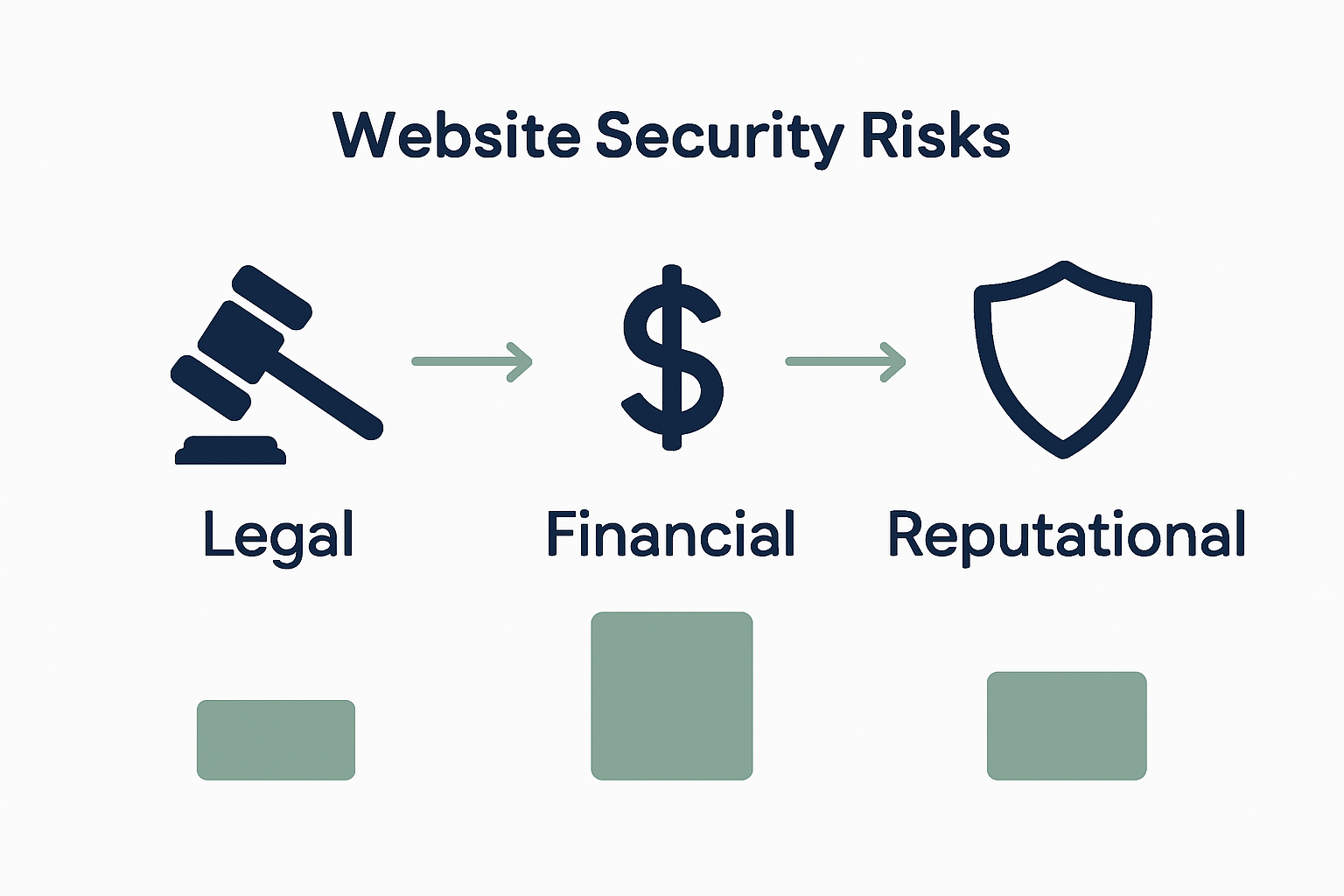
Website security risks represent a complex landscape of potential legal, financial, and reputational challenges that businesses must navigate with strategic precision. Beyond technological vulnerabilities, organisations face significant consequences when failing to implement robust protective measures for their digital infrastructure.

Infographic showing legal, financial, reputational risks

Net Branding recognises that compliance frameworks are not merely bureaucratic checklists but critical defence mechanisms. Digital security compliance demands comprehensive approaches that protect sensitive data, maintain customer trust, and mitigate potential legal ramifications arising from security breaches.

The financial implications of non-compliance can be devastating. A single security incident could result in substantial monetary penalties, legal action, and irreparable damage to brand reputation. Businesses must understand that cybersecurity is not an optional investment but a fundamental requirement for operational sustainability.

Key risks and compliance considerations include:

  • Data protection regulatory requirements
  • Privacy law adherence
  • Financial transaction security standards
  • Mandatory breach notification protocols
  • Industry-specific security certifications
  • Cybersecurity insurance requirements
  • International data transfer regulations

Businesses can proactively manage their digital risk by implementing structured website maintenance workflows that integrate compliance monitoring and risk assessment.

FAQ

  1. What are the potential financial risks of non-compliance?
    Security breaches can lead to fines up to NZD 100,000 and significant legal expenses.

  2. How often should compliance be reviewed?
    Comprehensive compliance assessments should occur at least annually, with quarterly interim reviews.

  3. What is the cost of professional compliance support?
    Professional compliance and risk management solutions start from NZD 799 per month, providing comprehensive protection and strategic guidance.

Protect Your Business with Expert Website Security Solutions

Ensuring your website is secure from threats such as cross-site scripting, SQL injection, and ransomware is critical for maintaining your business’s reputation and customer trust. This guide highlights the challenges of managing ongoing security, implementing robust authentication, and maintaining compliance. If these complexities worry you or you want to safeguard your online presence, there is a clearer path forward.

https://responsivewebsitedesign.co.nz

Explore comprehensive security and maintenance services tailored specifically for New Zealand businesses at Website Archives – ResponsiveWebsiteDesign. Our team at ResponsiveWebsiteDesign specialises in creating secure, responsive WordPress websites designed to protect your data and optimise performance. Don’t leave your website vulnerable – get in touch today to start your tailored security strategy and ensure your site is safe now and in the future.

Frequently Asked Questions

What is website security and why is it important?

Website security is a critical strategy that protects online businesses from cyber threats, data breaches, and unauthorised access, ensuring the confidentiality, integrity, and availability of digital assets.

How often should I assess my website’s security?

It is recommended to conduct comprehensive security assessments at least quarterly, with continuous monitoring in between these formal evaluations to ensure ongoing protection.

What are common types of website security threats I should be aware of?

Common threats include cross-site scripting (XSS), SQL injection attacks, distributed denial-of-service (DDoS) attacks, malware infiltration, phishing attempts, ransomware, and authentication bypass techniques.

What key measures should I implement for effective website security?

Key measures include utilizing SSL/TLS encryption, employing web application firewalls (WAF), conducting regular security patch management, implementing intrusion detection systems, and ensuring continuous vulnerability scanning.

Categories
Website

How to Improve Site Speed for Better User Experience

Over 50 percent of australian websites see visitors leaving after just a few seconds due to slow load times or clunky design. A website’s performance can make or break its ability to attract and keep users in today’s competitive digital market. Understanding the simple steps to evaluate and improve your australian site not only increases user satisfaction but also leads to better search rankings and higher engagement.

Table of Contents

Quick Summary

Key InsightExplanation
1. Evaluate site performance thoroughlyUse tools like Google PageSpeed Insights to assess loading speed and user experience, ensuring comprehensive site performance evaluation.
2. Optimise images and media files effectivelyCrop, compress, and choose appropriate formats for images to enhance page loading speeds and maintain visual quality.
3. Minimise plugins and scripts usageRegularly audit and reduce unnecessary plugins to improve site performance and limit loading times.
4. Implement caching solutionsUse browser and server-side caching to speed up data retrieval and enhance overall user experience.
5. Test improvements across various devicesEnsure consistent user experiences by testing website performance on multiple devices and screen sizes.

Step 1: Evaluate current site performance

Evaluating your website’s current performance forms the critical foundation for identifying areas requiring improvement. According to Newcastle University, a comprehensive website audit helps assess site performance, user experience, and compliance with best practices.

To begin your site performance evaluation, leverage specialised tools like Google PageSpeed Insights, GTmetrix, and Lighthouse. These platforms offer detailed insights into your website’s loading speed, mobile responsiveness, and overall user experience metrics. You will want to analyse critical parameters such as:

  • Total page load time
  • Time to first meaningful paint
  • Mobile and desktop performance scores
  • Potential performance bottlenecks
  • Server response times

Net Branding recommends conducting performance tests across multiple devices and network conditions to gain a holistic understanding of your site’s capabilities. A guide on website speed optimisation can provide additional strategies for comprehensive performance assessment.

Warning: Do not rely on a single testing tool. Cross reference multiple performance measurement platforms to ensure accuracy and identify consistent areas for potential improvement.

Step 2: Optimise images and media files

Optimising images and media files is crucial for improving website performance and reducing page load times. University of Leicester emphasises the importance of cropping and compressing images before uploading to enhance page load speeds and search engine optimisation.

To effectively optimise your website’s media files, follow these strategic steps:

  • Select the appropriate file format (JPEG for photographs, PNG for graphics with transparency)
  • Resize images to match their display dimensions
  • Compress images without significantly compromising visual quality
  • Use modern image formats like WebP for better compression
  • Remove unnecessary metadata from media files

As Duke University’s Drupal Training recommends, choosing the right image format and applying proper compression techniques can dramatically improve website performance. Tools like TinyPNG, ImageOptim, and Squoosh can help automate this process.

image optimisation for websites

For businesses seeking comprehensive website optimisation strategies, Net Branding suggests consulting a guide on page speed improvement to understand the broader context of media file optimisation.

Warning: Avoid over-compressing images, which can result in significant quality loss. Always preview your images after compression to ensure they maintain acceptable visual standards.

Step 3: Minimise plugins and scripts

Reducing the number of plugins and scripts is essential for maintaining optimal website performance and user experience. Newcastle University’s Digital Design Services recommend minimising plugin usage to enhance website efficiency and loading speeds.

When approaching plugin and script management, consider these strategic approaches:

  • Audit existing plugins and identify redundant or unnecessary additions
  • Prioritise multi functional plugins that combine several features
  • Select lightweight plugins with minimal code complexity
  • Remove inactive or outdated plugins
  • Use plugin performance monitoring tools

University of Queensland advises that reducing script and plugin volume directly correlates with improved site performance. WordPress users should particularly focus on eliminating plugins that load excessive external resources or create unnecessary database queries.

Net Branding recommends regularly reviewing your website performance guide to understand the ongoing impact of plugins on site speed.

Warning: Always create a complete website backup before removing plugins to prevent potential functionality disruptions.

Step 4: Leverage caching solutions

Newcastle University’s Digital Design Services suggest implementing caching solutions as a critical strategy for enhancing website performance and reducing load times. Caching allows your website to store frequently accessed data temporarily, enabling faster retrieval and significantly improving user experience.

To effectively implement caching solutions, consider these comprehensive approaches:

  • Utilise browser caching to store static resources locally
  • Implement server side caching mechanisms
  • Use content delivery networks (CDNs) for global performance
  • Configure caching plugins specifically designed for your platform
  • Establish appropriate cache expiration periods

University of Queensland recommends leveraging caching mechanisms to create seamless and rapid website interactions. WordPress users can explore plugins like WP Super Cache or W3 Total Cache to streamline their caching strategies.

Net Branding suggests consulting a comprehensive website performance guide to understand the nuanced implementation of caching technologies.

Warning: Overly aggressive caching can potentially serve outdated content, so regularly verify and adjust your caching configurations to maintain content accuracy.

Infographic showing steps to improve website speed.

Step 5: Test improvements across devices

Newcastle University’s Digital Design Services emphasise the critical importance of testing website improvements across multiple devices to ensure a consistent and high quality user experience. Comprehensive device testing helps identify potential performance variations and usability challenges that might impact different user segments.

To effectively test your website improvements, implement these strategic approaches:

  • Use responsive design testing tools like BrowserStack
  • Test on multiple screen sizes smartphone, tablet, desktop
  • Check performance across different operating systems
  • Validate touch interactions and mobile specific functionalities
  • Compare loading speeds on various network conditions

University of Queensland recommends verifying website enhancements through systematic device testing to guarantee optimal user experience across diverse digital platforms.

Net Branding suggests referencing a comprehensive website performance guide to understand nuanced testing methodologies.

Warning: Do not rely exclusively on emulators or simulators. Always conduct real world testing on physical devices to capture authentic user experiences.

Boost Your Website Speed and User Experience Today

Struggling with slow page loads and heavy plugins can frustrate your visitors and harm your search rankings. The article highlights critical steps like optimiser images and leveraging caching solutions that every business must implement for faster performance and seamless user experience. At ResponsiveWebsiteDesign, we specialise in crafting custom WordPress websites finely tuned to deliver swift load times and responsive designs tailored to your business needs.

https://responsivewebsitedesign.co.nz

Explore our expertise in website performance optimisation by visiting our Website Archives and learn how efficient plugin use and speed improvements can elevate your online presence. Ready to make your website faster and more engaging now Contact us at ResponsiveWebsiteDesign to start transforming your digital footprint with expert WordPress development and ongoing support.

Frequently Asked Questions

How can I evaluate my current site performance?

To evaluate your current site performance, start by conducting a comprehensive website audit. Utilise tools designed for performance assessment to measure loading speed, mobile responsiveness, and user experience metrics.

What steps should I follow to optimise images and media files?

To optimise images and media files, choose the right file format, resize them to match display dimensions, and compress them effectively. Consider using modern image formats for better compression, while ensuring the visual quality remains intact.

How do I minimise plugins and scripts on my website?

Minimise plugins and scripts by auditing existing ones to identify unnecessary additions and focusing on lightweight, multifunctional options. Regularly remove inactive or outdated plugins to improve site performance and reduce loading times.

What are the best practices for implementing caching solutions?

To successfully implement caching solutions, enable browser caching for static resources and consider server-side caching mechanisms. Additionally, configure content delivery networks (CDNs) to enhance global performance and establish appropriate cache expiration periods.

Why is testing improvements across devices important?

Testing improvements across multiple devices is crucial to ensure a consistent user experience and to identify performance variations. Conduct real-world testing on different screen sizes and operating systems to capture authentic user interactions.

Categories
Website

Top Web Hosting Services for Companies – Expert Comparison 2025

Choosing the right partner for your website or hosting can feel overwhelming with so many promises about speed, security, and support. Some providers focus on clever designs that draw attention while others highlight local expertise, hands-on management, or all-in-one convenience for businesses wanting more than just the basics. It might come down to who offers the smartest features for your needs or who makes growing your online presence feel simple and reliable. Curious which service lives up to its claims and fits your goals best? The answers might surprise you.

Table of Contents

Responsive Web Site Design

Product Screenshot

At a Glance

Responsive Web Site Design is a New Zealand-based digital agency specialising in WordPress design, development and re-design for small to medium-sized businesses. They prioritise traffic-generating, SEO-optimised and mobile-responsive sites that focus on user engagement and visual design. Their service offering spans custom development, WooCommerce e-commerce solutions, ongoing site management and security — all delivered with an emphasis on long-term client relationships.

Core Features

Responsive Web Site Design provides end-to-end WordPress solutions: custom WordPress development for everything from large and directory sites to upgraded bespoke builds, WooCommerce and custom e-commerce platform development for online selling, and visually engaging responsive designs that centre on user experience. The agency also offers website management services including security updates, performance audits and ongoing optimisations, plus specialised support for recovering hacked websites to restore reliability and trust.

Pros

  • Tailored solutions for businesses of all sizes: the team builds bespoke WordPress projects that match specific business objectives rather than shoehorning clients into rigid templates.
  • Comprehensive services covering design, development, management and optimisation: you get a single partner for the full lifecycle of a website, reducing handoffs and miscommunication.
  • Focus on SEO and speed to improve online visibility and performance: optimisation is treated as a core deliverable, not an optional add-on.
  • Experienced team with a record of website recovery after breaches: they offer practical remediation and hardening to reduce future risk.
  • Long-term partnership approach: ongoing maintenance and iterative improvements are part of the offering, which supports sustainable growth.

Who It’s For

Responsive Web Site Design is ideal for small to medium-sized businesses and local organisations that need more than a one-off build. If you require a site that converts—whether that means lead generation, bookings or online sales via WooCommerce—or you need ongoing technical stewardship and security, this agency fits the brief. Choose them if you value a local, relationship-driven partner who will manage performance, SEO and updates on your behalf.

Unique Value Proposition

What sets Responsive Web Site Design apart is a blend of local New Zealand focus, WordPress technical depth and a client-first maintenance model. They don’t just hand over a site; they build traffic-oriented, SEO-aware platforms and then actively manage security, performance and iterative optimisation. Their WooCommerce experience means e-commerce stores are treated as revenue engines, not static catalogues. Recovering hacked sites is a practical capability that demonstrates operational resilience. In short: you get a single, accountable partner that combines design sensibility, technical rigour and ongoing stewardship — a superior model compared with providers that separate design, hosting and maintenance into disconnected silos.

Real World Use Case

A local NZ business wants to revamp its online presence to increase enquiries and online sales. Responsive Web Site Design delivers a responsive, SEO-optimised WordPress site, integrates WooCommerce for sales, implements performance and security improvements, then provides ongoing management so the site keeps converting and remains secure.

Pricing

Not specified; contact for a free quote.

Website: https://responsivewebsitedesign.co.nz

Sitehost

Product Screenshot

At a Glance

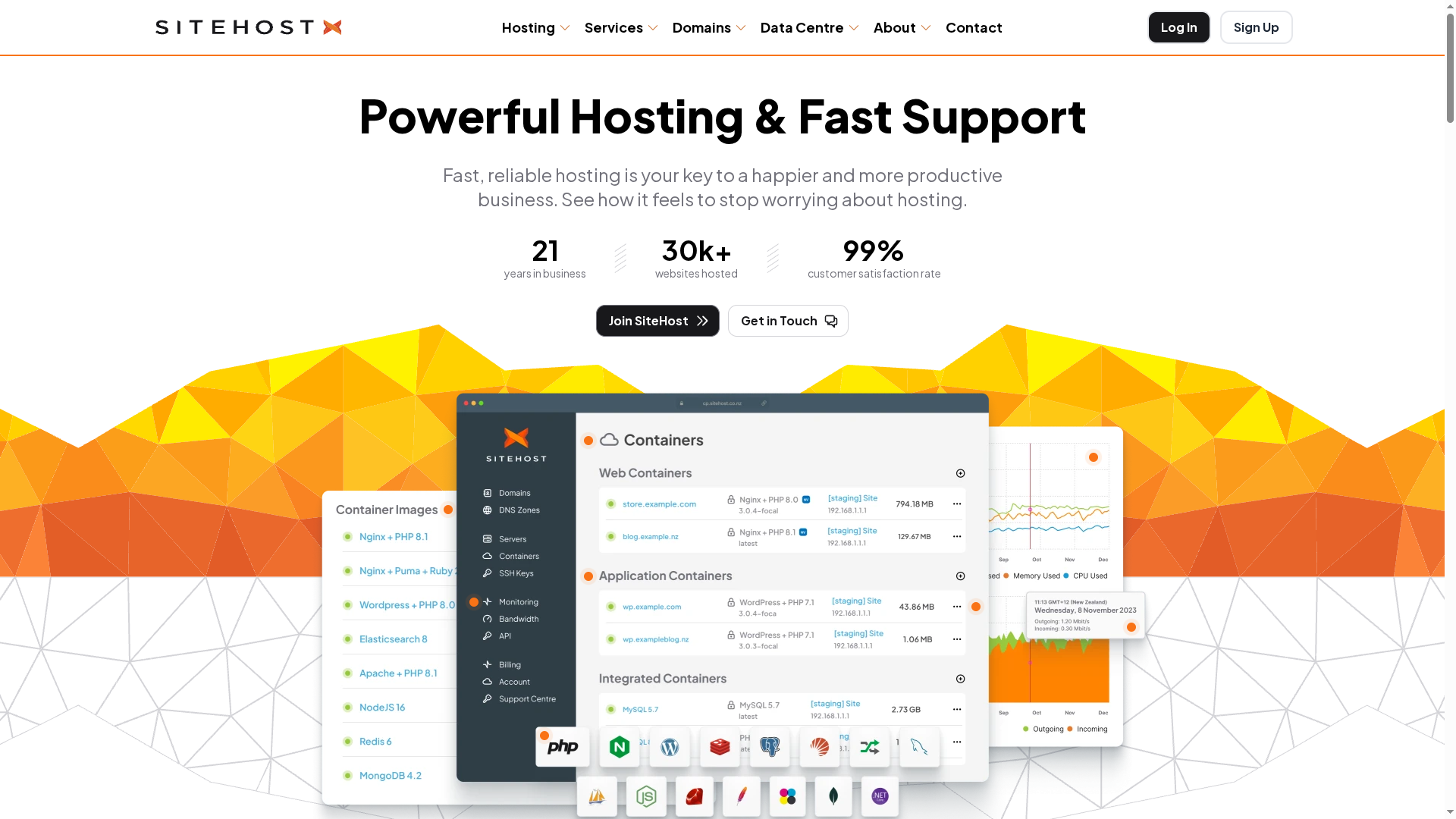
Sitehost is a fast, reliable hosting platform tailored for businesses and developers, offering container images, virtual servers and private cloud options. Its performance-focused infrastructure — advertised as nearly 5× faster for developers — pairs with proactive monitoring and responsive support to reduce downtime and operational headaches. For teams that prioritise control, security and predictable performance, Sitehost delivers a robust foundation; for absolute beginners, the breadth of options may require a short learning curve.

Core Features

Sitehost provides a wide selection of more than 59 container images with customisable containers, a cloud containers platform that includes server health monitoring and automatic alerts, and the ability to clone containers for safe testing and updates. It supports flexible hosting models from Linux and Windows virtual servers to high-performance virtual servers, dedicated virtual servers and private cloud deployments, all managed via a user-friendly control panel and API with domain management and reseller features.

Pros

  • High performance: Sitehost advertises cloud containers that are nearly 5× faster for developers, which supports quicker deployments and snappier application response times.
  • Reliable support and monitoring: The platform provides proactive server health monitoring and automatic alerts alongside quick response times from support staff.
  • Flexible hosting options: Businesses can choose between cloud containers, virtual servers, dedicated resources and private cloud setups to match workload demands.
  • Developer-friendly tooling: A wide range of container images, cloneable environments and an API make it straightforward for development teams to build, test and roll out changes.
  • Proven trust: Sitehost is described as being trusted by thousands of satisfied customers, which suggests established operational maturity.

Cons

  • Pricing detail gaps: The publicly provided information lacks detailed pricing tiers for all services, which means you may need to contact sales for exact costs on some configurations.
  • Can be complex for beginners: The extensive feature set and variety of hosting options could overwhelm users without infrastructure experience or dedicated devops support.
  • No mention of trial offers: There is no evidence of free trials or introductory offers in the supplied information, so testing the platform risk-free may not be available.

Who It’s For

Sitehost suits developers, small to medium businesses and enterprises that need reliable, high-performance hosting with granular control over containers and server resources. It is especially relevant for teams that run CMS sites, custom applications or high-traffic endpoints and who can benefit from cloneable environments and API-driven management.

Unique Value Proposition

Sitehost’s unique proposition is a performance-focused hosting stack that combines fast cloud containers, extensive container image choices and flexible deployment models with proactive monitoring and strong support. That mix is aimed at teams who want to offload infrastructure headaches while retaining control and scale options.

Real World Use Case

A web agency hosting Craft CMS sites can use Sitehost’s container platform to run each site in isolated, cloneable containers with managed backups and monitoring. This simplifies updates, improves reliability during traffic spikes and lets the agency focus on development and content rather than infrastructure maintenance.

Pricing

Pricing examples provided: from $30 per month for Linux virtual servers, $35 per month for cloud containers, $40 per month for Linux high-performance virtual servers, $75 per month for Windows high-performance virtual servers, and $170 per month for virtual dedicated servers.

Website: https://sitehost.nz

Myhost New Zealand

Product Screenshot

At a Glance

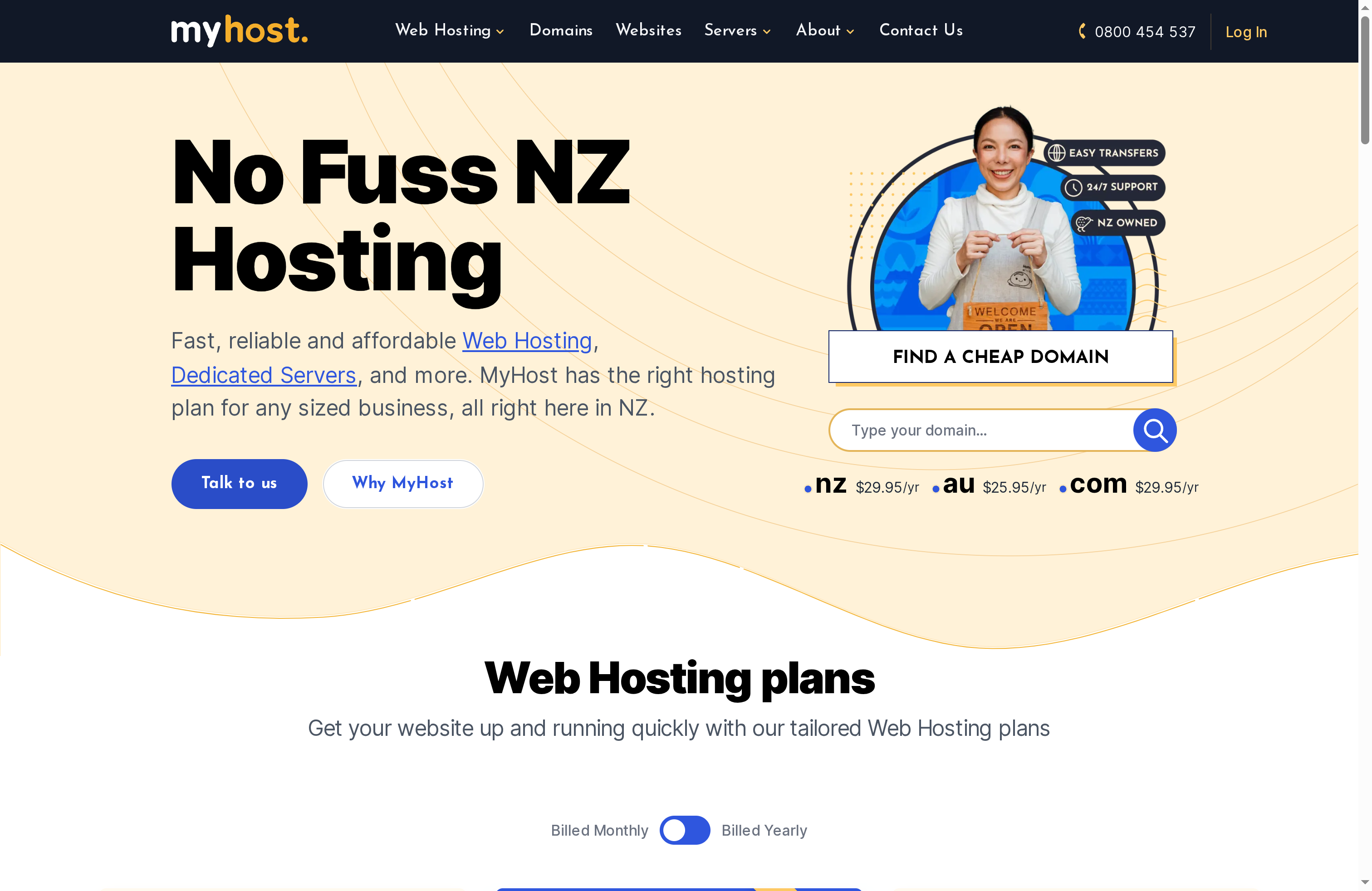
Myhost New Zealand delivers fast, reliable and affordable hosting tailored to businesses that need straightforward, NZ-based infrastructure and solid support. Plans scale from small sites to dedicated servers and co-location, with free daily backups and automatic SSL included as standard. If you value hands-on migration help and a local support team, Myhost is a pragmatic choice — though you may want to confirm long-term pricing and advanced configuration needs before committing.

Core Features

Myhost offers a clear range of plans billed monthly or yearly with three primary tiers: Small, Medium and Large. Each plan advertises unlimited storage, bandwidth, databases, FTP and email accounts, plus free daily backups and automatic SSL to reduce maintenance overhead. Domain search and registration cover NZ, AU and .com TLDs, and higher-tier customers can access VPS, dedicated server and co-location options. The provider emphasises ease of migration and customer support, which is useful when moving established sites.

Short and practical.

Pros

  • Affordable, predictable entry pricing: The Small, Medium and Large plans provide clear yearly options that suit bootstrapped businesses and growing companies.
  • Strong support and migration focus: Customer reviews highlight helpful migration assistance and responsive support, easing the pain of switching providers.
  • Comprehensive security basics included: Free daily backups and automatic SSL reduce risk and administrative load for busy business owners.
  • Range of hosting types: Offering shared, VPS, dedicated and co-location means you can scale within the same provider as traffic or compliance needs grow.
  • Generous resource claims: Unlimited storage, bandwidth and email accounts simplify capacity planning for many small to medium sites.

Cons

  • Limited infrastructure transparency: The public content lacks specific technical details about server hardware, data centre locations and redundancy, which makes capacity planning and compliance checks harder.
  • Potential renewal cost increases: Prices may rise after promotional periods, so long-term budgeting requires careful attention to renewal terms.
  • Sparse detail on advanced customisation: Information on specialised configurations, managed services levels or performance tuning is limited in the available material.

Who It’s For

Myhost suits business owners, developers and agencies seeking a New Zealand-based host with solid support and straightforward scaling options. It is a good fit for small ecommerce stores, corporate brochure sites, and organisations that prefer local support and domain management in NZ and AU.

Unique Value Proposition

Myhost’s key value is the combination of localised service and simplicity: NZ-focused domain and hosting options backed by daily backups, automatic SSL and a support-led migration approach. For teams that want to avoid cloud complexity and retain a single local supplier for hosting and domains, Myhost simplifies operations.

Real World Use Case

A small retail business migrated from an overseas provider to Myhost, using the migration support to transfer domains and content with minimal downtime. They relied on the Large plan’s resource allowances as traffic grew during seasonal campaigns and appreciated daily backups when restoring a product catalogue after an accidental deletion.

Pricing

Small plan: NZ$96/year (approximately NZ$8.66 per month); Medium plan: NZ$161/year (approximately NZ$14.46 per month); Large plan: NZ$301/year (approximately NZ$27.86 per month). Domain registration: NZ$29.95/year (NZ), AU$25.95/year (AU), .com NZ$29.95/year.

Website: https://webslice.co.nz

Umbrellar

Product Screenshot

At a Glance

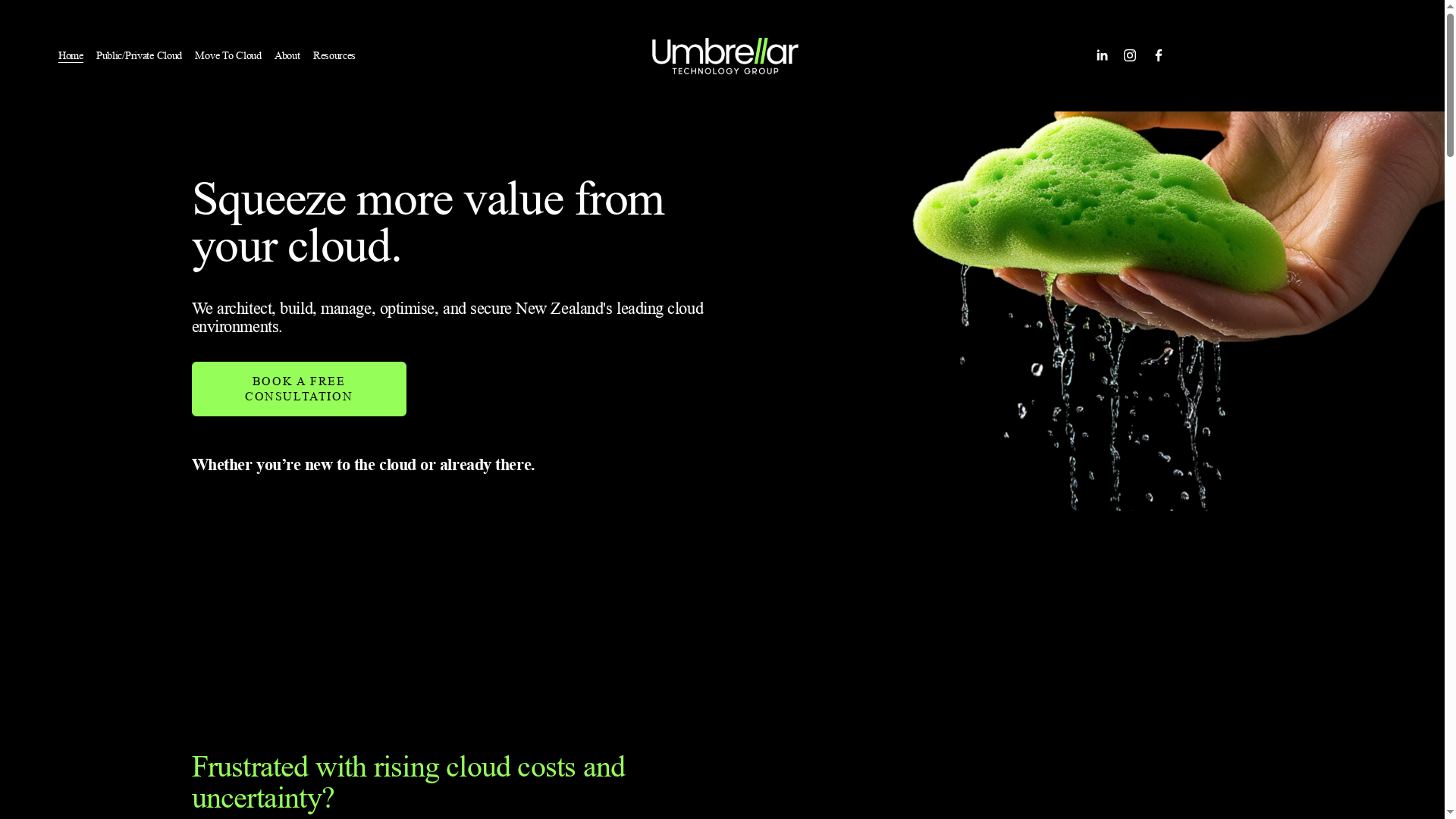
Umbrellar is a New Zealand cloud services provider with over 20 years’ experience designing, building, managing and securing cloud environments. Their pitch centres on reducing cloud costs, improving security and lifting operational efficiency while working alongside — not replacing — existing IT teams. The company emphasises local, proactive 24/7 support, which is a clear advantage for organisations that value immediate, local expertise. Bottom line: strong regional support and cost‑optimisation focus, but limited public detail on pricing and bespoke enterprise offerings.

Core Features

Umbrellar specialises in full‑life‑cycle cloud services: cloud architecture and build, ongoing cloud management and optimisation, security and compliance services, cost‑saving consultations and audits, plus proactive 24/7 support and management. These capabilities are geared towards helping organisations migrate to the cloud, tighten security posture, and continuously identify opportunities to reduce expenditure and increase performance.

Pros

  • Local New Zealand‑based team with 24/7 support: Having a round‑the‑clock local team reduces response times and simplifies communication for NZ businesses.
  • Over 20 years’ experience in cloud services: A long track record suggests mature practices and institutional knowledge that benefit complex migrations and managed operations.
  • Proven track record in cost savings and efficiency: Umbrellar highlights cost‑saving consultations and audits that target wasted spend and performance inefficiencies.
  • Supports existing IT teams rather than replacing them: The approach focuses on complementing in‑house capability, which preserves institutional knowledge and eases change management.
  • Strong customer testimonials: Positive client feedback indicates credibility and practical results delivered in real customer environments.

Cons

  • Specific details on pricing are not provided on the website: The lack of published pricing means you must request a consultation to understand total cost, which can slow initial vendor comparisons.
  • No information on geographic service limitations beyond New Zealand: Public materials do not clarify whether full support and services extend beyond NZ, creating uncertainty for organisations with international operations.
  • Potentially limited information on customised enterprise solutions: The website gives only a high‑level view of offerings, so large enterprises may need detailed conversations to verify suitability for bespoke, highly regulated or unusually large deployments.

Who It’s For

Umbrellar is ideal for medium to large enterprises in New Zealand that need comprehensive cloud management, cost optimisation and stronger security assurance, especially those preferring local support and a partner that integrates with existing IT teams. If you want a local adviser to shorten response times and guide continual optimisation, Umbrellar fits well.

Unique Value Proposition

Umbrellar’s unique value lies in combining deep cloud technical capability with local, 24/7 support and a consultative approach to cost reduction and security. In short: experienced cloud practitioners who stay close to your team and your budget.

Real World Use Case

A New Zealand technology company engaged Umbrellar to manage and optimise its cloud infrastructure; Umbrellar implemented efficiency measures that lowered monthly cloud spend while hardening security and providing continuous support to maintain high availability — all coordinated with the client’s internal IT staff.

Pricing

Not specified on the website; Umbrellar encourages prospective clients to request a consultation to receive tailored pricing and recommendations.

Website: https://umbrellar.com

Crazy Domains New Zealand

Product Screenshot

At a Glance

Crazy Domains New Zealand is a budget-conscious, all-in-one provider that bundles domain registration, web hosting, an AI-powered website builder and email solutions aimed at small to medium businesses. Its clear strength is affordability and promotional value, particularly during events like Black Friday, combined with 24/7 support aligned to New Zealand time. That makes it a straightforward option if you want to get online quickly without complex procurement decisions.

Core Features

Crazy Domains provides domain registration with competitive pricing and specialised .co.nz plans suited to New Zealand businesses. Hosting is presented as optimised for speed and uptime, while an AI-powered website builder promises rapid site launches. The platform also offers Google Workspace plans with discounts and multiple website security measures, including encryption and protection tools. Together these features position Crazy Domains as a single vendor for registering, hosting, building and securing a business website.

Pros

  • Affordable pricing and promotions: The provider emphasises budget-friendly plans and notable savings during promotional periods such as Black Friday, which helps lower initial costs.
  • Comprehensive toolset in one place: You can register domains, host a website, build with AI assistance and add email and business productivity tools from a single dashboard.
  • 24/7 customer support in NZ time zones: Round-the-clock support tailored to New Zealand hours reduces friction for local business owners needing help outside standard business hours.
  • Local focus on .co.nz and business needs: Specialised plans for New Zealand domains and local requirements simplify setup for Kiwi companies.
  • Bundling for extra savings: The ability to bundle domains, hosting and Google Workspace typically increases overall value and streamlines billing.

Cons

  • Limited technical detail in available information: The provided data lacks deep technical specifications such as server locations, backup frequency, resource limits or SLA figures, making rigorous comparison difficult.
  • Promotional focus may obscure standard pricing: Heavy emphasis on time-limited offers means the post-promotion pricing picture may be less attractive for long-term budgeting.
  • Unclear service-level transparency: Without explicit metrics on uptime guarantees or support response times, it’s harder to assess suitability for mission-critical sites.

Who It’s For

Crazy Domains is tailored to small to medium business owners in New Zealand who prioritise a simple, cost-effective path to an online presence. If you want to register a .co.nz domain, get hosting and launch a basic website quickly—especially during a sale—this provider fits. It’s ideal for startups, tradespeople and local retailers seeking straightforward solutions without a long procurement process.

Unique Value Proposition

The core value is convenience and cost: a locally focused service that combines domain registration, hosting, AI-assisted site building and discounted productivity tools under one roof, backed by New Zealand-aligned support hours.

Real World Use Case

A startup founder secures a .co.nz domain, purchases a hosting bundle, and uses the AI builder to launch a lean marketing site within days—maximising savings with a Black Friday bundle while keeping support local and accessible.

Pricing

Pricing highlights include domain registrations starting at NZ$29.99 for a .co.nz domain in the first year, with discounted hosting and Google Workspace plans available during promotional periods. Exact ongoing rates and renewal fees should be confirmed before purchase.

Website: https://crazydomains.co.nz

Web Hosting and Design Service Comparison

This table compares a range of web hosting and design service providers based on their features, pros, cons, pricing, and target users.

ProviderFeaturesProsConsPricing Information
Responsive Web Site DesignCustom WordPress, WooCommerce, site management, securityTailored solutions, comprehensive services, SEO focusPricing not specifiedContact for a free quote
SitehostContainer images, virtual servers, private cloudHigh performance, reliable support, flexible hosting optionsComplex for beginners, no trial offersLinux VMs from $30/month; Containers from $35/month
Myhost New ZealandUnlimited storage, daily backups, VPS and dedicated optionsAffordable pricing, strong migration support, comprehensive security basicsLimited infrastructure details, potential renewal cost increasesSmall Plan $96/year; Medium Plan $161/year; Large Plan $301/year
UmbrellarCloud services, security, cost-saving consultations, 24/7 local supportLocal support, cost savings, integration with existing IT teamsPricing not specified, limited geographic service informationRequest a consultation for pricing
Crazy Domains New ZealandDomain registration, AI website builder, web hosting, email solutionsAffordable pricing, comprehensive toolset, 24/7 local supportLimited technical details, promotional focus may obscure pricing.co.nz domains from $29.99/year, promotional hosting plans

Elevate Your Business with Expert WordPress Solutions Tailored for NZ Companies

Choosing the right web hosting service is crucial but only one part of building a successful online presence. The article highlights challenges such as ensuring fast load times, robust security, mobile responsiveness and search engine optimisation. These goals can be hard to achieve without the right technical partner who understands New Zealand businesses and WordPress inside out.

At Responsive Web Site Design, we address these pain points by delivering custom WordPress websites built for performance and growth. Our solutions include mobile-responsive design, WooCommerce e-commerce integration and ongoing site management to maintain security and SEO optimisation. This means your website not only loads quickly and stays secure but also attracts and converts your ideal customers effectively—helping you avoid common pitfalls highlighted in the hosting comparison.

https://responsivewebsitedesign.co.nz

Ready to move beyond generic hosting and empower your business with a WordPress site that truly performs in New Zealand? Explore our comprehensive custom development services and ongoing website management to secure your digital advantage today. Don’t wait for technical issues to slow you down contact us now at Responsive Web Site Design and build a website that works as hard as you do.

Frequently Asked Questions

What factors should I consider when choosing a web hosting service for my company?

Consider factors like performance, support, pricing, security, and scalability. Evaluate how these factors align with your company’s specific needs, such as uptime guarantees and customer service availability.

How can I evaluate the speed and performance of a web hosting service?

Use website speed testing tools to measure page load times and server response rates. Aim for a hosting solution that provides speeds under 2 seconds to enhance user experience.

What security features are essential for business web hosting?

Look for features such as SSL certificates, daily backups, malware scanning, and DDoS protection. Ensure that the hosting provider offers at least basic security postures to protect your data.

How do I migrate my existing website to a new hosting service?

Typically, you will need to back up your current site, set up your new hosting account, and then upload the backup files. Some providers offer migration assistance, so take advantage of those services if available.

What types of customer support should I expect from a web hosting service?

Expect multiple support channels such as live chat, phone support, and email. Ensure that support is 24/7 and aligned with your operational hours.

How can I determine the overall cost of a web hosting service for my business?

Calculate costs by considering both monthly subscription fees and any additional charges for features like backups and SSL certificates. A clear estimation should detail both base costs and potential extra fees.

Categories
Website

Best website design platforms for builders – Expert Comparison 2025

Choosing a website partner is a big step for any business. With so many options to consider, it can sometimes feel tough to spot the real difference between providers. Some put the spotlight on creative design while others build strong ecommerce tools or pledge ongoing support and expert local advice. Every offering brings a unique mix of features, service and personality to the table. Which approach actually fits your goals and will set up your business for long-term success? Looking closely at each service reveals what sets them apart and uncovers which one might be the best match for your next online move.

Table of Contents

Responsive Website Design NZ

Product Screenshot

At a Glance

Responsive Website Design NZ specialises in creating, redesigning and developing custom WordPress websites for small to medium businesses, with a clear focus on SEO, mobile responsiveness and long-term site management. Their service offering is built around traffic-generating, SEO-optimised sites that align with business objectives and user experience priorities. Pricing isn’t listed publicly, so expect a tailored quote rather than off-the-shelf plans — a conscious choice that prioritises bespoke solutions over fixed packages.

Core Features

Responsive Website Design NZ delivers a compact but powerful feature set: custom WordPress development, responsive website design, SEO optimisation, e-commerce platform development via WooCommerce, and redesign or upgrades for large and directory-style websites. Beyond build-stage work they provide ongoing management, security and performance optimisation, positioning websites for sustained growth rather than a one-off launch. The emphasis on mobile-first design and search-engine visibility is consistent across their service scope.

Pros

  • The team has extensive experience and can handle a wide range of website needs, which helps businesses avoid costly vendor changes during growth phases.
  • A strong focus on SEO and user engagement ensures sites are built to attract and retain meaningful traffic, not just to look attractive.
  • Ongoing website management and security support mean businesses get operational continuity and fewer surprises when updates or threats arise.
  • The ability to develop custom solutions allows sites to be tailored precisely to business workflows and specialised requirements.
  • Emphasis on mobile responsiveness and visual design produces faster, more accessible experiences for customers on phones and tablets.

Who It’s For

This service is ideal for small to medium business owners, entrepreneurs and organisations seeking a professional, fully managed WordPress presence that prioritises SEO and conversion. It suits retailers launching or upgrading e-commerce stores, companies needing directory or large-scale site upgrades, and businesses that prefer a long-term partnership with a developer who can manage security, performance and iterative improvement.

Unique Value Proposition

Responsive Website Design NZ’s strength lies in combining bespoke WordPress craftsmanship with an ongoing management model focused on search visibility and conversions. Rather than selling templates, they build purpose-driven sites with WooCommerce-ready e-commerce, SEO baked into site architecture, and performance/security processes that scale. That approach is superior for businesses that need measurable outcomes — higher traffic, stronger search rankings and reliable uptime — because it removes handoffs between builders, SEO providers and site managers. The result: one accountable partner delivering a site engineered for discovery and sustained growth, tailored to the specific commercial needs of New Zealand businesses.

Real World Use Case

A local NZ retailer engaged Responsive Website Design NZ to build a mobile-responsive, SEO-optimised e-commerce platform and to provide ongoing website management. The project combined WooCommerce customisation, security hardening and regular optimisation, allowing the retailer to increase online sales while reducing administrative overhead and improving site reliability.

Pricing

Pricing is not specified on the website; requests for a personalised quote are recommended. This reflects a tailored engagement model rather than pre-set tiers — ideal if you require a customised build or long-term management.

Website: https://responsivewebsitedesign.co.nz

Zeald

Product Screenshot

At a Glance

Zeald is New Zealand’s largest and most experienced web company, specialising in website design, ecommerce and digital marketing since 2001. They’ve supported over 15,000 businesses and are recognised as a Google Premier Partner, which speaks to proven capability and scale. Zeald focuses on tailored digital strategies and offers free resources and consultations to kick off projects. That said, public pricing and detailed case studies aren’t supplied in the summary, so you’ll need to request specifics for budgets and examples.

Core Features

Zeald’s core capabilities centre on end-to-end digital transformation: website design and development, ecommerce solutions to sell online, and digital marketing services to drive visibility. They also support software integrations to connect systems and offer free resources such as ebooks, website audits and webinars to help businesses diagnose needs before committing. The combination of creative, technical and marketing services positions Zeald to manage both build and growth phases of a website project.

Pros

  • Extensive experience of over 20 years: Their long history means established processes and a depth of institutional knowledge across many project types.
  • Support for more than 15,000 businesses: A large client base suggests they’ve delivered solutions across a wide range of industries and scenarios.
  • Recognition as a Google Premier Partner: This endorsement indicates strong capabilities in paid search and digital marketing management.
  • Comprehensive digital transformation services: From design through to marketing and integrations, Zeald can handle multiple facets of a project under one roof.
  • Tailored solutions for each business: They emphasise customised strategies rather than one-size-fits-all packages, which matters for businesses with specific needs.

Cons

  • The website content doesn’t specify specific pricing details: That means prospective clients must contact Zeald for quotes, which can make initial budgeting harder.
  • Limited information on geography-specific services (beyond NZ and AU): If you operate outside those markets, the extent of local support isn’t clear from the summary.
  • Lack of detailed case studies or client portfolios in the provided summary: Without visible examples it’s harder to gauge creative direction and measurable outcomes prior to enquiry.

Who It’s For

Zeald is ideal for small to medium-sized business owners in New Zealand who want a trusted partner to deliver a complete digital solution — from a redesigned website to ecommerce and marketing support. If you prefer working with an experienced local team that can cover technical integrations and ongoing marketing, Zeald fits that brief.

Unique Value Proposition

Zeald’s unique offer is its scale and breadth: a long-established New Zealand business that pairs creative web builds with digital marketing and integration services, backed by Google Premier Partner status and a large client history. That blend reduces the need to coordinate multiple vendors.

Real World Use Case

A local retail business in NZ engages Zeald to redesign its website, implement ecommerce and improve online marketing. Zeald manages the rebuild, integrates payment and inventory systems, and sets up campaigns, resulting in clearer customer journeys and improved online sales.

Pricing

Not specified in the website content; Zeald provides free consultations and resources to scope projects and determine costs.

Website: https://zeald.com

Website World

Product Screenshot

At a Glance

Website World is an all-in-one website builder and ecommerce platform aimed squarely at small to medium businesses and beginners who want a fast route to a professional online presence. It pairs a drag-and-drop builder with built-in ecommerce tools — no transaction surcharges are a clear selling point. Hosting and global performance are bundled, so you get speed and CDN support without separate configuration. If you want a straightforward, integrated stack for online selling, Website World makes that easy; advanced customisation seekers may find it a bit limiting.

Core Features

Website World combines a template-based website builder with ecommerce-specific capabilities: integrated payment gateways, courier and shipping options, inventory management, and members-only CRM features with trade pricing. The platform also includes bulk email marketing and domain registration, all hosted in the cloud with global delivery and CDN support. In short, it covers the full customer journey from storefront design through payment, fulfilment and repeat marketing — presented as a single package rather than a set of add-ons.

Pros

  • User-friendly drag-and-drop builder: The visual builder makes site creation accessible to non-technical users, lowering the barrier to launch quickly.
  • Comprehensive ecommerce feature set included: Payments, stock control, shipping integrations and member pricing come as standard, reducing the need for multiple vendors.
  • Global hosting with fast speeds and CDN support: Built-in hosting and CDN aim to keep pages responsive for customers worldwide.
  • Multiple integration options for payments, shipping and marketing: The platform supports common commerce workflows so you can connect the pieces that matter to your operation.
  • Focus on small to medium businesses and beginners: The product is clearly tailored to business owners who need an all-in-one, low-friction solution.

Cons

  • Limited detailed customisation compared to some advanced platforms: Users who need deep code-level edits or bespoke features may find the platform restrictive.
  • Potential complexity for users unfamiliar with ecommerce features: The breadth of commerce tools adds learning curves for people new to inventory, fulfilment and pricing tiers.
  • Pricing details are not explicitly provided: The absence of clear pricing tiers on the information provided makes it harder to assess total cost before trialling the service.

Who It’s For

Website World suits small to medium business owners, web entrepreneurs and web designers looking for an integrated ecommerce solution that can be set up quickly and managed without separate hosting, payment or marketing vendors. It fits retailers, hospitality operators and organisations aiming to add membership or loyalty schemes without a long development project.

Unique Value Proposition

Website World’s key value is packaging site building, ecommerce, hosting and CRM into a single, coherent platform with no transaction surcharges — simplifying operations and reducing the number of vendors you manage.

Real World Use Case

A local retailer can use Website World to build a branded online store using templates, accept payments via integrated gateways, manage stock and dispatch with courier links, and run members-only pricing for trade customers — all while sending bulk email campaigns from the same dashboard.

Pricing

Pricing details are not explicitly provided; the platform notes hosting packages are included with features and that a free trial is available.

Website: https://website.world

Firebrand

Product Screenshot

At a Glance

Firebrand is a creative, full‑service web agency based in Ōtepoti (Dunedin) that combines website design, digital marketing and content production under one roof. They excel at crafting tailored digital experiences for organisations that value local engagement and bold creative work. If you need a partner to lead a brand refresh, build a bespoke website or produce high‑quality video and imagery, Firebrand is a strong contender. Pricing isn’t transparent on the site, so expect to contact them for a custom quote.

Core Features

Firebrand offers a broad suite of capabilities: digital marketing and SEO strategy, website and digital design, branding and graphic design, custom development and creative content production such as videography, animation and photography. Their approach appears to blend strategic planning with hands‑on production, meaning you can move from discovery to execution without juggling multiple vendors. They also emphasise community and national work across Aotearoa, which suggests local insight is baked into their project delivery.

Pros

  • Experienced with high‑profile projects: Firebrand lists work for local and national clients, indicating they can manage complex briefs and stakeholder expectations.
  • Strong community engagement: The agency’s focus on local ties and Aotearoa‑centred projects supports campaigns that need cultural awareness and regional relevance.
  • Comprehensive service offering: You can access branding, web design, digital marketing and creative production all in one place, reducing coordination overhead.
  • Award recognition: Being described as award‑winning suggests a track record of creative excellence and industry acknowledgement.
  • Tailored digital experiences: They emphasise custom solutions, which is useful when off‑the‑shelf templates won’t meet your business needs.

Cons

  • Pricing not published: The website does not provide specific pricing, so budget planning requires direct engagement with the agency.
  • Geographic focus may limit reach: Firebrand’s strong Otago and Dunedin base could mean their services are optimised for New Zealand clients, which may be less convenient for organisations located elsewhere.
  • Limited visible case studies: There’s no detailed portfolio or case studies immediately available on the main page, making it harder to assess process and measurable outcomes before contacting them.

Who It’s For

Firebrand is ideal for New Zealand businesses, institutions and community organisations that want an integrated partner for branding, web development and content production. They suit clients who value creative risk, local cultural insight and end‑to‑end delivery rather than piecemeal hires. If you need an agency that can manage marketing strategy and execute high‑quality creative assets, this is a solid fit.

Unique Value Proposition

Firebrand’s edge is its combination of creative production (video, animation, photography) with strategic digital services and local Aotearoa knowledge. That blend lets them produce assets that are not only visually striking but also strategically aligned to community and commercial objectives.

Real World Use Case

A local university partners with Firebrand to redesign its digital presence, improve SEO, and roll out engaging marketing campaigns — including video tours and event promotion — to attract students and elevate campus engagement across the region.

Pricing

Not specified on the website; prospective clients should request a customised quote to understand scope, timelines and costs.

Website: https://firebrand.nz

Web Design Service Providers Comparison

This table compares key features, pros, cons, and usability aspects of four prominent web design service providers, helping you choose the best fit for your business needs.

ProviderCore FeaturesProsConsPricing
Responsive Website Design NZCustom WordPress, SEO optimization, e-commerce via WooCommerceExtensive experience, SEO focus, ongoing managementNo public pricing, requires tailored quotesCustom quotes; not publicly listed
ZealdWebsite design, ecommerce, digital marketingOver 20 years experience, Google Premier Partner, comprehensive servicesNo public pricing or detailed case studiesNot specified; free consultations and resources available
Website WorldTemplate-based builder, integrated ecommerce toolsUser-friendly, no transaction surcharges, global hostingLimited customization, complexity for beginnersNot explicitly provided; trial available
FirebrandDigital marketing, web design, creative content productionExperienced, community-focused, award-winningNo public pricing, limited case studiesNot specified; custom quotes needed

Elevate Your Building Business with Expert Website Design Solutions

Choosing the right website design platform as a builder can be challenging when you want a site that is not only visually appealing but also responsive and SEO-optimised to attract more clients. If you are feeling overwhelmed by platform choices and need a professional solution tailored to your unique business goals, the key pain points often include ensuring mobile responsiveness, seamless ecommerce integration, and long-term site management that grows with your business.

At Responsive Website Design NZ, we specialise in crafting custom WordPress websites designed specifically for New Zealand businesses like yours. Our approach focuses on solving these challenges through mobile-first design, WooCommerce-ready e-commerce solutions, and ongoing SEO and security support. You can explore how we address these topics and more in our Website Archives or browse other insights in the Uncategorized Archives.

https://responsivewebsitedesign.co.nz

Ready to transform your online presence with a platform built for builders who demand quality and growth? Visit Responsive Website Design NZ now and start your journey towards a customised, high-performing website that delivers results. Don’t settle for less when your business deserves the best. Contact us today for a tailored solution that will boost your visibility and sales immediately.

Frequently Asked Questions

What features should I look for in a website design platform for builders?

A good website design platform for builders should include project management tools, mobile-friendly templates, and SEO capabilities. Evaluate platforms that offer user-friendly interfaces and customisation options tailored to construction websites.

How can I ensure my builder website is mobile-responsive?

Choose a website design platform that prioritises responsive design, meaning your site will automatically adjust to various device sizes. Test your website on different mobile devices and screen sizes to confirm it provides a seamless user experience.

What is the typical timeline for setting up a website on a design platform for builders?

Setting up a builder website can typically take anywhere from a few days to several weeks, depending on your needs and content preparation. Prepare your content and images in advance to streamline the process and aim for launch within 30 days.

How can I optimise my builder website for search engines?

To optimise your builder website for search engines, focus on keyword research, proper title tags, and quality content that addresses your target audience’s needs. Regularly update your site with new projects or testimonials to enhance relevance and improve search visibility over time.

Are there any website design platforms specifically tailored for construction businesses?

Yes, many website design platforms offer specific templates and features designed for construction and building businesses. Research platforms that offer industry-specific functionalities, like portfolio galleries and service descriptions, to better showcase your work.

Can I migrate my existing website to a new design platform?

Yes, most design platforms allow you to migrate content from your existing website, although the complexity may vary. Prepare for the migration by gathering all current content and images, and follow the platform’s guidelines to ensure a smooth transition.

Categories
Website

7 Essential Website Redesign Tips for Business Owners

Over seventy percent of australian businesses miss out on valuable leads due to hidden website weaknesses. A strong online presence is now essential as more consumers rely on digital platforms to connect with brands and make purchasing decisions. By learning how to spot and address common pitfalls, you can turn your website into a powerful business asset that stands out in a crowded market.

Table of Contents

Quick Summary

TakeawayExplanation
1. Conduct a thorough website auditRegularly assess your website’s performance, speed, and navigation to identify weaknesses and improve overall effectiveness.
2. Set clear business objectives before redesignDefine specific goals, like increasing sales or enhancing user experience, to create a focused and efficient website redesign strategy.
3. Ensure mobile responsivenessDesign your website primarily for mobile devices to meet user expectations and improve accessibility for all visitors.
4. Focus on intuitive navigationCreate a logical site structure that allows users to find information easily, aiming for a maximum of three clicks to access key content.
5. Plan for ongoing maintenanceEstablish a routine for regular updates and security checks to keep your website secure and aligned with evolving business needs.

1. Assess Your Current Website for Weak Points

Taking a critical look at your current website is like performing a comprehensive health check for your online presence. A thorough website audit allows you to uncover hidden performance issues and strategic weaknesses that might be holding your business back.

According to the Wikipedia Website Audit Guide, a website audit evaluates multiple factors influencing a site’s visibility, including structure, performance, and traffic patterns. This process helps business owners identify technical and strategic limitations preventing optimal online performance.

Key Areas to Evaluate During Your Website Assessment:

  • Site loading speed
  • Mobile responsiveness
  • User navigation experience
  • Content relevance and quality
  • Search engine optimisation elements

Using the CRAAP test methodology from Palomar College Research Guide, you can systematically assess your website. This approach considers Currency, Relevance, Authority, Accuracy, and Purpose to determine your site’s overall effectiveness.

Net Branding recommends conducting a comprehensive website audit at least twice annually. Professional WordPress designers can help you identify and resolve issues quickly, ensuring your online platform remains competitive and user friendly.

Pro Tip: Combine automated tools with manual review to get the most accurate assessment of your website’s performance and potential improvements.

2. Define Clear Business Goals for the Redesign

Successful website redesigns start with crystal clear business objectives. Without well defined goals, your redesign becomes an aimless exercise that wastes valuable resources and time.

According to Structure, establishing specific goals such as enhancing brand awareness, increasing lead conversions, and driving online sales is crucial for a website redesign that genuinely aligns with business objectives.

Strategic Goal Setting Requires Understanding Your Business Needs:

  • Increasing online sales
  • Generating more qualified leads
  • Improving brand perception
  • Enhancing user experience
  • Streamlining customer communication

Drawing from Wikipedia Business Process Re-engineering, fundamentally rethinking your digital strategy can help achieve significant performance improvements. This means your website redesign should not just look good but strategically support your business growth.

Net Branding recommends conducting a comprehensive workshop with key stakeholders to map out precise website objectives. This collaborative approach ensures your redesign reflects your unique business vision and market positioning.

Pro Tip: Quantify your goals with specific metrics. Instead of saying “increase sales,” aim for “boost online sales by 25 percent within six months of website launch.”

Remember that a well planned website redesign is an investment in your business future not just a cosmetic upgrade.

3. Focus on Mobile Responsiveness and Accessibility

In today’s digital ecosystem, a website that works seamlessly across all devices is not just an advantage it’s a necessity. Mobile responsiveness and accessibility are fundamental requirements for engaging modern audiences and maintaining a professional online presence.

Research from PrivacyScore emphasises the critical importance of creating websites that benchmark high on accessibility and user experience standards. This means designing websites that adapt smoothly to smartphones, tablets, and desktop computers while ensuring all users can navigate and interact effectively.

Key Considerations for Mobile Responsiveness:

  • Fluid layout design
  • Readable text across devices
  • Touch friendly navigation
  • Fast loading speeds
  • Intuitive user interface

According to ArXiv Research, usability testing frameworks consistently highlight mobile responsiveness as a crucial factor in enhancing overall user experience. Net Branding recommends implementing a mobile first design approach where your website is initially designed for mobile platforms and then scaled up for larger screens.

Professional WordPress designers understand that accessibility goes beyond visual design. It means creating websites that work for people with different abilities including those using screen readers or alternative navigation tools.

Pro Tip: Test your website on multiple devices and use tools like Google Mobile Friendly Test to ensure comprehensive responsiveness. Your goal is a seamless experience for every potential customer.

4. Optimise User Experience and Site Navigation

Your website navigation is the digital roadmap that guides visitors through your online landscape. A well designed navigation system transforms casual browsers into engaged customers by creating intuitive pathways to information.

Research from Science Direct highlights a quantitative approach to website usability that emphasises how human perception critically depends on clear information retrieval mechanisms. This means your site structure must be logical and predictable.

Essential Navigation Design Principles:

  • Clear menu hierarchy
  • Logical page groupings
  • Minimal click depth
  • Consistent menu placement
  • Descriptive link labels

According to ArXiv Research, visualising hyperlink connectivity can significantly enhance user understanding and trust in website content. Net Branding recommends developing a navigation strategy that allows visitors to reach their desired information within three clicks.

Professional WordPress designers understand that navigation is more than aesthetic it is about creating an effortless user journey. Your menu should anticipate user needs and provide seamless access to critical information.

Pro Tip: Conduct user testing to validate your navigation design. Watch how real users interact with your site and identify any potential confusion points in their journey.

5. Update Visual Design to Reflect Your Brand

Your website serves as a digital storefront communicating your brand identity through visual language. Professional design is more than aesthetics it is a strategic communication tool that builds instant credibility and connection with potential customers.

The Stanford Web Credibility Project discovered that visual design elements dramatically influence users perception of a websites trustworthiness and professionalism. This means your design choices directly impact how customers perceive your business.

Key Brand Visual Design Elements:

  • Consistent colour palette
  • Professional typography
  • Strategic imagery selection
  • Authentic visual storytelling
  • Alignment with brand personality

Research from LookAhead demonstrates that visual design properties can predict how users perceive website safety and reliability. Net Branding recommends creating a design that communicates your unique value proposition through deliberate visual choices.

Professional WordPress designers understand that brand consistency across digital platforms builds recognition. Your website should feel like a natural extension of your broader marketing materials creating a cohesive visual narrative.

Pro Tip: Develop a comprehensive brand style guide that outlines precise colour codes typographic rules and imagery standards to maintain visual consistency across all digital platforms.

6. Integrate SEO Best Practices from the Start

Search engine optimisation is not an afterthought it is a fundamental design strategy that determines your websites visibility and success. Implementing SEO principles during the initial website redesign ensures your digital presence attracts and engages potential customers effectively.

According to Wikipedia Website Audit research, conducting a comprehensive website audit helps identify critical areas for improvement in search engine visibility. This means strategically incorporating SEO elements throughout your website design process.

Critical SEO Design Elements:

  • Clean website architecture
  • Semantic HTML structure
  • Fast page loading speeds
  • Mobile responsive design
  • Strategic keyword integration

Research from LookAhead suggests that analysing structural and content properties can significantly predict website performance. Net Branding recommends treating SEO as an integral part of your design strategy rather than a separate task.

Professional WordPress designers understand that modern SEO requires a holistic approach. Your website should be built with search engine algorithms in mind creating a seamless experience for both users and search crawlers.

Pro Tip: Work closely with SEO specialists during the initial design phase to ensure your website architecture supports optimal search engine performance from day one.

7. Plan for Ongoing Support and Future Updates

A website is not a static product but a dynamic digital asset that requires continuous care and strategic evolution. Planning for ongoing support ensures your online presence remains robust secure and aligned with your business objectives.

Research from PrivacyScore emphasises the critical need for continuous monitoring and updates to maintain security and privacy standards over time. This means your website requires regular professional attention to remain effective and competitive.

Essential Ongoing Website Maintenance Elements:

  • Regular security updates
  • Performance monitoring
  • Content refreshment
  • Technical compatibility checks
  • User experience refinements

According to MisVis Research, ongoing assessment helps websites adapt to evolving user expectations and technological advancements. Net Branding recommends developing a comprehensive maintenance strategy that includes quarterly reviews and proactive update schedules.

Professional WordPress designers understand that website maintenance is not an optional extra but a fundamental requirement for digital success. Your website should be treated as a living digital ecosystem that grows and adapts with your business.

Pro Tip: Establish a fixed budget and schedule for website maintenance to prevent unexpected costs and ensure your digital platform remains cutting edge and secure.

Below is a comprehensive table summarising the key strategies and considerations for website assessment and redesign discussed throughout the article.

Main StepKey Points & ActionsBenefits/Outcomes
Assess Current WebsiteConduct a thorough audit using methods like the CRAAP test. Evaluate speed, responsiveness, UX, content, and SEO.Identify hidden issues and improve performance.
Define Business GoalsEstablish specific objectives such as increasing sales or enhancing brand perception. Conduct stakeholder workshops.Align redesign with business growth and market positioning.
Focus on Mobile ResponsivenessDesign for fluid layout, touch-friendly navigation, and accessibility across devices.Engage more users and improve accessibility.
Optimise UX & NavigationDesign logical site structure with clear menus and minimal click depth.Enhance user engagement and information retrieval.
Update Visual DesignEnsure visual elements reflect brand identity with consistent colours and typography.Build trust and connection with customers.
Integrate SEO Best PracticesInclude clean architecture, semantic HTML, and strategic keywords from the start.Improve search visibility and attract more customers.
Plan for Ongoing SupportSchedule regular maintenance, updates, and user experience refinements.Maintain site security, performance, and market competitiveness.

Transform Your Website Redesign Goals into Reality

If you have been facing challenges like unclear business objectives, poor mobile responsiveness, or SEO issues as highlighted in the article 7 Essential Website Redesign Tips for Business Owners then it is time to take decisive action. Your website should not only look professional but work hard to convert visitors into loyal customers. Key pain points such as optimising user experience and integrating SEO from the start are critical to creating a great digital presence.

https://responsivewebsitedesign.co.nz

Explore tailored WordPress solutions designed specifically for New Zealand businesses at ResponsiveWebsiteDesign. Our expert team specialises in delivering custom redesigns focusing on your brand identity, mobile optimisation, and ongoing website support. Start your journey today by discovering insights in our Website Archives and boost your visibility with proven techniques from our SEO Archives. Don’t let your business lag behind; visit ResponsiveWebsiteDesign now and partner with a team that understands your goals and keeps your website performing at its best.

Frequently Asked Questions

How do I assess my current website for weaknesses before a redesign?

To assess your website, perform a comprehensive evaluation focusing on loading speed, mobile responsiveness, user navigation, content quality, and SEO elements. Use automated tools alongside a manual review to identify areas for improvement, allowing you to pinpoint up to five key weak points.

What specific business goals should I define for my website redesign?

Define clear business objectives like increasing online sales by 25% or improving user experience scores by 15%. Set measurable targets to ensure your redesign aligns with your business goals and provides a clear direction for the project.

Why is mobile responsiveness important in my website redesign?

Mobile responsiveness is crucial because a majority of users access websites via mobile devices. Design your website to adapt seamlessly to smartphones and tablets, ensuring a smooth user experience that can increase engagement and conversions by over 30%.

How can I improve user experience and site navigation in my redesign?

To improve user experience, create a logical navigation structure that allows users to find information within three clicks. Test your navigation design with real users to identify any pain points and make adjustments based on their feedback.

What elements should I consider in my website’s visual design?

Ensure that your visual design includes a consistent colour palette, professional typography, and strategic imagery that align with your brand identity. Create a design that communicates your unique value and builds trust with your audience.

How do I incorporate SEO best practices into my website redesign?

To incorporate SEO from the start, focus on clean website architecture, strategic keyword integration, and a mobile-responsive design. Collaborate with SEO specialists during the design phase to lay a foundation that can enhance your search engine visibility from day one.

Categories
Website

How to Build Mechanic Website for Your Business

Over 80 percent of australian consumers research mechanics online before deciding where to book a service. If your business website fails to grab attention or lacks important features, you lose valuable customers to competitors in seconds. Building a mechanic website that not only looks great but functions smoothly can be the turning point for your automotive business. In the steps ahead, you will learn how to plan, design, and optimise a website that turns visitors into loyal customers.

Table of Contents

Quick Summary

Key InsightExplanation
1. Define clear website goalsEstablish primary objectives such as attracting customers and showcasing services to enhance user experience and conversion rates.
2. Choose the right hostingSelect a reliable WordPress hosting provider that ensures performance, security, and support tailored for automotive services.
3. Customise design for usabilityCreate an intuitive layout that reflects your brand and enhances navigation, making it easy for customers to find information and book services.
4. Integrate essential functionsImplement booking, contact, and payment features using user-friendly plugins to facilitate customer interactions and streamline business operations.
5. Optimise for SEO and mobileFocus on mobile responsiveness and SEO strategies to improve search engine visibility and provide a seamless user experience across devices.

Step 1: Define website goals and essential features

Building a successful mechanic website requires strategic planning and clear objectives. According to research from arxiv, small business managers need a decision support system that helps select website features aligning with consumer preferences to enhance online sales.

Starting with comprehensive goal setting is crucial for your mechanic business website. Your primary objectives might include attracting potential customers, showcasing your technical expertise, displaying service offerings, and enabling online booking or quote requests. Each goal should directly connect to solving customer pain points and demonstrating your professional capabilities.

Essential features for a mechanic website typically involve a clean, professional design that communicates trust and competence. This means incorporating elements like service descriptions, transparent pricing information, customer testimonials, detailed contact information, and a responsive mobile design. Website governance principles emphasise establishing policies that ensure your site’s content and functionality consistently meet organisational goals and user needs.

Consider implementing features such as:

  • Online service booking system
  • Detailed service menu with pricing
  • Staff and expertise introduction section
  • Customer review integration
  • Mobile responsive design
  • Clear call to action buttons

By thoughtfully defining your website goals and selecting strategic features, you create a powerful digital platform that transforms website visitors into loyal automotive service customers.

FAQs:

Q: How long does it take to build a mechanic website?
A: Typically 4-6 weeks depending on complexity and features.

Q: What is the average cost for a mechanic website in NZD?
A: From $2,500 for a professional custom design.

Q: Do I need technical skills to manage my website?
A: No. Most modern websites include user friendly content management systems.

Step 2: Select and set up a WordPress hosting solution

Choosing the right WordPress hosting solution is critical for your mechanic website’s performance and reliability. Recent research from arxiv highlights the importance of deploying scalable and cost effective hosting platforms that support organisational communication frameworks.

When selecting a hosting provider, mechanics should prioritise performance, security, and WordPress specific features. WordPress hosting options like managed WordPress hosts provide specialised services tailored to WordPress websites. As Wikipedia notes, some providers offer automatic updates and enhanced security measures which are crucial for maintaining a professional online presence.

Consider these key factors when evaluating hosting solutions:

  • Server reliability and uptime guarantees
  • WordPress specific security features
  • Scalability for future business growth
  • Technical support availability
  • Website loading speed
  • Cost effectiveness

Your hosting choice will directly impact website performance, so research thoroughly and select a provider that understands the unique needs of automotive service businesses.

Prioritise providers offering robust WordPress optimisation and responsive customer support.

FAQs:

Q: How much should I budget for WordPress hosting?
A: From $15 per month for reliable small business hosting.

Q: Can I migrate my existing website?
A: Most hosting providers offer free migration services.

Q: Do I need technical skills to manage WordPress hosting?
A: No. Modern hosting platforms include user friendly management interfaces.

Step 3: Customise your mechanic website design and layout

Customising your mechanic website design requires strategic thinking and a focus on user experience. Web usability principles emphasise creating websites that are easy to navigate and efficient, ensuring potential customers can accomplish tasks effectively and satisfactorily.

Starting with a professional website design guide for builders, focus on creating a layout that reflects your automotive service brand. Your website design should communicate professionalism, technical expertise, and trustworthiness. Incorporate visual elements that resonate with automotive customers such as clean lines, mechanical imagery, and a colour palette that suggests precision and reliability.

Consider these critical design customisation elements:

  • Clear service menu with professional typography
  • High quality images of your workshop and team
  • Prominent contact information
  • Easy to use navigation menu
  • Mobile responsive layout
  • Testimonial section with customer reviews

Choose a WordPress theme that allows extensive customisation and aligns with your mechanical business aesthetic. Pay special attention to creating intuitive user pathways that guide potential customers towards booking services or making enquiries.

website customisation mechanic

FAQs:

Q: How long does website design customisation take?
A: Typically 2-3 weeks for a professional mechanic website.

Q: Can I update the design myself?
A: Yes. Modern WordPress themes include user friendly customisation options.

Q: What makes a mechanic website design effective?
A: Clear services, professional imagery, and easy navigation are key elements.

Step 4: Integrate booking, contact, and ecommerce functions

Integrating essential digital functions into your mechanic website requires strategic planning and selecting the right WordPress plugins. Web hosting providers like Bluehost offer robust platforms that support seamless integration of booking, contact, and ecommerce functionalities for automotive service businesses.

To create a comprehensive online service platform, focus on implementing user friendly plugins that enhance customer interaction. Ecommerce integration guides recommend selecting tools that streamline appointment scheduling, enable online quote requests, and facilitate potential parts or service sales. Consider WordPress plugins specifically designed for automotive service businesses that allow customers to book services, request quotes, and potentially purchase automotive parts directly through your website.

Key integration elements to consider:

  • Online booking calendar system
  • Customisable contact forms
  • Secure payment gateway integration
  • Service pricing display options
  • Automated email confirmation systems
  • Mobile responsive booking interface

Ensure your chosen plugins are compatible with your WordPress theme and provide a smooth, professional user experience. Test all functions thoroughly to guarantee customers can easily interact with your automotive service platform.

FAQs:

Q: How much do booking plugins cost?
A: From $50 per year for professional WordPress plugins.

Q: Can I customise my booking system?
A: Yes. Most modern plugins offer extensive customisation options.

Q: Are these integrations secure?
A: Reputable plugins include robust security features to protect customer data.

Step 5: Optimise for SEO and mobile responsiveness

Optimising your mechanic website for search engines and mobile devices is crucial for attracting and retaining potential customers. Web usability principles emphasise designing websites that are accessible, efficient, and provide seamless user experiences across multiple devices.

Implementing a responsive design tutorial will help you create a mobile responsive website that adapts perfectly to smartphones, tablets, and desktop computers. Focus on technical elements that improve search engine visibility and user engagement, such as fast loading times, clean navigation, and mobile friendly content structures.

Key SEO and mobile optimisation strategies include:

  • Compress and optimise image file sizes
  • Use responsive WordPress themes
  • Implement schema markup for automotive services
  • Create mobile friendly menu structures
  • Improve page loading speed
  • Write location specific content for local SEO
  • Use alt text for images

Remember that mobile responsiveness directly impacts your search engine rankings and user experience.

Infographic of mechanic website goals, hosting, design steps Google prioritises websites that perform well on mobile devices, making this optimisation critical for your automotive service business.

FAQs:

Q: How long does SEO optimisation take?
A: From 4 to 8 weeks for comprehensive website optimisation.

Q: Do I need technical skills for SEO?
A: No. Many WordPress plugins simplify SEO implementation.

Q: What impacts mobile responsiveness most?
A: Page loading speed and adaptive design are the most crucial factors.

Step 6: Test and launch your mechanic website

Web usability principles emphasise the critical importance of thoroughly testing websites before launching to ensure they meet user expectations and function seamlessly across different devices. Launching your mechanic website requires a methodical approach to guarantee a professional and reliable online presence.

Before going live, conduct comprehensive testing using a website maintenance checklist to validate every aspect of your digital platform. This process involves rigorous evaluation of functionality, performance, and user experience across multiple devices and browsers.

Critical testing elements to verify:

  • Mobile responsiveness on various screen sizes
  • Functionality of booking and contact forms
  • Payment gateway integration
  • Page loading speeds
  • Cross browser compatibility
  • Link and navigation accuracy
  • Security certificate validation
  • Content readability and formatting

Professional testing helps prevent potential issues that could compromise your automotive service business’s online reputation. Consider conducting both automated and manual testing to ensure comprehensive website performance.

FAQs:

Q: How long does website testing take?
A: From 3 to 5 days for thorough professional testing.

Q: What if I find issues during testing?
A: Address and resolve issues before official website launch.

Q: Do I need professional testing services?
A: While optional, professional testing can identify subtle technical problems.

Build a Mechanic Website That Drives Success for Your Business

Creating a mechanic website involves more than just design — it requires clear goals like attracting clients, showcasing expertise, and integrating booking systems that work smoothly. If you want to overcome common challenges such as ensuring mobile responsiveness, improving SEO, and securing seamless online bookings, you need expert guidance tailored to your unique needs. Tackling complex features like service menus, customer reviews, and ecommerce should never be a source of stress.

https://responsivewebsitedesign.co.nz

Take control of your online presence today with customised WordPress solutions from ResponsiveWebsiteDesign. We specialise in building responsive, SEO-optimised websites designed for New Zealand businesses focused on automotive services. Whether you are starting fresh or refreshing your current website, our experienced team supports you across every step — from design and development to security and ongoing updates. Explore our insights in the Website Archives and learn how we can help you transform visitors into loyal customers. Start building a professional mechanic website that works for you now by visiting ResponsiveWebsiteDesign.

Frequently Asked Questions

How do I determine the goals for my mechanic website?

To determine your mechanic website’s goals, consider what you want to achieve, such as attracting customers, showcasing services, and enabling online bookings. Start by listing your business objectives and ensure they address your customers’ needs.

What essential features should my mechanic website include?

Your mechanic website should include features like a clear service menu, online booking capabilities, customer testimonials, and contact information. List the features based on your business goals to prioritise functionality that enhances user experience.

How can I optimise my mechanic website for search engines?

To optimise your mechanic website for search engines, focus on strategies like using relevant keywords, implementing schema markup, and improving page loading speed. Aim to conduct SEO optimization within 4 to 8 weeks to enhance visibility and attract more customers.

What steps are involved in testing my mechanic website before launch?

Testing your mechanic website involves checking mobile responsiveness, functionality of booking and contact forms, and ensuring page loading speeds are optimal. Follow a detailed maintenance checklist and complete testing in 3 to 5 days to ensure a smooth launch.

Can I update the content on my mechanic website without technical skills?

Yes, most modern mechanic websites built on user-friendly platforms allow you to update content easily. Familiarise yourself with the content management system to make updates whenever necessary.

Categories
Website

The Essential Guide to UX in Websites

A seamless australian website experience goes far beyond good looks. Studies show that 94 percent of first impressions relate to design and usability, making user experience a top priority for any business aiming to stand out online. Whether you are building a new site or improving an existing one, understanding what makes a website comfortable, intuitive, and satisfying can directly impact how visitors perceive your brand. This guide unpacks the elements and principles that shape user satisfaction—and ultimately, business success.

Table of Contents

Key Takeaways

PointDetails
User Experience is EssentialGood UX goes beyond aesthetics; it requires understanding user needs and solving their problems effectively.
UX Design Impacts SEOEffective user experience can enhance search engine optimisation, directly influencing rankings and visibility online.
Invest in Professional UXA well-designed website is a strategic necessity; investing in UX design can significantly improve user engagement and conversion rates.
Avoid Common PitfallsAddress issues like complicated navigation and slow loading times to create a user-friendly site that fosters trust and loyalty.

Defining User Experience in Websites

User experience (UX) represents the comprehensive journey a visitor navigates when interacting with a website. According to Wikipedia, UX encompasses all aspects of an end-user’s interaction with a company’s digital platforms, including their emotions, beliefs, perceptions, and behavioural responses.

At its core, user experience goes beyond mere visual design. It integrates multiple touchpoints that determine how comfortable, intuitive, and satisfying a website feels to navigate. Arxiv highlights the emerging ‘User Experience 3.0’ paradigm, which emphasises human-centred design approaches that consider ecosystem interactions and intelligent system integrations.

The fundamental elements of outstanding website UX include:

  • Intuitive navigation
  • Responsive design across devices
  • Clear and compelling content hierarchy
  • Minimal loading times
  • Accessible interface design

Businesses seeking exceptional online presence must understand that UX represents more than aesthetics. It’s about creating meaningful digital interactions that solve user problems efficiently. How to Improve User Experience for Business Websites provides deeper insights into transforming website interactions.

Net Branding recognises that successful UX design requires continuous refinement. Each interaction offers an opportunity to understand user behaviours, preferences, and pain points. By adopting a user-centric approach, websites can create experiences that not only attract visitors but convert them into loyal customers.

ux user testing ecommerce

What UX Actually Means for Your Business

For New Zealand businesses, UX isn’t a luxury—it’s a strategic necessity. A well-designed website communicates professionalism, builds trust, and demonstrates a commitment to customer satisfaction. Poor UX can result in potential clients abandoning your site within seconds, potentially costing thousands in lost opportunities.

FAQ:

  1. How long does good UX design take?
    Typically 4-6 weeks for comprehensive design and testing.

  2. Can UX improve my website’s performance?
    Absolutely. Good UX directly correlates with improved conversion rates and user engagement.

  3. Is UX design expensive?
    Prices start from NZD 2,500, depending on website complexity and specific requirements.

Core Principles of UX Design

Designing exceptional user experiences requires a strategic approach grounded in fundamental principles that prioritise user needs and expectations. UX Design Institute identifies seven core principles that serve as foundational guidelines for creating intuitive and engaging digital interactions: user-centricity, consistency, hierarchy, context, usability, accessibility, and aesthetics.

User Centricity stands at the heart of effective UX design. This principle demands that every design decision centres around understanding and solving real user challenges. Designers must deeply empathise with their audience, mapping out user journeys, anticipating potential frustrations, and creating seamless pathways that feel natural and effortless.

The emerging landscape of digital interactions increasingly incorporates intelligent technologies. Arxiv highlights critical design principles for generative AI applications, emphasising user control, transparency, and meaningful feedback mechanisms. These principles ensure that technological innovations remain human-focused and responsive to user needs.

Key principles of outstanding UX design include:

  • Prioritising user needs over aesthetic preferences
  • Creating predictable and consistent interaction patterns
  • Designing clear visual hierarchies
  • Ensuring accessibility for all user groups
  • Minimising cognitive load

Net Branding understands that successful UX design transcends technical implementation. It’s about crafting digital experiences that feel intuitive, responsive, and genuinely helpful. User Experience Design Process for Business Websites provides deeper insights into translating these principles into practical website strategies.

For New Zealand businesses, adopting these UX principles isn’t optional—it’s essential for digital survival. A well-designed website communicates professionalism, builds trust, and demonstrates a commitment to user satisfaction. Poor UX can result in potential clients abandoning your digital platform within seconds, potentially costing significant business opportunities.

FAQ:

  1. How complex is UX design?
    UX design involves multiple layers of strategic thinking and user research.

  2. Can small businesses afford good UX design?
    Starting from NZD 2,500, professional UX design is an investment in your digital success.

  3. How quickly can UX improvements be implemented?
    Typical UX redesign processes take 4-6 weeks, depending on website complexity.

UX Impact on SEO and Rankings

User experience and search engine optimisation are deeply interconnected digital strategies that can make or break a website’s online performance. Trantors Inc reveals that effective UX design directly enhances critical search ranking factors like user engagement, bounce rates, and dwell time—essentially transforming how search engines perceive and rank websites.

The relationship between UX and SEO is more nuanced than most businesses understand. Search engines like Google have sophisticated algorithms that assess user interaction signals as key ranking indicators. Websites with smooth navigation, fast loading times, mobile responsiveness, and intuitive design are rewarded with higher search result placements. Journal of Design Science and Applied Arts emphasises that a human-centred design approach can significantly improve user satisfaction and subsequent search engine performance.

Key UX elements that directly influence SEO include:

  • Page load speed
  • Mobile device compatibility
  • Clear website architecture
  • Intuitive navigation pathways
  • Engaging and readable content
  • Minimal technical errors

Net Branding recognises that successful digital strategies require holistic approaches. The Essential Guide to SEO in Web Design offers comprehensive insights into integrating UX principles with search engine optimisation techniques.

For New Zealand businesses, understanding this intricate relationship can be transformative.

A website that prioritises user experience doesn’t just attract visitors—it converts them. Search engines continuously evolve to prioritise websites that provide genuine value, making UX an increasingly critical component of digital success.

FAQ:

  1. How quickly can UX improvements impact SEO?
    Typical improvements can show results within 3-6 months of implementation.

  2. Are UX improvements expensive?
    Starting from NZD 2,500, professional UX design is a strategic investment in digital performance.

  3. Can small businesses benefit from UX optimization?
    Absolutely. Even modest UX enhancements can significantly improve search rankings and user engagement.

UX in WordPress and Ecommerce Sites

WordPress and ecommerce websites represent critical digital platforms where user experience can dramatically influence business success. Electronic Journal research highlights the paramount importance of user-centred design in enhancing website accessibility and functionality, principles that are particularly crucial for online commercial platforms.

The unique challenges of WordPress and ecommerce sites demand sophisticated UX strategies. Unlike traditional websites, these platforms must balance complex functionality with intuitive navigation. Arxiv Research introduces the FEAD framework, which emphasises integrating advanced design tools to create more engaging and user-friendly digital experiences that adapt seamlessly to user expectations.

Key UX considerations for WordPress and ecommerce platforms include:

  • Streamlined checkout processes
  • Mobile-responsive design
  • Clear product categorisation
  • Simplified navigation menus
  • Fast page loading speeds
  • Secure transaction interfaces

Net Branding understands that WordPress and WooCommerce platforms require nuanced design approaches. What Is E-Commerce UX? Complete Expert Overview provides comprehensive insights into creating digital storefronts that not only look professional but convert visitors into customers.

For New Zealand businesses, investing in superior UX design isn’t optional—it’s essential. An expertly crafted WordPress ecommerce site communicates professionalism, builds customer trust, and provides seamless purchasing experiences that differentiate your brand in a competitive digital marketplace.

FAQ:

  1. How complex is WordPress UX design?
    Designing effective UX requires strategic planning and user-focused approaches.

  2. What investment is required for UX improvements?
    Starting from NZD 2,500, professional UX design can transform your online presence.

  3. Can small businesses benefit from UX optimization?
    Absolutely. Even modest UX enhancements can significantly improve user engagement and conversion rates.

Common UX Pitfalls and How to Avoid

User experience design is a delicate balance between aesthetic appeal and functional efficiency. Wikipedia reveals an intriguing phenomenon known as the aesthetic-usability effect, where users perceive more visually pleasing designs as more intuitive—even when they aren’t necessarily more functional. This psychological bias can lead designers into dangerous territory if not carefully managed.

Wikipedia’s Cognitive Dimensions Framework provides critical insights into identifying and mitigating common UX design challenges. Understanding these cognitive dimensions helps designers create interfaces that are not just beautiful, but genuinely user-friendly, reducing complexity and minimising potential user frustration.

Common UX pitfalls that businesses must proactively address include:

Infographic: Common UX pitfalls versus best practices

  • Overcomplicated navigation structures
  • Inconsistent design elements
  • Slow page loading times
  • Non-responsive mobile designs
  • Unclear call-to-action buttons
  • Excessive visual clutter

Net Branding recognises that avoiding these pitfalls requires strategic, user-focused design approaches. 7 Essential User Experience Tips for Business Websites offers comprehensive guidance on creating more intuitive digital experiences.

For New Zealand businesses, understanding and addressing UX pitfalls isn’t just about looking good—it’s about creating digital platforms that genuinely serve user needs. A well-designed website communicates professionalism, builds trust, and provides seamless interactions that transform casual visitors into loyal customers.

FAQ:

  1. How quickly can UX issues be identified?
    Professional UX audits typically take 2-3 weeks to comprehensively assess.

  2. What investment is required to fix UX problems?
    Starting from NZD 2,500, professional UX optimization can significantly improve website performance.

  3. Are UX improvements worth the effort?
    Absolutely. Even modest UX enhancements can dramatically improve user engagement and conversion rates.

Elevate Your Website Experience with Expert UX Solutions

Understanding the crucial role of user experience in website success is the first step to transforming your online presence. This article highlights common UX challenges such as slow loading times, complicated navigation and poor mobile responsiveness that can cost your business valuable clients. Your goal is a seamless, user-centric design that builds trust and drives engagement while improving SEO performance.

At ResponsiveWebsiteDesign we specialise in delivering tailored WordPress and ecommerce solutions focused on exceptional UX. Our approach addresses critical pain points like optimised page speed, intuitive navigation and mobile-friendly interfaces to help New Zealand businesses achieve a professional, effective digital platform. Explore our Website Archives – ResponsiveWebsiteDesign for insights and proven strategies.

https://responsivewebsitedesign.co.nz

Ready to turn your website into a powerful business asset? Start today with a comprehensive UX redesign or ongoing management from experts who understand your challenges and goals. Visit ResponsiveWebsiteDesign to learn how we make websites work smarter for your business and explore our Uncategorized Archives – ResponsiveWebsiteDesign for more inspiration. Take the next step to captivate your visitors and boost your online success now.

Frequently Asked Questions

What is user experience (UX) design?

User experience (UX) design refers to the overall journey and interaction a user has with a website, encompassing usability, accessibility, and overall satisfaction.

How long does it usually take to implement good UX design?

Typically, a comprehensive UX design process takes around 4-6 weeks, including design and testing phases.

Can UX improvements positively influence my website’s SEO?

Yes, effective UX design can improve search rankings by enhancing user engagement, reducing bounce rates, and increasing dwell time on your website.

What are common pitfalls to avoid in UX design?

Common pitfalls include overcomplicated navigation, inconsistent design elements, slow loading times, and unclear call-to-action buttons.

Categories
Website

7 Essential Homepage Design Tips for Business Websites

More than half of all australian internet users admit they will leave a website if it is confusing or slow to load. For any business, a homepage is not just a welcome mat—it is the first and most powerful chance to connect with potential customers. By making strategic choices in design, messaging, and usability, you can transform your homepage into a trusted digital asset that wins attention and builds loyalty from the very first click.

Table of Contents

Quick Overview

Key InsightDetailed Explanation
1. Define Clear Business GoalsClearly articulate your business objectives to enhance user engagement and loyalty. Understand your site’s primary purpose and messaging strategy.
2. Optimise Navigation LayoutCreate intuitive navigation that guides visitors easily through your site. Prioritise a logical menu structure and minimal clicks for an efficient user experience.
3. Prioritise Mobile ResponsivenessEnsure your website performs flawlessly on all devices. Design with mobile-first principles to create a seamless browsing experience across varied screen sizes.
4. Use Compelling Calls to ActionStrategically place clear and enticing calls to action on your homepage. Use direct language and contrasting colours to capture user attention.
5. Incorporate Trust SignalsBuild credibility by including testimonials, certifications, and security badges. Visible trust signals can significantly enhance customer confidence in your business.

1. Define Clear Business Goals and Key Messages

Your website is more than a digital brochure. It is the strategic cornerstone of your online presence that communicates your brand’s purpose and value proposition. According to ResearchGate, aligning website design with clear business objectives can significantly enhance user experience and customer loyalty.

When designing your homepage, strategic goal definition becomes paramount. This means understanding exactly what you want visitors to do when they land on your site. Are you aiming to generate leads? Sell products? Provide information? Each goal requires a different design approach and messaging strategy.

To effectively define your business goals, start by asking yourself critical questions:

  • What is the primary purpose of my website?
  • Who is my target audience?
  • What key message do I want to communicate?
  • What specific action do I want visitors to take?

Research from NCBI emphasises that user-centred design begins with crystal clear objectives. Your homepage should immediately communicate who you are, what you do, and why customers should choose you.

Net Branding recommends creating a homepage that distils your business essence into a compelling narrative. This means crafting concise, powerful messaging that resonates with your audience within seconds of their arrival. Think of your homepage as a digital elevator pitch that captures attention and drives engagement.

Practical implementation involves developing a clear value proposition statement, using compelling visuals that support your message, and designing intuitive navigation that guides visitors towards your primary business goals. Your homepage should feel like a welcoming gateway that invites interaction and builds immediate trust.

Remember, a well-designed homepage is not about looking beautiful. It is about communicating effectively and creating a seamless path for potential customers to connect with your business.

2. Optimise Layout for Easy Navigation

Website navigation is the roadmap that guides your visitors through their digital journey. According to research from MDPI, strategic design can minimise mobile usability issues and create a seamless user experience.

Intuitive navigation means designing a layout that allows visitors to find information quickly and effortlessly. Your homepage should function like a well organised physical store where customers can easily locate what they need without feeling overwhelmed.

To create an optimised layout, consider these critical design principles:

  • Logical Menu Structure: Organise menu items from broad to specific categories
  • Clear Hierarchy: Highlight the most important pages prominently
  • Consistent Placement: Keep navigation elements in predictable locations
  • Minimal Clicks: Reduce the number of steps required to reach key information

Research from the International Journal of Computer Applications emphasises that web structure directly impacts user navigation efficiency. Your goal is to create a visual pathway that naturally guides users towards their desired destination.

Net Branding recommends using a clean horizontal or vertical menu that adapts seamlessly across desktop and mobile platforms. Consider implementing dropdown menus for subcategories and ensuring that each navigation element is large enough for easy tapping on mobile devices.

A well designed navigation system tells a story. It should communicate your business structure intuitively, helping visitors understand who you are and what you offer within seconds of landing on your homepage. Think of navigation as more than just a menu it is your website’s communication strategy.

Practical tip: Conduct user testing to validate your navigation design. Watch how real users interact with your site and be prepared to make adjustments based on their experience. Remember that great navigation feels invisible users should never have to think about how to move around your website.

3. Use Strong Visual Hierarchy and Branding

Your website is a visual representation of your business identity. According to research from ArXiv, creating a robust visual hierarchy ensures both usability and aesthetic appeal for your digital presence.

Visual hierarchy determines how users perceive and process information on your homepage. It guides their eyes through your content strategically, highlighting the most important elements and creating a clear narrative flow. Think of it like a well choreographed dance where each visual element plays a specific role in communicating your brand story.

To create an effective visual hierarchy, consider these key principles:

  • Size and Scale: Use larger elements to draw attention to critical information
  • Colour Contrast: Leverage colour to create visual separation and emphasis
  • Typography: Select fonts that reflect your brand personality and enhance readability
  • White Space: Use strategic spacing to prevent visual clutter and improve comprehension

Research from ArXiv emphasises that branding goes beyond just visual elements. It is about creating a cohesive experience that communicates your business values and personality.

Net Branding recommends developing a consistent colour palette that aligns with your brand identity. This means selecting 2-3 primary colours that represent your business and using them consistently across headings, buttons, and graphic elements. Your visual approach should feel intentional and professional.

Practical implementation involves creating a visual language that speaks directly to your target audience. Consider the emotions you want to evoke the story you want to tell and the perception you want to create. Every visual element from your logo to your imagery should work together to create a compelling narrative.

Remember that great visual hierarchy is invisible. When done correctly, users will not consciously notice the design they will simply feel drawn to your content and understand your message effortlessly.

4. Prioritise Mobile Responsiveness

Mobile devices now dominate internet browsing, making mobile responsiveness not just a feature but a critical business necessity. Research from ArXiv highlights the challenges of maintaining consistent web appearance across different device screens.

Mobile responsiveness means creating a website that looks and functions perfectly regardless of screen size. Your homepage must adapt seamlessly whether someone views it on a smartphone, tablet, or desktop computer. This approach ensures every potential customer experiences your brand consistently.

Key considerations for mobile responsive design include:

  • Fluid Grid Layouts: Design elements that resize proportionally
  • Flexible Images: Graphics that scale without losing quality
  • Touch Friendly Navigation: Large enough buttons for easy mobile interaction
  • Reduced Content Complexity: Streamlined information for smaller screens

According to ArXiv, real time multivariate optimization can significantly improve user experience across devices. This means constantly testing and adjusting your website to perform optimally on different screen sizes.

Net Branding recommends implementing a mobile first design tutorial that prioritises mobile user experience from the initial design stage. This approach ensures your website looks professional and functions smoothly across all devices.

Remember that mobile responsiveness is more than just technical implementation. It is about creating an inclusive digital experience that welcomes users regardless of their device. A responsive website communicates that your business is modern adaptable and customer focused.

Practical tip: Regularly test your website on multiple devices and screen sizes. What looks perfect on a desktop might become unreadable or awkward on a mobile phone. Your goal is a seamless user experience that feels intentional and polished across every possible viewing platform.

5. Craft Compelling Calls to Action

Your homepage is not just a digital brochure it is a strategic conversion tool designed to guide visitors towards specific actions. According to research from ArXiv, strategic placement of calls to action can significantly maximise user engagement and drive business outcomes.

Calls to action are the digital signposts that tell your visitors exactly what to do next. Whether it is requesting a quote purchasing a product or scheduling a consultation these buttons are the critical junction between visitor interest and business opportunity.

Key principles for creating powerful calls to action include:

  • Clear and Direct Language: Use action oriented verbs
  • Contrasting Colour Design: Make buttons visually stand out
  • Strategic Placement: Position calls to action where users naturally look
  • Value Driven Messaging: Communicate the benefit of taking action

Research from ArXiv highlights how automated ad creative generation emphasises compelling call to action design to enhance click through rates. This means your buttons are not just functional they are strategic communication tools.

Net Branding recommends exploring our user experience tips for business websites to understand how to integrate calls to action seamlessly into your digital strategy. A well designed call to action should feel like a natural next step not an intrusive interruption.

The psychology of calls to action is about creating a sense of urgency and value. Your button text should answer the unspoken question in your visitors mind What is in it for me? Instead of generic phrases like Submit or Click here use specific value driven language like Get My Free Quote or Start My Website Today.

Practical implementation requires constant testing and refinement. What works for one audience might not work for another. Experiment with different colours wording placements and designs to discover what resonates most powerfully with your specific target market.

6. Highlight Trust Signals and Social Proof

In the digital marketplace trust is the invisible currency that transforms casual visitors into committed customers. According to research from ResearchGate, website design elements that demonstrate credibility can significantly influence user confidence and purchasing decisions.

Trust signals are visual and textual cues that reassure visitors about your business legitimacy and reliability. They function like digital recommendations telling potential customers that you are trustworthy professional and capable of delivering exceptional results.

Essential trust signals to incorporate on your homepage include:

  • Client Testimonials: Real stories from satisfied customers
  • Professional Certifications: Industry recognised credentials
  • Security Badges: Indicators of website safety and data protection
  • Case Studies: Detailed examples of successful client projects
  • Awards and Recognitions: Third party validations of your expertise

Research from the National Institutes of Health emphasises the critical role trust signals play in establishing credibility across digital environments. These elements communicate your professional standing before a visitor reads a single paragraph of your content.

Net Branding recommends strategically displaying trust elements where they are most visible. Your homepage should feel like a confident showcase of your capabilities rather than a desperate plea for attention. Authenticity is key customers can sense when trust signals feel genuine versus manufactured.

One powerful strategy is incorporating a client review that speaks directly to your unique value proposition. For instance:

“Responsive Website Design transformed our online presence. Their team understood exactly what our business needed and delivered beyond our expectations.” Jane Smith CEO Smart Solutions

Practical implementation means curating trust signals that are recent relevant and specific. Generic stock images or outdated testimonials can actually reduce credibility. Choose representations of success that feel current authentic and aligned with your target audiences expectations.

7. Ensure Fast Loading and SEO Basics

Your website is in a constant race against user attention and search engine algorithms. According to research from ArXiv, real time optimization of web pages can dramatically improve both loading performance and search visibility.

Website speed is the silent ambassador of your digital presence. Users decide within milliseconds whether to stay or leave based on how quickly your homepage loads. Search engines like Google also prioritise fast loading websites in their ranking algorithms making speed a critical factor in your online success.
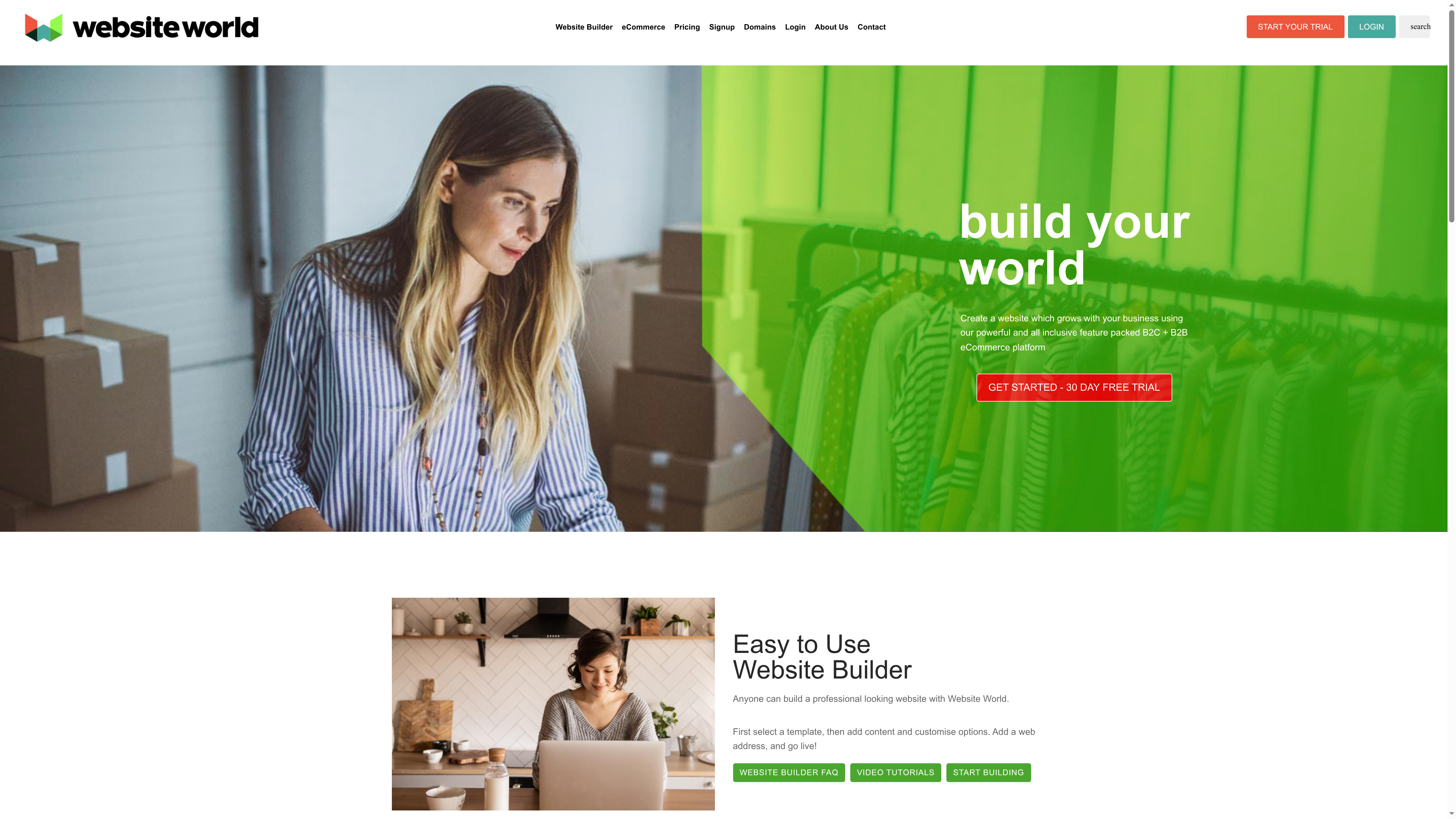
Key strategies for optimising website performance include:

  • Image Compression: Reduce file sizes without sacrificing quality
  • Browser Caching: Store static elements for faster repeat visits
  • Minimal Plugin Usage: Remove unnecessary code that slows down loading
  • Clean Coding Practices: Write efficient HTML CSS and JavaScript

Research from ArXiv highlights automated repair techniques that can enhance web page loading speed and adherence to SEO best practices. These technical optimisations are essential for maintaining a competitive digital presence.

Net Branding recommends exploring our guide on why to optimise page speed to understand the profound impact of website performance. A fast website is not just a technical requirement it is a fundamental aspect of user experience and business credibility.

SEO basics go beyond just speed. They involve strategic keyword placement clear site structure and quality content. Your homepage should communicate your core business message while being technically optimised for search engines to understand and rank effectively.

Practical implementation means regular performance audits. Use tools like Google PageSpeed Insights to identify areas of improvement. Remember that website optimization is an ongoing process not a one time task. Continuously monitor and refine your digital presence to stay ahead in the competitive online landscape.

Below is a comprehensive table summarising the strategies for effective homepage design discussed throughout the article.

StrategyImplementationExpected Results
Define Goals and MessagesIdentify website purpose and target audience, create compelling narrativesEnhanced user engagement and brand clarity
Optimise NavigationUse logical menu structures, maintain consistent placementImproved user experience and easier information access
Visual Hierarchy and BrandingUtilise size, scale, and colour to guide perceptionIncreased readability and brand perception
Prioritise Mobile ResponsivenessImplement a mobile-first design with flexible layoutsConsistent experience across all devices
Compelling Calls to ActionUse strong verbs, contrasting colours, and strategic placementIncreased conversion rates and user engagement
Highlight Trust SignalsDisplay testimonials, security badges, and case studiesEnhanced credibility and visitor confidence
Fast Loading and SEO BasicsCompress images, clean code, use browser cachingImproved website performance and search engine rankings

Elevate Your Business Website with Expert Homepage Design

Struggling to create a homepage that truly reflects your business goals and engages visitors instantly You are not alone Many businesses face challenges with clear messaging intuitive navigation and compelling calls to action as highlighted in the article on 7 Essential Homepage Design Tips for Business Websites Our team specialises in addressing these exact pain points through personalised WordPress solutions that align with your brand and drive results

https://responsivewebsitedesign.co.nz

Discover how we craft visually engaging and mobile responsive websites that prioritise user experience and SEO optimisation Explore our Website Archives for insights and practical advice or dive deeper into proven strategies on our SEO Archives page Whether starting fresh or revamping an existing site our dedicated approach ensures your digital presence feels professional clear and trustworthy Start your journey now at ResponsiveWebsiteDesign and transform your homepage into a powerful business asset

Frequently Asked Questions

How can I define clear business goals for my homepage design?

To define clear business goals for your homepage, identify its primary purpose, your target audience, and the key message you want to convey. Start by asking yourself specific questions, such as what action you want visitors to take, like making a purchase or requesting more information.

What design elements improve navigation on my business website?

Improving navigation involves creating a logical menu structure, using clear hierarchy for important pages, and ensuring consistent placement of navigation elements. Aim for minimal clicks necessary to reach key information, ideally reducing steps by at least 20%.

How do I establish a strong visual hierarchy on my homepage?

Establish a strong visual hierarchy by utilising size, colour contrast, typography, and white space effectively. Focus on making critical information stand out using larger elements and contrasting colours, so users can easily grasp your message at a glance.

Why is mobile responsiveness important for my website?

Mobile responsiveness ensures your website looks and operates well on any device, including smartphones and tablets. Prioritise mobile-first design principles to maintain a seamless user experience, improving accessibility and engagement across devices.

What key phrases should I use for compelling calls to action?

Use clear, action-oriented language for your calls to action, like “Get Your Free Quote” or “Start My Website Today”. Make sure buttons stand out visually and are placed where users naturally look, which can enhance click-through rates significantly.

What trust signals should I include on my homepage?

Incorporate trust signals such as client testimonials, professional certifications, security badges, and case studies to enhance credibility. Aim to highlight at least three trust signals prominently on your homepage to reassure visitors about your business’s legitimacy.

Categories
Website

User Experience Design Process for Business Websites

Over half of australian businesses see a direct link between thoughtful website design and improved customer satisfaction. Clear business goals and a genuine understanding of user needs shape every successful digital project. Taking the time to map user journeys and create audience-focused features will set your website apart and build lasting engagement from the very beginning.

Table of Contents

Quick Summary

Significant InsightDetailed Explanation
1. Define objectives before designEstablish clear business goals and user needs to set a strong foundation for website design.
2. Map user journey stagesDocument each step in the user journey to identify critical touchpoints and improve interactions.
3. Create wireframes for structureDevelop wireframes to visualize the layout and interactions, ensuring user needs are prioritised.
4. Develop user-centred featuresInvolve users in the feature development process to ensure their needs are fully addressed.
5. Test and refine experiences continuouslyImplement user testing and feedback loops to consistently enhance the website experience based on real user data.

Infographic showing UX design process steps for business websites |

Step 1: Define business goals and user needs

Defining business goals and user needs represents the critical foundation of any successful website design process. According to Wikipedia, user-centered design requires extensive attention to understanding user characteristics and environments at each design stage.

The initial step involves conducting comprehensive research that bridges your business objectives with user expectations. This means developing a strategic approach that goes beyond surface level design and digs deep into understanding who your target audience really is. An empathy map becomes an invaluable tool during this process, helping you visualize and capture what users say, think, do, and feel.

To effectively define your goals and user needs, consider the following strategic approach:

  • Conduct stakeholder interviews to understand internal business objectives
  • Perform user research through surveys, interviews, and analytics
  • Create detailed user personas representing your target audience
  • Map out user journeys to understand potential interactions with your website
  • Align business KPIs with user experience expectations

Net Branding recommends documenting these goals clearly and revisiting them throughout the design process. By establishing a robust understanding of both business requirements and user needs, you create a solid framework for developing a website that truly resonates with your target audience and drives meaningful results.

ux research business meeting

The next phase will involve translating these insights into a comprehensive design strategy that addresses both functional and emotional user requirements.

Step 2: Map user journeys and key interactions

Mapping user journeys represents a strategic approach to understanding how potential customers interact with your business website. According to Harvard UX Group, the User Journey Method helps businesses map out the step-by-step process users take to reach their specific goals.

This mapping process involves identifying every potential touchpoint and interaction a user might experience when navigating your website. Stan Vision suggests dividing the user journey into critical stages: awareness, consideration, decision, and retention. By meticulously documenting each stage, you can uncover insights into user behaviors, emotional responses, and potential friction points.

To effectively map user journeys, consider these strategic steps:

  • Create multiple user personas representing different audience segments
  • Document each persona’s potential entry points to your website
  • Identify specific goals for each user type
  • Track the potential paths users might take to accomplish their objectives
  • Note emotional states and potential pain points during each interaction

Net Branding recommends using visual mapping tools to help teams understand complex user interactions. Developing a comprehensive user journey map allows you to anticipate user needs, streamline website navigation, and create more intuitive design experiences.

The subsequent phase will involve translating these journey insights into actionable design recommendations that enhance overall user experience.

Step 3: Create wireframes and design prototypes

Creating wireframes and design prototypes transforms your user journey insights into tangible visual representations of your website. Drawing inspiration from Donald Norman’s Design of Everyday Things, our approach emphasizes user-centered design principles that make digital interfaces intuitive and efficient.

The wireframing process involves developing skeletal outlines of your website that illustrate key structural elements and user interaction pathways. These initial drafts serve as blueprints that help teams visualize page layouts, content placement, and navigation flows before investing significant resources into detailed design work.

To develop effective wireframes and prototypes, follow these strategic steps:

  • Start with low-fidelity sketches that focus on core functional elements
  • Prioritize user needs and expected interactions for each page section
  • Use consistent grid systems and alignment to create visual harmony
  • Incorporate responsive design principles for multiple device types
  • Test initial wireframes with representative user groups for immediate feedback

Net Branding recommends using collaborative design tools that enable real-time iteration and team communication. By maintaining a user-centric approach during wireframing, you ensure that your website design remains focused on delivering optimal user experiences.

The next phase will involve refining these initial prototypes and preparing for comprehensive user testing and validation.

Step 4: Develop and implement user-centred features

Developing user-centred features requires a strategic approach that places your target audience at the core of the design process. User-Centered Design principles emphasize involving users throughout development to ensure the final product meets their specific needs and expectations.

Applying the PACT framework, which analyzes People, Activities, Contexts, and Technologies, helps designers create features that are deeply tailored to user requirements. This comprehensive approach goes beyond surface level interactions and delves into understanding the nuanced ways users engage with digital platforms.

To effectively develop and implement user-centred features, consider these strategic approaches:

  • Conduct in-depth user research to understand specific audience needs
  • Prototype features with direct input from representative user groups
  • Implement interactive elements that solve real user problems
  • Design intuitive navigation and interaction pathways
  • Create adaptive interfaces that respond to different user contexts

Net Branding recommends continuous user feedback loops that allow for iterative feature refinement. By maintaining a laser focus on user experience, you transform your website from a simple digital presence into a dynamic, responsive platform that genuinely serves your audience.

The subsequent phase will involve comprehensive user testing to validate and further refine these carefully developed features.

Step 5: Test and refine the user experience

Testing and refining the user experience represents the critical final phase of ensuring your website meets audience expectations. Frontiers in Psychology research emphasizes the importance of analyzing trends and constructing theoretical frameworks to understand complex user behaviors during this evaluation stage.

Comprehensive testing involves multiple strategies that go beyond traditional assessment methods. MDPI Research suggests utilizing an enriched customer journey map that combines observational, self-reported, and physiological measures to provide a holistic understanding of user interactions and potential improvement areas.

To effectively test and refine your website experience, implement these strategic approaches:

  • Conduct structured user testing with representative audience groups
  • Analyze user interaction heat maps and click tracking data
  • Gather both quantitative and qualitative user feedback
  • Perform cross device and cross browser compatibility checks
  • Implement A/B testing for critical user interface elements

Net Branding recommends creating a systematic feedback loop that allows continuous refinement based on real user experiences. By maintaining an iterative approach to testing, you transform your website into a dynamic platform that consistently meets and exceeds user expectations.

The final stage will involve implementing refinements and preparing for ongoing monitoring and optimization of your website experience.

Elevate Your Business Website with Expert User Experience Design

Struggling to turn user insights into a website that truly connects and converts Your business goals and your users needs must work in harmony to create a seamless experience that drives results. The user experience design process outlined in this article highlights key challenges like mapping user journeys and testing features that every successful website must address. Don’t let missed opportunities hold your brand back.

https://responsivewebsitedesign.co.nz

Discover how ResponsiveWebsiteDesign specialises in crafting custom WordPress websites that prioritise user-centred features and responsive design. Explore our proven strategies in the Website Archives for mastering UX principles that turn visitors into loyal customers. Ready to transform your digital presence with a website built for your audience and business objectives Take the next step now by visiting ResponsiveWebsiteDesign and start your journey to a powerful, engaging website tailored for your success.

Frequently Asked Questions

What are the first steps in the user experience design process for business websites?

Defining business goals and understanding user needs are the first essential steps in the user experience design process. Conduct stakeholder interviews and perform user research to identify both your business objectives and the expectations of your target audience.

How do I create user personas for my business website?

To create effective user personas, gather data through surveys and interviews with your audience. Develop detailed profiles that represent different segments of your audience, including their goals, motivations, and challenges, to tailor your design to their needs.

What is a user journey map, and how can it help my website design?

A user journey map visualises the steps users take when interacting with your website, highlighting their goals, pain points, and emotional states. Document each interaction to identify potential improvements and ensure your design addresses user needs at every stage.

How do I test and refine the user experience of my website?

Testing and refining the user experience involves structured user testing, analysing user feedback, and tracking interaction data. Conduct regular tests, such as surveys and A/B testing, to gather insights that help you make necessary adjustments to enhance user satisfaction and website engagement.

What methods can I use to incorporate user feedback into my design?

Utilise feedback loops by conducting regular usability tests and surveys to gather user insights. Incorporate this feedback iteratively into your design to ensure it evolves based on real user experiences and remains user-focused.

Why is user-centred design important for my business website?

User-centred design ensures that your website is tailored to meet the specific needs and expectations of your audience, enhancing their overall experience. By prioritising user interactions from the beginning, you can create a website that not only attracts visitors but also drives engagement and conversions.