Categories
Website

Role of Design Systems in WordPress Success

Building a WordPress website without a clear structure can quickly lead to inconsistent branding, clunky updates, and messy code. As web development managers across New Zealand push for faster launch times and improved user experiences, the need for a smarter approach becomes clear. Adopting a design system, with its reusable components and agreed standards, empowers teams to deliver scalable, polished sites while keeping every digital touchpoint harmonious and easy to maintain.

Table of Contents

Key Takeaways

PointDetails
Design Systems Enhance ConsistencyThey establish a unified visual language and reusable components, streamlining design and development processes.
Modular Architectures Adapt to NeedsDifferent design system architectures in WordPress cater to various requirements, allowing for flexibility and scalability.
Centralised Documentation is CrucialShared resources and guidelines improve collaboration and expedite onboarding, ensuring a unified approach across teams.
Avoid Common PitfallsAddress potential issues like unmanaged plugins and governance gaps to maintain the integrity and effectiveness of the design system.

What Are Design Systems in Web Design?

A design system represents a comprehensive strategy that transforms web design from a fragmented process into a cohesive framework. At its core, design systems consolidate digital product standards by establishing consistent visual language, interaction patterns, and technical specifications across digital platforms.

Design systems act like a sophisticated blueprint for WordPress websites, serving as a centralised collection of reusable components, guidelines, and principles. These systems enable web designers and developers to create harmonious digital experiences by providing predefined elements such as colour palettes, typography, icons, buttons, form styles, and interaction models. By standardising design elements, organisations can achieve remarkable consistency while dramatically reducing design complexity and development time.

In the WordPress ecosystem, design systems become particularly powerful. They allow teams to create modular, scalable interfaces that maintain brand integrity across multiple pages and sections. Net Branding professionals understand that a well-constructed design system transforms WordPress from a simple content management platform into a strategic digital asset. Unified design standards streamline digital product development by creating a shared language between designers, developers, and stakeholders.

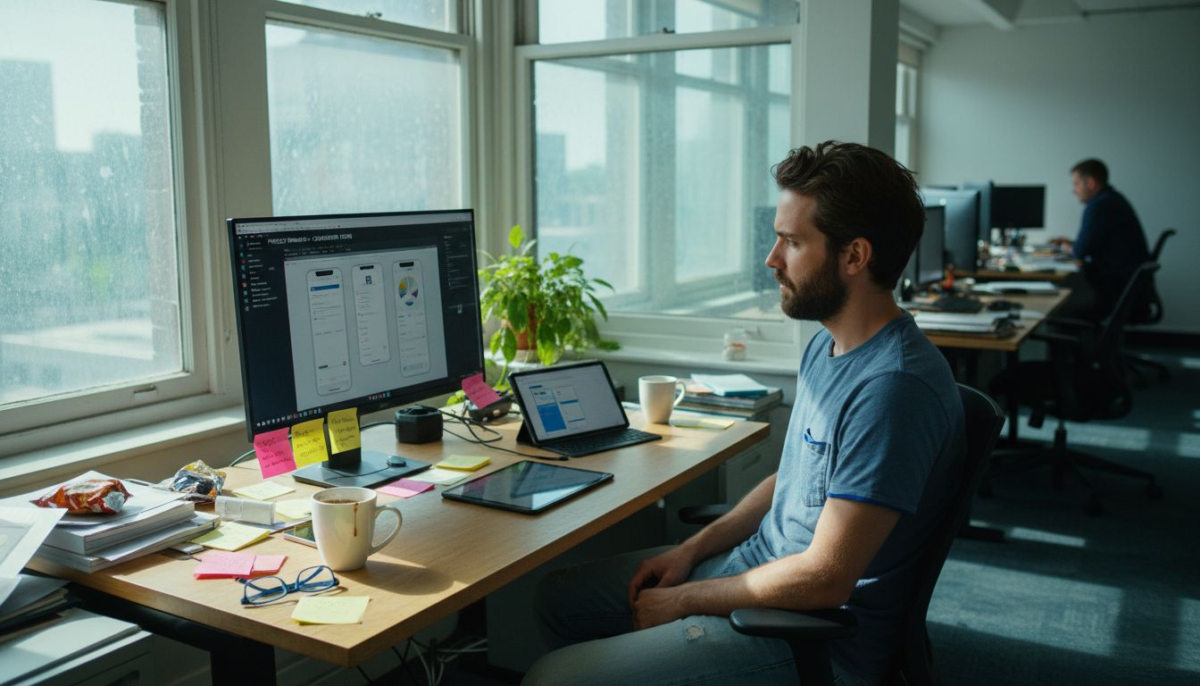
Developer working on WordPress design components

Pro Tip: When implementing a design system in WordPress, start by documenting your existing design patterns and gradually build a comprehensive, flexible component library that can evolve with your brand’s digital presence.

Types of Design Systems for WordPress Projects

WordPress offers several distinctive design system architectures that cater to diverse web development requirements. WordPress design systems accommodate different implementation approaches ranging from traditional PHP themes to modern block editor and headless configurations, each with unique characteristics and strategic advantages.

The primary types of design systems in WordPress include traditional PHP theme design systems, block editor (Gutenberg) design systems, and headless WordPress design systems. Traditional PHP theme design systems rely on template hierarchy and theme customisation options, providing developers with robust frameworks for creating consistent visual experiences. Block editor design systems leverage the Gutenberg ecosystem, utilising components and design tokens to create modular, reusable interface elements that seamlessly integrate with WordPress’s native editing experience.

Headless WordPress design systems represent the most flexible architectural approach, decoupling the backend content management from the frontend presentation layer. WordPress design system tools consolidate foundational elements like typography, colour palettes, and interactive components across different technology stacks. These systems enable organisations to maintain brand consistency while allowing maximum technical flexibility, supporting complex digital experiences that extend beyond traditional website boundaries.

Pro Tip: When selecting a design system architecture for your WordPress project, evaluate your specific technical requirements, team expertise, and long-term scalability needs to choose the most appropriate implementation strategy.

To clarify the main types of WordPress design system architectures, here is a concise comparison:

Architecture TypeKey FeaturesIdeal Use Case
Traditional PHP ThemeUses template hierarchy, theme customisation, robust frameworksSites with classic themes and minimal JavaScript
Block Editor (Gutenberg)Modular blocks, design tokens, integrates with native editorModern editing, flexible layouts, modular content
Headless WordPressDecouples backend, flexible frontend frameworks, API drivenCustom web apps, multisite, cross-platform experiences

How Design Systems Streamline Site Delivery

Design systems fundamentally transform WordPress site development by creating a strategic framework for rapid, consistent digital product creation. Centralized design libraries enhance site delivery efficiency by establishing standardised components, design tokens, and interaction patterns that dramatically reduce redundant design work.

The streamlining process occurs through multiple interconnected mechanisms. Reusable components eliminate repetitive design decisions, allowing developers and designers to focus on unique project requirements rather than reconstructing standard interface elements. Shared design tokens like colour palettes, typography, and spacing rules create a uniform visual language that ensures brand consistency across different pages and sections. Net Branding professionals recognise this approach significantly reduces development time and minimises potential errors that emerge from inconsistent design implementations.

Integrating design systems into WordPress workflows accelerates project timelines by establishing clear communication protocols between design and development teams. By centralising design resources and creating interactive prototypes, organisations can rapidly iterate, provide precise feedback, and seamlessly transition from conceptual design to functional website. This approach transforms site delivery from a potentially chaotic process into a structured, predictable workflow that maintains high-quality standards throughout the project lifecycle.

Pro Tip: When implementing a design system, document every component meticulously and create a living style guide that can be continuously updated and refined by your entire team.

Here’s how design systems create business value throughout the WordPress site delivery process:

MechanismDescriptionBusiness Impact
Reusable ComponentsPredefined UI elements reduce redundant workFaster development, consistent branding
Shared Design TokensCommon definitions for colours, fonts, spacingLower error rates, unified look
Central DocumentationRepository for guidelines and prototypesImproved collaboration, easy onboarding

Key Benefits for Efficiency and Consistency

Design systems represent a strategic approach to digital product development that delivers transformative benefits for WordPress websites. Design system advantages extend beyond visual consistency, creating a comprehensive framework that enhances operational efficiency, team collaboration, and user experience across digital platforms.

The primary benefits include significant time savings and reduced complexity in design and development processes. Reusable UI components eliminate repetitive design work, allowing teams to focus on innovative solutions rather than reconstructing standard interface elements. Net Branding professionals recognise that standardised design tokens like colour palettes, typography, and interaction patterns create a uniform visual language that ensures brand integrity across multiple digital touchpoints. This approach dramatically reduces potential errors, streamlines communication between designers and developers, and accelerates project delivery timelines.
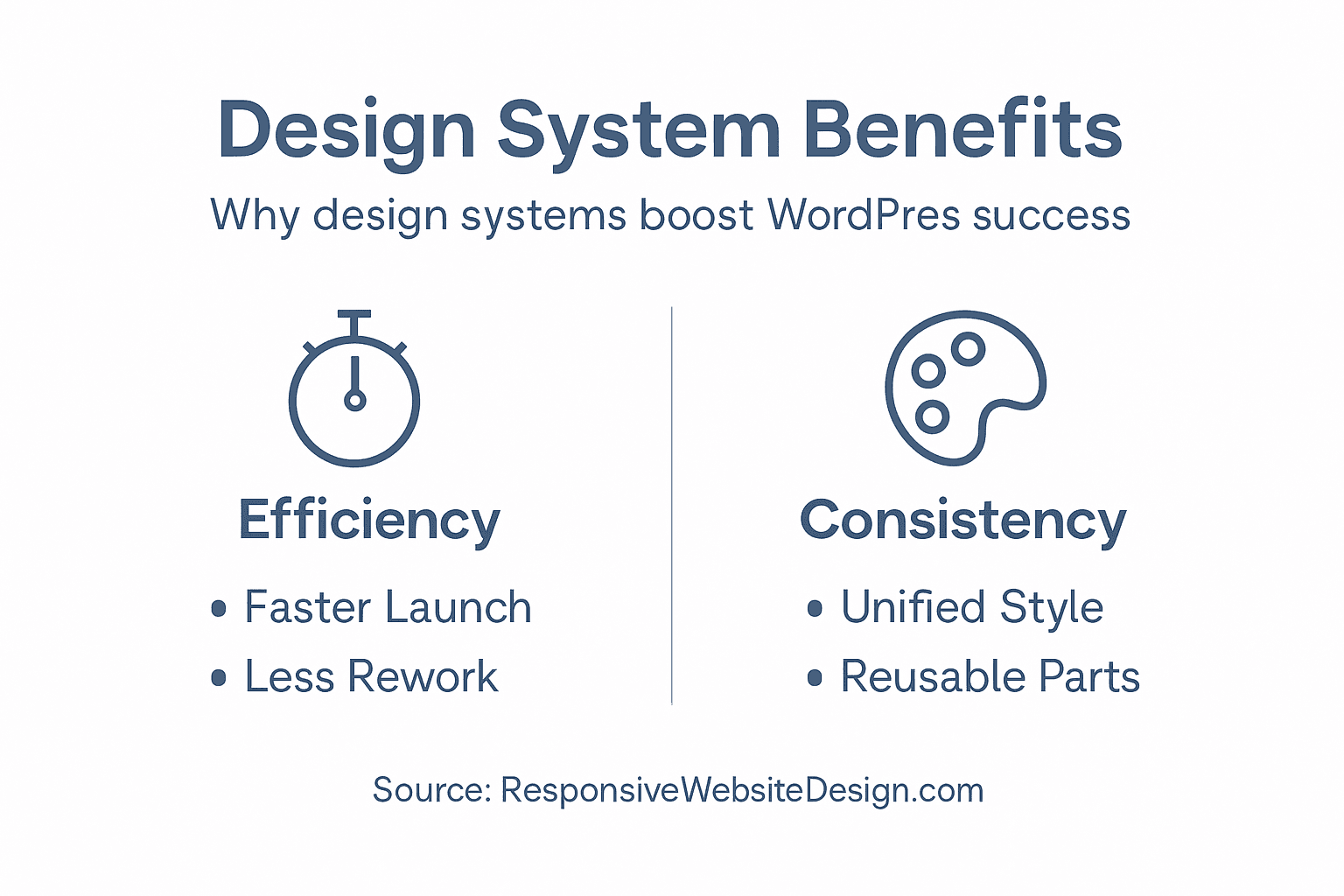
Infographic of key WordPress design system benefits

Moreover, design systems foster enhanced team collaboration by establishing a shared design language and comprehensive documentation. By creating a centralised repository of design principles, components, and guidelines, organisations can onboard new team members more quickly, maintain consistent design quality, and reduce friction between design and development teams. The systematic approach enables faster iterations, more precise feedback loops, and a more predictable development workflow that supports scalable digital experiences.

Pro Tip: Implement a robust governance model for your design system, assigning clear roles for maintaining, updating, and evolving your design components to ensure long-term effectiveness and relevance.

Common Pitfalls and How to Avoid Them

Design systems in WordPress development can encounter numerous challenges that compromise their effectiveness and efficiency. WordPress development requires strategic problem prevention, addressing potential architectural and operational limitations before they escalate into complex technical issues.

One significant pitfall involves unmanaged plugin proliferation and potential conflicts that can disrupt design system integrity. Net Branding professionals recognise that excessive or poorly maintained plugins create technical debt, introducing performance bottlenecks and security vulnerabilities. Teams must establish strict guidelines for plugin selection, prioritising well-maintained, lightweight solutions that integrate seamlessly with the design system’s core architecture. Regular plugin audits, version compatibility checks, and maintaining a minimalist approach to third-party extensions can mitigate these risks and preserve system stability.

Additionally, design system implementation often fails due to inadequate governance and documentation. Successful systems require clear ownership, comprehensive component documentation, and robust version control mechanisms. This includes creating detailed style guides, maintaining a living component library, and establishing clear protocols for proposing, reviewing, and implementing design changes. Organisations must invest time in creating a collaborative framework that allows continuous evolution while preventing design fragmentation and maintaining consistent user experience standards.

Pro Tip: Develop a rigorous component review process that includes performance testing, accessibility compliance, and cross-platform compatibility before integrating any new design elements into your system.

Boost Your WordPress Success with Strategic Design Systems

Are you facing challenges with maintaining consistent branding or speeding up your WordPress site delivery? This article highlights how design systems tackle issues like redundant design efforts and fragmented interfaces by using reusable components and shared design tokens. These methods are key to achieving a uniform user experience and efficient project workflows.

https://responsivewebsitedesign.co.nz

Unlock the full potential of your WordPress website with the expert team at ResponsiveWebsiteDesign. We specialise in custom WordPress development tailored for New Zealand businesses, focusing on responsive, SEO-optimised sites that align perfectly with your brand’s identity. Explore insights and solutions in our Uncategorized Archives to learn more about how thoughtful design and ongoing management improve digital success. Start transforming your website today by visiting ResponsiveWebsiteDesign and take the first step towards a streamlined, scalable, and impactful online presence.

Frequently Asked Questions

What is a design system in web design?

A design system is a cohesive framework that consolidates digital product standards, creating a consistent visual language, interaction patterns, and technical specifications for web design and development.

How do design systems improve efficiency in WordPress development?

Design systems streamline the development process by providing reusable components, shared design tokens, and centralised documentation, significantly reducing redundant work and enhancing team collaboration.

What are the different types of design systems in WordPress?

The primary types of design systems in WordPress include traditional PHP theme design systems, block editor (Gutenberg) design systems, and headless WordPress design systems, each with unique features and use cases.

How can I avoid common pitfalls when implementing a design system in WordPress?

To avoid pitfalls, establish clear governance and documentation, manage plugin selection carefully, perform regular audits, and ensure a robust review process for integrating new design components.

Categories
Website

What Is UI Design and Why It Matters

Trying to grow your business online in New Zealand can feel tough when your website looks cluttered or customers get lost navigating pages. Every screen, button, and menu directly shapes how people see your brand and whether they choose to stay or look elsewhere. Understanding the importance of responsive, user-friendly website design helps you create a digital experience that makes every customer interaction smooth and memorable.

Table of Contents

Key Takeaways

PointDetails
UI Design ImportanceUI design is essential for creating intuitive and engaging digital experiences that connect users with products effectively.
Interface TypesDifferent user interface types, such as GUIs and VUIs, cater to various interaction needs and preferences, influencing user engagement.
Design PrinciplesKey principles like simplicity and user-centred design are fundamental for developing successful interfaces that meet user expectations.
Business ImpactThoughtful UI design enhances brand perception and user loyalty, making it a crucial component for business success.

Defining UI Design and Its Core Concepts

User interface (UI) design represents the critical visual and interactive pathway connecting humans with digital products. Visual interaction design focuses on creating interfaces that are both aesthetically pleasing and functionally intuitive, ensuring users can navigate digital spaces seamlessly.

At its core, UI design involves crafting the visual elements users directly engage with, including buttons, screens, icons, and interactive components. These design elements must communicate purpose, guide user actions, and create an engaging experience that feels natural and responsive. Professional UI designers strategically select colours, typography, spacing, and visual hierarchies to transform complex technical systems into user-friendly experiences.

The fundamental components of UI design encompass several key areas: navigational elements that help users move through digital environments, input controls like dropdown menus and text fields, informational components such as progress bars and notifications, and container elements that structure content. Each component plays a specific role in creating a cohesive and comprehensible user experience that feels both intuitive and aesthetically sophisticated.

Product manager sketching UI components

Pro Tip: When designing UI, always prioritise user clarity and simplicity over complex visual elements that might confuse or overwhelm users.

Major Types of User Interfaces Explained

User interfaces represent the critical communication channels between humans and digital systems, with multiple distinct types addressing different interaction needs. User interface categories encompass diverse technological approaches designed to enhance user engagement and accessibility.

The primary user interface types include graphical user interfaces (GUIs), which dominate most digital platforms through visual elements like icons and menus, voice-controlled interfaces (VUIs) that enable hands-free interaction through voice commands, and gesture-based interfaces utilised extensively in virtual reality and advanced interactive environments. Command line interfaces remain particularly relevant for technical users, providing direct text-based system control and sophisticated computational interactions.

Each interface type offers unique advantages and challenges. Graphical user interfaces provide intuitive visual navigation, voice interfaces offer convenience and accessibility, gesture interfaces create immersive experiences, and command line interfaces deliver precision and efficiency. Modern design increasingly emphasises creating adaptive interfaces that can seamlessly transition between these interaction modes, recognising that different contexts and user preferences demand flexible technological communication strategies.

Here’s a quick comparison of major user interface types and their practical applications:

Interface TypeTypical Use CaseStrengthsPotential Limitations
Graphical (GUI)Desktops, mobile appsVisually intuitive, flexibleCan be complex, requires screen
Voice-ControlledSmart assistants, hands-freeAccessible, useful for multitaskingLimited by language and context
Gesture-BasedAR/VR, gamingImmersive, intuitive motionRequires sensors, limited accuracy
Command LineDevelopment, system adminHighly precise, efficientSteep learning curve

Pro Tip: When designing interfaces, always consider the specific user context and technological capabilities to select the most appropriate interaction method.

Key Principles Behind Effective UI Design

UI design demands a strategic approach that balances functionality, aesthetics, and user experience. User interface design principles provide a comprehensive framework for creating intuitive and engaging digital experiences that meet user expectations and technological requirements.

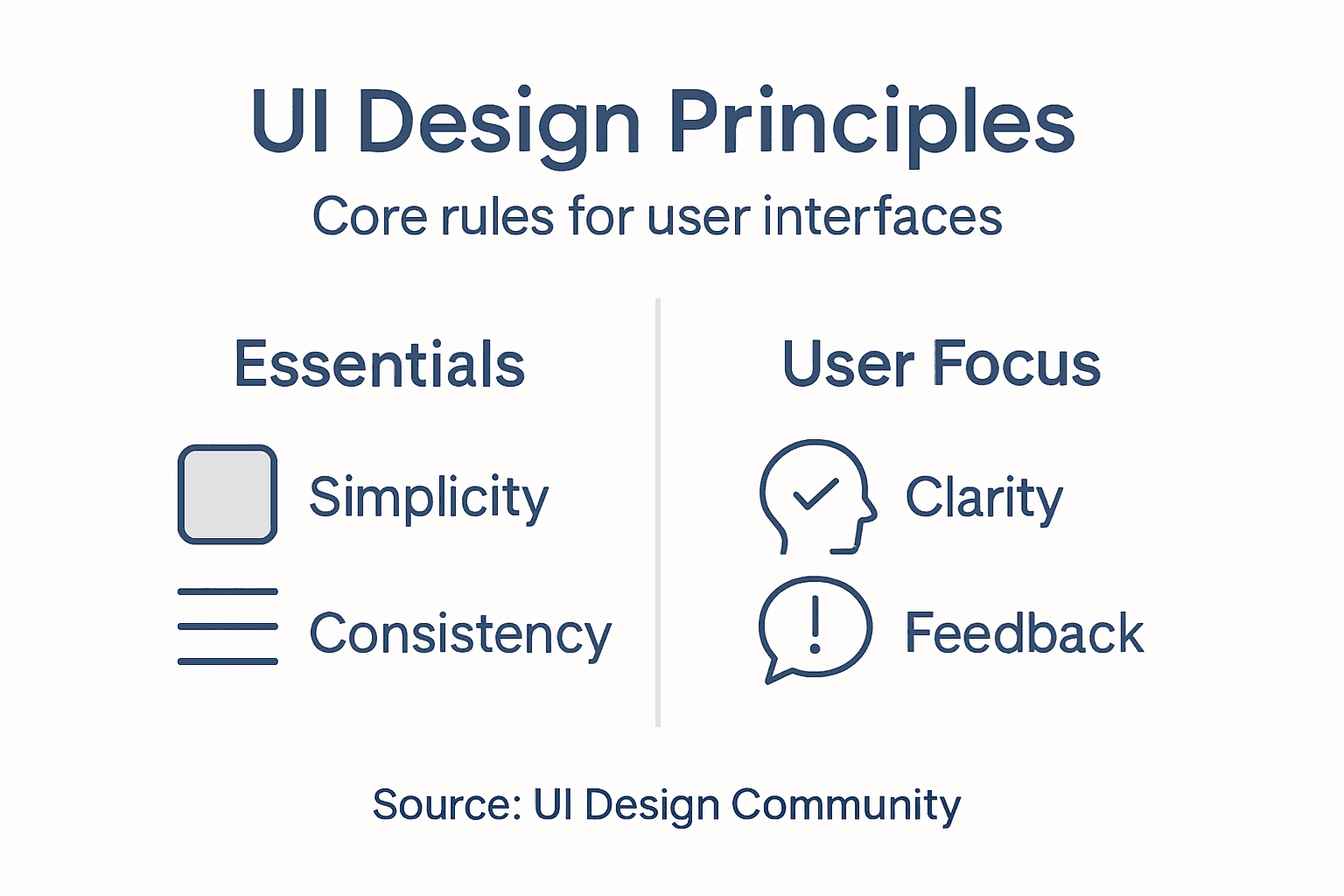
The foundational principles of effective UI design encompass several critical aspects. Simplicity stands at the forefront, ensuring interfaces remain clean and navigable, while user-centred design prioritises accessibility and inclusivity. Design guidelines emphasise maintaining consistent visual language, providing clear system feedback, and creating interfaces that allow users maximum control and flexibility. Key considerations include visibility of system status, alignment with real-world conventions, error prevention, and maintaining aesthetic minimalism.

Infographic presenting UI design principles

Professional UI designers must also focus on cognitive load reduction, creating interfaces that feel intuitive and require minimal mental effort from users. This involves strategically reusing design components, establishing predictable interaction patterns, and developing interfaces that anticipate user needs. Effective UI design transforms complex technological systems into seamless, enjoyable experiences that feel natural and effortless, bridging the gap between human intention and digital functionality.

Pro Tip: Always prototype and test your interface with real users to validate design assumptions and identify potential usability challenges.

The UI Design Process Step by Step

Successful UI design is a structured, methodical journey that transforms abstract concepts into tangible, user-friendly digital experiences. UX design process provides a comprehensive framework that guides designers from initial concept to final implementation through strategic, interconnected stages.

The UI design process typically unfolds across five critical phases. First, the empathise stage involves deep user research, understanding target audience needs, behaviours, and pain points. During the define stage, designers synthesise research insights to clarify specific user challenges and design objectives. The ideation phase encourages expansive brainstorming, generating multiple potential solutions through collaborative techniques like sketching and mind mapping. Prototype development becomes crucial in the next stage, where designers create low and high-fidelity wireframes and interactive models to visualise potential interface solutions.

The final testing phase represents a critical evaluation moment where prototypes undergo rigorous user testing and feedback collection. Designers meticulously analyse user interactions, identifying friction points and opportunities for refinement. This iterative approach ensures the final UI design not only meets aesthetic standards but also delivers intuitive, efficient user experiences that align precisely with user expectations and technological requirements.

Pro Tip: Maintain consistent documentation throughout the design process to track design evolution and facilitate effective communication with stakeholders.

Common Challenges and Costly Mistakes

UI design is fraught with potential pitfalls that can derail even the most well-intentioned digital projects. Bad UI design examples reveal a landscape where seemingly minor oversights can result in significant user frustration and substantial financial consequences for businesses.

The most prevalent challenges emerge from fundamental design missteps. Interfaces often suffer from information overload, creating visual complexity that overwhelms users and obscures critical functionality. Overlapping elements, non-clickable interactive zones, and poorly prioritised visual hierarchies can transform what should be an intuitive experience into a labyrinth of confusion. Design accessibility challenges highlight additional critical concerns, including inadequate mobile responsiveness, insufficient contrast management, and neglecting diverse user needs across different technological platforms and user capabilities.

Beyond technical considerations, many UI design failures stem from a fundamental disconnect between designer assumptions and actual user experiences. Designers frequently underestimate the importance of comprehensive user testing, leading to interfaces that might look aesthetically pleasing but fundamentally fail to deliver meaningful, efficient interaction. The most costly mistakes often involve ignoring user feedback, creating interfaces that prioritise visual elegance over practical usability, and failing to adapt designs to evolving technological landscapes and user expectations.

Below is a summary of common UI design challenges and their potential business consequences:

ChallengeUser ImpactBusiness Consequence
Information overloadUser confusion, missed tasksIncreased support requests
Poor mobile responsivenessFrustration on small screensLost mobile customers
Ignored accessibilityExcludes diverse usersLegal/compliance risks
Lack of user testingUnidentified usability issuesCostly redesigns

Pro Tip: Conduct regular user testing with diverse participant groups to uncover hidden usability issues before they become expensive redesign projects.

UI Design’s Impact on Branding and Success

User interface design transcends mere aesthetic considerations, functioning as a critical strategic tool for brand communication and business performance. Branding through user experience represents a sophisticated approach where every visual element, interaction, and design choice communicates an organisation’s core identity and values.

Successful UI design creates powerful emotional connections that transform casual users into loyal brand advocates. Strategic design elements like consistent colour palettes, intuitive navigation, and responsive interfaces contribute to building trust and recognition. Business success through design demonstrates how meticulously crafted interfaces can significantly influence user perception, engagement levels, and ultimately, organisational performance. When businesses invest in thoughtful UI design, they communicate professionalism, reliability, and a commitment to exceptional user experiences.

The psychological impact of UI design cannot be overstated. Visual coherence, seamless interactions, and anticipatory design elements create subconscious signals of competence and reliability. By carefully aligning design choices with brand personality, businesses can differentiate themselves in crowded markets, establish emotional connections, and drive user loyalty. This approach transforms UI design from a technical necessity into a powerful branding and strategic communication tool.

Pro Tip: Regularly audit your UI design against your brand guidelines to ensure consistent messaging and emotional resonance.

Transform Your UI Vision Into Engaging Digital Experiences Today

Understanding what UI design truly means and why it matters is the first step towards a website that connects with your audience effortlessly. The article highlights common challenges like information overload and poor mobile responsiveness that can frustrate users and hurt your business. At Responsive Website Design, we focus on crafting clean, intuitive, and responsive WordPress websites that prioritise user clarity and seamless interaction, helping you avoid costly design mistakes and amplify your brand through every click.

https://responsivewebsitedesign.co.nz

Ready to elevate your online presence with UI designs tailored specifically for New Zealand businesses? Partner with us for expert WordPress development, ecommerce solutions, and ongoing management that keeps your site performing at its best. Dont wait until usability issues drive customers away. Visit Responsive Website Design now to start your website transformation and secure a digital experience your users will love.

Frequently Asked Questions

What is UI design?

UI design, or user interface design, refers to the visual and interactive elements that users engage with in digital products, aiming to create aesthetically pleasing and functional interfaces for seamless navigation.

Why is UI design important for user experience?

UI design is crucial for user experience as it ensures that interfaces are intuitive and easy to use, thereby reducing cognitive load, enhancing user satisfaction, and promoting brand loyalty through effective communication and enjoyable interactions.

What are the key components of UI design?

The key components of UI design include navigational elements, input controls (like dropdowns and text fields), informational components (such as progress bars), and container elements that structure content effectively.

How can I improve my UI design skills?

To improve your UI design skills, focus on understanding user needs through research, maintain simplicity in design, prioritise user testing, and continuously learn from best practices and design guidelines to create effective user interfaces.

Categories
Website

Branding Guide for Builder Websites: Step-by-Step Success

Struggling to stand out among other builders in New Zealand can make attracting the right clients feel like an uphill battle. When your website clearly communicates your business values and personality, it sets you apart and builds immediate trust. By focusing on core brand values and developing a distinctive visual identity, you can create a WordPress website that draws attention, connects with clients, and strengthens your reputation in the competitive construction industry.

Table of Contents

Quick Summary

Key PointExplanation
1. Identify Core ValuesUnderstand what makes your building business unique to shape your brand identity effectively.
2. Define Target AudienceConduct thorough research to identify demographics and psychographics of your ideal clients.
3. Consistent Visual IdentityCreate a cohesive visual representation with a branded logo, colour palette, and typography.
4. Unified Messaging StrategyDevelop brand voice guidelines to ensure consistent communication across all platforms.
5. Regular Brand AssessmentContinuously evaluate your brand’s performance and adapt strategies based on client feedback and analytics.

Step 1: Identify Core Brand Values and Target Audience

Building a powerful brand identity begins with understanding your foundational values and precisely defining who you want to connect with. This critical first step will transform how potential clients perceive your builder website and distinguish you from competitors.

To effectively identify your core brand values, start by reflecting deeply on what makes your building business unique. Consider your professional philosophy, work ethic, and the specific promises you make to clients. Brand values represent foundational beliefs that guide your communication and strategic decisions. For builders, these might include commitments like exceptional craftsmanship, transparency in pricing, sustainable construction practices, or personalised client service.

Defining your target audience requires strategic research and honest self assessment. Map out the specific demographics and psychographics of clients most likely to need and appreciate your building services. Consider factors like income levels, property types, architectural preferences, and specific construction needs. Are you targeting first home builders, luxury home developers, commercial property investors, or renovation specialists? Understanding these nuanced details allows you to craft messaging that resonates precisely with your ideal clients.

By aligning your core values with a well-defined target audience, you create a powerful brand narrative that attracts the right clients and establishes immediate credibility.

Here’s a quick reference for core brand values and their potential impact on building businesses:

Core Brand ValueHow It Benefits BusinessClient Perception
Exceptional craftsmanshipProjects meet high standardsConfidence in quality
Transparency in pricingBuilds client trustReliability and honesty
Sustainable practicesAttracts eco-conscious clientsResponsibility and foresight
Personalised serviceEnhances client relationshipsCare and attention to needs

Pro tip: Conduct interviews with past clients to gain deeper insights into why they chose your building services and what they valued most about your work.

Step 2: Define Visual Identity Elements for Builder Websites

Creating a compelling visual identity is crucial for establishing your builder website’s unique brand personality and attracting potential clients. This step involves strategically selecting and documenting visual elements that will communicate your professional values and distinguish your construction business from competitors.

Designer reviewing brand visual identity elements

Start by developing a comprehensive visual identity system that encompasses all crucial design components. Your visual identity toolkit should include a professionally designed logo that reflects your building expertise, a carefully curated colour palette representing your brand’s character, and typography that communicates reliability and precision. Consider selecting colours that evoke trust and professionalism such as blues for dependability or earth tones for natural construction themes. Ensure your chosen fonts are clean and readable communicate your commitment to clarity and quality.

Document these visual elements systematically in a brand style guide that provides clear guidelines for consistent application across all digital and print platforms. This guide should specify exact colour hex codes, logo usage rules, acceptable variations, minimum size requirements, and spacing parameters. By establishing these precise visual standards, you create a cohesive brand representation that builds recognition and reinforces your professional image.

Pro tip: Invest time in creating high-quality visual assets that can be easily adapted across multiple platforms and maintain their integrity at different scales.

Step 3: Develop Consistent Messaging and Tone of Voice

Establishing a coherent and distinctive communication strategy is fundamental to building trust and recognition for your builder website. This crucial step involves crafting a unique voice that resonates with your target audience while maintaining professionalism and authenticity throughout all your communication channels.

Begin by developing comprehensive brand voice guidelines that define the specific language, emotional tone, and communication style unique to your building business. Consider the personality you want to project whether that is technical and precise professional and approachable or innovative and creative. Your tone should reflect your core brand values and speak directly to your ideal client demographic. For a construction business this might mean using clear concise language that demonstrates expertise while remaining warm and accessible. Create a detailed document that outlines acceptable vocabulary preferred sentence structures communication dos and donts and examples of both on brand and off brand communication.

Implement these guidelines consistently across all platforms including your website blog social media marketing materials and client communications. This means ensuring that every piece of content whether its a project description client proposal or social media post sounds like it comes from the same voice. Consistency builds familiarity and trust demonstrating your commitment to professionalism and attention to detail. Regular team training and periodic reviews of your communication materials will help maintain this unified messaging approach.

Pro tip: Create a simple reference card with your brand voice guidelines that team members can quickly consult when creating content to ensure consistent communication.

Step 4: Apply Branding Across Site Design and Content

Transforming your builder website into a powerful brand representation requires strategic and thoughtful integration of visual and communicative elements. This step focuses on creating a cohesive digital experience that tells your unique business story through every design and content choice.

Systematic brand application involves carefully mapping your brand identity across all website touchpoints. Start by ensuring your colour palette reflects your brand personality with consistent usage across headers navigation elements graphics and text backgrounds. Select imagery that authentically represents your construction work showcasing your projects professional team and workplace culture. Pay special attention to typography choosing fonts that communicate reliability and expertise while maintaining readability across different devices and screen sizes.

Ensure your brand guidelines are comprehensively implemented by creating a comprehensive visual strategy that balances aesthetic appeal with functional design. This means your logo placement navigation structure imagery selection and written content should all speak with one unified voice. Integrate your brand messaging into every section including project galleries service descriptions team introductions and client testimonials. Consider how each visual and textual element contributes to building trust and demonstrating your professional capabilities. Regular audits of your website design will help maintain brand consistency and identify areas for potential refinement.

The following table summarises major website branding elements and their influence:

Branding ElementRole in WebsiteImpact on Visitor Experience
LogoRepresents business identityInstant brand recognition
Colour paletteSets emotional toneEnhances consistency, mood
TypographyCommunicates professionalismImproves readability
ImageryShowcases capabilitiesBuilds trust and authenticity

Pro tip: Create a digital brand style guide checklist that your team can reference during website updates to ensure ongoing brand alignment and visual coherence.

Step 5: Evaluate Brand Impact and Refine for Growth

Assessing and improving your builder website’s brand performance is a continuous journey that requires strategic measurement and thoughtful adaptation. This critical step helps you understand how effectively your brand communicates its value and connects with potential clients.

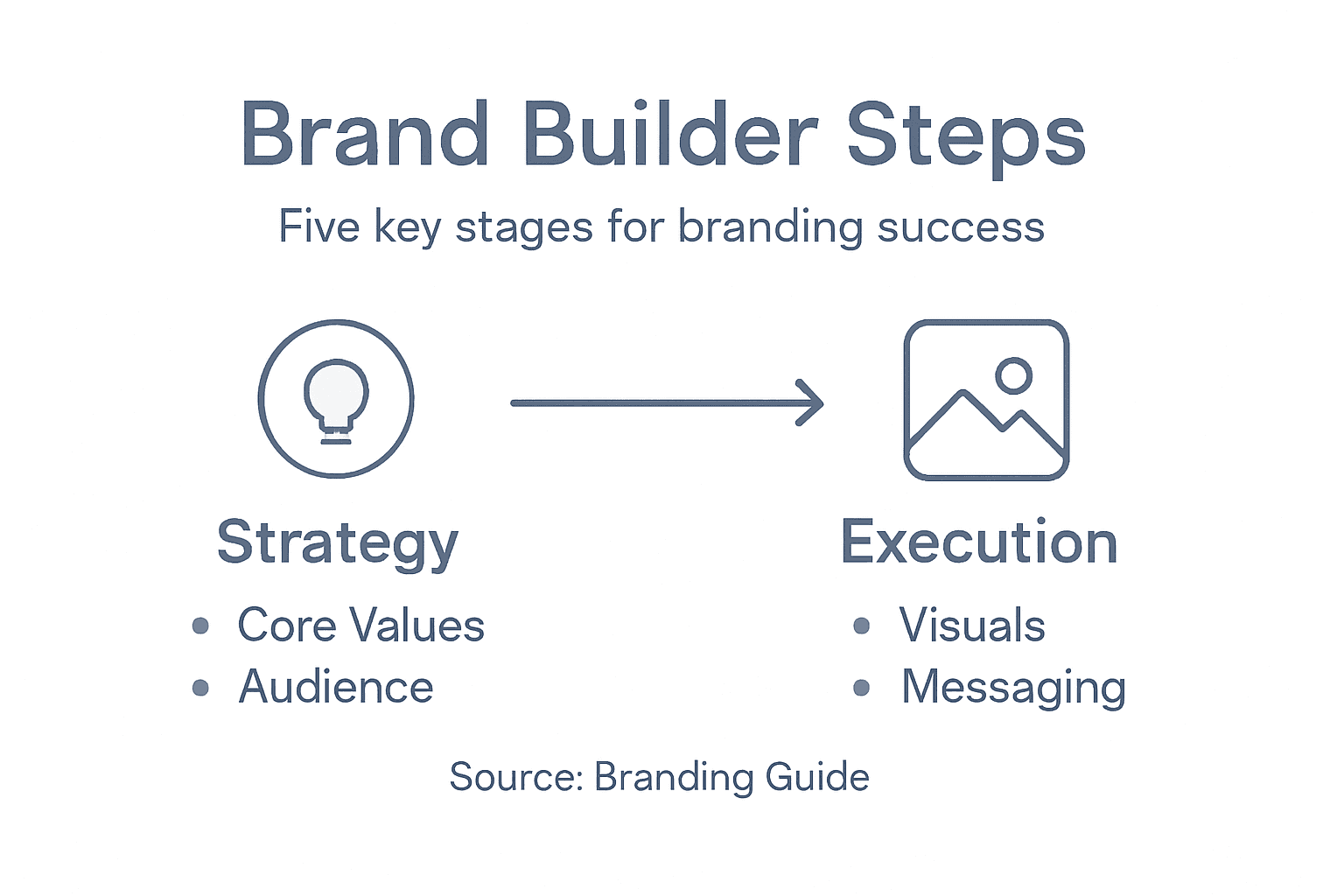
Infographic of builder website branding process

Brand impact assessment involves systematically tracking key performance indicators that reveal your brand’s market perception and engagement levels. Begin by establishing baseline metrics such as website traffic visitor demographics conversion rates and client inquiry frequencies. Use analytics tools to gather quantitative data and complement these insights with qualitative feedback through client surveys and direct conversations. Pay close attention to metrics that demonstrate brand recognition such as repeat visitor rates social media engagement and referral sources which indicate how well your brand resonates with your target audience.

Transform your insights into actionable refinements by identifying patterns and potential improvement areas. Look for consistencies in client feedback examine which website sections generate the most engagement and analyse where potential clients might be dropping off in your sales funnel. This data driven approach allows you to make precise adjustments to your branding strategy ensuring your builder website continuously evolves to meet market expectations and client needs. Regular quarterly reviews will help you stay agile and responsive to changing market dynamics and emerging client preferences.

Pro tip: Create a standardised quarterly brand performance review template to ensure consistent and comprehensive evaluation of your website’s brand impact.

Elevate Your Builder Website with Expert Branding and WordPress Design

Struggling to transform your builder website into a powerful brand that truly connects with your ideal clients? This guide shows you how to align your core values, visual identity, and messaging for maximum impact. Now imagine combining that strategy with a website crafted by experts who specialise in WordPress design tailored specifically for New Zealand businesses. At ResponsiveWebsiteDesign, we understand the importance of consistent branding across every pixel and phrase – from your logo and colour palette to your online content tone.

https://responsivewebsitedesign.co.nz

Take the next step towards a seamless branded online presence by exploring our Website Archives for insights on effective site design. Our team ensures your site is visually engaging, mobile responsive, and SEO optimised to attract and retain your exact target audience. Don’t let inconsistent visuals or messaging hold back your builder business growth. Visit ResponsiveWebsiteDesign now to start creating a website that perfectly complements your branding strategy and drives real client engagement.

Frequently Asked Questions

How do I identify my core brand values for my builder website?

To identify your core brand values, reflect on what makes your building business unique, including your work ethic and client promises. Document these values and ensure they guide your communication and decisions to create a consistent brand image.

What steps should I follow to define my target audience?

Begin by conducting strategic research to outline the demographics and psychographics of clients most likely to need your building services. Create a detailed profile considering factors like income levels and specific construction needs to effectively tailor your messaging and branding.

How can I develop a visual identity for my builder website?

Develop a visual identity by creating a style guide that includes essential elements like a logo, colour palette, and typography. Ensure all visual components reflect your brand personality and are consistently applied across your website to enhance recognition and professionalism.

What strategies can I implement for consistent messaging on my website?

Create brand voice guidelines that define the language and tone you wish to project. Implement these guidelines across all platforms, ensuring that every piece of content sounds coherent and reflects your brand values to build trust among potential clients.

How do I evaluate the effectiveness of my builder website’s branding?

Evaluate your branding effectiveness by tracking key performance indicators like website traffic and conversion rates. Conduct regular reviews and gather client feedback to identify areas for improvement and ensure your branding aligns with audience expectations and needs.

What can I do to refine my branding for continuous growth?

Refine your branding by analysing patterns in your performance data and client feedback. Implement actionable changes based on this analysis to enhance your brand’s relevance and effectiveness in attracting potential clients.

Categories
Website

Why Website Security Matters for Kiwi Businesses

Rising cyber threats have put New Zealand small business owners on alert as hackers increasingly target WordPress sites with automated scans for weak points and vulnerable plugins. Protecting your website goes beyond simply avoiding attacks—it safeguards your reputation, maintains customer trust during online purchases, and supports your business continuity. By focusing on layered website security, you create a solid foundation that protects sensitive information and reassures customers, setting your business apart in the competitive digital marketplace.

Table of Contents

Key Takeaways

PointDetails
Importance of Website SecurityRobust website security is crucial for small businesses to protect digital assets and maintain customer trust.
Cost of Security vs. BreachesInvesting in proactive cybersecurity measures is significantly cheaper than the potential costs associated with data breaches.
Common ThreatsSmall businesses should be aware of prevalent cyber threats like malware and phishing and implement preventive strategies.
SEO and Trust RelationshipEnhanced website security can improve search engine rankings and user trust, benefiting online visibility and business success.

Website Security Defined For Small Business

Website security represents a comprehensive strategy for protecting digital assets, online infrastructure, and sensitive business information from potential cyber threats. For New Zealand small businesses, understanding and implementing robust security measures is no longer optional but a critical necessity in today’s interconnected digital landscape.

At its core, website security encompasses multiple protective layers designed to safeguard websites from unauthorized access, data breaches, malware infections, and potential digital vulnerabilities. Practical cybersecurity frameworks provide structured approaches for businesses to systematically identify, assess, and mitigate potential digital risks. These frameworks help small businesses develop comprehensive strategies that align with their specific operational needs and technological capabilities.

The fundamental components of website security typically include several key elements. Businesses must implement robust SSL encryption to protect data transmission, regularly update software and plugins to address potential security gaps, utilise strong authentication mechanisms, and maintain comprehensive backup systems. Net Branding recommends small businesses prioritise these foundational security practices to create resilient digital infrastructures that protect both business operations and customer information.

Understanding the potential consequences of inadequate website security is crucial for Kiwi business owners. Cyber incidents can result in significant financial losses, reputational damage, and potential legal complications. Government cyber security guidance emphasises that effective cybersecurity enables business continuity and maintains customer trust, even for organisations without extensive technical expertise.

Pro Tip: Implement a quarterly security audit to proactively identify and address potential vulnerabilities in your digital infrastructure.

Frequently Asked Questions

  1. How much does website security cost for small businesses?
    Website security solutions can start from $49 NZD per month, depending on complexity and specific business requirements.

  2. What are the most common website security threats?
    Most common threats include malware infections, phishing attacks, SQL injections, and brute force login attempts.

  3. Can I manage website security myself?
    While basic security measures can be self-implemented, professional cybersecurity services are recommended for comprehensive protection.

How Hackers Target WordPress And Ecommerce Sites

WordPress and ecommerce websites represent prime targets for cybercriminals due to their widespread usage and potential vulnerabilities. These digital platforms store sensitive customer information, financial data, and offer multiple entry points for malicious actors seeking to exploit system weaknesses.

Website admin checking security notifications

Sophisticated malware campaigns frequently target WordPress websites through advanced stealth techniques designed to establish persistent backdoor access. Hackers systematically scan for known vulnerabilities in plugins, themes, and core user management functions, allowing them to manipulate administrator privileges and inject malicious code undetected.

The attack methodologies employed by cybercriminals are remarkably systematic. Automated scanning techniques enable attackers to identify websites with known security gaps, particularly those running outdated plugins or misconfigured ecommerce platforms. These automated tools can rapidly probe thousands of websites, looking for specific vulnerabilities that allow remote code execution, data theft, or the potential to redirect customer transactions.

Ecommerce sites face particularly significant risks, as hackers often target payment gateways and checkout processes. Malicious actors may inject fraudulent scripts that capture credit card information, manipulate transaction details, or create backdoor access to entire website infrastructures. For New Zealand businesses, understanding these threat landscapes is crucial to implementing robust preventative security measures.

Here’s a summary of common cyber threats, their methods, and prevention tips for small business sites:

Threat TypeHow Attackers TargetPotential ImpactPrevention Tip
Malware InfectionMalicious code via plugins or downloadsWebsite disruption, data theftRegular software updates
PhishingFraudulent login pagesCredential stealing, financial lossStaff security awareness training
SQL InjectionExploiting web formsData leaks, site takeoverInput validation, code reviews
Brute Force AttacksAutomated login attemptsAccount compromiseEnforce strong password policies
Payment Gateway HackingCheckout code injectionStolen customer detailsSecure payment integrations

Pro Tip: Conduct monthly comprehensive security audits of all WordPress plugins and ecommerce integrations to identify and patch potential vulnerabilities before attackers can exploit them.

Frequently Asked Questions

  1. How quickly can hackers breach a WordPress site?
    Most automated attacks can identify and exploit vulnerabilities within minutes of scanning a website.

  2. What are the most common WordPress security vulnerabilities?
    Outdated plugins, weak authentication mechanisms, and unpatched core WordPress installations represent the most common entry points for hackers.

  3. How much does a serious security breach cost a small business?
    A significant security breach can cost New Zealand small businesses anywhere from $10,000 to $100,000 NZD in direct and indirect damages.

Data protection represents a critical cornerstone of modern business operations, particularly for New Zealand enterprises navigating increasingly complex digital landscapes. The legal risks associated with mishandling customer information can lead to devastating financial and reputational consequences that extend far beyond immediate monetary penalties.

Small business data protection challenges require comprehensive strategies that address both regulatory compliance and potential cybersecurity vulnerabilities. Businesses must develop robust frameworks that protect sensitive customer information while maintaining transparency about data collection, storage, and usage practices. This involves implementing sophisticated security protocols, regularly updating data management systems, and ensuring clear communication with customers about their personal information.

The regulatory environment surrounding data protection continues to evolve rapidly. Data protection regulations now mandate businesses to implement stringent security measures, with potential penalties for non-compliance reaching substantial amounts. For New Zealand businesses, this means going beyond basic security measures and developing a proactive approach to data protection that considers both local and international regulatory requirements.

Net Branding recommends that businesses treat data protection as a fundamental business strategy rather than a mere compliance checkbox. This approach involves understanding the full lifecycle of customer data, implementing encryption technologies, conducting regular security audits, and maintaining transparent policies that build customer trust. The potential legal risks include significant financial penalties, potential lawsuits, and long-term damage to business reputation that can far outweigh the initial investment in robust data protection systems.

Pro Tip: Develop a comprehensive data protection policy that outlines clear procedures for data collection, storage, usage, and potential breach responses.

Frequently Asked Questions

  1. What are the primary legal risks of poor data protection?
    Legal risks include potential fines up to $100,000 NZD, legal action from affected customers, and potential business license revocations.

  2. How often should businesses review their data protection policies?
    Businesses should conduct comprehensive reviews of their data protection policies at least annually or whenever significant technological changes occur.

  3. What is the most critical aspect of data protection for small businesses?
    Implementing strong access controls, encryption, and regular security training for staff represents the most critical aspects of data protection.

Costs Of Breaches Versus Security Investment

The financial implications of cybersecurity are stark for New Zealand businesses, with potential breaches representing exponentially higher costs compared to proactive security investments. Small to medium enterprises often underestimate the true economic impact of digital vulnerabilities, mistakenly viewing cybersecurity as an unnecessary expense rather than a critical business protection strategy.

Small business data breach costs can range dramatically from $120,000 to $1.24 million, encompassing direct financial damages, legal expenses, revenue losses, and long-term reputational harm. These substantial financial risks underscore the importance of viewing cybersecurity as a strategic investment rather than an optional operational expense. Net Branding emphasises that the cost of prevention is invariably lower than the potential financial devastation of a comprehensive security breach.

Data breach research demonstrates that businesses deploying advanced security technologies can significantly mitigate potential financial risks. Proactive cybersecurity investments, including artificial intelligence and automated threat detection systems, enable faster breach identification and containment. For New Zealand businesses, this translates to reduced potential damages, faster recovery times, and maintained customer confidence during potential security incidents.

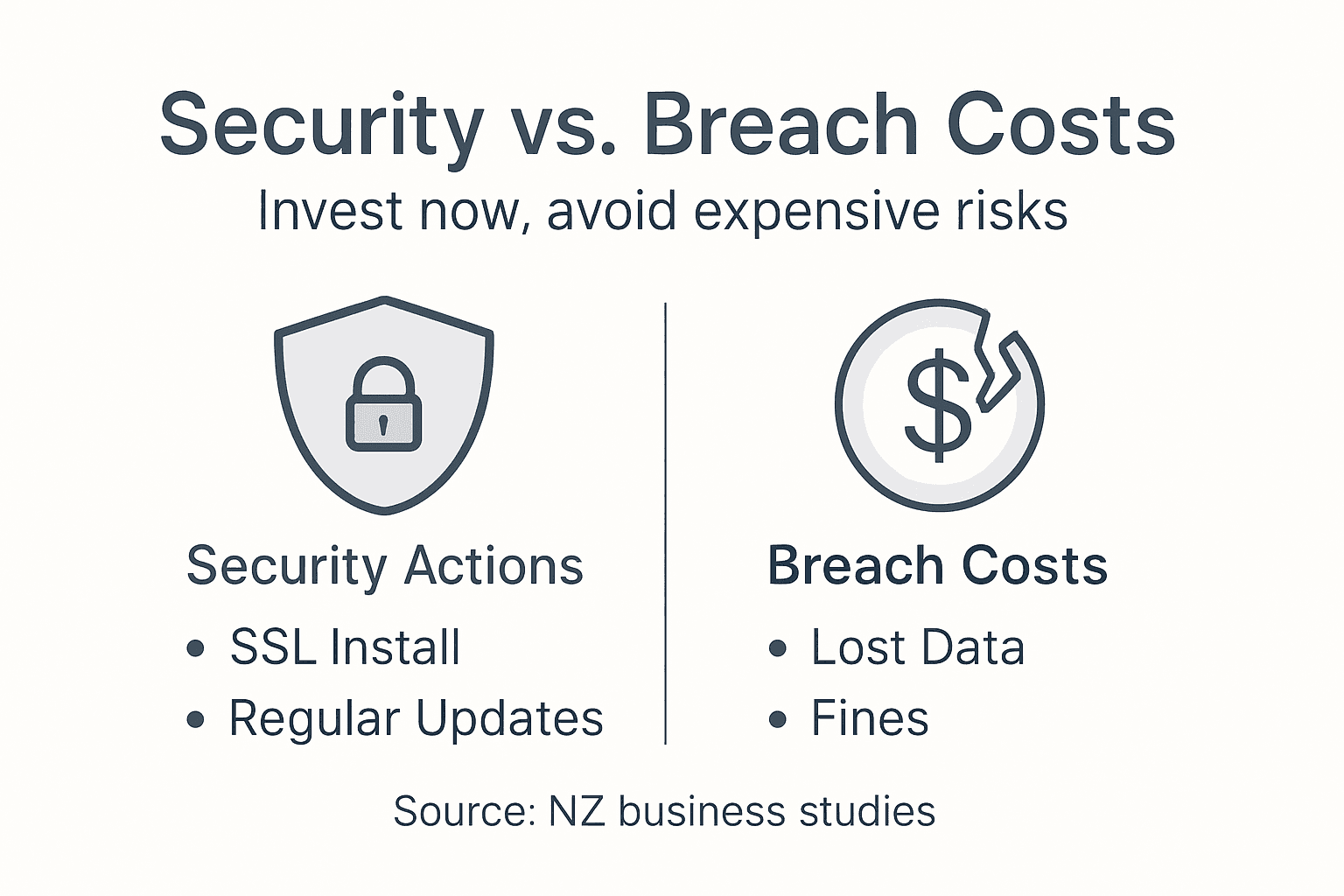
Infographic comparing security investment and breach costs

The economic calculus of cybersecurity investment becomes clear when examining the comprehensive costs associated with data breaches. Beyond immediate financial losses, businesses face increased insurance premiums, potential regulatory fines, customer churn, and diminished market reputation. Investing in robust security infrastructure represents a strategic decision that protects not just digital assets, but the entire operational ecosystem of a modern business.

Here’s a comparison of the true costs of a data breach versus regular security investment:

Cost FactorData Breach ConsequencesProactive Security Investment
Upfront Cost$120,000 – $1.24 million+$2,000 – $10,000/year
Reputational DamageHigh, long-lastingLow, bolsters brand trust
Legal and Regulatory FinesUp to $100,000 NZD or moreAvoided/minimised
Business ContinuityPotential closure, downtimeMaintained, fewer disruptions
Customer RetentionSignificant churn possibleHigher retention, trust

Pro Tip: Allocate at least 10% of your annual IT budget specifically to proactive cybersecurity measures and continuous staff training.

Frequently Asked Questions

  1. What percentage of small businesses recover after a major data breach?
    Approximately 60% of small businesses close within six months of a significant data breach.

  2. How much should a small business invest in cybersecurity?
    Small businesses should typically invest between $2,000 to $10,000 NZD annually in comprehensive cybersecurity measures.

  3. What are the most cost-effective cybersecurity investments?
    Implementing multi-factor authentication, regular staff training, and maintaining updated security software represent the most cost-effective cybersecurity strategies.

How Security Builds Trust And Supports SEO

Website security represents a multifaceted strategy that directly impacts both user trust and search engine performance for New Zealand businesses. Modern digital consumers have become increasingly sophisticated in evaluating website credibility, making security an essential component of online success.

Search engine trust signals demonstrate that Google and other search platforms prioritise websites perceived as secure and reliable. Implementing robust security measures creates a positive feedback loop where enhanced protection translates into improved search rankings, lower bounce rates, and increased user engagement. This means that investing in comprehensive website security is not just a protective measure, but a strategic approach to digital marketing and online visibility.

Net Branding recognises that trust is built through multiple interconnected elements. Beyond basic security protocols like SSL certificates and HTTPS implementations, businesses must demonstrate transparency, maintain updated content, and provide clear contact information. Search engines reward websites that exhibit consistent, trustworthy behaviour by improving their organic search positioning. For New Zealand small businesses, this translates into a competitive advantage that extends beyond mere technical compliance.

The relationship between security and search performance is increasingly complex. Websites with strong security infrastructure signal to search engines that they are legitimate, professional operations committed to protecting user data. This commitment manifests through multiple technical and content-related factors, including fast loading speeds, mobile responsiveness, minimal security vulnerabilities, and a clean backlink profile. By prioritising comprehensive security strategies, businesses can simultaneously protect their digital assets and improve their online discoverability.

Pro Tip: Conduct quarterly security and SEO audits to identify and address potential vulnerabilities that could impact your website’s trust and search rankings.

Frequently Asked Questions

  1. How quickly can security improvements impact SEO?
    Security improvements can positively influence search rankings within 3-6 months of comprehensive implementation.

  2. What are the most critical security features for SEO?
    SSL certificates, website speed, mobile responsiveness, and regular security updates represent the most critical security features.

  3. Do security badges actually improve user trust?
    Visible security badges can increase user confidence by up to 42%, particularly for ecommerce and service-based websites.

Enhance Your Kiwi Business Website Security with Expert WordPress Solutions

Website security is not just a technical requirement it is a vital safeguard against costly cyber threats and legal risks for New Zealand businesses. After exploring key challenges like malware attacks, data breaches, and SEO impacts you understand how crucial it is to protect your digital presence and build trust with your customers. At Responsive Website Design, we specialise in developing secure, responsive, and optimised WordPress websites tailored to meet these exact needs.

https://responsivewebsitedesign.co.nz

Take control of your website’s security today by partnering with experts who prioritise both safety and performance. From custom WordPress development to ongoing security management and SEO optimisation, our solutions help you prevent breaches and elevate your online reputation. Discover more in our Website Archives and learn how comprehensive security can boost your digital footprint. Don’t wait for a breach to happen visit Responsive Website Design now and secure your business future with professional WordPress services designed for Kiwi companies.

Frequently Asked Questions

What is website security and why is it important for businesses?

Website security refers to the measures taken to protect digital assets and sensitive information from cyber threats, making it crucial for businesses to safeguard their operations and maintain customer trust.

What are common cybersecurity threats that businesses face?

Common threats include malware infections, phishing attacks, and SQL injections, all of which can compromise business operations and customer data.

How can small businesses implement effective cybersecurity measures?

Small businesses can implement effective measures by using SSL encryption, regularly updating software, enforcing strong password policies, and conducting security audits to identify vulnerabilities.

What are the potential consequences of inadequate website security?

Inadequate website security can lead to significant financial losses, reputational damage, and legal complications, resulting in a loss of customer trust and potential business closure.

Categories
Website

Role of Typography in Web Design – Creating Clarity and Impact

Selecting the right typography can feel confusing for business owners aiming to stand out online. When every detail matters, clear and attractive text becomes part of your brand’s digital handshake with customers. Effective typography enhances user experience, optimises usability, and catches users’ attention, turning a simple visit into lasting engagement. Discover how smart font choices, thoughtful spacing, and visual consistency can lift your website’s presence above the competition.

Table of Contents

Key Takeaways

PointDetails
Typography is a Design StrategyTypography transforms text into a visual experience that communicates tone and guides user attention.
Font Selection Impacts BrandingAppropriate font choices evoke emotions and reinforce brand identity, making it essential for effective digital communication.
Hierarchy Enhances User EngagementA clear typographic hierarchy improves readability and comprehension, making information more digestible for users.
Responsive Typography is CrucialAdapting typography to various devices ensures consistent readability and user experience across all platforms.

Defining Typography’s Purpose in Web Design

Typography represents a fundamental design discipline that transforms text from mere communication into a strategic visual experience. Web designers understand typography as more than selecting attractive fonts—it is a sophisticated method of arranging type to create meaningful, engaging digital interfaces.

At its core, typography serves multiple critical purposes in web design. Graphic design professionals strategically use typography to communicate tone, establish hierarchy, and guide user attention. The selection of typefaces, their arrangement, spacing, and visual weight directly impacts how users perceive and interact with digital content.

Effective typography goes beyond aesthetic appeal. It plays a crucial role in user experience by enhancing readability, comprehension, and emotional connection. Professional web designers recognise that typography influences user interaction through carefully chosen font styles, sizes, and relationships between different text elements.

Net Branding professionals understand that typography communicates brand personality. Different font choices can evoke specific emotional responses—serif fonts might suggest tradition and reliability, while sans serif fonts often represent modernity and simplicity. This strategic approach transforms typography from a design element into a powerful communication tool.

Pro Tip: Always test your typography across multiple devices and screen sizes to ensure consistent readability and visual impact.

Choosing Fonts for Brand and Clarity

Selecting appropriate fonts is a critical strategic decision that goes far beyond aesthetic preferences. Web designers must carefully consider how font selection impacts brand communication and user experience, ensuring that typography becomes a powerful visual language for businesses.

Professional typography involves understanding the psychological impact of different font styles. Serif fonts traditionally communicate reliability and established credibility, while sans serif fonts represent modernity and clean design. When choosing fonts for business documents, designers must balance readability, brand personality, and digital screen performance.

Designer comparing font options on laptop

Net Branding professionals recognise that font choices create immediate visual impressions. A well-chosen typeface can evoke specific emotions and reinforce brand identity. Limiting font varieties and creating consistent typography across digital platforms helps maintain visual coherence and strengthen brand recognition. The key is selecting fonts that align with the brand’s core messaging and target audience expectations.

Here’s a comparison of popular font styles and their psychological business effects:

Font StyleCommon AssociationsBusiness Impact
SerifTradition, authorityBuilds trust, credibility
Sans SerifModernity, simplicityPromotes clarity, approachability
ScriptCreativity, eleganceEvokes luxury, personal touch
MonospacePrecision, functionalityImplies tech-savvy and accuracy

The technical aspects of font selection are equally crucial. Designers must consider factors like legibility across different devices, loading speeds, and accessibility. Pairing complementary fonts, maintaining appropriate font sizes, and ensuring clear hierarchical structure are essential for creating user-friendly digital experiences.

Pro Tip: Always conduct user testing with your selected fonts to validate readability and emotional resonance across different devices and screen sizes.

Hierarchy, Readability, and Accessibility Essentials

Typographic hierarchy serves as the visual roadmap that guides users through digital content, transforming complex information into digestible experiences. Typography legibility research reveals that effective design goes beyond mere font selection, requiring strategic arrangement that enhances comprehension and user engagement.

Accessibility in typography demands a nuanced approach that considers diverse user needs. Accessible typography guidelines emphasise creating layouts that support users with different visual capabilities. This means selecting fonts with clear letterforms, maintaining appropriate line spacing, and ensuring sufficient contrast between text and background.

Net Branding professionals understand that typographic hierarchy involves more than size differences. It requires a sophisticated system of font weights, sizes, and spatial relationships that create visual priority. Headers, subheaders, body text, and captions must work together seamlessly, guiding the user’s eye and communicating information structure intuitively.

Technical considerations are paramount in creating accessible typography. Designers must balance aesthetic preferences with functional requirements, considering factors like screen resolution, device compatibility, and user interaction patterns. This means selecting fonts that render clearly across multiple platforms and maintaining consistent readability regardless of display context.

Key technical considerations for accessible web typography:

FactorWhy It MattersBest Practice Example
Line SpacingEases reading flowUse 1.5x font size spacing
Contrast RatioEnsures text is distinguishableMinimum 4.5:1 for body text
Font SizeImproves legibilityMinimum 16px for general text
Font FamilySupports clarityChoose sans serif for body content

Pro Tip: Use typography style guides to create consistent, accessible design standards that work across all digital platforms and user scenarios.

Responsive Typography for All Devices

Responsive web design principles transform typography from static text to dynamic, adaptable communication across digital platforms. Modern web designers recognise that typography must seamlessly scale and adjust to deliver consistent user experiences from desktop monitors to smartphone screens.

The technical foundation of responsive typography involves sophisticated CSS techniques that dynamically adjust font sizes, line heights, and spacing. Unlike traditional fixed-width designs, responsive approaches use fluid grids and media queries to ensure text remains legible and visually appealing across diverse device dimensions. Net Branding professionals understand that this adaptive approach goes beyond simple scaling—it requires strategic type design that maintains hierarchy and readability.

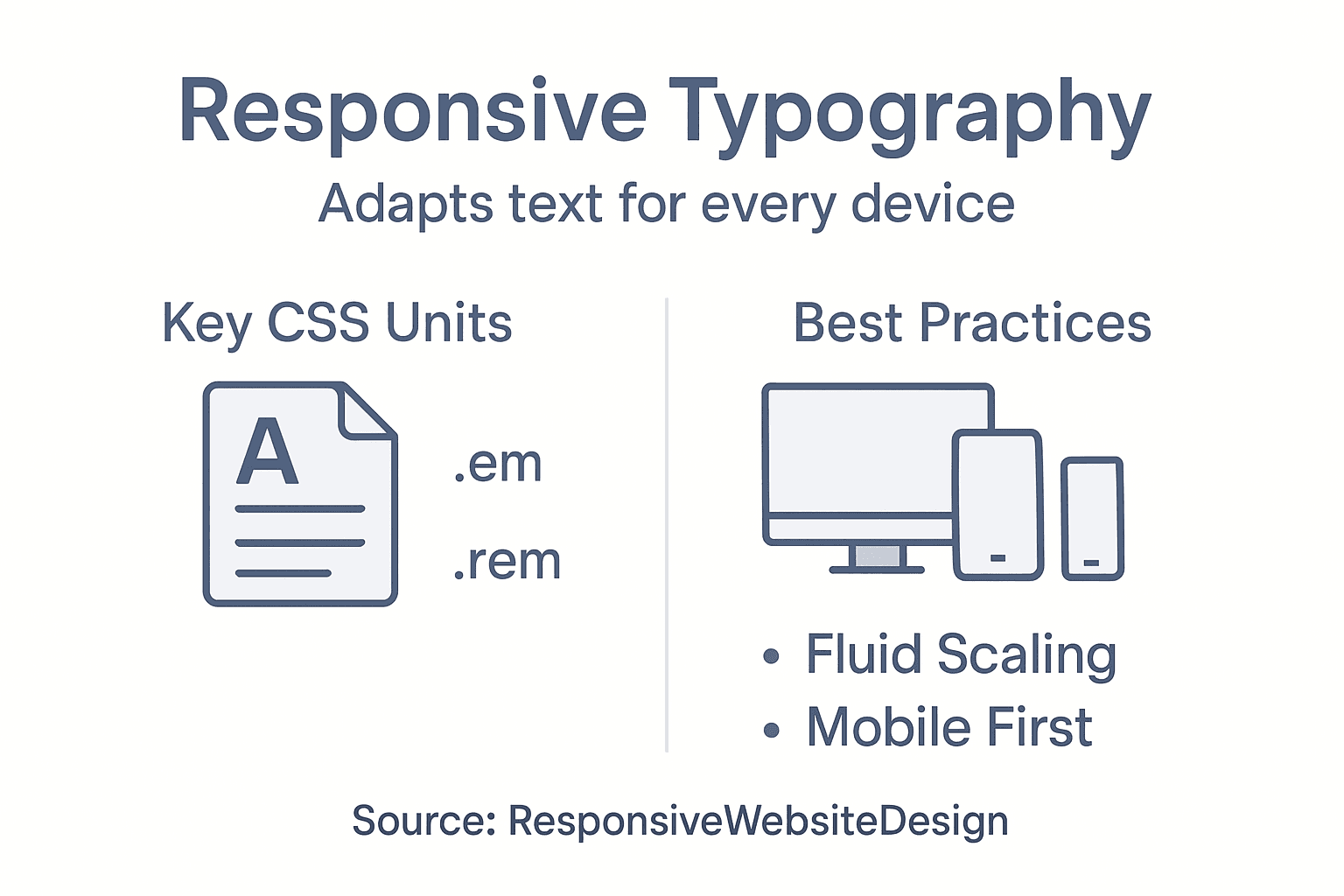
Infographic on responsive typography basics

Accessibility emerges as a critical consideration in responsive typography. Responsive design techniques enable text to adjust intelligently, ensuring users with different devices and visual capabilities can comfortably read and interact with digital content. This means implementing flexible font sizes, maintaining appropriate contrast ratios, and creating typography systems that work harmoniously across screen sizes.

Technical implementation requires a holistic approach. Designers must consider viewport settings, use relative units like em and rem, and test typography across multiple devices and screen resolutions. The goal is creating a fluid, responsive typographic system that feels intentional and cohesive, regardless of the viewing environment.

Pro Tip: Implement a mobile-first typography strategy that prioritises readability on smaller screens and progressively enhances design for larger displays.

Common Mistakes and SEO Implications

Common typography errors significantly impact website performance and search engine rankings. Web designers must understand that typography is not merely aesthetic but a critical communication strategy that directly influences user experience and search engine perception.

Net Branding professionals recognise that typography mistakes can create substantial SEO challenges. Improper font selection, inconsistent spacing, and poor text hierarchy can increase bounce rates, reduce user engagement, and negatively signal content quality to search algorithms. Search engines prioritise websites that demonstrate clear, readable, and professionally structured content.

Technical typography errors extend beyond visual appeal. Oversized fonts, illegible typefaces, and excessive decorative elements can dramatically slow page loading speeds, another crucial SEO ranking factor. Websites with clean, optimised typography typically experience lower bounce rates, longer user session times, and improved overall digital performance.

SEO-conscious designers must adopt a strategic approach to typography. This involves selecting readable fonts, maintaining consistent font weights and sizes, ensuring appropriate line spacing, and creating a clear visual hierarchy that guides user attention. Sophisticated typography transforms from a design element into a powerful communication and SEO optimization tool.

Pro Tip: Conduct regular typography audits to ensure your website’s text remains both visually appealing and search engine friendly.

Elevate Your Website’s Impact with Expert Typography and Responsive Design

Typography shapes how your audience experiences your website. The article highlights crucial challenges like maintaining clarity, creating a strong visual hierarchy, and ensuring accessibility across devices. These pain points can cause frustration when fonts fail to communicate your brand or when your site’s text becomes difficult to read on mobile devices. Understanding typography’s role in user experience and SEO is vital for businesses aiming to engage visitors effectively and stand out online.

https://responsivewebsitedesign.co.nz

At ResponsiveWebsiteDesign, we specialise in WordPress website design that harnesses the power of thoughtful typography and responsive layouts. Our team focuses on crafting visually engaging, SEO-optimised sites tailored to New Zealand businesses. Whether you need a fresh start or a website redesign, our custom solutions emphasise readability, brand consistency, and seamless responsiveness. Explore real results and insights in our Website Archives and discover how we can transform your digital presence into a clear, impactful message. Don’t let poor typography hold your business back—take the next step toward a website that truly connects with your audience today.

Frequently Asked Questions

What is the role of typography in web design?

Typography in web design transforms text into a strategic visual experience, enhancing communication and guiding user attention through the careful arrangement of type.

How does typography affect user experience?

Effective typography enhances readability, comprehension, and emotional connections, influencing how users interact with digital content.

What should I consider when choosing fonts for my website?

When selecting fonts, consider readability, brand personality, psychological impact, and device performance to ensure a coherent and appealing user experience.

How can I improve the accessibility of my website’s typography?

To improve accessibility, choose fonts with clear letterforms, maintain appropriate line spacing, ensure sufficient contrast between text and background, and test readability across different devices.

Categories
Website

Website Compliance: Why It Matters for NZ Businesses

Fines for non-compliance can exceed ten thousand New Zealand dollars for website breaches, yet many New Zealand and australian businesses overlook key digital rules. Staying on top of legal obligations is essential to protect your reputation and keep customers’ trust. This article sheds light on what New Zealand business owners need to know about website compliance so you can create a safer, more credible online experience every time someone visits your WordPress site.

Table of Contents

Website Compliance Explained for Business Owners

PointDetails
Importance of ComplianceEnsuring website compliance protects both the business and its customers while building trust and avoiding legal complications.
Core Compliance AreasKey areas include privacy policies, accessibility standards, and secure data handling practices, which are critical for legal adherence.
Ongoing ProcessCompliance should be viewed as an ongoing process, necessitating regular reviews and updates to meet evolving legal standards.
Legal ObligationsNew Zealand businesses must understand and adhere to local laws, such as the Privacy Act and Fair Trading Act, to maintain compliance.

Website compliance explained for business owners

Website compliance involves ensuring your digital presence meets legal and regulatory standards that protect both your business and your customers. For New Zealand businesses, website compliance is not just a technical requirement but a critical strategy for building trust and avoiding potential legal complications.

At its core, website legal compliance encompasses several key areas that business owners must understand. These include displaying accurate business information, implementing proper privacy policies, managing cookie consent, ensuring website accessibility, and protecting user data. Failing to meet these standards can result in significant financial penalties and damage to your business reputation.

Specifically for New Zealand businesses, compliance involves understanding local regulations around electronic commerce, data protection, and consumer rights. This means having clear terms of service, transparent pricing information, functional contact details, and robust mechanisms for handling customer data. Net Branding recommends businesses conduct regular compliance audits to identify and address potential legal vulnerabilities.

Key compliance areas include:

  • Transparent business registration details
  • Comprehensive privacy policy
  • Cookie consent mechanisms
  • Accessibility standards for users with disabilities
  • Secure data handling practices
  • Clear refund and returns information

Complying with these requirements demonstrates professionalism and builds customer confidence. By proactively addressing legal standards, businesses can create a trustworthy online environment that protects both their interests and their customers’ rights.

Pro tip: Consult with a local legal professional specialising in digital business regulations to ensure your website meets all current New Zealand compliance requirements.

FAQ

  1. What are the most critical compliance areas for NZ websites?
  • Business registration details
  • Privacy policy
  • Cookie consent
  • Accessibility standards
  1. How often should I review my website’s compliance?
  • Recommend reviewing annually or after significant website changes
  1. What happens if my website is not compliant?
  • Potential financial penalties
  • Reputational damage
  • Risk of legal action

Types of website compliance and key distinctions

Website compliance involves multiple complex dimensions that New Zealand businesses must carefully navigate. These compliance types are not optional extras but critical legal and ethical requirements that protect both businesses and their customers in the digital landscape.

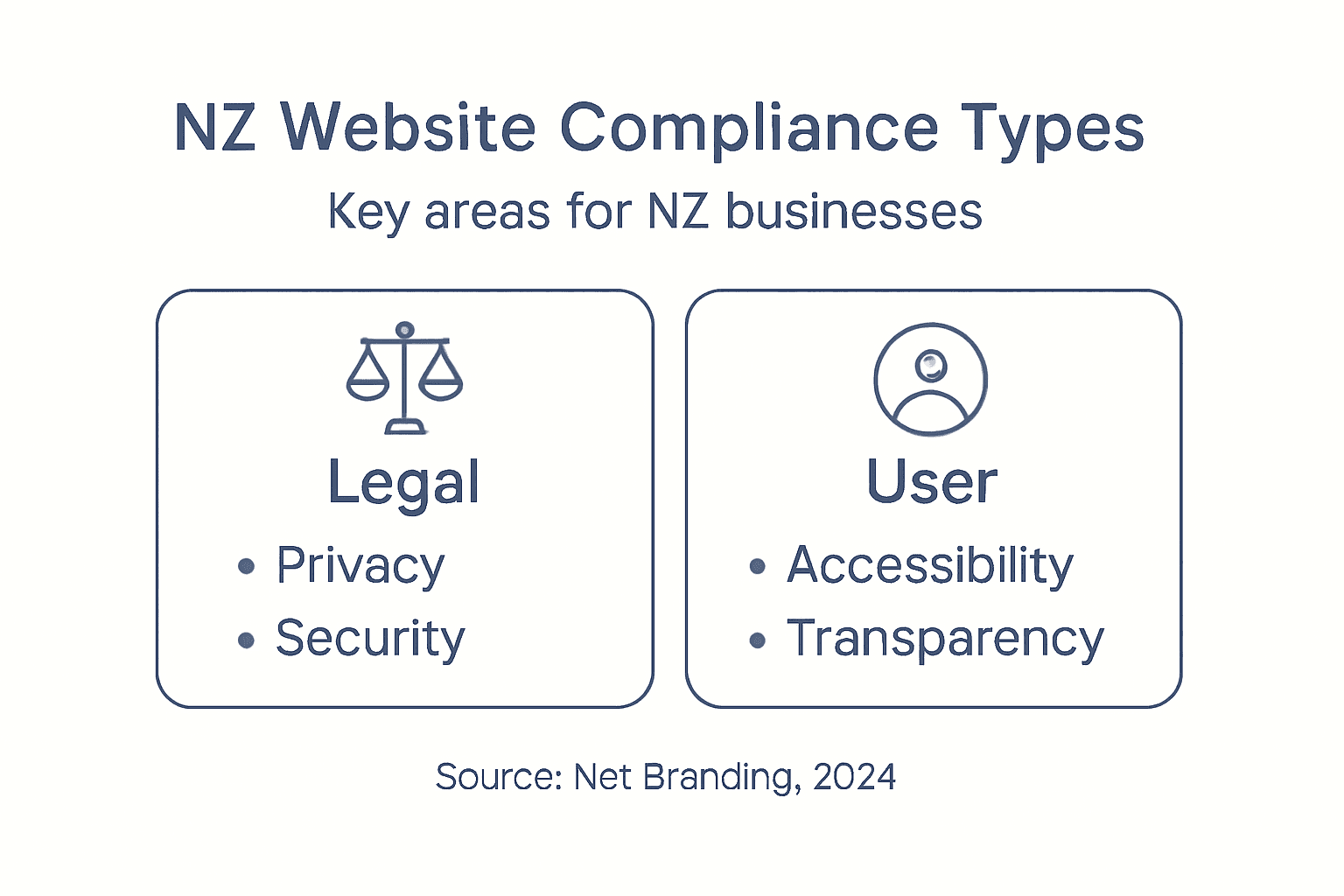
Infographic of NZ website compliance categories

Website compliance encompasses several strategic categories essential for modern digital operations. These include user privacy protection, accessibility standards, transparency mechanisms, and robust security protocols. Each category addresses distinct legal and technical requirements that collectively ensure a comprehensive approach to digital responsibility.

The primary types of website compliance can be categorised as follows:

  1. Privacy Compliance
  • Adherence to data protection regulations
  • Implementing clear privacy policies
  • Managing user consent mechanisms
  • Protecting personal information
  1. Accessibility Compliance
  • Ensuring websites are usable by people with disabilities
  • Following Web Content Accessibility Guidelines (WCAG)
  • Providing alternative text for images
  • Creating keyboard-navigable interfaces
  1. Security Compliance
  • Protecting against data breaches
  • Implementing secure data transmission protocols
  • Regular security audits
  • Maintaining updated software and plugins
  1. Transparency Compliance
  • Clear terms of service
  • Honest business information
  • Cookie consent notifications
  • Transparent pricing and service details

Net Branding recommends that businesses approach compliance as an ongoing process rather than a one-time checklist. Regular reviews and updates are crucial to maintaining legal and ethical standards in an evolving digital environment.

Here’s a summary of how key website compliance categories protect both businesses and users:

Compliance CategoryPrimary FocusBusiness BenefitUser Protection
Privacy ComplianceData handling & consentReduces liability, builds trustSafeguards personal information
AccessibilityInclusive website designExpands customer baseEnsures equal access
SecurityProtects against breachesMinimises financial riskSecures sensitive data
TransparencyHonest communicationEnhances reputationEnables informed choices

Pro tip: Conduct a comprehensive compliance audit annually and after any significant website changes to ensure continued adherence to current regulations.

FAQ

  1. How often should I review my website’s compliance?
  • Annually or after major website updates
  1. What are the consequences of non-compliance?
  • Financial penalties
  • Potential legal action
  • Reputational damage
  1. Do these compliance requirements apply to all websites?
  • Yes, regardless of business size or industry

New Zealand businesses operating online must navigate a complex landscape of legal requirements that protect both consumers and digital enterprises. Understanding these legal obligations is crucial for maintaining a compliant and trustworthy online presence that meets national regulatory standards.

Consultant examining digital compliance checklist

New Zealand legislation mandates specific website compliance requirements encompassing multiple critical areas of digital operation. The primary legal frameworks businesses must consider include the Privacy Act, Fair Trading Act, and Electronic Transactions Act. These regulations establish comprehensive guidelines for data handling, consumer protection, information transparency, and digital transaction integrity.

Key legal obligations for New Zealand websites include:

  1. Privacy Protection
  • Implementing robust privacy policies
  • Obtaining explicit user consent for data collection
  • Protecting personal information
  • Allowing users to access and request data deletion
  1. Consumer Protection
  • Providing clear and accurate business information
  • Transparent pricing and service details
  • Honest marketing representations
  • Accessible contact information
  1. Digital Transaction Compliance
  • Ensuring secure electronic transactions
  • Maintaining transaction records
  • Protecting financial information
  • Following electronic communication standards
  1. Accessibility Requirements
  • Supporting users with disabilities
  • Providing alternative content formats
  • Ensuring website navigation compatibility
  • Meeting Web Content Accessibility Guidelines

Net Branding recommends businesses stay proactively informed about evolving digital regulations. Regular legal consultations and compliance audits can help organisations maintain up-to-date website practices that meet New Zealand’s stringent legal requirements.

Below is a comparison of major legal frameworks shaping NZ website compliance:

LegislationPurposeTypical ApplicationEnforcement Risk
Privacy ActProtecting user dataPrivacy policy, consent formsHigh for data breaches
Fair Trading ActHonest consumer interactionsClear pricing, fair claimsModerate for misrepresentation
Electronic Transactions ActSecure online dealingsE-commerce functionalityHigh for financial errors

Pro tip: Consult with a legal professional specialising in digital regulations to conduct a comprehensive website compliance review annually.

FAQ

  1. What are the most significant legal risks for non-compliant websites?
  • Financial penalties
  • Potential legal action
  • Reputational damage
  1. How frequently should websites update their legal documentation?
  • Annually or when significant regulatory changes occur
  1. Are these requirements mandatory for all websites?
  • Yes, regardless of business size or industry

Core compliance requirements for WordPress sites

WordPress websites require a comprehensive approach to digital compliance that goes beyond basic technical configuration. Business owners must understand the intricate legal and technical requirements that ensure their online presence remains secure, transparent, and legally sound.

WordPress hosting compliance involves multiple critical standards that protect both website owners and their users. These requirements encompass technical infrastructure, data privacy protocols, security measures, and user protection mechanisms that are essential for maintaining a professional and legally compliant digital platform.

Core compliance requirements for WordPress sites include:

  1. Technical Infrastructure
  • Maintaining updated WordPress core version
  • Using compatible PHP versions
  • Ensuring HTTPS encryption
  • Implementing secure hosting environments
  1. Data Privacy Compliance
  • Creating comprehensive privacy policies
  • Implementing cookie consent mechanisms
  • Managing user data collection practices
  • Providing transparent data usage information
  1. Security Protocols
  • Regular security plugin updates
  • Implementing robust user authentication
  • Protecting against potential vulnerabilities
  • Conducting periodic security audits
  1. User Rights Management
  • Enabling user data access requests
  • Supporting data deletion mechanisms
  • Providing clear consent options
  • Maintaining user information transparency

Net Branding recommends businesses approach WordPress compliance as an ongoing process. Regular reviews, updates, and proactive monitoring are crucial to maintaining a legally sound and secure digital presence.

Pro tip: Schedule quarterly compliance reviews and maintain a detailed documentation trail of your website’s privacy and security configurations.

FAQ

  1. How often should WordPress sites update for compliance?
  • Quarterly or immediately when critical updates are released
  1. What are the main compliance risks for WordPress sites?
  • Data privacy violations
  • Security vulnerabilities
  • Potential legal penalties
  1. Do these requirements apply to all WordPress websites?
  • Yes, regardless of business size or industry

Risks of non-compliance and common mistakes

Website non-compliance represents a significant threat to businesses, potentially exposing them to substantial financial, legal, and reputational risks. Understanding these potential consequences is crucial for organisations seeking to protect their digital assets and maintain customer trust.

Failure to comply with regulations leads to significant organisational risks that extend far beyond simple administrative penalties. These risks can fundamentally undermine a business’s operational stability, financial health, and public perception.

Key risks and common compliance mistakes include:

  1. Financial Consequences
  • Substantial regulatory fines
  • Potential legal settlement costs
  • Loss of business contracts
  • Increased insurance premiums
  1. Legal Vulnerabilities
  • Potential lawsuits from affected parties
  • Government enforcement actions
  • Mandatory compliance audits
  • Risk of business license suspension
  1. Reputational Damage
  • Erosion of customer trust
  • Negative public perception
  • Reduced market credibility
  • Potential social media backlash
  1. Operational Disruptions
  • Mandatory system redesigns
  • Unexpected compliance remediation costs
  • Potential temporary business interruptions
  • Extended legal resolution processes

Common compliance mistakes often stem from neglecting regular reviews, outdated documentation, inadequate staff training, and insufficient understanding of evolving regulatory landscapes. Net Branding emphasises that compliance is an ongoing process requiring consistent attention and proactive management.

Pro tip: Develop a comprehensive compliance tracking system that includes automated alerts for regulatory changes and scheduled internal compliance reviews.

FAQ

  1. What are the most expensive non-compliance risks?
  • Regulatory fines
  • Legal settlements
  • Reputational reconstruction costs
  1. How quickly can non-compliance impact a business?
  • Immediately upon discovery of violations
  • Potential instant legal proceedings
  1. Can small businesses be significantly affected?
  • Yes, often more severely than larger organisations

Ensure Your Website Compliance Is a Strength, Not a Risk

Navigating the complexities of website compliance is a challenge many New Zealand businesses face. From privacy policies to accessibility standards and security protocols, meeting these legal obligations is crucial to protect your brand and build lasting customer trust. At ResponsiveWebsiteDesign, we understand these pain points and specialise in creating WordPress websites that not only look great but are fully compliant and optimised for your business goals.

https://responsivewebsitedesign.co.nz

Explore our expert solutions in the Website Archives where compliance and performance go hand in hand. Don’t leave your website exposed to legal risks or reputational damage. Partner with us to design, develop, and maintain a secure, accessible, and legally compliant digital presence. Visit ResponsiveWebsiteDesign today and take the first step towards peace of mind and online success.

Frequently Asked Questions

What is website compliance?

Website compliance refers to adhering to legal and regulatory standards that govern digital operations, ensuring businesses protect both their interests and their customers’ rights.

Why is website compliance important for New Zealand businesses?

Compliance helps build customer trust, avoids potential legal issues, and protects against financial penalties, which can significantly impact a business’s reputation and operations.

What are the main areas of website compliance that businesses need to focus on?

Key areas include privacy policies, cookie consent, accessibility standards, transparent business information, and secure data handling practices.

How frequently should businesses review their website compliance?

It is recommended to conduct compliance reviews annually or after any significant changes to the website to ensure it meets current legal standards.

Categories
Website

Website Backup: Protecting Your Business Online

Most australian backup myths put New Zealand businesses at serious risk, with a single technical failure threatening your entire online operation. For small and medium businesses, the reality is clear—over 60 percent of companies never recover from major data loss incidents. Protecting your WordPress website is more than just ticking a box. This guide exposes common misconceptions and walks you through proven strategies that help secure every part of your digital presence and radically reduce your downtime.

Table of Contents

Key Takeaways

PointDetails
Website Backups Are EssentialEffective website backups protect against data loss, cyber threats, and technical failures. A multi-layered strategy is crucial for safeguarding digital assets.
Understanding Backup TypesDifferent backup strategies, such as full, incremental, differential, and mirror backups, serve unique purposes. Select a method based on your website’s complexity and data recovery needs.
Legal Compliance Is KeyOrganisations must implement security measures in backups to meet legal standards, such as GDPR. Treat backup data with the same security precautions as active data.
Avoid Common MistakesRelying on insufficient backup practices can lead to catastrophic data loss. Regular testing and a structured approach are essential to maintaining a reliable backup system.

Website backup explained and common myths

Website backups are critical for protecting your online business from potential data loss, cyber threats, and unexpected technical failures. Understanding the fundamentals of website backup and dispelling common misconceptions can help New Zealand business owners safeguard their digital assets effectively.

Many business owners harbour dangerous myths about data protection. Backup realities reveal critical vulnerabilities that can compromise entire digital infrastructures. One prevalent misconception is believing personal devices or single external drives provide comprehensive protection. In reality, localised storage solutions are inherently risky and insufficient.

Effective website backup strategies require a multi-layered approach. Net Branding recommends implementing redundant backup systems that include:

  • Cloud-based backup solutions
  • Offsite data storage
  • Regular automated backup schedules
  • Encrypted backup repositories
  • Periodic backup integrity verification

Business owners must recognise that website data encompasses more than visible content. Your backups should include databases, configuration files, plugins, themes, and custom code. A comprehensive backup strategy protects against potential scenarios like accidental deletions, hacking attempts, server crashes, and technical malfunctions.

Pro Tip: Implement an automated backup system that creates multiple redundant copies across different geographical locations to maximise data protection and recovery potential.

Types of website backups and key differences

Website backups are not a one-size-fits-all solution. Different backup strategies serve unique purposes, and understanding their nuanced characteristics helps business owners select the most appropriate protection for their digital assets. Comprehensive backup types offer varied protection mechanisms that address specific organisational needs.

Four primary website backup types exist, each with distinct advantages and limitations. Full backups create a complete copy of all website data, providing comprehensive protection but consuming significant storage resources. Incremental backups capture only changes since the last backup, reducing storage requirements and processing time. Differential backups record modifications since the last full backup, offering a balanced approach between storage efficiency and recovery speed. Mirror backups generate real-time duplicates, ensuring immediate replication of website content.

Selecting the appropriate backup strategy depends on several critical factors:

  • Website complexity
  • Data volume
  • Recovery time objectives
  • Available storage infrastructure
  • Budget constraints
  • Regulatory compliance requirements

Net Branding recommends a hybrid approach that combines multiple backup types. For instance, performing monthly full backups supplemented by daily incremental backups provides robust protection while maintaining storage efficiency. This strategy ensures rapid recovery and minimal data loss in potential disaster scenarios.

Colleagues discuss backup schedule with devices

Here’s a quick comparison of the main website backup types and their practical business implications:

Backup TypeStorage UseRecovery SpeedIdeal Use Case
Full BackupVery highFastMajor changes or monthly safety
Incremental BackupLowModerateDaily content updates
Differential BackupModerateFaster than incrementalWeekly recovery requirements
Mirror BackupHighestInstantReal-time large e-commerce sites

Pro Tip: Regularly test your backup restoration process to validate data integrity and confirm your backup strategy functions effectively under real-world conditions.

How website backups work for WordPress sites

WordPress websites require comprehensive backup strategies that protect both website files and critical database information. WordPress backup methods protect against potential data loss through multiple sophisticated approaches designed to safeguard your digital assets.

Most WordPress backup strategies involve four primary components: site files, database content, themes, and plugins. Each component demands specific backup techniques. Site files include all uploaded media, theme files, and core WordPress installation directories. Database backups capture all website content, user information, post details, and configuration settings that constitute the dynamic elements of your WordPress site.

Net Branding recommends several backup approaches for WordPress sites:

  • Automated backup plugins
  • Hosting provider backup solutions
  • Manual backups via cPanel or FTP
  • Command-line backup techniques

Effective WordPress backup processes require consistent implementation and strategic planning. Backup frequency should align with your website’s update frequency – high-traffic sites might require daily backups, while static websites could manage weekly intervals. The goal remains consistent: minimise potential data loss and ensure rapid restoration capabilities in case of unexpected technical failures.

Pro Tip: Maintain at least three backup copies stored in different geographical locations to guarantee maximum data protection and recovery flexibility.

Businesses handling digital information must navigate complex legal requirements surrounding data protection and privacy. Data protection legal frameworks establish critical compliance standards that require organisations to implement robust technical and organisational safeguards for personal information.

The General Data Protection Regulation (GDPR) represents the most comprehensive global standard for data management. Personal data protection extends beyond active website content and explicitly includes backup and archival systems. This means organisations must apply identical security principles to stored data, including encryption, access controls, and strict retention policies. Backup systems are not exempt from legal scrutiny and must meet the same rigorous standards as primary data storage mechanisms.

Key legal compliance requirements for website backups include:

  • Implementing encryption for stored personal data
  • Restricting backup access to authorised personnel
  • Establishing clear data retention and deletion protocols
  • Documenting backup security measures
  • Ensuring data minimisation principles
  • Maintaining audit trails of backup processes

Net Branding recommends treating backup data with the same level of protection as active website content. Business owners must understand that legal responsibilities extend to all stored information, regardless of its current usage. This approach ensures comprehensive data protection and demonstrates proactive compliance with evolving regulatory standards.

Pro Tip: Conduct regular compliance audits of your backup systems to identify and address potential legal vulnerabilities before they become significant issues.

Risks of poor backup strategies and common mistakes

Website backup failures can devastate business operations, transforming a minor technical issue into a potentially catastrophic data loss scenario. Backup strategy failures create significant organisational vulnerabilities that can compromise entire digital infrastructures.

Infographic showing main website backup risks

Businesses frequently encounter several critical backup strategy mistakes that exponentially increase their risk profile. Backup negligence manifests through multiple common errors, including treating backups as isolated events rather than continuous processes. Many organisations mistakenly assume that creating a single backup provides comprehensive protection, when in reality, diversified and regularly tested backup approaches are essential.

Common backup strategy risks include:

  • Relying on a single storage location
  • Infrequent backup schedule
  • Lack of systematic testing
  • Insufficient documentation
  • Inadequate staff training
  • No defined recovery protocols
  • Ignoring potential hardware failures

Net Branding emphasises the importance of developing a holistic backup strategy that goes beyond simple data preservation. Business owners must view backups as dynamic, ongoing processes requiring continuous monitoring, regular testing, and adaptive approaches. Implementing robust backup mechanisms involves understanding potential vulnerabilities, creating multiple redundancy layers, and establishing clear recovery pathways that minimise potential downtime and data loss.

The table below summarises common risks from poor site backup practices and the direct impact on your business:

Common RiskBusiness ImpactPrevention Approach
Single storage relianceTotal loss if drive failsMultiple offsite backups
Infrequent backup scheduleLarge gaps in recoverable dataAutomated frequent backups
No testing of backupsUnverifiable recoverabilityRegular restoration tests
Insufficient documentationDelayed recovery actionsDetailed process records

Pro Tip: Conduct quarterly comprehensive backup strategy reviews to identify and address potential weaknesses before they become critical failures.

Essential best practices and tools for reliable backups

Developing a robust website backup strategy requires comprehensive planning and strategic implementation of advanced technological solutions. While no single external research source was provided, Net Branding’s expertise highlights critical approaches for ensuring data protection and continuity for New Zealand businesses.

Effective backup strategies demand a multi-layered approach that combines technological tools, systematic processes, and proactive management. Business owners must implement comprehensive backup mechanisms that go beyond simple file duplication, focusing on creating resilient, adaptable systems that can withstand potential technological disruptions.

Key best practices for website backups include:

  • Implementing automated backup schedules
  • Utilising multiple storage locations
  • Encrypting backup repositories
  • Establishing clear recovery protocols
  • Conducting regular backup integrity tests
  • Maintaining offsite and cloud-based backup copies
  • Creating comprehensive documentation of backup processes

Net Branding recommends selecting backup tools that offer seamless integration with WordPress environments, provide incremental backup capabilities, and enable quick restoration processes. These tools should offer robust security features, support multiple backup destinations, and generate detailed logs for tracking backup performance and potential issues.

Pro Tip: Configure backup systems to send automated notification reports, ensuring you’re immediately informed about backup status and potential configuration problems.

Secure Your Business with Expert WordPress Backup and Management

The article clearly highlights common challenges such as unreliable backup schedules, single storage risks, and untested restoration processes that could jeopardise your business website’s safety. Protecting your digital assets requires more than basic backups it demands a strategic, multi-layered defence tailored to your specific website setup including WordPress files, themes, plugins and databases. At Responsive Website Design, we specialise in creating and maintaining resilient WordPress websites that include robust backup solutions to safeguard your data against accidental loss, hacking, or server failures.

Take control today and avoid costly downtime by partnering with professionals who understand the critical importance of regular automated backups and tested recovery plans. Whether you need a fresh WordPress website design or ongoing maintenance and security services, we build customised strategies that prioritise your peace of mind and business continuity.

https://responsivewebsitedesign.co.nz

Don’t leave your website’s future to chance. Explore our comprehensive WordPress solutions at Responsive Website Design and secure your online presence now with trusted backups and expert care.

Frequently Asked Questions

What is a website backup and why is it important?

A website backup is a process that creates copies of a website’s data to protect it from loss due to accidents, cyber threats, or technical failures. It is important for safeguarding digital assets and ensuring business continuity in case of data loss scenarios.

What types of website backups are available?

There are four primary types of website backups: Full backups, Incremental backups, Differential backups, and Mirror backups. Each type serves different purposes, with variations in storage use, recovery speed, and ideal use cases for protecting your website’s data.

How often should I perform website backups?

Backup frequency should align with your website’s update frequency. High-traffic sites may require daily backups, while static websites could manage with weekly backups. Regular automated backup schedules are recommended for consistent data protection.

What are the risks of poor backup strategies?

Poor backup strategies can lead to catastrophic data loss due to relying on a single storage location, infrequent backup schedules, and lack of regular testing. Common mistakes include insufficient documentation and inadequate staff training, which can exacerbate the impacts of a data loss incident.

Categories
Website

7 Key Advantages of Mobile-Friendly Sites for Business Owners

More than 68% of website traffic now comes from mobile devices, making mobile friendly sites an absolute necessity for small and medium businesses in New Zealand competing against australian brands. Customers expect pages to load quickly, navigation to be effortless, and every interaction to feel intuitive. Investing in mobile optimization creates a seamless user experience, drives better search results, and keeps your business ahead as online habits change.

Table of Contents

Quick Summary

TakeawayExplanation
1. Prioritise Mobile User ExperienceA responsive design is essential to create seamless interactions that keep mobile visitors engaged.
2. Optimise for Search RankingsGoogle uses mobile-friendly site factors for search visibility, making mobile optimisation crucial for traffic.
3. Enhance Mobile Conversion RatesSimplifying the purchasing journey on mobile can significantly improve conversion rates and user satisfaction.
4. Improve Page Load SpeedFast-loading pages are vital as over 3 seconds can result in user abandonment, impacting overall engagement.
5. Future-Proof Your WebsiteBuilding adaptable websites ensures they can integrate new technologies and meet future digital demands seamlessly.

1. Improved User Experience for Mobile Visitors

Mobile visitors demand seamless online experiences that are fast, intuitive, and visually engaging. With over 68% of website traffic now coming from mobile devices, creating a responsive design has become absolutely critical for businesses wanting to retain and convert potential customers.

User experience on mobile platforms goes far beyond simple screen resizing. Comprehensive mobile interaction strategies involve understanding how users navigate, interact, and consume content through smartphones and tablets. This means designing interfaces that are not just smaller versions of desktop websites but fully optimised experiences tailored for mobile users.

Successful mobile experiences prioritise speed, readability, and ease of navigation. Users expect websites to load within 3 seconds and provide clear pathways to the information they seek. This requires intelligent design choices such as:

  • Simplified menu structures
  • Large, touchscreen friendly buttons
  • Minimal text with high contrast
  • Quick access to critical information
  • Responsive images that adjust automatically

Businesses that invest in superior mobile experiences see tangible benefits. Studies show mobile optimised websites can increase engagement rates by up to 67% and reduce bounce rates significantly. Customers are more likely to stay longer, explore more pages, and ultimately convert when their mobile browsing feels effortless.

Net Branding recognises that every mobile interaction is an opportunity to showcase your business professionalism. By creating websites that adapt seamlessly across devices, you communicate attention to detail and customer care.

Pro tip: Regularly test your website on multiple mobile devices and screen sizes to ensure consistent performance and user experience.

2. Higher Google Search Rankings and Visibility

Search engine rankings are the lifeblood of online visibility for businesses, and mobile friendly websites have become a critical factor in achieving top search results. Google now prioritises mobile responsive web design when determining search rankings, making mobile optimisation no longer optional but essential.

The shift towards mobile first indexing means that Google primarily uses the mobile version of your website to evaluate its content, relevance, and ranking potential. Websites that are not mobile friendly risk significant drops in search visibility, potentially losing up to 50% of their organic traffic.

Key Mobile SEO Ranking Factors Include:

  • Responsive design that adapts seamlessly across devices
  • Fast loading speeds on mobile networks
  • Clear and accessible content hierarchy
  • Touch friendly navigation elements
  • Optimised image and multimedia performance

Businesses that invest in mobile optimisation gain substantial competitive advantages. Net Branding understands that a well designed mobile website is not just about aesthetics but about creating a strategic digital asset that improves search engine performance.

Importantly, mobile friendly websites tend to have lower bounce rates and higher user engagement metrics, which further signals to search engines that your content is valuable and relevant. This creates a positive feedback loop where good mobile design leads to better search rankings.

Pro tip: Regularly audit your website’s mobile performance using Google’s free PageSpeed Insights tool to identify and address potential optimization opportunities.

3. Increased Mobile Conversion Rates

Mobile conversion rates represent the holy grail of digital business success, determining how effectively your website transforms casual browsers into paying customers. Understanding mobile conversion rate optimization strategies can dramatically improve your online business performance.

Businesses that strategically design their mobile experiences see substantial improvements in user engagement and sales. The modern consumer expects seamless, intuitive interactions that make purchasing quick and effortless. This means creating mobile websites that remove friction and simplify the path from interest to transaction.

Key Mobile Conversion Optimization Elements:

  • Simplified checkout processes
  • Large touchscreen friendly buttons
  • Clear and concise product information
  • Fast loading visual content
  • Secure and transparent payment options
  • Minimal form filling requirements
  • Responsive design across all devices

Net Branding recognises that every second matters in mobile interactions. Research indicates that mobile sites with load times under 3 seconds can see conversion rates increase by up to 27%. This underscores the importance of performance alongside design.

Psychological aspects play a crucial role in mobile conversions. Users want to feel confident, secure, and in control when making online purchases. Providing transparent pricing, clear return policies, and visible security indicators can significantly boost user trust and willingness to complete transactions.

Pro tip: Conduct regular mobile user testing and analyse your conversion funnels to identify and eliminate potential barriers in your mobile purchasing journey.

4. Faster Page Load Times on All Devices

Page load speed represents a critical factor in delivering exceptional online experiences for customers across smartphones, tablets, and desktop computers. Understanding mobile performance optimization strategies can transform your digital presence and customer satisfaction.

Modern consumers expect websites to load almost instantaneously. Research indicates that users will abandon a website if it takes more than three seconds to load, with each additional second potentially causing a 7% reduction in conversion rates. This makes page speed a fundamental aspect of digital business success.

Key Page Speed Optimization Techniques:

  • Compress and optimise image file sizes
  • Minimise HTTP requests
  • Enable browser caching
  • Use lightweight content delivery networks
  • Streamline CSS and JavaScript files
  • Implement lazy loading for images
  • Remove unnecessary plugins

Net Branding recognises that technical performance directly impacts user experience. Websites that load quickly demonstrate professionalism and respect for the user’s time. Mobile users are particularly sensitive to loading times, with slower connections making speed even more critical.

By prioritising page speed, businesses can significantly reduce bounce rates, improve search engine rankings, and create smoother user experiences across all devices. The goal is not just technical excellence but creating seamless digital interactions that keep customers engaged.

Pro tip: Regularly test your website speed using free tools like Google PageSpeed Insights and address any identified performance bottlenecks.

5. Enhanced Local Search Performance

Local search performance is a critical component of digital marketing for businesses targeting customers in specific geographic regions. Mobile optimization strategies have transformed how businesses appear in local search results and attract nearby customers.

With most local searches now conducted on mobile devices, having a mobile friendly website is no longer optional. Google prioritises websites that provide seamless mobile experiences when displaying local search results. This means businesses that invest in responsive design and mobile optimisation gain significant competitive advantages in local market visibility.

Key Local Search Optimization Strategies:

  • Ensure consistent NAP information
  • Implement local structured data markup
  • Optimise for Google My Business listings
  • Include location specific keywords
  • Create locally relevant content
  • Enable mobile responsive design
  • Add location details to website metadata

Net Branding understands that local search performance directly impacts business foot traffic and online visibility. A well designed mobile website signals to search engines that your business is professional, accessible, and geographically relevant.

Businesses can significantly improve their local search rankings by focusing on mobile user experience. This includes providing clear contact information, showcasing local relevance, and ensuring fast loading times across all mobile devices.

Pro tip: Regularly update your Google My Business profile and ensure your website content reflects your local service area and target audience.

6. Lower Bounce Rates and Better Engagement

User engagement represents the critical heartbeat of successful online businesses, with mobile websites playing a pivotal role in capturing and retaining visitor attention. Mobile user interaction strategies have transformed how businesses connect with their digital audience.

Bounce rates measure the percentage of visitors who leave a website after viewing only one page. For mobile users, this metric becomes even more sensitive. Research indicates that websites with poor mobile experiences can see bounce rates as high as 60%, dramatically reducing potential customer interactions.

Critical Engagement Optimization Elements:

  • Intuitive touch friendly navigation
  • Quick loading visual content
  • Simplified information architecture
  • Large readable text sizes
  • Minimalist design approaches
  • Strategic placement of call to action buttons
  • Thumb friendly interaction zones

Net Branding recognises that every second counts in mobile user experiences. A well designed mobile website communicates professionalism and respect for users time, encouraging longer site visits and increased interaction.

Psychologically, mobile users seek immediate value and effortless navigation. Websites that reduce cognitive load and provide clear pathways to information will naturally encourage users to explore further and engage more deeply with content.

Pro tip: Conduct regular user testing and analyse mobile site heatmaps to understand precisely how visitors interact with your website.

7. Future-Proofing Your Business Website

Technology evolves rapidly, and businesses must adapt their digital strategies to remain competitive. Future proofing web development strategies are essential for maintaining a robust and adaptable online presence.

A future proofed website goes beyond simple design trends. It represents a strategic approach to digital infrastructure that anticipates technological shifts, user behaviour changes, and emerging digital consumption patterns. This means building websites that can seamlessly integrate new technologies without requiring complete overhauls.

Key Future Proofing Considerations:

  • Implement responsive design principles
  • Select flexible content management systems
  • Build modular website architectures
  • Prioritise mobile first design approaches
  • Maintain robust cybersecurity protocols
  • Enable scalable hosting solutions
  • Plan for continuous technological evolution

Net Branding understands that future proofing is about creating digital ecosystems that can adapt and grow with your business. A well designed website should not just meet current needs but anticipate future technological requirements.

Businesses investing in adaptable web infrastructures position themselves to quickly leverage emerging technologies without significant reinvestment. This approach reduces long term digital maintenance costs and keeps organisations agile in competitive markets.

Pro tip: Schedule annual website audits to assess technological readiness and identify potential improvement areas before they become critical challenges.

Below is a comprehensive table summarising the key strategies and benefits of mobile user experience optimisation as discussed in the article.

AspectDescriptionKey Benefits
Improved Mobile ExperiencesDesigning interfaces for intuitive, fast, and visually engaging interactions on mobile devices.Enhanced user satisfaction, reduced bounce rates, and increased conversions.
Importance in Search RankingsMobile responsive design now influences Google search rankings significantly.Boosts online visibility and competitive advantage in organic search results.
Conversion Rate OptimisationSimplifying user journey and ensuring frictionless mobile transactions.Increased sales and engagement by fostering user trust and reducing barriers to conversion.
Page Load SpeedEnsuring fast loading times across mobile networks for immediate access.Reduced abandonment rates, higher engagement, and improved perception of professionalism.
Local Search OptimisationEnhancing presence in mobile-driven localised searches.Higher visibility in geographic-specific queries, encouraging regional customer patronage.
Reducing Bounce RatesProviding seamless, content-focused mobile experiences with intuitive navigation.Strengthened user engagement and prolonged site interaction duration.
Future-ProofingEnsuring website adaptability to evolving technologies and user expectations.Long-term relevance, reduced maintenance costs, and ability to integrate future advancements effortlessly.

Unlock Your Business Potential with Expert Mobile-Friendly Website Design

Understanding the critical importance of mobile-friendly sites revealed in this article highlights the challenges many business owners face today like slow load times, poor user experience and lost search visibility. Your customers demand fast, seamless, and engaging mobile interactions that boost conversions and build trust. That’s exactly what we specialise in at ResponsiveWebsiteDesign. We create custom WordPress websites optimised for mobile responsiveness, speed and user-friendly navigation tailored to elevate your business online and boost your search rankings.

Enhance your digital footprint with solutions proven to increase engagement and reduce bounce rates. Check out our insights on mobile optimisation and SEO in our SEO Archives.

https://responsivewebsitedesign.co.nz

Ready to give your business a competitive edge with a fast, appealing and conversion-focused mobile site? Visit ResponsiveWebsiteDesign today and explore custom mobile design services crafted to turn visitors into loyal customers. Dive deeper into our commitment to innovative website solutions in the Website Archives and start your journey towards a better online presence now.

Frequently Asked Questions

What are the benefits of having a mobile-friendly site for my business?

A mobile-friendly site improves user experience, leading to longer visitor engagement and higher conversion rates. Start optimising your site today to enhance customer satisfaction and potentially increase sales by up to 27%.

How does mobile optimisation affect my website’s search rankings?

Mobile optimisation is crucial for improving search engine visibility, as Google prioritises mobile-friendly sites in its rankings. Consider implementing responsive design and regularly auditing your site to climb higher in search results.

What key elements should I focus on to enhance my mobile site?

Focus on speed, touch-friendly navigation, and clear content hierarchy to create an effective mobile site. Assess your site’s performance and aim to load pages within 3 seconds to reduce bounce rates significantly.

How can I measure the impact of my mobile optimisation efforts?

Track key performance indicators like bounce rates, conversion rates, and engagement metrics to gauge the effectiveness of your mobile optimisation strategies. Start by analysing your site’s mobile traffic over the next month to evaluate improvements.

What steps can I take to future-proof my mobile site?

Implement responsive design and select flexible content management systems to ensure your site adapts to future technologies and user needs. Schedule regular website audits every year to stay ahead of potential technological challenges.

Categories
Website

7 Website Content Ideas for Builders to Attract Clients

Most NZ construction websites miss out on a powerful edge by not showcasing dramatic australian-inspired transformations and success stories. In a market where more than 80 percent of clients rely on visual proof before contacting a builder, smart content ideas help your work stand out. This guide delivers actionable strategies to turn your website into a client magnet, from before-and-after galleries and detailed service breakdowns to client testimonials and educational resources.

Table of Contents

Quick Summary

TakeawayExplanation
1. Use Before-and-After PhotosShowcase your transformation skills through compelling visuals that build client confidence and demonstrate expertise.
2. Collect Authentic TestimonialsShare genuine client experiences to create emotional connections and enhance trust in your building services.
3. Provide a Detailed Services BreakdownClearly outline your process, timelines, and unique approaches to inform clients about your capabilities.
4. Implement an FAQ SectionAnticipate client concerns by addressing common questions, which helps build trust and transparency.
5. Highlight Team CredentialsShowcase professional qualifications and experiences of your team to assure clients of your reliability and expertise.

1. Showcase Completed Projects with Before-and-After Photos

Visually documenting your builder’s transformation capabilities can powerfully attract potential clients by providing tangible proof of your craftsmanship and expertise. By presenting compelling visual project comparisons, you help prospective customers understand exactly what you can achieve.

Before-and-after photography offers more than aesthetic appeal it tells a story of professional skill and dramatic home improvement. When potential clients see concrete evidence of how you can transform a tired, outdated space into a stunning modern environment, they gain confidence in your abilities.

To create impactful project showcases, consider these strategic approaches:

Key Visual Documentation Strategies:

  • Photograph projects from multiple angles
  • Include wide shots and detailed close-ups
  • Capture both exterior and interior transformations
  • Use professional lighting and high resolution cameras
  • Select images that highlight your most dramatic renovations

Effective visual storytelling requires more than just randomly selected images. Choose photographs that demonstrate your range of skills technical precision, design innovation and problem solving capabilities. Each image should communicate the unique value you bring to home construction and renovation projects.

Expert Tip: Organise your project images into clear categories like kitchen renovations, home extensions, or heritage home restorations to help potential clients quickly understand your specialised capabilities.

2. Share Client Testimonials and Success Stories

Client testimonials are powerful social proof that can transform how potential customers perceive your building services. Documenting success stories allows prospective clients to visualise the real world outcomes and transformative potential of your work.

Testimonials go beyond simple marketing they create genuine emotional connections by sharing authentic experiences from previous clients. When someone reads about another homeowner’s positive journey with your building team their trust and confidence naturally increase.

Effective Testimonial Collection Strategies:

  • Request detailed written statements from satisfied clients
  • Include client names and photographs for authenticity
  • Capture specific details about project challenges and solutions
  • Highlight unique aspects of your service delivery
  • Showcase a diverse range of project types and client backgrounds

To maximise impact, select testimonials that demonstrate your technical expertise problem solving skills and commitment to customer satisfaction. Video testimonials can be particularly powerful as they provide a more personal and engaging format that allows potential clients to connect with real human experiences.

When presenting testimonials consider strategic question design that encourages clients to share specific details about their experience working with your building team.

Expert Tip: Create a dedicated testimonials page on your website that is easily accessible and regularly updated with fresh client stories to maintain credibility and showcase ongoing success.

3. Provide a Detailed Services Breakdown

A comprehensive services breakdown transforms your website from a simple online brochure into a powerful communication tool that educates potential clients about your building expertise. Construction project documentation enables potential customers to understand exactly what value you deliver.

Breaking down your services provides transparency builds trust and helps clients visualise the full scope of what you can achieve. When visitors understand the intricate steps involved in your building process they are more likely to appreciate the complexity and skill required in your work.

Key Elements of an Effective Services Breakdown:

  • List primary service categories
  • Describe specific processes for each service
  • Outline typical project stages and milestones
  • Include estimated timelines for different project types
  • Explain your unique approach and methodologies

Using industry standard documentation frameworks helps create a structured and professional presentation of your services. Consider organizing your breakdown into clear hierarchical categories that demonstrate the depth and breadth of your capabilities.

Your services breakdown should communicate not just what you do but how you do it differently from other builders. Highlight your problem solving skills technical expertise and commitment to quality throughout each project stage.

Expert Tip: Develop service descriptions that answer potential client questions before they ask them create a sense of transparency and proactive communication.

4. Add a Frequently Asked Questions (FAQ) Section

A well crafted FAQ section serves as a powerful tool to address potential client concerns proactively and demonstrate your professional expertise. Construction management resources reveal that clients appreciate transparent comprehensive information about building processes.

Frequently asked questions provide an opportunity to showcase your knowledge address common misconceptions and build trust before a potential client even contacts you. By anticipating and answering questions comprehensively you remove barriers to engagement and help clients feel more confident in your services.

Strategic FAQ Development Principles:

  • Group questions by project stages
  • Address both technical and process related queries
  • Use clear concise language
  • Include questions about pricing and timelines
  • Demonstrate problem solving capabilities

When developing your FAQ section consider the perspective of first time homeowners renovators and property investors. Home resilience standards suggest that clients want detailed explanations about construction methodologies quality assurances and potential challenges.

Your FAQ should go beyond simple questions and answers. Use this section to tell a story about your approach highlight your unique strengths and provide insights that set you apart from competitors. Each answer is an opportunity to reinforce your professional reputation and expertise.

Expert Tip: Update your FAQ section quarterly based on actual client interactions to ensure the content remains relevant and reflects the most current questions potential clients are asking.

5. Highlight Team Credentials and Experience

Your team represents the heartbeat of your building business demonstrating expertise through professional credentials builds significant client confidence. Team development research underscores how collective credentials communicate reliability and professional competence.

Credentials serve as powerful trust signals that help potential clients understand the depth of knowledge and skill your organisation brings to each project. By transparently showcasing individual team members qualifications you transform abstract professional capabilities into tangible reassurance.

Strategic Credential Presentation Elements:

  • Include professional qualifications
  • List relevant industry certifications
  • Highlight years of collective experience
  • Share individual team member specialisations
  • Display professional association memberships

High performing team characteristics indicate that understanding team expertise creates psychological safety for clients. Each team member profile should communicate not just technical skills but also personality and professional passion.

Consider creating concise professional biographies that blend technical credentials with personal insights. This approach humanises your professionals while maintaining a sense of serious professional capability. Potential clients want to know both what you can do and who you are as a team.

Expert Tip: Update team credential sections quarterly to reflect new training achievements professional development and recent significant project completions.

6. Publish Educational Building Tips and Articles

Educational content transforms your website from a simple service page into a valuable resource that positions your building business as an industry thought leader. Educational building design demonstrates how sharing knowledge can dramatically increase client trust and engagement.

Publishing informative articles helps potential clients understand the complexity and expertise behind professional building services. By breaking down technical concepts into accessible language you empower homeowners and property investors to make more informed decisions about their construction projects.

Strategic Content Creation Approaches:

  • Address common client questions and concerns
  • Explain construction processes in simple terms
  • Share industry trends and innovations
  • Offer practical home improvement advice
  • Highlight sustainable building techniques

Consider creating content that spans different complexity levels. Some articles might target first time homeowners while others could provide deeper insights for more experienced property developers. UNESCO building planning guidelines suggest that comprehensive educational resources build credibility and demonstrate professional expertise.

The goal of your content is not just to showcase knowledge but to establish your team as approachable experts who genuinely want to help clients understand the building process. Use real world examples personal stories and practical insights to make your articles engaging and memorable.

Expert Tip: Develop a consistent content calendar to regularly publish articles ensuring your website remains a dynamic and current source of building industry insights.

7. Offer a Free Quote or Consultation Form

A strategically designed quote or consultation form acts as a powerful gateway for potential clients to connect with your building business. Website consultation forms demonstrate how streamlined communication can transform casual website visitors into serious project inquiries.

Free consultation offerings reduce psychological barriers that prevent potential clients from reaching out. By making initial contact simple and risk free you signal transparency professionalism and genuine interest in understanding client needs.

Essential Form Design Principles:

  • Keep form fields concise and relevant
  • Request only necessary information
  • Provide clear instructions
  • Enable mobile responsive design
  • Include optional areas for project details

Consider WordPress quote request plugins that can help automate and simplify your lead capture process. The form should feel welcoming not overwhelming collecting just enough information to enable meaningful follow up communication.

Your consultation form represents more than a data collection tool it is the first interactive touchpoint between your business and potential clients. Design it to reflect your brand personality professional standards and commitment to customer service.

Expert Tip: Implement an automated confirmation email system that immediately acknowledges form submissions and sets clear expectations about response timeframes.

Below is a comprehensive table summarising the strategies and approaches for enhancing client acquisition and service perception as discussed throughout the article.

StrategyKey AspectsBenefits
Showcase Projects with Visual ComparisonsUse before-and-after imagery, highlight transformation capability, capture both detail and overall context.Demonstrates skill, builds client trust and confidence.
Share Client TestimonialsCollect detailed feedback, include client-specific anecdotes, and offer diverse representation.Reveals client satisfaction, establishes strong social proof.
Provide Detailed Services BreakdownClearly outline services, timelines, and scope.Enhances transparency, sets proper expectations.
Add a FAQ SectionAddress common concerns and technical aspects. Maintain clarity and update regularly.Reduces queries, establishes expertise.
Highlight Team CredentialsPresent qualifications and specialisations of the team members.Builds credibility, emphasises professionalism.
Publish Educational ContentProvide engaging articles, explain industry concepts, and offer tips.Positions business as a thought leader, educates clients.
Offer Free Quote or ConsultationSimplify initial client contact through an accessible form.Encourages inquiries, reflects professional interest.

Elevate Your Builder Website with Expert Content and Design

Struggling to showcase your projects and attract quality leads? The article “7 Website Content Ideas for Builders to Attract Clients” highlights challenges like creating compelling before-and-after galleries, client testimonials, and detailed service breakdowns that clearly communicate your craftsmanship and expertise. These are essential to building trust and converting visitors into customers. At ResponsiveWebsiteDesign, we understand builders need websites that are visually engaging, mobile responsive, and SEO-optimised to stand out in a competitive market.

https://responsivewebsitedesign.co.nz

Take the first step towards a website that truly reflects your builder brand and draws in your ideal clients. Explore proven strategies and get expert support with our tailored WordPress website design and development services. Discover insights and tips on building your digital presence by visiting our Website Archives and strengthen your online visibility with guidance from our SEO Archives. Don’t wait to upgrade your online footprint—visit ResponsiveWebsiteDesign today and start turning your website into your most powerful marketing asset.

Frequently Asked Questions

How can before-and-after photos attract clients to my building business?

Before-and-after photos showcase your ability to transform spaces, allowing potential clients to visualise the quality of your work. Create a portfolio that includes high-resolution images and various project types to effectively demonstrate your skills.

What types of client testimonials are most impactful for my website?

Detailed testimonials that include client names and project specifics resonate well with potential clients. Collect stories that highlight your problem-solving capabilities and display a variety of project experiences to build credibility.

How should I structure a services breakdown on my website?

Organise your services into clear categories, detailing specific processes and project stages. Aim to provide concise descriptions that outline timelines and unique methodologies, making it easy for potential clients to understand your offerings.

What topics should I cover in my educational articles for clients?

Focus on common client questions, construction processes, and industry trends in your articles. Write in simple language to ensure that even first-time homeowners can easily understand the information.

What essential fields should be included in a consultation form on my website?

Design your consultation form to include only necessary fields, such as name, contact information, and project details. Keep the form simple and user-friendly to encourage more potential clients to reach out easily.

How often should I update my website’s content to attract clients effectively?

Aim to update your website’s content at least quarterly, including the FAQ, testimonials, and educational articles. Regularly refreshing your content keeps it relevant and engaging, helping to maintain client interest.

Categories
Website

7 Top Web Design Trends 2025 for NZ Business Success

Mobile devices now drive more than 60 percent of online traffic for New Zealand and Australian businesses, making mobile-first design an urgent priority. If your customers expect fast, seamless browsing across screens, outdated layouts can cost you sales and damage your search ranking. Discover practical ways to transform your website with the latest 2025 design trends, from bold colours to smarter navigation, giving your business an edge in both user experience and SEO.

Table of Contents

Quick Summary

TakeawayExplanation
1. Mobile-first design is essentialOver 60% of internet traffic comes from mobile devices, making mobile-first design crucial for engagement and rankings.
2. Use bold colours for storytellingStrategic colour choices enhance user engagement and communicate your brand’s narrative effectively.
3. Implement micro-animationsSubtle animations provide immediate feedback, making interactions more intuitive and improving user experience.
4. Prioritise SEO-optimised layoutsIntegrating design and SEO helps improve search engine rankings and user experience simultaneously.
5. Accessibility is criticalDesigning for inclusivity ensures your website is usable for everyone, expanding your audience and improving SEO.

1. Mobile-First and Responsive Design Priority

In 2025, mobile-first design is no longer optional for New Zealand businesses seeking digital success. With over 60% of internet traffic now originating from mobile devices, creating websites that seamlessly adapt across screens has become a critical competitive advantage.

The mobile-first approach fundamentally transforms how websites are designed by prioritising compact mobile experiences. Instead of shrinking desktop designs, developers now start with the smallest screen and progressively enhance layouts for larger displays. This strategy ensures optimal performance and user experience across smartphones, tablets, and desktop computers.

Key Mobile-First Design Principles:
• Flexible grid systems
• Scalable image techniques
• Touch-friendly navigation
• Performance-optimised code

By implementing mobile-first design, businesses dramatically improve user engagement. Websites load faster, navigate more intuitively, and provide consistent experiences regardless of device. Google’s mobile-first indexing means these designs also receive preferential treatment in search rankings.

Net Branding recommends businesses conduct thorough mobile responsiveness testing, examining how websites perform across different devices and screen sizes. This approach ensures your digital presence remains adaptable and user-friendly.

Pro tip: Use browser developer tools to simulate various mobile device sizes and test your website’s responsiveness before launching.

2. Bold Colours and Visual Storytelling

In 2025, web design has transformed into a powerful visual communication medium where bold colours and strategic storytelling create compelling digital experiences for New Zealand businesses. Colour psychology drives user engagement through carefully selected palettes that evoke specific emotional responses.

Modern web design embraces vibrant colour strategies that go beyond aesthetic appeal. Businesses are now using hyper-real neon gradients and digital glows to signal innovation while simultaneously incorporating muted earth tones that communicate sustainability and warmth.

Strategic Colour Application Principles:
• Use 2-3 core colours maximum
• Create high contrast for accessibility
• Align colours with brand identity
• Leverage emotional colour triggers

Net Branding recommends selecting colours that not only look striking but also communicate your brand’s unique narrative. A well-designed colour palette can guide user attention, highlight critical calls-to-action, and create memorable visual experiences that distinguish your digital presence.

The key is understanding how different colour combinations trigger specific psychological responses. Bright accents against minimalist backgrounds can draw attention to important elements, while cohesive colour schemes build trust and professional credibility.

Pro tip: Conduct A/B testing with different colour variations to determine which palette generates the most user engagement and conversion rates.

3. Micro-Animations for Better Engagement

Micro-animations have evolved from decorative elements to critical user experience tools in 2025. These subtle digital movements lasting just milliseconds are transforming how New Zealand businesses communicate and interact with online audiences.

Micro-animations provide instant user feedback by creating dynamic visual responses that guide attention and reduce cognitive load. Think of them as digital body language that communicates system status without overwhelming users.

Strategic Micro-Animation Applications:
• Button hover effects
• Loading progress indicators
• Scroll movement signals
• Slide-in confirmations
• Interactive menu transitions

Net Branding recommends implementing micro-animations that align with your brand personality. These tiny interactions can significantly enhance perceived website responsiveness and create memorable user experiences. Well-designed micro-animations communicate professionalism while making digital interactions feel more intuitive and human.

The psychology behind micro-animations is fascinating. By providing immediate visual feedback through subtle movements, websites can reduce user uncertainty and create a sense of direct manipulation. A button that subtly changes colour or slightly expands when hovered over signals interactivity and improves overall engagement.

Pro tip: Limit micro-animations to 200-500 milliseconds to maintain a smooth user experience and prevent potential distraction from core website functionality.

4. Advanced SEO-Optimised Layouts

In 2025, SEO and web design have become inseparable disciplines where layout directly impacts search engine performance. Successful websites now integrate design and search optimisation strategies to create user friendly digital experiences that rank prominently.

Advanced layouts prioritise user experience through strategic content presentation and technical performance. Modern SEO requires websites to be intuitive accessible and lightning fast across all devices.

Key SEO Layout Principles:
• Modular grid systems
• Hierarchical content presentation
• Mobile responsive design
• Clean semantic HTML
• Fast loading infrastructure
• Structured data integration
• Accessible navigation pathways

Net Branding understands that effective SEO optimised layouts are not just about looking good but performing exceptionally. Websites must communicate clearly with both human visitors and search engine algorithms through intelligent design choices.

Core Web Vitals have become critical metrics for ranking. This means your layout must ensure visual stability minimal loading interruptions and swift interactive responses. Designers now craft experiences that load quickly adapt seamlessly and guide users intuitively through content.

Structured data and semantic markup play pivotal roles in modern web design. By implementing schema markup and ensuring clear content hierarchies websites can significantly improve their chances of appearing in rich search results and featured snippets.

Pro tip: Regularly audit your website layout using Google Search Console to identify and resolve potential SEO performance bottlenecks.

5. Minimalist Navigation for Simplicity

Minimalist navigation represents a strategic approach to website design that prioritises user clarity and reduces cognitive overload. In 2025, successful websites communicate more effectively by saying less and showing more.

Minimalist design enhances user experience through clean layouts that guide visitors precisely where they need to go. By eliminating unnecessary visual clutter websites can create more intuitive and engaging digital environments.

Core Minimalist Navigation Principles:
• Prioritise essential links
• Reduce visual noise
• Create spacious layouts
• Implement sticky headers
• Use hamburger menus strategically
• Highlight critical pathways
• Ensure mobile responsiveness

Net Branding recognises that minimalist navigation is about intelligent design choices. Each menu item should serve a clear purpose and help users navigate seamlessly through your digital ecosystem. The goal is to make website interactions feel effortless and natural.

Modern users appreciate websites that respect their time and attention. A well designed minimalist navigation system communicates professionalism and user centricity. By presenting information cleanly and logically you create an environment that encourages exploration and reduces user frustration.

Pro tip: Conduct user testing to validate your navigation design and ensure it meets your target audience’s intuitive expectations.

6. Accessibility as a Core Principle

Accessibility is no longer an optional feature but a fundamental requirement for digital experiences in 2025. Every website must provide inclusive design that welcomes users with diverse abilities and technological constraints.

Digital accessibility supports universal design by creating interfaces that are usable by people with different physical cognitive and technological capabilities. This approach ensures your digital presence is welcoming and functional for everyone.

Essential Accessibility Strategies:
• Semantic HTML structure
• Keyboard navigation support
• High colour contrast options
• Screen reader compatibility
• Text scaling capabilities
• Alternative text for images
• Clear simple language

Net Branding recognises that accessibility is not just about compliance but about creating genuinely inclusive digital experiences. By designing websites that work for everyone you demonstrate social responsibility and expand your potential audience reach.

Modern web accessibility goes beyond traditional disability considerations. It encompasses users with temporary limitations temporary technological constraints and diverse interaction methods. This holistic approach ensures your website remains adaptable and user friendly across various scenarios.

Implementing accessibility features also provides significant search engine optimisation benefits. Search engines reward websites that provide clear structured and universally navigable content with better ranking potential.

Pro tip: Regularly test your website using free accessibility evaluation tools to identify and address potential barriers for users with different abilities.

7. AI-Powered Personalisation in Websites

AI-powered personalisation transforms digital experiences by creating websites that dynamically adapt to individual user preferences and behaviours. In 2025 this technology goes far beyond simple recommendation algorithms to deliver truly intelligent user interactions.

AI transforms web personalisation strategies through advanced machine learning models that analyse user data in real-time. These sophisticated systems understand contextual nuances enabling websites to provide hyper targeted experiences.

Key AI Personalisation Capabilities:
• Dynamic content adaptation
• Contextual user journey mapping
• Predictive user behaviour analysis
• Customised interface configurations
• Real-time interaction optimisation
• Personalised product recommendations
• Intelligent navigation suggestions

Net Branding recognises that AI personalisation represents more than technological innovation it represents a fundamental shift in how businesses connect with their audience. By understanding individual user needs websites can create more meaningful and engaging digital experiences.

Modern AI systems leverage natural language processing and machine learning to understand subtle user preferences. This means websites can now adjust their entire presentation navigation and content delivery based on individual user characteristics creating a truly personalised digital environment.

The potential extends across multiple business domains from e-commerce platforms to educational websites. AI-powered personalisation enables businesses to deliver precisely what each user needs precisely when they need it.

Pro tip: Start with smaller personalisation experiments and gradually expand your AI integration to understand your specific audience dynamics.

Below is a comprehensive table summarising the key design principles and strategies for digital success in 2025 as discussed in the article.

Main TopicDescriptionKey Considerations
Mobile-First and Responsive DesignEmphasises prioritising designs for mobile devices, ensuring seamless adaptation across varied screen sizes and devices.Use flexible grid systems, touch-friendly navigation, and conduct thorough responsiveness testing.
Bold Colours and Visual StorytellingApplies vibrant and purposeful colour schemes to engage users and communicate brand identity effectively.Leverage colour psychology; use 2-3 core colours to maintain clarity and accessibility.
Micro-Animations for EngagementEmploys subtle animations to provide user feedback and enhance interactivity without overwhelming the user experience.Limit animation duration to 200-500 milliseconds to maintain focus and smoothness.
SEO-Optimised LayoutsCombines superior design practices with advanced SEO tactics to improve search rankings and user accessibility.Integrate structured data and ensure layouts are hierarchical, mobile responsive, and optimise loading times.
Minimalist NavigationStreamlines menus to reduce user cognitive load, enabling intuitive navigation and faster content location.Prioritise essential links; implement accessible and responsive design structures.
Accessibility as Core PrincipleFocuses on creating websites that cater inclusively to diverse user abilities and conditions.Design for screen readers, include alternative texts for images, and maintain keyboard navigation support.
AI-Powered PersonalisationUtilises artificial intelligence to tailor user experiences dynamically based on behavioural data and preferences.Start personalisation through small-scale AI experimentation, growing integration as capability and understanding of audience expand.

Unlock Success with Cutting-Edge Web Design Tailored for New Zealand Businesses

Facing the challenge of staying ahead in New Zealand’s competitive digital space means embracing the latest trends like mobile-first responsive design, bold colour palettes, and SEO-optimised layouts. Your business deserves a website that not only looks great but drives results by enhancing user experience and search engine rankings. At ResponsiveWebsiteDesign, we specialise in creating customised WordPress solutions that address these exact needs, helping you build a professional online presence that truly connects with your audience.

https://responsivewebsitedesign.co.nz

Explore expert insights and strategies through our Website Archives and boost your search visibility with proven techniques featured in our SEO Archives. Don’t wait to transform your digital footprint. Visit ResponsiveWebsiteDesign now and partner with specialists who understand the unique demands of New Zealand businesses. Begin your journey to a more engaging, efficient, and successful website today.

Frequently Asked Questions

What are the key principles of mobile-first design for my website?

Mobile-first design prioritises user experience on mobile devices, ensuring your website is responsive and accessible across all screen sizes. Focus on implementing flexible grid systems, scalable images, and touch-friendly navigation to enhance user engagement. Conduct mobile responsiveness testing to identify areas for improvement.

How can I choose an effective colour palette for my website in 2025?

To create a compelling colour palette, select 2-3 core colours that align with your brand identity and evoke the desired emotional response. Ensure high contrast for accessibility and test different colour combinations through A/B testing to find the most engaging options that enhance user interaction.

What are micro-animations, and how can they enhance my website’s user experience?

Micro-animations are subtle digital movements that provide immediate feedback and enhance interactivity on your website. Implement them for buttons, loading indicators, and menu transitions to guide user attention and convey professionalism. Limit animations to 200-500 milliseconds to ensure a smooth user experience.

Why are SEO-optimised layouts crucial for my website’s ranking?

SEO-optimised layouts improve user experience and help search engines understand your site’s structure. Focus on modular grid systems, clean semantic HTML, and fast loading times to enhance your site’s performance. Regularly audit your website using analytics tools to find and fix any SEO performance issues.

How can I ensure my website is accessible to all users?

To make your website accessible, implement strategies such as semantic HTML structure, keyboard navigation support, and high colour contrast options. Ensure your content is easy to read by using simple language and providing alternative text for images. Regularly test your website with accessibility evaluation tools to identify and address any barriers.

What are some initial steps to integrate AI personalisation into my website?

Start by analysing user data to understand their preferences and behaviours, then begin implementing small personalisation features like customised content and tailored navigation suggestions. Gradually expand these features based on user feedback to create a more personalised experience that meets individual user needs.