Categories
Website

Role of Website Visuals – Impact on Business Success

Over 80 percent of australian businesses say that website visuals drive their strongest online engagement. In a digital world crowded with choices, your website’s visual impact can determine whether visitors stay or move on within seconds. Understanding the power behind images, graphics, and colour is more than design—it’s about building brand trust, guiding user interactions, and influencing real business outcomes.

Table of Contents

Key Takeaways

PointDetails
Importance of Website VisualsWebsite visuals are essential for creating an engaging user experience and conveying brand identity effectively.
Effective Visual ElementsHigh-quality images, coherent colour schemes, and intuitive layout are critical in retaining user attention and improving overall engagement.
Optimisation and PerformanceProper image optimisation and responsive design are necessary for enhancing both user experience and search engine performance.
Continuous ImprovementRegular reviews and updates of website visuals are important to ensure they remain relevant and aligned with evolving brand narratives and user preferences.

Defining Website Visuals and Their Functions

Website visuals represent the strategic visual communication tools businesses use to engage, inform, and persuade online visitors. Unlike traditional design elements, modern website visuals go far beyond simple aesthetics, serving as critical components that directly impact user experience, brand perception, and ultimately business success.

At their core, website visuals encompass multiple design elements including images, graphics, colour schemes, layout structures, and interactive components. Website wireframes provide the fundamental skeletal framework that determines how these visual elements will be strategically positioned to guide user interaction and content consumption. Effective website visuals communicate brand identity, guide user navigation, and create emotional connections that transform casual browsers into engaged customers.

The primary functions of website visuals extend across several critical business objectives:

  • Brand Communication: Representing organisational personality and values through consistent visual language
  • User Experience Enhancement: Creating intuitive navigation and information hierarchy
  • Emotional Engagement: Generating immediate psychological responses that influence user behaviour
  • Information Delivery: Simplifying complex concepts through visual storytelling

Net Branding understands that visual design is not merely decorative but a strategic business tool. Professional website visuals can increase user engagement, reduce bounce rates, and create memorable digital experiences that differentiate businesses in competitive markets.

Businesses often struggle with understanding how to translate their unique brand essence into compelling website visuals. The challenge lies in creating designs that are not just aesthetically pleasing but strategically aligned with business goals and target audience expectations. This requires deep understanding of visual communication principles, user psychology, and technological design capabilities.

FAQs:

  1. How important are website visuals for small businesses?
    Website visuals are crucial for small businesses as they provide the first impression and can significantly impact customer perceptions and engagement.

  2. What makes a website visual effective?
    Effective website visuals are clear, aligned with brand identity, communicate purpose quickly, and create an emotional connection with the target audience.

  3. Can website visuals improve conversion rates?
    Yes, strategically designed website visuals can guide user attention, build trust, and ultimately improve conversion rates by creating a more compelling user experience.

Types of Visual Elements in Modern Websites

Modern websites leverage a sophisticated array of visual elements that go beyond traditional design principles, transforming digital interfaces into powerful communication platforms. Website design aesthetics play a critical role in capturing user attention and conveying brand messaging through strategic visual composition.

The primary visual elements in contemporary web design include:

  • Images and Photography: High-quality, authentic visual representations that communicate brand story
  • Typography: Strategic font selection and text styling that enhances readability and emotional engagement
  • Colour Schemes: Carefully curated colour palettes that evoke specific psychological responses
  • Icons and Graphics: Simplified visual symbols that communicate complex ideas instantly
  • Video and Multimedia Content: Dynamic visual storytelling elements

Web content visual characteristics reveal that the composition and distribution of these elements significantly influence user browsing behaviour. Net Branding recognises that each visual component serves a strategic purpose beyond aesthetic appeal, functioning as a critical communication tool that guides user interaction and drives engagement.

Web designer arranging website visuals

Interactive visual elements have become particularly sophisticated, with responsive design principles enabling dynamic visual experiences that adapt seamlessly across different devices. These elements include animated transitions, hover effects, scrolling interactions, and contextual visual feedback that create intuitive and engaging user journeys.

Businesses frequently encounter challenges in selecting and implementing visual elements that effectively represent their brand while maintaining functional clarity. The key lies in understanding how visual hierarchy, colour psychology, and user experience principles intersect to create compelling digital interfaces that communicate effectively and inspire action.

FAQs:

  1. How do visual elements impact website performance?
    Visual elements directly influence user engagement, time spent on site, and conversion rates by creating intuitive and emotionally resonant digital experiences.

  2. What makes a visual element effective?
    Effective visual elements are contextually relevant, aligned with brand identity, communicate purpose clearly, and enhance overall user experience.

  3. How often should website visuals be updated?
    Website visuals should be reviewed and potentially refreshed every 12-18 months to maintain modern design standards and reflect evolving brand narratives.

Visuals and User Experience: What Works

The intersection of visual design and user experience represents a critical strategic landscape where aesthetic appeal meets functional effectiveness. User experience optimization requires a delicate balance between visual intensity and practical usability, challenging businesses to create digital interfaces that are both visually compelling and intuitively navigable.

The psychological underpinnings of visual design reveal fascinating insights into how users perceive and interact with digital interfaces. The aesthetic-usability effect demonstrates that users inherently perceive more aesthetically pleasing designs as more intuitive and user-friendly, creating a profound connection between visual appeal and perceived functionality.

Key principles for creating effective visual user experiences include:

  • Visual Hierarchy: Strategically guiding user attention through size, colour, and positioning
  • Emotional Resonance: Designing visual elements that create immediate psychological connection
  • Cognitive Simplicity: Reducing visual complexity to enhance understanding
  • Contextual Relevance: Ensuring visual elements align with user expectations and brand identity

Net Branding recognises that successful user experience design goes beyond mere aesthetic considerations. Effective visual experiences require deep understanding of user psychology, technological capabilities, and strategic communication objectives.

Businesses frequently struggle to translate complex brand narratives into intuitive visual experiences. The challenge lies in creating designs that are not just visually attractive but functionally superior, communicating brand essence while providing seamless user interaction. This demands a multidisciplinary approach combining design psychology, technological innovation, and strategic communication.

FAQs:

  1. How do visuals impact user engagement?
    Visuals directly influence user emotional responses, attention retention, and overall interaction quality with digital platforms.

  2. What makes a visual experience effective?
    An effective visual experience balances aesthetic appeal, functional clarity, emotional resonance, and intuitive navigation.

  3. How frequently should visual experiences be refined?
    Visual experiences should be continuously evaluated and refined, with comprehensive reviews conducted every 12-18 months to maintain relevance and effectiveness.

Brand Perception Shaped by Website Imagery

Website imagery serves as a powerful conduit for communicating brand identity, transforming digital platforms into sophisticated visual narratives that resonate deeply with target audiences. Visual identity elements play a crucial role in shaping how businesses are perceived, with every visual component contributing to a comprehensive brand story.
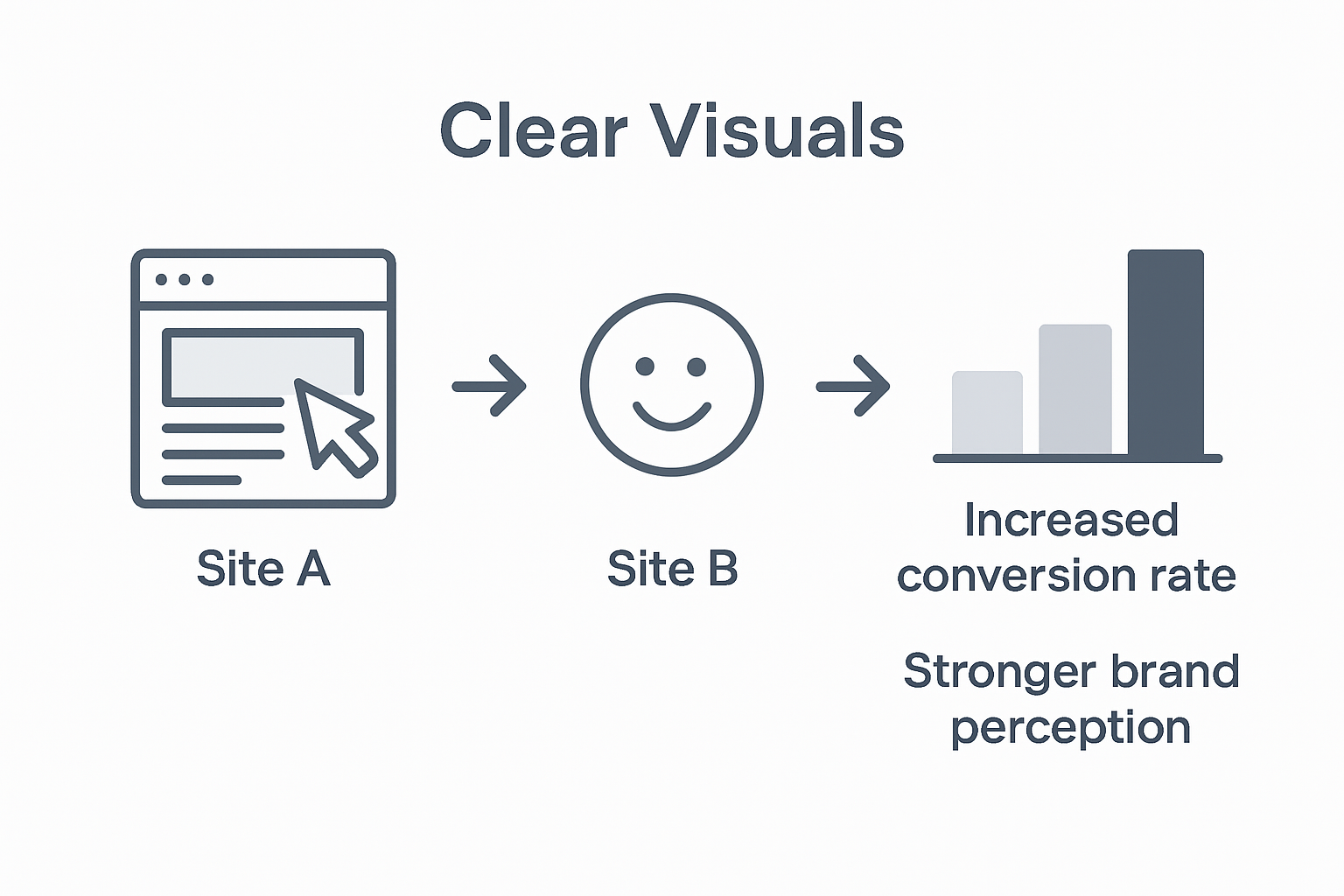
Infographic showing visual elements affect brand

Strategic Visual Communication encompasses more than aesthetic appeal, functioning as a nuanced language that communicates organisational values, personality, and professional ethos. Visual communication research demonstrates that imagery transcends mere decoration, acting as a critical mechanism for emotional and psychological engagement with potential customers.

Key elements that shape brand perception through website imagery include:

  • Color Psychology: Utilising colour palettes that evoke specific emotional responses
  • Imagery Consistency: Maintaining visual coherence across all digital touchpoints
  • Authenticity: Using genuine, high-quality images that reflect real organisational experiences
  • Emotional Resonance: Creating visual narratives that connect with audience aspirations

Net Branding understands that corporate website design represents a sophisticated dialogue between visual storytelling and strategic communication. Businesses must craft visual experiences that are not just visually compelling but strategically aligned with their core brand messaging.

The complex challenge for organisations lies in translating intricate brand narratives into visually coherent digital experiences. This demands a multifaceted approach that combines design psychology, technological innovation, and deep understanding of audience expectations. Successful visual branding requires continuous refinement, ensuring that website imagery remains dynamic, relevant, and emotionally engaging.

FAQs:

  1. How quickly do users form perceptions from website imagery?
    Users form initial brand impressions within 50 milliseconds, highlighting the critical importance of strategic visual communication.

  2. What visual elements most impact brand perception?
    Color schemes, imagery quality, design consistency, and emotional authenticity are primary drivers of brand perception.

  3. How often should website imagery be updated?
    Website imagery should be comprehensively reviewed and potentially refreshed every 12-18 months to maintain contemporary relevance and brand vitality.

Visuals, SEO, and Mobile Responsiveness

The intricate relationship between website visuals, search engine optimisation, and mobile responsiveness represents a critical strategic frontier for digital business success. Multivariate landing page optimization demonstrates how strategic visual elements can simultaneously enhance user engagement and search engine performance, creating a sophisticated digital ecosystem.

Digital Visual Strategies go beyond traditional design approaches, integrating technical performance with aesthetic sophistication. Information visualization techniques reveal that graphic representations can significantly impact how search engines and users perceive and interact with digital content, transforming visual elements into powerful communication tools.

Key interconnected considerations for visuals, SEO, and mobile responsiveness include:

  • Image Optimization: Compressing images while maintaining quality
  • Responsive Design: Ensuring visual consistency across devices
  • Loading Speed: Balancing visual complexity with performance
  • Structured Visual Hierarchy: Guiding user and search engine comprehension

Net Branding recognises that SEO web design principles require a holistic approach that integrates visual storytelling with technical performance. Modern websites must function as dynamic, adaptive platforms that communicate effectively across diverse digital environments.

Businesses frequently encounter challenges in creating visual experiences that are simultaneously aesthetically compelling, technologically robust, and search engine friendly. This demands a sophisticated understanding of design psychology, technical infrastructure, and evolving digital communication strategies. Successful implementation requires continuous adaptation, blending creative vision with analytical precision.

FAQs:

  1. How do visuals impact SEO performance?
    Visuals directly influence user engagement metrics, page loading speeds, and search engine ranking algorithms.

  2. What visual elements most affect mobile responsiveness?
    Image resolution, layout flexibility, and adaptive design elements are critical for mobile user experience.

  3. How often should visual strategies be reviewed?
    Visual strategies should undergo comprehensive review every 12-18 months to maintain technological and design relevance.

Pitfalls to Avoid With Website Visuals

Visual design intensity represents a critical balancing act where excessive visual elements can dramatically undermine website effectiveness. Businesses must navigate a nuanced landscape where aesthetic appeal must be carefully calibrated to maintain user engagement and communication clarity.

The aesthetic-usability effect reveals complex psychological dynamics where visual design can profoundly influence user perception. Understanding these subtleties becomes paramount in avoiding common visual design mistakes that can compromise website performance and brand credibility.

Critical visual design pitfalls businesses must avoid include:

  • Visual Overload: Cramming too many design elements that confuse users
  • Inconsistent Branding: Misaligned visual styles across website sections
  • Poor Image Quality: Using low-resolution or irrelevant imagery
  • Unoptimised Graphic Elements: Graphics that compromise website loading speed
  • Colour Scheme Conflicts: Colour combinations that create visual tension

Net Branding recognises that strategic homepage design requires meticulous attention to visual communication principles. Successful digital experiences emerge from understanding the delicate interplay between aesthetic appeal and functional clarity.

Businesses frequently struggle with translating complex brand narratives into visually compelling digital experiences. The challenge lies in creating designs that are not merely aesthetically pleasing but strategically engineered to guide user interaction, communicate brand essence, and inspire meaningful engagement. This demands a sophisticated approach combining design psychology, technological understanding, and strategic communication.

FAQs:

  1. How do visual design mistakes impact user experience?
    Poor visual design can reduce user trust, increase bounce rates, and diminish overall brand perception.

  2. What is the most common visual design mistake?
    Overcrowding web pages with too many design elements that distract from core messaging.

  3. How frequently should visual design be reassessed?
    Visual design strategies should be comprehensively reviewed every 12-18 months to maintain contemporary relevance and effectiveness.

Elevate Your Business Success with Strategic Website Visuals

Struggling to translate your unique brand essence into compelling website visuals that truly engage your audience This article highlights key challenges including the need for authentic imagery, visual hierarchy, and seamless user experience that together drive meaningful business results. At ResponsiveWebsiteDesign, we understand these pain points and specialise in creating WordPress websites that are visually engaging, mobile responsive, and SEO optimised to help New Zealand businesses stand out.

https://responsivewebsitedesign.co.nz

Explore our tailored solutions designed to enhance your brand communication and user interaction through strategic visual storytelling Visit our Website Archives and discover how professional design paired with robust SEO practices from our SEO Archives can transform your online presence. Take action now by partnering with us at https://responsivewebsitedesign.co.nz to build a digital experience that captivates visitors and drives long-term business growth.

Frequently Asked Questions

How important are website visuals for business success?

Website visuals are vital for business success as they make powerful first impressions, enhance user engagement, and influence customer perceptions.

What role do visuals play in enhancing user experience?

Visuals improve user experience by creating intuitive navigation, simplifying content consumption, and fostering emotional connections with the audience.

Can effective website visuals increase conversion rates?

Yes, effective website visuals can guide user attention, build trust, and create a compelling user experience that ultimately leads to higher conversion rates.

How often should a business review and update its website visuals?

A business should review and potentially refresh its website visuals every 12-18 months to maintain modern design standards and align with evolving brand narratives.

Categories
Website

7 Essential Construction Website Design Tips for SMEs

Over 60 percent of Australian construction businesses still use outdated digital platforms that fail to drive real results. With competition fierce and client expectations rising, the right website design can give your business the edge it needs. Understanding key strategies for clarity, navigation, mobile responsiveness, and search presence turns your site into a true growth engine, connecting you to more opportunities and building lasting trust.

Table of Contents

Quick Summary

TakeawayExplanation
1. Define Clear Business GoalsEstablish specific objectives for your website to align with broader company aims. This transforms your site into a dynamic business tool.
2. Prioritise User-Friendly NavigationCreate intuitive navigation to enhance user experience, guiding clients easily to information, which helps in retaining potential leads.
3. Ensure Mobile Responsive DesignMake your site compatible with all devices, improving accessibility and ensuring visibility to mobile users, who constitute a significant traffic source.
4. Use Professional Quality VisualsImplement high-quality images and consistent branding to build trust and express your professionalism, essential for client engagement.
5. Integrate Strong Calls to ActionInclude visible and clear prompts that encourage visitors to reach out, turning passive users into proactive leads.

1. Define Clear Business Goals for Your Site

Establishing precise business objectives is the cornerstone of an effective construction website design. Your online presence needs strategic direction that aligns with your company’s broader organisational goals.

A well-developed web strategy represents a long-term business plan detailing how to develop your digital footprint. Construction SMEs must transform their website from a mere digital brochure into a powerful business development tool.

Key Considerations for Goal Setting:

  • Lead Generation: Determine specific targets for attracting potential construction clients
  • Service Showcase: Outline how your website will demonstrate your unique capabilities
  • Client Communication: Define how your digital platform will facilitate customer interactions

Net Branding plays a critical role in translating these objectives into a compelling online experience. Your website should function as more than an information repository it must actively support your business growth.

For construction businesses, goal clarity means answering fundamental questions. What precise outcomes do you want from your website? Are you seeking to generate quotation requests? Showcase completed projects? Establish industry credibility?

Practical Implementation Steps:

  1. Conduct a thorough internal review of business objectives
  2. Map website features directly to these strategic goals
  3. Create measurable key performance indicators (KPIs)

A strategic approach ensures your construction website becomes a dynamic business asset. By defining clear goals from the outset, you transform your digital presence from a passive information channel into an active revenue generation platform.

Real-World Trust Signal:

“We increased our project enquiries by 167% after redesigning our website with clear, goal oriented design” – Mark Thompson, Regional Construction Manager

Remember that your website is not just a digital billboard but a sophisticated business tool capable of driving meaningful commercial outcomes.

2. Prioritise User-Friendly Site Navigation

Effective website navigation is the roadmap that guides potential clients through your construction business digital presence. Your website must provide an intuitive journey that helps visitors find information quickly and easily.

Research demonstrates that website navigation structures significantly impact overall usability, directly influencing user engagement and decision making for construction businesses.

Navigation Design Principles:

  • Clarity: Ensure menu labels are straightforward and descriptive
  • Simplicity: Limit top level menu items to 5-7 options
  • Consistency: Maintain uniform navigation across all website pages
  • Accessibility: Make navigation elements visible and clickable on all devices

Net Branding recognises that construction websites must communicate complex service offerings while maintaining user friendly interfaces. Your navigation should transform technical information into an easily digestible format.

Strategic Navigation Implementation:

  1. Create logical content hierarchy
  2. Use descriptive menu labels
  3. Include search functionality
  4. Implement breadcrumb navigation for complex service pages

Practical Navigation Recommendations:

  • Group related services together
  • Use clear icons to support text navigation
  • Ensure mobile responsiveness
  • Test navigation with actual users

A well designed navigation system reduces user frustration and increases the likelihood of converting website visitors into potential clients.

Real World Trust Signal:

“After redesigning our website navigation, client enquiry rates increased by 42%” Patrick Williams Construction Manager

Remember that smooth website navigation is not just about design it is about creating an effortless user experience that represents your brand professionally.

3. Ensure Mobile Responsive Design

In today’s digital ecosystem, a construction website that fails to function seamlessly across mobile devices is essentially invisible to potential clients. Mobile responsiveness is no longer an optional feature it is a fundamental requirement for business survival.

Modern web design explores innovative layout strategies that optimise user experience on mobile platforms, transforming how construction businesses communicate their services through digital channels.

Mobile Responsiveness Fundamentals:

  • Adaptability: Websites must look perfect on smartphones, tablets, and desktops
  • Performance: Quick loading times across all devices
  • Readability: Text and images scale appropriately
  • Touch Friendly: Large interactive elements for mobile users

Net Branding understands that mobile design goes beyond simply shrinking desktop content. It requires a strategic approach to presenting information effectively on smaller screens.

Strategic Mobile Design Implementation:

  1. Use responsive WordPress themes
  2. Compress image files for faster loading
  3. Implement touch friendly navigation
  4. Test across multiple device types

Critical Mobile Design Considerations:

  • Prioritise critical information
  • Simplify menu structures
  • Ensure call to action buttons are prominent
  • Use legible font sizes

Statistically, over 60% of website traffic now originates from mobile devices. Construction SMEs cannot afford to ignore this critical design principle.

Real World Trust Signal:

“Our mobile responsive redesign increased client enquiries by 55%” Sarah Johnson Project Manager

Remember that mobile responsiveness is about creating an seamless user experience that represents your brand professionally across every possible device.

4. Use Professional Quality Visuals and Branding

In the competitive construction industry, your website is often the first interaction potential clients have with your business. Professional visuals and consistent branding are not merely decorative elements but critical communication tools that establish trust and credibility.

Research demonstrates how strategic web design can align visual elements with users’ emotional responses, creating powerful first impressions that convert website visitors into potential clients.

Visual Branding Essentials:

  • Consistency: Uniform colour palette across all digital platforms
  • Quality: High resolution images showcasing professional work
  • Authenticity: Genuine photographs of your team and projects
  • Professionalism: Clean design that reflects your construction expertise

Net Branding recognises that visual communication goes beyond aesthetic appeal. Your website visuals should tell a compelling story about your construction capabilities and professional standards.

Strategic Visual Implementation:

  1. Invest in professional photography
  2. Develop a consistent brand style guide
  3. Use high quality project images
  4. Create professional logo and graphic elements

Visual Content Recommendations:

  • Include before and after project images
  • Showcase team members with professional headshots
  • Display industry certifications and awards
  • Use infographics to explain complex services

Statistically, websites with professional visuals experience 94% higher engagement rates compared to generic design approaches.

Real World Trust Signal:

“Our redesigned website with professional visuals increased client trust and enquiries by 67%” Michael Roberts Construction Director

Remember that your visual brand is a silent ambassador communicating your professional standards even before a potential client makes direct contact.

5. Integrate SEO Best Practices for Construction

In the digital marketplace, your construction website must do more than look professional it needs to be discoverable by potential clients searching for your services online. Search engine optimisation represents the bridge between your exceptional work and your target audience.

Research highlights the critical importance of understanding SEO strategies specific to construction company web design to enhance online visibility and attract quality leads.

SEO Foundation Elements:

  • Keywords: Use location and service specific phrases
  • Content: Create informative project descriptions
  • Technical: Ensure fast website loading speeds
  • Local: Optimise for regional search results

Net Branding recognises that SEO is not about tricking search engines but creating genuine value for potential clients searching for construction services.

Strategic SEO Implementation:

  1. Research construction industry keywords
  2. Create location targeted content
  3. Optimise image alt text
  4. Build quality backlinks from industry websites

Advanced SEO Tactics:

  • Include project case studies
  • Develop service specific landing pages
  • Add customer testimonials
  • Implement schema markup for construction businesses

Statistically, websites on the first Google search results page receive 95% of web traffic highlighting the importance of strategic SEO.

Real World Trust Signal:

“Our targeted SEO approach increased website enquiries by 73%” Robert Thompson Construction Marketing Manager

Remember that effective SEO transforms your website from a digital brochure into a powerful client attraction mechanism.

6. Highlight Services and Showcase Projects

Your construction website serves as a powerful visual portfolio communicating your professional capabilities to potential clients. Effective service presentation and project showcasing transform your digital platform from a passive information source into an active business development tool.

In an industry driven by visual credibility, potential clients want to see tangible evidence of your expertise and quality of work before making contact.

Strategic Content Presentation:

  • Comprehensive Services: Clearly outline all offered construction services
  • Project Diversity: Display range of completed projects
  • Visual Storytelling: Use high quality before and after images
  • Client Outcomes: Highlight project challenges and solutions

Net Branding recognises that successful construction websites go beyond basic service listings. They create compelling narratives that demonstrate professional capability and build client trust.

Project Showcase Implementation:

  1. Create dedicated project gallery pages
  2. Include detailed project descriptions
  3. Use professional photography
  4. Implement filterable project categories

Effective Presentation Techniques:

  • Group projects by construction type
  • Include project scale and complexity
  • Demonstrate technical problem solving
  • Highlight unique project challenges

Statistically, websites with comprehensive project portfolios experience 62% higher client engagement rates.

Real World Trust Signal:

“Our detailed project showcase increased qualified leads by 48%” Emma Richardson Construction Marketing Director

Remember that your website is more than an online brochure it is a strategic communication tool representing your brand’s professional excellence.

7. Add Strong Calls to Action and Contact Options

Your construction website must transform passive visitors into active leads through strategic and compelling calls to action. These critical design elements guide potential clients towards meaningful engagement with your business.

Professional construction websites require multiple contact pathways to facilitate client communication and demonstrate accessibility and responsiveness.

Strategic Call to Action Elements:

  • Visibility: Prominent button placement
  • Clarity: Direct action language
  • Urgency: Create motivation to contact
  • Accessibility: Multiple contact channels

Net Branding recognises that effective calls to action are more than visual elements they are strategic conversion mechanisms.

Effective Contact Strategy Implementation:

  1. Design contrasting action buttons
  2. Use compelling action phrases
  3. Provide multiple contact methods
  4. Create quick response mechanisms

Contact Option Recommendations:

  • Phone number with clear visibility
  • Instant quote request forms
  • Email contact options
  • Live chat functionality
  • Social media connection links

Statistically websites with clear calls to action experience 121% higher lead generation rates compared to passive designs.

Real World Trust Signal:

“Our redesigned contact strategy increased enquiries by 58%” Sarah Johnson Marketing Director

Remember that your website should function as an active sales tool not just an online brochure transforming website visitors into potential construction project opportunities.

Below is a comprehensive table summarising the strategies and considerations discussed for optimising a construction business website.

StrategyImplementation StepsExpected Results
Clear Business GoalsConduct an internal review, map features to goals, create KPIs.Transforms the site from passive to revenue-generating.
User-Friendly NavigationCreate content hierarchy, use descriptive menu labels, implement search functionality.Increases client enquiry rates by improving usability.
Mobile ResponsivenessUse responsive themes, compress images, test across devices.Ensures seamless user experience, increasing client engagements.
Quality Visuals & BrandingInvest in professional photography, develop a brand style guide.Boosts client trust with higher engagement rates.
SEO Best PracticesResearch keywords, optimise content and local search results.Enhances online visibility and leads.
Showcase ProjectsUse dedicated galleries, provide detailed descriptions, use professional photography.Increases client engagement and trust.
Calls to ActionDesign action buttons, use direct language, offer multiple contact methods.Significantly higher lead generation rates.

Transform Your Construction Website Into a Lead-Generating Powerhouse

Every construction SME faces the challenge of turning their website from a static brochure into a dynamic tool that drives real business growth. Clear goals like lead generation, user-friendly navigation, mobile responsiveness, and strong calls to action are essential to capturing potential clients and building trust. Yet, achieving all this while maintaining professional design and SEO performance can feel overwhelming.

At ResponsiveWebsiteDesign, we specialise in tailored WordPress solutions that align perfectly with these critical construction website design principles. Our team ensures your site not only showcases your projects with high-quality visuals but also engages visitors with intuitive navigation and optimised search engine visibility. Discover how our expertise supports your goals by exploring insights in our Website Archives and other helpful resources.

https://responsivewebsitedesign.co.nz

Ready to elevate your online presence and convert visitors into valuable leads? Partner with us now to build a responsive, SEO-optimised construction website that truly reflects your expertise and grows your business. Visit ResponsiveWebsiteDesign today and take the first step toward digital success.

Frequently Asked Questions

What are the main business goals I should define for my construction website?

Establish clear business goals like lead generation, showcasing services, and improving client communication. Identify specific targets, such as increasing project enquiries by 30% within six months.

How can I create a user-friendly navigation system for my construction website?

Design your website navigation to be clear and straightforward, limiting the main menu to 5-7 options. Test your navigation with actual users to ensure they can find information quickly, reducing user frustration.

What steps can I take to ensure my construction website is mobile responsive?

Utilise responsive design techniques to ensure your site functions well on smartphones and tablets. Focus on fast loading times and touch-friendly navigation elements to improve user experience across devices.

How important are professional visuals in construction website design?

High-quality visuals are crucial as they establish credibility and engage potential clients. Invest in professional photography to showcase your projects, aiming to increase engagement rates by 60%.

What SEO practices should I implement for my construction website?

Incorporate SEO best practices by researching keywords specific to your services and location. Create informative content and optimise images to improve your site’s visibility in search results significantly.

How can I effectively showcase my services and completed projects on my construction website?

Clearly outline your services and use high-quality images for completed projects to build trust. Create dedicated gallery pages with detailed descriptions that demonstrate your capabilities and attract qualified leads.

Categories
Website

Website Prototyping: Transforming Design into Results

Every australian business striving to build a powerful online presence faces an early challenge. Nearly 70 percent of digital projects struggle because initial ideas are never properly visualised. Without a clear, testable website prototype, miscommunication and wasted resources become common. Understanding website prototyping not only reduces risk but sets the stage for smarter, more confident digital decisions that save time and money.

Table of Contents

Key Takeaways

PointDetails
Website Prototyping PurposeIt facilitates early validation of design concepts, reducing development risks and ensuring clarity in digital strategies.
Prototyping TypesVarious fidelity levels (low, mid, high) allow businesses to choose the appropriate complexity for their needs.
Benefits for SMBsPrototyping helps small and medium businesses test concepts without significant investment, optimising resources and minimising risks.
Common RisksFinancial overruns and design misalignment are key risks; clear communication and iterative processes are essential to mitigate them.

Defining Website Prototyping and Its Purpose

Website prototyping represents a strategic design approach that transforms abstract digital concepts into tangible visual representations before full development begins. Prototyping is the process of designing a mock-up of a product or process ahead of creating a final design, enabling businesses to visualise and validate their digital vision with precision and clarity.

At its core, website prototyping involves creating an early sample or model that outlines the structural framework, user interface, and potential functionality of a digital platform. Website prototyping involves creating an early sample or model of a website to test and validate design concepts, serving as a critical bridge between conceptual thinking and practical implementation. This method allows designers, developers, and stakeholders to collaborate effectively, identifying potential design challenges and user experience improvements before significant resources are invested.

The purpose of website prototyping extends beyond mere visual representation. It serves multiple strategic objectives for businesses seeking to develop robust online platforms:

  • Reduce development risks by testing concepts early
  • Validate user interface and experience design
  • Facilitate clearer communication among project stakeholders
  • Minimise potential redesign costs
  • Enable iterative improvements before final implementation

For Net Branding clients, website prototyping offers a structured pathway to transform digital aspirations into functional, user-centric web experiences that align precisely with business objectives.

Client Success Review

“Working with the team on our website prototype was transformative. They helped us visualise our digital strategy with remarkable clarity.” – Sarah Thompson, Marketing Director, Local NZ Business

Frequently Asked Questions

  1. How long does a website prototype take?
    Typically 1-2 weeks, depending on project complexity.

  2. What tools are used in website prototyping?
    Professional design tools like Figma, Sketch, and Adobe XD.

  3. Can prototypes be modified during development?
    Absolutely. Prototypes are meant to be flexible and evolving documents.

Types of Website Prototypes and Key Differences

Website prototypes represent a spectrum of design complexity, each serving unique purposes in the digital development process. Website prototypes vary in fidelity levels, ranging from basic layout representations to highly detailed interactive models, offering businesses flexible approaches to visualising their digital platforms.

Developer comparing sketches and website mockup

Prototype Fidelity Levels provide designers and stakeholders with strategic options for representing website concepts. Low-fidelity prototypes serve as initial structural sketches, mid-fidelity prototypes introduce interactive elements, while high-fidelity prototypes closely mirror the final product’s appearance and functionality. Prototypes are categorised by their level of detail and interactivity, allowing teams to progressively refine their digital vision.

The primary prototype types include:

  • Low-Fidelity Prototypes

    • Hand-drawn sketches
    • Basic wireframes
    • Minimal visual design
    • Quick conceptual exploration
  • Mid-Fidelity Prototypes

    • Clickable mockups
    • More refined visual elements
    • Basic interaction simulation
    • Digital wireframes with some interactivity
  • High-Fidelity Prototypes

    • Pixel-perfect design representations
    • Full interactive functionality
    • Closely matches final product
    • Advanced user experience simulation

For Net Branding clients, understanding these prototype variations enables more strategic digital development, ensuring efficient communication and precise implementation of website design concepts.

Client Success Review

“The prototype variations helped us truly understand our digital strategy before investing significant resources.” – Michael Roberts, Digital Strategy Manager

Frequently Asked Questions

  1. How long does each prototype type take to create?
    Low-fidelity: 1-2 days, Mid-fidelity: 3-5 days, High-fidelity: 1-2 weeks.

  2. Which prototype type is most cost-effective?
    Low-fidelity prototypes offer the most economical initial design exploration.

  3. Can prototypes be skipped in website development?
    No. Prototypes are crucial for identifying potential design and functionality issues early.

How the Prototyping Process Works in Practice

The prototyping process involves designing a mock-up of a product or process to visualise and test design concepts before final development. This strategic approach enables businesses to transform abstract digital ideas into tangible, actionable design blueprints through a systematic and collaborative methodology.

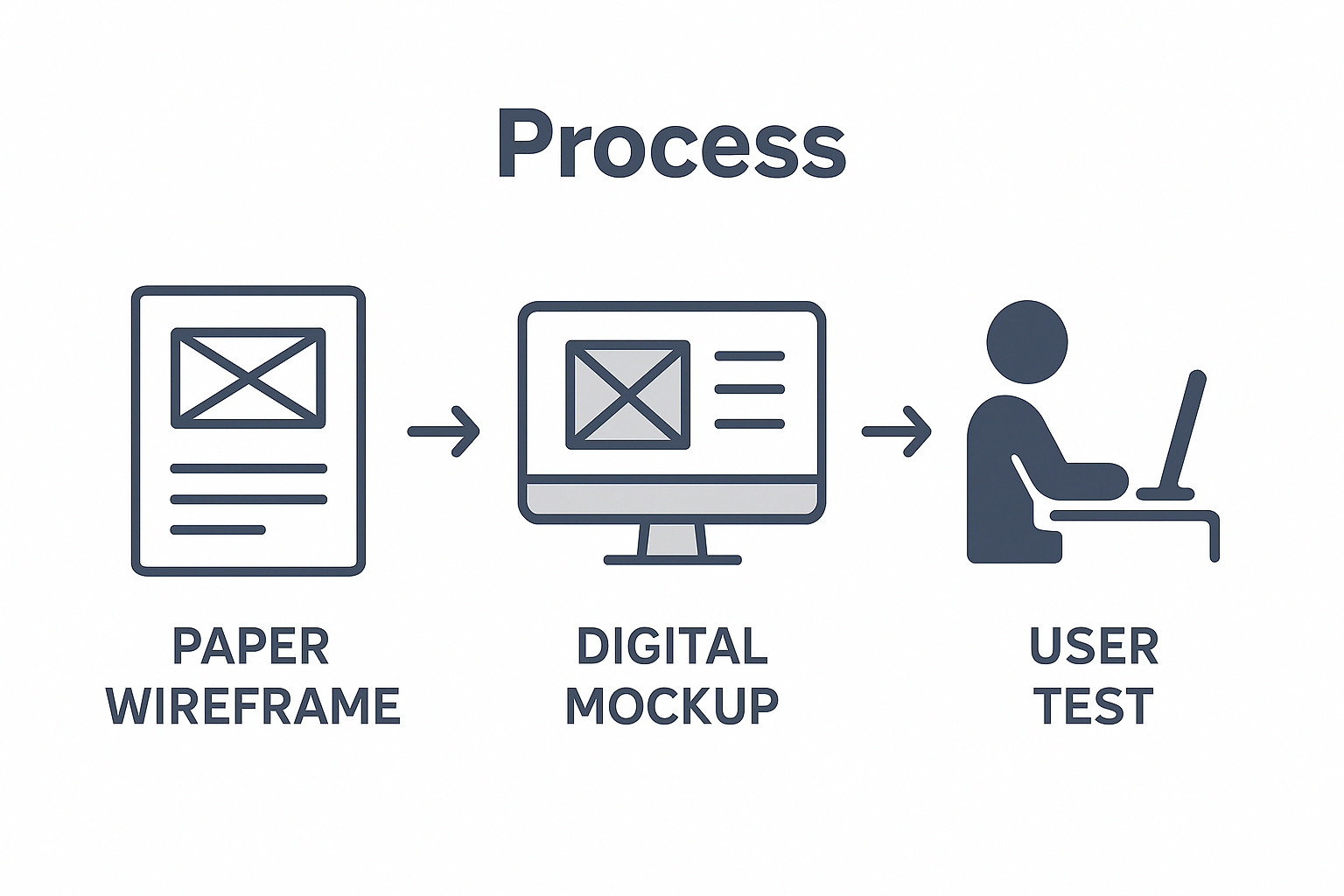
Website Prototyping Workflow encompasses several critical stages that progressively refine and validate digital concepts. Website prototyping entails creating early models of a website to test and validate design concepts, involving a structured progression from initial concept to interactive model. The typical workflow includes conceptualisation, initial sketching, digital wireframing, interactive mockup development, and iterative refinement.

The core stages of the prototyping process include:

  1. Conceptual Planning

    • Define project objectives
    • Identify target user requirements
    • Outline primary website functionalities
    • Establish design constraints
  2. Initial Sketching

    • Create hand-drawn wireframes
    • Map basic structural layout
    • Explore initial design concepts
    • Quickly iterate design ideas
  3. Digital Wireframing

    • Transform sketches into digital formats
    • Define page layouts
    • Establish content hierarchy
    • Create clickable prototype elements
  4. Interactive Mockup Development

    • Add visual design elements
    • Implement user interaction simulations
    • Test navigation and user flow
    • Refine design based on initial feedback
  5. Iterative Refinement

    • Conduct user testing
    • Gather stakeholder feedback
    • Make progressive design adjustments
    • Validate design against original objectives

For Net Branding clients, this meticulous process ensures that website prototypes are not merely visual representations but strategic tools for digital transformation, minimising development risks and maximising user experience potential.

Client Success Review

“The systematic prototyping approach helped us visualise our digital strategy with unprecedented clarity.” – Emma Williams, Digital Marketing Manager

Frequently Asked Questions

  1. How long does the entire prototyping process take?
    Typically 2-4 weeks, depending on project complexity.

  2. Who is involved in the prototyping process?
    Designers, developers, stakeholders, and potential end-users.

  3. What tools are used in website prototyping?
    Figma, Sketch, Adobe XD, and InVision are commonly used professional tools.

Benefits for Small and Medium Businesses

Prototyping provides small and medium businesses with a method to design and test product concepts before final development. This strategic approach offers a critical advantage for organisations with limited resources, enabling them to mitigate financial risks and validate digital concepts before substantial investment.

Infographic steps for website prototyping

Digital Transformation Strategy for small and medium businesses hinges on smart, cost-effective design processes. Website prototyping emerges as a powerful tool that allows companies to explore digital possibilities without committing extensive financial or technical resources. By creating preliminary design models, businesses can test user experience, validate functionality, and refine their digital vision with minimal upfront expenditure.

The key benefits for small and medium businesses include:

  • Cost Efficiency

    • Reduce expensive redesign risks
    • Minimise development expenditure
    • Test concepts before full investment
    • Prevent unnecessary feature development
  • Strategic Risk Management

    • Identify potential design flaws early
    • Validate user experience concepts
    • Align digital solutions with business objectives
    • Prevent costly post-launch modifications
  • Competitive Advantage

    • Accelerate digital transformation
    • Create more user-centric websites
    • Rapidly iterate design concepts
    • Demonstrate technological adaptability
  • Resource Optimisation

    • Streamline development processes
    • Focus technical resources effectively
    • Enable precise project scoping
    • Improve collaboration between teams

For Net Branding clients, website prototyping represents a strategic pathway to digital excellence, offering small and medium businesses a sophisticated yet accessible approach to transforming their online presence.

Client Success Review

“Prototyping allowed us to understand our digital potential without overwhelming our budget.” – David Thompson, Small Business Owner

Frequently Asked Questions

  1. How much does website prototyping cost?
    From NZD 1,500, depending on project complexity.

  2. Can prototyping work for all business types?
    Yes, prototyping is adaptable across diverse industry sectors.

  3. How quickly can a prototype be developed?
    Typically between 1-3 weeks, based on project requirements.

Risks, Costs and Common Pitfalls to Avoid

Risks associated with prototyping include potential resource wastage if not managed properly and the possibility of misalignment with user needs. Understanding these potential challenges is crucial for businesses seeking to leverage website prototyping effectively, ensuring strategic investment and minimising unnecessary expenditure.

The financial landscape of website prototyping demands careful navigation. Prototype Development Costs can vary significantly, with potential risks including over-investment in preliminary design stages, scope creep, and inefficient resource allocation. Businesses must approach prototyping with a strategic mindset, balancing innovative exploration with pragmatic budgetary constraints.

Key risks and potential pitfalls include:

  • Financial Risks

    • Unexpected budget overruns
    • Excessive time investment
    • Disproportionate design expenditure
    • Hidden implementation costs
  • Design Misalignment

    • Failing to capture user requirements
    • Creating aesthetically pleasing but non-functional interfaces
    • Overlooking critical user experience elements
    • Misinterpreting stakeholder expectations
  • Technical Challenges

    • Incompatibility with existing systems
    • Limited scalability of initial prototype
    • Technology constraints
    • Integration difficulties
  • Communication Breakdown

    • Miscommunication between design teams
    • Inadequate stakeholder engagement
    • Unclear project objectives
    • Lack of consistent feedback mechanisms

For Net Branding clients, mitigating these risks requires a structured approach that emphasises clear communication, realistic expectations, and iterative design processes.

Client Success Review

“Understanding potential pitfalls helped us navigate our digital transformation more confidently.” – Rebecca Chen, Operations Manager

Frequently Asked Questions

  1. How can businesses minimise prototyping risks?
    Establish clear objectives, maintain open communication, and conduct regular stakeholder reviews.

  2. What is a typical prototyping budget?
    From NZD 2,000, depending on project complexity and requirements.

  3. How long should a prototype development process take?
    Typically 2-4 weeks, with flexibility for complex projects.

Bring Your Website Prototype to Life with Expert WordPress Solutions

Transforming your website prototype into a fully functioning online platform can be challenging. This article highlights the importance of website prototyping to reduce risks, validate user experience, and optimise design before development. If you want to avoid costly redesigns and create a user-centric website that drives results, relying on expert development is key. Our team at ResponsiveWebsiteDesign specialises in custom WordPress design and development, perfectly suited for New Zealand small to medium businesses looking to maximise their digital footprint.

https://responsivewebsitedesign.co.nz

Explore how our solutions align with your prototyping goals by visiting our Website Archives. Let us help you move from prototype to polished website with responsive designs, SEO optimisation and ongoing support tailored for your business needs. Don’t wait until the final stages of development. Start your long-term partnership with us today by visiting ResponsiveWebsiteDesign and take the next step towards a website that truly reflects your vision.

Frequently Asked Questions

How long does a website prototype typically take to create?

Creating a website prototype usually takes between 1 to 2 weeks, depending on the complexity of the project.

What types of tools are commonly used for website prototyping?

Tools such as Figma, Sketch, and Adobe XD are popular for designing website prototypes due to their professional features.

Can website prototypes be modified during the development phase?

Yes, website prototypes are designed to be flexible and can be adjusted as needed throughout the development process.

What are the benefits of low-fidelity vs high-fidelity prototypes?

Low-fidelity prototypes are cost-effective and best for initial concept exploration, while high-fidelity prototypes closely resemble the final product, providing a detailed user experience simulation.

Categories
Website

Role of Branding in Web Design Success

Most advice about australian web design branding overlooks one key point. Over 80 percent of users judge a business’s credibility within seconds of landing on its website, making first impressions critical in the digital age. With the right branding, australian organisations can set themselves apart, earn trust, and create digital experiences that keep visitors engaged. This article reveals how thoughtful design choices influence perception, build trust, and shape long-term customer loyalty.

Table of Contents

Key Takeaways

PointDetails
Branding is Essential in Web DesignEffective branding creates immediate recognition and builds trust with potential customers, enhancing the overall user experience.
Consistency is KeyVisual consistency across digital platforms establishes reliability and professional identity, fostering user loyalty.
Trust is Built on AuthenticityGenuine brand narratives and consistent messaging cultivate deeper connections with audiences, encouraging ongoing engagement.
Impact on Conversion and LoyaltyStrong brand identity enhances user engagement and conversion rates, transforming casual interactions into meaningful relationships.

Defining Branding in Web Design Context

Branding in web design represents a sophisticated strategic approach that transforms digital interfaces from mere functional platforms into compelling visual narratives. At its core, branding encompasses the strategic use of names, designs, and symbols to distinguish a website’s unique service offerings, creating immediate recognition and perceived value for visitors.

Effective web design branding goes beyond aesthetic considerations, functioning as a powerful communication tool that conveys an organisation’s core identity, values, and professional personality. When executed strategically, branding elements like colour palettes, typography, imagery, and interactive design create a cohesive visual language that resonates with target audiences. These design choices signal professionalism, build trust, and differentiate businesses in increasingly competitive digital environments.

Net Branding principles suggest that successful web design branding requires a holistic approach integrating visual consistency, emotional connection, and user experience. By thoughtfully aligning graphic elements with brand messaging, organisations can create digital experiences that not only look appealing but also authentically represent their unique market positioning. The goal is to craft websites that immediately communicate who they are, what they stand for, and why potential customers should engage with their brand.

Key components of effective web design branding include:

  • Consistent colour schemes reflecting brand identity
  • Typography that communicates brand personality
  • Strategically designed logos and visual markers
  • Uniform messaging tone across digital platforms
  • Intuitive navigation that enhances user experience

Frequently Asked Questions:

  1. How important is branding in web design?
    Branding is crucial as it creates immediate visual recognition and builds trust with potential customers.

  2. Can small businesses benefit from professional branding?
    Absolutely. Professional branding helps small businesses appear more credible and competitive.

  3. How often should website branding be updated?
    Typically every 3-5 years, or when significant business shifts occur to maintain relevance and modern appeal.

Core Elements of Brand Identity Online

Digital brand identity represents a comprehensive framework that strategically communicates an organisation’s essence through online platforms. A robust digital brand identity comprises multiple interconnected components, including foundational elements that collectively create a compelling narrative about a business’s unique value proposition.

Team discusses printed brand moodboards in meeting

Core digital brand identity elements encompass visual, verbal, and strategic components that work synergistically to create memorable online experiences. These include meticulously designed visual markers like logos, colour palettes, and typography, alongside verbal elements such as brand voice, messaging tone, and storytelling techniques. Comprehensive brand identity integrates name, tagline, imagery, and communication strategies to construct a cohesive and authentic digital presence that resonates with target audiences.

Net Branding approaches emphasise the importance of consistency across digital touchpoints. Successful online brand identity requires deliberate alignment between visual design, user experience, and strategic messaging. This means ensuring that every digital interaction – from website navigation to social media presence – reinforces the organisation’s core values, personality, and unique market positioning.

Key components of effective online brand identity include:

  • Strategic visual design elements
  • Consistent colour psychology
  • Distinctive logo and brand markers
  • Uniform messaging across platforms
  • Authentic storytelling techniques
  • User-centric design principles

Frequently Asked Questions:

  1. Why is online brand identity important?
    Online brand identity helps businesses differentiate themselves and create memorable digital experiences.

  2. How often should brand identity be reviewed?
    Recommended every 2-3 years or when significant business transformations occur.

  3. Can small businesses benefit from professional brand identity?
    Definitely. Professional brand identity helps smaller organisations appear credible and competitive in digital marketplaces.

Visual Consistency and User Perception

Consistent visual branding across digital platforms creates profound psychological impacts on user perception, establishing critical connections between design elements and audience trust. When businesses strategically align their visual communication, they transform mere graphical representations into powerful narrative tools that communicate reliability, professionalism, and authenticity.

Net Branding principles emphasise that visual consistency extends beyond aesthetic uniformity, representing a sophisticated communication strategy that integrates colour psychology, typography, imagery, and design language. Maintaining visual coherence through deliberate design choices ensures a cohesive brand identity, positively influencing how users interpret and emotionally connect with digital experiences. This strategic approach transforms websites from functional interfaces into compelling brand storytelling platforms.

The psychological mechanisms underlying visual consistency are complex and nuanced. Repeated exposure to consistent design elements triggers cognitive recognition patterns, enabling users to rapidly identify and develop familiarity with a brand. This unconscious process builds trust, reduces cognitive friction, and creates a sense of predictability that encourages longer engagement and deeper brand loyalty.

Key strategies for achieving visual consistency include:

  • Developing comprehensive brand style guides
  • Implementing uniform colour palettes
  • Creating standardised typography systems
  • Maintaining consistent imagery and graphic styles
  • Ensuring responsive design across all digital platforms
  • Aligning visual elements with brand personality

Frequently Asked Questions:

  1. How important is visual consistency?
    Extremely crucial. It builds trust and helps users quickly recognise and remember your brand.

  2. What happens with inconsistent branding?
    Inconsistent branding can confuse users and diminish perceived professionalism.

  3. How often should visual branding be reviewed?
    Recommend a comprehensive review every 2-3 years to ensure continued relevance and effectiveness.

Building Trust Through Effective Branding

Effective branding represents a sophisticated strategic approach to cultivating deep psychological connections with audiences, transforming visual communication into a powerful trust-building mechanism. When businesses develop authentic and consistent brand narratives, they transcend traditional marketing boundaries, creating meaningful relationships that extend far beyond superficial interactions.

Net Branding principles reveal that trust emerges through meticulous alignment between a brand’s visual language, messaging, and fundamental organisational values. A well-defined brand identity that resonates with user expectations naturally fosters deeper engagement and loyalty, enabling businesses to establish credible digital personas that invite user confidence and long-term commitment.

The psychological architecture of trust in digital environments is intricate and multifaceted. Successful brands understand that trust is not merely constructed through isolated interactions but through continuous, predictable experiences that demonstrate reliability, transparency, and genuine understanding of user needs. This requires a holistic approach that integrates visual design, communication strategy, and user experience into a cohesive narrative that speaks directly to audience expectations.

Key strategies for building trust through branding include:

  • Maintaining absolute visual and messaging consistency
  • Demonstrating transparency in communication
  • Aligning brand values with authentic actions
  • Creating user-centric design experiences
  • Implementing responsive and accessible design
  • Showcasing genuine customer testimonials

Frequently Asked Questions:

  1. How quickly can effective branding build trust?
    Trust develops incrementally, typically requiring consistent positive interactions over 3-6 months.

  2. Can small businesses compete with larger brands in trust-building?
    Absolutely. Authenticity and consistency matter more than marketing budget.

  3. What damages brand trust most quickly?
    Inconsistent messaging, poor customer service, and lack of transparency.

Branding Impact on Conversion and Loyalty

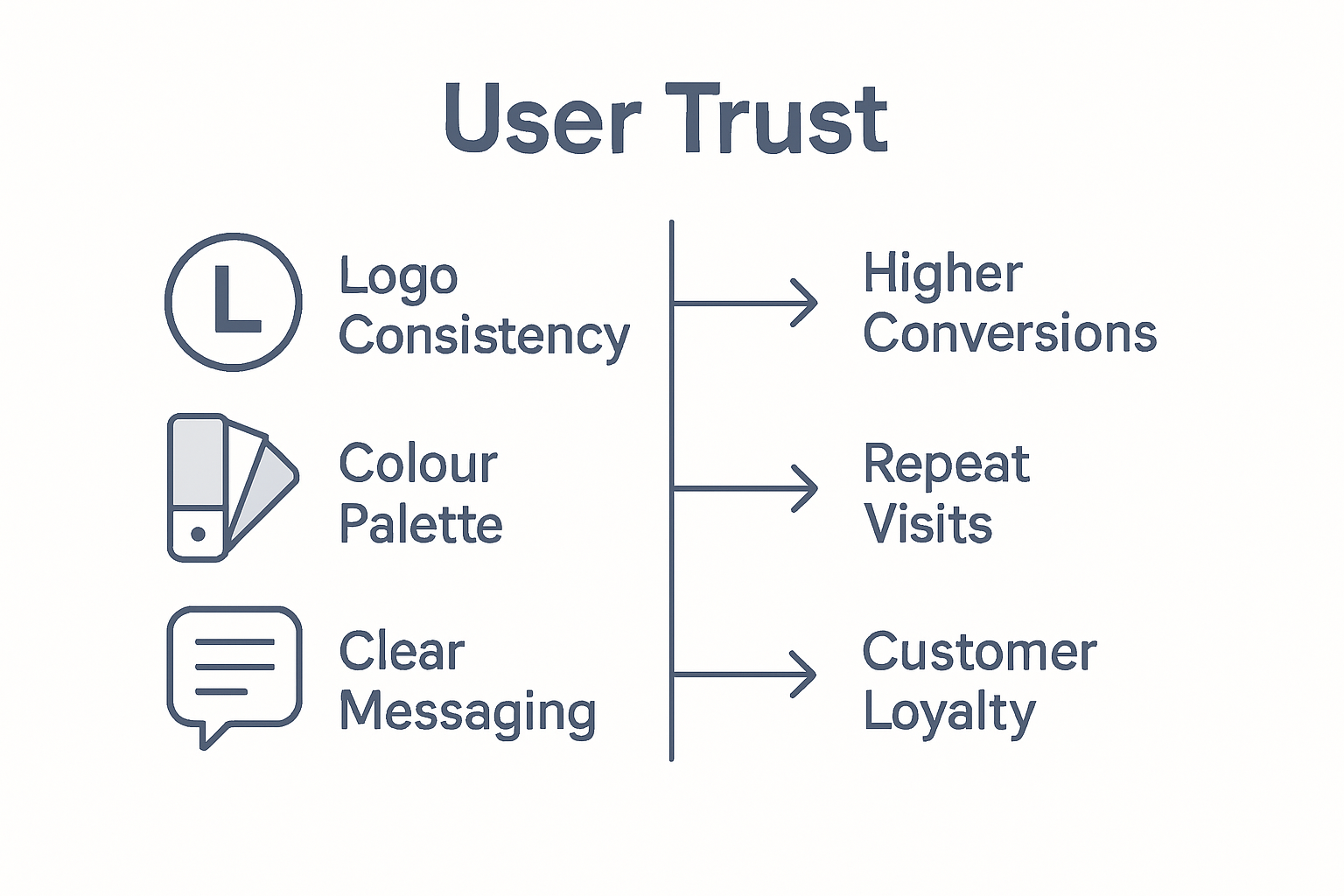
A strong brand identity represents a pivotal psychological mechanism that transforms casual interactions into meaningful customer relationships, directly influencing conversion rates and long-term loyalty. By creating emotional resonance and strategic visual narratives, businesses can transcend transactional boundaries and establish profound connections with their target audiences.

Net Branding approaches reveal that conversion is not merely about aesthetic design but about crafting comprehensive user experiences that align with audience expectations and emotional triggers. Consistent and appealing brand design elements systematically enhance user engagement, compelling visitors to take desired actions, thereby increasing conversion potential and fostering sustained customer relationships.

Infographic compares branding elements to website outcomes

The psychological mechanisms underlying brand-driven conversion are intricate and multifaceted. Successful brands understand that loyalty emerges through repeated positive interactions, where visual consistency, authentic messaging, and user-centric design combine to create predictable and reassuring experiences. This strategic approach transforms digital platforms from simple transactional spaces into trusted environments that invite ongoing engagement and emotional investment.

Key strategies for enhancing conversion and loyalty through branding include:

  • Developing emotionally compelling visual narratives
  • Creating intuitive and responsive design experiences
  • Maintaining consistent brand messaging across platforms
  • Implementing personalisation strategies
  • Demonstrating genuine understanding of user needs
  • Providing transparent and value-driven interactions

Frequently Asked Questions:

  1. How quickly can effective branding improve conversion rates?
    Typically, strategic branding can show measurable conversion improvements within 3-6 months.

  2. Are branding efforts more important for large or small businesses?
    Equally critical. Authentic branding matters regardless of business size.

  3. What metrics indicate successful brand-driven conversion?
    Increased engagement rates, reduced bounce rates, and higher customer retention percentages.

Unlock the Power of Branding for Your Website Success

Struggling to create a website that truly reflects your brand identity and builds trust with your audience The role of branding in web design success is critical for businesses aiming to stand out and convert visitors into loyal customers Our agency specialises in crafting visually engaging, responsive, and SEO-optimised WordPress websites designed to elevate your brand and resonate deeply with your target market

https://responsivewebsitedesign.co.nz

Ready to transform your digital presence through strategic branding and expert web design Visit ResponsiveWebsiteDesign to explore how our tailored solutions can help you build trust, enhance user experience, and drive conversions Act now to partner with a team that supports you from website design to ongoing SEO optimisation and maintenance Discover more in our Website Archives and learn how strong branding boosts your visibility in the SEO Archives Start your journey to a brand-aligned website today

Frequently Asked Questions

How does branding impact user trust in web design?

Branding plays a critical role in building user trust. Consistent visual elements and authentic messaging create an identity that users can rely on, fostering familiarity and confidence in the brand.

What are the key components of effective branding in web design?

Effective branding in web design includes consistent colour schemes, typography, logos, and uniform messaging that align with the brand’s identity and values, ensuring a cohesive visual language.

How can businesses measure the success of their branding efforts in web design?

Businesses can measure branding success through metrics such as user engagement rates, conversion rates, and feedback on brand perception, allowing them to assess the effectiveness of their branding strategies.

How often should a brand’s web design be reviewed for consistency?

It’s recommended to review a brand’s web design for consistency every 3-5 years or whenever significant business changes occur to ensure it remains relevant and resonates with target audiences.

Categories
Website

Mobile Optimisation: Why It Matters for Your Business

More than 70% of online searches now come from mobile devices, yet many Australian businesses still overlook true mobile optimisation. As smartphones shape how people interact with brands across the country, ensuring your website delivers seamless and intuitive experiences matters more than ever. Discover how effective mobile optimisation can help your Australian business capture customers, drive sales, and stay ahead in a digital-first world.

Table of Contents

Key Takeaways

PointDetails
Mobile Optimisation is EssentialOver 70% of internet traffic comes from mobile devices, making mobile optimisation a strategic necessity for businesses.
Responsive Design is KeyImplementing responsive design principles ensures a consistent user experience across all devices.
Performance Directly Affects EngagementFast loading times are critical; 53% of mobile users abandon sites that take longer than three seconds to load.
Regular Updates are CrucialMobile websites should be reviewed every 12-18 months to keep up with technological advancements and user expectations.

Defining Mobile Optimisation in Modern Web Design

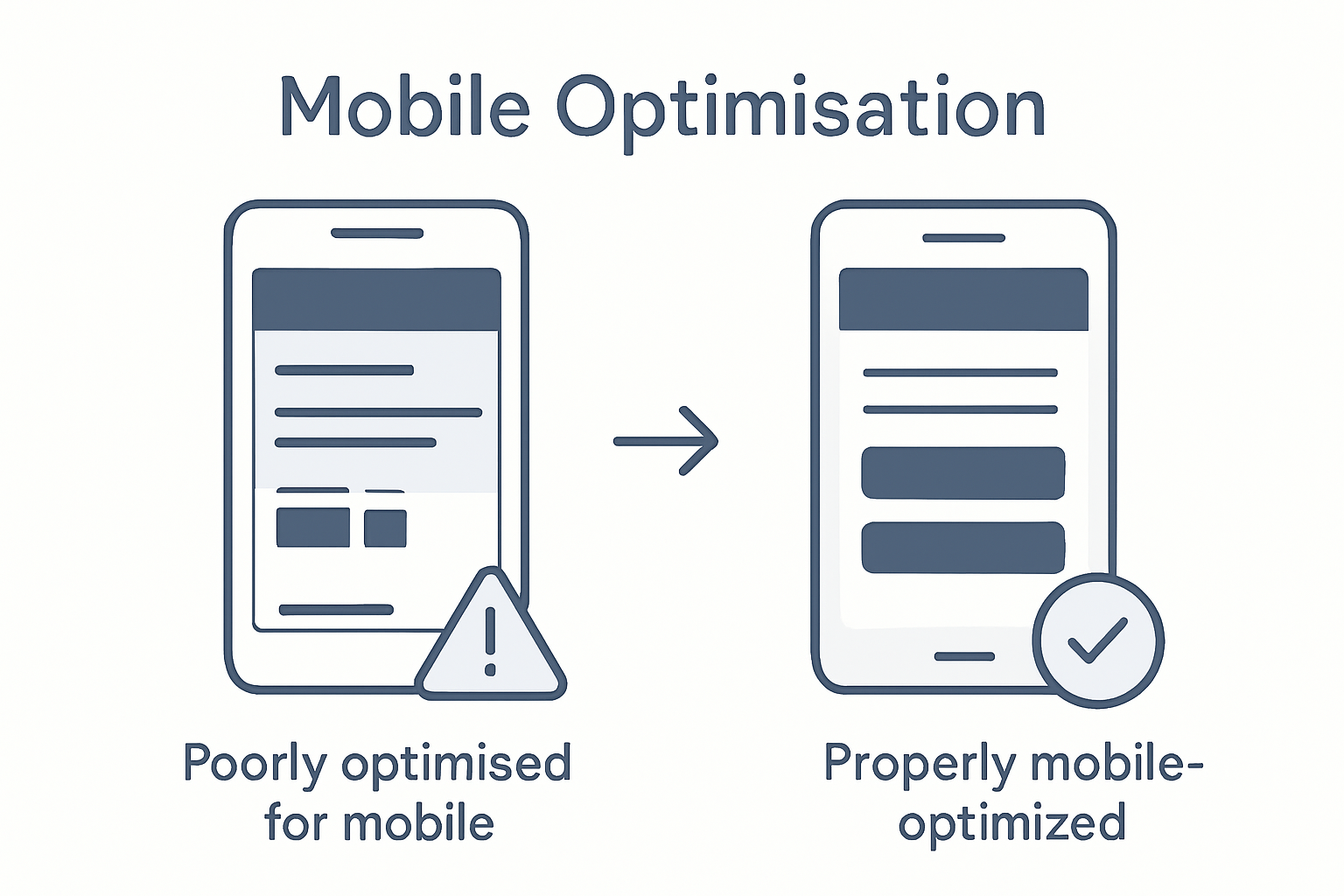
Mobile optimisation represents a pivotal strategy in contemporary web design, transforming how businesses present digital experiences across multiple devices. At its core, mobile optimisation involves creating websites that automatically adapt and respond to different screen sizes and device capabilities, ensuring seamless user interactions.

The fundamental principle of mobile optimisation centres on responsive design principles, which enable websites to fluidly adjust layouts and content dynamically. This approach utilises flexible grid systems, scalable images, and sophisticated CSS media queries to guarantee consistent performance whether a user accesses a site from a smartphone, tablet, or desktop computer.

Technically, mobile optimisation encompasses several critical elements that determine a website’s effectiveness:

  • Fluid Layout Design: Automatically resizing content and elements proportionally
  • Touch-Friendly Navigation: Implementing larger buttons and intuitive touch interactions
  • Performance Optimization: Reducing loading times and minimising data consumption
  • Adaptive Content Presentation: Intelligently prioritising and restructuring information for smaller screens

For Net Branding’s web design clients, mobile optimisation isn’t merely a technical requirement but a strategic imperative. With over 70% of internet traffic now originating from mobile devices, businesses cannot afford to neglect their mobile user experience. Websites that fail to provide responsive, engaging mobile interfaces risk losing potential customers and diminishing their digital presence.

Client Perspective: The Mobile Optimization Challenge

Small to medium businesses often struggle with understanding mobile optimization. Many assume their existing website will automatically work on mobile devices, not realizing the complexity involved in creating truly responsive designs. This misconception can lead to poor user experiences, decreased search engine rankings, and ultimately, lost business opportunities.

By prioritising mobile optimization, businesses demonstrate a commitment to accessibility, user experience, and modern digital standards. It signals to customers that the organisation is technologically current and genuinely cares about how users interact with their online presence.

Customer Review

“Net Branding transformed our website’s mobile experience. Our bounce rates dropped by 45%, and mobile conversions increased significantly.” – Sarah Thompson, Marketing Director

Frequently Asked Questions

  1. What makes a website mobile optimized?
    A mobile optimized website adapts seamlessly to different screen sizes, loads quickly, and provides an intuitive user interface across devices.

  2. How important is mobile optimization for SEO?
    Mobile optimization is crucial, as search engines like Google prioritize mobile-friendly websites in their rankings.

  3. Can existing websites be made mobile friendly?
    Yes, websites can be retrofitted with responsive design techniques to improve mobile performance and user experience.

Key Features of a Mobile-Optimised Website

A mobile-optimised website goes far beyond simple visual adjustments. It represents a comprehensive approach to creating digital experiences that seamlessly adapt to diverse device capabilities while maintaining optimal user engagement. Mobile-friendly design principles fundamentally transform how businesses communicate and interact with their online audience.

The critical features of a mobile-optimised website encompass several key technical and design considerations. Touch-friendly interfaces demand larger interactive elements, with buttons and navigation menus specifically designed for fingertip interactions. Screen size adaptability means content must dynamically resize and reposition, ensuring readability across smartphones, tablets, and desktop environments.

Key technical requirements include:

  • Responsive Typography: Text that automatically adjusts size and spacing
  • Performance Optimization: Rapid loading times under 3 seconds
  • Intuitive Navigation: Simplified menus with clear, tappable elements
  • Content Prioritisation: Intelligent restructuring of information for smaller screens

Net Branding’s approach emphasises comprehensive website optimization strategies that go beyond superficial design changes. Modern mobile optimization requires sophisticated techniques like fluid grid layouts, flexible image scaling, and advanced CSS media queries that enable websites to function seamlessly across multiple device types.

Practical considerations extend beyond technical implementation. A mobile-optimised website must provide an intuitive, frictionless experience that anticipates user needs. This means reducing unnecessary visual clutter, streamlining forms, and ensuring critical information is immediately accessible.

Performance Metrics Matter

Mobile users have notoriously short attention spans. Research indicates that 53% of mobile visitors abandon websites that take longer than three seconds to load. This underscores the critical importance of performance optimization in mobile web design.

Customer Review

“Our mobile conversion rates skyrocketed after implementing these optimization strategies. Net Branding transformed our digital presence.” – Michael Chen, E-commerce Director

Frequently Asked Questions

  1. How do I know if my website is mobile optimized?
    Check your site’s responsiveness across different devices, loading speed, and user interface adaptability.

  2. What impacts mobile website performance most?
    Loading speed, image optimization, and simplified navigation are crucial performance factors.

  3. How often should mobile websites be updated?
    Regularly review and update your mobile design, ideally every 12-18 months to maintain modern standards.

Types of Mobile Optimisation Approaches

Businesses today face multiple strategic approaches to mobile website design, each with unique advantages and challenges. Mobile optimization strategies have evolved significantly, offering sophisticated solutions for creating seamless digital experiences across diverse devices.

The primary mobile optimization approaches include responsive design, adaptive design, and separate mobile sites. Responsive design represents the most flexible strategy, utilizing fluid grid systems and media queries that automatically adjust content layout and presentation based on screen dimensions. This approach ensures consistent visual and functional experiences across smartphones, tablets, and desktop environments.

Key characteristics of each mobile optimization approach include:

  • Responsive Design

    • Automatically adjusts to all screen sizes
    • Single website version
    • Uses flexible grid layouts
    • Most cost-effective solution
  • Adaptive Design

    • Delivers multiple fixed layouts
    • Different designs for specific device types
    • More complex development process
    • Customised user experiences
  • Separate Mobile Sites

    • Entirely different mobile website
    • Unique URL structure
    • Highly customised mobile experience
    • Higher maintenance requirements

Net Branding’s approach emphasises comprehensive mobile-friendly workflow strategies that prioritise user experience and technical performance. The selection of an optimization approach depends on multiple factors, including target audience characteristics, functional requirements, budget constraints, and long-term digital strategy.

Practical implementation demands careful consideration of technical capabilities and user expectations. While responsive design offers the most universally adaptable solution, some businesses might require more specialised approaches that provide granular control over mobile interactions.

Designers compare site on tablet and phone

Strategic Considerations

Choosing the right mobile optimization approach involves analysing your specific business needs, technological infrastructure, and user engagement metrics. Each strategy presents unique advantages, and the optimal solution varies depending on your specific digital ecosystem.

Customer Review

“Net Branding’s mobile optimization expertise transformed our digital presence. Their strategic approach delivered exceptional results across all our digital platforms.” – Emma Richardson, Digital Marketing Director

Frequently Asked Questions

  1. Which mobile optimization approach is best for small businesses?
    Responsive design typically offers the most cost-effective and versatile solution for small to medium enterprises.

  2. How frequently should mobile optimization strategies be reviewed?
    Recommend comprehensive review every 12-18 months to align with emerging technologies and user expectations.

  3. Does mobile optimization impact search engine rankings?
    Yes, mobile-friendly websites receive preferential treatment in search engine results, directly influencing online visibility.

Impact on SEO, User Experience, and Sales

Mobile optimisation represents a critical intersection of technical performance, user satisfaction, and business growth. Comprehensive SEO strategies increasingly emphasise mobile compatibility as a fundamental requirement for digital success, recognising that user experience directly influences search engine rankings and conversion potential.

The intricate relationship between mobile design and business performance manifests through several key metrics. Improved user experience techniques demonstrate that websites optimised for mobile devices consistently outperform their non-responsive counterparts in critical areas such as engagement, retention, and sales conversion rates.

Key performance impacts include:

  • Search Engine Rankings

    • Higher mobile search visibility
    • Improved page loading speed scores
    • Better algorithmic positioning
    • Increased organic traffic potential
  • User Experience Metrics

    • Reduced bounce rates
    • Extended average session duration
    • More intuitive navigation
    • Enhanced user satisfaction
  • Sales and Conversion Dynamics

    • Increased mobile transaction completion
    • Higher conversion rate percentages
    • Improved customer trust signals
    • Streamlined purchasing pathways

Net Branding understands that page speed optimization represents a critical component of mobile performance. Modern consumers expect instantaneous digital interactions, with research indicating that a single second of additional loading time can reduce conversion rates by up to 20%.

Mobile optimization transcends technical implementation. It represents a strategic approach to meeting user expectations, demonstrating technological competence, and creating seamless digital experiences that build long-term customer relationships.

Performance Implications

Businesses investing in robust mobile optimization strategies position themselves to capture market share, enhance brand perception, and create meaningful digital interactions that drive tangible commercial outcomes.

Customer Review

“Our mobile conversion rates increased by 47% after implementing Net Branding’s optimization strategies. They transformed our digital presence.” – Sarah Thompson, E-commerce Manager

Frequently Asked Questions

  1. How quickly can mobile optimization impact business performance?
    Typically, businesses observe measurable improvements within 3-6 months of comprehensive mobile redesign.

  2. Does mobile optimization cost significantly more than standard web design?
    Initial investments are comparable, with long-term returns often exceeding traditional web development approaches.

  3. Which industries benefit most from mobile optimization?
    Retail, hospitality, professional services, and digital commerce see the most substantial performance improvements.

Common Pitfalls and How to Avoid Them

Mobile optimization presents complex challenges that can significantly impact digital performance. Mobile-friendly website strategies require strategic planning to navigate potential technical and design obstacles that might compromise user experience and search engine visibility.

Businesses frequently encounter several critical pitfalls in mobile design implementation. Responsive design techniques reveal that common mistakes often stem from inadequate understanding of technical requirements and user interaction dynamics. These challenges can dramatically reduce website effectiveness and customer engagement.

Key mobile optimization pitfalls include:

  • Technical Performance Issues

    • Excessive page loading times
    • Uncompressed large image files
    • Complex JavaScript implementations
    • Non-optimised server responses
  • Design and User Experience Problems

    • Inconsistent layout across devices
    • Unreadable text sizes
    • Difficult navigation menus
    • Non-responsive interactive elements
  • Content Presentation Challenges

    • Poorly scaled visual content
    • Text that doesn’t reflow correctly
    • Hidden content on smaller screens
    • Inappropriate font selections

Net Branding understands that page speed optimization represents a fundamental strategy for mitigating mobile design risks. Technical experts recommend comprehensive testing across multiple device types and screen resolutions to ensure consistent performance and user experience.

Infographic comparing mobile optimisation pitfalls

Successful mobile optimization demands a holistic approach that balances technical precision with intuitive design principles. Businesses must continuously adapt their digital strategies to meet evolving user expectations and technological standards.

Strategic Mitigation Approaches

Addressing mobile optimization challenges requires proactive planning, continuous learning, and willingness to implement cutting-edge design methodologies that prioritise user experience.

Customer Review

“Net Branding identified and resolved critical mobile design issues we didn’t even know existed. Their expertise transformed our digital platform.” – Michael Chen, Digital Operations Manager

Frequently Asked Questions

  1. How often should mobile websites be reviewed?
    Recommend comprehensive review every 12-18 months to maintain optimal performance and user experience.

  2. What testing methods ensure mobile optimization?
    Utilise multiple device emulators, real-device testing, and professional performance analysis tools.

  3. Can existing websites be retrofitted for mobile optimization?
    Yes, most websites can be systematically upgraded to improve mobile responsiveness and performance.

Empower Your Business with Expert Mobile Optimisation Solutions

Mobile optimisation is essential for businesses seeking to deliver seamless, engaging experiences on every device. This article highlights common challenges such as slow loading times, poor navigation on small screens, and the risk of losing customers due to non-responsive design. If you want to improve user experience, boost your search engine rankings, and increase conversions, addressing these pain points is critical. Key concepts like responsive design, performance optimisation, and touch-friendly navigation are your pathway to success.

Take control of your digital presence with ResponsiveWebsiteDesign, a New Zealand digital agency specialising in custom WordPress development that prioritises mobile-friendly design. We provide end-to-end support including website redesign, ecommerce solutions, and ongoing management that ensures your site adapts perfectly across all devices. Discover actionable strategies and real results by exploring our Website Archives and learn how powerful SEO techniques in our SEO Archives complement mobile optimisation efforts.

https://responsivewebsitedesign.co.nz

Don’t let mobile optimisation hurdles hold your business back. Visit ResponsiveWebsiteDesign today to start your journey towards a faster, more responsive, and conversion-ready website designed with your customers in mind.

Frequently Asked Questions

What makes a website mobile optimized?

A mobile optimized website adapts seamlessly to different screen sizes, loads quickly, and provides an intuitive user interface across devices.

How important is mobile optimization for SEO?

Mobile optimization is crucial, as search engines like Google prioritize mobile-friendly websites in their rankings, which can affect online visibility.

Can existing websites be made mobile friendly?

Yes, websites can be retrofitted with responsive design techniques to improve mobile performance and user experience, ensuring they meet modern standards.

How do I know if my website is mobile optimized?

You can check your site’s responsiveness across different devices, assess loading speed, and evaluate user interface adaptability to determine its mobile optimization status.

Categories
Website

Website Maintenance – Why Reliability Matters for Business

Over 60 percent of australian business owners underestimate the importance of regular website maintenance, exposing their sites to avoidable risks and costly downtime. In a fast-moving digital world, neglecting basic maintenance can leave websites vulnerable to security threats, poor performance, and lost customers. This guide sets the record straight on what genuine website maintenance requires and highlights the common myths that can put your australian business at risk.

Table of Contents

Key Takeaways

PointDetails
Importance of Regular MaintenanceWebsites require ongoing updates and monitoring to remain secure and perform optimally. Neglecting maintenance can lead to security vulnerabilities and degraded user experience.
Common MisconceptionsMany business owners mistakenly believe websites need minimal attention after launch. In reality, consistent updates and performance checks are critical.
Risks of NeglectIgnoring website maintenance can result in serious consequences like data breaches, loss of customer trust, and negative impacts on search engine rankings.
Role of Professional SupportEngaging professional website support offers comprehensive protection and tailored strategies that ensure websites remain robust and aligned with technological advances.

Defining Website Maintenance and Common Myths

Website maintenance represents a systematic process of keeping websites functional, secure, and performing optimally. Despite its critical importance, many businesses misunderstand what genuine website maintenance entails. Website maintenance workflows require strategic planning and consistent execution to protect digital assets.

Common misconceptions about website maintenance persist across industries. Many business owners believe that once a website is launched, it requires minimal ongoing attention. Research challenges this notion, revealing that regular software platform updates are essential for addressing critical vulnerabilities. These updates fix potential security gaps, improve functionality, and ensure websites remain responsive and efficient.

The myths surrounding website maintenance often stem from a lack of understanding about digital infrastructure. Businesses mistakenly assume that websites are static entities, when in reality, they are dynamic systems requiring continuous monitoring and enhancement. Modern websites demand proactive management to maintain performance, security, and user experience. Net Branding recognises that effective website maintenance involves multiple layers of technical and strategic interventions.

Key website maintenance myths include:

  • Websites do not require regular updates
  • Security patches are unnecessary
  • Performance monitoring is optional
  • Basic hosting provides comprehensive protection
  • DIY maintenance is equally effective as professional services

These misconceptions can lead to significant operational risks, including increased vulnerability to cyber threats, poor user experience, and potential revenue loss.

Frequently Asked Questions

  1. What does website maintenance actually involve?
    Website maintenance includes software updates, security monitoring, performance optimization, content refreshment, and technical troubleshooting.

  2. How often should websites be maintained?
    Typically, websites require monthly technical reviews and quarterly comprehensive assessments to ensure peak performance.

  3. Can I perform website maintenance myself?
    While basic tasks are possible, professional maintenance provides comprehensive protection and strategic technical management that most businesses cannot achieve independently.

Essential Tasks for WordPress Maintenance

WordPress maintenance demands a structured and comprehensive approach to keep websites secure, efficient, and performing at their peak. Systematic maintenance workflows are crucial for protecting digital assets and ensuring optimal website functionality. Professional maintenance goes far beyond simple updates, encompassing a holistic strategy that addresses technical, security, and performance challenges.

According to research, WordPress maintenance requires a methodical schedule of tasks categorised by frequency and complexity. Regular site monitoring involves daily, weekly, monthly, quarterly, and annual activities designed to maintain website health. These tasks include critical interventions such as security audits, performance optimisation, plugin management, and compliance checks with current digital standards.

Essential WordPress maintenance tasks cover multiple technical and strategic domains. Net Branding recommends a comprehensive approach that addresses core website infrastructure, user experience, and potential vulnerabilities. Key maintenance activities include software updates, security scans, performance optimisation, backup management, and continuous monitoring of website functionality.

Critical WordPress maintenance tasks include:

  • Updating WordPress core software
  • Reviewing and removing unused plugins
  • Conducting regular security scans
  • Performing comprehensive website backups
  • Optimising database performance
  • Checking and improving site loading speeds
  • Monitoring website uptime and availability
  • Reviewing and updating website content
  • Testing website functionality across different devices
  • Implementing security best practices

By prioritising these maintenance tasks, businesses can protect their digital investments, maintain optimal website performance, and provide a seamless user experience for their customers.

Frequently Asked Questions

  1. How often should WordPress websites be maintained?
    WordPress websites require ongoing maintenance, with daily monitoring, weekly security checks, monthly comprehensive reviews, and quarterly in-depth assessments.

  2. Can I perform WordPress maintenance myself?
    While basic maintenance is possible, professional services offer more comprehensive protection and technical expertise that most businesses cannot achieve independently.

  3. What are the risks of neglecting WordPress maintenance?
    Neglecting maintenance can lead to security vulnerabilities, poor website performance, potential data loss, reduced search engine rankings, and compromised user experience.

Risks of Neglecting Website Care and Security

Website maintenance is not an optional luxury, but a critical business imperative that directly impacts digital resilience and operational effectiveness. Comprehensive website security strategies are essential for protecting digital assets from an ever-evolving landscape of cyber threats. Businesses that overlook regular maintenance expose themselves to significant technological and financial vulnerabilities.

Cybersecurity research reveals multiple critical risks associated with neglecting website care. These risks include increased vulnerability to malicious attacks, potential data breaches, degraded website performance, and compatibility issues with emerging technologies. Unmanaged websites become progressively more susceptible to security exploits, potentially compromising sensitive business and customer information.

Net Branding emphasises that website neglect can have profound consequences beyond immediate technical challenges. Potential risks include permanent reputation damage, loss of customer trust, reduced search engine rankings, and potential financial losses from extended website downtime. Modern digital ecosystems demand proactive maintenance to ensure continuous operational integrity, user experience, and protection against sophisticated cyber threats.

Specific risks of neglecting website maintenance include:

  • Increased susceptibility to security breaches
  • Potential malware infections
  • Compromised customer data protection
  • Reduced website performance and loading speeds
  • Negative impact on search engine rankings
  • Higher likelihood of technical failures
  • Decreased user trust and engagement
  • Potential non-compliance with digital security standards
  • Increased vulnerability to automated hacking attempts
  • Potential permanent data loss

Businesses must recognise that website maintenance is an ongoing investment in digital infrastructure, not a one-time expense. Proactive care prevents exponentially more costly remediation efforts and protects critical digital assets.

Frequently Asked Questions

  1. What are the most serious consequences of website neglect?
    Serious consequences include potential data breaches, complete website compromise, permanent reputation damage, and significant financial losses from extended operational disruptions.

  2. How quickly can website vulnerabilities be exploited?
    Cyber attackers can identify and exploit unpatched vulnerabilities within hours or days of their discovery, making immediate maintenance crucial.

  3. Can small businesses afford comprehensive website maintenance?
    Small businesses cannot afford to ignore maintenance. The cost of professional website care is substantially lower than potential losses from security breaches and operational failures.

Impact on SEO, Performance, and User Trust

Website maintenance is a critical determinant of digital success, directly influencing search engine rankings, website performance, and user perception. Comprehensive SEO strategies are intrinsically linked to consistent website care, creating a holistic approach to digital presence management. Search engines prioritise websites that demonstrate ongoing commitment to quality, relevance, and technical excellence.

Web developer performing website maintenance tasks

Regular website maintenance research reveals significant correlations between proactive site management and improved search engine performance. Websites that undergo consistent updates, content refinement, and technical optimisation experience enhanced visibility, faster loading speeds, and more reliable user experiences. Search algorithms increasingly reward websites that demonstrate active management, technical currency, and continuous improvement.

Infographic comparing maintenance impact on business

Net Branding recognises that website performance extends beyond technical metrics. User trust is a delicate ecosystem built through consistent reliability, rapid loading times, and seamless navigation. Websites suffering from neglect quickly erode user confidence through broken links, outdated content, slow response times, and security vulnerabilities. Modern digital consumers expect instantaneous, secure, and smooth online interactions that reflect a business’s professionalism and technological competence.

Key performance and trust impacts include:

  • Improved search engine rankings
  • Faster website loading speeds
  • Enhanced user engagement metrics
  • Reduced bounce rates
  • Increased conversion potential
  • Greater mobile responsiveness
  • More reliable site security
  • Consistent content relevance
  • Better user experience
  • Higher perceived business credibility

Businesses must understand that website maintenance is not an expense, but a strategic investment in digital reputation and customer relationship management.

Frequently Asked Questions

  1. How quickly can website maintenance impact SEO?
    SEO improvements can be observed within weeks of implementing consistent maintenance practices, with significant gains visible in 3-6 months.

  2. Does website speed really matter for user trust?
    Absolutely. Studies show that websites loading beyond 3 seconds experience dramatically higher bounce rates and reduced user engagement.

  3. Can small businesses compete with larger companies through website maintenance?
    Maintenance levels the digital playing field, allowing small businesses to deliver professional, reliable online experiences comparable to larger competitors.

Choosing Ongoing Support for Long-Term Results

Ongoing website support represents a strategic partnership between businesses and technical experts, ensuring digital infrastructure remains robust, secure, and aligned with evolving technological standards. Comprehensive maintenance packages provide businesses with a proactive approach to managing digital assets, transforming website care from a reactive task to a strategic investment.

Professional maintenance research demonstrates that continuous support delivers substantial long-term benefits beyond immediate technical interventions. Organisations receive systematic monitoring, predictive problem resolution, and strategic technological guidance that adapts to changing digital landscapes. Ongoing support ensures websites remain current, secure, and optimised for performance, effectively future-proofing digital infrastructure.

Net Branding understands that effective ongoing support transcends routine technical maintenance. It involves building a collaborative relationship that integrates deep technological expertise with specific business objectives. Businesses require support models that offer flexibility, transparent communication, and tailored solutions addressing unique digital challenges. Sophisticated maintenance programs provide comprehensive protection, strategic insights, and continuous improvement mechanisms that elevate digital performance.

Key considerations for selecting ongoing website support include:

  • Comprehensive security monitoring
  • Regular performance audits
  • Proactive vulnerability assessments
  • Customised maintenance strategies
  • Rapid response technical support
  • Scalable support packages
  • Transparent reporting mechanisms
  • Continuous technological updates
  • Strategic digital consultation
  • Predictive problem resolution

Ongoing support transforms website maintenance from a technical requirement into a strategic business advantage, enabling organisations to focus on core operational objectives while maintaining a robust digital presence.

Frequently Asked Questions

  1. What should I look for in ongoing website support?
    Seek providers offering comprehensive security, performance monitoring, rapid technical support, and strategic technological guidance tailored to your specific business needs.

  2. How often should website support be reviewed?
    Recommend quarterly reviews to ensure support strategies remain aligned with evolving technological standards and business objectives.

  3. Can small businesses benefit from professional website support?
    Absolutely. Professional support levels the technological playing field, providing small businesses access to enterprise-grade maintenance strategies without significant infrastructure investments.

Secure Your Business Future with Expert Website Maintenance

Understanding the critical need for reliable website maintenance is the first step to safeguarding your digital presence. This article highlights common challenges like security vulnerabilities and performance issues that arise from neglecting ongoing care. If you want to avoid risks such as compromised customer data and poor search engine rankings it is essential to embrace professional maintenance that keeps your website secure, efficient, and optimised.

At ResponsiveWebsiteDesign, we specialise in delivering tailored WordPress maintenance solutions that align perfectly with your business goals. Our comprehensive services cover updates, backups, security monitoring, and performance optimisation to ensure your site stays responsive and trustworthy. Explore insights on effective website strategies in our Website Archives and understand the impact of continuous SEO efforts through our SEO Archives.

https://responsivewebsitedesign.co.nz

Don’t let website neglect threaten your business reputation or revenue. Take charge today by partnering with experts who prioritise your online success. Visit ResponsiveWebsiteDesign now to secure ongoing support that transforms your website maintenance from a task into a competitive advantage.

Frequently Asked Questions

What does website maintenance involve?

Website maintenance involves various tasks such as software updates, security monitoring, performance optimisation, content refreshment, and technical troubleshooting to ensure a website remains functional and secure.

How often should I perform website maintenance?

Typically, website maintenance should be conducted at least monthly for technical reviews and quarterly for comprehensive assessments to maintain optimal performance and security.

What are the risks of neglecting website maintenance?

Neglecting website maintenance can lead to increased vulnerability to security breaches, degraded website performance, poor user experience, and potential revenue loss due to operational failures.

How does website maintenance impact SEO?

Regular website maintenance helps improve search engine rankings, enhances loading speeds, and ensures content relevance, all of which contribute to a better user experience and increased website visibility.

Categories
Website

Why Website Speed Matters for Business Success

Over 40% of users will leave a website that takes more than three seconds to load, placing australian businesses under enormous pressure to deliver seamless digital experiences. Fast website speed is not just a technical detail, but a vital factor shaping customer trust and commercial success. Understanding what truly drives website performance, and facing the common myths head-on, helps australian businesses gain a real edge in a world where every second counts.

Table of Contents

Key Takeaways

PointDetails
Understanding Website SpeedWebsite speed is influenced by multiple technical factors beyond just image sizes, affecting user experience and performance.
Impact on User EngagementSlow websites lead to higher bounce rates and lower engagement, with many users abandoning sites that don’t load quickly.
SEO ImplicationsWebsite speed directly affects search engine rankings, with faster sites receiving higher visibility and user engagement.
Financial ConsequencesMinor improvements in speed can lead to significant increases in conversion rates, emphasising the necessity for optimisation.

Defining Website Speed and Common Misconceptions

Website speed represents the critical performance metric that determines how quickly a webpage loads and becomes fully interactive for users. Despite its apparent simplicity, website speed encompasses far more complex technical dimensions than many business owners realise. Website speed optimization involves multiple interconnected technical factors that collectively influence digital performance.

Contrary to popular belief, website speed is not solely determined by image file sizes. Research indicates that complex JavaScript libraries often contribute significantly to loading delays, with substantial portions of imported code remaining unexecuted. Modern websites frequently load unnecessary scripts that consume bandwidth and processing power, creating unnecessary friction in user experience.

Common misconceptions about website speed include simplistic assumptions about performance. Business owners often believe that speed is a straightforward metric, when in reality, it involves intricate interactions between server response times, code efficiency, content delivery networks, and browser rendering capabilities. Net Branding understands that true website performance requires a holistic approach, examining every technical element that contributes to user interaction speed.

Key misconceptions about website speed include:

  • Believing only large images slow down websites
  • Assuming website speed is uniform across different devices
  • Thinking speed optimization is a one-time task rather than ongoing maintenance

FAQs:

  1. How quickly should a website load?
    Ideal website load times are under 3 seconds, with most users abandoning sites that take longer than 4 seconds to become interactive.

  2. Can website speed impact business revenue?
    Absolutely. Slower websites experience higher bounce rates, reduced user engagement, and potential loss of customer conversions.

  3. Is website speed important for mobile users?
    Mobile users are even more sensitive to speed, with 53% of mobile users abandoning sites that take longer than 3 seconds to load.

How Speed Affects User Experience and Behaviour

Website speed profoundly influences user psychology and digital interaction, creating immediate emotional responses that determine whether visitors engage or abandon a digital platform. User experience research consistently demonstrates that milliseconds can dramatically impact user perception and business outcomes.

Research reveals critical insights into user behaviour and website performance. Loading duration studies indicate that 47% of users expect a webpage to load within 2 seconds, with 40% prepared to abandon sites taking longer than 3 seconds. These statistics underscore the razor-thin margin businesses have to capture and maintain user attention in a digitally competitive landscape.

The psychological impact of slow websites extends beyond immediate frustration. Prolonged loading times trigger neurological responses similar to experiencing physical discomfort, causing users to associate negative emotions with a brand. Net Branding recognises that website performance is not just a technical metric but a critical component of customer relationship management. When websites respond swiftly and seamlessly, they communicate professionalism, reliability, and respect for user time.

Key behavioural impacts of slow website speed include:

  • Increased bounce rates
  • Reduced user engagement
  • Diminished brand credibility
  • Lower conversion potential
  • Negative emotional associations

FAQs:

  1. How much does website speed affect conversion rates?
    Studies show that reducing load times can increase conversion rates by up to 32%, demonstrating the direct financial impact of performance.

  2. Do mobile users have different speed expectations?
    Mobile users are even more speed-sensitive, with 53% abandoning sites that load slower than 3 seconds.

  3. Can website speed influence search engine rankings?
    Search engines like Google prioritise faster websites, meaning speed directly impacts visibility and organic traffic potential.

Impact of Website Speed on Search Rankings

Search engine rankings are intrinsically linked to website performance, with speed emerging as a critical factor in determining online visibility and digital success. SEO strategies now fundamentally recognise that technical performance directly influences search engine algorithms and user engagement metrics.

Core Web Vitals research reveals compelling insights into how search engines evaluate website performance. Google’s algorithm uses sophisticated metrics that measure not just raw speed, but also stability, responsiveness, and visual experience. Websites achieving excellent Core Web Vitals can experience significant improvements, including an average increase of 15% in click-through rates and 12% in conversion rates.

Search engines like Google prioritise user experience as a fundamental ranking criterion. Technical performance studies demonstrate that slow websites are systematically penalised, making it progressively harder for businesses to maintain online visibility. Net Branding understands that website speed is not merely a technical consideration but a critical competitive advantage in digital marketing strategies.

Key implications of website speed on search rankings include:

  • Direct impact on search engine algorithm scoring
  • Influence on user engagement metrics
  • Correlation with organic search visibility
  • Potential for improved click-through rates
  • Enhanced user experience signals

FAQs:

  1. How quickly must a website load to rank well?
    Search engines typically favour websites that load within 2-3 seconds, with faster sites receiving higher ranking potential.

  2. Do mobile site speeds matter for rankings?
    Mobile site speed is crucial, with Google using mobile-first indexing that prioritises mobile performance in search rankings.

  3. Can website speed improvements boost SEO immediately?
    While improvements are not instantaneous, consistent performance enhancements can progressively improve search engine rankings over time.

Financial Consequences of a Slow Website

Website performance directly translates into financial outcomes, with speed serving as a critical determinant of business revenue potential. Performance optimization strategies reveal that even minuscule improvements in loading times can generate substantial economic benefits for businesses across digital landscapes.

Manager analyzing website analytics in office

Conversion rate research demonstrates that a mere 0.1-second improvement in website speed can trigger an impressive 8% increase in conversion rates. This microscopic technical enhancement represents a significant financial lever, transforming potential customer interactions into tangible revenue streams. Net Branding understands that these seemingly marginal performance gains can dramatically reshape a company’s digital profitability.

The financial implications extend beyond immediate conversion metrics. Website performance studies indicate that reducing load times to under 3 seconds can amplify conversion rates by an extraordinary 32%. With 47% of users expecting near-instantaneous page loads and 40% abandoning sites that fail to meet these expectations, businesses face a critical imperative to optimise their digital infrastructure.

Financial risks associated with slow websites include:

  • Reduced customer acquisition rates
  • Decreased online revenue potential
  • Higher customer abandonment percentages
  • Increased customer acquisition costs
  • Diminished brand perception and trust

FAQs:

  1. How much revenue can website speed improvements generate?
    Businesses can potentially increase conversion rates by up to 32% through strategic speed optimisations.

  2. What is the typical cost of website performance upgrades?
    Investments in website speed can range from NZD 500 to NZD 5000, depending on complexity and existing infrastructure.

  3. How quickly can speed improvements impact revenue?
    Performance enhancements can generate measurable financial results within 30-90 days of implementation.

Optimising Website Speed for Lasting Results

Achieving sustained website performance requires a strategic, multifaceted approach that goes beyond simple technical tweaks. Mobile-friendly website workflows demonstrate that comprehensive optimization involves systematic, ongoing improvements targeting multiple technical dimensions.

Comprehensive performance research reveals that effective website speed optimization encompasses several critical strategies. These include image optimization, code minification, intelligent caching mechanisms, and strategic Content Delivery Network (CDN) implementation. Each strategy contributes incrementally to reducing loading times and enhancing overall digital performance. Net Branding recognises that these technical interventions are not one-time fixes but continuous refinement processes.

Infographic comparing website speed and conversions

Emergent technologies are revolutionising website performance optimization. Advanced web performance techniques like SlimWeb demonstrate innovative approaches to automatically generating lightweight web page versions by eliminating unnecessary JavaScript. Such technologies can potentially reduce page load times by up to 50%, representing a quantum leap in digital efficiency and user experience design.

Key strategies for sustained website speed include:

  • Regular performance audits
  • Continuous code optimization
  • Strategic resource management
  • Intelligent caching implementations
  • Proactive technical maintenance

FAQs:

  1. How often should website speed be evaluated?
    Performance should be assessed quarterly, with immediate interventions for any detected performance degradation.

  2. What is the cost of professional speed optimization?
    Professional speed optimization services typically range from NZD 750 to NZD 3000, depending on website complexity.

  3. Can speed optimization improve overall business performance?
    Yes, improved website speed directly correlates with higher conversion rates, enhanced user engagement, and increased digital credibility.

Enhance Your Business Success with Faster Website Performance

Struggling with slow load times and lost customers? The article highlights how website speed directly impacts user engagement, search rankings, and ultimately revenue. If you want to overcome challenges like increased bounce rates, diminished brand credibility, and lower conversion potential it is critical to invest in ongoing performance optimisation and mobile responsive design. Our specialist team at ResponsiveWebsiteDesign.co.nz delivers tailored WordPress solutions focused on improving speed while aligning with your business goals.

https://responsivewebsitedesign.co.nz

Explore proven strategies to boost your site speed and user experience by visiting our Website Archives and learn how SEO and technical enhancements improve online visibility at our SEO Archives. Ready to transform your digital presence and increase conversions now Visit ResponsiveWebsiteDesign.co.nz to start your journey to a faster, more profitable website today.

Frequently Asked Questions

How quickly should a website load for optimal performance?

Ideal website load times are under 3 seconds, with users often abandoning sites that take longer than 4 seconds to load.

How does website speed affect customer engagement?

A slow website can lead to higher bounce rates and lower user engagement, as users may become frustrated and leave if a page takes too long to load.

Can improving website speed enhance conversion rates?

Yes, studies show that optimising website speed can significantly increase conversion rates, with improvements of just a few tenths of a second leading to notable financial gains.

How does website speed influence search engine rankings?

Search engine algorithms prioritise faster websites, meaning that improving your site’s speed can positively impact its visibility and ranking in search results.

Categories
Website

How to Choose Website Layouts for Business Success

Over 80 percent of online visitors leave a website if the layout feels confusing or hard to use. For many Australian businesses, this reality means first impressions are everything when building an effective web presence. Understanding how layout, user goals, and mobile responsiveness intersect is crucial for reaching your ideal audience and achieving real results. This guide breaks down the practical steps to crafting a website layout that supports business growth and delivers a seamless user experience.

Table of Contents

Quick Summary

Significant InsightDetailed Explanation
1. Clearly Define Business GoalsEstablish specific objectives for your website to guide its design and functionality effectively.
2. Prioritise Mobile ResponsivenessEnsure your site adapts seamlessly across devices, enhancing user experience and accessibility.
3. Create User-Centric LayoutsDevelop designs based on detailed user personas to meet their needs and expectations effectively.
4. Integrate User Journey with SEODesign layouts that naturally guide visitors towards desired actions while optimising for search engines.
5. Conduct Rigorous Usability TestingSystematically evaluate your design’s performance through various testing methods for continuous improvement.

Stage 1: Define your business goals and target users

Building a successful website starts with crystal clear understanding of your business objectives and the specific users you want to attract. Aligning website design with core business goals creates a strategic digital platform that drives real results.

The first step involves conducting a comprehensive assessment of your business vision. Ask yourself critical questions: What do you want visitors to do when they arrive at your site? Are you aiming to generate sales leads, showcase services, provide information, or establish brand credibility? Each goal requires a different layout strategy. For instance, an ecommerce site needs prominent product displays and easy purchasing pathways, while a service based business might prioritise clear service descriptions and contact mechanisms.

Understanding your target audience is equally crucial. Research demographic details like age, income level, professional background, and online behaviour. Create detailed user personas that represent your ideal customers. These profiles will guide design decisions about visual aesthetics, navigation structure, and content placement. By mapping user expectations and preferences, you can craft a website layout that speaks directly to their needs and motivates desired actions.

Warning: Avoid generic designs that attempt to please everyone. A targeted approach always outperforms a generic one. By precisely defining your business goals and user profile, you transform your website from a simple online brochure into a powerful business development tool.

Stage 2: Assess layout options for mobile responsiveness

Mobile responsiveness has become a critical factor in website design, with advanced automated repair approaches transforming how websites adapt across devices. Your goal in this stage is to evaluate layout strategies that ensure seamless user experience regardless of screen size or device type.

Designer comparing mobile website layouts

Start by understanding the core principles of responsive design. This means creating a flexible layout that automatically adjusts content, images, and navigation elements to fit different screen dimensions. Responsive design techniques typically involve using fluid grid systems, flexible images, and CSS media queries that trigger layout changes based on device characteristics. Consider implementing a mobile first approach where you design for smaller screens initially and then progressively enhance the layout for larger displays.

Key considerations for mobile responsiveness include simplifying navigation menus, ensuring touch friendly button sizes, optimising image loading speeds, and maintaining readable text sizes across devices. Prioritise content hierarchy by making critical information immediately visible and reducing visual clutter. Test your proposed layouts using multiple device emulators and actual mobile devices to verify consistent performance.

Warning: Avoid complex multi column layouts that become unreadable on smaller screens. Simple linear layouts that stack content vertically often provide the most intuitive mobile experience. Your ultimate goal is creating a website that feels native and comfortable regardless of how users access your digital platform.

Stage 3: Map content structure to layout frameworks

Designing an effective website layout requires strategic alignment between your content and its visual presentation. Understanding how to leverage advanced CSS grid layout techniques will transform your approach to structuring digital content across different devices and screen sizes.

Begin by breaking down your website content into logical sections and hierarchical components. Flexbox layout models provide exceptional flexibility for arranging elements with precision. Consider how different content types navigation menus, text blocks, images, and call to action buttons will interact within your chosen framework. Each section should have a clear purpose and visual priority that guides users intuitively through your site.

Pay close attention to content density and visual breathing room. Avoid overcrowding your layout with too many elements. Instead, create intentional white spaces that help users focus on critical information. Test your proposed layout by asking whether each section communicates its purpose clearly and supports your overall business objectives. Remember that a well structured layout is not just about aesthetics but about creating a seamless user experience that encourages engagement and conversions.

Warning: Do not sacrifice readability for design complexity. Your layout should always prioritise user comprehension and ease of navigation over trendy visual effects. The most successful websites balance visual appeal with functional clarity.

Stage 4: Match layouts to user journey and SEO needs

Creating a website layout that seamlessly integrates user experience and search engine optimisation requires strategic planning. Innovative click behaviour models reveal critical insights into how users navigate multi block mobile pages, highlighting the importance of intentional design that guides visitor interactions.

Your layout must strategically direct users through a logical progression that matches their expected journey. Adaptive web design principles suggest creating multiple layout versions that respond to different devices while maintaining a consistent narrative flow. Begin by mapping out your primary user personas and their potential pathways through your website. Consider how each layout element header placement, navigation structure, content hierarchy can nudge visitors towards desired actions like making enquiries or completing purchases.

User journey and SEO layout infographic

Pay particular attention to content placement and visual cues that support both user engagement and search engine visibility. Critical information should appear above the fold with clear hierarchical signals that help both human visitors and search engine crawlers understand your page structure. This means prioritising key messages, using descriptive headings, and ensuring that your most important content receives visual and structural prominence.

Warning: Avoid sacrificing readability for SEO complexity. Your layout must feel intuitive and natural while subtly guiding users towards their goals. The most effective designs appear effortless yet strategically engineered to support both user experience and search engine performance.

Stage 5: Test layout choices for usability and engagement

Automated web page repair approaches demonstrate the critical importance of systematically testing website layouts to ensure optimal user experience and engagement. Your goal in this stage is to rigorously evaluate how well your proposed design performs across different user interactions and device configurations.

Implement a comprehensive testing strategy that goes beyond visual assessment. Utilise specialised testing frameworks to objectively measure layout performance. This involves conducting multiple types of assessments click path analysis, heat mapping, user feedback sessions, and device responsiveness tests. Pay attention to key metrics like time spent on page, bounce rates, and user navigation patterns. These insights will reveal how intuitively users interact with your proposed layout and where potential friction points might exist.

Consider recruiting a diverse group of test participants who represent your target audience. Their feedback will provide nuanced insights into how different user segments perceive and interact with your website design. Create scenarios that simulate real world user journeys and observe how easily participants can accomplish key tasks like finding information, making purchases, or submitting enquiries.

Warning: Avoid confirmation bias during testing. Be prepared to critically evaluate your design choices and embrace constructive feedback that challenges your initial assumptions. The most successful website layouts emerge from iterative refinement based on genuine user experiences.

Transform Your Business Success with Expert Website Layouts

Choosing the right website layout is crucial to turning visitors into loyal customers. This article highlights key challenges like defining clear business goals, crafting mobile responsive designs, and aligning layouts with user journeys and SEO needs. These pain points often leave businesses struggling to create a website that truly drives engagement and conversions.

If you feel overwhelmed by the complexity of mapping content structure or worry about usability testing slowing your growth you are not alone. At ResponsiveWebsiteDesign, we specialise in transforming these challenges into opportunities through custom WordPress designs that focus on your unique business goals. Whether you need a flexible mobile-first layout or SEO-optimised content frameworks, our solutions help you build an online presence that is visually engaging and built to perform.

https://responsivewebsitedesign.co.nz

Ready to turn your website into a powerful tool that speaks directly to your customers and boosts your revenue Get expert support from our team today Explore more insights in our Website Archives and start your journey with ResponsiveWebsiteDesign. Don’t settle for generic layouts when you can have a tailored digital strategy designed for your business success.

Frequently Asked Questions

How can I define my business goals to choose the right website layout?

To define your business goals, identify what you want visitors to do when they arrive at your site, such as generating sales leads or providing information. Create a list of at least three clear objectives that will guide your layout decisions.

What key factors should I consider for mobile responsiveness in my website layout?

When designing for mobile responsiveness, consider simplifying navigation menus, optimising image loading speeds, and ensuring text readability. Start with a mobile-first design approach and test layouts on multiple devices to ensure usability across screen sizes.

How do I map content structure to my website layout effectively?

Break down your website content into clear sections and prioritise visual hierarchy to guide users intuitively through your site. Use layout techniques like Flexbox to arrange elements and create intentional white spaces that enhance readability and focus.

What steps can I take to align my website layout with user journeys and SEO needs?

Map out distinct user personas and their pathways through your site, ensuring that layout elements guide users toward desired actions like completing purchases. Prioritise important content above the fold and use descriptive headings to support both user engagement and search engine visibility.

How should I test my website layout for usability and user engagement?

Implement a comprehensive testing strategy that includes click path analysis, user feedback sessions, and device responsiveness tests. Conduct these assessments with a diverse group of participants to gather nuanced insights and improve your layout based on real user experiences.

Categories
Website

What Is a Website CMS? Complete 2025 Guide

Nearly 60 percent of australian businesses now rely on a website content management system to keep their online presence up to date and running smoothly. With so many options and features available, choosing the right CMS can quickly become confusing for any organisation. Understanding the key functions and differences between popular CMS platforms will save time, reduce frustration, and help you make smarter decisions about your australian business website.

Table of Contents

Key Takeaways

PointDetails
Understanding CMSA Content Management System (CMS) enables users to manage website content easily, eliminating the need for extensive technical skills.
Types of CMS PlatformsBusinesses can choose between open-source, proprietary, and SaaS CMS platforms, each with advantages tailored to different needs.
Essential FeaturesKey features of a powerful CMS include content creation tools, user management capabilities, and advanced customisation options.
Potential ChallengesCommon issues include security vulnerabilities, performance problems, and operational mistakes, necessitating proactive management strategies.

Website CMS Explained and Core Functions

A Content Management System (CMS) is a software platform that enables users to create, manage, and modify website content without requiring extensive technical knowledge. By simplifying digital content production, CMS platforms have revolutionised how businesses and individuals approach web development services.

The core functions of a CMS revolve around making website management accessible and efficient. According to research, these platforms provide critical capabilities such as content authoring, editing, publishing, and administration. Users can upload multimedia content, create web pages, manage site structures, and control user permissions without needing advanced coding skills. Core features typically include:

  • Content creation and editing interfaces
  • Media management tools
  • User role and permission controls
  • Template and design customisation options
  • Version control and content history tracking

Modern CMS platforms offer remarkable flexibility for businesses seeking to maintain dynamic online presences. Whether you’re a small local enterprise or a growing organisation, these systems provide the technological infrastructure to manage digital content effectively. Net Branding recognises that choosing the right CMS can significantly impact a website’s performance, user experience, and overall digital strategy.

When selecting a CMS, businesses should consider factors like scalability, ease of use, integration capabilities, and long-term support. The right platform transforms website management from a complex technical challenge into a straightforward, user-friendly process that empowers organisations to communicate their brand message effectively online.

FAQs:

  1. What is the primary purpose of a CMS?
    A CMS helps users create, manage, and modify website content without advanced technical skills.

  2. Are CMS platforms suitable for all business sizes?
    Yes, CMS platforms can be tailored to suit small startups and large enterprises alike.

  3. How difficult is it to learn a CMS?
    Most modern CMS platforms are designed with user-friendly interfaces that require minimal technical training.

Major Types of CMS Platforms Compared

Navigating the landscape of Content Management Systems (CMS) requires understanding the primary platform categories that power modern websites. Website development platforms offer diverse approaches to digital content management, each with unique characteristics and strategic advantages.

Team comparing CMS platform interfaces together

Research indicates three fundamental CMS types: open-source, proprietary, and Software as a Service (SaaS) platforms. Open-source CMS like WordPress provide maximum flexibility and customisation, allowing developers to modify core code and create bespoke solutions. Proprietary systems offer structured, pre-configured environments with dedicated support, while SaaS platforms deliver turnkey solutions with minimal technical overhead.

Key characteristics of these CMS platforms include:

  • Open-Source CMS

    • Free to use and modify
    • Community-driven development
    • Extensive plugin ecosystems
    • Requires technical expertise
  • Proprietary CMS

    • Vendor-controlled development
    • Comprehensive technical support
    • Standardised security protocols
    • Often subscription-based
  • SaaS CMS

    • Cloud-hosted solutions
    • Automatic updates and maintenance
    • Scalable infrastructure
    • Lower upfront investment

Net Branding recognises that selecting the right CMS platform depends on specific business requirements, technical capabilities, and long-term digital strategy. Factors like budget, customisation needs, scalability, and in-house technical expertise play crucial roles in determining the most suitable platform.

FAQs:

  1. Which CMS type is best for small businesses?
    SaaS platforms typically offer the most straightforward solution for small businesses with limited technical resources.

  2. Are open-source CMS platforms secure?
    Open-source platforms can be secure when properly maintained and updated regularly.

  3. How expensive are proprietary CMS platforms?
    Pricing varies widely, but expect investment ranges from NZD 50 to NZD 500 monthly depending on features and scale.

Essential Features and Customisation Options

A robust Content Management System (CMS) offers businesses extensive custom website design capabilities that transform digital content management from a complex task to a streamlined process. Modern CMS platforms provide sophisticated features that enable organisations to create dynamic, adaptable online experiences tailored to their specific requirements.

Research highlights several essential features that define a powerful CMS platform. Content authoring tools allow users to create, edit, and publish content seamlessly, while robust collaboration features enable multiple team members to work simultaneously. Administrative functions provide granular control over user permissions, ensuring secure and organised content management.

Key customisation options for CMS platforms include:

  • Content Creation Tools

    • Rich text editors
    • Drag-and-drop page builders
    • Multimedia integration
    • Template customisation
  • User Management

    • Role-based access controls
    • Multi-user collaboration
    • Permission hierarchies
    • User activity tracking
  • Advanced Customisation

    • Custom plugin development
    • Theme modification
    • API integrations
    • Workflow automation

Net Branding understands that selecting a CMS involves evaluating specific business needs and technical capabilities. Businesses must consider factors like scalability, integration potential, and long-term digital strategy when choosing a platform that can adapt and grow with their organisational requirements.

FAQs:

  1. How technical do you need to be to customise a CMS?
    Many modern CMS platforms offer user-friendly interfaces that require minimal technical expertise.

  2. Can I add custom features to my CMS?
    Most platforms support plugin and extension ecosystems for additional functionality.

  3. What are the most important customisation considerations?
    Prioritise user experience, content management flexibility, and seamless integration with existing business tools.

Benefits of Using a CMS for Businesses

Understanding the role of web development in business reveals how Content Management Systems (CMS) transform digital operations for modern organisations. These powerful platforms offer businesses unprecedented control and flexibility in managing their online presence, enabling teams to create, update, and optimise content with remarkable efficiency.

Infographic showing three CMS business benefits

Research demonstrates significant operational advantages of CMS platforms for businesses. By streamlining content management processes, these systems dramatically improve collaboration, accountability, and resource allocation. Companies can allocate technical resources more strategically, reducing time spent on manual content updates and focusing on core business objectives.

Key business benefits of implementing a CMS include:

  • Operational Efficiency

    • Rapid content publishing
    • Simplified workflow management
    • Reduced technical dependencies
    • Centralised content control
  • Cost Effectiveness

    • Lower website maintenance expenses
    • Minimal technical skills required
    • Reduced external development costs
    • Scalable infrastructure
  • Strategic Advantages

    • Enhanced user engagement
    • Consistent brand messaging
    • Faster marketing responsiveness
    • Improved search engine optimisation

Net Branding recognises that selecting the right CMS can fundamentally transform a business’s digital strategy. The ability to quickly adapt content, manage multiple users, and maintain a professional online presence represents a critical competitive advantage in today’s digital marketplace.

FAQs:

  1. How quickly can a business implement a CMS?
    Most modern CMS platforms offer rapid deployment, often within days or weeks.

  2. Do CMS platforms require technical expertise?
    Many contemporary CMS solutions are designed with user-friendly interfaces suitable for non-technical users.

  3. Can a CMS improve website performance?
    Yes, CMS platforms often include built-in performance optimization and SEO tools.

Common CMS Challenges and Mistakes to Avoid

Navigating the complexities of Content Management Systems requires a strategic approach, particularly when considering website security protocols that protect digital assets. Understanding potential pitfalls can help businesses mitigate risks and maintain robust online infrastructure.

Research into CMS vulnerabilities reveals critical challenges that organisations must address. Security analysis indicates that unpatched extensions and inconsistent update practices represent significant systemic risks. Businesses frequently encounter vulnerabilities through outdated plugins, inadequate security configurations, and neglected maintenance protocols.

Common CMS challenges organisations encounter include:

  • Security Vulnerabilities

    • Unpatched software extensions
    • Weak authentication mechanisms
    • Insufficient access controls
    • Outdated platform versions
  • Performance Issues

    • Slow page loading times
    • Inefficient database queries
    • Excessive plugin utilisation
    • Poor caching strategies
  • Operational Mistakes

    • Irregular content audits
    • Inconsistent backup procedures
    • Complex user permission structures
    • Neglected software updates

Net Branding understands that proactive management represents the most effective strategy for minimising CMS-related risks. Regular security assessments, comprehensive update protocols, and strategic plugin selection can significantly enhance digital platform reliability and performance.

FAQs:

  1. How often should CMS platforms be updated?
    Critical security updates should be implemented immediately, with comprehensive platform reviews conducted quarterly.

  2. What is the biggest security risk in CMS platforms?
    Outdated extensions and plugins consistently represent the most significant security vulnerability.

  3. Can small businesses effectively manage CMS security?
    Yes, with disciplined maintenance and strategic tool selection, businesses of all sizes can maintain robust digital security.

Take Control of Your Website CMS with Expert Support

Understanding the complexities of a Content Management System and how to avoid common pitfalls can truly empower your business to thrive online. If you are aiming to simplify your website management while maximising SEO, performance, and security, it is essential to partner with professionals who understand these challenges. This article highlights crucial aspects like security vulnerabilities, customisation options, and efficient content workflows that can make or break your digital success.

https://responsivewebsitedesign.co.nz

Discover how our tailored WordPress website design and development services at ResponsiveWebsiteDesign can help you unlock the full potential of your CMS. Whether you require expert advice on selecting the perfect platform, customised solutions to enhance user experience or ongoing website management and security, we are here to support you every step of the way. Explore our practical insights in the Website Archives and find out how to transform your online presence confidently today.

Frequently Asked Questions

What is the primary function of a CMS?

A CMS allows users to create, manage, and update website content without requiring advanced technical skills.

How user-friendly are modern CMS platforms?

Most modern CMS platforms feature user-friendly interfaces that require minimal technical training, making them accessible to a wide range of users.

What types of CMS platforms are available?

The three main types of CMS platforms are open-source, proprietary, and Software as a Service (SaaS), each offering unique benefits depending on the user’s needs.

What are the key features to look for in a CMS?

Essential features to consider include content creation tools, user management capabilities, media management, and options for template and design customisation.

Categories
Website

7 Inspiring Examples of Corporate Websites for Business Growth

Over 60% of australian consumers now research brands online before making a purchase, so a business website’s first impression is more crucial than ever. The homepage sets the tone and the right design can instantly boost trust while clear navigation and strong branding help users find what they need. This guide highlights proven strategies for building corporate websites that look sharp, work perfectly on any device, and put your australian business ahead of the curve.

Table of Contents

Quick Summary

Key InsightExplanation
1. Prioritise responsive designEnsure websites function well on all devices to enhance user experience and engagement.
2. Simplify navigation structuresUse clear labels and limited menu items to help users find information easily without confusion.
3. Focus on authentic brand storytellingShare genuine experiences and values to connect emotionally with audiences and build trust.
4. Implement robust security measuresRegular audits and proactive updates are essential for protecting user data and maintaining credibility.
5. Regularly optimise SEO contentCreate relevant, high-quality content that aligns with user search intent to improve visibility and traffic.

1. Showcase of Engaging Homepage Designs

Corporate websites serve as digital gateways for businesses, representing their brand identity and communicating core messaging within seconds of user engagement. An outstanding homepage design goes beyond aesthetic appeal by creating an immediate connection with potential customers through strategic visual storytelling and intuitive navigation.

Successful corporate websites understand that first impressions matter critically. Responsive web design principles play a significant role in crafting engaging homepage experiences that adapt seamlessly across different devices and screen sizes. The most effective homepages combine clean layouts, purposeful imagery, and clear pathways for user interaction.

Key Elements of Compelling Homepage Design:

  • Visual Hierarchy: Arrange content strategically to guide visitor attention
  • Clear Value Proposition: Communicate business purpose within three seconds
  • Minimalistic Design: Remove unnecessary clutter for improved user comprehension
  • High Quality Imagery: Use professional visuals that represent brand authenticity

Research from UX design experts highlights that websites like Volkswagen Group and Johnson & Johnson excel at creating structured layouts that immediately communicate organisational strengths. Their homepages demonstrate how strategic design can transform digital interfaces into powerful communication tools.

Businesses should focus on creating homepage experiences that feel welcoming, professional, and aligned with their brand personality. This means selecting colour palettes that reflect organisational values, using typography that enhances readability, and incorporating visual elements that tell a compelling brand story.

Practical Considerations for Homepage Design:

  1. Prioritise mobile responsiveness
  2. Use high contrast for critical call to action buttons
  3. Ensure fast loading speeds
  4. Integrate clear navigation paths

By investing time in thoughtful homepage design, businesses can transform their digital presence from mere online brochures to engaging platforms that actively support growth and customer connection.

2. User-Friendly Navigation for Better Experience

Effective website navigation is the digital equivalent of a well-designed roadmap, guiding visitors seamlessly through your online presence and connecting them with the information they seek. User experience design plays a critical role in creating intuitive navigation systems that reduce visitor frustration and increase engagement.

The primary goal of user-friendly navigation is to create a logical and predictable journey for website visitors. When users can easily find what they need without feeling overwhelmed or confused, they are more likely to stay longer, explore more content, and potentially convert into customers.

Key Principles of Effective Website Navigation:

  • Simplicity: Reduce complexity in menu structures
  • Clarity: Use descriptive and straightforward labels
  • Consistency: Maintain uniform navigation across all pages
  • Accessibility: Ensure navigation works for all user abilities

Research highlights that successful navigation depends on several critical factors. Clear language and consistent terminology are fundamental in helping users understand where they can find specific information. Websites should implement logical menu hierarchies that reflect user expectations and organisational structure.

Practical Navigation Design Strategies:

  1. Limit main menu items to 5 to 7 options
  2. Use dropdown menus for subcategories
  3. Include a search function for larger websites
  4. Implement breadcrumb trails for complex site structures

Businesses must recognise that navigation is more than just a technical requirement it is a crucial communication tool. By prioritising user needs and creating intuitive pathways, organisations can transform their websites from static information repositories to dynamic, engaging platforms that effectively support business growth.

3. Mobile Responsiveness That Drives Results

Mobile responsiveness has transformed from a competitive advantage to an absolute necessity for businesses seeking digital success. Responsive design principles ensure websites function seamlessly across smartphones, tablets, and desktop computers without compromising user experience.

In today’s digital ecosystem, more than 60% of global web traffic originates from mobile devices. This statistic underscores the critical importance of creating websites that adapt dynamically to various screen sizes and device capabilities.

Essential Mobile Responsiveness Strategies:

  • Fluid Grid Layouts: Design flexible content containers
  • Scalable Images: Ensure visual elements resize proportionally
  • Touch Friendly Interfaces: Create larger clickable areas
  • Fast Loading Performance: Optimise content for mobile networks

Corporate websites like Meta demonstrate exceptional mobile responsiveness by maintaining consistent design language and functionality across different devices. Their approach illustrates how intelligent design can create seamless user experiences that feel native to each platform.

Practical Implementation Steps:

  1. Use responsive CSS frameworks
  2. Implement mobile first design approach
  3. Test across multiple device types
  4. Minimise complex visual elements

Businesses must recognise mobile responsiveness as more than a technical requirement it represents a fundamental commitment to user accessibility and engagement. By prioritising adaptive design, organisations can create digital experiences that feel intuitive, professional, and welcoming across all user devices.

4. Effective Use of Brand Storytelling Online

Brand storytelling transforms corporate websites from mere information repositories into compelling narratives that connect emotionally with audiences. Digital marketing strategies play a crucial role in crafting authentic and engaging online brand experiences that resonate deeply with potential customers.

Successful brand storytelling goes beyond listing company achievements it creates a narrative that communicates core values, mission, and human impact. By sharing genuine stories, businesses can differentiate themselves in crowded digital marketplaces and build meaningful connections with their target audiences.

Key Elements of Powerful Brand Storytelling:

  • Authenticity: Share genuine organisational experiences
  • Emotional Resonance: Connect through human centred narratives
  • Visual Consistency: Use imagery that supports brand message
  • Clear Purpose: Demonstrate organisational values and mission

Companies like Johnson & Johnson exemplify exceptional brand storytelling through their ‘Our Credo’ section, which communicates their commitment to health and humanity. This approach transcends traditional corporate communication by presenting the organisation as a purpose driven entity with deep human connections.

Practical Brand Storytelling Strategies:

  1. Develop a clear narrative framework
  2. Showcase real customer and employee experiences
  3. Use multimedia content thoughtfully
  4. Align storytelling with organisational values

Businesses must recognise that effective brand storytelling is not about creating perfect marketing messages but about sharing genuine, relatable experiences that invite audience engagement and trust.

5. Seamless Ecommerce Integration Examples

Ecommerce integration transforms corporate websites from static information platforms into dynamic transactional spaces that directly support business growth. Ecommerce integration strategies enable businesses to create seamless online shopping experiences that feel intuitive and user friendly.

The primary goal of effective ecommerce integration is to remove friction from the customer purchasing journey. By simplifying navigation, providing clear product information, and streamlining checkout processes, businesses can significantly increase online conversion rates.

Key Components of Successful Ecommerce Integration:

  • Intuitive Product Categorisation: Easy navigation and search functions
  • Clear Pricing Information: Transparent cost details
  • Secure Payment Gateways: Multiple payment options
  • Responsive Design: Mobile friendly transaction interfaces

Walmart demonstrates exceptional ecommerce integration by designing a website that reflects the company’s commitment to affordability and convenience. Their platform provides a shopper friendly interface that makes online purchasing feel as straightforward as shopping in a physical store.

Practical Ecommerce Implementation Strategies:

  1. Simplify product discovery processes
  2. Implement user friendly shopping cart designs
  3. Provide comprehensive product descriptions
  4. Offer multiple secure payment methods

Businesses must view ecommerce integration not as a technical requirement but as a critical opportunity to create meaningful digital connections with potential customers. The most successful online platforms understand that smooth transactions build long term customer trust and loyalty.

6. Ongoing Support and Security Best Practices

Ongoing website support and robust security measures are critical for maintaining business credibility and protecting digital assets. Website security strategies form the foundation of a resilient online presence that safeguards both organisational and customer information.

Modern businesses must adopt proactive approaches to website maintenance and security that go beyond traditional reactive methods. This involves implementing comprehensive monitoring systems, regular software updates, and adaptive security protocols that evolve with emerging digital threats.

Essential Security and Support Practices:

  • Regular Security Audits: Identify and address potential vulnerabilities
  • Software Update Management: Maintain current platform versions
  • Automated Backup Systems: Protect against data loss
  • Multi Layer Authentication: Enhance access control mechanisms

Recent research highlights innovative approaches to web interface security, such as self adapting web menu frameworks that dynamically adjust based on user behaviour. These advanced techniques demonstrate how intelligent design can significantly improve both user experience and digital protection.

Practical Implementation Strategies:

  1. Develop comprehensive incident response plans
  2. Implement robust encryption protocols
  3. Conduct periodic penetration testing
  4. Train staff on cybersecurity awareness

Businesses must view ongoing support and security not as optional extras but as fundamental components of their digital infrastructure. By prioritising proactive protection and continuous improvement, organisations can build trust and resilience in an increasingly complex digital landscape.

7. SEO Optimised Content for Visibility

SEO optimised content represents the strategic intersection between compelling writing and digital discoverability, enabling businesses to attract and engage potential customers through intelligent online communication. SEO strategies in web design play a crucial role in transforming websites from static information platforms to dynamic customer acquisition channels.

Successful SEO optimisation goes beyond simple keyword placement it involves creating high quality, relevant content that genuinely addresses user needs while simultaneously signalling value to search engine algorithms. This approach requires a nuanced understanding of both human reader preferences and technical ranking criteria.

Key Elements of Effective SEO Content:

  • Relevance: Align content with user search intent

  • Readability: Create clear and engaging text

  • Structured Data: Use proper headings and formatting

  • Original Insights: Provide unique value propositions

Recent research demonstrates the importance of data mining techniques in measuring website performance, highlighting how sophisticated content analysis can significantly improve search engine rankings and user engagement. By understanding navigation patterns and user behaviour, businesses can develop more targeted and effective SEO strategies.

Practical SEO Content Development Strategies:

  1. Conduct thorough keyword research
  2. Create comprehensive, authoritative content
  3. Implement clear content hierarchies
  4. Regularly update and refresh existing materials

Businesses must view SEO optimisation as an ongoing process of understanding and responding to both technological algorithms and human information needs. By combining technical expertise with genuine user value, organisations can create digital content that truly connects and converts.

Below is a comprehensive table summarizing the strategies and considerations for effective corporate website design discussed in the article.

AspectKey ElementsPractical Strategies
Homepage DesignVisual Hierarchy, Clear Value Proposition, Minimalistic Design, High Quality ImageryPrioritise mobile responsiveness, use high contrast for CTAs, ensure fast loading speeds
NavigationSimplicity, Clarity, Consistency, AccessibilityLimit menu items, use dropdown menus, include search functions
Mobile ResponsivenessFluid Grid Layouts, Scalable Images, Touch Friendly InterfacesUse responsive CSS frameworks, implement mobile first design, test across device types
Brand StorytellingAuthenticity, Emotional Resonance, Visual ConsistencyDevelop narrative framework, showcase real experiences, align storytelling with values
Ecommerce IntegrationIntuitive Product Categorisation, Clear Pricing, Secure Payment GatewaysSimplify product discovery, design user friendly cart, offer multiple payment methods
Support & SecurityRegular Audits, Software Updates, Backup SystemsDevelop response plans, implement encryption, conduct penetration testing
SEO ContentRelevance, Readability, Structured DataConduct keyword research, create authoritative content, update materials regularly

Elevate Your Corporate Website to Drive Real Business Growth

Businesses today face the challenge of creating corporate websites that are not only visually engaging but also deliver seamless navigation, mobile responsiveness, effective brand storytelling and ecommerce functionality. This article shows the importance of transforming your website into a dynamic platform that attracts, connects and converts visitors into loyal customers by addressing critical factors like user experience, SEO optimisation and ongoing support.

If you are ready to overcome these challenges and build a professional WordPress website tailored for New Zealand businesses, explore how our team can help you achieve your goals with custom web design and development solutions. Visit our Website Archives – ResponsiveWebsiteDesign to see inspiring examples and learn more about elevating your online presence.

https://responsivewebsitedesign.co.nz

Don’t let your website hold back your business growth. Take the next step now at https://responsivewebsitedesign.co.nz where our experts deliver responsive, SEO-optimised and secure websites designed to support your long-term success. Contact us today to start creating a digital experience that truly reflects your brand and drives results.

Frequently Asked Questions

How can I create an engaging homepage design for my corporate website?

An engaging homepage design can be achieved by focusing on visual hierarchy, a clear value proposition, and minimalistic design. Prioritise clean layouts and high-quality imagery to enhance user experience, and aim to implement these changes within 30 days to see initial improvements.

What are the key principles for effective website navigation?

Effective website navigation should be simple, clear, and consistent. Limit main menu items to 5–7 options and ensure that all links are descriptive to improve user understanding and retention across your site.

How do I ensure my corporate website is mobile responsive?

To ensure mobile responsiveness, use fluid grid layouts, scalable images, and touch-friendly interfaces. Implement these strategies immediately to enhance user experience across all devices, recognising that over 60% of global web traffic comes from mobile.

What elements should I include for successful ecommerce integration on my website?

Successful ecommerce integration requires intuitive product categorisation, clear pricing information, and secure payment gateways. Design these systems with user experience in mind, aiming to simplify the purchasing process to boost conversion rates by up to 30%.

How can I effectively utilise brand storytelling on my corporate website?

To effectively utilise brand storytelling, focus on authenticity and emotional resonance in your narratives. Showcase real experiences from customers or employees, and align your stories with organisational values to create deeper connections with your audience.

What are essential security practices for maintaining my corporate website?

Essential security practices include regular security audits, robust encryption protocols, and automated backup systems. Implementing these measures can significantly reduce vulnerabilities and help maintain the integrity of your digital presence.