
More than half of clients in New Zealand and Australian markets admit they will quickly leave a website that feels confusing or slow. For small and medium construction firms, a user-friendly site is a must if you want clients to stay engaged and request quotes. This guide shows how smart usability upgrades transform your online presence into a space that attracts more leads and keeps your business on top.
Table of Contents
- Step 1: Assess Current Website Usability
- Step 2: Define Client-Focused Goals and Content
- Step 3: Implement Mobile-Responsive Design Standards
- Step 4: Optimise Navigation and Call-to-Actions
- Step 5: Test Real-World User Interactions
Quick Summary
| Key Insight | Explanation |
|---|---|
| 1. Conduct a Usability Assessment | Review navigation, information accessibility, and user flow to enhance user experience on your website. |
| 2. Define Client-Focused Content Goals | Create content that addresses the specific needs of your target audience in the construction industry. |
| 3. Implement Mobile-Responsive Design | Ensure your website adapts well across different devices, improving accessibility for all users. |
| 4. Optimise Navigation and Call-to-Actions | Design clear, compelling call-to-actions and intuitive navigation to boost engagement and conversions. |
| 5. Test User Interactions Regularly | Gather real-user feedback and analyse behaviour patterns to identify usability issues and improve the site experience. |
Step 1: Assess Current Website Usability
Understanding your builders’ website usability is a critical first step in creating an engaging online experience for potential clients. Your website serves as a digital storefront that either attracts or repels potential customers within seconds of their arrival.
To conduct a comprehensive usability assessment, start by reviewing how website interfaces impact user interaction and satisfaction. This involves systematically examining key elements like navigation clarity, information accessibility, and overall user flow. Imagine yourself as a potential client landing on your website for the first time. Ask critical questions like: Can visitors quickly find contact information? Are service descriptions clear and concise? Does the site load quickly across different devices?
Net Branding recommends employing both qualitative and quantitative evaluation methods. Use web analytics tools to track user behaviour metrics such as bounce rate, time on page, and click paths. Conduct user testing by asking colleagues, friends, or even a small group of target clients to navigate your site and provide honest feedback. Pay attention to their verbal and non verbal reactions as they interact with your digital platform.
Practical Insight Invest 15 minutes performing a mobile usability check by viewing your website on different smartphones and tablets to ensure responsive design and seamless functionality.
Here is a summary of essential usability evaluation methods for builders’ websites:
| Method | Description | Key Benefit |
|---|---|---|
| Web Analytics | Analyse user metrics like bounce rate, session length, and user flows | Quantifies visitor behaviour |
| User Testing | Observe real users navigating the website, collect feedback | Reveals usability pain points |
| Device Assessment | Review site on varied devices for responsiveness | Ensures broad accessibility |
| Feedback Surveys | Gather opinions directly from users | Identifies perceived issues |
Step 2: Define Client-Focused Goals and Content
Defining clear client-focused goals transforms your builders’ website from a simple online brochure into a powerful marketing tool that attracts and converts potential customers. Your content strategy must directly address the specific needs and pain points of your target audience.

To create an effective content strategy, develop website goals using a structured editorial approach that aligns with your business mission. Begin by identifying your primary target clients specific to the construction industry. Are they homeowners seeking renovation services? Commercial property developers? Residential builders looking for specialised contractors? Understanding your audience allows you to craft messaging that speaks directly to their requirements.
Net Branding recommends developing SMART goals specific to your website content. Each piece of content should serve a strategic purpose whether that is showcasing your portfolio, explaining complex construction processes, or building trust through transparent communication about your services. Track metrics like page views, engagement time, and inquiry conversions to continually refine your content strategy and ensure you are meeting both client expectations and business objectives.
Smart Strategy Create a content calendar mapping out specific topics that address common client questions and showcase your expertise in the construction industry.
Step 3: Implement Mobile-Responsive Design Standards
Mobile-responsive design is no longer optional for builders’ websites it is an absolute necessity in today’s digital landscape. Your website must adapt seamlessly across smartphones, tablets, and desktop computers to ensure potential clients can access your information effortlessly.
Modern responsive web design standards require implementing flexible grid systems, optimised typography, and touch-friendly interfaces that create a consistent user experience. Net Branding recommends using CSS Grid and Flexbox techniques to build layouts that automatically adjust to different screen sizes. This means your project galleries, service descriptions, and contact forms will look professional whether viewed on a small mobile screen or a large desktop monitor.
Prioritise performance and accessibility when designing your responsive website. Compress images to reduce loading times, use legible font sizes that scale appropriately, and ensure all interactive elements like buttons and form fields are large enough for comfortable mobile touch interaction. Remember that Google prioritises mobile-friendly websites in search rankings, making responsive design crucial for your online visibility and potential client acquisition.
Smart Strategy Test your website on at least five different devices and screen sizes to guarantee a truly responsive design experience.
The following table compares mobile-responsive and traditional web design for builders:
| Aspect | Mobile-Responsive Design | Traditional (Non-Responsive) |
|---|---|---|
| Device Adaptability | Adapts to all screens | Fixed, desktop-only layouts |
| User Accessibility | Easy to navigate on mobiles | Difficult on small screens |
| Google Rankings | Favoured in search results | Lower search visibility |
| Loading Speed | Optimised images & fonts | May cause slow load times |
Step 4: Optimise Navigation and Call-to-Actions
Navigating a builders’ website should feel intuitive and effortless for potential clients seeking construction services. Your website’s navigation structure and call-to-actions are critical elements that can dramatically influence user engagement and conversion rates.
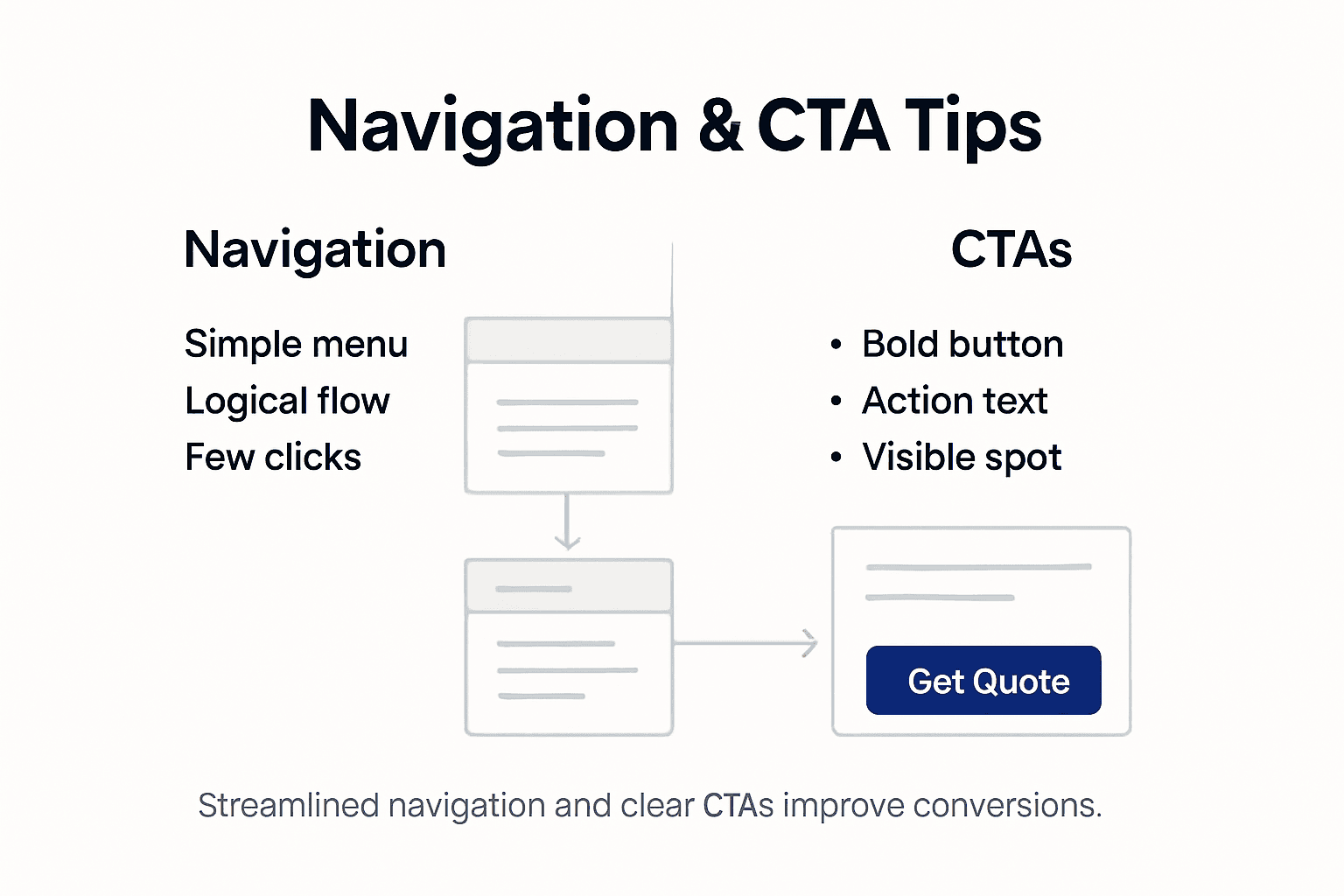
Professional website design strategies emphasise creating clear and psychologically compelling call-to-actions that guide visitors through their decision-making journey. Net Branding recommends designing CTAs that are visually prominent with concise action-oriented language like ‘Get Your Free Quote’ or ‘Start Your Project Today’. These buttons should stand out through contrasting colours strategic placement and compelling wording that speaks directly to your target audience’s needs.
Ensure your website navigation is logical and streamlined with main menu items that reflect your key services. Place primary call-to-action buttons in prominent locations such as the header menu top of project galleries and at the conclusion of service description pages. Each CTA should communicate a specific value proposition that addresses potential client concerns like project timelines budget considerations or unique service offerings. By creating an intuitive user journey you increase the likelihood of transforming website visitors into actual construction project leads.
Smart Strategy Conduct regular A B testing on your call-to-action button designs to continuously improve user engagement and conversion rates.
Step 5: Test Real-World User Interactions
Testing real-world user interactions is crucial for understanding how potential clients actually engage with your builders’ website. Your goal is to uncover genuine user behaviour patterns that might not be immediately apparent during initial design stages.
Log analysis techniques provide a cost-effective method for examining subtle user interactions in controlled and real-world scenarios. Net Branding recommends implementing both moderated and unmoderated usability testing strategies. This means conducting structured user testing sessions where you observe how potential clients navigate your website and supplement these insights with automated log analysis that tracks user clicks scrolling patterns and interaction times.
Recruit a diverse group of test participants who represent your target audience including homeowners property developers and potential construction clients. Pay close attention to their navigation patterns difficulty finding information and emotional responses while interacting with your website. Use screen recording software to capture their interactions and create detailed user journey maps. Analyse metrics like time spent on service pages bounce rates and conversion funnel performance to identify potential friction points in your website design that could be deterring potential clients.
Smart Strategy Create a standardised user testing script with specific tasks that mimic real-world scenarios clients might encounter when seeking construction services.
Elevate Your Builders’ Website with Expert Responsive Design Solutions
The article highlights key challenges such as ensuring seamless mobile responsiveness, optimising navigation and call-to-actions, and focusing on user experience to convert visitors into leads. If you are facing difficulties in making your builders’ website user friendly and engaging across all devices, understanding visitor behaviour, or defining clear, client-focused content goals, you are not alone. These pain points demand a tailored approach using proven responsive web design techniques and ongoing optimisation.
At ResponsiveWebsiteDesign, we specialise in crafting WordPress websites that align perfectly with your construction business objectives. Our expertise addresses all aspects mentioned including mobile responsive design, intuitive navigation, and SEO strategies for maximum online visibility. Discover actionable insights and real-world solutions by exploring our Website Archives and deepen your understanding of SEO best practices with resources in our SEO Archives.

Ready to transform your builders’ website into a powerful client attraction tool? Act now to partner with a digital agency committed to your long-term success. Visit https://responsivewebsitedesign.co.nz to start your journey towards a responsive, optimised, and conversion-focused website designed specifically for New Zealand businesses.
Frequently Asked Questions
How can I assess the usability of my builders’ website?
Understanding your website’s usability begins with a thorough review of navigation, information accessibility, and user flow. Conduct user testing with colleagues or a small group of potential clients to gather their feedback, focusing on their reactions during the website interaction.
What are effective ways to define client-focused goals for my website?
To define client-focused goals, identify your primary target clients and tailor your website content to address their specific needs and pain points. For example, set SMART goals for each content piece and measure outcomes like page views and inquiry conversions within a specific timeframe.
What steps should I take to ensure my website is mobile-responsive?
Ensure your website adapts seamlessly to all devices by implementing flexible design elements such as CSS Grid and Flexbox. Regularly test your website’s functionality on at least five different devices and screen sizes to confirm optimal performance and user experience.
How can I optimise navigation and calls-to-action on my site?
Optimising navigation involves creating a logical structure that guides users smoothly to key services. Place clear, action-oriented calls-to-action prominently throughout the site, and conduct regular A/B testing to refine their design for improved engagement.
What types of user interactions should I test on my builders’ website?
Focus on real-world user interactions by observing how visitors navigate your website and collecting their feedback. Use moderated testing sessions combined with automated log analysis to pinpoint usability issues and enhance the user experience effectively.
How important is it to gather user feedback during the usability testing process?
Gathering user feedback is crucial, as it reveals genuine user behaviour and preferences that may not be evident during initial design stages. Actively observe participants as they complete tasks on your website, making adjustments based on their experiences to improve overall usability.
Recommended
- Why Builders Need Websites: Complete Business Guide – ResponsiveWebsiteDesign
- Website Design Guide for Builders: Create a Winning Website – ResponsiveWebsiteDesign
- Website Design Guide for Builders: Create a Winning Website – ResponsiveWebsiteDesign
- How to Improve User Experience for Business Websites – ResponsiveWebsiteDesign