
Struggling to turn website visitors into loyal customers on your WordPress site? For business owners across New Zealand, the smallest design flaw or confusing form can push users away, costing sales and credibility. By focusing on a user-centred approach and leveraging proven feedback techniques like UX surveys, you can uncover hidden friction points and build a site that feels effortless to explore. Discover practical steps to create an engaging experience that keeps customers coming back.
Table of Contents
- Step 1: Assess Current User Experience Issues
- Step 2: Define Clear UX Improvement Goals
- Step 3: Implement Targeted Design Enhancements
- Step 4: Test Changes for Usability and Engagement
- Step 5: Monitor Ongoing Performance and Refine UX
Quick Summary
| Key Takeaway | Explanation |
|---|---|
| 1. Assess User Experience Thoroughly | Use heat mapping and UX surveys to identify specific pain points in user behaviour on your site. |
| 2. Set Measurable UX Goals | Link your objectives to business outcomes, focusing on reducing abandonment rates or increasing engagement metrics. |
| 3. Implement Targeted Enhancements | Prioritise changes that address high-impact issues and test them with real users for effectiveness. |
| 4. Test Changes for Usability | Conduct usability testing to ensure improvements meet user needs and measure their impact against set goals. |
| 5. Continually Monitor Performance | Regularly track key UX metrics and engage your team in refining the site for ongoing optimisation. |
Step 1: Assess current user experience issues
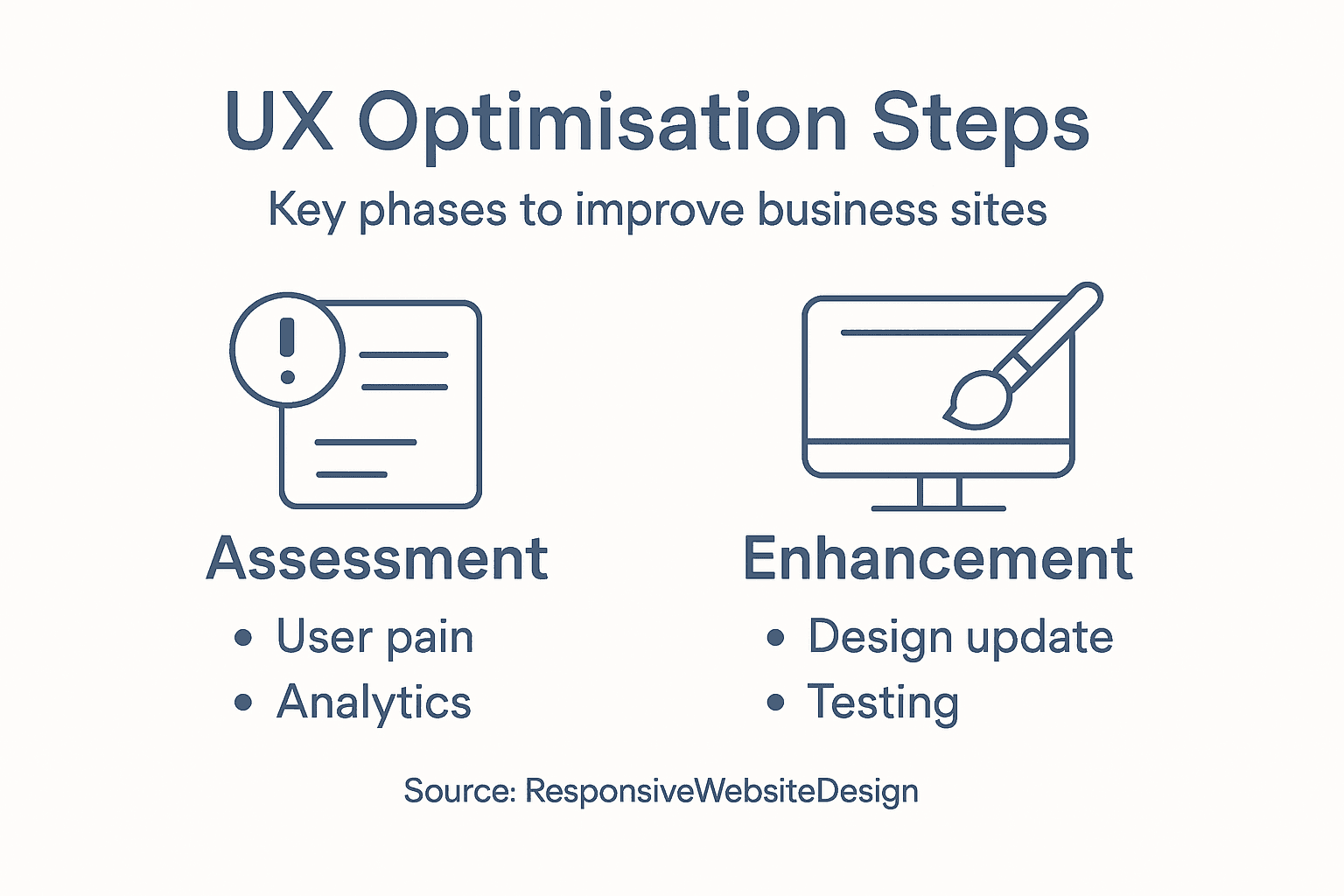
Before you can improve your website, you need to understand what’s actually frustrating your visitors. This step involves gathering real data about how people interact with your site and identifying the friction points that might be costing you sales or engagement. You’re essentially becoming a detective, looking for clues about where your current user experience is falling short.
Start by observing actual user behaviour on your site. Tools like heat mapping software show you exactly where visitors click, scroll, and spend time. You might discover that people are clicking on elements that aren’t actually clickable, or scrolling past your most important content entirely. Watch for patterns. If multiple visitors behave the same way, that’s usually a sign of a design problem rather than user confusion.
Gather feedback directly from your customers about their experience. UX surveys help pinpoint areas needing improvement by collecting information about how visitors feel when they use your site. Ask specific questions like “Could you find what you needed?” or “What was confusing about the checkout process?” This qualitative data reveals problems that analytics alone might miss. You’ll discover pain points that affect customer satisfaction and identify opportunities for continuous improvement.
Analyse your analytics to find where visitors drop off. If people are abandoning your contact form or leaving before completing a purchase, that’s a red flag. Look at bounce rates on specific pages, time spent on each section, and where visitors go after landing on your site. Adopting a user-centred approach means understanding and responding to the individual needs of your visitors, which helps you increase customer satisfaction and build trust.
Net Branding and other experienced agencies often start with this assessment phase because it saves time and money later. You’re not guessing about what to fix; you’re making decisions based on actual user behaviour. Document everything you find. Create a simple list of issues ranked by impact. Which problems affect the most visitors? Which ones cost you the most conversions?
Here’s a summary of common user experience assessment methods and their key benefits for website improvements:
| Assessment Method | What It Reveals | Typical Tools/Approaches | Business Impact |
|---|---|---|---|
| Heat Mapping | Click and scroll patterns | Hotjar, Crazy Egg | Identifies lost conversion areas |
| UX Surveys | Visitor perceptions, pain points | UserTesting, Qualtrics | Informs targeted improvements |
| Analytics Review | Visitor drop-off, bounce rates | Google Analytics, Matomo | Pinpoints funnel leakages |
| Direct Customer Feedback | Specific frustrations, requests | Feedback forms, interviews | Highlights urgent design fixes |
Pro tip Set up a feedback form on your exit pages asking visitors why they’re leaving, then prioritise fixing the top three reasons mentioned most frequently.
Step 2: Define clear UX improvement goals
Now that you know what’s broken, it’s time to set specific targets for fixing it. Clear goals transform vague frustrations into measurable outcomes that guide your entire optimisation effort. Without them, you’re making changes in the dark and hoping something sticks.
Start by connecting your UX improvements to business outcomes. Defining goals involves clarifying project scope and success criteria that align with your user needs and business objectives. If your assessment revealed that visitors abandon your checkout, your goal might be “reduce checkout abandonment by 25% in six months.” If people can’t find your contact form, your goal could be “increase form submissions by 40%.” These aren’t just nice to haves; they directly impact your revenue and customer satisfaction.
Consider impact at multiple levels when setting your targets. You want goals that reduce business risk, increase customer retention, and improve your return on investment. At the same time, your improvements should genuinely enhance the user experience by supporting satisfaction and accessibility. A well optimised site that’s faster to load and easier to navigate benefits both your bottom line and your customers’ experience. This balance ensures your efforts create real value.
Engage your team and key stakeholders in defining these goals. Your sales team knows what’s stopping conversions. Your customer support staff hears complaints daily. Your analytics expert can see the data patterns. By bringing everyone into the goal setting process, you get better insights and stronger buy in when it’s time to implement changes. This collaborative approach also helps embed UX thinking into regular business cycles.
Write your goals down clearly and make them measurable. “Improve the user experience” is too vague. “Increase the average page load speed from 4.2 seconds to under 2.5 seconds” is actionable. Give each goal a timeframe, a success metric, and ownership. Share these goals with your team so everyone understands what success looks like and why it matters.
Pro tip Set one overarching goal and three to five supporting goals; too many targets dilute focus and make tracking progress confusing.
Step 3: Implement targeted design enhancements
With your goals defined, it’s time to start making changes. Targeted design enhancements aren’t about redesigning your entire site. They’re strategic, focused improvements based on the issues you identified and the goals you set. Think of them as surgical fixes rather than major reconstruction.

Start with the highest impact problems first. If your data showed that 40% of visitors abandon your site on the homepage, that’s where you focus. If the checkout process has the most friction, prioritise fixing that flow. You’re being deliberate about where you spend time and resources. Quick wins build momentum and show your team that this effort produces real results.
Use human-centred design approaches that involve users throughout the entire improvement process. Don’t just guess at solutions. Test your ideas with real visitors before rolling them out to everyone. This might mean creating mockups, running A/B tests, or gathering feedback on specific changes. The goal is to understand what actually works for your audience, not what you think should work.
Focus on the core aspects of user experience. Targeted design enhancements address ergonomic, cognitive, and emotional aspects by considering how users interact with your system. Make buttons easier to click. Simplify form fields. Improve readability with better spacing and typography. Speed up page loads. Each change removes friction and makes the experience more pleasant.
Implement changes iteratively rather than all at once. Roll out one or two enhancements, measure the impact, then move to the next set. This approach lets you see what’s actually working and adjust quickly if something isn’t having the desired effect. Your WordPress site can be updated regularly without disrupting the overall user experience.
Net Branding and similar agencies recommend testing enhancements with real users before full deployment, then monitoring results against your defined goals to ensure improvements deliver the outcomes you’re targeting.
Pro tip Start with the smallest viable change that addresses your biggest pain point, measure it thoroughly for two weeks, then expand to the next enhancement.
Step 4: Test changes for usability and engagement
You’ve made your improvements, but now comes the critical part. Testing reveals whether your changes actually work for real people or if they’re creating new problems. This is where you shift from assumptions to evidence.
Start with usability testing involving actual users. Usability testing collects qualitative and quantitative data such as task completion rates, time on task, and errors to identify whether your changes solve the problems you intended. Ask a small group of representative customers to perform common tasks on your updated site. Watch where they struggle. Listen to their comments. Are they faster at completing checkout? Can they find what they’re looking for more easily? Do they understand your calls to action?
Combine quantitative metrics with qualitative feedback from your visitors. Numbers tell you what happened but don’t explain why. If your form abandonment dropped 15%, that’s great. But did visitors abandon it because the form was still confusing, or did they leave before reaching it because of something else entirely? Ask your testers why they made certain choices. Record their honest reactions. This combination of data types gives you the complete picture.
Test in realistic conditions whenever possible. Your WordPress site behaves differently on mobile than desktop. Your customers might be visiting during their lunch break on a phone or at their desk on a large monitor. Test both scenarios to understand how your changes perform across different contexts. Watch for emotional responses too. Did visitors become frustrated? Did they smile? These reactions matter because engagement isn’t just about clicks and conversions.
Measure against your defined goals. If you aimed to reduce checkout abandonment by 25%, measure whether you achieved that target. If your goal was to increase form submissions by 40%, track whether you’re getting closer. This keeps your testing focused and lets you determine whether to implement changes permanently, adjust them, or try a different approach entirely.
Pro tip Run tests with five to eight real users and observe their behaviour for 15 to 20 minutes each; this reveals major usability issues without requiring expensive, large-scale testing.
Step 5: Monitor ongoing performance and refine UX
UX optimisation isn’t a one-time project that ends when you launch changes. Your site lives in a constantly changing environment where user behaviour shifts, technology evolves, and new competitors emerge. Monitoring keeps you ahead of these changes and ensures your improvements continue delivering results.
Set up tracking for the key metrics that matter to your business. Key Performance Indicators in UX design are quantifiable metrics that help track the success of UX activities and provide insights into user behaviour and engagement. Common metrics include page load time, bounce rate, time on page, form completion rate, and conversion rate. Track user satisfaction through surveys or feedback forms. Monitor accessibility improvements if that was part of your goals. These numbers become your dashboard for understanding what’s working.
Below is a comparison of key UX performance metrics and their relevance for ongoing monitoring:
| Metric | What It Measures | Why It Matters |
|---|---|---|
| Page Load Time | Site speed | Affects visitor retention |
| Bounce Rate | Early site exits | Indicates poor first impression |
| Time on Page | Content engagement | Shows value or confusion |
| Form Completion Rate | Conversion success | Directly impacts sales leads |
| Accessibility Score | Usability for all users | Expands market reach |
Review your data regularly. Don’t just collect metrics and ignore them. Set a schedule to examine your analytics weekly or monthly, depending on your site traffic. Look for patterns and trends. Are certain pages still underperforming? Did your improvements plateau after an initial boost? Is mobile traffic behaving differently than desktop traffic? These questions guide your next round of refinements.
Continuous improvement requires monitoring UX performance across multiple levels including business outcomes and user satisfaction to ensure your changes deliver lasting value. Your goals from step two should be your reference point. Are you on track to reduce checkout abandonment by 25%? Are form submissions increasing toward your target? If you’re falling short, you need to understand why and adjust accordingly.
Involve your team in this ongoing process. Share your findings with designers, developers, and leadership. Let your customer support staff share feedback about visitor complaints they’re hearing. This creates a culture where everyone understands that UX improvement is continuous, not a project with an end date. Your WordPress site can be refined gradually based on real performance data rather than assumptions.
Pro tip Set up automated alerts in your analytics tool so you’re notified immediately when a key metric drops unexpectedly, allowing you to investigate problems before they affect more visitors.
Elevate Your Business Website with Expert UX Optimisation
Are you struggling with high bounce rates, confusing navigation, or abandoned checkouts? These common user experience challenges can severely impact your online success. This guide’s focus on assessing real user behaviour, setting clear goals, and targeted design improvements aligns perfectly with what your business website needs to truly engage visitors and boost conversions. When every click matters, an optimised UX becomes your strongest asset.

Take control of your website’s performance today with professional support from ResponsiveWebsiteDesign. We specialise in custom WordPress designs that are not only visually engaging but also strategically optimised for user experience and SEO. Explore how our Website Archives offer insights into transforming your site or learn proven tactics in our SEO Archives to attract and retain customers. Ready to create a responsive, user-friendly site that turns visitors into loyal clients Visit ResponsiveWebsiteDesign and start your journey towards measurable UX improvements now.
Frequently Asked Questions
What are the first steps for UX optimisation on my business site?
Start by assessing current user experience issues to identify friction points that affect sales and engagement. Use tools like heat mapping software to observe user behaviour and gather feedback through UX surveys to uncover specific areas needing improvement.
How do I set measurable goals for UX improvements?
Define clear and specific goals that connect UX improvements to business outcomes. For example, aim to reduce checkout abandonment by 25% within six months or increase form submissions by 40% — ensure these goals are actionable and easy to measure.
What types of design enhancements should I prioritise?
Focus on the highest impact problems based on your assessment data. Implement targeted design enhancements, such as improving the checkout process or simplifying form fields, to remove friction points and improve user satisfaction.
How can I test the usability of the changes made to my site?
Conduct usability testing with real users to observe their interactions with your site after implementing changes. Measure task completion rates and gather qualitative feedback to understand their experience — aim to test with five to eight users for effective insights.
How do I monitor ongoing performance after UX improvements?
Set up tracking for key performance indicators that matter to your business, like page load time and conversion rates. Regularly review these metrics to identify patterns and ensure continuous improvement of the user experience.
What should I do if my UX improvements don’t show desired results?
If your improvements are not yielding results, analyse user behaviour data and feedback for insights into potential issues. Adjust your strategies based on what you uncover, and re-test to measure the new impact — focus on refining one area at a time for clarity.