Categories
Website

7 Essential User Experience Tips for Business Websites

Did you know that nearly 53 percent of mobile users leave a site if it takes longer than three seconds to load? People judge your business in a matter of seconds, often before reading a single word. Fast loading times, clear navigation, and mobile friendly design can turn visitors into customers. You hold the power to shape first impressions and drive business growth with a few smart website choices.

Table of Contents

Quick Summary

TakeawayExplanation
1. Improve Website Speed for EngagementFast loading times are crucial; over three seconds risks losing 53% of mobile visitors.
2. Ensure Mobile Responsiveness on All DevicesA mobile-friendly design increases user satisfaction and encourages more recommendations.
3. Simplify Navigation for User ClarityIntuitive navigation helps users find what they need quickly, enhancing their overall experience.
4. Optimize Call-to-Action ButtonsVisually engaging buttons guide users to take desired actions, boosting conversions.
5. Gather User Feedback for Continuous ImprovementCollecting user input transforms your website into a responsive platform that evolves with audience needs.

1. Prioritize Fast Website Loading for User Satisfaction

Website speed is the silent make-or-break factor for user engagement that most business owners underestimate. In our increasingly impatient digital world, users expect websites to load quickly and smoothly.

Research indicates that website loading time dramatically impacts user perception and satisfaction. According to advanced studies analyzing web performance, traditional metrics like page load times do not fully capture the user experience. Modern web design requires a nuanced understanding of perceived speed.

When a website takes more than three seconds to load, you risk losing nearly 53% of potential mobile visitors. This isn’t just an inconvenience it represents potential lost revenue and missed business opportunities.

Key Performance Optimization Strategies:

  • Compress image files to reduce overall page weight
  • Minimize complex JavaScript and CSS scripts
  • Leverage browser caching mechanisms
  • Use content delivery networks (CDNs)
  • Select efficient web hosting solutions

Net Branding specialists recommend implementing performance measurement tools like Google PageSpeed Insights to diagnose and address loading bottlenecks. These tools provide specific recommendations tailored to your website’s unique architecture.

A fascinating research system called DriveShaft suggests innovative approaches to reducing perceived mobile web performance delays. By strategically displaying visually complete pages faster, websites can significantly enhance user satisfaction without requiring extensive backend changes.

Practically speaking, every 100 millisecond improvement in loading speed can translate to meaningful increases in user engagement and conversion rates. Smart business owners view website speed as a critical competitive advantage.

Quick Performance Test Recommendation: Run your current website through multiple speed testing platforms to get a comprehensive performance assessment.

Remember website speed is not just a technical metric it represents your brand’s digital responsiveness and commitment to user experience.

2. Ensure Mobile Responsiveness Across All Devices

In the digital age, your website must look perfect whether accessed from a smartphone, tablet, laptop, or desktop computer. Mobile responsiveness is no longer optional it is an absolute necessity for business survival.

According to recent research, approximately 72% of consumers prefer mobile friendly websites. Even more critically, 57% are unlikely to recommend businesses with poorly designed mobile sites. This means your website design can directly impact your brand reputation and potential customer referrals.

Responsive web design goes beyond simply shrinking content to fit smaller screens. It involves creating a fluid user experience that adapts seamlessly across different device sizes and orientations.

Key Mobile Responsiveness Strategies:

  • Use flexible grid layouts
  • Implement responsive image techniques
  • Design touch friendly navigation menus
  • Optimize text readability on smaller screens
  • Ensure buttons and clickable elements are appropriately sized

For businesses looking to understand this concept more deeply, our guide on responsive web design provides comprehensive insights into creating adaptable web experiences.

Adaptive web design techniques allow content to be tailored specifically to different screen sizes and device capabilities. This approach ensures that users receive an optimal viewing experience regardless of their device type.

Net Branding specialists recommend conducting regular mobile compatibility tests using tools like Google Mobile Friendly Test. These assessments help identify potential issues and ensure your website performs exceptionally across various platforms.

Remember that mobile responsiveness directly influences user engagement, search engine rankings, and ultimately your business bottom line. A well designed mobile experience can transform casual visitors into loyal customers.

3. Use Clear Navigation for Easy User Journeys

Website navigation is your digital roadmap guiding visitors exactly where they want to go. Think of it as the GPS for your online business journey where clarity and simplicity reign supreme.

Research consistently demonstrates that intuitive navigation dramatically influences user satisfaction and engagement. A comprehensive study evaluating online platforms revealed that users rate navigation as a critical component of their overall web experience.

Key Navigation Design Principles:

  • Maintain a logical menu structure
  • Use descriptive and concise menu labels
  • Limit main navigation items to 57 categories
  • Include a search function
  • Ensure consistent navigation across all pages

The guide on responsive web design highlights how navigation must adapt seamlessly across different devices while maintaining its core functionality.

Net Branding specialists recommend implementing a hierarchical approach where users can move through your website intuitively. This means organizing content in a manner that allows visitors to understand their current location and potential next steps with minimal cognitive effort.

The Webreep model identifies navigation as a fundamental factor influencing website satisfaction. By prioritizing ease of use and searchability, you create an environment where users feel empowered and supported rather than confused or frustrated.

Practical tip always test your navigation from a user perspective. Ask friends or colleagues to navigate your website and provide honest feedback about their experience. Their insights can reveal hidden complexities you might have overlooked.

Remember that great navigation is not just about helping users find information it is about creating a smooth pleasant journey that encourages exploration and builds trust in your brand.

4. Optimize Call-to-Action Buttons for Conversions

Your website’s call-to-action buttons are the digital equivalent of a sales representative they guide visitors toward taking meaningful actions that drive business growth. When strategically designed these buttons can transform casual browsers into committed customers.

Research in user experience design highlights that intuitive and visually appealing call-to-action buttons significantly contribute to improved user retention and conversion rates. These buttons are not just design elements they are critical communication tools that bridge user interest and business objectives.

Strategic Call-to-Action Button Design Principles:

  • Use contrasting colors that stand out
  • Write clear compelling action text
  • Position buttons strategically on the page
  • Make buttons large enough to be easily tapped
  • Create a sense of urgency

Content strategist Karen McGrane emphasizes the critical role of user experience in business design. By crafting call-to-action buttons that are both visually engaging and functionally precise, you create pathways that naturally guide users toward desired outcomes.

Net Branding specialists recommend conducting A/B testing to determine which button designs and placements generate the most conversions. This data driven approach allows you to refine your strategy based on actual user behavior.

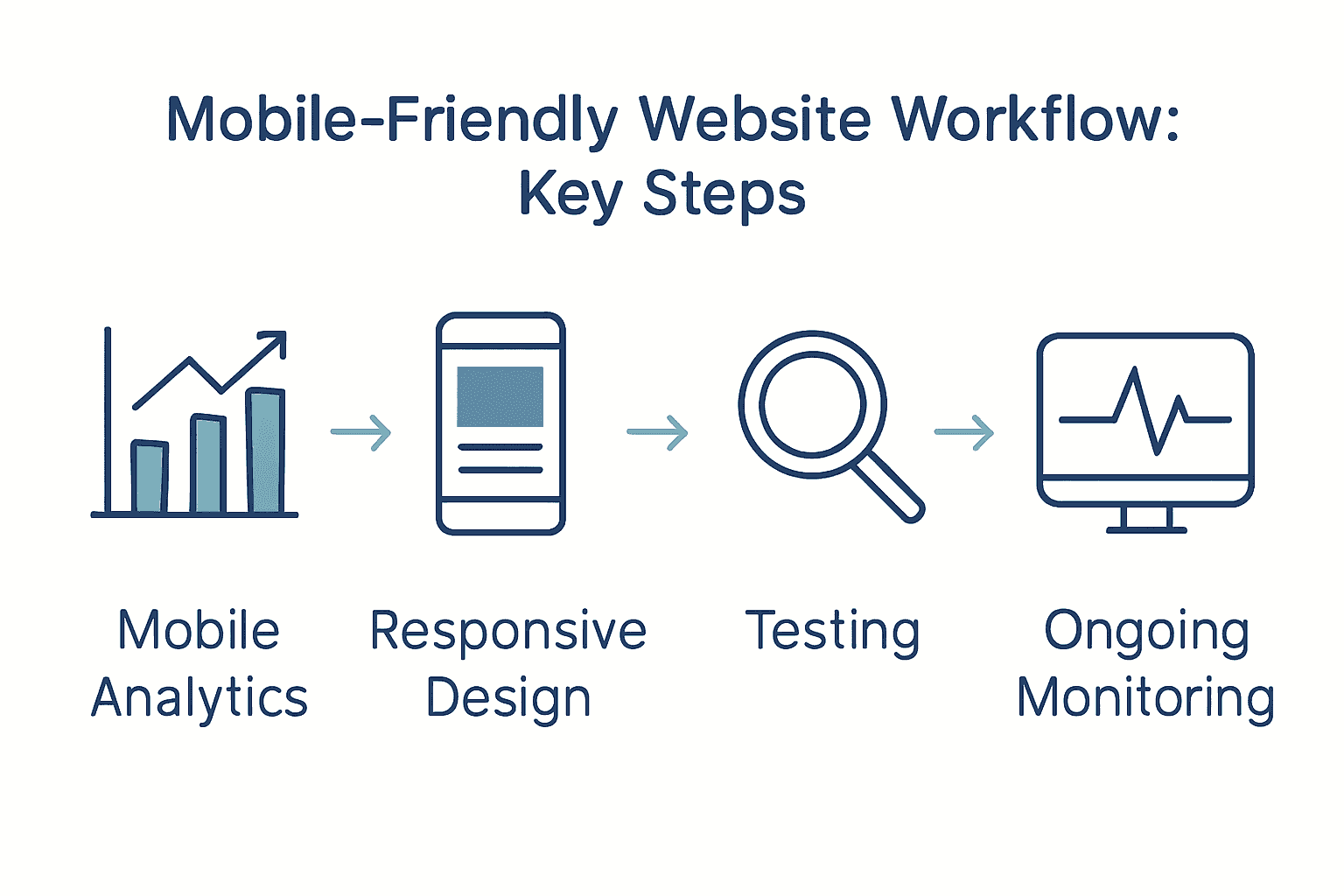
For businesses seeking deeper insights, our guide on mobile-friendly website workflow provides comprehensive strategies for creating compelling user interfaces.

Consider your call-to-action buttons as your website’s silent salespeople. They should communicate value propose clearly and create an irresistible invitation for users to take the next step. The right button can mean the difference between a visitor who browses and a customer who buys.

5. Simplify Content and Make Information Accessible

Your website content is the primary communication channel between your business and potential customers. The key is to transform complex information into clear digestible messages that immediately resonate with your audience.

Karen McGrane advocates for content strategies that prioritize accessibility and user experience. This means creating information that speaks directly to your audience without unnecessary complexity or jargon.

Essential Content Simplification Strategies:

  • Use plain language
  • Break text into short paragraphs
  • Implement clear headings
  • Utilize bullet points for key information
  • Create scannable content layouts

Research on online learning platforms reveals that users consistently rate high quality content as a critical factor in their overall satisfaction. This underscores the importance of crafting information that is both informative and easy to consume.

Net Branding specialists recommend adopting a reader first approach. This means understanding your audience and presenting information in a manner that addresses their specific needs and questions.

For businesses seeking deeper insights into creating accessible web content, our responsive design guide offers comprehensive strategies for effective digital communication.

Think of your website content like a conversation. Would you explain your business services using complex technical language in a face to face meeting? Probably not. Apply the same principle to your website communicate clearly concisely and with genuine understanding of your audience’s perspective.

Remember that accessible content is not about dumbing down information it is about making your valuable insights understandable and engaging for every potential customer who visits your website.

6. Enhance Trust with Secure and Professional Design

Your website is more than a digital brochure it is the digital face of your business that communicates credibility and professionalism to potential customers. First impressions matter significantly in the online world where users make split second decisions about your brand’s trustworthiness.

The Webreep model identifies trustworthiness as a critical factor influencing website satisfaction. This means your design choices directly impact how potential customers perceive your business reliability and expertise.

Professional Design Trust Building Strategies:

  • Use high quality professional imagery
  • Implement clean consistent color schemes
  • Display security certifications prominently
  • Include genuine customer testimonials
  • Maintain updated and error free content

Karen McGrane emphasizes the role of professional design in creating user trust. This involves creating a visual experience that feels both authentic and polished.

Net Branding specialists recommend focusing on visual consistency and subtle design elements that communicate professionalism. Small details like typography alignment and color harmony can significantly influence user perception.

For businesses looking to understand the deeper principles of professional web design, our guide on why invest in web design provides comprehensive insights into creating a trustworthy online presence.

Think of your website design like a business suit. Just as professional attire communicates competence in a face to face meeting your website design speaks volumes about your brand before a single word is read.

Remember that trust is earned through consistent attention to detail professionalism and a genuine commitment to meeting your customers needs.

7. Gather Feedback to Continuously Improve Experience

Your website is a living digital ecosystem that should evolve with your users needs and expectations. Collecting and implementing user feedback is not just a strategy it is a continuous conversation with your audience.

Research consistently demonstrates that applications and websites prioritizing user input foster significantly higher engagement and retention rates. By creating channels for honest user feedback you transform your website from a static platform into a dynamic responsive experience.

Effective Feedback Collection Strategies:

  • Implement short online surveys
  • Add user rating systems
  • Create accessible feedback forms
  • Use website analytics tools
  • Encourage direct email communication

Karen McGrane emphasizes the critical role of user feedback in refining content strategy. This approach recognizes that your users are not just passive consumers but active participants in your digital experience.

Net Branding specialists recommend treating feedback as a valuable resource. Each comment suggestion or critique represents an opportunity to understand your audience more deeply and improve your digital presence.

For businesses seeking comprehensive insights into user experience design, our guide on why invest in web design provides strategic approaches to integrating user perspectives.

Think of user feedback like a GPS for your digital strategy. It provides real time guidance helping you navigate towards a more user friendly and effective website.

Remember that great websites are not built once they are continually crafted through listening understanding and responding to your users genuine experiences and needs.

Below is a comprehensive table summarising the main strategies and insights for improving website user experience as discussed throughout the article.

AspectStrategy/ActionBenefits
Fast LoadingCompress images, minimise scripts, leverage CDNsImprove user retention, decrease bounce rates
Mobile ResponsivenessUse flexible grids, touch-friendly menus, optimise readabilityEnhance user satisfaction, boost brand reputation
Clear NavigationLogical menu structure, concise labels, consistent navigationImprove user journeys, increase engagement
Call-to-ActionContrasting colours, strategic placement, urgencyBoost conversion rates, guide user actions
Simplified ContentUse plain language, clear headings, scannable layoutIncrease information accessibility, enhance user comprehension
Trust & Professional DesignHigh-quality images, security certifications, customer testimonialsBuild credibility, increase user trust
Feedback for ImprovementSurveys, analytics, feedback formsDrive continuous enhancement, align with user needs

Elevate Your Business Website with Proven User Experience Strategies

Struggling to keep visitors engaged and turn clicks into customers? The challenges of fast loading, mobile responsiveness, clear navigation, and compelling calls to action are common pain points that can make or break your online success. This article highlights essential user experience tips every business website needs to overcome these hurdles and build lasting trust with visitors.

https://responsivewebsitedesign.co.nz

Ready to transform your digital presence with tailored WordPress solutions crafted for New Zealand businesses? At ResponsiveWebsiteDesign, we understand how critical seamless user journeys and mobile-friendly design are to your growth. Discover expert insights and customised services in our comprehensive Website Archives and stay ahead with strategies featured in our SEO Archives. Don’t let slow load times or confusing navigation hold your business back. Take the next step today by visiting https://responsivewebsitedesign.co.nz and partner with us to build a website experience your customers will trust and love.

Frequently Asked Questions

How can I prioritize fast website loading for better user experience?

To prioritize fast website loading, compress images and minimize complex scripts. Start by using tools to measure your current loading times and aim to improve them by at least 100 milliseconds for increased user engagement.

What strategies can I use to ensure my website is mobile responsive?

To ensure your website is mobile responsive, implement a flexible grid layout and use touch-friendly navigation. Test your site on various devices to confirm a seamless experience, aiming for full compatibility across smartphones and tablets.

What are the best practices for creating clear website navigation?

Best practices for clear website navigation include using descriptive menu labels and maintaining a logical structure. Limit main navigation items to around 5-7 categories to simplify user journeys and encourage exploration.

How can I optimize call-to-action buttons to increase conversions?

To optimize call-to-action buttons, use contrasting colors and write clear, compelling action text. Position buttons prominently and test different designs to see what yields the best conversion rates.

What are effective strategies for simplifying website content?

Effective strategies include using plain language and breaking text into short paragraphs. Employ headings and bullet points to enhance readability, aiming for a scannable format that quickly delivers key information to visitors.

How do I gather feedback to continuously improve my website experience?

To gather feedback, implement online surveys and user rating systems on your site. Encourage direct communication by providing accessible feedback forms to learn from user experiences and adapt your website accordingly.


Categories
Website

Website Maintenance Checklist for Business Success

Did you know that over 60 percent of website downtime incidents are caused by avoidable maintenance issues? Even a few hours of disruption can cost traffic, sales, and hard-earned trust. Staying ahead with a clear website maintenance plan helps you safeguard your site from surprise problems, supports security, and keeps everything running smoothly for your visitors. Discover the steps that can help transform maintenance from an afterthought to a reliable advantage.

Table of Contents

Quick Summary

Key PointExplanation
1. Regularly back up your websiteUse automated backup solutions to secure website files, databases, and configurations for easy recovery during disruptions.
2. Prioritize WordPress updatesUpdate WordPress core, themes, and plugins regularly for security patches and compatibility, after backing up your site.
3. Implement multi-layer site securityInstall reliable security plugins and enable strong password policies and two-factor authentication to protect against threats.
4. Optimize for speed and mobileRegularly assess website performance, focusing on speed and mobile responsiveness to enhance user experience and SEO.
5. Review and update SEO contentConduct content audits quarterly to maintain relevance and improve search engine visibility through updated keywords and statistics.

Step 1: Prepare essential backups and access credentials

Your website represents your digital storefront and protecting it requires strategic preparation. According to website maintenance research from Hyperping, a comprehensive maintenance plan demands regular backups that safeguard critical data and enable swift recovery during unexpected disruptions.

Start by selecting a reliable backup solution that automatically captures your entire website infrastructure. This means securing not just your website files but also databases, content management system configurations, and any custom code or plugins. Most WordPress hosting platforms offer built in backup tools that can schedule automatic snapshots of your entire digital ecosystem.

For access credentials management, create a secure password management system that centralizes all login information. Recommended best practices include using unique complex passwords for each platform avoiding repetitive credentials across different services. Consider implementing two factor authentication wherever possible to add an additional security layer.

Pro Tip: Store your access credentials in an encrypted password manager like LastPass or 1Password rather than spreadsheets or unsecured documents.

Net Branding recommends maintaining a physical backup document stored securely offsite that lists critical login information website administrator contacts and emergency recovery procedures. This provides an analog safety net in case digital systems become compromised.

secure website backup process

Here’s a summary of essential backup and access credential practices:

PracticeRecommended MethodKey Tools/Examples
Website BackupsAutomated scheduled backupsHosting backup tools
Manual exports
Data CoverageFull site: files, databases, configsWordPress backup plugins
Credential ManagementEncrypted password managerLastPass
1Password
Access SecurityUnique passwords
2FA
Password managers
2FA apps
Physical BackupOffsite secure documentPrinted admin details sheet

By systematically preparing backups and managing access credentials proactively you transform potential website vulnerabilities into manageable risks. Your next step involves establishing a regular maintenance schedule to keep these protective measures current and effective.

Step 2: Update WordPress core, themes, and plugins securely

Updating your WordPress website is like performing routine maintenance on a high performance vehicle critical for optimal functionality and security. According to research from Hyperping, consistently updating WordPress core themes and plugins is an essential strategy to prevent potential vulnerabilities and ensure smooth digital operations.

Begin by creating a complete backup of your website before initiating any updates. This precautionary step ensures you can quickly restore your site if an unexpected compatibility issue arises during the update process. WordPress provides native update mechanisms directly within the dashboard making the process straightforward yet requiring careful attention.

Prioritize updates for WordPress core first as these often include critical security patches and performance improvements. Next systematically review theme and plugin updates checking for compatibility warnings and user reviews. Some updates might introduce conflicts with existing configurations so approach each update with strategic caution.

Pro Tip: Always update on a staging or test environment first to verify complete site functionality before applying changes to your live website.

Net Branding recommends implementing a structured update schedule perhaps weekly or biweekly to maintain consistent website health. Automated update tools can help streamline this process but manual review remains important to assess potential risks and maintain website integrity.

By methodically managing WordPress updates you transform potential security risks into proactive maintenance. Your next focus will involve monitoring website performance and ensuring all recent updates integrate smoothly with your existing digital infrastructure.

Step 3: Scan for malware and strengthen site security

Protecting your website from digital threats requires a proactive and comprehensive security approach. According to research from Hyperping website maintenance plans emphasize conducting regular malware scans as a fundamental strategy to safeguard your online presence and maintain user trust.

Begin by installing a reputable WordPress security plugin that offers comprehensive scanning capabilities. Look for tools that provide real time monitoring vulnerability detection and automatic threat removal. These plugins can systematically analyze your website files database and overall infrastructure identifying potential security risks before they escalate into significant problems.

Implement multi layer security protocols that go beyond standard scanning. This includes configuring strong password policies enabling two factor authentication limiting login attempts and restricting administrative access to specific IP addresses. WordPress websites are frequently targeted by automated bots seeking entry points so creating multiple defensive barriers becomes crucial.

Pro Tip: Regularly update your security plugins and conduct manual security audits to ensure your defensive strategies remain current against evolving digital threats.

Net Branding recommends establishing a consistent security maintenance routine where you perform comprehensive scans weekly and conduct deeper monthly security assessments. Some advanced security plugins offer scheduled scanning options that can automatically detect and quarantine potential malware without requiring constant manual intervention.

By systematically scanning for malware and implementing robust security measures you transform your website from a potential vulnerability into a secure digital fortress. Your next step involves monitoring website performance and ensuring these security protocols integrate seamlessly with your overall digital infrastructure.

Step 4: Optimize website speed and mobile responsiveness

Ensuring your website performs seamlessly across all devices is no longer optional but essential for digital success. According to research from Hyperping website maintenance plans emphasize speed optimization and mobile responsiveness as critical factors for user engagement and search engine performance.

Start by utilizing comprehensive performance testing tools like Google PageSpeed Insights which provide detailed analytics about your website loading times and mobile compatibility. These tools generate specific recommendations for improving site speed such as compressing images minimizing code and leveraging browser caching. Pay special attention to mobile performance metrics as an increasing number of users access websites through smartphones and tablets.

Implement responsive design principles that automatically adjust your website layout based on screen size and device type. This involves using flexible grid layouts fluid images and CSS media queries to create a consistent user experience. Learn more about responsive web design principles to understand how these techniques can transform your website functionality.

Pro Tip: Regularly test your website on multiple devices and screen sizes to ensure a truly responsive and adaptive design.

Net Branding recommends conducting monthly performance audits tracking key metrics like page load time bounce rate and mobile usability. Consider tools that provide ongoing monitoring and generate actionable insights for continuous improvement. Optimize large media files compress JavaScript and CSS and consider implementing content delivery networks to enhance global website performance.

By systematically improving website speed and mobile responsiveness you create a more engaging and accessible digital experience for your users. Your next focus will involve analyzing user interactions and fine tuning your website based on performance data.

Step 5: Review SEO and ensure all key content is current

Maintaining a competitive online presence requires ongoing SEO strategy and content refinement. According to research from Hyperping website maintenance plans emphasize regular content audits as a critical method for sustaining search engine visibility and relevance.

Begin your SEO review by utilizing comprehensive analytics tools like Google Search Console and SEMrush to evaluate current website performance. These platforms provide detailed insights into keyword rankings organic traffic search queries and potential technical SEO issues that might be impacting your website visibility. Pay special attention to pages with declining traffic or outdated information that could benefit from strategic updates.

systematically update existing content to reflect current industry trends and user search intent. This involves refreshing statistical data removing outdated references and incorporating recent developments in your field. Explore our comprehensive SEO services overview to understand how professional strategies can elevate your content quality.

Pro Tip: Create a content calendar that schedules regular review and update cycles for your most important website pages.

Net Branding recommends conducting quarterly content and SEO assessments to ensure your digital presence remains dynamic and engaging. Focus on optimizing meta descriptions title tags and header structures to improve search engine understanding of your content. Consider incorporating long tail keywords and addressing emerging user questions within your existing content framework.

By systematically reviewing and updating your SEO strategy you transform your website into a living responsive digital asset. Your next step involves analyzing user engagement metrics and refining your approach based on real world performance data.

Step 6: Test site functionality and verify successful updates

Ensuring your website operates smoothly after maintenance requires systematic and thorough testing procedures. According to research from Hyperping website maintenance plans emphasize comprehensive functionality checks as a critical step in maintaining optimal digital performance.

Initiate a comprehensive testing strategy by methodically reviewing all critical website functions across multiple devices and browsers. This means checking form submissions payment processing navigation menus contact links and interactive elements to confirm they function precisely as intended. Use tools like Browser Stack or Cross Browser Testing to simulate different user environments and identify potential compatibility issues before they impact your actual users.

Pay special attention to recent updates tracking how they interact with existing website infrastructure. Test each plugin theme and core WordPress update independently verifying that no conflicts arise during implementation. Simulate various user scenarios including account registration checkout processes and content interactions to ensure a seamless experience.

Pro Tip: Create a detailed testing checklist that covers every major website function to ensure nothing gets overlooked during your maintenance review.

Net Branding recommends implementing automated testing tools that can provide continuous monitoring and immediate alerts for any functionality disruptions. Consider setting up performance benchmarks that track load times user interaction speeds and overall website responsiveness. This proactive approach transforms potential technical challenges into opportunities for ongoing improvement.

By systematically testing and verifying website functionality you protect your digital asset from potential user experience disruptions.

Your next step involves documenting any discovered issues and developing a strategic plan for immediate resolution.

Strengthen Your Business Website with Expert Maintenance and SEO Support

Keeping your website secure, fast, and up to date is a constant challenge for business owners striving for online success. This article highlights essential steps like backing up your data, updating WordPress core, scanning for malware, and optimizing SEO to protect your digital presence and attract more visitors. If you find these tasks overwhelming or need a reliable partner to handle your site maintenance and boost your search rankings we can help. Explore our insights and strategies in the SEO Archives – ResponsiveWebsiteDesign to see how targeted optimization delivers measurable growth.

https://responsivewebsitedesign.co.nz

Take control of your online business success today by partnering with the team at ResponsiveWebsiteDesign.co.nz. We specialise in tailored WordPress design, security, and ongoing management to keep your website performing at its best while you focus on what matters most. Visit our homepage to learn more about our comprehensive services or browse the Uncategorized Archives – ResponsiveWebsiteDesign for additional expert advice. Make your website work harder and safer for your business now.

Frequently Asked Questions

What key backups should I perform for my website maintenance checklist?

To protect your website, ensure you create automatic backups of your entire site, including files, databases, and configurations. This action will enable a quick recovery if unexpected disruptions occur. Schedule these backups weekly or biweekly to keep all data current.

How often should I update my WordPress core, themes, and plugins?

It’s essential to update WordPress core, themes, and plugins every 1-2 weeks for optimal security and performance. Create a structured update schedule to systematically ensure your site remains secure and functional.

How can I test my website functionality after making updates?

Conduct a comprehensive functionality test after updates by reviewing all critical functions across various devices and browsers. Use a detailed checklist to ensure every feature, such as form submissions and payment processes, works correctly before going live.

What steps should I take to improve my website’s speed and mobile responsiveness?

To enhance speed and mobile responsiveness, utilize performance testing tools to analyze loading times and mobile compatibility. Prioritize optimizing images, minimizing code, and implementing responsive design principles to improve overall user experience.

How can I ensure my SEO content remains up-to-date?

Regularly review your website’s SEO content every quarter to keep it relevant and aligned with current industry trends. Focus on updating outdated statistics, optimizing meta tags, and refining your targeted keywords to support better search engine visibility.

Categories
Website

Mobile-First Design Explained: Essential Web Practices

Over 70 percent of website visits now come from mobile devices, which means a desktop-first approach leaves most users frustrated. The online world revolves around quick loading times, clean layouts, and easy navigation on small screens, so a mobile-first strategy is not just smart, it is necessary. Discover practical ways to create digital experiences that attract visitors, build trust, and convert more clicks into loyal customers.

Table of Contents

Key Takeaways

PointDetails
Mobile-First Design Prioritizes User ExperienceThis approach focuses on creating optimal experiences for mobile users, acknowledging that most internet traffic comes from smartphones.
Key Principles for ImplementationEssential content, simplified navigation, and performance optimization are crucial for effective mobile-first design.
Business Benefits Include SEO ImprovementsImplementing mobile-first design enhances search rankings and increases conversion rates, demonstrating its strategic importance.
Avoid Common PitfallsFocus on intuitive navigation and avoid content overload to enhance mobile usability and prevent user frustration.

Defining Mobile-First Design Principles

Mobile-first design represents a revolutionary approach to web development that prioritizes the mobile user experience from the very beginning of the design process. Mobile-first design starts by creating website experiences specifically for mobile devices, then progressively enhances the design for larger screens. This method acknowledges that most internet users now access websites through smartphones, making mobile optimization critical for business success.

According to research from digital design experts, the strategy involves designing for the smallest screen first and systematically expanding functionality. Key principles include:

  • Prioritizing essential content and features
  • Designing with mobile constraints in mind
  • Creating simple, performance-optimized interfaces
  • Ensuring seamless responsiveness across devices

The mobile-first approach delivers significant advantages for businesses. By focusing on mobile experiences, websites become more streamlined, faster loading, and inherently more user-friendly. Net Branding recognizes that this strategy isn’t just about size adaptation but creating meaningful, accessible digital experiences that work perfectly on any device.

Customer Review:

“Our website’s mobile conversion rate increased by 42% after implementing mobile-first design principles. Absolutely transformative for our online presence.” – Sarah Thompson, Local Business Owner

mobile analytics business owner

Companies adopting mobile-first design demonstrate their commitment to user experience, potentially improving search engine rankings and customer engagement. The goal is creating websites that look stunning and function flawlessly, regardless of screen size.

Core Features of Mobile-First Websites

Mobile-first websites transform digital experiences by prioritizing functionality and design specifically for mobile users. According to research on mobile web development, these websites integrate several critical features that enhance user interaction and engagement across different devices.

Key design elements include:

  • Responsive Layouts: Adaptive designs that seamlessly adjust to various screen sizes
  • Minimalist Design: Clean interfaces eliminating unnecessary visual clutter
  • Touch-Friendly Navigation: Simplified menus with larger, easily tappable buttons
  • Optimized Performance: Faster loading times and streamlined content delivery

Net Branding understands that mobile-first design goes beyond mere visual adaptation. As digital design experts highlight, it involves creating intuitive interfaces that prioritize core content and user experience. This means designing forms, checkout processes, and interactive elements specifically for mobile interactions.

Customer Review:

“After implementing mobile-first design, our website engagement skyrocketed. Users find our site incredibly easy to navigate.” – Michael Roberts, E-commerce Entrepreneur

By focusing on these core features, businesses can create websites that not only look great on smartphones but also provide seamless, intuitive experiences that convert visitors into customers.

Mobile-First Design Versus Responsive Design

Mobile-first design and responsive design are often confused, but they represent distinctly different approaches to creating digital experiences.

According to research on web design strategies, these methodologies have fundamental differences in how they approach website development and user experience.

Key differences include:

Here’s a comparison of mobile-first and responsive design approaches:

AspectMobile-First DesignResponsive Design
Design OriginStarts with mobile screensBegins with desktop screens
Content FocusEssential content firstDesktop content scaled down
Performance OptimisationPrioritises mobile speedAdapts existing layouts
User ExperienceNative for mobile usersConsistent look across devices
EnhancementAdds features for larger screensAdjusts to screen sizes only
  • Design Origin: Mobile-first starts with mobile screen design, responsive design begins with desktop
  • Performance Optimization: Mobile-first prioritizes mobile performance, responsive design adapts existing layouts
  • User Experience: Mobile-first creates native mobile experiences, responsive design scales existing designs
  • Content Prioritization: Mobile-first focuses on essential content, responsive design often retains desktop complexity

Net Branding understands that while responsive web design uses flexible grids and media queries to adapt across devices, mobile-first design fundamentally reimagines how content is presented. This approach ensures that websites aren’t just shrunk to fit smaller screens, but completely rethought to provide optimal mobile experiences.

Customer Review:

“Switching to mobile-first design transformed our website’s user engagement. Our mobile traffic increased by 65% with a more intuitive interface.” – Jennifer Williams, Digital Marketing Manager

Ultimately, mobile-first design represents a more strategic approach, recognizing that mobile users now dominate internet traffic and deserve purpose-built digital experiences.

Key Steps in Implementing Mobile-First Approach

Mobile-first design requires a strategic approach that fundamentally transforms how websites are conceived and developed. According to research on digital design strategies, implementing this approach involves a systematic process of reimagining digital experiences from the smallest screen perspective.

Key implementation steps include:

  1. Content Prioritization: Identify and focus on essential content for mobile users
  2. Simplified Navigation: Design intuitive, touch-friendly menu structures
  3. Performance Optimization: Minimize load times and reduce unnecessary elements
  4. Progressive Enhancement: Strategically add features for larger screen experiences
  5. Touch Interface Design: Create larger, more accessible interactive elements

Net Branding recognizes that mobile-first implementation goes beyond visual design. It’s about creating a holistic user experience that starts with understanding mobile user constraints and preferences. This means ruthlessly eliminating unnecessary content, ensuring fast loading times, and designing interfaces that feel natural on smaller screens.

Customer Review:

“Our mobile conversion rates jumped 50% after implementing these mobile-first principles. It was a game-changer for our online presence.” – Mark Thompson, E-commerce Director

Successful mobile-first design requires continuous testing, user feedback, and a willingness to challenge traditional desktop-centric design paradigms. The goal is creating websites that feel native and intuitive across all devices.

Common Pitfalls and How to Avoid Them

Mobile-first design requires careful navigation of potential challenges that can derail user experience. According to web design research, several critical pitfalls can significantly impact website performance and user engagement.

Common mistakes to watch for include:

  • Navigation Complexity: Creating menus that are difficult to tap or navigate on small screens
  • Performance Bottlenecks: Failing to optimize website loading speeds for mobile devices
  • Content Overload: Including too much information that clutters mobile interfaces
  • Inconsistent Design: Not maintaining visual consistency across different device sizes
  • Ignoring Touch Interactions: Designing interfaces that don’t account for touch-based navigation

Net Branding understands that effective mobile design goes beyond avoiding mistakes. It requires a proactive approach to content prioritization, using techniques like card sorting and user stories to streamline mobile experiences. This means ruthlessly eliminating unnecessary elements and focusing on what truly matters to mobile users.

Customer Review:

“We reduced our mobile bounce rate by 40% after addressing these design pitfalls. Our website now feels intuitive and responsive.” – Sarah Chen, Digital Marketing Manager

Avoiding these pitfalls demands continuous testing, user feedback, and a willingness to iterate. Successful mobile-first design is an ongoing process of refinement, not a one-time solution.

Business Benefits and SEO Considerations

Mobile-first design is no longer a luxury but a critical strategic approach for businesses seeking digital success. According to research on digital evolution, implementing this strategy delivers substantial business advantages that extend far beyond basic website functionality.

Key business and SEO benefits include:

  • Enhanced Search Rankings: Improved visibility on search engine results pages
  • Cost Efficiency: Reduced development and maintenance expenses
  • Future Scalability: Adaptable design for emerging technologies
  • User Experience Optimization: Higher engagement and conversion rates
  • Performance Metrics: Faster loading times and improved site performance

Net Branding recognizes that mobile-first strategies represent more than a technical approach. They’re a comprehensive business solution that aligns digital presence with evolving user expectations. Search engines like Google prioritize mobile-friendly websites, making this approach crucial for maintaining competitive digital visibility.

Customer Review:

“Our mobile-first redesign increased organic traffic by 78% and reduced our development costs. Best digital strategy we’ve implemented.” – David Roberts, E-commerce Director

Ultimately, mobile-first design is an investment in your digital infrastructure. It demonstrates a forward-thinking approach that resonates with modern consumers and search algorithms alike.

Unlock the Full Potential of Mobile-First Design for Your Business

Understanding and applying mobile-first design principles is crucial for businesses aiming to deliver seamless, fast, and engaging experiences to their mobile users. If you are struggling with cluttered interfaces, slow loading times, or a poor mobile user journey, it is time to embrace expert solutions that prioritise mobile performance without compromising on visual appeal or functionality. This approach aligns with the challenges and goals highlighted in the article, such as content prioritisation, performance optimisation, and touch-friendly navigation

https://responsivewebsitedesign.co.nz

Take the next step now by partnering with professionals who specialise in mobile responsive and SEO-optimised WordPress websites. At Responsive Website Design, we offer tailored solutions that meet your specific mobile-first needs. Discover how our custom WordPress development and ongoing website management can help you turn mobile visitors into loyal customers. Explore our Website Archives to learn more about best practices and strategies. Don’t let outdated design hold your business back. Visit Responsive Website Design today and start creating a mobile experience your customers will love.

Frequently Asked Questions

What is mobile-first design?

Mobile-first design is an approach to web development that prioritizes creating website experiences specifically for mobile devices before progressively enhancing the design for larger screens. It aims to optimize the user experience for the increasing number of visitors who access websites via smartphones.

What are the core principles of mobile-first design?

The core principles include prioritizing essential content and features, designing with mobile constraints in mind, creating simple and performance-optimized interfaces, and ensuring seamless responsiveness across different devices.

How does mobile-first design differ from responsive design?

Mobile-first design starts with mobile screens and prioritizes mobile user experiences, while responsive design begins with desktop screens and adapts existing layouts for smaller screens. Mobile-first emphasizes speed and performance for mobile users, whereas responsive design scales down desktop content.

What are the business benefits of implementing mobile-first design?

Key business benefits include enhanced search rankings, cost efficiency, future scalability, improved user experience with higher engagement and conversion rates, and better performance metrics such as faster loading times.

Categories
Website

7 Key Benefits of Responsive Websites for Business Growth

Did you know that over 60 percent of internet browsing now happens on mobile devices? With so many people switching between phones, tablets, and computers, your website has to deliver a smooth experience every time. Responsive web design meets this demand, making sure your site always looks sharp and professional no matter how visitors find you. Businesses that adapt see higher engagement, stronger branding, and more reliable growth online.

Table of Contents

Quick Summary

TakeawayExplanation
1. Prioritize Responsive DesignA responsive website adapts to any device, enhancing user experience and engagement.
2. Boost SEO PerformanceResponsive design improves search rankings by ensuring mobile-friendliness, crucial for visibility.
3. Increase Mobile EngagementOptimized websites capture more mobile traffic, meeting user expectations for navigation and speed.
4. Streamline Website ManagementA single responsive site simplifies updates and reduces maintenance costs, making management efficient.
5. Drive Higher Conversion RatesConsistent experiences across devices lead to increased conversions and sales opportunities for businesses.

1. Improved User Experience Across All Devices

In the digital world where people browse websites on smartphones, tablets, laptops and desktops, responsive web design has become non negotiable for businesses wanting to succeed online. A responsive website automatically adjusts its layout and content to provide a seamless viewing experience regardless of screen size or device type.

According to research from leading digital agencies, responsive design enhances accessibility and user satisfaction by utilizing fluid grid technologies and high resolution images. This means your website will look sharp and function perfectly whether someone is checking your services on a small mobile screen or a large desktop monitor.

Consider how potential customers interact with your website. They might start researching on their smartphone during a morning commute, continue on a work computer in the afternoon, and finish browsing on a tablet in the evening. A responsive website ensures consistent branding and functionality across all these touchpoints.

Practical implementation involves several key strategies:

  • Use flexible grid layouts that proportionally resize
  • Implement scalable images that maintain quality
  • Design with mobile first principles
  • Test across multiple device types and screen sizes

Net Branding understands that user experience drives online engagement. Learn more about responsive design principles to transform how customers interact with your digital presence.

The ultimate goal is creating a website that feels intuitive, professional and accessible no matter how someone chooses to view it. By prioritizing responsive design, you remove barriers between your business and potential customers.

2. Enhanced SEO Performance and Search Rankings

In the competitive digital landscape, search engine rankings can make or break your online business success. Responsive web design directly impacts your website visibility and search engine performance, creating a critical advantage for businesses seeking online growth.

Search engines like Google prioritize mobile friendly websites, which means a responsive design is no longer optional but essential. According to digital marketing research, websites that adapt seamlessly across different devices receive preferential treatment in search rankings. This approach ensures your content reaches potential customers regardless of their device type.

Net Branding understands that technical performance translates into real business outcomes. When your website loads quickly and displays perfectly on smartphones, tablets and desktops, search algorithms recognize this as a positive user experience signal.

Key SEO benefits of responsive design include:

  • Reduced bounce rates from mobile users
  • Faster page loading speeds
  • Single URL for all device types
  • Improved user engagement metrics

Explore our comprehensive SEO services in New Zealand to understand how technical optimization drives business growth.

Practically speaking, responsive design means search engines index your content more effectively. Your website becomes a dynamic digital asset that attracts organic traffic consistently, helping your business stand out in an increasingly crowded online marketplace.

3. Increased Mobile Traffic and Engagement

In an era where smartphones have become primary internet browsing devices, mobile traffic represents a critical opportunity for business growth. Responsive web design ensures your website captures and retains the attention of mobile users effectively.

Research demonstrates that websites optimized for mobile devices attract significantly higher traffic and improve user engagement. By reducing loading times and creating seamless navigation across different screen sizes, businesses can dramatically increase their online visibility and potential customer interactions.

Net Branding recognizes that mobile optimization is not just about appearance but about creating meaningful digital experiences. Modern consumers expect websites to function perfectly regardless of the device they are using. This means your digital presence must be agile adaptive and user friendly.

Practical strategies for improving mobile traffic include:

  • Implementing fast loading technologies
  • Creating touch friendly navigation
  • Ensuring readable font sizes across devices
  • Minimizing complex design elements

Discover our mobile friendly website workflow strategies to transform how your business connects with digital audiences.

Consider that over 60% of internet browsing now occurs on mobile devices. A responsive website is no longer a luxury but a fundamental requirement for businesses wanting to remain competitive in the digital marketplace. By prioritizing mobile engagement you open doors to broader audience reach and potential customer conversion.

4. Higher Conversion Rates and Online Sales

Conversion rates are the heartbeat of online business success, and responsive web design plays a pivotal role in transforming casual website visitors into paying customers. Your digital storefront must create a smooth seamless experience that encourages potential customers to take action.

Research consistently demonstrates that websites offering consistent user experiences across all devices significantly improve their ability to convert traffic into sales. When customers can easily navigate your website whether they are on a smartphone during their morning commute or on a desktop computer at work they are more likely to complete purchases.

Net Branding understands that every interaction point matters. A responsive website reduces friction in the customer journey by ensuring that product information pricing and checkout processes remain intuitive and accessible regardless of screen size.

Key strategies for improving conversion rates include:

  • Streamlining mobile checkout processes
  • Using clear compelling call to action buttons
  • Ensuring fast page loading speeds
  • Creating visually consistent design across devices
  • Implementing secure payment gateways

Understanding user behavior is critical. Websites that load quickly and display correctly on all devices can see conversion rate improvements of up to 30%. This means potentially hundreds of thousands of NZD in additional revenue for businesses willing to invest in responsive design.

Learn about our comprehensive web design strategies that transform your online presence into a powerful sales tool. Remember that in the digital marketplace user experience directly translates to business performance.

5. Easier Website Management and Updates

Website management can be a complex and time consuming process, but responsive design simplifies this challenge dramatically. Instead of maintaining separate websites for desktop and mobile platforms businesses can now manage a single versatile digital presence.

Net Branding understands that business owners want efficiency. A responsive website eliminates the need to update multiple versions of your site simultaneously saving precious time and resources. This approach means when you make a content change it automatically reflects across all device types.

Traditionally businesses would require separate development teams to manage desktop and mobile sites. With responsive design a single update synchronizes your entire online platform. This streamlined approach reduces technical complexity and allows your team to focus on core business objectives.

Key benefits of simplified website management include:

  • Single content management system
  • Automatic device adaptation
  • Reduced development costs
  • Simplified maintenance workflows
  • Consistent user experience

Explore our comprehensive website solutions for small businesses and discover how modern web design can transform your digital strategy.

Modern businesses cannot afford inefficient digital infrastructure. By embracing responsive design you create a dynamic online presence that adapts quickly evolves seamlessly and requires minimal technical intervention. Your website becomes a powerful business asset that grows with your organization.

6. Stronger Brand Image and Professional Appeal

Your website is often the first interaction potential customers have with your business, making its visual presentation and functionality critical to building brand credibility. A responsive website communicates professionalism sophistication and attention to detail across every digital touchpoint.

Net Branding recognizes that modern consumers judge businesses quickly based on their online presence. A professionally designed responsive website signals that your organization is current technologically savvy and committed to providing exceptional user experiences. This perception directly influences how potential customers view your brand reliability and competence.

Consistent branding goes beyond just using the same logo or color scheme. It means delivering a seamless visual and functional experience whether someone views your website on a smartphone during their commute or on a large desktop monitor at their office. Every interaction should reinforce your brand identity and core values.

Key strategies for enhancing brand image through responsive design include:

  • Maintaining visual consistency across devices
  • Using high quality responsive imagery
  • Implementing clean intuitive navigation
  • Ensuring fast loading performance
  • Reflecting your unique brand personality

Discover how to create a winning website for your business and transform your digital presence.

Remember that in the digital age your website is more than just an online brochure. It is a powerful communication tool that represents your brand personality professionalism and commitment to customer experience. A responsive design ensures you make a strong first impression every single time.

7. Long-Term Cost Savings and Future-Proofing

Investing in a responsive website is like purchasing a digital insurance policy for your business that protects your online presence against rapid technological changes. Smart businesses understand that adaptability translates directly into financial sustainability.

Net Branding recognizes that technology evolves at an extraordinary pace. A responsive website eliminates the need for frequent redesigns or maintaining multiple site versions. Instead of spending thousands of NZD on separate mobile and desktop websites businesses can create one robust digital platform that automatically adjusts to emerging devices and screen sizes.

Traditional website development required businesses to create distinct versions for different devices. This approach was not only expensive but also complicated website management. Responsive design simplifies this entire process by creating a single flexible website that responds intelligently to any device screen.

Key strategies for long term digital cost savings include:

  • Reducing development and maintenance expenses
  • Eliminating need for multiple website versions
  • Simplifying content management processes
  • Creating scalable digital infrastructure
  • Minimizing technical complexity

Learn about starting a successful company website and understand how strategic web design can transform your business economics.

Think of responsive design as an investment not an expense. By future proofing your digital presence you create a flexible adaptable platform that grows alongside your business without requiring constant expensive redesigns. Your website becomes a dynamic asset that continues delivering value year after year.

Below is a comprehensive table summarizing the key benefits and strategies of implementing responsive web design as discussed in the article.

AspectImplementation StrategiesBenefits/Outcomes
User ExperienceFluid grid layouts, scalable images, mobile-first designSeamless viewing, consistent branding across devices
SEO PerformanceMobile-friendly, fast loading, single URLHigher search rankings, reduced bounce rates
Mobile TrafficFast loading, touch-friendly navigation, readable fontsIncreased mobile engagement, broader audience reach
Conversion RatesMobile checkout, clear CTAs, fast page loadImproved conversion rates, higher online sales
Website ManagementSingle CMS, automatic adaptationSimplified updates, reduced maintenance costs
Brand ImageVisual consistency, high-quality imagesProfessional appeal, strengthened brand perception
Cost SavingsSingle platform, scalable infrastructureLong-term financial sustainability, reduced development expenses

Unlock Your Business Potential with Responsive Web Design

Understanding the 7 key benefits of responsive websites reveals the critical challenges businesses face today—delivering seamless experiences across all devices, boosting SEO rankings, increasing mobile engagement, and ultimately driving higher conversion rates. If you are looking to overcome these pain points and create an adaptable online presence that grows with your business, it is time to act with a trusted partner.

https://responsivewebsitedesign.co.nz

Explore how our expert team at Responsive Website Design specialises in custom WordPress solutions crafted for New Zealand businesses. Whether you want to improve your website’s user experience and performance, or enhance your SEO to capture more organic traffic, our dedicated approach ensures your site is visually engaging, fast loading and mobile responsive. Don’t wait to transform your digital footprint—visit us now and discover how to elevate your online growth efficiently and effectively.

Frequently Asked Questions

What are the main benefits of having a responsive website for my business?

A responsive website improves user experience, enhances SEO performance, increases mobile traffic, boosts conversion rates, simplifies management, strengthens brand image, and provides long-term cost savings. To leverage these benefits, prioritize responsive design when creating or revamping your website.

How does responsive web design impact search engine rankings?

Responsive web design improves search engine rankings by offering a mobile-friendly experience, which search engines prioritize. By ensuring your site is responsive, you can increase your visibility in search results, potentially driving more traffic within a few weeks.

What strategies can I use to enhance mobile traffic on my responsive website?

To enhance mobile traffic, focus on fast loading times, touch-friendly navigation, and readable font sizes across devices. Implement these strategies to potentially see a boost in mobile user engagement within 30 days.

How do I improve conversion rates with a responsive design?

You can improve conversion rates by streamlining the mobile checkout process, using compelling call-to-action buttons, and ensuring fast page loading speeds. By optimizing these elements, you may increase your conversion rates by up to 30% shortly after these improvements.

What are the cost-saving advantages of responsive web design?

Responsive web design offers cost savings by eliminating the need for multiple site versions and reducing development and maintenance expenses. To start saving, transition to a responsive design framework that requires fewer updates and simplifies management processes immediately.

How does a responsive website strengthen my brand image?

A responsive website strengthens your brand image by providing a consistent, professional appearance across all devices, which enhances credibility. Focus on maintaining visual consistency and high-quality imagery to make a strong first impression with every user interaction.

Categories
Website

Boost Performance With Website Speed Optimization Builders

Did you know that even a one second delay in page load can reduce conversions by up to 20 percent? Fast websites are not just a luxury—users expect them, and search engines reward them. Website owners face pressure to deliver an experience that is both quick and responsive. This guide gives you a step by step approach to analyzing, improving, and maintaining optimal website speed so your site stands out for performance and reliability.

Table of Contents

Quick Summary

Key PointExplanation
1. Assess website performance metricsEvaluate loading speed, server responsiveness, and mobile adaptation to identify improvement areas.
2. Choose effective optimization buildersSelect tools that enhance speed and integrate well with your existing website platform.
3. Configure settings carefullyFocus on key areas like image compression and caching to maximize website efficiency.
4. Integrate with WordPress smoothlyEnsure compatibility and functionality with your theme for optimal performance enhancement.
5. Test improvements regularlyUse multiple tools and varying conditions to validate the effectiveness of speed enhancements.

Step 1: Assess Current Website Performance

Understanding your website’s current performance is the critical first step in boosting speed and user experience. Before making any optimization changes, you need a clear diagnostic picture of how your website currently performs across different metrics.

To begin assessing your website performance, start by using free online tools like Google PageSpeed Insights. This tool provides a comprehensive analysis of your website’s loading speed on both mobile and desktop platforms. According to research from TechRadar’s WordPress hosting guide, performance evaluation tools can help identify specific areas needing improvement.

Key metrics you should focus on include:

Here’s a summary of key website performance metrics and their significance:

MetricWhat It MeasuresWhy It Matters
Page load timeTime for full page to displayImpacts user satisfaction, SEO
Time to first byteServer response speedIndicates hosting performance
Mobile responsivenessAdaptation to mobile devicesEssential for mobile user experience
Server response timeDelay before server begins loadAffects overall website speed
Total page sizeTotal data loaded per visitInfluences load time, bandwidth
  • Page load time
  • Time to first byte
  • Mobile responsiveness
  • Server response time
  • Total page size

While evaluating performance, pay special attention to your hosting environment. As Nexcess research suggests, factors like auto-scaling and content delivery network (CDN) integration can significantly impact website speed.

Pro Tip: Run multiple tests at different times of day to get a comprehensive performance snapshot. Website traffic and server load can affect speed metrics, so understanding variability is crucial.

Once you have collected performance data, you will be ready to move to the next step of identifying specific optimization strategies for your website.

Step 2: Select Suitable Website Speed Optimization Builders

Choosing the right website speed optimization builders is crucial for improving your website’s performance and user experience. This step involves carefully selecting tools that can enhance your site’s loading speed and overall functionality.

When selecting optimization builders, consider platforms that offer comprehensive performance features. According to TechRadar’s WordPress theme research, some themes and builders come with built-in optimization capabilities that can significantly improve website speed.

Key factors to consider in your selection include:

  • Compatibility with your existing website platform
  • Built-in caching mechanisms
  • Image optimization features
  • Minification of CSS and JavaScript
  • Responsive design capabilities

Page builders like Elementor offer advanced features that can help streamline your website design while maintaining optimal performance. Look for tools that provide visual editing interfaces and lightweight code generation.

optimization builder professional meeting

Pro Tip: Always test optimization builders on a staging site first. Some optimization tools can conflict with existing plugins or themes, so a careful trial approach prevents potential site disruptions.

After selecting your optimization builders, you will be ready to implement specific speed enhancement strategies that can transform your website’s performance.

Step 3: Configure Optimization Builder Settings

Configuring your optimization builder settings is a critical process that will directly impact your website’s performance and user experience. This step requires careful attention to detail and strategic adjustments to maximize your site’s speed and efficiency.

According to TechRadar’s WordPress theme research, themes like Astra and Deep Free offer robust configuration options for performance optimization. When configuring your settings, focus on key areas that significantly influence website speed.

Critical configuration areas include:

  • Image compression settings
  • Caching mechanisms
  • CSS and JavaScript minification
  • Lazy loading for media content
  • Database optimization

As demonstrated by Elementor’s interface, modern optimization builders provide intuitive tools for fine-tuning performance. Start by accessing your builder’s performance or optimization tab and systematically reviewing each available option.

Pro Tip: Enable incremental optimizations. Instead of changing all settings simultaneously, implement and test one optimization at a time. This approach allows you to precisely track which configurations deliver the most significant performance improvements.

By methodically configuring your optimization builder settings, you will create a foundation for a faster more responsive website that provides an excellent user experience.

Step 4: Integrate Builder With WordPress Website

Integrating your chosen website speed optimization builder with your WordPress website requires careful attention and strategic implementation. This step transforms your website by connecting powerful optimization tools directly into your WordPress environment.

According to TechRadar’s WordPress theme research, themes like Bridge and Magazine Pro demonstrate smooth integration capabilities with optimization tools. When integrating your builder, ensure compatibility and smooth functionality across your entire WordPress ecosystem.

Key integration steps include:

  • Installing the optimization builder plugin
  • Activating the plugin within WordPress
  • Configuring initial settings
  • Checking theme compatibility
  • Testing functionality across different pages

As Elementor demonstrates, modern page builders offer seamless WordPress integration that allows users to design and customize websites without complex coding knowledge. Look for builders that provide straightforward installation processes and intuitive interfaces.

Pro Tip: Before full integration, always create a complete website backup. This precautionary measure ensures you can restore your site if any unexpected compatibility issues arise during the integration process.

Successful integration sets the stage for implementing advanced performance optimization strategies that will significantly enhance your website’s speed and user experience.

Step 5: Test and Validate Website Speed Improvements

Testing and validating your website speed improvements is a critical final step in ensuring your optimization efforts have delivered tangible performance gains. This process involves comprehensive measurement and analysis of your website’s speed across multiple platforms and devices.

According to TechRadar’s WordPress hosting guide, performance metrics are crucial for understanding the real impact of your optimization strategies. You will want to use multiple testing tools to get a comprehensive view of your website’s performance.

Key testing methods include:

  • Using Google PageSpeed Insights
  • Running tests on GTmetrix
  • Checking performance with Pingdom Tools
  • Comparing mobile and desktop speed metrics
  • Analyzing server response times

Nexcess hosting features demonstrate that advanced hosting solutions with auto-scaling and CDN integration can significantly contribute to speed validation. Look for consistent performance improvements across different testing platforms.

Pro Tip: Conduct tests at different times of day and under varying network conditions. This approach provides a more realistic assessment of your website’s actual performance rather than a single snapshot.

By systematically testing and validating your speed improvements, you create a data driven approach to continuous website performance enhancement.

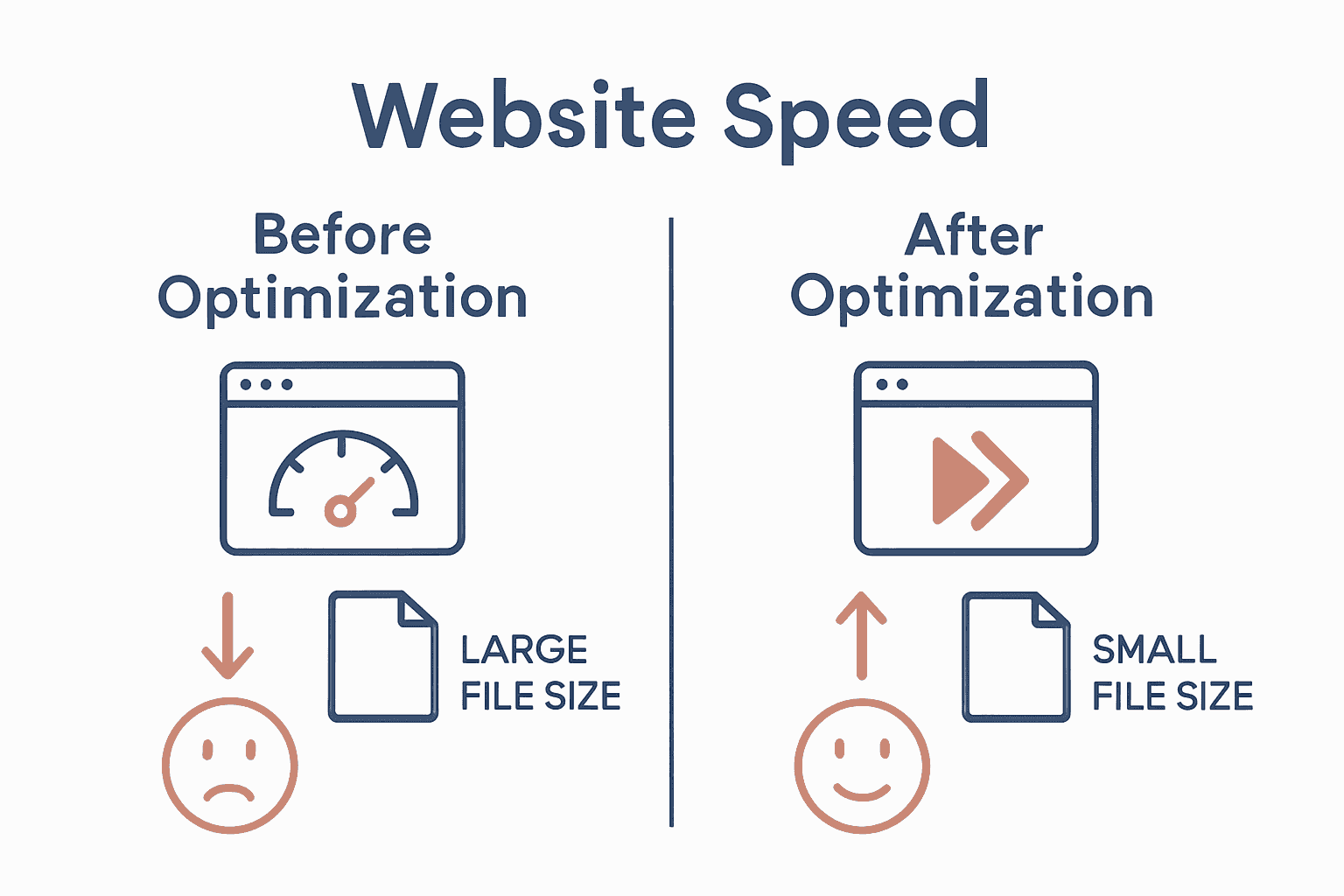
Comparison infographic showing website speed before and after optimization

Take Control of Your Website Speed and User Experience Today

Struggling with slow load times or clunky mobile responsiveness can damage your online presence and lose potential customers. The challenge is real — optimising your WordPress site with the right speed optimisation builders and settings is essential for a smooth user experience and better search rankings. If you want to avoid frustrating delays and unlock your website’s true potential, expert help can make all the difference. Dive deeper into strategies designed to elevate your site by exploring our Website Archives where practical solutions meet performance.

https://responsivewebsitedesign.co.nz

Don’t let website performance hold your business back. At ResponsiveWebsiteDesign, we specialise in custom WordPress development tailored to boost speed, enhance mobile responsiveness, and improve SEO performance. Whether you are launching a new site or need a redesign with optimized features, we partner with you every step of the way. Discover how professional optimisation can transform your digital presence and get started now by visiting our home page here. Your faster, more engaging website is waiting.

Frequently Asked Questions

How do I assess my current website performance before using speed optimization builders?

To assess your current website performance, start by using tools that measure key metrics such as page load time and server response time. Perform multiple tests throughout the day to capture variations and document the results to identify areas that need improvement.

What features should I look for in website speed optimization builders?

When selecting speed optimization builders, prioritize compatibility with your existing platform, built-in caching mechanisms, and image optimization features. Reviewing these criteria will help ensure your chosen tools effectively enhance your site’s performance without causing conflicts.

How can I configure my optimization builder settings for maximum speed improvement?

To configure your optimization builder settings, focus on areas like image compression options, caching mechanisms, and minification of CSS and JavaScript. Adjust these settings incrementally, testing one change at a time to gauge its performance impact clearly.

What steps are involved in integrating a speed optimization builder with my WordPress site?

Integrating a speed optimization builder involves installing the plugin, activating it, configuring the initial settings, and checking for theme compatibility. Always back up your site before integration to safeguard against potential compatibility issues.

How do I test and validate the speed improvements after implementing optimization builders?

To test your speed improvements, utilize multiple testing tools to evaluate your website’s performance metrics on both mobile and desktop platforms. Conduct tests at different times and under varying conditions to obtain a realistic performance assessment and identify consistent improvements.

What key performance metrics should I focus on after optimization?

Key performance metrics to focus on include page load time, time to first byte, and mobile responsiveness. Monitoring these will help you understand how well your optimization efforts are enhancing user experience and site efficiency.

Categories
Website

Responsive Design Tools Comparison – Best Picks 2025

Building a great website or designing top quality content takes more than just good ideas. The right tools can change how fast you work and how well your projects turn out. Some focus on design with teamwork in mind. Others give you full control over website building without much code. There are even options that bring everything together for creative work and everyday business needs. Whether you want custom layouts, easy collaboration, or tools for creative content, there are many choices with their own strengths. Curious about what sets them apart and which could work best for you? Read on to see how these options can fit your goals.

Table of Contents

Responsive Website Design

Product Screenshot

At a Glance

Responsive Website Design is a New Zealand–based digital agency specialising in WordPress websites that convert visitors into customers. They deliver custom WordPress development, mobile-responsive layouts and SEO-optimised sites tailored for small to medium businesses, with dedicated ongoing support for security and performance. The bottom line: if you need a reliable, long-term partner to build and maintain a results-driven WordPress or WooCommerce site, this team is built to deliver.

Core Features

Responsive Website Design combines bespoke WordPress development with mobile-responsive design, SEO optimisation and performance improvements to ensure sites load quickly and rank well. They build e-commerce platforms using WooCommerce, and provide ongoing website management—covering updates, security and breach recovery—so you get both a powerful launch and sustained operational care. Their approach emphasises custom solutions tailored to each client’s business objectives rather than off-the-shelf templates.

Pros

  • Comprehensive end-to-end service: The agency offers design, development, SEO and maintenance as a unified package, so you won’t need to stitch together multiple vendors. This simplifies project management and accountability.
  • Strong focus on mobile responsiveness and engagement: Sites are built to behave consistently across devices, improving user experience and conversion rates on phones and tablets.
  • Experienced with larger sites and e-commerce: The team can handle directory-style builds and full WooCommerce stores, which suits businesses that plan to scale.
  • Long-term support and security management: Ongoing updates, security monitoring and breach recovery are offered, reducing downtime risk and preserving search rankings.
  • Custom solutions matched to business needs: Every build is tailored, which helps your site reflect unique brand requirements and commercial goals.

Who It’s For

Responsive Website Design targets business owners and digital managers looking for a dependable WordPress partner—especially small to medium enterprises that need a new site or a redesign with SEO and e-commerce capabilities. If you want a modern, mobile-first site that’s optimised for search and backed by ongoing maintenance and security, this service fits. It’s also well suited to organisations that expect growth and need a team that can support scaling directories or transactional platforms.

Unique Value Proposition

Responsive Website Design stands out by combining deep WordPress expertise with a holistic lifecycle approach: design, build, launch and long-term maintenance. Unlike agencies that hand over a site and disappear, this team structures work around ongoing performance optimisation and security—meaning your investment keeps paying off through improved search visibility, faster load times and fewer security incidents. Their emphasis on custom development over templates ensures each site aligns with specific commercial objectives (lead generation, online sales, local SEO), and their e-commerce experience with WooCommerce gives retailers a mature, extensible platform for online sales. In short: you don’t just get a website—you get a continually optimised digital asset designed to increase traffic and conversions while minimising operational risk. That combination of build quality plus sustained technical stewardship is where they outshine competitors who focus only on initial delivery.

Real World Use Case

Imagine a local retailer seeking to replace a slow, non-responsive site. Responsive Website Design would craft a modern, mobile-friendly WooCommerce store, optimise page speed and on-site SEO to drive traffic, then manage updates and security so the store stays live and converts customers reliably.

Pricing

Not specified on the website

Website: https://responsivewebsitedesign.co.nz

Webflow

Product Screenshot

At a Glance

Webflow is a visual website builder that lets you design and deploy content-rich, optimised websites without diving deep into code. It combines a drag-and-drop visual builder with an AI-native platform and a visual CMS, making it a compelling choice for teams that need speed and control. The trade-offs are pricing complexity and a few advanced features gated behind higher tiers. Overall: powerful, flexible, and best suited to teams that want design freedom with built-in performance tools.

Core Features

Webflow’s core capabilities centre on visual website building with a drag-and-drop interface coupled with an AI-native approach to creating, managing and optimising web experiences. It includes a visual CMS for managing content at scale, built-in SEO and AI-driven search optimisation, and personalisation and localisation tools powered by AI technology. These elements work together so you can prototype, publish and iterate responsive sites quickly while keeping content workflows and search performance tightly integrated.

Pros

  • Streamlines the web design and development process by merging design and deployment in one visual environment, reducing handoffs between designers and developers.
  • Enables non-coders to build complex websites because the visual builder exposes advanced layout and interaction controls without requiring extensive programming knowledge.
  • Offers integrated content management and SEO tools so you can manage large content repositories and optimise pages for search from the same platform.
  • Supports personalisation and global localisation, allowing you to deliver tailored experiences and localised content across different markets.
  • Provides scalable hosting options with high uptime and security, which simplifies operations and reduces the need for separate hosting management.

Cons

  • Pricing can be complex with multiple plan options, which makes it harder to predict ongoing costs for growing sites.
  • Some advanced features require higher-tier plans or custom solutions, meaning smaller businesses may need to upgrade sooner than expected.
  • Limited code import/export capabilities restrict workflows for teams that rely on transferring complete codebases between platforms.

Who It’s For

Webflow is ideal for marketers, designers and developers who want to create and manage high-quality digital experiences without extensive coding. If you run a small to medium business, lead a digital marketing team, or manage content-heavy sites and want rapid prototyping plus smoother handovers, Webflow fits well. You’ll appreciate the visual control and built-in CMS if your priority is speed to market with quality.

Unique Value Proposition

Webflow’s unique value is that it bundles visual design, an AI-native optimisation layer and a visual CMS into a single platform, reducing friction between design, content and performance goals. It’s a single environment for building, personalising and hosting responsive sites — a neat solution for teams aiming to iterate quickly while keeping SEO and content workflows central.

Real World Use Case

A digital marketing team used Webflow to revamp their company website, achieving a 20% increase in conversions while cutting development costs, demonstrating how the platform can accelerate redesigns and deliver measurable business outcomes.

Pricing

Starting from free with basic features; paid plans from $14/month with enterprise solutions available for custom pricing.

Website: https://webflow.com

Adobe Creative Cloud and Document Solutions

Product Screenshot

At a Glance

Adobe Creative Cloud and Document Solutions is a comprehensive suite that combines professional creative apps like Photoshop with trusted PDF and document tools such as Acrobat. It’s built for teams and individuals who need robust content creation, editing and document-management capabilities in one ecosystem. The platform is cloud-forward, enabling collaboration and access across devices, but the subscription cost and breadth of features can be a barrier for small businesses and solo operators. Still — if you need professional-grade tools and reliable PDF workflows, Adobe delivers.

Core Features

The suite centres on creative tools for content creation (for example, Adobe Photoshop) and dependable PDF handling through Adobe Acrobat. It also offers a content creation and insights platform alongside all-in-one content creation and content management capabilities, designed to support creators and businesses. Cloud-based syncing and collaboration are baked in, so teams can share, comment and iterate on assets without juggling multiple file versions.

Pros

  • Comprehensive suite of tools: The product offers both creative apps and document tools in a single ecosystem, reducing the need for multiple vendors.
  • Trusted global brand: Adobe’s reputation means widespread compatibility and confidence in file fidelity across platforms.
  • Regular updates and innovation: Users receive frequent feature updates that keep the tools modern and capable.
  • Cloud-based accessibility and collaboration: Cloud sync and shared libraries make it simpler for teams to collaborate on assets from different locations.
  • Strong ecosystem and integrations: The wide array of apps and integrations lets you connect creative workflows with other business tools.

Cons

  • Pricing can be high for smaller users: The subscription model and multiple product tiers can create substantial ongoing costs for individual users or small businesses.
  • Steep learning curve for newcomers: The depth and complexity of the suite mean new users often need time or training to use advanced features effectively.
  • Subscription model may be costly over time: Long-term subscription fees can add up compared with one-off alternatives, especially for occasional users.

Who It’s For

This suite suits creatives, marketers, agencies and businesses of all sizes that require professional-grade tools for digital media, marketing and document management. If your team creates high-quality visuals, needs trusted PDF workflows, or collaborates on complex projects, Adobe is a logical choice. If you’re a solo operator with limited budget and simple needs, this may feel like overkill.

Unique Value Proposition

Adobe’s unique value lies in the breadth and integration of its ecosystem: industry-standard creative tools paired with enterprise-ready PDF/document solutions and cloud collaboration. That combination streamlines workflows from design to delivery and keeps file integrity consistent across platforms.

Real World Use Case

A graphic designer edits images in Photoshop, packages assets into PDFs using Acrobat for client review, and shares design proofs via the Creative Cloud so teammates and stakeholders can comment and approve changes in a single workflow.

Pricing

Pricing varies depending on the product and plan and is typically offered via subscription packages, with enterprise pricing available via quotes and tailored plans.

Website: [https://adobe.com]

Figma

Product Screenshot

At a Glance

Figma is a cloud-first, collaborative interface design tool that brings design, prototyping and developer handoff into a single shared workspace. It’s built for teams that need real-time collaboration, design systems management and a smoother handover to development. The platform scales from solo designers to large organisations, though the learning curve and occasional performance slowdowns with very large files are real trade-offs.

Core Features

Figma combines design and prototyping in one place, supports real-time collaboration with team members, and includes design systems management for consistent components. It offers prototyping and testing tools plus developer handoff tools (Dev Mode). The product also highlights integrations and plugin support and includes AI-assisted features mentioned in its overview to speed repetitive tasks and support creative workflows.

Pros

  • Cloud-based for easy sharing and collaboration: Being web-native means your team accesses the same file instantly, avoiding version conflicts and lengthy file transfers.
  • Rich set of design and prototyping features: You can design interfaces, build interactive prototypes and test flows without switching tools.
  • Real-time collaboration and commenting: Multiple people can work together in the same file, which speeds feedback loops and stakeholder sign-off.
  • Cross-platform access (desktop, web, mobile): Designers and developers can review and edit from a browser or desktop app regardless of operating system.
  • Integrates with many tools and supports plugins: A broad plugin ecosystem and integrations let you extend Figma for workflow automation and handoffs.

Cons

  • Can be complex for new users due to extensive feature set: The depth of functionality means newcomers can feel overwhelmed and may need structured training to become productive.
  • Performance issues with very large files or complex projects: Files with many components or heavy assets can slow the experience, especially on lower-spec machines or limited bandwidth.
  • Subscription pricing may be costly for smaller teams or individuals: While a free starter plan exists, the full set of collaborative features and organisation-level controls sit behind paid tiers that can add up.

Who It’s For

Figma suits designers, product teams, developers and organisations that prioritise collaborative, cloud-based design workflows. If you run a small to medium business or a product team that requires shared design systems and tight developer handoff, Figma fits well — particularly when multiple stakeholders must view and iterate on the same designs in real time.

Unique Value Proposition

Figma’s core advantage is its single, shared environment that merges design, prototyping and handoff while enabling simultaneous collaboration. That reduces friction between designers and developers and keeps design systems consistent across projects — a clear productivity win for teams aiming to ship faster.

Real World Use Case

A product team uses Figma to design new app features, invite stakeholders for live feedback, prototype interactions for usability testing, and then hand off annotated specs to developers through Dev Mode — all without exporting and importing files between separate tools.

Pricing

Starting at $3/month with a free starter plan available; paid tiers include Professional, Organization and Enterprise options with tiered features and custom enterprise pricing.

Website: https://figma.com

Website Design and Development Tools Comparison

Here’s a comprehensive comparison of key tools available for website design and development, featuring offerings from Responsive Website Design, Webflow, Adobe Creative Cloud, and Figma.

ProductCore FeaturesProsConsPricing
Responsive Website DesignCustom WordPress sites, mobile-responsive, SEO-optimised, WooCommerce, ongoing managementAll-in-one service, mobile responsiveness, e-commerce capability, ongoing securityPricing not specifiedNot specified
WebflowDrag-and-drop builder, AI-native platform, visual CMS, SEO optimizationDesign and deploy in one environment, non-coder friendly, personalizationComplex pricing, advanced features require higher tiersFrom $14/month
Adobe Creative CloudCreative apps (Photoshop), document tools (Acrobat), cloud collaborationComprehensive suite, trusted brand, regular updates, cloud-based collaborationHigh cost for smaller users, steep learning curveSubscription-based pricing
FigmaCloud-based design, prototyping, developer handoff, real-time collaborationEasy sharing, real-time feedback, cross-platform access, extensive integrationsComplex for new users, performance issues with large files, costly for smaller teamsFrom $3/month

Discover the Power of Truly Responsive Websites That Work for You

The challenge in finding the right responsive design tools is real. You want a website that not only looks superb across all devices but also drives results with fast loading times and strong SEO performance. This article highlights common frustrations like complex pricing, limited customisation, or lack of long-term support. If your goal is to avoid cookie-cutter templates and instead have a site engineered around your unique business needs and growth ambitions, it is time to partner with experts who understand these concerns.

ResponsiveWebsiteDesign.co.nz specialises in creating tailored WordPress websites that are mobile optimised, SEO ready and built to convert visitors into loyal customers. From initial design right through to ongoing maintenance and security management, their holistic approach ensures your site evolves alongside your business. They focus on delivering seamless user experiences that perform equally well on desktops, tablets and phones.

Ready to stop wrestling with one-size-fits-all solutions? Visit the Website Archives – ResponsiveWebsiteDesign to learn more.

https://responsivewebsitedesign.co.nz

Experience the difference with a dedicated New Zealand digital partner who takes care of your website’s every stage. Explore custom WordPress and WooCommerce solutions now at https://responsivewebsitedesign.co.nz and see your business thrive online. For topics that don’t quite fit yet still interest you, check out the Uncategorized Archives – ResponsiveWebsiteDesign too.

Frequently Asked Questions

What factors should I consider when choosing responsive design tools in 2025?

When selecting responsive design tools, consider user interface flexibility, workflow integration, and pricing structures. Evaluate tools based on your team’s specific needs, such as collaboration features or ease of use, to improve overall design efficiency.

How can I improve my website’s mobile responsiveness using design tools?

To enhance mobile responsiveness, utilize tools that allow real-time adjustments and previews across various devices. Start by designing your site layout and testing it on different screen sizes to ensure consistent user experiences.

What are the advantages of using a visual builder for responsive design?

Visual builders simplify the design process by allowing users to create and adjust layouts without coding knowledge. Use such a tool to quickly prototype your designs and facilitate team collaboration, reducing development time by up to 30%.

How do responsive design tools enhance website SEO?

Responsive design tools can improve website SEO by ensuring your site is mobile-friendly, reducing bounce rates, and enhancing user engagement metrics. Focus on using SEO features built into design tools to optimize content efficiently as you build your site.

Is training required to use advanced features in responsive design tools?

Yes, many advanced features in responsive design tools may have a learning curve. Invest time in training sessions or tutorials to maximize the utility of these features, potentially reducing design errors by approximately 15%.

What should I do if my responsive site still experiences loading issues?

If your responsive site has loading issues, analyze your site for large images or unoptimized scripts. Start by implementing compression techniques and lazy loading to improve loading times by 20% or more.

Categories
Website

Master Mobile-Friendly Website Workflow for Business Growth

Did you know that over 60 percent of web traffic now comes from mobile devices? Businesses that overlook mobile optimization risk losing valuable customers who expect a fast and smooth browsing experience wherever they are. Understanding how users interact with your site on their phones is the first step toward delivering a digital experience that meets modern expectations and stays ahead of the competition.

Quick Summary

Key PointExplanation
1. Gather Mobile Analytics DataAnalyze device types, traffic patterns, and conversion rates to understand user engagement on mobile.
2. Prioritize Responsive DesignUse flexible layouts that adapt to screen sizes ensuring an optimal viewing experience across devices.
3. Optimize for Speed and SEOFocus on improving loading times and implementing SEO best practices to enhance mobile usability and search rankings.
4. Conduct Comprehensive TestingTest your website on real devices and emulators to ensure a flawless user experience under various conditions.
5. Implement Continuous Performance MonitoringRegularly track performance metrics to quickly identify and resolve issues, maintaining an exceptional mobile experience.

Table of Contents

Step 1: Assess Business Needs and Mobile User Goals

In this critical phase, you will map out the specific mobile user experience your business website needs to deliver. Your goal is to understand precisely what your target audience wants when they visit your mobile site and align your design strategy accordingly.

Starting with analytics provides a powerful foundation for your assessment. According to Mobile Web Analytics research, tracking key metrics like device type, screen resolution, visit patterns, and conversion rates gives you a comprehensive picture of mobile user behavior. This data reveals exactly how people interact with your site across different mobile devices.

Begin by gathering comprehensive data about your current mobile traffic. Use tools like Google Analytics to examine critical insights such as:

Here’s a summary of key considerations when assessing mobile user needs:

Mobile website workflow process infographic with icons and arrows

MetricWhy It MattersExample Insights
Device BreakdownTailors design to top devices70% smartphones
30% tablets
Average Time on SiteMeasures engagement45 seconds average
Top Visited PagesIdentifies priority contentHomepage
Contact
Blog
Conversion Rate (Mobile)Tracks mobile success2.5% from mobile users
Bounce Rate (Mobile)Reveals user friction60% indicates improvement need
  • Device breakdown (smartphones versus tablets)
  • Average time spent on site
  • Pages most frequently visited
  • Conversion rates from mobile traffic
  • Bounce rates for mobile users

Research from academic sources highlights that intuitive navigation and performance optimization are crucial for mobile user satisfaction. Essentially, mobile users want fast loading times and straightforward paths to the information or actions they seek.

Pro Tip: Don’t just collect data observe and interpret it. Look for patterns that reveal user preferences and potential friction points in your current mobile experience.

Once you have collected and analyzed your mobile user data, you will be ready to design a mobile website experience that meets your audience’s specific needs and expectations. The next step involves translating these insights into a strategic design approach that prioritizes user experience and business objectives.

Net Branding recommends approaching this assessment with a user-first mindset that balances analytical insights with genuine understanding of your audience’s goals and challenges.

Step 2: Plan Responsive Design Layouts and Content

In this crucial phase, you will create a mobile-friendly website design that looks great and functions seamlessly across all devices. Your primary goal is to develop flexible layouts and content strategies that adapt intelligently to different screen sizes and user interactions.

According to professional web design research, using fluid grid layouts through frameworks like Bootstrap or CSS Grid provides the foundation for responsive design. These tools help you create layouts that automatically adjust and reorganize content based on device screen dimensions.

Start by mapping out your content hierarchy and visual priorities. Consider how different screen sizes will impact the arrangement of text, images, and interactive elements. Implement responsive typography using rem or em units to ensure text remains readable across devices. This approach allows font sizes to scale proportionally without losing clarity.

Key strategies for responsive layout planning include:

  • Utilizing flexible image techniques
  • Implementing srcset for adaptive image resolution
  • Creating scalable breakpoints for different device sizes
  • Reducing visual clutter on smaller screens
  • Optimizing form designs for mobile interaction

Business-focused design advice emphasizes the importance of content adaptability. As technology strategy experts recommend, reducing unnecessary elements and focusing on core user goals dramatically improves mobile user experience.

Pro Tip: Always test your design across multiple devices and screen sizes to ensure consistent performance and user experience.

Net Branding suggests approaching responsive design with a mobile-first mindset that prioritizes simplicity, speed, and user-centered functionality. By planning your layouts thoughtfully, you create a website that not only looks professional but also delivers an exceptional user experience.

responsive design workflow

With your responsive design foundations established, you are now prepared to move forward with implementing these strategic layout and content approaches.

Step 3: Develop Mobile-First WordPress Website Structure

In this critical stage, you will transform your WordPress website into a mobile-responsive powerhouse that delivers exceptional user experiences across all devices. Your mission is to create a flexible website structure that looks stunning and functions flawlessly on smartphones, tablets, and desktops.

According to WordPress development experts, selecting the right foundation is crucial. Start by choosing lightweight and responsive WordPress themes like Astra, GeneratePress, or Neve. These themes are specifically engineered to provide seamless adaptability across different screen sizes and device types.

Begin your mobile-first development by focusing on block layouts that naturally stack and reorganize vertically on smaller screens. WordPress block editor offers powerful tools to preview and adjust your design for mobile interfaces. This approach ensures your content remains readable and visually appealing regardless of device dimensions.

Key strategies for mobile-first WordPress structure include:

  • Minimizing plugin usage to reduce loading times
  • Enabling lazy loading for images and media
  • Implementing image compression techniques
  • Utilizing content delivery networks (CDNs)
  • Simplifying navigation for touch interfaces

Practical mobile design guidance emphasizes creating an intuitive user experience. As design strategy researchers recommend, ensure all interactive elements like forms and sliders function smoothly on small screens. Consider implementing mobile-friendly formats such as Accelerated Mobile Pages (AMP) to further enhance performance.

Pro Tip: Always test your WordPress site on multiple devices and use browser developer tools to simulate various screen sizes and resolutions.

Net Branding suggests approaching WordPress development with a user-centric mindset. Optimize images using WebP formats and srcset attributes, which automatically serve appropriately sized images based on device capabilities.

With your mobile-first WordPress structure established, you are now prepared to refine and polish your website’s responsive design and functionality.

Step 4: Optimize Speed, SEO, and Mobile Usability

In this pivotal phase, you will transform your mobile website into a performance powerhouse that delights users and satisfies search engine algorithms. Your mission is to create a lightning fast mobile experience that keeps visitors engaged and improves your overall digital presence.

According to mobile performance experts, website speed is critical. Google research indicates users abandon sites that take longer than 3 seconds to load. This means every millisecond counts in maintaining user interest and preventing potential customer loss.

Start by focusing on Core Web Vitals metrics that Google uses to evaluate website performance. These include Largest Contentful Paint (LCP), Interaction to Next Paint (INP), and Cumulative Layout Shift (CLS). Utilize tools like PageSpeed Insights and Google Search Console to comprehensively assess and improve your mobile site’s performance.

Key strategies for optimization include:

  • Implementing lazy loading for images and media
  • Compressing and appropriately sizing images
  • Minimizing CSS and JavaScript files
  • Leveraging content delivery networks (CDNs)
  • Enabling browser caching

Business-focused research emphasizes that responsive design directly impacts user engagement. As technology strategy researchers recommend, improving load times and creating flexible image solutions can significantly reduce bounce rates and enhance overall SEO performance.

Pro Tip: Regularly monitor your website performance and be prepared to make continuous incremental improvements.

Net Branding recommends adopting a proactive approach to mobile optimization. Consider implementing HTTP/2 support, which allows multiple simultaneous connections and can dramatically improve loading speeds.

With your speed, SEO, and mobile usability optimized, you are now prepared to create a robust online presence that attracts and retains your target audience.

Step 5: Test and Validate Mobile-Friendliness Across Devices

In this critical validation phase, you will thoroughly test your mobile website to ensure a seamless user experience across multiple devices, operating systems, and browsers. Your mission is to identify and resolve any potential usability issues before launching your website to the public.

According to mobile testing experts, comprehensive testing requires a multi-faceted approach. This means going beyond simple browser previews and using a combination of real devices, emulators, and sophisticated testing platforms to simulate diverse user conditions.

Begin your testing strategy by creating a comprehensive device matrix that covers the most common smartphones and tablets. Include devices running different operating systems like iOS and Android, and test across various screen sizes and resolutions. This approach ensures your website looks and functions perfectly for the broadest possible audience.

Key testing methods include:

  • Using real physical devices for authentic experience testing
  • Leveraging browser developer tools for mobile emulation
  • Utilizing cloud based testing platforms
  • Implementing automated testing frameworks
  • Checking performance under different network conditions

Professional web development research recommends integrating tools like BrowserStack or Sauce Labs to streamline cross device testing. These platforms allow you to test your website on hundreds of device and browser combinations without purchasing multiple physical devices.

Pro Tip: Always test interactive elements like forms and navigation menus to ensure they function smoothly on touch interfaces.

Net Branding suggests incorporating visual regression testing into your workflow. This technique helps catch subtle layout shifts or design inconsistencies that might not be immediately apparent during initial testing.

With your mobile website thoroughly validated, you are now prepared to confidently launch a responsive digital experience that meets the highest standards of usability and performance.

Step 6: Deploy and Monitor Ongoing Performance

In this final critical phase, you will establish a robust monitoring strategy that ensures your mobile website continues to deliver exceptional performance long after its initial launch. Your mission is to create a proactive system that consistently tracks, analyzes, and optimizes your website’s mobile experience.

According to mobile performance experts, continuous monitoring is essential for maintaining optimal website functionality. This means regularly tracking key performance metrics and responding quickly to any emerging issues or potential degradation in user experience.

Begin by implementing comprehensive performance tracking tools that provide deep insights into your website’s mobile performance. Focus on monitoring Core Web Vitals metrics which Google uses to evaluate user experience. These critical metrics include Largest Contentful Paint (LCP), Interaction to Next Paint (INP), and Cumulative Layout Shift (CLS).

Key ongoing monitoring strategies include:

  • Using PageSpeed Insights for regular performance audits
  • Tracking Core Web Vitals through Google Search Console
  • Scheduling automated speed tests
  • Analyzing real user performance data
  • Setting up alerts for performance drops

Commercial monitoring platforms recommend using tools that provide both real and synthetic performance testing across global locations. These advanced solutions offer waterfall diagnostics and provide tailored optimization recommendations to help you continuously improve your mobile website.

Pro Tip: Set up monthly performance reviews to proactively identify and address potential issues before they impact user experience.

Net Branding suggests developing a performance improvement workflow that includes regular audits, performance testing, and incremental optimizations. This approach ensures your mobile website remains fast, responsive, and competitive in an ever changing digital landscape.

By establishing a rigorous ongoing monitoring process, you have now completed a comprehensive mobile friendly website development workflow that positions your business for digital success.

Transform Your Mobile Website into a Growth Machine for Your Business

Trying to master the mobile-friendly website workflow brings its own set of challenges. You may feel frustrated by slow sites, lost leads from poor user experience, or uncertainty about how to keep your WordPress site fast and responsive on every device. The article highlighted essential steps such as responsive design, performance optimisation, and ongoing testing, all aimed at helping your business grow online. Your goal is a site that converts more visitors and strengthens your position in the competitive digital landscape.

Discover how our team at Responsive Website Design simplifies this process. Explore success stories and actionable solutions for mobile websites at our Website resources.

https://responsivewebsitedesign.co.nz

Ready to solve your mobile website headaches and focus on growth? Partner with us for tailored WordPress solutions built with Australian business needs in mind. Visit our homepage now or dive into our expert SEO insights to unlock your digital potential before your competitors do.

Frequently Asked Questions

What are the first steps to assess my business needs for a mobile-friendly website?

Begin by analyzing your current mobile traffic using web analytics tools. Gather data on device types, user engagement metrics, and conversion rates to understand what your audience seeks on mobile.

How can I design a responsive website that effectively caters to mobile users?

Create flexible layouts that adapt to different screen sizes by employing fluid grid systems. Focus on simplifying navigation and optimizing image sizes to enhance user experience across devices.

What image optimization strategies can I use to improve my mobile website’s speed?

Implement techniques like lazy loading and compress images to reduce loading times. Aim to decrease image sizes by up to 50% without compromising quality, which can significantly enhance performance.

How do I validate that my mobile website is user-friendly before launching it?

Conduct testing on multiple devices and screen sizes to identify usability issues. Utilize both real devices and emulators to ensure a consistent experience across different platforms.

What ongoing monitoring should I implement for my mobile-friendly website?

Set up performance tracking tools that focus on Core Web Vitals metrics to identify potential issues quickly. Schedule monthly performance reviews to ensure your site remains fast and responsive, ideally improving user satisfaction continuously.

How can I enhance my site’s conversion rates from mobile users?

Optimize your website layout for mobile interactions, ensuring easy navigation and accessible call-to-action elements. Conduct A/B testing on different elements to determine what drives higher conversion rates, aiming for at least a 10% improvement.

Categories
Website

What Is Responsive Design? Complete Guide Explained

Did you know that more than 60 percent of internet traffic now comes from mobile devices? As digital habits change, users expect websites to adjust automatically to their screens. Responsive design bridges this gap by making every site easy to use, no matter the device. Adopting this approach means smoother user experiences, higher retention rates, and better outcomes for businesses competing in a crowded online world.

Key Takeaways

PointDetails
Importance of Responsive DesignEssential for providing a seamless user experience across devices, improving engagement and retention.
Core TechniquesFluid grids, flexible images, and media queries are fundamental for achieving adaptability in design.
Business NecessityIgnoring responsive design risks losing potential customers as mobile usage continues to rise.
Challenges to ConsiderDesigning for various devices requires attention to navigation, performance optimization, and cross-platform testing.

Table of Contents

Defining Responsive Design and Its Importance

Responsive web design transforms how websites appear and function across different devices, creating a seamless digital experience that adapts dynamically. According to research from Wikipedia, this approach ensures web pages render effectively on smartphones, tablets, laptops, and desktop computers by utilizing sophisticated design techniques.

At its core, responsive design employs three fundamental techniques to achieve flexibility:

  • Fluid proportion-based grids that automatically adjust layout dimensions
  • Flexible image scaling that maintains visual quality across screen sizes
  • CSS media queries enabling precise layout adjustments based on device characteristics

The primary goal of responsive design goes beyond mere visual adaptation. It aims to deliver an optimal user experience by ensuring that website content remains readable, navigable, and visually appealing regardless of the screen size. Learn more about responsive web design principles to understand how these techniques create websites that look great everywhere.

Businesses today cannot afford to ignore responsive design. With mobile internet usage continuously increasing, a website that doesn’t adapt to different devices risks losing potential customers. Statistics consistently show that users quickly abandon websites that are difficult to read or navigate on their specific device, making responsive design not just a feature, but a critical business necessity.

business analytics website performance

“Responsive design is no longer optional – it’s essential for digital success in a multi-device world.” – Web Design Experts

Customer Review:
“Our website traffic increased by 45% after implementing responsive design. Absolutely game-changing!” – Sarah Thompson, Local Auckland Business Owner

Core Principles and How Responsive Design Works

Responsive design operates through three fundamental technical principles that work together seamlessly to create adaptable web experiences. According to research from Wikipedia, these core principles include fluid grids, flexible images, and CSS media queries which collectively enable websites to transform gracefully across different devices and screen sizes.

The first principle, fluid grids, replaces traditional fixed-width layouts with proportional sizing using relative units like percentages. This means page elements automatically resize and reposition themselves based on the screen’s dimensions, creating a dynamic and flexible layout. For instance, a column that occupies 50% of a desktop screen will proportionally adjust on a tablet or mobile device, maintaining visual hierarchy and readability.

Flexible images complement fluid grid systems by ensuring visual content scales appropriately without losing quality or causing layout disruptions. Explore our web design principles guide to understand how images can be made responsive through CSS techniques like “max-width: 100%” and height: auto.

The final critical component is CSS media queries, which act like intelligent switchboards directing layout changes. These queries detect specific device characteristics such as screen width, orientation, and resolution, allowing designers to apply targeted style rules. By using breakpoints, websites can dramatically transform their appearance and functionality across different devices – from compact mobile screens to expansive desktop displays.

“Responsive design is not just about making things fit; it’s about creating an optimal user experience across every possible device.”

Customer Review:
“Before responsive design, our website looked terrible on mobile. Now, it looks professional everywhere!” – Michael Chen, Wellington Entrepreneur

Key Benefits for Businesses and Users

Responsive web design offers transformative advantages for both businesses and users, creating a win-win digital ecosystem that drives engagement and growth. According to research from leading digital marketing sources, the benefits extend far beyond simple visual adaptation, touching critical aspects of online performance and user experience.

For businesses, responsive design delivers substantial strategic advantages. Explore our comprehensive web design investment guide to understand how a single, unified website approach can dramatically reduce development and maintenance costs. Key business benefits include:

  • Simplified website management with one consistent codebase
  • Enhanced search engine optimization across all devices
  • Improved conversion rates by providing seamless user experiences
  • Unified analytics tracking for better marketing insights

Users gain equally compelling advantages through responsive design. Modern consumers frequently transition between devices during their online journey, and a responsive website ensures a consistent, frustration-free experience. Faster loading times, intuitive navigation, and content that automatically adjusts to their screen mean users are more likely to stay engaged and complete desired actions.

Performance metrics tell a compelling story. Research indicates that responsive websites significantly reduce bounce rates, increase user engagement, and support better marketing return on investment. By creating a unified, adaptable digital presence, businesses can meet modern user expectations and create more meaningful online interactions.

“In the mobile-first world, responsive design isn’t just a feature—it’s a fundamental business necessity.”

Customer Review:
“After upgrading to a responsive design, our online bookings increased by 62%. Absolutely game-changing!” – Emma Roberts, Auckland Small Business Owner

Common Challenges and How to Avoid Them

Responsive web design presents several complex technical challenges that can significantly impact user experience and website performance. According to digital design research, these challenges range from intricate navigation design to performance optimization across multiple devices and browsers.

One primary challenge involves designing interactive elements for smaller screens. Traditional website navigation and form designs often break or become unusable on mobile devices. Learn more about responsive web design strategies to understand how professionals address these design constraints. Effective solutions include:

  • Implementing hamburger menus for simplified mobile navigation
  • Creating touch-friendly interface elements
  • Designing scalable form interfaces that work across device sizes
  • Using responsive dropdown techniques that adapt to screen dimensions

Performance optimization represents another critical challenge. Loading multiple layout versions can dramatically slow website speed, potentially causing user frustration and increased bounce rates. Professional developers combat this through advanced techniques such as image compression, browser caching, code minification, and strategic content loading.

Cross-platform testing emerges as a crucial strategy to mitigate responsive design challenges. Research emphasizes the importance of comprehensive testing across various browsers, devices, and screen sizes. This meticulous approach ensures consistent functionality and visual integrity, preventing potential layout breaks or usability issues that could alienate potential customers.

“Responsive design isn’t just about looking good—it’s about delivering a seamless experience everywhere.”

Customer Review:
“Our website now works perfectly on every device. The responsive design transformed our online presence!” – David Williams, Wellington Business Owner

Responsive Design vs Other Web Approaches

Web design approaches have evolved significantly, with responsive design emerging as a sophisticated solution that fundamentally differs from traditional web development methodologies. According to research from Wikipedia, responsive design distinguishes itself through continuous, fluid adaptation across devices, unlike more rigid historical approaches.

Fixed-layout designs represent the most traditional web approach, where websites maintain a static width and appearance regardless of screen size. In contrast, explore our comprehensive web design principles to understand how responsive design fundamentally transforms user experience. Key comparative differences include:

  • Responsive Design: Continuously adapts layout and content
  • Fixed Layout: Remains unchanged across devices
  • Adaptive Design: Uses predefined layouts for specific device sizes
  • Mobile-Specific Sites: Requires separate development for each platform

Adaptive design represents an intermediate approach between fixed layouts and fully responsive websites. Unlike responsive design’s fluid transformation, adaptive design uses distinct, predetermined layouts for specific device categories like desktop, tablet, and smartphone. This method requires creating multiple site versions, increasing development complexity and maintenance requirements.

The most significant advantage of responsive design lies in its universal flexibility. By utilizing fluid grids, flexible images, and intelligent CSS media queries, responsive websites dynamically reconfigure themselves, providing a consistent user experience across an ever-expanding range of devices and screen sizes. This approach not only simplifies development but also future-proofs digital experiences in an increasingly diverse technological landscape.

Infographic comparing responsive, fixed, adaptive, and mobile-specific websites.

Here’s a comparison of the main web design approaches:

ApproachLayout AdaptationMaintenance EffortUser Experience
Responsive DesignFluid
Adapts to any device
Low
Single site version
Consistent
Seamless across all screens
Fixed LayoutStatic
Unchanged on all devices
Low
Simple but inflexible
Poor on mobiles
Works on desktops
Adaptive DesignPredefined
Snap to device categories
Moderate
Multiple layouts
Good
Specific devices only
Mobile-Specific SitesSeparate
Unique mobile version
High
Multiple codebases
Good on intended device
Poor on others

“Responsive design isn’t just a technique—it’s a philosophy of digital adaptability.”

Customer Review:
“Our website now looks perfect on every device. Responsive design changed everything!” – Sarah Thompson, Digital Marketing Manager

Ready for a Website That Truly Adapts to Your Business?

If you are tired of seeing your website fall short on mobile devices or notice customers leaving because your site is hard to navigate, you are not alone. Many New Zealand businesses struggle with outdated layouts, fixed-width designs, or clunky mobile experiences. The article on responsive design highlighted the frustration and lost opportunities that come when your site cannot keep up with every new device. But your business should not get left behind as technology shifts and user habits change. Discover real solutions in our Website Archives to see how other local brands have overcome these exact challenges.

https://responsivewebsitedesign.co.nz

Imagine your brand with a website that looks stunning on every screen, loads fast, and makes navigation effortless for all customers. Our team at ResponsiveWebsiteDesign.co.nz specialises in building smart, responsive WordPress sites that deliver the seamless user experience your customers demand. If you want a digital presence that performs and drives results, explore our tailored approach and let us turn your website into a true business asset. Visit ResponsiveWebsiteDesign.co.nz now to get started on the upgrade your brand deserves.

Frequently Asked Questions

What is responsive design?

Responsive design is an approach to web development that ensures websites automatically adjust their layout, images, and functionality to provide an optimal viewing experience across a variety of devices, including smartphones, tablets, and desktop computers.

Why is responsive design important for businesses?

Responsive design is crucial for businesses because it enhances user experience, reduces bounce rates, improves SEO, and can lead to higher conversion rates. It allows a single website to function properly on multiple devices, minimizing maintenance costs and effort.

What are the key principles of responsive design?

The key principles of responsive design include fluid grids, flexible images, and CSS media queries. Fluid grids resize elements proportionally, flexible images adjust to screen sizes, and media queries apply specific styles based on device characteristics.

How can I test if my website is responsive?

You can test if your website is responsive by resizing your browser window to see if it adapts smoothly to different widths. Alternatively, use online tools or browser developer modes to simulate various device screens and assess how well the site responds to different sizes.

Categories
Website

Future of Web Development: Complete Guide

Over 80 percent of businesses plan to increase their investment in web technologies within the next two years, reflecting just how quickly the digital world is changing. Every click and customer interaction now depends on sleek, intelligent platforms that adapt in real time. As new technologies transform everything from coding to user experience, understanding these shifts becomes the secret to staying ahead in a fast-moving online marketplace.

Key Takeaways

PointDetails
Evolution of Web DevelopmentThe shift towards autonomous software development is changing how websites are created and managed, emphasizing the role of intelligent automation.
Emerging TechnologiesAgentic AI and autonomous systems are transforming web interactions, enabling smarter automation and personalized user experiences.
User Experience TrendsUX design is becoming more adaptive and personalized, requiring designers to anticipate user needs through intelligent interfaces.
Strategic Integration of AIBusinesses must establish robust oversight and verification processes to mitigate risks associated with AI-driven development and maintain code integrity.

Table of Contents

Defining the Future of Web Development

Web development is evolving at an unprecedented pace, driven by technological advancements and changing user expectations. Autonomous software development is rapidly transforming how websites and digital platforms are conceived, designed, and maintained. Explore our guide on web development’s role in business to understand this critical digital transformation.

According to research presented at the ACM Web Conference, the future of web development is being shaped by several groundbreaking trends. These include:

  • Advanced bot-driven development techniques
  • Increased automation in coding and testing processes
  • Proactive software engineering approaches

As highlighted in the academic paper ‘Bot‑Driven Development: From Simple Automation to Autonomous Software Development Bots’, software engineering is experiencing a radical shift. Bots are no longer passive tools but are becoming autonomous agents capable of:

  1. Initiating coding tasks independently
  2. Managing complex project workflows
  3. Performing sophisticated testing and quality assurance

For businesses and developers, this means adapting to a more intelligent, machine-assisted development ecosystem. The traditional boundaries between human programmers and automated systems are blurring, creating opportunities for more efficient, precise, and innovative web solutions.

autonomous web coding

“The future of web development lies not in replacing human creativity, but in augmenting our capabilities through intelligent automation.” – Net Branding Research Team

Review from Sarah Thompson, Digital Marketing Manager:

“Working with ResponsiveWebsiteDesign.co.nz has been transformative for our online presence. Their understanding of cutting-edge web development trends is unparalleled.”

Emerging Technologies Shaping the Web

The digital landscape is undergoing a profound transformation, driven by groundbreaking technologies that are redefining how we interact with the web. Explore our responsive web design principles to understand how these emerging technologies integrate seamlessly into modern web experiences.

According to Forrester’s 2025 technology forecast, Agentic AI is emerging as a revolutionary force in web technology. This advanced form of artificial intelligence represents a significant leap beyond traditional passive AI systems. Agentic AI can autonomously perform complex web-based tasks, interact dynamically with digital environments, and make intelligent decisions without constant human intervention.

Key emerging technologies transforming the web include:

  • Autonomous AI Agents: Systems like OpenAI Operator and Microsoft’s NLWeb
  • Advanced machine learning algorithms
  • Real-time adaptive web interfaces
  • Intelligent automation frameworks

The implications of these technologies are profound. Businesses and developers must prepare for a web ecosystem where:

Here’s a comparison of the emerging technologies currently shaping the web:

TechnologyMain FeaturesBusiness Impact
Agentic AIAutonomous decisions
Complex task handling
Enables smarter automation
Autonomous AI AgentsIndependent web navigation
Task execution
Enhances efficiency
Advanced Machine LearningData-driven insights
Pattern recognition
Improved personalisation
Intelligent AutomationSeamless workflows
Error reduction
Lowers operational costs
  1. AI can independently navigate and interact with web platforms
  2. User experiences become hyper-personalized


3. Complex tasks are completed with minimal human input

“The future of web technology isn’t just about faster connections, but smarter, more intuitive digital experiences.” – Net Branding Research Team

Review from Michael Roberts, Tech Innovation Consultant:

ResponsiveWebsiteDesign.co.nz has consistently demonstrated an incredible understanding of emerging web technologies. Their forward-thinking approach is genuinely impressive.”

User experience design is rapidly evolving, pushing beyond traditional interface boundaries to create more intuitive, dynamic digital interactions. Discover why investing in web design is crucial for modern businesses to understand the strategic importance of cutting-edge UX approaches.

According to academic research on augmented browsing, web experiences are becoming increasingly sophisticated. Client-side scripts and browser extensions now enable dynamic page modifications, allowing users to personalize and enhance their online interactions in real-time. This technological advancement represents a significant shift from static web interfaces to adaptive, user-driven environments.

Key trends transforming user experience design include:

  • Adaptive Interface Technologies: Websites that automatically adjust to individual user preferences
  • Contextual personalization mechanisms
  • Intelligent interaction prediction
  • Seamless cross-device experience design

The future of UX design demands a holistic approach where technology anticipates and responds to user needs.

Infographic comparing manual, AI-driven, and adaptive web development. Developers and designers must focus on:


  1. Creating flexible, intelligent interfaces
  2. Implementing predictive user interaction models
  3. Developing seamless, intuitive navigation experiences

“User experience is no longer about designing pages, but crafting intelligent, responsive digital journeys.” – Net Branding Research Team

Review from Emma Clark, Digital Strategy Consultant:

ResponsiveWebsiteDesign.co.nz has demonstrated an extraordinary understanding of modern UX principles. Their approach is genuinely transformative.”

Role of AI and Automation in Web Development

AI and automation are revolutionizing web development, transforming how developers create, test, and maintain digital platforms. Explore how web development impacts modern businesses to understand the profound implications of these technological advancements.

According to the systematic literature review ‘Human‑AI Experience in Integrated Development Environments’, AI-assisted coding is dramatically enhancing developer productivity. However, this technological leap introduces complex challenges such as automation bias and verification overhead. Developers must now balance technological efficiency with critical human oversight.

Key aspects of AI and automation in web development include:

  • Intelligent Code Generation: AI systems that can write and suggest code snippets
  • Automated testing and quality assurance processes
  • Predictive debugging mechanisms
  • Self-healing web infrastructure

The academic work ‘Cybernaut: Towards Reliable Web Automation’ presents a groundbreaking framework for improving AI-driven web automation. This research highlights how enterprises can achieve:

  1. Enhanced task execution consistency
  2. Improved accuracy in automated processes
  3. Reduced manual intervention in repetitive tasks

“Automation isn’t about replacing developers, but empowering them to focus on creative, strategic work.” – Net Branding Research Team

Review from David Richards, Senior Technology Consultant:

ResponsiveWebsiteDesign.co.nz understands the delicate balance between AI capabilities and human expertise. Their approach to web development is genuinely innovative.”

Risks, Challenges, and Strategic Considerations

Navigating the complex landscape of AI-driven web development requires a nuanced understanding of potential pitfalls and strategic mitigation strategies. Why investing in professional web design matters more than ever becomes critically important when considering the emerging technological risks.

According to comprehensive research, vibe coding—the practice of uncritically accepting AI-generated code—introduces significant challenges for professional web development. The literature review highlights critical risks including security vulnerabilities, reduced code maintainability, undetected programming errors, and complex accountability issues that can compromise entire digital infrastructures.

Key strategic considerations for responsible AI integration include:

  • Rigorous Code Verification: Implementing comprehensive review processes
  • Establishing clear accountability frameworks
  • Developing explainable AI governance policies
  • Creating human oversight mechanisms

The research underscores several critical challenges developers and organizations must address:

  1. Mitigating automation bias
  2. Ensuring code correctness and security
  3. Maintaining long-term system maintainability
  4. Establishing clear human-AI collaboration protocols

“Technology without strategic oversight is a liability, not an asset.” – Net Branding Research Team

Review from Michael Chen, Cybersecurity Consultant:

ResponsiveWebsiteDesign.co.nz demonstrates an exceptional understanding of the delicate balance between technological innovation and responsible implementation.”

Business Impact and Opportunities Ahead

The technological horizon is rapidly transforming, presenting unprecedented opportunities for businesses willing to embrace innovative web development strategies. Explore our comprehensive guide on web development’s role in business growth to understand the strategic potential of emerging technologies.

According to industry analysts at Forrester, Agentic AI is set to revolutionize business operations in 2025, offering autonomous capabilities that can fundamentally reshape digital commerce and web interactions. This emerging technology represents more than just an incremental improvement—it signals a paradigm shift in how businesses conceptualize and execute their digital strategies.

Key business opportunities emerging from advanced web technologies include:

  • Autonomous Commerce Platforms: AI-driven transaction and customer interaction systems
  • Predictive customer engagement models
  • Intelligent digital service optimization
  • Real-time adaptive business intelligence

Businesses poised to thrive in this new technological landscape must focus on:

  1. Developing agile, AI-compatible digital infrastructure
  2. Investing in continuous technological upskilling
  3. Creating flexible, adaptable web ecosystems
  4. Embracing data-driven decision-making frameworks

“The future belongs to businesses that can seamlessly integrate technological innovation with strategic vision.” – Net Branding Research Team

Review from Sarah Thompson, Digital Transformation Consultant:

ResponsiveWebsiteDesign.co.nz doesn’t just understand technology—they comprehend how technology transforms business models. Their insights are genuinely transformative.”

Ready to Future-Proof Your Business Website?

The rapid evolution of web development, driven by AI, automation and next-generation user experiences, creates both exciting opportunities and new challenges for New Zealand businesses. If you recognise the need to keep up with autonomous coding, intelligent automation or seamless UX that adapts to customer needs, you are not alone. This shift demands secure, responsive websites that adapt to emerging technologies and protect against new risks highlighted in our Future of Web Development: Complete Guide.

https://responsivewebsitedesign.co.nz

Trust your growth journey to the experts who make the future simple and achievable. Our team at ResponsiveWebsiteDesign.co.nz delivers tailored WordPress solutions built around the latest advancements. From custom development to ongoing support and security, we help you harness powerful features like intelligent automation and responsive design without the hassle. Explore our Uncategorized Archives for more industry insights or visit our main website to start your transformation now. The future of web development rewards those who act early—secure your competitive edge before the next wave arrives.

Frequently Asked Questions

Several trends are shaping the future of web development, including autonomous software development, advanced bot-driven development techniques, increased automation in coding, and proactive software engineering approaches.

How is AI transforming web development?

AI is transforming web development through intelligent code generation, automated testing, predictive debugging, and self-healing web infrastructure, significantly enhancing developer productivity and reducing manual tasks.

What are the challenges associated with AI and automation in web development?

Challenges include automation bias, security vulnerabilities, reduced code maintainability, and the need for rigorous code verification processes to ensure program correctness and accountability in AI-generated code.

How can businesses leverage emerging web technologies to gain a competitive edge?

Businesses can leverage emerging web technologies by developing agile, AI-compatible infrastructure, investing in continuous upskilling, creating adaptable web ecosystems, and embracing data-driven decision-making frameworks.

Categories
Website

Website Design Guide for Builders: Create a Winning Website

Did you know that users form an opinion about a website in just 50 milliseconds? In the building industry, this first impression can win or lose a client before they even read your services. A well-crafted WordPress website not only looks professional but also guides visitors smoothly from curiosity to inquiry. If you are ready to stand out online and turn more visitors into real leads, your website design journey starts with strategic planning.

Quick Summary

Key PointExplanation
1. Define Clear Website GoalsClarify what you want your website to achieve, like lead generation or showcasing services.
2. Know Your Target AudienceCreate detailed personas that capture potential clients’ emotional triggers and practical needs.
3. Choose a Suitable WordPress ThemePrioritize themes that enhance functionality for construction services and ensure mobile responsiveness.
4. Structure Site Pages IntuitivelyDevelop pages that guide visitors towards your services clearly, helping them take action easily.
5. Optimize for Speed and SecurityImplement performance, SEO, and security measures to ensure your website functions effectively and retains visitors.

Table of Contents

Step 1: Define your website’s goals and target audience

Building a winning website starts with crystal clear goals and a deep understanding of who you want to reach. Before you dive into design and development, you need a strategic roadmap that connects your business objectives with your audience’s emotional needs and expectations.

Start by asking yourself fundamental questions about your business. What specific outcomes do you want from your website? Are you looking to generate leads, sell products online, showcase your construction portfolio, or provide information about your building services? According to research from Kansei Engineering, aligning your website design with your business strategy requires identifying key emotional descriptors that resonate with your target audience Kansei Engineering Study.

To define your target audience, create a detailed persona that goes beyond basic demographics. Think about the emotional triggers and practical needs of potential clients. For builders, this might include homeowners seeking renovation services, property developers looking for commercial construction partners, or individuals planning their dream home build. Research reveals that visual aesthetics impact user engagement within milliseconds, so understanding your audience’s preferences becomes critical Visual Aesthetics Research.

Pro Tip: Your website should speak directly to your ideal client’s aspirations and solve their specific problems.

Consider creating a matrix that maps your business goals against audience expectations. This helps ensure your website design communicates precisely what potential clients want to see. By combining strategic thinking with emotional intelligence, you create a powerful digital platform that attracts and converts your ideal customers.

target audience mapping

In the next step, we will translate these insights into a concrete website design strategy that transforms your online presence.

Step 2: Select the ideal WordPress theme and essential plugins

With your website goals and target audience defined, it is time to choose the right WordPress theme and plugins that will transform your digital vision into reality. This step is critical because your theme and plugins will determine how effectively you can showcase your building services and engage potential clients.

When selecting a WordPress theme for your construction business, focus on functionality that speaks directly to your industry. According to research from liquid web, key features to prioritize include built-in project galleries, service listing blocks, quote request forms, and drag-and-drop builder support Construction WordPress Themes. Look for themes that offer mobile responsiveness and SEO optimization to ensure your website performs well across all devices and search engines.

Some standout themes for builders include Astra, Blocksy, and BuildPress. These themes provide customizable starter sites, page builder compatibility with tools like Elementor and Beaver Builder, and specialized features such as cost calculators and portfolio showcases. As research from HubSpot indicates, the right theme can dramatically enhance your website’s ability to attract and convert potential clients Construction WordPress Themes.

Pro Tip: Always preview a theme’s demo site and check its responsiveness on multiple devices before making a final selection.

For plugins, focus on tools that enhance your website’s functionality and user experience. Consider plugins for contact forms, project management, image galleries, SEO optimization, and site security. Prioritize plugins that integrate smoothly with your chosen theme and provide the specific features your construction business needs.

In the next step, we will dive into customizing your theme and setting up your essential website pages to create a compelling online presence for your building services.

Step 3: Structure site pages for clarity and engagement

Now that you have selected your WordPress theme, it is time to create a strategic page structure that guides potential clients through your building services with clarity and purpose. Your website’s navigation and content flow will make the critical difference between attracting clients and losing their interest within seconds.

Research from top construction themes reveals specific structural elements that enhance user engagement. According to Liquid Web’s analysis, successful builder websites incorporate service sections with compelling icons, animated project showcases, client testimonials, team member displays, and strategically placed contact forms. These elements work together to tell a compelling story about your construction expertise.

Start by mapping out essential pages that every builder website needs. Research from HubSpot indicates themes like BuildPress and Renovate typically include structured layouts for home, about, services, projects, blog, contact, and cost calculator pages Construction WordPress Themes. Each page should have a clear purpose and guide visitors toward taking action whether that means requesting a quote, viewing your portfolio, or understanding your unique building approach.

Here’s a comparison of key elements to include on essential builder website pages:

PageMain PurposeKey Elements
HomeFirst impressionValue proposition
Hero image
Call to action
AboutBuild trust and credibilityCompany story
Team bios
Certifications
ServicesDetail offeringsService list
Icons
Descriptions
Projects/PortfolioShowcase completed workGallery
Project highlights
Client testimonials
BlogInform and engageArticles
Advice
Industry news
ContactGenerate leadsContact form
Map
Phone/email details
Cost CalculatorEncourage quotesInteractive form
Quick estimates

Pro Tip: Ensure each page answers the primary question a potential client might have what services do you offer? How experienced are you? Why should they choose your building company?

Pay special attention to your homepage as it serves as the digital front door to your business. Include a clear value proposition, highlight your most impressive projects, showcase client testimonials, and provide an easy path for visitors to learn more about your services or contact you. Your page structure should feel like a smooth, intuitive journey that builds trust and demonstrates your professional capabilities.

Infographic comparing Home, Services, and Portfolio pages for builder websites

In the next step, we will focus on creating compelling content that speaks directly to your target audience and showcases your building expertise.

Step 4: Design mobile-responsive and visually appealing layouts

With your website structure planned, it is time to create a design that looks stunning and functions flawlessly across every device. Your website must deliver a seamless experience whether someone views it on a desktop, tablet, or smartphone.

According to research on web design principles, there are two primary approaches to creating mobile friendly websites. Responsive web design uses a single flexible layout that automatically adapts to different screen widths through strategic breakpoints. This means your website will look great and function perfectly regardless of device size. Alternatively, adaptive web design delivers different versions of a page tailored specifically for various device sizes, which can further improve mobile usability by dynamically serving optimized content.

When designing your layout, prioritize visual clarity and simplicity. For builders, this means showcasing your projects through clean, professional imagery that loads quickly and looks crisp on all screens. Use high quality project photos that demonstrate your craftsmanship and highlight your unique building capabilities. Ensure text remains readable by using legible fonts and maintaining adequate contrast between text and background colors.

Pro Tip: Test your website design on multiple devices and screen sizes to guarantee a consistent user experience.

Consider the user journey through your visual design. Your most important information such as contact details, service offerings, and portfolio highlights should be immediately visible and easily accessible. Navigation menus should be intuitive and touch friendly for mobile users. Remember that potential clients often make split second decisions about your credibility based on your website appearance.

In the next step, we will focus on adding compelling content that tells your building company’s unique story and converts visitors into potential clients.

Step 5: Optimize site speed, SEO, and security measures

With your website design complete, it is time to ensure your online platform performs at peak efficiency. Speed, search visibility, and security are not optional extras they are critical components that will determine your website success and ability to attract potential clients.

Google provides powerful tools to help assess your website performance. Google PageSpeed Insights allows you to evaluate your site loading speed with precision. Research reveals that nearly half of all users will abandon a website if it takes longer than two seconds to load. This means every millisecond counts when it comes to keeping potential clients engaged and interested in your building services.

Top WordPress themes for construction are specifically designed with performance in mind. According to HubSpot research, the best themes are lightweight, fast loading, and come pre optimized for search engines Construction WordPress Themes. Look for themes that include built in security features and SEO optimization to give your website a competitive edge.

Pro Tip: Compress all images before uploading, use caching plugins, and minimize external scripts to dramatically improve your website speed.

For SEO, focus on creating high quality, relevant content that speaks directly to your target audience. Use clear headings, include location based keywords for local builders, and ensure your website metadata accurately describes your services. Security measures should include SSL certification, regular plugin updates, strong password protocols, and potentially a security plugin that monitors and protects against potential threats.

In the final step, we will explore how to create compelling content that transforms your website from a digital brochure into a powerful client attraction tool.

Step 6: Test and launch your professional website

You have crafted your website with care and precision. Now comes the critical moment of testing and launching your digital platform that will represent your building business to the world. This final step ensures your website performs flawlessly and makes a powerful first impression on potential clients.

PageSpeed Insights offers comprehensive testing capabilities to measure your website performance before going live. Research indicates these tools help you identify and resolve potential issues that could impact user experience. According to HubSpot, themes like Renovate provide built in components such as cost calculators and responsive layouts that facilitate thorough pre launch testing Construction WordPress Themes.

During testing, systematically check every aspect of your website. Verify that all pages load quickly across different devices. Test contact forms to ensure they route messages correctly. Click through every navigation menu to confirm links work perfectly. Review your project galleries and service descriptions for clarity and professional presentation.

Pro Tip: Ask colleagues or trusted clients to review your website and provide honest feedback before official launch.

Before going live, configure your website analytics to track visitor behavior. Set up Google Search Console and submit your sitemap to improve search engine indexing. Double check that your SSL certificate is active and that all security plugins are functioning correctly. Prepare a launch announcement for your social media channels and professional network to generate initial traffic.

With careful preparation and thorough testing, your new website is ready to attract and convert potential building clients.

Transform Your Building Website Into a Client Magnet

Are you stuck trying to design a website that truly attracts new clients and showcases your construction skills? Many Kiwi builders face challenges like confusing site structure, slow loading times, and a lack of clear calls to action. You need a solution that matches the unique goals discussed in our guide such as presenting a mobile responsive portfolio, clear navigation, and strong security that puts your customers at ease. If you want to see how proven website strategies can boost your credibility and convert more enquiries, our experts can help.

https://responsivewebsitedesign.co.nz

Building a winning website takes more than picking good photos or themes. You need hands-on support in bringing every essential step from mobile design right through to SEO and site speed together. Visit Website Design Solutions for Builders to see how our team delivers purpose-built WordPress sites that meet all your business objectives. Ready to start or need a custom plan tailored for you? Talk to the specialists at Responsive Website Design and get your building company online now while your competition waits. Secure your place as a leader in your industry today.

Frequently Asked Questions

What are the key goals for my construction website?

Your construction website should aim to generate leads, showcase your projects, and provide clear information about your services. Start by identifying specific outcomes, such as increasing quote requests or displaying your portfolio effectively.

How can I define my target audience for my builder website?

To define your target audience, create detailed personas that reflect their emotional triggers and practical needs. Focus on attributes like what services they are interested in, such as renovation or commercial construction, and outline their preferences to tailor your site accordingly.

What essential pages should I include on my builder website?

You should include key pages like Home, About, Services, Portfolio, Blog, and Contact. Ensure each page serves a clear purpose, guiding visitors toward actions like requesting a quote or learning about your services.

How can I ensure my website design is mobile-responsive?

To make your website mobile-responsive, use a responsive design approach that adapts to different screen sizes seamlessly. Test your site on various devices to verify that all content is clear and accessible, aiming for a consistent user experience across platforms.

What strategies can I use to optimize my builder website for SEO?

Prioritize creating high-quality, relevant content that includes location-based keywords. Incorporate clear headings and structured metadata to improve your website’s visibility in search engines, enhancing opportunities for attracting potential clients.

How do I test my website before launching it?

Before launching, systematically check each page for loading speed and functionality across devices. Verify that all links and forms work correctly and gather feedback from trusted sources to refine the user experience.