
More than 60 percent of New Zealand and australian businesses miss out on valuable leads due to outdated website forms. For small and medium-sized business owners, this often means lost sales and weaker customer connections. Optimizing your forms is not just about collecting data, it is about turning every website visit into an opportunity for engagement and growth. Discover practical ways to transform your online forms into powerful tools that drive real business results.
Table of Contents
- Defining Website Forms For Business Success
- Types Of Forms And Key Distinctions
- How Forms Drive Lead Generation
- Forms For Enhancing Customer Engagement
- Best Practices For Effective Forms
- Common Mistakes And How To Avoid Them
Key Takeaways
| Point | Details |
|---|---|
| Website Forms as Strategic Tools | Website forms serve as vital communication channels that transform visitor interactions into measurable business opportunities. |
| Importance of Design | Well-designed forms capture essential information and enhance user experience, thereby driving higher conversion rates. |
| Types of Forms | Different forms serve specific business needs, including lead generation, feedback collection, and user registration. |
| Avoiding Common Mistakes | Reducing field quantity and ensuring clear labelling can significantly improve user engagement and form completion rates. |
Defining Website Forms for Business Success
Website forms are strategic digital tools that transform visitor interactions into measurable business opportunities. By enabling systematic data collection, these interactive elements serve as critical communication channels between businesses and potential customers.
At their core, website forms are structured data collectors designed to capture essential customer information while supporting specific business objectives. From simple contact requests to complex survey mechanisms, these digital interfaces help organisations gather insights, generate leads, and streamline customer engagement processes.
Website forms come in multiple configurations tailored to different business needs. Targeted web forms can transform websites from passive information platforms into active lead generation engines. Common types include:
- Contact forms for direct communication
- Registration forms for user account creation
- Inquiry forms for product or service information
- Feedback collection mechanisms
- Quote request interfaces
- Newsletter subscription portals
By strategically implementing these digital interaction points, businesses can capture valuable data, understand customer preferences, and create personalised marketing experiences. Net Branding recognises that well-designed forms are not just data collection tools but powerful conversion mechanisms.
Pro Tip: Design your website forms with minimal required fields to increase completion rates and collect only the most critical information for your business objectives.
FAQs:
How long should a website form be?
Keep forms concise, requesting only essential information to maximise completion rates.Are website forms secure?
Ensure forms use SSL encryption and comply with privacy regulations.Can forms integrate with other business systems?
Modern forms can seamlessly connect with CRM, email marketing, and analytics platforms.
Customer Review:
“Our conversion rates improved by 38% after redesigning our website forms with Net Branding” – Sarah Thompson, Marketing Director, Auckland Tech Solutions
Types of Forms and Key Distinctions
Website forms represent diverse digital interfaces designed to facilitate specific business interactions and data collection objectives. Multiple form types support different business needs, enabling organisations to create targeted user experiences that drive engagement and capture critical information.
The primary categories of website forms include:
- Contact Forms: Enable direct communication between customers and businesses
- Registration Forms: Allow user account creation and membership management
- Lead Generation Forms: Capture potential customer details for sales pipelines
- Survey Forms: Collect customer feedback and market research insights
- Payment/Donation Forms: Facilitate financial transactions and contributions
- Event RSVP Forms: Manage event participation and attendee tracking
Web forms serve distinct functional categories that address specific business requirements. Each form type incorporates unique features designed to streamline user interactions, enhance data collection processes, and support organisational goals.

Net Branding understands that selecting the appropriate form type is crucial for maximising user engagement and converting website visitors into potential customers. The strategic design of these digital interfaces can significantly impact a business’s ability to gather meaningful insights and generate qualified leads.
Here is a comparison of common website form types and their primary business impact:
| Form Type | Key Purpose | Typical Business Impact |
|---|---|---|
| Contact Form | Enable 1:1 communication | Increases direct client inquiries |
| Lead Generation | Capture sales prospects | Fuels pipeline with quality leads |
| Payment/Donation | Facilitate transactions | Drives online sales or donations |
| Survey/Feedback | Gather user insights | Improves offerings via feedback |
| Event RSVP | Manage attendance | Streamlines event participation |
Pro Tip: Analyse your specific business objectives and user journey to select the most appropriate form type that aligns with your communication and data collection goals.
FAQs:
How do I choose the right form type?
Consider your primary business objective and the specific information you need to collect.Can forms be customised?
Yes, modern form builders offer extensive customisation options for design and functionality.What makes a form effective?
Clear purpose, minimal fields, intuitive design, and mobile responsiveness are key factors.
Customer Review:
“Net Branding helped us redesign our forms, resulting in a 45% increase in lead capture” – Michael Chen, Sales Director, Wellington Tech Innovations
How Forms Drive Lead Generation
Lead generation forms represent a critical mechanism for transforming anonymous website visitors into potential customers. Strategic form design converts website traffic by creating compelling value exchanges that encourage users to share their contact information.
The core principles of effective lead generation forms include:
- Minimal Field Requirements: Request only essential information
- Clear Value Proposition: Explain what users receive in exchange
- Strategic Placement: Position forms where user engagement is highest
- Mobile-Responsive Design: Ensure seamless experience across devices
- Compelling Call-to-Action: Use action-oriented language
Lead generation forms capture targeted visitor information that enables businesses to qualify and segment potential customers. By collecting specific details like names, email addresses, and company information, organisations can develop personalised marketing strategies and nurture leads through tailored communication channels.
Net Branding understands that successful lead generation forms are more than data collection tools. They represent sophisticated engagement mechanisms that bridge the gap between initial website interaction and potential sales conversions. The strategic design of these digital interfaces can significantly impact a business’s ability to build robust sales pipelines and drive sustainable growth.
Pro Tip: Implement progressive profiling techniques to gradually collect more detailed information across multiple interactions, reducing initial form friction.
FAQs:
How many form fields should I include?
Limit fields to 3-5 essential pieces of information to maximise completion rates.What incentives work best for lead generation?
Offer valuable content like ebooks, webinars, or exclusive insights.How often should I update my forms?
Regularly review and optimise based on conversion data and user feedback.
Customer Review:
“Our lead quality improved dramatically after redesigning our forms with Net Branding” – Emma Richards, Marketing Manager, Auckland Innovations
Forms for Enhancing Customer Engagement
Customer engagement represents the cornerstone of successful digital interactions, with website forms serving as powerful tools for creating meaningful connections. Interactive forms transform data collection by converting one-way communication into dynamic, personalised experiences that encourage active participation.
Effective customer engagement forms leverage several key strategies:
- Conversational Design: Create forms that feel like natural dialogues
- Personalisation: Tailor questions based on previous user responses
- Logic Jumps: Adapt form flow dynamically
- Real-Time Validation: Provide immediate feedback
- Contextual Questions: Ask relevant, targeted inquiries
Online surveys and feedback mechanisms play a critical role in demonstrating that businesses genuinely value customer perspectives. By designing forms that feel less like interrogations and more like collaborative conversations, organisations can enhance user satisfaction, build brand loyalty, and gather nuanced insights into customer needs and preferences.
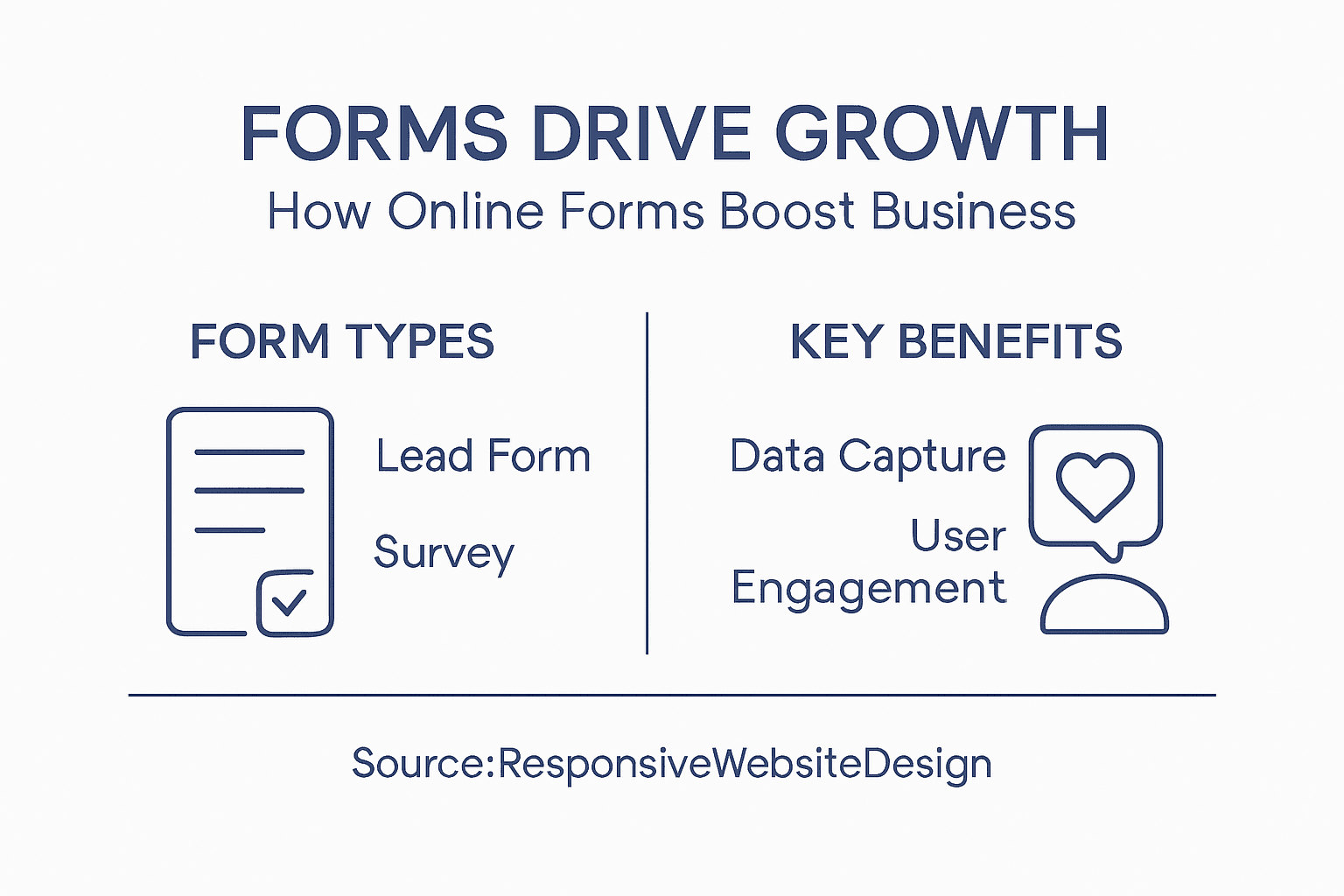
Net Branding recognises that customer engagement forms are more than data collection tools. They represent sophisticated communication channels that bridge the gap between businesses and their audiences, transforming passive interactions into meaningful dialogues that drive customer understanding and organisational growth.
Pro Tip: Implement conditional logic in your forms to create personalised user experiences that adapt in real-time based on individual responses.
FAQs:
How long should customer engagement forms be?
Keep forms concise, focusing on essential information and user experience.What motivates users to complete forms?
Offer clear value, demonstrate respect for their time, and provide meaningful incentives.How often should forms be updated?
Regularly review and refine based on user feedback and interaction data.
Customer Review:
“Our customer engagement skyrocketed after implementing Net Branding’s form strategies” – Rachel Thompson, Customer Experience Manager, Christchurch Digital Solutions
Best Practices for Effective Forms
Website forms represent critical touchpoints between businesses and potential customers, demanding meticulous design and strategic implementation. Web forms require thoughtful user-centric approaches to ensure seamless data collection and optimal user experience.
Key best practices for creating effective website forms include:
- Simplify Form Layout: Minimise visual complexity
- Group Related Fields: Organise questions logically
- Use Clear Labels: Write concise, descriptive field titles
- Implement Inline Validation: Provide real-time error feedback
- Design Mobile-Friendly Interfaces: Ensure responsiveness across devices
Creating effective forms involves strategic design considerations that extend beyond basic data collection. Advanced techniques like progressive disclosure, multi-step form structures, and adaptive questioning can significantly enhance user engagement and reduce form abandonment rates.
Net Branding understands that successful form design goes beyond aesthetic appeal. It requires a deep understanding of user psychology, technological constraints, and business objectives. By focusing on user experience and implementing intelligent design strategies, organisations can transform mundane data collection processes into meaningful interactive experiences that drive business growth.
The following table summarises best practice design elements and the user benefit they deliver:
| Design Element | User Benefit | Business Benefit |
|---|---|---|
| Clear Field Labels | Reduces confusion | Fewer incomplete submissions |
| Mobile Optimisation | Easy access on all devices | Higher form completion rates |
| Real-Time Validation | Instant input error feedback | Minimises user frustration |
| Minimalist Layout | Faster, simpler completion | Boosts conversion likelihood |
| Grouped Fields | Logical flow for users | More accurate submissions |
Pro Tip: Conduct regular user testing and analyse form completion rates to continuously refine and optimise your form design strategies.
FAQs:
How many fields should a form contain?
Limit forms to essential information, typically 3-7 fields.What improves form conversion rates?
Clear value proposition, minimal fields, and mobile responsiveness.How often should forms be updated?
Review and update quarterly based on user feedback and performance metrics.
Customer Review:
“Net Branding transformed our clunky forms into streamlined user experiences” – Michael Roberts, Operations Director, Wellington Enterprise Solutions
Common Mistakes and How to Avoid Them
Website forms can quickly become barriers to user engagement when poorly designed, potentially causing significant loss of potential customer interactions. Common form design mistakes undermine user experience and directly impact business conversion rates.
The most critical mistakes businesses make in form design include:
- Overwhelming Field Quantity: Requesting excessive user information
- Unclear Labelling: Using ambiguous or confusing field descriptions
- Minimal Error Guidance: Providing inadequate input validation feedback
- Neglecting Mobile Responsiveness: Creating desktop-only form experiences
- Complex Form Layouts: Presenting visually cluttered or intimidating interfaces
Form errors significantly frustrate potential customers and can dramatically reduce completion rates. Effective strategies involve implementing clear instructions, real-time validation mechanisms, and maintaining consistent formatting across all form elements. By addressing these common pitfalls, businesses can create more user-friendly digital interactions that encourage rather than discourage participation.
Net Branding recognises that successful form design requires a holistic approach that prioritises user experience. Understanding the psychological barriers that prevent form completion allows organisations to create more intuitive, accessible, and engaging digital interfaces that seamlessly capture essential customer information.
Pro Tip: Conduct monthly form performance audits, tracking abandonment rates and user feedback to continuously refine and improve your form design strategies.
FAQs:
How can I reduce form abandonment?
Simplify form design, minimise required fields, and provide clear instructions.What makes a form user-friendly?
Clear labels, responsive design, and intuitive navigation.How often should forms be tested?
Conduct user testing quarterly and after significant design changes.
Customer Review:
“Net Branding transformed our complex forms into streamlined, user-friendly experiences” – Sarah Williams, Digital Marketing Manager, Auckland Technology Solutions
Unlock Business Growth with Custom Website Forms
Effective website forms are the gateway to transforming your online visitors into loyal customers. This article highlights how well-designed forms boost engagement, improve lead generation, and enhance customer experience by collecting critical data with minimal friction. If your business struggles with low form completion rates or unclear user journeys, harnessing professional web design solutions can make all the difference.
At ResponsiveWebsiteDesign, we specialise in creating custom WordPress websites that feature strategically crafted, mobile-responsive forms tailored to your unique business goals. Our expertise ensures your forms are not only visually engaging but also optimised for SEO and seamless integration with your marketing systems. Discover how our Website Archives can inspire your next project and explore a variety of design approaches that drive conversion.

Ready to convert more visitors and grow your pipeline with effective online forms designed just for your business? Visit https://responsivewebsitedesign.co.nz today to start your journey towards a smarter, more profitable website experience. Don’t let outdated forms hold your business back – partner with experts who understand the power of intelligent digital design.
Frequently Asked Questions
How do website forms contribute to business growth?
Website forms capture essential customer data, facilitating lead generation, customer engagement, and personalised marketing strategies that ultimately drive conversions and revenue.
What types of website forms are most effective for lead generation?
Effective forms include contact forms, lead generation forms, and feedback forms, which are designed to collect specific information and enhance user interaction.
How can I optimise my website forms for better user engagement?
Optimise forms by keeping them concise, using clear labels, implementing mobile-responsive designs, and offering real-time validation to enhance user experience.
What are common mistakes to avoid when designing website forms?
Avoid common mistakes such as requesting excessive information, using unclear labels, and neglecting mobile responsiveness, which can hinder user completion rates.
Recommended
- 7 Essential Business Website Must-Haves for Success – ResponsiveWebsiteDesign
- Role of Web Development in Business: Complete Guide – ResponsiveWebsiteDesign
- Why Builders Need Websites: Complete Business Guide – ResponsiveWebsiteDesign
- WordPress Digital Guide: Mastering Online Success in 2025 – WPCTO
- Understanding Landing Pages: What They Are and Why They Matter | Gammatica