
Building a successful website goes far beyond picking colours or setting up a few pages. For small and medium business owners across New Zealand, a clear content strategy shapes not only how your business appears online but also how well it attracts and engages real customers. Understanding both your goals and audience is the foundation that drives strong website results and long term growth, setting the stage for a WordPress redesign that delivers more value for your business.
Table of Contents
- Step 1: Define Your Website Goals And Audience
- Step 2: Map Key Website Pages And Structure
- Step 3: Research And Prioritise Target Keywords
- Step 4: Create A Content Plan For Each Page
- Step 5: Review, Refine And Finalise Your Content Strategy
Quick Summary
| Key Insight | Explanation |
|---|---|
| 1. Define website goals clearly | Establish specific objectives to guide content creation and measure success effectively. |
| 2. Understand your audience deeply | Gather demographic and psychographic data to tailor content that resonates with varied audience needs. |
| 3. Map site structure methodically | Create a clear site map to enhance user navigation and align content with business objectives. |
| 4. Conduct thorough keyword research | Identify relevant keywords to target content based on actual search behaviour and intent. |
| 5. Create detailed content plans | Develop specific content outlines for each page, including goals, keywords, and calls to action. |
Step 1: Define your website goals and audience
Before you publish anything online, you need to know exactly what you want your website to achieve and who you’re trying to reach. This foundation shapes every content decision you’ll make moving forwards. Without clarity here, you’re essentially building a house without knowing who will live in it or what rooms they actually need.
Start by asking yourself what business outcomes matter most. Are you trying to generate sales leads? Build brand awareness? Provide customer support? Sell products directly through ecommerce? Perhaps you want to establish yourself as an industry authority. Write these goals down specifically. Instead of “increase sales,” you might write “generate 50 qualified leads per month for our services” or “increase online shop revenue by 35% within six months.” These concrete targets give your content strategy direction and let you measure success later.
Now comes the equally important part: understanding your audience. Recognising and analysing your audience is fundamental to creating content that actually resonates. Think beyond simple demographics. Who needs your products or services? Small business owners? Parents? Homeowners? What problems do they face? What questions keep them up at night? When someone lands on your website searching for a solution, what specific result are they hoping to find?
For a WordPress website redesign project, you might be targeting small business owners who currently have outdated sites but lack technical knowledge. Or perhaps you’re reaching established companies looking to improve their mobile responsiveness and search engine rankings. Your audience might include decision makers concerned about security and ongoing maintenance costs, as well as marketing managers worried about whether the site will actually drive traffic. Each of these people has different concerns, different knowledge levels, and different reasons for visiting your site.
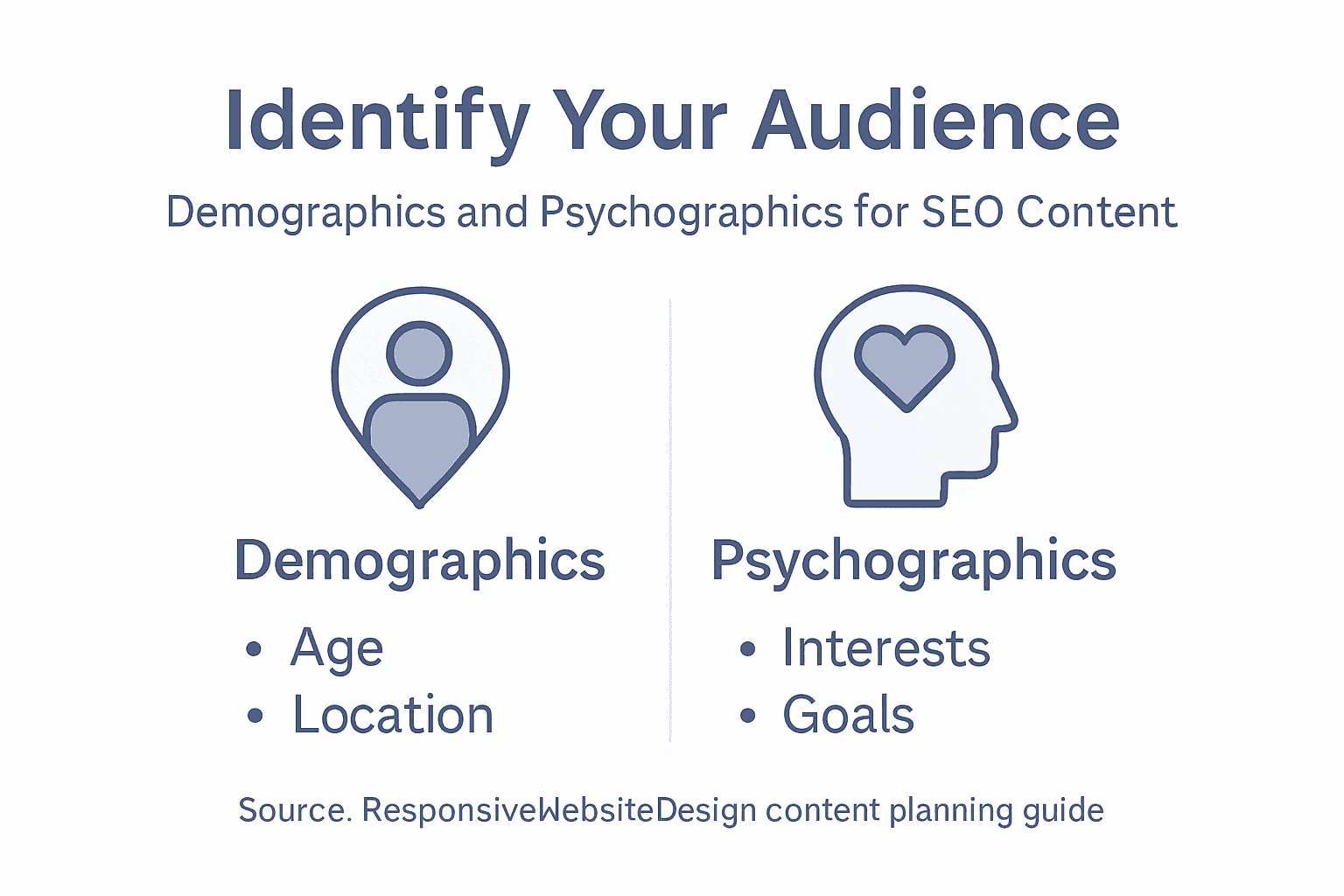
Dig into the details by gathering both demographic and psychographic information. Demographic data includes age, location, company size, and industry. Psychographic data covers values, pain points, interests, and buying behaviours. You could conduct surveys, review customer conversations, analyse website analytics if you have an existing site, or even have informal chats with your current clients. Ask them how they found you, what they were looking for, what convinced them to choose your services, and what frustrated them about other options. These conversations are gold.
Consider also the different types of people who might visit your site. Understanding your target audience helps guide decisions about both design and language, and your audience might include business partners, potential customers, existing clients needing support, investors, or industry peers. Each group might need different information presented differently. Your existing customers might need easy access to support resources and account management. Prospective customers might need case studies, pricing information, and trust signals. Partners might need integration documentation or wholesale information.
To clarify key audience analysis terms, here is a summary table:
| Term | Example Value | Role in Content Strategy |
|---|---|---|
| Demographics | Age 35-50, NZ region | Tailor tone and examples |
| Psychographics | Values efficiency | Address motivations, ease concerns |
| Audience Persona | “Sarah,” retail owner | Guide content for specific needs |
| Audience Segment | Investors, end-users | Place relevant info for each group |
Once you’ve defined your goals and audience, document everything. Create an audience profile or persona that describes your ideal customer or visitor. Give them a name, a background story, specific goals, and the challenges they face. This might seem like extra work, but when you’re writing a blog post or planning a product page six months from now, you’ll check that persona and instantly remember who you’re writing for. You’ll make better content decisions because you’re not writing for everyone anymore. You’re writing for Sarah, the small business owner in Auckland who’s frustrated with her current website’s slow loading times and wants something modern that actually converts visitors into customers.
Professional tip Document your top three audience personas and your primary website goal in a simple one-page document you can reference throughout your content planning. Share this with anyone involved in creating content so everyone stays aligned on who you’re serving and why.
Step 2: Map key website pages and structure
Now that you understand your goals and audience, it’s time to plan what pages your website actually needs and how they connect together. This is where you move from strategy into practical architecture. Mapping your site structure acts like a blueprint that guides both your content creation and how visitors navigate through your website.
Start by listing every page your website should have based on what your audience needs and what supports your business goals. For a WordPress website redesign targeting small business owners, your essential pages might include a homepage that makes a strong first impression, an about page that builds trust and tells your story, a services or products page that explains what you offer, a portfolio or case studies section showing real results, a contact page with clear next steps, and perhaps a blog for ongoing content. Some businesses need additional pages like pricing, frequently asked questions, testimonials, team bios, or resource libraries. Don’t overthink this yet. Just brain dump all the pages that make sense for your specific situation.
Here is a comparison of common website page purposes to guide planning:
| Page Type | Main Objective | Typical Visitors |
|---|---|---|
| Homepage | Brand introduction | New/prospective clients |
| Service | Explain offerings | Solution-seekers |
| About Us | Build trust/credibility | Partners, investors |
| Blog | Share expertise/news | Returning/engaged users |
Once you have your list, think about how these pages relate to each other. Creating a well-organised page structure improves navigation and accessibility for all your visitors. Consider which pages should be easily accessible from the main navigation menu, which ones can live in footers or secondary menus, and which pages support other pages. Your homepage might link to your top services, which then link to individual service detail pages, which might reference case studies or testimonials. This hierarchy shows visitors the path through your site and helps search engines understand what matters most.

Visualise your site structure as a map or diagram. At the top sits your homepage as the main entry point. Below that, you might have primary category pages like Services, About, or Products. Under those sit more specific pages. This hierarchical approach works because visitors can move down into more detailed information or back up to the main categories. It prevents your site from becoming a confusing web where every page links to every other page. When someone lands on a service detail page, they can see they’re viewing a specific service under your overall services offerings, then navigate back up if they want to explore something else.
Think about the relationships between content types. Are you creating blog posts that support your service pages? Does each service page link to relevant case studies? Do your FAQ answers reference specific solutions? These connections create a logical content ecosystem where your different pages work together to move visitors towards your goals. A visitor reading a blog post about website redesign benefits might click through to your website redesign service page, then to a case study showing results you achieved, then to your contact page. That’s the journey you’re mapping.
Consider user experience in your structure. Semantic HTML elements and consistency in navigation reduce confusion and enhance how people find information. Every page should have the same main navigation menu in the same location. Key information like contact details and business hours should appear in consistent places across pages. The structure should work equally well on mobile phones and desktop computers since many of your visitors will be browsing on different devices.
Document your site structure clearly. You might use a simple outline, a visual diagram created in a tool like Figma or Google Drawings, or even just a numbered list showing parent pages and child pages. This document becomes your reference point when you’re writing content or making decisions about which page deserves the most attention. At this stage, you’re not finalising everything permanently. Your site structure can evolve as your business grows, but having a clear map means you’re not creating content randomly hoping it fits somewhere.
One practical thing to remember is that some pages serve multiple purposes. Your homepage might include service summaries that link to detailed service pages, customer testimonials that build trust, and a clear call to action that moves people towards becoming leads or customers. Don’t force every page to do just one thing, but do keep purposes clear so visitors and search engines understand what each page is primarily about.
Professional tip Create a one-page site map showing your page hierarchy and how they connect, then share it with your team and any content creators so everyone understands the structure before writing begins.
Step 3: Research and prioritise target keywords
Keywords are the words and phrases your potential customers type into Google when they’re looking for what you offer. Researching and prioritising the right keywords means you’re not just guessing what content to create. You’re building your strategy around actual search behaviour and customer intent. This step transforms your content plan from generic to specific, targeting the exact language your audience uses.
Start by brainstorming keywords related to your business, services, and solutions. Think about how your audience actually talks about their problems and what they’re searching for. If you run a WordPress website design business in New Zealand targeting small business owners, your keywords might include “WordPress website design Auckland”, “responsive website redesign New Zealand”, “small business website builder”, “WooCommerce website development”, or “SEO friendly WordPress sites”. Don’t limit yourself to single words. Many searches include multiple words, and these longer phrases often have less competition and higher purchase intent. Someone searching “buy website design” is probably not as ready to buy as someone searching “affordable WordPress website design for small business”. Selecting precise and relevant keywords increases content visibility and helps connect with your target audience when they’re actively searching.
Now use keyword research tools to understand search volume, competition, and opportunity. Tools like Google Keyword Planner (free with a Google account), Ahrefs, Semrush, or Ubersuggest show you how many people search for specific terms each month and how difficult it would be to rank for them. You’re looking for the sweet spot, not too many searches (which means high competition) and not too few (which means low demand). A keyword with 500 monthly searches and moderate competition might be more valuable than one with 10,000 monthly searches dominated by major corporations. As a small business, you want keywords where you can realistically compete and win.
Create separate lists for different types of keywords. Head terms are short, broad keywords like “website design” or “SEO services”. Long-tail keywords are longer and more specific like “SEO services for small business in Auckland” or “WordPress ecommerce website design”. Long-tail keywords usually have lower search volume but much higher intent. Someone searching “website design” might just be casually browsing, but someone searching “WordPress ecommerce website design for online store” is probably ready to hire someone. In your content strategy, you want a mix. Target some broader keywords on your main service pages, then use long-tail keywords for blog posts and supporting pages.
Consider keyword variations and how people actually phrase things. Good keyword selection involves choosing terms that are relevant and likely to be used by your target audience. Think about synonyms, related terms, and different ways people express the same need. “Website redesign”, “website rebuild”, “website overhaul”, and “website refresh” all mean roughly the same thing, but people search for them differently. You might use “website redesign” as your primary keyword but mention the variations throughout your content so you capture all these searches.
Prioritise your keywords based on relevance to your business goals and audience needs combined with search opportunity. Map keywords to your page structure. Your homepage might target your most important broad keywords. Service pages each get their own primary keyword and supporting keywords. Blog posts can target longer-tail keywords and informational searches. This ensures every piece of content you create has a clear purpose and targets specific searches. Someone searching “website content planning for SEO” is searching for something different than someone searching “website design Auckland”, and your content should address these different needs on different pages.
Don’t chase every possible keyword. Focus on those that align with your audience, your services, and your business goals. A keyword might have 1,000 monthly searches, but if it’s not relevant to what you offer or what your audience needs, it’s wasted effort. You’re building a sustainable content strategy, not trying to rank for everything overnight. One well-targeted keyword that brings qualified visitors who become clients is worth far more than 10 irrelevant keywords that bring traffic that bounces immediately.
Professional tip Create a simple spreadsheet listing your top 20 keywords with their monthly search volume, competition level, and which page or content piece will target each one, then review and update it quarterly as search trends evolve.
Step 4: Create a content plan for each page
You’ve identified your goals, mapped your site structure, and prioritised your keywords. Now it’s time to create a specific content plan for each page. This is where your strategy becomes reality. A detailed content plan acts as a blueprint for every page on your website, ensuring consistency, clarity, and alignment with your business objectives.
Start by selecting your highest-priority page. This is often your homepage or your most important service page. Ask yourself what this page needs to accomplish. A content plan aligns website content with business goals and audience needs by defining clear content goals and developing buyer personas to guide creation. For a homepage, your goals might include introducing your business, building trust, showcasing your main services, and encouraging visitors to take action. For a service page, your goal is likely to convince someone that your specific service solves their problem and compel them to contact you.
Once you know the goal, outline what information needs to be on that page and in what order. Think about your visitor’s mindset when they land on this page. What do they need to know first? What questions do they have? What objections might they have? Your homepage visitor might first need to understand what your business does and who you serve. Then they need to see proof that you deliver results. Then they need a clear way to take the next step. A service page visitor needs to understand the problem, see how your service solves it, understand your process or approach, see results or testimonials from past clients, and finally, know how to get started. This logical flow moves visitors from awareness through consideration to action.
Write a headline that matches what people are searching for. Remember those keywords you researched? Your page headline should incorporate your primary keyword naturally. If someone lands on your “WordPress website redesign” page after searching for that exact phrase, they need to see it immediately so they know they’re in the right place. Follow your headline with a clear subheading or introductory paragraph that answers the visitor’s most pressing question. If they’re on your pricing page, they want to know your pricing. If they’re on your about page, they want to understand your story and credibility. Don’t make them dig.
Plan the supporting content sections. Most pages work well with three to five main sections, each addressing a specific part of your visitor’s journey. On a service page you might have sections for “The Problem”, “How Our Service Works”, “Results You Can Expect”, “Client Testimonials”, and “Ready to Get Started”. Each section has a specific purpose. Avoid rambling sections that try to do too much. Keep sections focused, clear, and scannable. Many visitors skim rather than read every word, so use subheadings, short paragraphs, and bullet points strategically.
Consider what type of content serves each section best. Some sections work better with written paragraphs, others with bullet points, images, or testimonials. A “How It Works” section might benefit from numbered steps or a visual diagram. A “Why Choose Us” section might work best with feature boxes and icons. A “Client Results” section might feature short case studies or before and after comparisons. Content strategy encompasses planning, creating, delivering, and governing website content with attention to clarity, accessibility, and search engine optimisation. Think about your audience’s preferences too. Small business owners reviewing your WordPress design services might prefer straightforward case studies showing real business results over lengthy technical explanations.
Incorporate your target keyword naturally throughout the page. Use it in your headline, subheadings, and early in your opening paragraph. Mention related keywords and variations as you write naturally. If your page is about “WordPress website redesign”, you might also mention “website rebuild”, “WordPress site overhaul”, “responsive website design”, or “modern WordPress development”. This helps search engines understand what your page is about whilst keeping your writing natural and readable.
Plan for calls to action throughout the page. Don’t just have one call to action at the very bottom. Include them strategically at logical stopping points. After introducing your services, invite visitors to learn more or book a consultation. After sharing results, invite them to start their project. After testimonials, invite them to join satisfied clients. These invitations guide visitors toward taking action rather than simply bouncing away.
Finally, decide what supporting elements you need. Do you need images? Videos? Client logos? Testimonials? A contact form? These supporting elements break up text visually, build credibility, and help maintain visitor interest. Plan where each element goes and what it communicates. Then document all of this in a simple outline or template you can share with your content writer or team member who’ll create the actual content.
Professional tip Create a one-page content brief for each page including the primary goal, target keyword, main sections, content type for each section, and key calls to action, then use this as your reference when writing or editing the actual content.
Step 5: Review, refine and finalise your content strategy
You’ve created a comprehensive content strategy with clear goals, mapped pages, targeted keywords, and detailed content plans. Now comes the critical final step. Review, refine, and finalise your strategy before you start publishing. This is where you catch gaps, eliminate inconsistencies, and ensure everything works together as a cohesive whole. Taking time to refine your strategy now prevents costly mistakes and wasted effort down the line.
Start by stepping back and reviewing your entire strategy as if you’ve never seen it before. Print out your goals document, your site map, your keyword list, and your content briefs. Read through them one page at a time. Does everything align? If your business goal is to generate qualified leads, do all your pages have clear calls to action inviting people to get in touch? If your audience is busy small business owners with limited technical knowledge, are your explanations clear and jargon-free? If your target keywords include location-based terms like “WordPress website design Auckland”, does your content actually address the Auckland market and highlight local relevance? Inconsistencies here are red flags that need fixing before you proceed.
Conduct a thorough content audit by examining what content already exists. If you’re redesigning a WordPress website, you likely have existing pages and content. Which of these pages still serve your current goals and audience? Which pages are outdated or no longer relevant? Which could be improved? Ongoing review and refinement are critical to ensure relevance and effectiveness, including analysing performance metrics and updating content to maintain accuracy and authority. Look at your website analytics if you have access. Which pages get the most traffic? Which pages have the highest bounce rates, meaning visitors leave immediately? High traffic pages might deserve more resources and refinement. High bounce rate pages might need rethinking entirely. This data-driven perspective prevents you from spending effort on content that isn’t working.
Identify any gaps in your content plan. Are there obvious questions your audience has that none of your pages answer? Are there keywords you want to target that don’t map to any page? For example, you might realise that small business owners searching for “website redesign cost” need a page addressing pricing or investment, but you haven’t planned for this. Better to catch this now and add it to your strategy than to launch and realise visitors are leaving because their questions aren’t answered. Gaps represent missed opportunities to capture qualified traffic.
Review your keyword assignments to ensure each page has one primary keyword and supporting related terms. Avoid keyword cannibalisation where multiple pages target the same primary keyword. If both your “Services” page and your “WordPress Website Design” service detail page target “WordPress website design”, they compete with each other in search results. Usually, your more specific service page should own that keyword whilst your services overview page targets a broader term. This prevents your own pages from fighting for the same search position.
Evaluate your calls to action. Are they clear? Specific? Action-oriented? “Get in touch” is vague. “Book a free 30 minute WordPress website consultation” is specific and compelling. Review whether your calls to action match the visitor’s stage in their journey. Someone on your homepage might respond to “learn about our process”. Someone on a detailed service page might be ready for “request a quote” or “schedule a consultation”. Effective content strategy requires establishing clear roles, workflows, and performance indicators to sustain ongoing quality and alignment. Think about whether your calls to action guide visitors toward your desired outcomes.
Consider accessibility and user experience. Can visitors find what they need quickly? Is your site navigation intuitive? Are your pages scannable with clear headings and short paragraphs? Have you considered mobile users who might be browsing on phones? If you’re planning a WordPress redesign with Net Branding or another development partner, this is the time to ensure your content strategy aligns with their design and technical recommendations.
Finally, document your decision making. Create a one-page summary explaining your strategy, the reasoning behind it, and what success looks like. Define the key performance indicators you’ll track. Will you measure success by leads generated, traffic increase, time on page, or something else? Setting clear metrics now means you can actually measure whether your strategy is working after launch. Schedule a quarterly review to assess performance and make refinements based on real data rather than assumptions.
Professional tip Before finalising, have someone outside your organisation review your content plan and strategy, as fresh eyes catch things you’ve become too close to notice.
Unlock SEO Success with Expert WordPress Content Planning
Planning website content that truly resonates with your audience and ranks well on search engines can be challenging. You might be struggling with defining clear goals, mapping your pages effectively, or choosing the right keywords that bring qualified traffic to your business. The concepts of audience personas, site structure, and keyword prioritisation outlined in this article are essential but require the right technical and creative skills to turn into a successful online presence.

ResponsiveWebsiteDesign understands these challenges and offers tailored Website Archives – ResponsiveWebsiteDesign solutions that bring your content strategy to life through custom WordPress design and SEO optimisation. From an initial website redesign to ongoing content management and performance enhancements, our team supports New Zealand businesses every step of the way. Ready to move from planning to profit? Visit https://responsivewebsitedesign.co.nz to start building a responsive, engaging, and search-ready website today. Don’t miss the opportunity to boost your online visibility with expert help from our SEO Archives – ResponsiveWebsiteDesign specialists.
Frequently Asked Questions
How do I define my website goals for SEO success?
To define your website goals for SEO success, identify specific outcomes such as generating leads or increasing sales. Write down these goals clearly and aim for measurable targets, like “generating 50 qualified leads per month” to guide your content strategy effectively.
What should I consider when identifying my target audience for my website?
When identifying your target audience, consider demographics like age and location, as well as psychographics such as values and pain points. Conduct surveys or gather insights from existing clients to create detailed audience personas that reflect their needs and concerns.
How can I structure my website to enhance user experience?
To enhance user experience, create a well-organised site structure with clear navigation that guides visitors through your content. Map out your pages hierarchically, ensuring key pages are easily accessible to facilitate a smooth journey for your visitors, ideally within two clicks.
What is the best approach for selecting keywords for my website content?
The best approach for selecting keywords is to brainstorm related phrases and use keyword research to evaluate search volume and competition. Focus on a mix of head terms and long-tail keywords, ensuring each page targets specific keywords that align with your business goals.
How do I create a content plan for each page of my website?
To create a content plan for each page, outline the page’s purpose, the information it should convey, and the logical flow of content. Break down the content into sections, designate relevant headers, and plan clear calls to action to guide visitors toward their next steps.
What should I do before finalising my content strategy?
Before finalising your content strategy, review your plans for consistency and alignment with your goals. Consider seeking feedback from someone outside your organisation to identify any gaps or areas for improvement that you may have overlooked.