
Running a business in New Zealand means your website is often the first impression you make. Many small business owners confuse design with true user experience, believing a visually attractive site automatically translates into happy customers. The reality is that UX design is the process of creating products, systems, or services that are intuitive, meaningful, and efficient, reaching far beyond simple looks. This introduction helps clarify these differences, guiding you toward practical steps for a more effective and customer-friendly online presence.
Table of Contents
- Defining UX Design And Common Misconceptions
- How UX Differs From UI And Web Design
- Key Principles And Steps In UX Design
- The Role Of UX In Website Success
- Common Mistakes And How To Avoid Them
Key Takeaways
| Point | Details |
|---|---|
| Understanding UX Design | UX design is more than aesthetics; it’s about creating intuitive and efficient experiences throughout the entire user journey. |
| Research is Essential | Skipping user research leads to assumptions that can damage usability; always validate with actual user feedback. |
| UX vs. UI vs. Web Design | Recognise that UX focuses on the overall user experience, UI is about visual elements, and web design encompasses technical implementation. |
| Iterate and Test | Continuously testing designs with real users improves functionality and user satisfaction, reducing friction in customer interactions. |
Defining UX Design and Common Misconceptions
User experience design sounds simple on the surface, but it’s far more nuanced than most people realise. At its core, UX design is the process of creating products, systems, or services that are intuitive, meaningful, and efficient by focusing on every aspect of a user’s interaction with them. This goes beyond just making something look nice or function without errors. It encompasses the entire journey a user takes, including their emotions, expectations, and the context in which they use your product. For New Zealand business owners, understanding this distinction is critical because many still confuse UX design with graphic design or assume it’s merely about making a website “pretty.” The reality is far different, and the consequences of this misunderstanding can cost you customers and revenue.
One of the most persistent misconceptions is that UX design is the same as UI design. UI, or user interface design, focuses specifically on the visual elements and interactive components you see and click on. UX is broader. Think of it this way: UI is the buttons, colours, and layouts. UX is how you feel when you navigate through them, whether you find what you need, and whether you trust the process enough to complete a purchase. Another common myth is that UX is simply about usability, but usability is actually just one component of the larger UX picture. A website might be technically usable but still create frustration, confusion, or mistrust in visitors. UX design considers the emotional and psychological dimensions alongside functionality.
The definition of UX has evolved significantly since its origins in the 1970s, and there’s still tension between how academics frame it and how industry professionals apply it in practice. For a small business owner in Auckland or Wellington, what matters most is this: good UX design directly impacts your bottom line. When customers can find products easily, understand your value proposition clearly, and complete transactions without friction, they’re more likely to buy again and recommend you to others. Conversely, poor UX creates barriers that drive potential customers to your competitors. Many businesses invest thousands into marketing only to lose sales because their website experience frustrates visitors. When working with a web design agency, ensure they understand that UX encompasses research, strategy, and testing, not just the final visual design. The best websites combine aesthetics with function, guided by genuine user needs and behaviour.
Pro tip: When evaluating a web designer or agency, ask specifically about their UX process including user research, wireframing, and testing phases rather than just focusing on visual portfolio examples.
How UX Differs From UI and Web Design
These three terms get thrown around interchangeably in digital circles, but they represent distinctly different disciplines with different goals and skill sets. Understanding the differences matters enormously for New Zealand business owners because it affects how you brief your designer, what you should expect from your investment, and whether your website actually achieves your business objectives. UX design is fundamentally about creating a seamless, enjoyable experience for users as they interact with your entire product or service. UI design, by contrast, focuses specifically on the visual and interactive elements. Web design sits somewhere in the middle but with its own emphasis. Think of it this way: UX is the strategy and psychology, UI is the buttons and colours, and web design is about the overall visual presentation and technical structure of your website.
Let’s break this down with a practical example. Imagine you own a café in Wellington and want to build an online ordering system. A UX designer would research how busy professionals order coffee, what information they need at each step, whether they trust your payment system, and how quickly they can place an order. They would map the entire customer journey from discovering your site to receiving a confirmation email. A UI designer would then take those insights and create the visual interface: designing the button styles, choosing a colour palette that reflects your brand, creating icons for different coffee types, and ensuring the form fields are visually clear and interactive. A web designer would handle the technical implementation, website structure, responsiveness across devices, and how all the visual elements fit together on different screen sizes. UI design focuses on the interactive components and visual appearance, whilst UX encompasses the entire user journey and emotional experience.
Here’s what makes this distinction critical for your business. A website can look absolutely stunning visually but fail completely at UX if users can’t find what they need, if the checkout process has unnecessary steps, or if they feel uncertain about security. Conversely, a website with excellent UX but mediocre UI might function perfectly but fail to create the emotional connection that builds brand trust. The best websites succeed because they combine all three: strategic user experience, thoughtful interface design, and solid web development. When you’re evaluating web design agencies or freelancers, ask them directly how they approach each component. Do they conduct user research? Do they create wireframes and test with actual users? Or do they jump straight to visual design? A quality agency recognises that creating a user-centered experience requires research-driven strategy supported by usability testing and genuine user insights, not just aesthetic choices.

For small businesses with limited budgets, this distinction also helps you prioritise your investment. If your current website has poor UX, investing in visual redesign alone won’t solve the problem. You need to fix the underlying experience first. Many businesses waste thousands on making their website prettier when they should be solving the fundamental friction points in the customer journey. A good digital partner helps you understand which issues matter most to your bottom line and addresses them strategically rather than simply updating the look and feel.
Here’s a concise comparison of UX, UI, and web design roles to clarify their unique business value:
| Discipline | Main Focus | Key Activities | Business Impact |
|---|---|---|---|
| UX Design | Entire user journey | Research, strategy, testing | Boosts conversions, user loyalty |
| UI Design | Visual interface and interaction | Layouts, colours, icons | Builds brand trust, supports UX |
| Web Design | Website structure and development | Coding, site architecture | Ensures stability, cross-device use |
Pro tip: When hiring a web design agency, request examples of their UX research process, user testing methods, and how they measure success beyond visual aesthetics such as conversion rates or user task completion.
Key Principles and Steps in UX Design
Good UX design isn’t magic or guesswork. It follows a structured approach built on proven principles and repeatable processes that can be applied to any product or service. Understanding these principles and steps is essential because they’re what separate websites that actually convert customers from ones that look nice but fail to perform. The foundation of effective UX design rests on several core principles. Human-centred design means putting your users at the absolute centre of every decision rather than what you think looks good or what you personally prefer. Usability ensures your website or application is easy to navigate and accomplish tasks without frustration. Accessibility guarantees that people with different abilities can use your site, which is both ethically important and legally required under various regulations. Iterative testing involves continuously gathering feedback from real users and refining your design based on what you learn. These principles work together to create experiences that genuinely serve user needs rather than serving the business at the expense of the user.
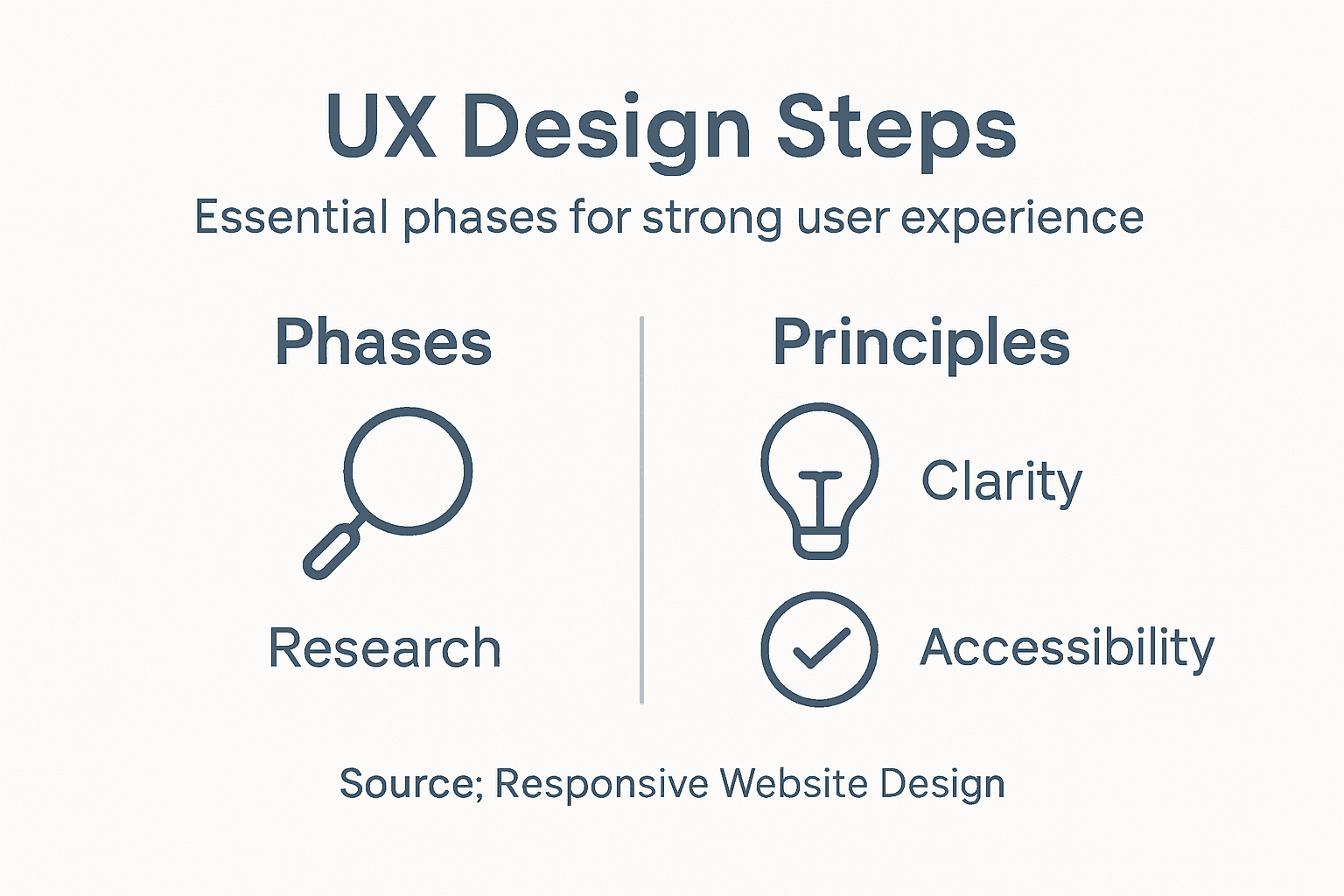
The practical UX design process typically follows four main phases that work in sequence and often cycle back on themselves. First comes research and discovery, where you study your target audience, understand their pain points, and define exactly what problems you’re solving. This isn’t optional or something to rush through. Real research might involve user interviews with your actual customers, surveys, analytics review, and competitive analysis. You’re building a detailed picture of who uses your site and why. Second is defining requirements, where you translate those research insights into specific user needs and business goals. What must your website accomplish? Who are your priority users? What are the critical success metrics? Third comes design and prototyping, where designers create wireframes, mockups, and interactive prototypes based on the requirements. This is where prototyping becomes a crucial tool for testing design concepts before investing in full development. Finally, testing and iteration involves putting your designs in front of actual users, gathering feedback, and making refinements. This cycle often repeats multiple times before launch and continues after your site goes live.
For New Zealand small business owners, understanding this process matters because it directly impacts whether your investment pays off. Many businesses skip research entirely and jump straight to design, which is like building a house without understanding who will live there or what they need. Others invest in one round of design and launch without testing, missing obvious friction points that cost them sales. The most successful approach balances user needs, business goals, and technical feasibility throughout. You don’t need to be a UX expert yourself, but you need to work with people or agencies who follow this disciplined process. When evaluating potential design partners, ask them specifically about their research methods, how they involve users in the design process, and what testing approaches they use. A quality partner like Net Branding will walk you through each phase and show you concrete evidence from real users that their design decisions are sound.
To help small business owners prioritise UX activities, here’s a summary of the four key steps and their main outcomes:
| Step | What Happens | Main Outcome |
|---|---|---|
| Research & Discovery | Study users, analyse needs | Identify real problems |
| Define Requirements | Set goals, outline constraints | Clear design objectives |
| Design & Prototype | Create wireframes, mockups | Usable solutions to test |
| Testing & Iteration | Gather feedback, refine design | Reduce friction, increase success |
Pro tip: Before committing to a major website redesign, conduct at least one round of user testing with five to ten actual customers to identify the biggest pain points, then prioritise fixing those issues first rather than doing a complete visual overhaul.
The Role of UX in Website Success
You could have the best products or services in New Zealand, but if your website frustrates visitors, they’ll never buy from you. This is where UX design becomes your most important business asset. The relationship between UX and business success is direct and measurable. When your website is thoughtfully designed around user needs, visitors stay longer, find what they’re looking for faster, and most importantly, they convert into paying customers. Poor UX creates friction at every step. Users abandon carts, leave without exploring your offerings, and worst of all, they tell others about their bad experience. Good UX removes these barriers. Effective UX design directly increases user satisfaction and engagement, which translates into higher conversion rates, increased customer loyalty, and sustainable business growth. This isn’t theoretical. Every percentage point improvement in conversion rate directly impacts your revenue. A small ecommerce business might see the difference between breaking even and doubling profits simply by fixing UX issues that were costing them sales.
Consider what happens when someone visits your website. They arrive with a specific goal: maybe they want to buy a product, book a service, or find information. If your site makes that task easy, they succeed and you win. If your site confuses them, makes them scroll endlessly searching for a button, or makes them question whether your payment is secure, they leave. This isn’t their fault. It’s a UX failure. The best websites create what researchers call “low friction” experiences. Customers move through each step with minimal confusion or effort. Navigation is intuitive. Information is clearly organised. Calls to action are obvious. Forms don’t ask for unnecessary information. Payment processes inspire confidence. These aren’t accidents. They’re the result of deliberate UX design decisions informed by understanding how real users behave. When you reduce friction, you reduce the reasons people abandon your site. You also reduce support inquiries because fewer people get stuck or confused. This saves you money whilst simultaneously improving the customer experience and increasing sales.
For New Zealand businesses competing in increasingly crowded markets, UX is your competitive advantage. Your competitors likely have similar products or services at similar prices. What differentiates you is the experience you create. A customer who has a smooth, pleasant experience on your website is more likely to return, spend more money, recommend you to others, and remain loyal even if a competitor offers a slightly lower price. This is the power of UX. It builds emotional connection and trust. When combined with strategic user experience design processes, you gain insights into exactly what your customers want and need, then you deliver it in a way that makes them feel understood and valued. This creates positive word-of-mouth marketing that’s worth far more than any paid advertising. Many business owners underestimate UX because they can’t see it directly the way they see a new paint job or new product. But the numbers tell the story. Websites with good UX have higher conversion rates, lower bounce rates, more repeat customers, and better search engine rankings because visitors stay longer and engage more deeply. These metrics matter to your business. They matter to your growth. They matter to your ability to compete and win in your market.
Pro tip: Track your website’s current conversion rate, average session duration, and bounce rate as baselines, then after implementing UX improvements, measure these same metrics again to quantify the exact financial impact of better design.
Common Mistakes and How to Avoid Them
Most businesses that fail with UX design make predictable mistakes that are entirely avoidable. The first and most costly mistake is skipping user research altogether. Business owners often assume they already know what their customers want, so they skip research and jump straight to design. This rarely ends well. You end up building a website based on assumptions rather than evidence, which means you’re probably solving the wrong problems. Real research doesn’t need to be expensive. It might involve interviewing five to ten of your actual customers, surveying website visitors, or reviewing your analytics to understand where people get stuck. The insight you gain from this investment pays dividends throughout the entire project. Another common trap is focusing exclusively on aesthetics. A website that looks beautiful but is difficult to navigate, confuses visitors about your value proposition, or makes it hard to complete transactions is worse than useless. It actively damages your business. Design should serve function, not the other way around. The goal is a website that’s both visually appealing and genuinely easy to use. This requires balancing design beauty with usability, and it’s why working with experienced designers who understand both disciplines matters so much.
A third mistake that catches many New Zealand businesses is neglecting accessibility. Some business owners think accessibility is only about following legal requirements, but it’s actually about expanding your market. If your website doesn’t work for people with different abilities, you’re excluding potential customers and limiting your reach. Accessible design benefits everyone, not just people with disabilities. Clear fonts help people with vision issues but also improve readability for everyone. Proper colour contrast makes content easier to read in bright sunlight. Keyboard navigation helps people using assistive technologies but also speeds up navigation for experienced users. Additionally, underestimating user diversity and failing to incorporate meaningful user feedback leads to designs that don’t serve your actual audience. This happens when businesses design for themselves rather than their users. What makes sense to you might be completely opaque to your customers.
Perhaps the most damaging mistake is launching without testing. Many businesses invest months in building a website, then launch it without putting it in front of actual users first. They discover problems only after customers start complaining or, worse, after they’ve already lost sales. Testing doesn’t require waiting until everything is perfect. You can test wireframes, prototypes, or partially completed designs. Show your website to five or ten real users and watch them try to accomplish specific tasks. Do they find what they’re looking for? Do they understand your value proposition? Can they complete a purchase or inquiry without confusion? Their feedback is gold. It identifies problems you would never catch yourself because you know your own website too well. The best approach is to test early and often throughout the design process, then continue testing after launch. Your website isn’t finished when it goes live. It’s an ongoing evolution based on real user behaviour and feedback. When you avoid these common mistakes, you position your business to create a website that actually works for your customers, which means it works for your bottom line. This is why choosing a design partner who prioritises research, testing, and accessibility matters so much to your long-term success.
Pro tip: Before your next design project, commit to testing with at least ten real users at the wireframe stage, then again with prototypes, and once more before launch to catch and fix problems early when changes are cheapest.
Elevate Your Business With User-Centred Website Design
Understanding the true value of UX design means recognising the critical challenges your customers face when interacting with your website. If your visitors struggle with navigating your site, completing purchases, or feeling confident about your brand, you are likely losing valuable opportunities without even knowing it. The article emphasises the importance of research, testing, and human-centred design principles to create seamless user journeys that convert visitors into loyal customers. If you identify with these pain points and want a website that balances usability, accessibility, and beautiful interface design, it is time to take action.

At Responsive Website Design, we specialise in WordPress website design and development tailored for New Zealand businesses that demand more than just a pretty site. Our expert team integrates proven UX methodologies — including research, wireframing, user testing, and ongoing optimisation — into every project. We ensure your website is mobile responsive, SEO optimised, and built to deliver memorable user experiences that drive growth. Explore how our custom WordPress development and ecommerce solutions can remove friction from your customer journey today. Don’t wait for lost sales. Partner with us now to transform your website into your most powerful business asset.
Frequently Asked Questions
What is UX design?
UX design, or user experience design, is the process of creating products, systems, or services that provide meaningful and relevant experiences to users. It focuses on every aspect of a user’s interaction, ensuring the journey is intuitive, efficient, and engaging.
How does UX design differ from UI design?
While UX design focuses on the overall experience and journey a user has with a product, UI design specifically deals with the visual elements and interactive components, such as buttons and layouts. UX encompasses the user’s feelings and emotions throughout their interaction, while UI is about the product’s appearance.
Why is good UX design important for my business?
Good UX design directly impacts your business’s bottom line. A well-designed website that prioritises user experience can lead to higher conversion rates, increased customer loyalty, and ultimately, greater revenue. Poor UX can create barriers that drive potential customers away.
What are the key principles of effective UX design?
The key principles of effective UX design include human-centred design, usability, accessibility, and iterative testing. These principles ensure that the website or application is not only easy to use but also meets the diverse needs of all users, enhancing their overall experience.