
Cyber attacks cost Australian businesses over 29 billion dollars every year, putting even small websites at risk. As the digital landscape grows, every Australian site owner faces a rising threat from hackers targeting weak security points. Understanding exactly where your website is vulnerable is the first step to building powerful protection. This guide shows you how to assess hidden risks and protect your online presence before problems appear.
Table of Contents
- Stage 1: Assess Existing Website Vulnerabilities
- Stage 2: Update Core Software and Plugins Regularly
- Stage 3: Implement Strong Authentication and Access Controls
- Stage 4: Configure Secure Hosting and SSL Certificates
- Stage 5: Monitor Security and Respond to Threats
Quick Summary
| Essential Insight | Detailed Explanation |
|---|---|
| 1. Regularly Conduct Vulnerability Assessments | Quarterly assessments help identify weak points and strengthen security before breaches occur. |
| 2. Keep Software and Plugins Up to Date | Regular updates protect against exploits and vulnerabilities, so always follow a structured update process. |
| 3. Implement Strong Authentication Measures | Multi-factor authentication and strict access controls increase security and minimize unauthorized access risks. |
| 4. Choose Secure Hosting and SSL Configuration | Select hosting providers with robust security features and ensure SSL certificates encrypt data transfers effectively. |
| 5. Establish Continuous Security Monitoring | Proactive monitoring and incident response plans are essential for detecting and mitigating threats swiftly. |
Stage 1: Assess Existing Website Vulnerabilities
Securing your website starts with understanding its current security landscape. A thorough vulnerability assessment helps you identify potential weak points before cybercriminals can exploit them. Web security audit techniques provide critical insights into your digital defence mechanisms.
Begin by conducting a comprehensive scan of your website infrastructure. This involves examining your site’s code, server configurations, and network connections for potential security gaps. Use professional scanning tools that can detect common vulnerabilities such as outdated plugins, weak authentication protocols, and potential entry points for cross-site scripting or SQL injection attacks. Web page clustering techniques can help automatically identify and map potential exploit scenarios, giving you a strategic overview of your website’s security posture.
Key areas to scrutinise include user authentication systems, data encryption standards, and third-party integrations. Check for SSL certificate validity, review user permission settings, and ensure all software components are updated to their latest versions. This methodical approach transforms your website from a potential target to a robust digital fortress.
Pro suggestion: Conduct a vulnerability assessment quarterly to stay ahead of emerging security threats and maintain your website’s digital resilience.
Below is a quick-reference summary of common website security vulnerabilities and their potential business impact:
| Vulnerability Type | Description | Potential Business Impact |
|---|---|---|
| Outdated plugins | Unsupported or unpatched add-ons | Increased risk of data breaches |
| Weak authentication | Simple or reused passwords | User accounts may be compromised |
| SQL injection | Unfiltered external input | Data leaks or site defacement |
| Cross-site scripting | Malicious script insertion | Loss of user trust, theft of data |
| Misconfigured SSL | Insecure or expired certificates | Sensitive data exposed in transit |
Stage 2: Update Core Software and Plugins Regularly
Maintaining a secure website requires consistent and strategic software updates. Your website’s core software and plugins are potential entry points for cybercriminals, making regular updates a critical defence mechanism. WordPress automatic update strategies provide an efficient approach to keeping your digital infrastructure current and protected.

When updating, follow a meticulous process to minimise potential disruptions. Best practices for WordPress updates recommend several crucial steps: always create a complete website backup before initiating updates, update the WordPress core first, then systematically update individual plugins rather than using bulk update options. Test each update carefully, paying close attention to site functionality and ensuring no conflicts emerge between different software components.
Prioritise updates from reputable sources and focus on patches that address security vulnerabilities. Check update release notes to understand specific improvements and potential impacts. Pay special attention to plugins with active development and those critical to your website’s core functionality. Some plugins might require manual configuration after updates, so monitor your site closely during and after the update process.
Pro suggestion: Schedule updates during low traffic periods and maintain a comprehensive backup strategy to quickly restore your website if an update causes unexpected issues.
Stage 3: Implement Strong Authentication and Access Controls
Protecting your website requires a comprehensive approach to authentication that goes beyond basic password protection. Static application security testing provides critical insights into identifying potential vulnerabilities within your authentication infrastructure, helping you create a robust defence mechanism against unauthorized access.
Begin by implementing multi-factor authentication as a fundamental security layer. This approach requires users to provide multiple verification methods such as a password combined with a unique code sent to their mobile device or generated by an authenticator app. Dynamic application security testing can help you evaluate the effectiveness of your authentication systems by simulating potential attack scenarios and identifying potential weaknesses in your access control mechanisms.
Establish granular user permission levels that restrict access based on specific roles and responsibilities. Create distinct user categories with carefully defined access rights preventing unnecessary system exposure. Regularly audit user accounts removing outdated credentials and implementing strict password complexity requirements. Utilise encryption protocols for storing user credentials and implement automatic logout mechanisms for inactive sessions to minimise potential security breaches.
Pro suggestion: Conduct periodic security audits of your authentication systems and maintain a comprehensive log of user access attempts to quickly identify and respond to potential security threats.
Stage 4: Configure Secure Hosting and SSL Certificates
Securing your website begins with selecting a robust hosting environment and implementing comprehensive SSL protection. Vulnerability scanning techniques reveal critical insights into potential weaknesses within your hosting infrastructure, helping you create a fortified digital environment that protects both your business and your customers.
When choosing a hosting provider, prioritise those offering advanced security features such as dedicated firewalls, regular malware scanning, and automatic security updates. Implement an SSL certificate across your entire website to encrypt data transmission and protect sensitive user information. Understanding the vulnerability scoring framework can help you systematically evaluate and address potential security risks. Look for hosting providers that offer comprehensive security packages with multiple layers of protection, including intrusion detection systems, DDoS protection, and regular security audits.
Ensure your SSL certificate covers all subdomains and implements the latest encryption protocols. Verify that your certificate is issued by a reputable certificate authority and configure it to enforce HTTPS across your entire website. Regularly monitor your SSL certificate’s validity and set up automatic renewal to prevent unexpected security lapses. Consider implementing additional security measures such as IP restrictions, secure file permissions, and advanced authentication mechanisms to create a multi layered defence strategy.
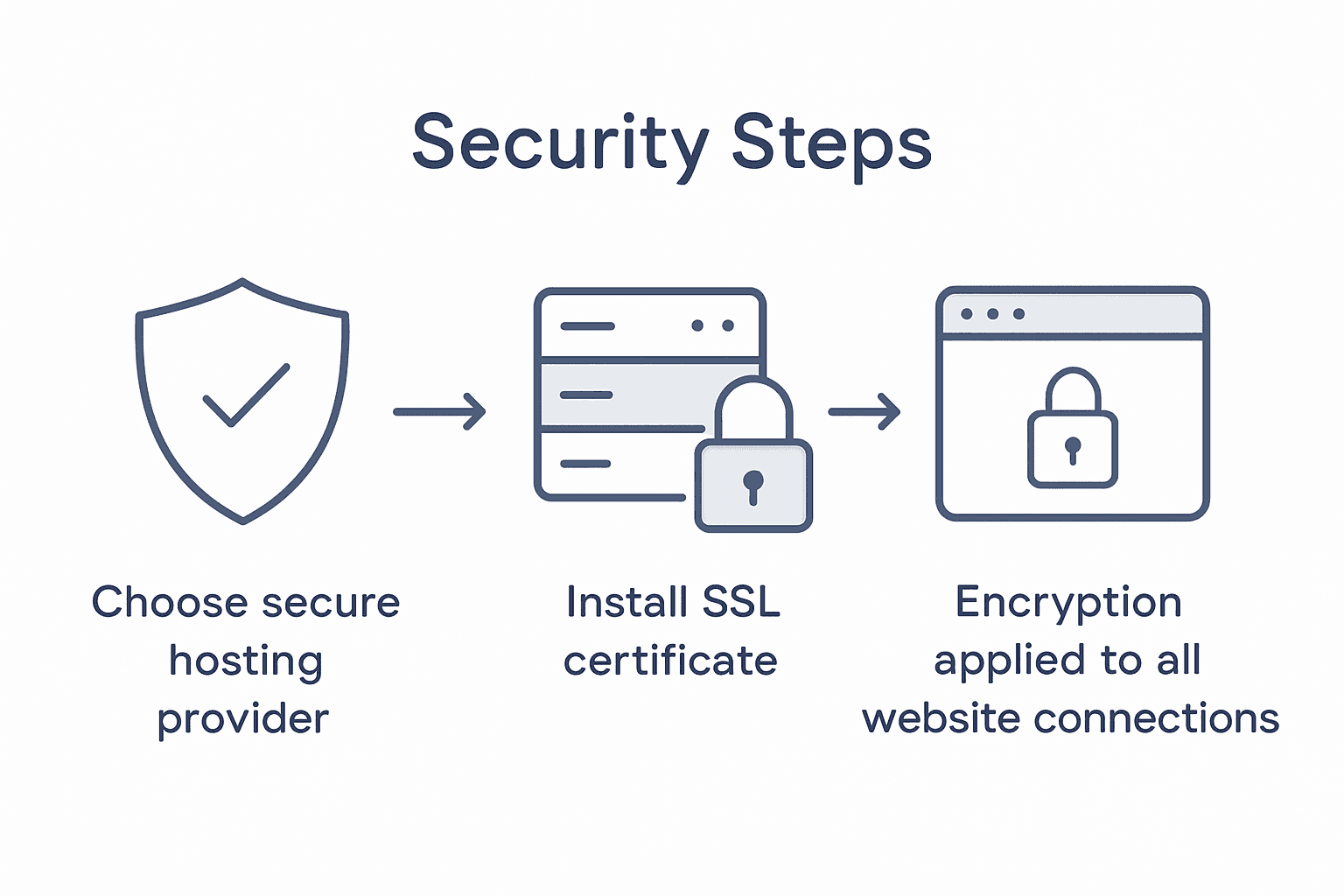
Pro suggestion: Conduct quarterly security assessments of your hosting environment and SSL configuration to stay ahead of emerging digital threats and maintain robust website protection.
Stage 5: Monitor Security and Respond to Threats
Maintaining robust website security requires continuous vigilance and proactive monitoring. Software composition analysis offers advanced techniques to systematically track potential vulnerabilities across your digital infrastructure, providing a comprehensive approach to identifying and mitigating potential security risks before they escalate.
Implement a multi layered monitoring strategy that includes real time threat detection systems, automated security scanning, and comprehensive log analysis. Utilise vulnerability databases to stay informed about emerging security threats relevant to your specific technology stack. Configure automated alerts that notify you immediately of any suspicious activities such as unexpected login attempts, unusual traffic patterns, or potential data breaches. Develop a structured incident response plan that outlines clear protocols for addressing different types of security threats including immediate containment strategies, forensic investigation procedures, and communication guidelines.
Establish a regular security assessment schedule that includes comprehensive vulnerability scans, penetration testing, and thorough code reviews. Maintain detailed documentation of all security incidents, including root cause analysis and remediation steps. Create a dedicated security response team or designate specific team members responsible for monitoring, investigating, and responding to potential threats. Invest in ongoing security training for your team to ensure everyone understands their role in maintaining your website’s digital defence.
Pro suggestion: Develop a comprehensive incident response playbook that provides clear step by step guidance for addressing different categories of security threats, ensuring your team can react quickly and effectively to potential breaches.
Here is a comparison of monitoring and response tools for maintaining website security:
| Tool Type | Main Function | Typical Use Case |
|---|---|---|
| Threat detection | Real-time intrusion alerts | Identifying live attacks immediately |
| Automated scanners | Scheduled vulnerability checks | Discovering weaknesses regularly |
| Log analysis tools | Detailed activity review | Investigating suspicious behaviour |
| Incident response | Structured breach management | Coordinating and tracking remediation |
Strengthen Your Website Security with Expert Support
Securing your website is essential to protect your business from cyber threats and ensure lasting success. This article highlights key challenges like outdated plugins, weak authentication, and insecure hosting that could leave your site vulnerable. If you want peace of mind with strong access controls, regular updates, and comprehensive monitoring, partnering with professionals who understand these issues is critical.

Take charge of your website’s security today by exploring our tailored WordPress solutions designed for New Zealand businesses. Whether you need assistance with ongoing maintenance, secure plugin management, or custom security configurations, we provide personalised services that adapt as your business grows. Discover practical strategies and expert guidance in our Website Archives. Visit ResponsiveWebsiteDesign now to secure your digital presence and build with confidence. You can also explore insights on related topics in our Uncategorized Archives as you prepare to take the next step.
Frequently Asked Questions
How can I assess existing vulnerabilities on my website?
To assess existing vulnerabilities, conduct a thorough vulnerability assessment using professional scanning tools. Start by scanning your website’s code, server configurations, and user authentication systems to identify weak points that may be exploited.
What steps should I take to regularly update my website’s core software and plugins?
Regularly updating your website’s core software and plugins should begin with creating a complete backup before any updates. Then, update the core software first, followed by individual plugins, and test for functionality after each update to prevent issues.
How can I implement strong authentication and access controls for my website?
Implement strong authentication by requiring multi-factor authentication, which combines a password with a unique code. Additionally, establish granular user permissions to restrict access based on roles, which enhances your site’s security.
What are the best practices for configuring secure hosting and SSL certificates?
Select a hosting provider that offers advanced security features and implement SSL certificates to encrypt data. Ensure that your SSL certificate covers all subdomains and check its validity regularly to prevent security lapses.
How should I monitor security and respond to potential threats?
Monitor security with a multi-layered approach, including real-time threat detection and automated security scans. Create a structured incident response plan that outlines specific steps for addressing different types of security threats, ensuring you can react quickly and effectively.
How often should I conduct security assessments for my website?
Conduct security assessments at least quarterly to stay ahead of emerging threats. Schedule regular vulnerability scans and penetration testing to ensure your website remains secure against potential risks.
Recommended
- Complete Guide to Website Security for Businesses – ResponsiveWebsiteDesign
- Website Maintenance Checklist for Business Success – ResponsiveWebsiteDesign
- 7 Essential Business Website Must-Haves for Success – ResponsiveWebsiteDesign
- Website Maintenance – Why Reliability Matters for Business – ResponsiveWebsiteDesign