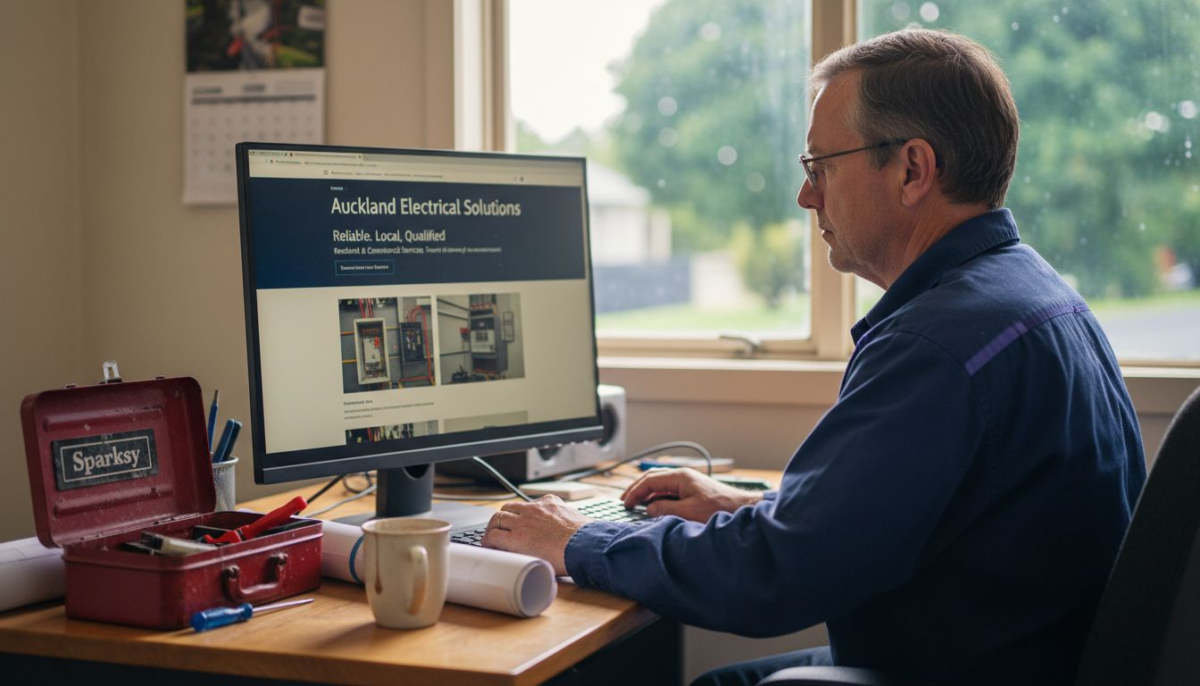
Most electrician websites in New Zealand never reach their full potential, yet over 60 percent of australian service businesses see higher enquiry rates when their online branding stands out. Whether you are just starting out or ready to refresh your WordPress site, clarity about your brand and goals shapes every online success. Learn smart steps for creating a trusted digital presence that captures local customers and helps your electrical business stand apart.
Table of Contents
- Step 1: Define Your Electrician Brand And Goals
- Step 2: Choose And Install The Right WordPress Theme
- Step 3: Customise Pages For Services And Local Seo
- Step 4: Set Up Contact And Booking Features
- Step 5: Test Site Responsiveness And Optimise Speed
- Step 6: Launch And Monitor Results
Quick Summary
| Key Message | Explanation |
|---|---|
| 1. Define Your Unique Niche | Identify what sets your electrical services apart to craft a targeted brand message. |
| 2. Prioritise Mobile Responsiveness | Ensure your website is mobile-friendly for better user experience and customer engagement. |
| 3. Optimise for Local SEO | Include location-specific keywords to enhance visibility in local search results. |
| 4. Implement Booking Features | Facilitate customer interactions with efficient contact and booking systems on your website. |
| 5. Monitor Website Performance | Regularly review analytics to track user engagement and improve your website’s effectiveness. |
Step 1: Define your electrician brand and goals
Branding your electrician business goes far beyond just selecting a catchy name. It requires strategic thinking about how you want potential customers to perceive your electrical services in the competitive New Zealand market.
Start by understanding what makes your electrical business unique. Are you specialising in residential renovations, commercial electrical installations, or emergency electrical repairs? Identifying your specific niche helps you craft a more targeted brand message. Choosing a distinctive business name plays a crucial role in establishing your professional identity.
Consider developing a clear value proposition that communicates your expertise. This might involve highlighting your years of experience, specialised qualifications, or commitment to safety and quality. When creating your brand, think about visual elements like logo design and colour schemes that reflect professionalism and reliability. Registering your trade mark with the Intellectual Property Office can protect your unique business identity and prevent others from using similar branding.
Research local electrician competitors to understand how you can differentiate yourself. Maybe you offer 24hour emergency services, have specialised renewable energy expertise, or provide transparent upfront pricing. Your brand should communicate these unique selling points clearly and consistently across all marketing materials.
Careful consideration of your target audience matters immensely. Are you targeting homeowners, property managers, or industrial clients? Understanding your ideal customer helps you tailor your brand messaging and visual identity to resonate with their specific needs and preferences.
Pro tip: Create a simple brand style guide documenting your logo usage, colour palette, and tone of voice to ensure consistent branding across your website, business cards, vehicle signage, and digital marketing materials.
Here’s a quick overview of electrician branding strategies and their business impact:
| Branding Element | Purpose | Business Impact |
|---|---|---|
| Distinctive Name | Sets your business apart | Improves recognition in market |
| Logo & Colours | Visual professional identity | Builds customer trust |
| Niche Specialisation | Highlights unique expertise | Attracts targeted clients |
| Trademark Registration | Protects brand from imitation | Legally secures business image |
| Style Guide | Ensures brand consistency | Professional perception |
Step 2: Choose and install the right WordPress theme
Selecting the perfect WordPress theme is crucial for creating a professional online presence for your electrical business. Your website’s theme will determine its overall look, functionality, and user experience.

Start by exploring WordPress theme installation and selection strategies that align with your electrical business needs. When browsing themes, prioritise responsiveness, which ensures your website looks great on mobile devices and desktop computers. Consider themes specifically designed for service-based businesses or professional trade websites.
Evaluate potential themes based on several key criteria. Check for built-in features like contact forms, service page templates, and mobile responsiveness. Look for themes that offer customisation options allowing you to incorporate your brand colours, logo, and unique visual identity. Compatibility with popular plugins for booking systems or portfolio showcases can also be crucial for electrician websites.
Before making a final selection, preview the theme thoroughly. Most premium theme providers offer live demos where you can explore the layout, colour schemes, and page designs. Pay attention to how service pages are structured and whether the design feels professional and trustworthy. Reading user reviews and checking theme update frequency can provide additional insights into its reliability.
Once you have selected your theme, installation is straightforward through the WordPress dashboard. Navigate to Appearance > Themes, click Add New, and either upload a purchased theme file or search the WordPress theme directory. After installation, spend time customising the theme to match your electrician brand’s specific requirements.
Pro tip: Always create a complete website backup before installing a new theme to ensure you can quickly revert any unexpected changes or design inconsistencies.
Use this table to compare WordPress theme selection criteria:
| Criteria | Why It Matters | Real-world Benefit |
|---|---|---|
| Mobile Responsiveness | Access all device users | Increases enquiries from mobiles |
| Built-in Contact Forms | Ease of communication | Faster client outreach |
| Customisation Options | Matches business branding | Strong brand identity |
| Plugin Compatibility | Expands functionality | Enables booking and portfolios |
Step 3: Customise pages for services and local SEO
Creating a targeted website for your electrical business requires strategic page customisation that showcases your services while optimising for local search results. Your goal is to develop a website that not only looks professional but also attracts potential customers in your specific New Zealand service area.
Configuring your WordPress page templates and site structure provides the foundation for an effective online presence. Begin by creating dedicated service pages for each electrical specialisation you offer. Whether you focus on residential wiring, commercial installations, or emergency electrical repairs, each service deserves a detailed, informative page that highlights your expertise and unique value proposition.
Local search engine optimisation demands precise location details throughout your website. Include your specific service areas within page content. If you primarily serve Auckland, Wellington, or Christchurch, mention these cities naturally in your service descriptions. Use location specific keywords that potential customers might use when searching for electrical services. Embed your business address, service region map, and local contact information prominently on your pages.
Design your service pages to answer common customer questions. Include clear pricing information, qualifications, response times, and a comprehensive overview of what clients can expect. Add professional photographs of completed projects, testimonials from local clients, and certifications to build credibility. Integrate clear call to action buttons that make it easy for potential customers to request quotes or schedule services.
Ensure your navigation menu is intuitive and reflects your service offerings. Properly setting up pages and navigation helps both users and search engines understand your website structure. Group similar services logically and use descriptive menu labels that potential customers will recognise.
Pro tip: Include schema markup for local businesses on your pages to help search engines understand your specific service area and business details more effectively.
Step 4: Set up contact and booking features
Transforming your electrical business website into a powerful client acquisition tool requires implementing seamless contact and booking features that make connecting with potential customers effortless and professional.
Consider integrating customer relationship management plugins that streamline your communication and booking processes. These tools allow you to manage client interactions, track leads, and simplify appointment scheduling directly within your WordPress dashboard. Look for plugins specifically designed for service based businesses that offer features like online booking calendars, automated email confirmations, and lead tracking.
Your contact page should be more than just a simple form. Create a comprehensive contact experience that builds trust and encourages potential clients to reach out. Include multiple contact methods such as a phone number, email address, physical business address, and an intuitive contact form. Add professional headshots of your team, display your service areas, and highlight your response times to demonstrate reliability.
Booking functionality is critical for modern electrical service websites. Implement booking plugins that allow customers to select specific services, choose convenient time slots, and submit their contact details seamlessly. Ensure the booking system provides clear information about service types, estimated duration, and potential costs. Configure automated confirmation emails and integrate the system with your existing calendar to prevent double bookings.
Optimise your contact and booking pages for mobile users. With increasing numbers of customers searching and booking services on smartphones, your contact forms and booking interfaces must be responsive and easy to navigate on smaller screens. Test the user experience across different devices to ensure smooth functionality.
Pro tip: Configure your booking plugin to send automatic reminder notifications to reduce no show rates and improve overall customer communication.
Step 5: Test site responsiveness and optimise speed
Ensuring your electrical business website performs seamlessly across all devices and loads quickly is crucial for attracting and retaining potential customers. Your website needs to look professional and function smoothly whether accessed from a desktop computer or a smartphone.
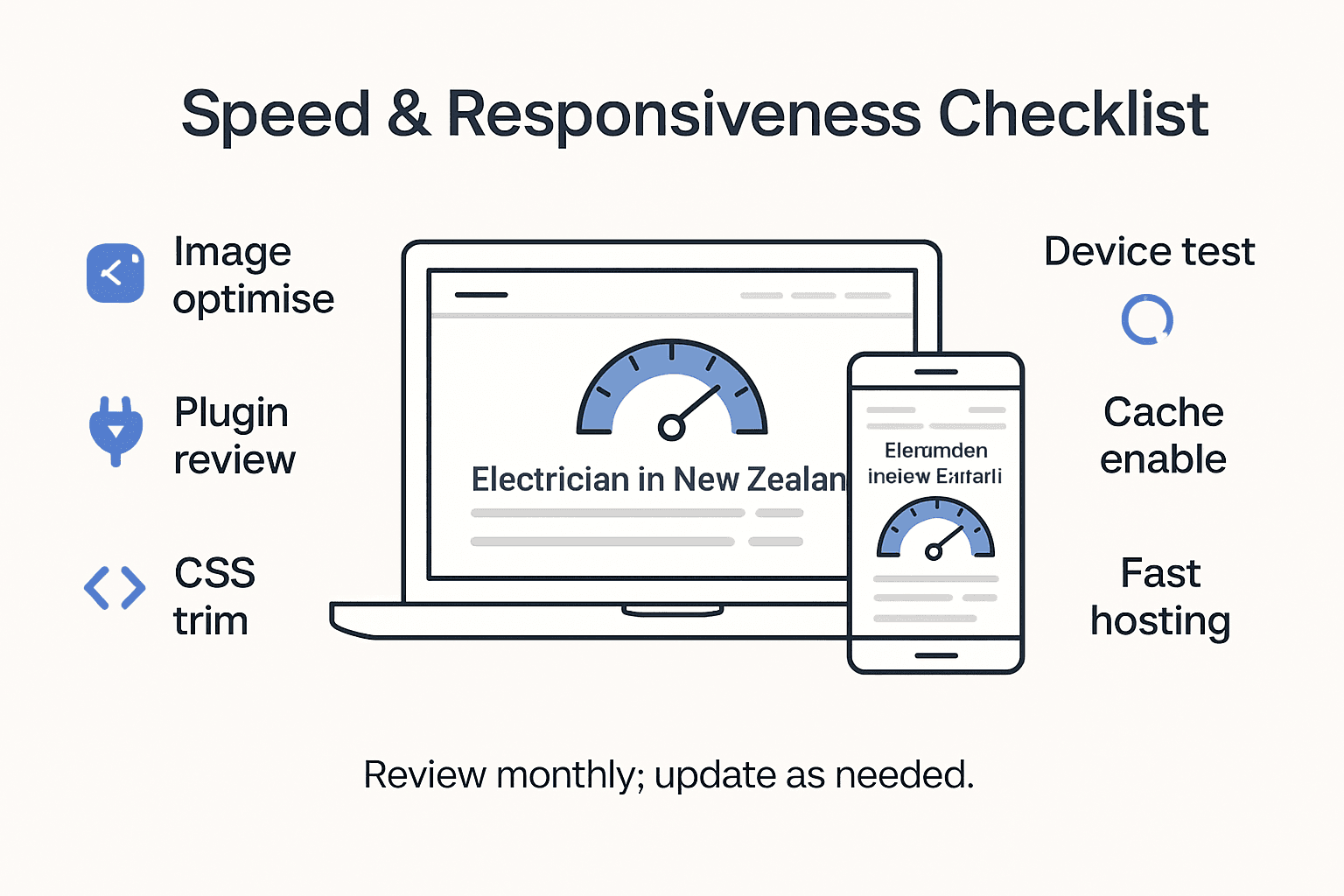
WordPress testing environments provide an excellent opportunity to evaluate your website’s performance before making it publicly accessible. Start by checking your site on multiple devices and screen sizes. Use browser developer tools to simulate different mobile and tablet configurations, ensuring your design adapts perfectly to various display sizes. Pay special attention to how service pages, contact forms, and booking features render across different platforms.
Speed optimization requires a strategic approach to website design. Streamline your CSS and minimize render blocking resources to improve loading times. Remove unnecessary plugins, compress image files, and leverage browser caching. Consider using performance measurement tools like Google PageSpeed Insights to identify specific areas for improvement. Aim for loading times under three seconds to prevent potential customers from abandoning your site.
Mobile responsiveness goes beyond visual aesthetics. Ensure that interactive elements like contact forms, service selection buttons, and booking calendars are easy to use on touchscreens. Test touch target sizes to confirm buttons are large enough for comfortable mobile interaction. Verify that text remains readable without zooming and that navigation menus collapse appropriately on smaller screens.
Implement technical optimisations such as leveraging browser caching, enabling compression, and using content delivery networks to improve site speed. Select a hosting provider that offers solid performance and is optimised for WordPress websites. Regular performance monitoring will help you maintain an efficient online presence that reflects the professionalism of your electrical business.
Pro tip: Create a staging site to test major changes before implementing them on your live website to prevent potential disruptions to your online service.
Step 6: Launch and monitor results
Launching your electrical business website marks the beginning of your digital marketing journey. Careful monitoring and strategic analysis will help you understand how potential customers interact with your online presence and identify opportunities for improvement.
Google Analytics plugins for WordPress provide comprehensive insights into your website’s performance. Configure tracking to monitor critical metrics such as visitor numbers, page views, average time spent on site, and conversion rates. Pay special attention to which service pages attract the most interest and track how users navigate through your site.
Establish a routine for reviewing website analytics and performance data. Activity logging tools can help you track user interactions, plugin updates, and system events. This continuous monitoring allows you to quickly identify and address any technical issues, security concerns, or user experience challenges that might arise after launch.
Consider setting up conversion tracking for specific goals like quote requests, service bookings, or contact form submissions. Create custom dashboards that highlight key performance indicators relevant to your electrical business. Look for trends in user behaviour that can inform future website improvements or marketing strategies.
Regular performance reviews should examine both technical metrics and business outcomes. Assess how your website contributes to lead generation, customer inquiries, and overall business growth. Be prepared to make iterative improvements based on the data you collect, ensuring your online presence remains effective and engaging for potential customers.
Pro tip: Schedule monthly website performance reviews and set up automated reporting to stay consistently informed about your site’s effectiveness without spending excessive time on manual tracking.
Elevate Your Electrician Website with Tailored WordPress Solutions
Building a professional and responsive electrician website for New Zealand trades in 2026 demands more than just appealing design. Challenges such as ensuring mobile responsiveness, integrating seamless booking systems, maintaining fast load speeds, and optimising for local SEO can feel overwhelming. This article highlighted key pain points including creating targeted service pages, streamlining client communication, and safeguarding your brand identity through strategic choices like trademark registration.
Don’t let these technical hurdles slow your business growth. At ResponsiveWebsiteDesign, we specialise in transforming these complex tasks into simple, effective solutions customised for your trade. Whether you need a fully tailored WordPress theme, ongoing website management, or expert SEO guidance, our team helps you build a trustworthy online presence that converts visitors into loyal customers.

Ready to take the next step in launching a high-performing electrical services website that truly stands out in New Zealand’s competitive market? Discover how we can support your journey by exploring our expertise in Uncategorized Archives – ResponsiveWebsiteDesign and visit our main site at ResponsiveWebsiteDesign today. Start building your future-proof digital presence with a partner focused on your success.
Frequently Asked Questions
How can I define my electrician brand for my website?
To define your electrician brand, start by identifying what makes your services unique, such as specialisations and values. Develop a value proposition that highlights your experience and qualifications, and consider creating a style guide for consistency across all branding materials.
What should I look for when choosing a WordPress theme for my electrician website?
When selecting a WordPress theme, prioritise responsiveness and built-in features like contact forms or service templates tailored for trade businesses. Ensure the theme is easy to customise with your branding, enhancing both your professionalism and user experience.
How do I optimise my electrician service pages for local SEO?
To optimise your service pages for local SEO, include location-specific keywords and details about the areas you serve. Create informative content that answers potential customers’ questions, and incorporate clear calls to action to encourage booking inquiries.
What features are essential for my electrician website’s contact and booking pages?
Essential features for your contact and booking pages include a clear contact form, your business phone number, and online booking capabilities. Implementing these features simplifies customer outreach and can significantly improve appointment scheduling efficiency.
How can I ensure my electrician website loads quickly on all devices?
To ensure fast loading times, optimise images, remove unnecessary plugins, and streamline your website’s coding. Regularly check your site’s performance, aiming for load times under three seconds to enhance user satisfaction and retention.
Why should I monitor my website’s performance after launching?
Monitoring your website’s performance post-launch allows you to track visitor interactions and identify any issues. Regular reviews help improve user experience and can lead to higher conversion rates, so schedule these reviews monthly for optimal results.
Recommended
- Best website design platforms for builders – Expert Comparison 2025 – ResponsiveWebsiteDesign
- How to Build Mechanic Website for Your Business – ResponsiveWebsiteDesign
- Top Small Business Website Solutions in New Zealand: Our Top Picks – ResponsiveWebsiteDesign
- Top Small Business Website Solutions in New Zealand: Our Top Picks – ResponsiveWebsiteDesign
- NYC Custom Web Design: Unleash Your 2025 Success